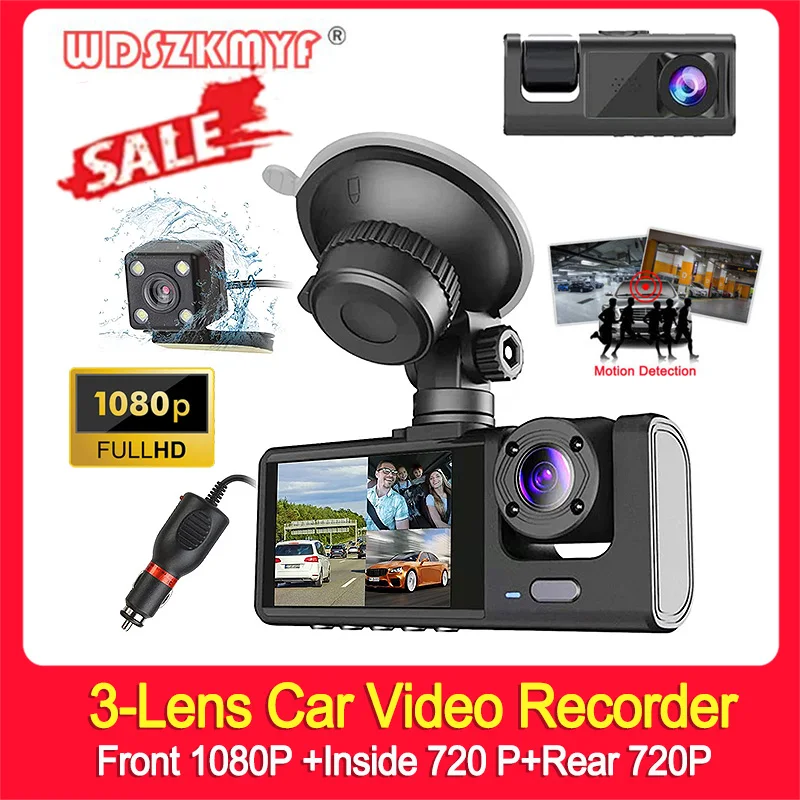
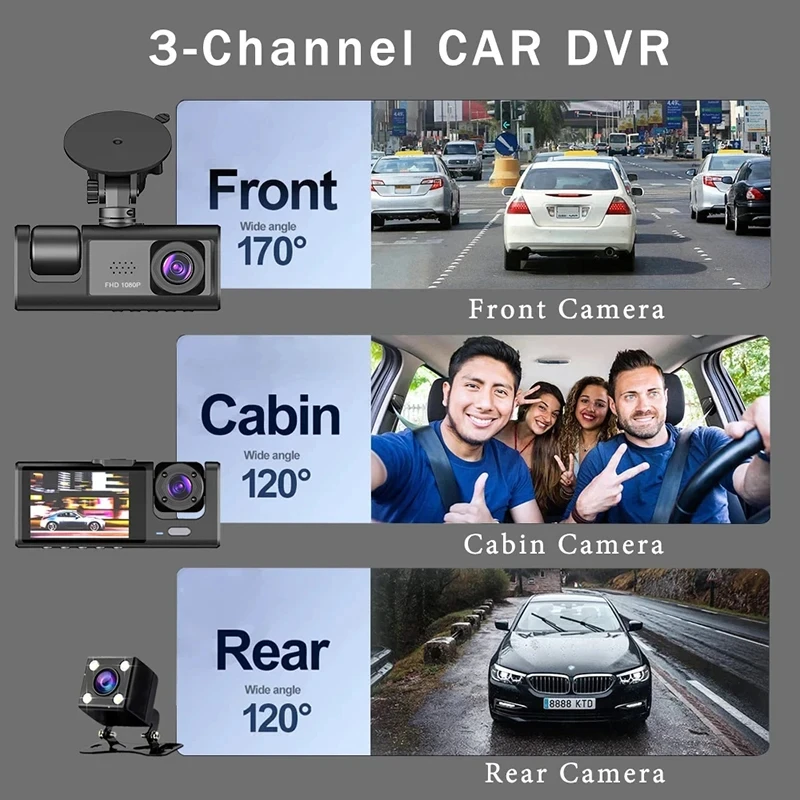
3 Channel Dash Cam for Cars 1080P Video Recorder Front and Rear View Camera for Vehicle Car DVR Night Vision Car Assecories
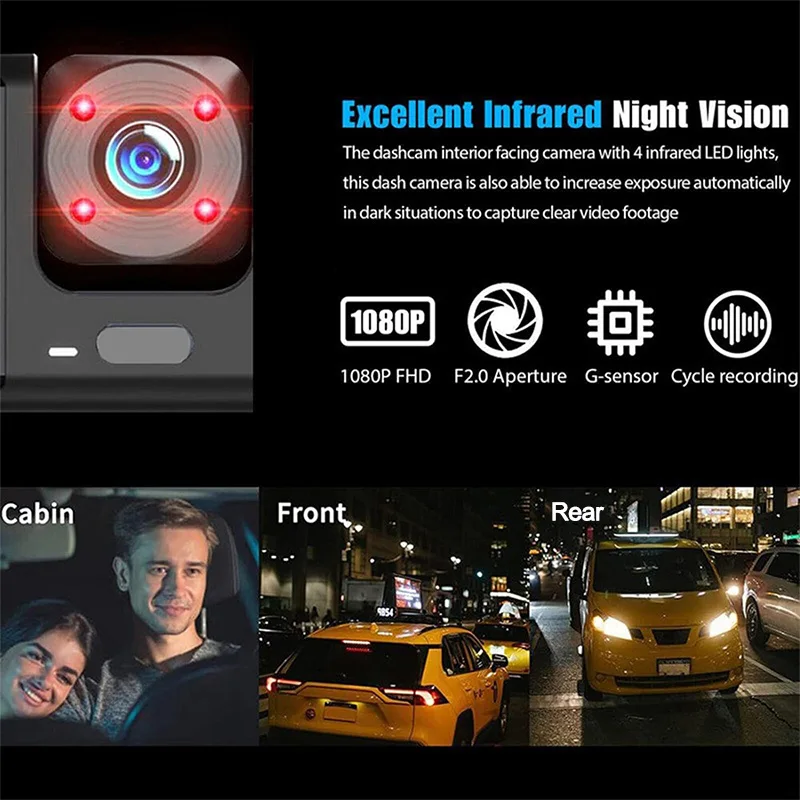
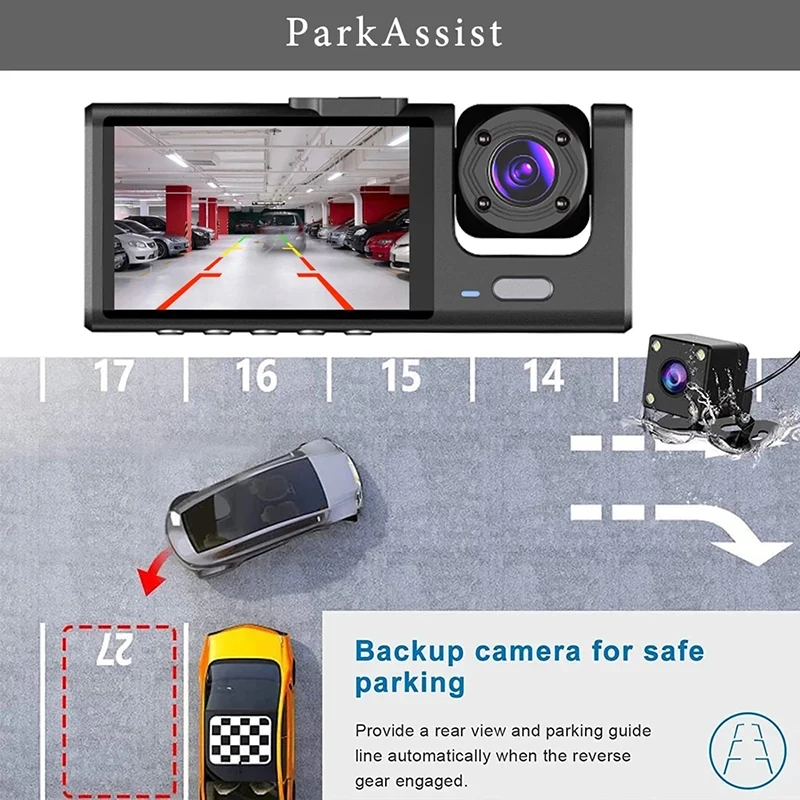
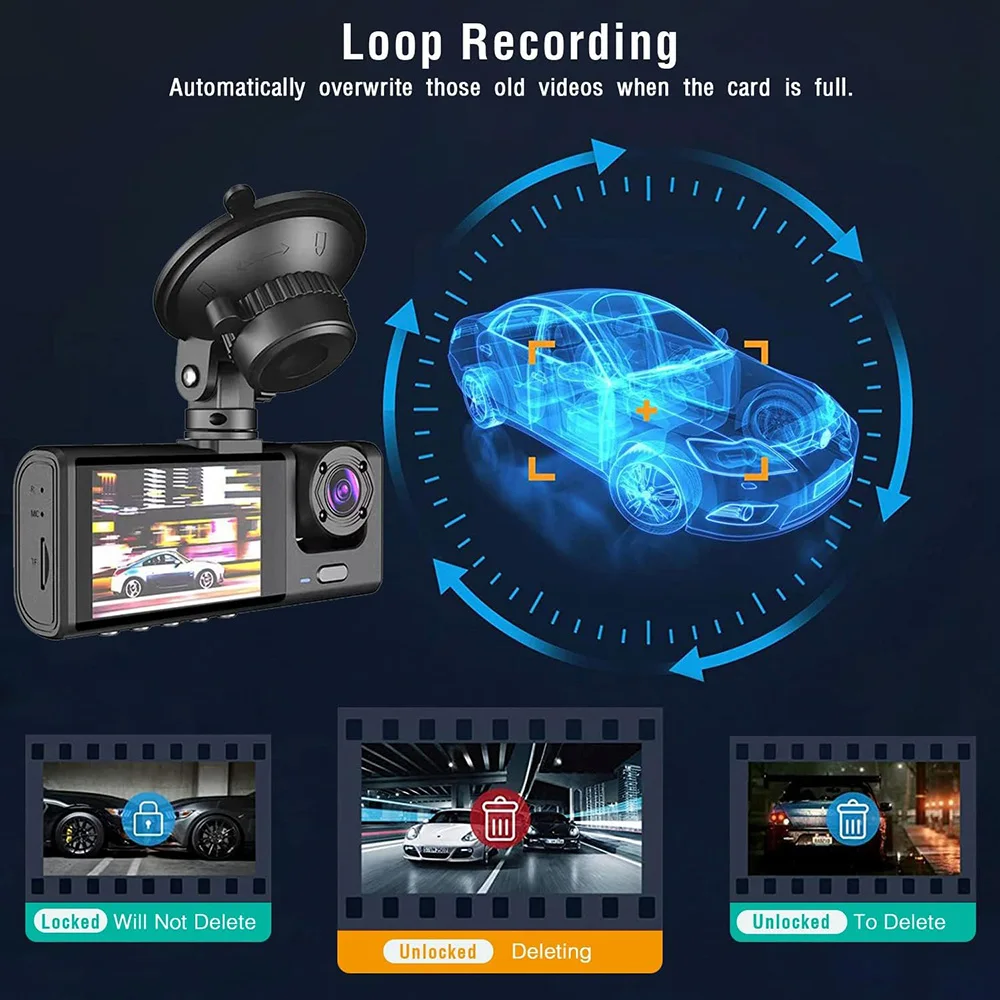
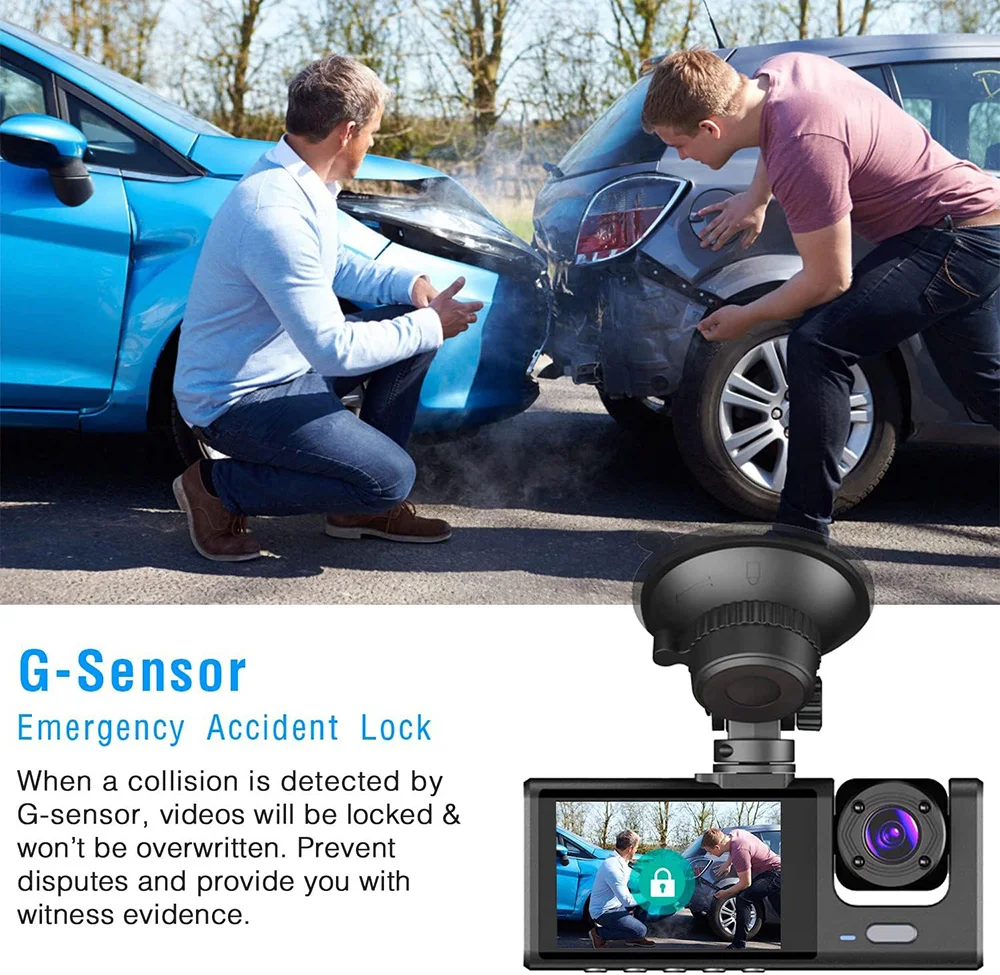
<p><br/><br/></p><br/><p><div class="detailmodule_media"><div class="video-container-5000120132830"><div class="detail-video" id="5000120132830" data-previewurl="https://ae01.alicdn.com/kf/S6bb15adbb48648549e599100fe821915h.jpg"></div></div></div></p><br/><p><br/></p><div class="detailmodule_text"><p style="font-size:24px;font-weight:bold;color:rgb(243, 9, 9)">Friendly reminder: the product is divided into 2 cameras and 3 cameras, 3 cameras before the rear of the car to shoot, please note when buying.</p></div><div class="detailmodule_text"><p style="font-size:24px;font-weight:bold">Product Specifications:</p></div><div class="detailmodule_text"><p style="font-size:24px">> 3 Channels: [Front+Interior+Rear]<br/>> Screen size: 2 inches<br/>> File format: AVI<br/>>Voltage 1 Current: 5V/1A<br/>> Video resolution: 1080P; 720P; 720P<br/>> Continuour Loop Video: Seamless Loop Recording<br/>> Automatic power on/off: support automatic ignition and shutdown<br/>> Interface: Support Type-C<br/>> Time Synchronization: Support<br/>> Support memory card: TF (maximum support 64 GB)<br/>> Built-in stereo: support<br/>> Frequency: 50HZ / 60HZ<br/>> Supported languages: Chinese, English, French, German, Russian, Polish,Japanese, Portuguese, Spanish,Korean,etc.</p></div><div class="detailmodule_image"></div><div class="detailmodule_text"><p style="font-size:24px;font-weight:bold">Reversing Camera Function</p></div><div class="detailmodule_text"><p style="font-size:24px">When hanging in the "R" gear, the screen will automatically switch Reverse image, and the accurate inverted auxiliary line provides you with better parking prediction.</p></div><div class="detailmodule_image"></div><div class="detailmodule_text"><p style="font-size:24px;font-weight:bold">Built-in G-Sensor</p></div><div class="detailmodule_text"><p style="font-size:24px">Built-in G-sensor can automatically lock the current video in an emergency events when collision.</p></div><div class="detailmodule_image"></div><div class="detailmodule_text"><p style="font-size:24px;font-weight:bold">Loop Recording</p></div><div class="detailmodule_text"><p style="font-size:24px">When the memory card is full,the video recorded earlier will be automatically overwritten.The memory space will be seamlessly recycled, and the video locked inemer-gency recording will not be overwritten.</p></div><div class="detailmodule_image"></div><div class="detailmodule_text"><p style="font-size:24px;font-weight:bold;color:rgb(250, 7, 7)">To protect your privacy, the TF card needs to be formatted for the first time. There are two solutions:</p></div><div class="detailmodule_text"><p style="font-size:24px;color:rgb(11, 11, 11)">1. Insert the TF card correctly into the dash cam, open the camera settings, find the storage card format, confirm that the formatting is complete, and then restart the camera to use.</p></div><div class="detailmodule_text"><p style="font-size:24px;color:rgb(11, 11, 11)">2.Connect to the mobile application, search for settings in the mobile application, format the memory card, confirm formatting is complete, and then restart the camera to use it. Sincere wishes to you and your family.</p></div><div class="detailmodule_image"></div><div class="detailmodule_text"><p style="font-size:24px;font-weight:bold">Installation Image</p></div><div class="detailmodule_text"><p style="font-size:24px;color:rgb(251, 4, 4)">During installation, the red cable of the rear camera needs to be correctly connected to the positive pole of the car's reverse in order to realise the reverse image function.</p></div><div class="detailmodule_image"></div><p><br/></p><p><br/></p><br/>
$71.15
$35.885
- Category : Automobiles, Parts & Accessories
- Brand : global_car_accessories_factory_store Global Car Accessories Factory Store
Colors
Sizes
-
+

<p><br/><br/></p><br/><p><div class="detailmodule_media"><div class="video-container-5000120132830"><div class="detail-video" id="5000120132830" data-previewurl="https://ae01.alicdn.com/kf/S6bb15adbb48648549e599100fe821915h.jpg"></div></div></div></p><br/><p><br/></p><div class="detailmodule_text"><p style="font-size:24px;font-weight:bold;color:rgb(243, 9, 9)">Friendly reminder: the product is divided into 2 cameras and 3 cameras, 3 cameras before the rear of the car to shoot, please note when buying.</p></div><div class="detailmodule_text"><p style="font-size:24px;font-weight:bold">Product Specifications:</p></div><div class="detailmodule_text"><p style="font-size:24px">> 3 Channels: [Front+Interior+Rear]<br/>> Screen size: 2 inches<br/>> File format: AVI<br/>>Voltage 1 Current: 5V/1A<br/>> Video resolution: 1080P; 720P; 720P<br/>> Continuour Loop Video: Seamless Loop Recording<br/>> Automatic power on/off: support automatic ignition and shutdown<br/>> Interface: Support Type-C<br/>> Time Synchronization: Support<br/>> Support memory card: TF (maximum support 64 GB)<br/>> Built-in stereo: support<br/>> Frequency: 50HZ / 60HZ<br/>> Supported languages: Chinese, English, French, German, Russian, Polish,Japanese, Portuguese, Spanish,Korean,etc.</p></div><div class="detailmodule_image"></div><div class="detailmodule_text"><p style="font-size:24px;font-weight:bold">Reversing Camera Function</p></div><div class="detailmodule_text"><p style="font-size:24px">When hanging in the "R" gear, the screen will automatically switch Reverse image, and the accurate inverted auxiliary line provides you with better parking prediction.</p></div><div class="detailmodule_image"></div><div class="detailmodule_text"><p style="font-size:24px;font-weight:bold">Built-in G-Sensor</p></div><div class="detailmodule_text"><p style="font-size:24px">Built-in G-sensor can automatically lock the current video in an emergency events when collision.</p></div><div class="detailmodule_image"></div><div class="detailmodule_text"><p style="font-size:24px;font-weight:bold">Loop Recording</p></div><div class="detailmodule_text"><p style="font-size:24px">When the memory card is full,the video recorded earlier will be automatically overwritten.The memory space will be seamlessly recycled, and the video locked inemer-gency recording will not be overwritten.</p></div><div class="detailmodule_image"></div><div class="detailmodule_text"><p style="font-size:24px;font-weight:bold;color:rgb(250, 7, 7)">To protect your privacy, the TF card needs to be formatted for the first time. There are two solutions:</p></div><div class="detailmodule_text"><p style="font-size:24px;color:rgb(11, 11, 11)">1. Insert the TF card correctly into the dash cam, open the camera settings, find the storage card format, confirm that the formatting is complete, and then restart the camera to use.</p></div><div class="detailmodule_text"><p style="font-size:24px;color:rgb(11, 11, 11)">2.Connect to the mobile application, search for settings in the mobile application, format the memory card, confirm formatting is complete, and then restart the camera to use it. Sincere wishes to you and your family.</p></div><div class="detailmodule_image"></div><div class="detailmodule_text"><p style="font-size:24px;font-weight:bold">Installation Image</p></div><div class="detailmodule_text"><p style="font-size:24px;color:rgb(251, 4, 4)">During installation, the red cable of the rear camera needs to be correctly connected to the positive pole of the car's reverse in order to realise the reverse image function.</p></div><div class="detailmodule_image"></div><p><br/></p><p><br/></p><br/>
Related Product
Browse The Collection of Top Products.