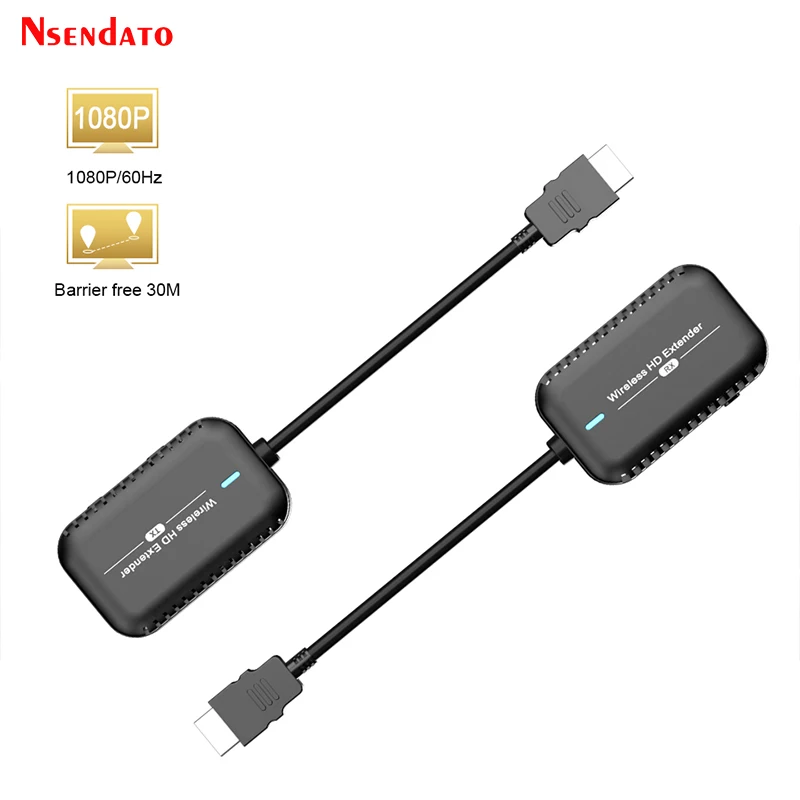
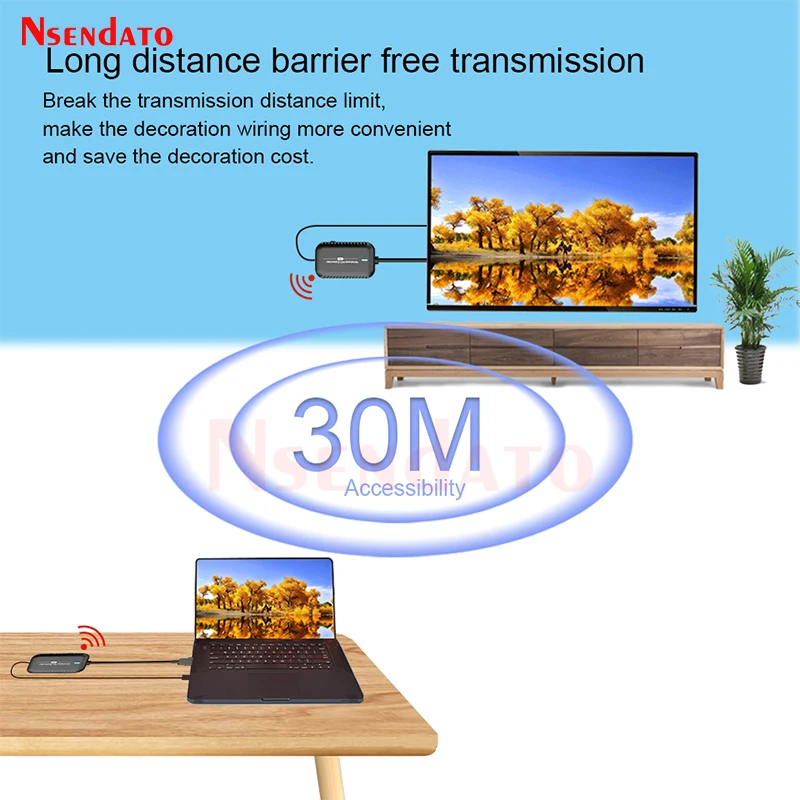
30M USB C HDMI Wireless Video Transmitter And Receiver Kit HDMI Home Audio TV Stick Full HD Extender Display Dongle For PC
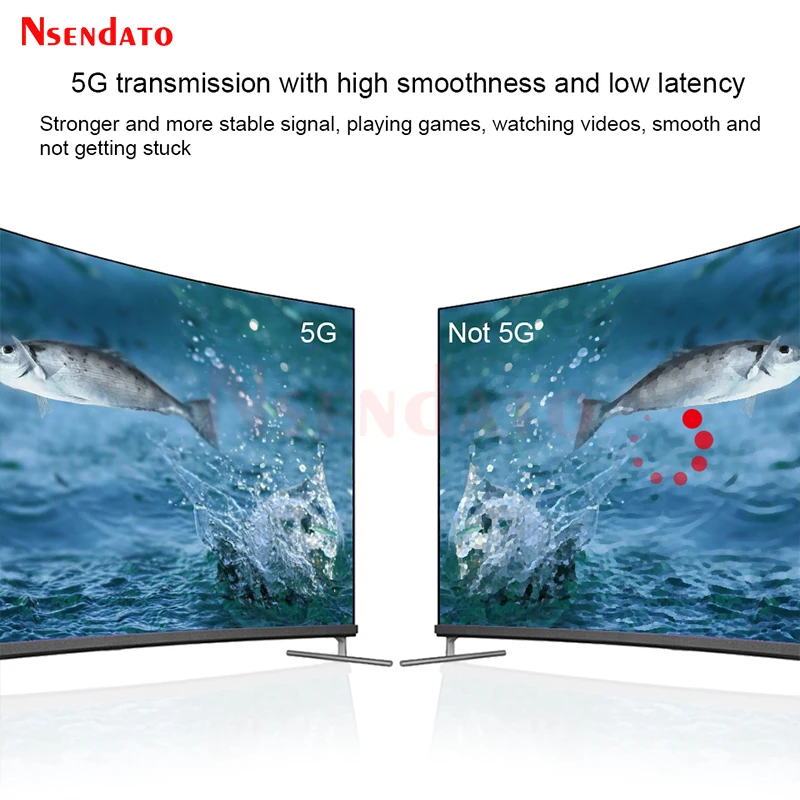
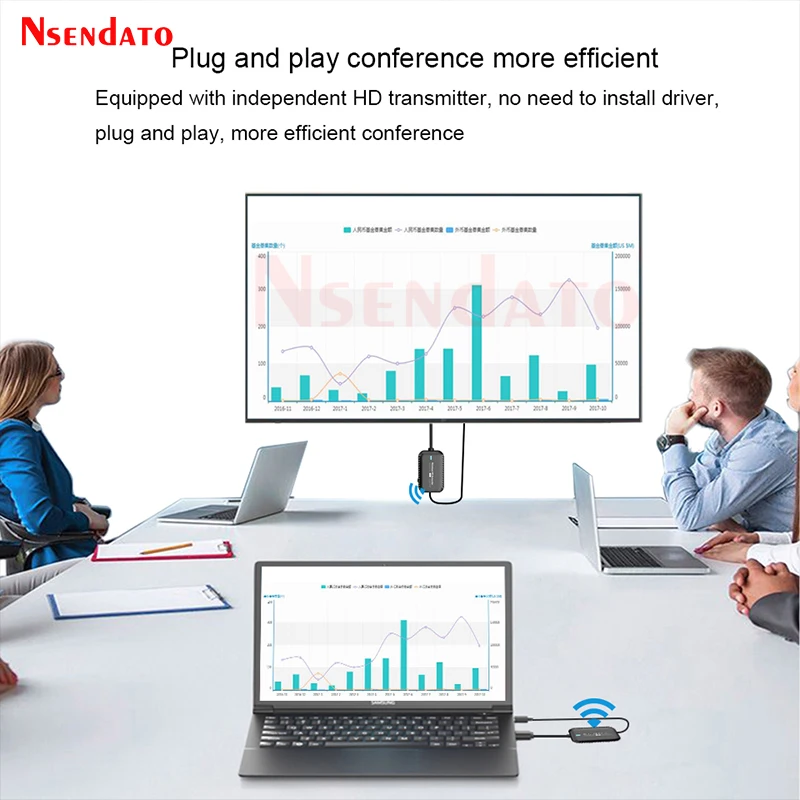
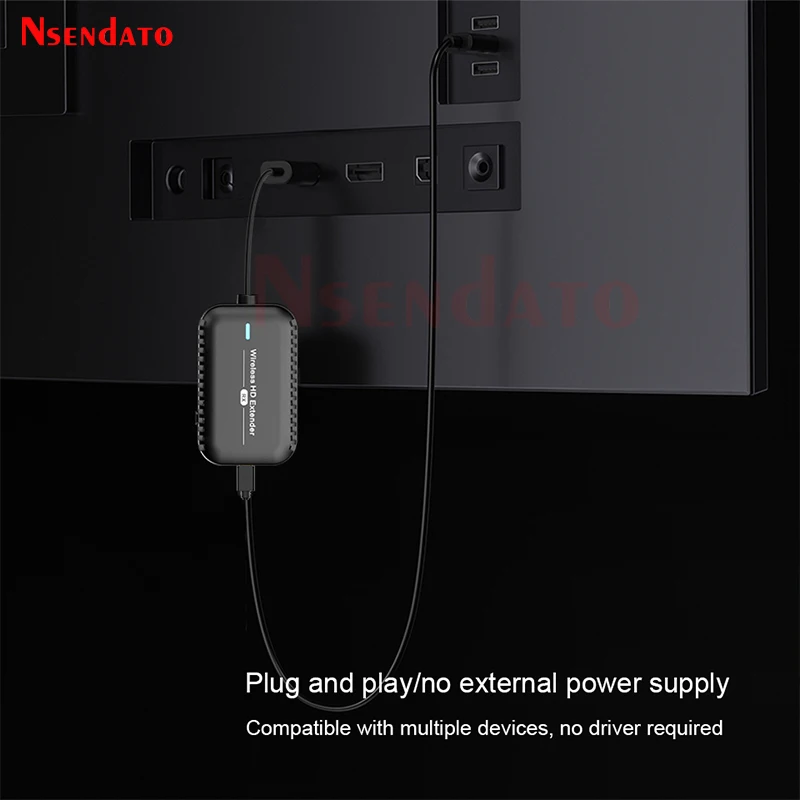
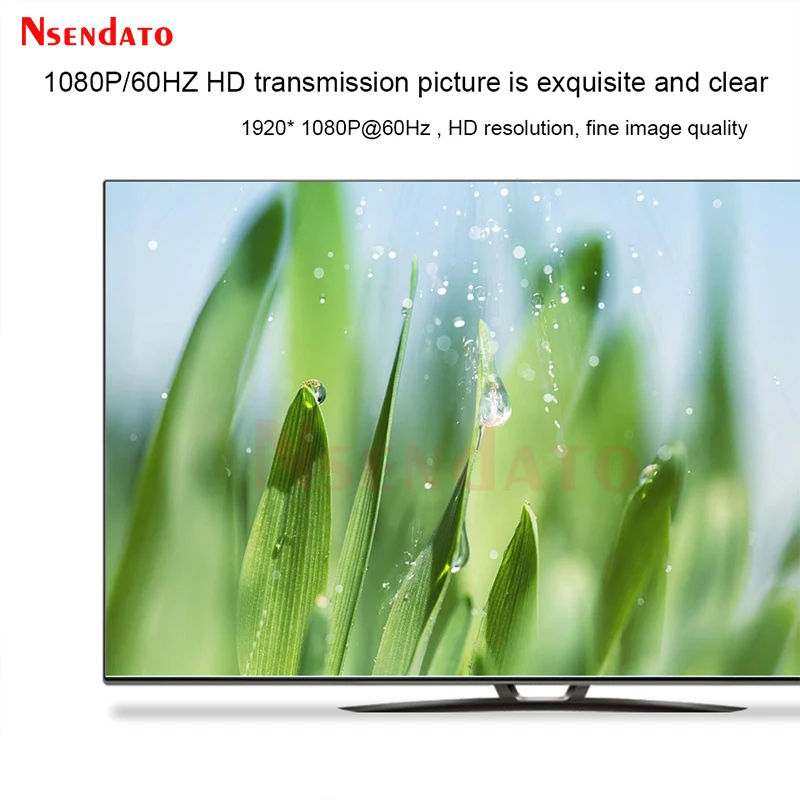
<br/><div class="detailmodule_html"><div class="detail-desc-decorate-richtext"><div><div class="detailmodule_media"><div class="video-container-1100150444869"><div class="detail-video" id="1100150444869" data-previewurl="https://ae01.alicdn.com/kf/Sabbcc8c9d1fc42a9b1a751aad1718038a.jpg"></div></div></div><kse:widget data-widget-type="customText" id="22569421" type="custom"></kse:widget></div><p><span style="font-size:16px;font-family:arial, helvetica, sans-serif">30M Wireless Type C HDMI Video Transmitter And Receiver Kit Adapter Home Audio TV Stick Full HD Extender Display Dongle For PC</span></p><p></p><div><div><strong><span style="color:rgb(244, 78, 59)">Tips:</span></strong></div><div><strong><span style="color:rgb(244, 78, 59)">1.there are two version ,one with hdmi port ,one with Type c Port ,so the HDMI-TX Standard for HDMI Version of Transmiter ,and HDMI-TX RX standard for hdmi version of Transmitter and Receiver ,Type C-TX Standard for Type C Version of Transmiter ,and Type C-TX RX standard for Type-C version of Transmitter and Receiver</span></strong></div><div><strong><span style="color:rgb(244, 78, 59)">2.the model can support 1 transmitter to many receiver ,but siginal is same .</span></strong></div><div> </div><div><span style="font-size:16px;font-family:arial, helvetica, sans-serif">Introduction:</span></div><div><span style="font-size:16px;font-family:arial, helvetica, sans-serif">Easily mirror whatever shows on your laptop or mobile screen, ideal for video-watching, game-play, and idea sharing.it have two model one with type c port ,one with hdmi port</span></div><div> </div><div><span style="font-size:16px;font-family:arial, helvetica, sans-serif">Features:</span></div><div><span style="font-size:16px;font-family:arial, helvetica, sans-serif">1.HDMI video and audio transmission via wireless WIFI, up to 30 meters;</span></div><div><span style="font-size:16px;font-family:arial, helvetica, sans-serif">2.HDMI 1.3 compatible;</span></div><div><span style="font-size:16px;font-family:arial, helvetica, sans-serif">3.In accordance with standard HDCP1.2 ,high-bandwidth digital content</span></div><div><span style="font-size:16px;font-family:arial, helvetica, sans-serif">protection technology;</span></div><div><span style="font-size:16px;font-family:arial, helvetica, sans-serif">4.HD video signal resolution up to 1920x1080@60Hz;</span></div><div><span style="font-size:16px;font-family:arial, helvetica, sans-serif">5.Special format is to compress and decompress video,effectively improve</span></div><div><span style="font-size:16px;font-family:arial, helvetica, sans-serif">the transfer efficiency,to ensure that the playback fluency;</span></div><div><span style="font-size:16px;font-family:arial, helvetica, sans-serif">6.Able to automatically identify and configure a variety of display mode;</span></div><div><span style="font-size:16px;font-family:arial, helvetica, sans-serif">7.Built-in automatic balance system, the picture is fluent, clear and stable;</span></div><div><span style="font-size:16px;font-family:arial, helvetica, sans-serif">8.The built-in ESD electrostatic protection circuit, comprehensive security</span></div><div><span style="font-size:16px;font-family:arial, helvetica, sans-serif">protection system;</span></div><div><span style="font-size:16px;font-family:arial, helvetica, sans-serif">9.Simple and convenient installation, plug and play, do not need to set up.</span></div><div> </div><div><span style="font-size:16px;font-family:arial, helvetica, sans-serif">Packaging accessories:(Full Set-TX RX)</span></div><div><span style="font-size:16px;font-family:arial, helvetica, sans-serif">HDMI transmitter</span></div><div><span style="font-size:16px;font-family:arial, helvetica, sans-serif">HDMI receiver</span></div><div><span style="font-size:16px;font-family:arial, helvetica, sans-serif">USB Power Cable</span></div><div><span style="font-size:16px;font-family:arial, helvetica, sans-serif">User Manual</span></div><div> </div><div><span style="font-size:16px;font-family:arial, helvetica, sans-serif">Connection diagram:</span></div><div><span style="font-size:16px;font-family:arial, helvetica, sans-serif">1.Use the HDMI connector to connect Receiver to the HDMI port on TV, and power on by an independent power 5V/1A adapter.</span></div><div><span style="font-size:16px;font-family:arial, helvetica, sans-serif">2.Plug Transmitter to Type C or HDMI port on laptop or mobile. Wait a few seconds until the flashing light on transmitter stops, and it will start mirroring automatically.</span></div><div><span style="font-size:16px;font-family:arial, helvetica, sans-serif">3.When using the Transmitter(HDMI connector), using the Type C connector connect to an independent power 5V/1A adapter.</span></div><div><span style="font-size:16px;font-family:arial, helvetica, sans-serif">4.Stop and restart mirroring Press the mirror/pair button on the transmitter to stop mirroring or restart mirroring.</span></div><div> </div><div><span style="font-size:16px;font-family:arial, helvetica, sans-serif">Note:Transmitter support mirroring for all laptops including Windows and Mac OS, and Android mobiles with DP Alt output. To reset to default, press the reset button for 5s.</span></div><div> </div><div><span style="font-size:16px;font-family:arial, helvetica, sans-serif">How to pair Transmitter with receiver</span></div><div><span style="font-size:16px;font-family:arial, helvetica, sans-serif">1.Turn on pairing mode for the receiver</span></div><div><span style="font-size:16px;font-family:arial, helvetica, sans-serif">(1)Power up the receiver by an external adapter (5V/1A).</span></div><div><span style="font-size:16px;font-family:arial, helvetica, sans-serif">(2)Plug the receiver to the HDMI port on the monitor.</span></div><div><span style="font-size:16px;font-family:arial, helvetica, sans-serif">(3)Press the reset button on receiver for 2 seconds. Release when the screen shows“Release the button to pair with TX.</span></div><div> </div><div><span style="font-size:16px;font-family:arial, helvetica, sans-serif">2.Press the Mirror/Pair button on Transmitter</span></div><div><span style="font-size:16px;font-family:arial, helvetica, sans-serif">Plug the transmitter on laptop or mobile, when using the Transmitter, please make sure using the Type C connector to</span></div><div><span style="font-size:16px;font-family:arial, helvetica, sans-serif">provide power. Press the mirror/pair button on the transmitter for 5 seconds to complete pairing while the screen shows“Ready to pair”. After paired, it will start casting automatically.</span></div><div> </div><div><span style="font-size:16px;font-family:arial, helvetica, sans-serif">Note:There are 2 mode for reset button on Receiver, depending on pressing duration.</span></div><div><span style="font-size:16px;font-family:arial, helvetica, sans-serif">(1)Press for 2 seconds: Turn on pairing mode for the Transmitter.</span></div><div><span style="font-size:16px;font-family:arial, helvetica, sans-serif">(2)Press for 5 seconds: Reset the Receiver to default.</span></div><div></div><div style="font-family:"Open Sans", Roboto, Arial, Helvetica, sans-serif, SimSun;font-size:14px;font-weight:400;letter-spacing:normal;text-align:start;white-space:normal;color:rgb(34, 34, 34);background-color:rgb(255, 255, 255);margin:0px;margin-bottom:0px;margin-top:0px;margin-left:0px;margin-right:0px;padding:0px;padding-bottom:0px;padding-top:0px;padding-left:0px;padding-right:0px;box-sizing:content-box" align="start"></div><div style="font-family:"Open Sans", Roboto, Arial, Helvetica, sans-serif, SimSun;font-size:14px;font-weight:400;letter-spacing:normal;text-align:start;white-space:normal;color:rgb(34, 34, 34);background-color:rgb(255, 255, 255);margin:0px;margin-bottom:0px;margin-top:0px;margin-left:0px;margin-right:0px;padding:0px;padding-bottom:0px;padding-top:0px;padding-left:0px;padding-right:0px;box-sizing:content-box" class="detailmodule_html" align="start"><div style="margin:0px;margin-bottom:0px;margin-top:0px;margin-left:0px;margin-right:0px;padding:0px;padding-bottom:0px;padding-top:0px;padding-left:0px;padding-right:0px;box-sizing:content-box" class="detail-desc-decorate-richtext"><div style="font-size:13.3333px;margin:0px;margin-bottom:0px;margin-top:0px;margin-left:0px;margin-right:0px;padding:0px 0px 0px 0em;padding-bottom:0px;padding-top:0px;padding-right:0px;box-sizing:content-box"><div style="margin:0px;margin-bottom:0px;margin-top:0px;margin-left:0px;margin-right:0px;padding:0px;padding-bottom:0px;padding-top:0px;padding-left:0px;padding-right:0px;box-sizing:content-box"></div><div style="margin:0px;margin-bottom:0px;margin-top:0px;margin-left:0px;margin-right:0px;padding:0px;padding-bottom:0px;padding-top:0px;padding-left:0px;padding-right:0px;box-sizing:content-box"></div><div style="margin:0px;margin-bottom:0px;margin-top:0px;margin-left:0px;margin-right:0px;padding:0px;padding-bottom:0px;padding-top:0px;padding-left:0px;padding-right:0px;box-sizing:content-box"></div><div style="margin:0px;margin-bottom:0px;margin-top:0px;margin-left:0px;margin-right:0px;padding:0px;padding-bottom:0px;padding-top:0px;padding-left:0px;padding-right:0px;box-sizing:content-box"></div><div style="margin:0px;margin-bottom:0px;margin-top:0px;margin-left:0px;margin-right:0px;padding:0px;padding-bottom:0px;padding-top:0px;padding-left:0px;padding-right:0px;box-sizing:content-box"></div><div style="margin:0px;margin-bottom:0px;margin-top:0px;margin-left:0px;margin-right:0px;padding:0px;padding-bottom:0px;padding-top:0px;padding-left:0px;padding-right:0px;box-sizing:content-box"></div><div style="margin:0px;margin-bottom:0px;margin-top:0px;margin-left:0px;margin-right:0px;padding:0px;padding-bottom:0px;padding-top:0px;padding-left:0px;padding-right:0px;box-sizing:content-box"></div><div style="margin:0px;margin-bottom:0px;margin-top:0px;margin-left:0px;margin-right:0px;padding:0px;padding-bottom:0px;padding-top:0px;padding-left:0px;padding-right:0px;box-sizing:content-box"></div><div style="margin:0px;margin-bottom:0px;margin-top:0px;margin-left:0px;margin-right:0px;padding:0px;padding-bottom:0px;padding-top:0px;padding-left:0px;padding-right:0px;box-sizing:content-box"></div><div style="margin:0px;margin-bottom:0px;margin-top:0px;margin-left:0px;margin-right:0px;padding:0px;padding-bottom:0px;padding-top:0px;padding-left:0px;padding-right:0px;box-sizing:content-box"></div><div style="margin:0px;margin-bottom:0px;margin-top:0px;margin-left:0px;margin-right:0px;padding:0px;padding-bottom:0px;padding-top:0px;padding-left:0px;padding-right:0px;box-sizing:content-box"></div><div style="margin:0px;margin-bottom:0px;margin-top:0px;margin-left:0px;margin-right:0px;padding:0px;padding-bottom:0px;padding-top:0px;padding-left:0px;padding-right:0px;box-sizing:content-box"></div><div style="margin:0px;margin-bottom:0px;margin-top:0px;margin-left:0px;margin-right:0px;padding:0px;padding-bottom:0px;padding-top:0px;padding-left:0px;padding-right:0px;box-sizing:content-box"></div><div style="margin:0px;margin-bottom:0px;margin-top:0px;margin-left:0px;margin-right:0px;padding:0px;padding-bottom:0px;padding-top:0px;padding-left:0px;padding-right:0px;box-sizing:content-box"></div></div></div></div></div><p><kse:widget data-widget-type="customText" id="1005000001165679" type="custom"></kse:widget></p><p><br/></p></div></div><br/>
$97.04
$80.885
- Category : Consumer Electronics
- Brand : nsendato_office_store_store Nsendato Office Store Store
Colors
Sizes
-
+

<br/><div class="detailmodule_html"><div class="detail-desc-decorate-richtext"><div><div class="detailmodule_media"><div class="video-container-1100150444869"><div class="detail-video" id="1100150444869" data-previewurl="https://ae01.alicdn.com/kf/Sabbcc8c9d1fc42a9b1a751aad1718038a.jpg"></div></div></div><kse:widget data-widget-type="customText" id="22569421" type="custom"></kse:widget></div><p><span style="font-size:16px;font-family:arial, helvetica, sans-serif">30M Wireless Type C HDMI Video Transmitter And Receiver Kit Adapter Home Audio TV Stick Full HD Extender Display Dongle For PC</span></p><p></p><div><div><strong><span style="color:rgb(244, 78, 59)">Tips:</span></strong></div><div><strong><span style="color:rgb(244, 78, 59)">1.there are two version ,one with hdmi port ,one with Type c Port ,so the HDMI-TX Standard for HDMI Version of Transmiter ,and HDMI-TX RX standard for hdmi version of Transmitter and Receiver ,Type C-TX Standard for Type C Version of Transmiter ,and Type C-TX RX standard for Type-C version of Transmitter and Receiver</span></strong></div><div><strong><span style="color:rgb(244, 78, 59)">2.the model can support 1 transmitter to many receiver ,but siginal is same .</span></strong></div><div> </div><div><span style="font-size:16px;font-family:arial, helvetica, sans-serif">Introduction:</span></div><div><span style="font-size:16px;font-family:arial, helvetica, sans-serif">Easily mirror whatever shows on your laptop or mobile screen, ideal for video-watching, game-play, and idea sharing.it have two model one with type c port ,one with hdmi port</span></div><div> </div><div><span style="font-size:16px;font-family:arial, helvetica, sans-serif">Features:</span></div><div><span style="font-size:16px;font-family:arial, helvetica, sans-serif">1.HDMI video and audio transmission via wireless WIFI, up to 30 meters;</span></div><div><span style="font-size:16px;font-family:arial, helvetica, sans-serif">2.HDMI 1.3 compatible;</span></div><div><span style="font-size:16px;font-family:arial, helvetica, sans-serif">3.In accordance with standard HDCP1.2 ,high-bandwidth digital content</span></div><div><span style="font-size:16px;font-family:arial, helvetica, sans-serif">protection technology;</span></div><div><span style="font-size:16px;font-family:arial, helvetica, sans-serif">4.HD video signal resolution up to 1920x1080@60Hz;</span></div><div><span style="font-size:16px;font-family:arial, helvetica, sans-serif">5.Special format is to compress and decompress video,effectively improve</span></div><div><span style="font-size:16px;font-family:arial, helvetica, sans-serif">the transfer efficiency,to ensure that the playback fluency;</span></div><div><span style="font-size:16px;font-family:arial, helvetica, sans-serif">6.Able to automatically identify and configure a variety of display mode;</span></div><div><span style="font-size:16px;font-family:arial, helvetica, sans-serif">7.Built-in automatic balance system, the picture is fluent, clear and stable;</span></div><div><span style="font-size:16px;font-family:arial, helvetica, sans-serif">8.The built-in ESD electrostatic protection circuit, comprehensive security</span></div><div><span style="font-size:16px;font-family:arial, helvetica, sans-serif">protection system;</span></div><div><span style="font-size:16px;font-family:arial, helvetica, sans-serif">9.Simple and convenient installation, plug and play, do not need to set up.</span></div><div> </div><div><span style="font-size:16px;font-family:arial, helvetica, sans-serif">Packaging accessories:(Full Set-TX RX)</span></div><div><span style="font-size:16px;font-family:arial, helvetica, sans-serif">HDMI transmitter</span></div><div><span style="font-size:16px;font-family:arial, helvetica, sans-serif">HDMI receiver</span></div><div><span style="font-size:16px;font-family:arial, helvetica, sans-serif">USB Power Cable</span></div><div><span style="font-size:16px;font-family:arial, helvetica, sans-serif">User Manual</span></div><div> </div><div><span style="font-size:16px;font-family:arial, helvetica, sans-serif">Connection diagram:</span></div><div><span style="font-size:16px;font-family:arial, helvetica, sans-serif">1.Use the HDMI connector to connect Receiver to the HDMI port on TV, and power on by an independent power 5V/1A adapter.</span></div><div><span style="font-size:16px;font-family:arial, helvetica, sans-serif">2.Plug Transmitter to Type C or HDMI port on laptop or mobile. Wait a few seconds until the flashing light on transmitter stops, and it will start mirroring automatically.</span></div><div><span style="font-size:16px;font-family:arial, helvetica, sans-serif">3.When using the Transmitter(HDMI connector), using the Type C connector connect to an independent power 5V/1A adapter.</span></div><div><span style="font-size:16px;font-family:arial, helvetica, sans-serif">4.Stop and restart mirroring Press the mirror/pair button on the transmitter to stop mirroring or restart mirroring.</span></div><div> </div><div><span style="font-size:16px;font-family:arial, helvetica, sans-serif">Note:Transmitter support mirroring for all laptops including Windows and Mac OS, and Android mobiles with DP Alt output. To reset to default, press the reset button for 5s.</span></div><div> </div><div><span style="font-size:16px;font-family:arial, helvetica, sans-serif">How to pair Transmitter with receiver</span></div><div><span style="font-size:16px;font-family:arial, helvetica, sans-serif">1.Turn on pairing mode for the receiver</span></div><div><span style="font-size:16px;font-family:arial, helvetica, sans-serif">(1)Power up the receiver by an external adapter (5V/1A).</span></div><div><span style="font-size:16px;font-family:arial, helvetica, sans-serif">(2)Plug the receiver to the HDMI port on the monitor.</span></div><div><span style="font-size:16px;font-family:arial, helvetica, sans-serif">(3)Press the reset button on receiver for 2 seconds. Release when the screen shows“Release the button to pair with TX.</span></div><div> </div><div><span style="font-size:16px;font-family:arial, helvetica, sans-serif">2.Press the Mirror/Pair button on Transmitter</span></div><div><span style="font-size:16px;font-family:arial, helvetica, sans-serif">Plug the transmitter on laptop or mobile, when using the Transmitter, please make sure using the Type C connector to</span></div><div><span style="font-size:16px;font-family:arial, helvetica, sans-serif">provide power. Press the mirror/pair button on the transmitter for 5 seconds to complete pairing while the screen shows“Ready to pair”. After paired, it will start casting automatically.</span></div><div> </div><div><span style="font-size:16px;font-family:arial, helvetica, sans-serif">Note:There are 2 mode for reset button on Receiver, depending on pressing duration.</span></div><div><span style="font-size:16px;font-family:arial, helvetica, sans-serif">(1)Press for 2 seconds: Turn on pairing mode for the Transmitter.</span></div><div><span style="font-size:16px;font-family:arial, helvetica, sans-serif">(2)Press for 5 seconds: Reset the Receiver to default.</span></div><div></div><div style="font-family:"Open Sans", Roboto, Arial, Helvetica, sans-serif, SimSun;font-size:14px;font-weight:400;letter-spacing:normal;text-align:start;white-space:normal;color:rgb(34, 34, 34);background-color:rgb(255, 255, 255);margin:0px;margin-bottom:0px;margin-top:0px;margin-left:0px;margin-right:0px;padding:0px;padding-bottom:0px;padding-top:0px;padding-left:0px;padding-right:0px;box-sizing:content-box" align="start"></div><div style="font-family:"Open Sans", Roboto, Arial, Helvetica, sans-serif, SimSun;font-size:14px;font-weight:400;letter-spacing:normal;text-align:start;white-space:normal;color:rgb(34, 34, 34);background-color:rgb(255, 255, 255);margin:0px;margin-bottom:0px;margin-top:0px;margin-left:0px;margin-right:0px;padding:0px;padding-bottom:0px;padding-top:0px;padding-left:0px;padding-right:0px;box-sizing:content-box" class="detailmodule_html" align="start"><div style="margin:0px;margin-bottom:0px;margin-top:0px;margin-left:0px;margin-right:0px;padding:0px;padding-bottom:0px;padding-top:0px;padding-left:0px;padding-right:0px;box-sizing:content-box" class="detail-desc-decorate-richtext"><div style="font-size:13.3333px;margin:0px;margin-bottom:0px;margin-top:0px;margin-left:0px;margin-right:0px;padding:0px 0px 0px 0em;padding-bottom:0px;padding-top:0px;padding-right:0px;box-sizing:content-box"><div style="margin:0px;margin-bottom:0px;margin-top:0px;margin-left:0px;margin-right:0px;padding:0px;padding-bottom:0px;padding-top:0px;padding-left:0px;padding-right:0px;box-sizing:content-box"></div><div style="margin:0px;margin-bottom:0px;margin-top:0px;margin-left:0px;margin-right:0px;padding:0px;padding-bottom:0px;padding-top:0px;padding-left:0px;padding-right:0px;box-sizing:content-box"></div><div style="margin:0px;margin-bottom:0px;margin-top:0px;margin-left:0px;margin-right:0px;padding:0px;padding-bottom:0px;padding-top:0px;padding-left:0px;padding-right:0px;box-sizing:content-box"></div><div style="margin:0px;margin-bottom:0px;margin-top:0px;margin-left:0px;margin-right:0px;padding:0px;padding-bottom:0px;padding-top:0px;padding-left:0px;padding-right:0px;box-sizing:content-box"></div><div style="margin:0px;margin-bottom:0px;margin-top:0px;margin-left:0px;margin-right:0px;padding:0px;padding-bottom:0px;padding-top:0px;padding-left:0px;padding-right:0px;box-sizing:content-box"></div><div style="margin:0px;margin-bottom:0px;margin-top:0px;margin-left:0px;margin-right:0px;padding:0px;padding-bottom:0px;padding-top:0px;padding-left:0px;padding-right:0px;box-sizing:content-box"></div><div style="margin:0px;margin-bottom:0px;margin-top:0px;margin-left:0px;margin-right:0px;padding:0px;padding-bottom:0px;padding-top:0px;padding-left:0px;padding-right:0px;box-sizing:content-box"></div><div style="margin:0px;margin-bottom:0px;margin-top:0px;margin-left:0px;margin-right:0px;padding:0px;padding-bottom:0px;padding-top:0px;padding-left:0px;padding-right:0px;box-sizing:content-box"></div><div style="margin:0px;margin-bottom:0px;margin-top:0px;margin-left:0px;margin-right:0px;padding:0px;padding-bottom:0px;padding-top:0px;padding-left:0px;padding-right:0px;box-sizing:content-box"></div><div style="margin:0px;margin-bottom:0px;margin-top:0px;margin-left:0px;margin-right:0px;padding:0px;padding-bottom:0px;padding-top:0px;padding-left:0px;padding-right:0px;box-sizing:content-box"></div><div style="margin:0px;margin-bottom:0px;margin-top:0px;margin-left:0px;margin-right:0px;padding:0px;padding-bottom:0px;padding-top:0px;padding-left:0px;padding-right:0px;box-sizing:content-box"></div><div style="margin:0px;margin-bottom:0px;margin-top:0px;margin-left:0px;margin-right:0px;padding:0px;padding-bottom:0px;padding-top:0px;padding-left:0px;padding-right:0px;box-sizing:content-box"></div><div style="margin:0px;margin-bottom:0px;margin-top:0px;margin-left:0px;margin-right:0px;padding:0px;padding-bottom:0px;padding-top:0px;padding-left:0px;padding-right:0px;box-sizing:content-box"></div><div style="margin:0px;margin-bottom:0px;margin-top:0px;margin-left:0px;margin-right:0px;padding:0px;padding-bottom:0px;padding-top:0px;padding-left:0px;padding-right:0px;box-sizing:content-box"></div></div></div></div></div><p><kse:widget data-widget-type="customText" id="1005000001165679" type="custom"></kse:widget></p><p><br/></p></div></div><br/>
Related Product
Browse The Collection of Top Products.