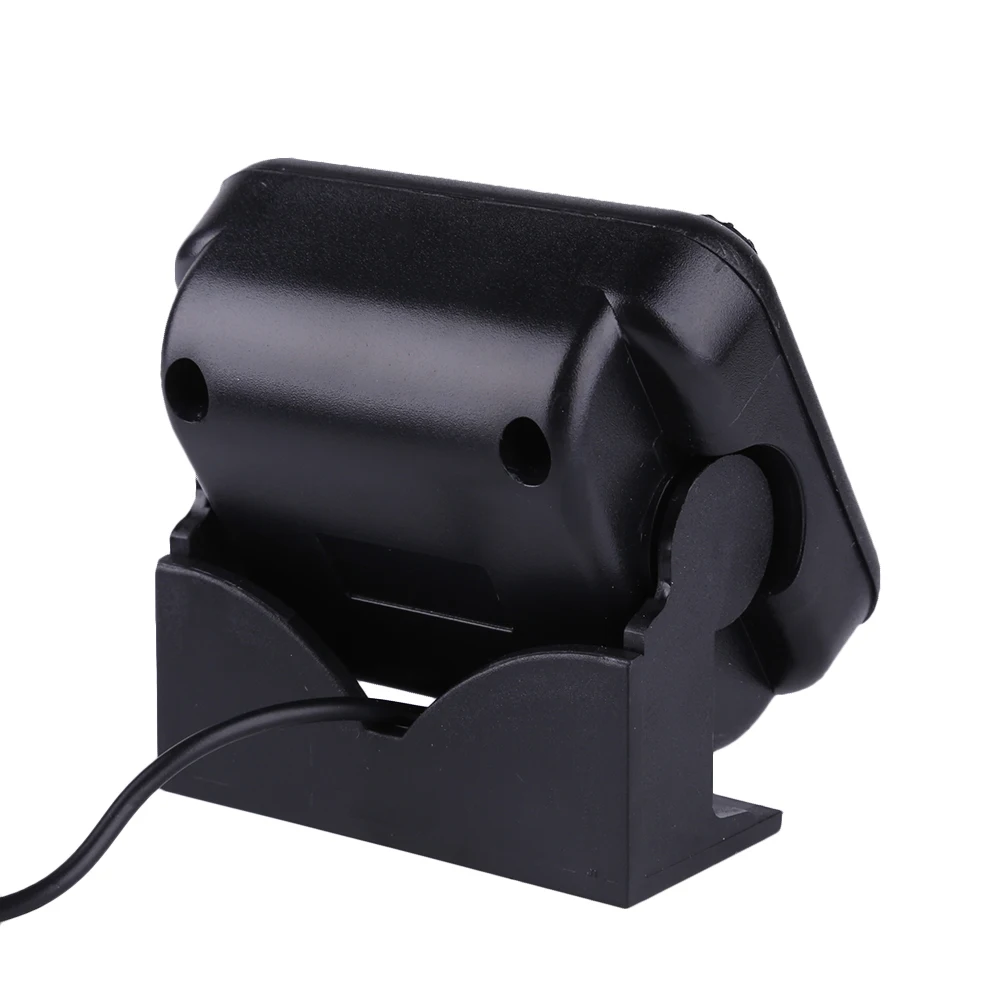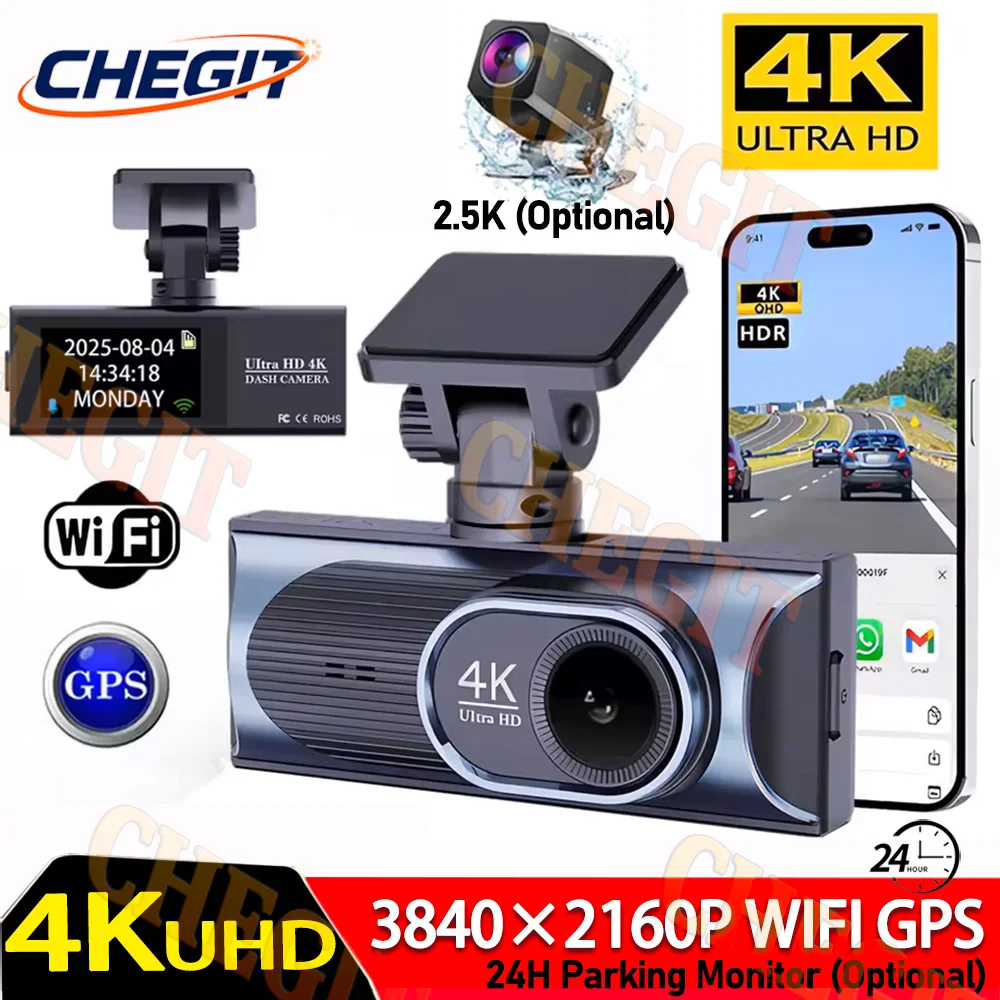
4K Dual-Lens DashCam WIFI GPS 2.5K Video Recorder Front and rear view camera Night Vision 24H Parking Moniting Car DVR Black Box
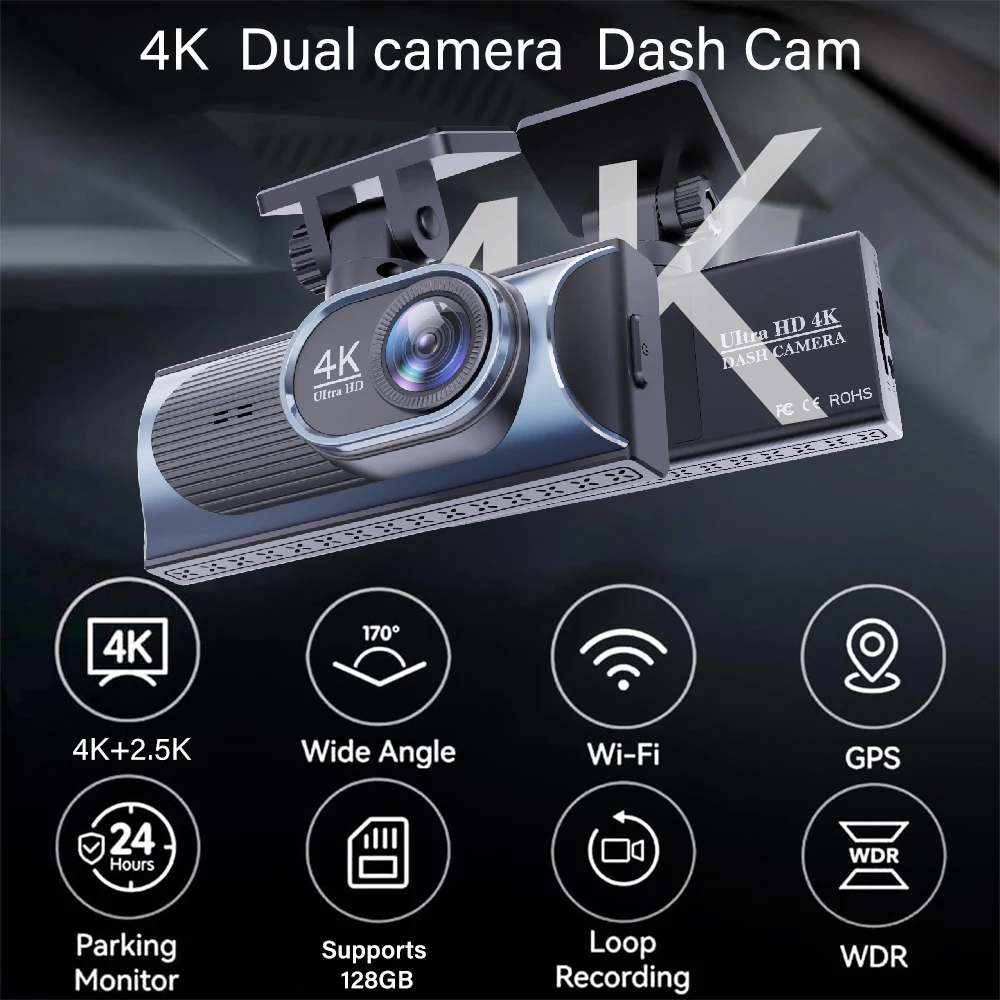
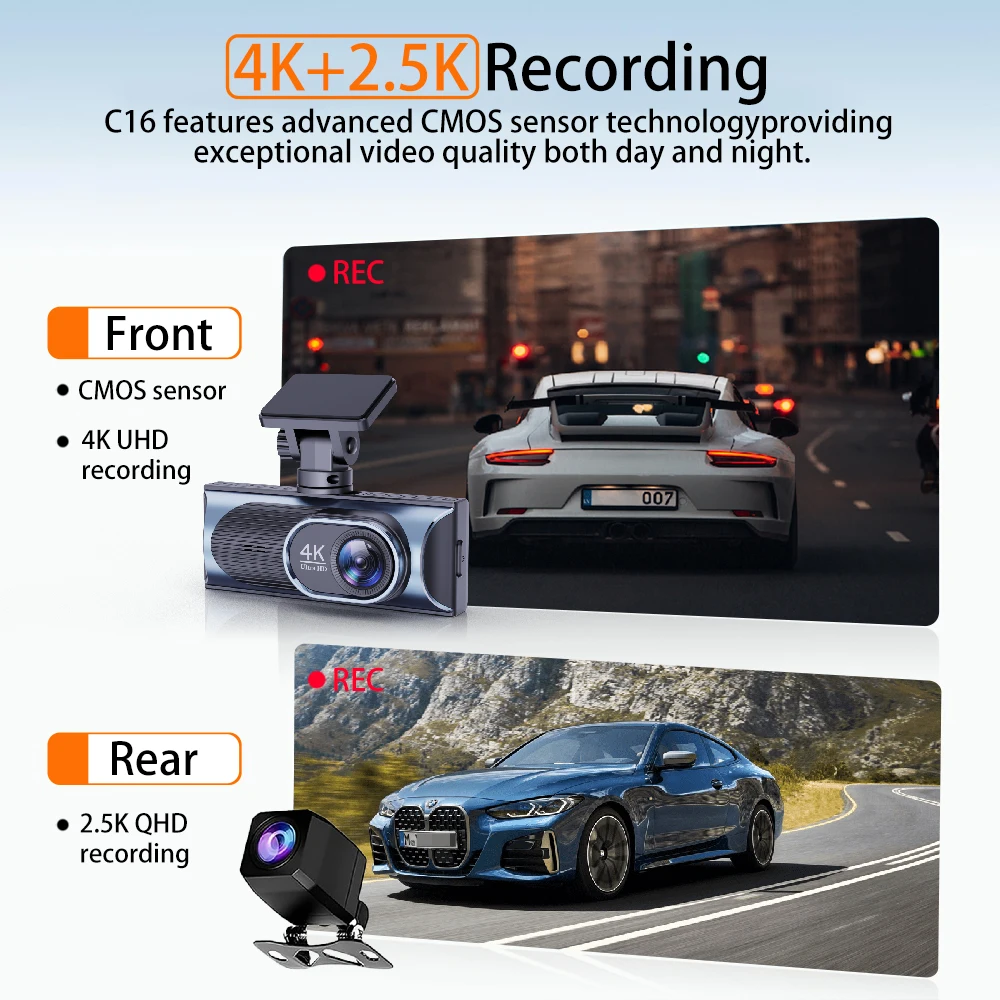
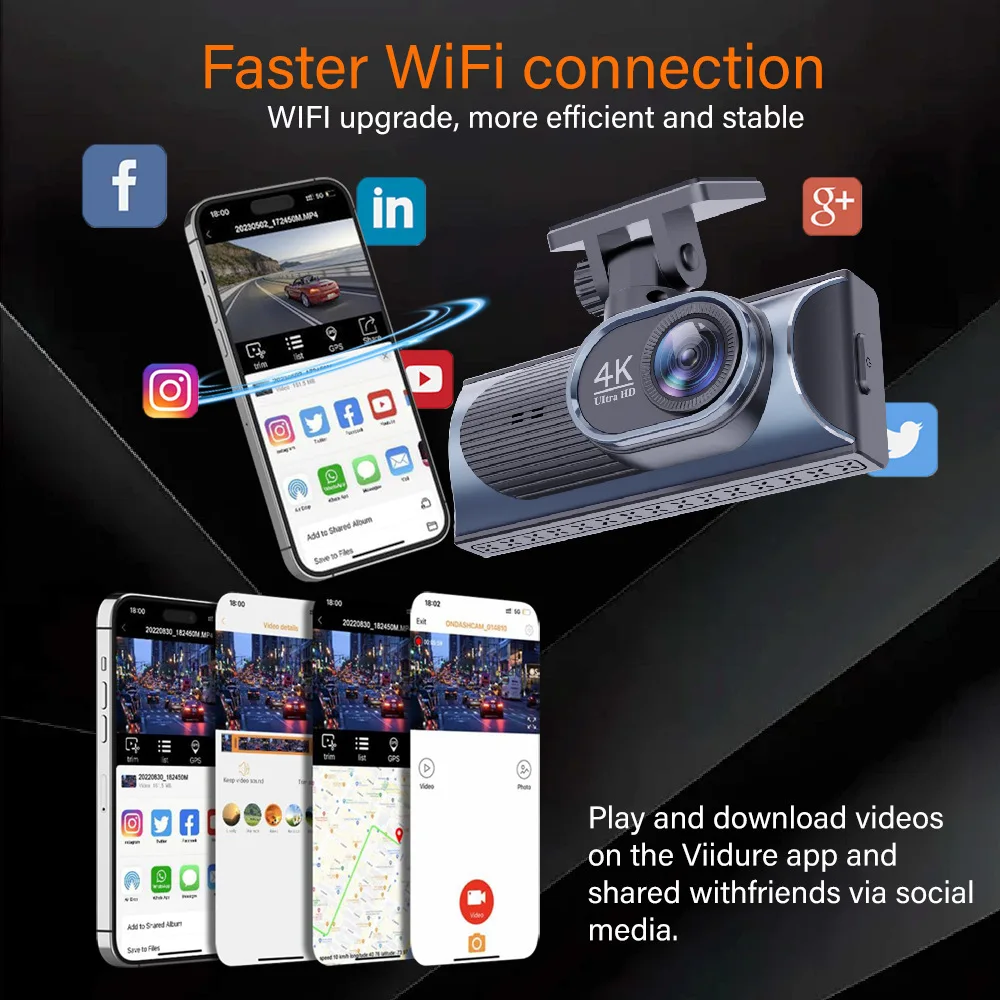
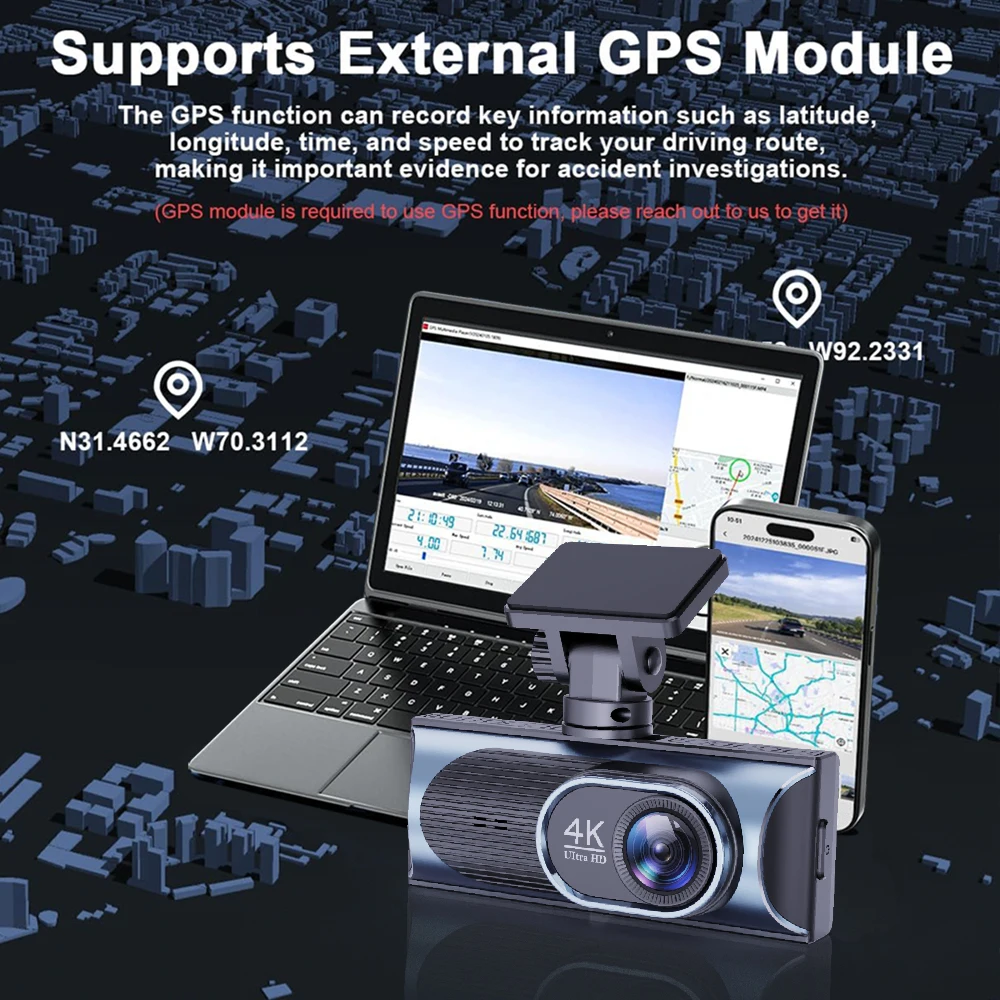
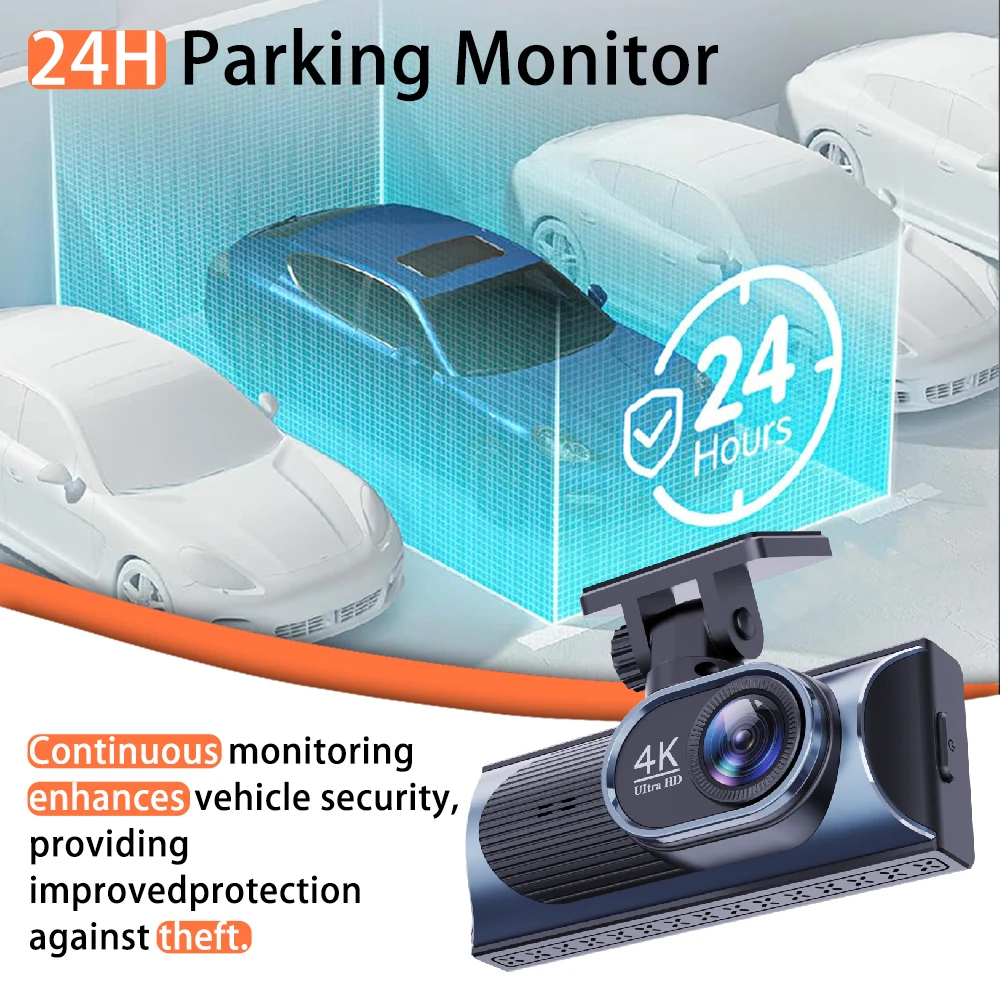
<br/><br/><p><div class="detailmodule_media"><div class="video-container-5000364432540"><div class="detail-video" id="5000364432540" data-previewurl="https://ae01.alicdn.com/kf/S24dfde8967ad47e9b372e2c028cd902cb.jpg"></div></div></div></p><br/><div class="detailmodule_text"><p style="color:rgb(255, 0, 0)">When selecting, please review the configuration options:<br/>1. 4K single-lens front dashcam (no rear camera, no GPS)<br/>2. 4K dual-lens front+rear dashcam (no GPS)<br/>3. 4K dual-lens front+rear dashcam (with GPS)<br/>4. 4K dual-lens front+rear dashcam (with GPS + 24H power cable; 24H cable is mandatory for parking monitoring)</p></div><div class="detailmodule_image"></div><div class="detailmodule_text"><p>4K Dual Lens Recording:</p></div><div class="detailmodule_text"><p>Front: UHD 4K 3840*2160P; Back: UHD 2560*1440P</p></div><div class="detailmodule_text"><p>Experience unparalleled clarity with the 4K+2.5K dual lens recording, capturing every detail of your journey.</p></div><div class="detailmodule_text"><p>Night Vision Capability:</p></div><div class="detailmodule_text"><p>Never miss a thing with Night Vision capability, ensuring clear footage even in low-light conditions.</p></div><div class="detailmodule_text"><p>High-Speed Memory Card Support:</p></div><div class="detailmodule_text"><p>Ensure seamless recording with support for high-speed Class 10 memory cards up to 512GB.</p></div><div class="detailmodule_text"><p style="font-family:OpenSans;font-size:14px;font-weight:300;line-height:20px;white-space:pre-wrap;color:rgb(0, 0, 0);margin-bottom:12px" class="detail-desc-decorate-content">Important reminder: Due to the high-speed storage requirements of high-definition DVR, please ensure to use high-quality U3 grade branded memory cards with C10 speed. Some low-quality low-priced memory cards on the market may not support DVR to function properly.</p></div><div class="detailmodule_text"><p>Supported Languages:</p></div><div class="detailmodule_text"><p style="font-family:OpenSans;font-size:14px;font-weight:300;line-height:20px;white-space:pre-wrap;color:rgb(0, 0, 0);margin-bottom:12px" class="detail-desc-decorate-content">English, Chinese, Korean, Japanese, Russian, Arabic, Spanish, Portuguese, Polish, Turkish, French, German, Italian, Hebrew,Indonesia,Thai,Vietnamese.</p></div><div class="detailmodule_text"><p style="font-family:OpenSans;font-size:14px;font-weight:300;line-height:20px;white-space:pre-wrap;color:rgb(0, 0, 0);margin-bottom:12px" class="detail-desc-decorate-content">About WIFI Connection:</p></div><div class="detailmodule_text"><p style="font-family:OpenSans;font-size:14px;font-weight:300;line-height:20px;white-space:pre-wrap;color:rgb(0, 0, 0);margin-bottom:12px" class="detail-desc-decorate-content">1. Before connecting to the DVR on the phone, it is necessary to install the WIFI connection app "Viidure APP" in advance.You can search for "Viidure" installation in the Apple App Store or Google App Market.</p></div><div class="detailmodule_text"><p style="font-family:OpenSans;font-size:14px;font-weight:300;line-height:20px;white-space:pre-wrap;color:rgb(0, 0, 0);margin-bottom:12px" class="detail-desc-decorate-content">2.Open the "Viidure" APP on your phone, enter the configuration mode, turn on the wifi function of the phone, follow the prompts to find the SSID wifi signal(***) of the DVR and enter the password(12345678) to connect;</p></div><div class="detailmodule_text"><p style="font-family:OpenSans;font-size:14px;font-weight:300;line-height:20px;white-space:pre-wrap;color:rgb(0, 0, 0);margin-bottom:12px" class="detail-desc-decorate-content">3.After successful configuration, you can connect and operate the DVR through the "Viidure" APP.</p></div><div class="detailmodule_text"><p style="font-family:OpenSans;font-size:14px;font-weight:300;line-height:20px;white-space:pre-wrap;color:rgb(0, 0, 0);margin-bottom:12px" class="detail-desc-decorate-content">About 24-Hour Parking Monitoring:</p></div><div class="detailmodule_text"><p style="font-family:OpenSans;font-size:14px;font-weight:300;line-height:20px;white-space:pre-wrap;color:rgb(0, 0, 0);margin-bottom:12px" class="detail-desc-decorate-content">If you need the 24 hour parking monitoring function, you can order the corresponding Buck Line accessories to replace the car charger.Through Buck Line, the DVR power can be obtained directly from the car battery or car ACC, so that the DVR can maintain normal recording work even when the car is turned off.(Since different car models have different battery interfaces or ACC interfaces, it is not recommended to install it by yourself. It is recommended to find a professional to install the Buck Line.)</p></div><div class="detailmodule_text"><p style="color:rgb(0, 0, 0)">About The Installation And Use Of GPS:</p></div><div class="detailmodule_text"><p style="color:rgb(0, 0, 0)">1. Connect the GPS module to the DVR;</p></div><div class="detailmodule_text"><p style="color:rgb(0, 0, 0)">2. Install the DVR on the car and start the recording mode. Start the car outdoors and drive for a certain distance. The GPS module will automatically capture the satellite signal and the DVR will automatically record the video with the GPS driving track.</p></div><div class="detailmodule_text"><p style="color:rgb(0, 0, 0)">Video Playback Of GPS Tracks:</p></div><div class="detailmodule_text"><p style="color:rgb(0, 0, 0)">1. Install the GPS dedicated video player "Hit GPS Player" on your computer. Please enter the link below in your computer browser to download and install;</p></div><div class="detailmodule_text"><p style="font-family:OpenSans;font-size:14px;font-weight:300;line-height:20px;white-space:pre-wrap;color:rgb(0, 0, 0);margin-bottom:12px" class="detail-desc-decorate-content">Download link: https://pcgps.ce2ce.com/hit/hitplayer.html</p></div><div class="detailmodule_text"><p style="font-family:OpenSans;font-size:14px;font-weight:300;line-height:20px;white-space:pre-wrap;color:rgb(0, 0, 0);margin-bottom:12px" class="detail-desc-decorate-content">2. Open the recorded DVR video with GPS track information on the computer through "Hit GPS Player" to play back the GPS driving track.</p></div><div class="detailmodule_image"></div><div class="detailmodule_image"></div><p><br/></p><br/>
$115.49
$58.745
- Category : Automobiles, Parts & Accessories
- Brand : global_car_accessories_factory_store Global Car Accessories Factory Store
Colors
Sizes
-
+

<br/><br/><p><div class="detailmodule_media"><div class="video-container-5000364432540"><div class="detail-video" id="5000364432540" data-previewurl="https://ae01.alicdn.com/kf/S24dfde8967ad47e9b372e2c028cd902cb.jpg"></div></div></div></p><br/><div class="detailmodule_text"><p style="color:rgb(255, 0, 0)">When selecting, please review the configuration options:<br/>1. 4K single-lens front dashcam (no rear camera, no GPS)<br/>2. 4K dual-lens front+rear dashcam (no GPS)<br/>3. 4K dual-lens front+rear dashcam (with GPS)<br/>4. 4K dual-lens front+rear dashcam (with GPS + 24H power cable; 24H cable is mandatory for parking monitoring)</p></div><div class="detailmodule_image"></div><div class="detailmodule_text"><p>4K Dual Lens Recording:</p></div><div class="detailmodule_text"><p>Front: UHD 4K 3840*2160P; Back: UHD 2560*1440P</p></div><div class="detailmodule_text"><p>Experience unparalleled clarity with the 4K+2.5K dual lens recording, capturing every detail of your journey.</p></div><div class="detailmodule_text"><p>Night Vision Capability:</p></div><div class="detailmodule_text"><p>Never miss a thing with Night Vision capability, ensuring clear footage even in low-light conditions.</p></div><div class="detailmodule_text"><p>High-Speed Memory Card Support:</p></div><div class="detailmodule_text"><p>Ensure seamless recording with support for high-speed Class 10 memory cards up to 512GB.</p></div><div class="detailmodule_text"><p style="font-family:OpenSans;font-size:14px;font-weight:300;line-height:20px;white-space:pre-wrap;color:rgb(0, 0, 0);margin-bottom:12px" class="detail-desc-decorate-content">Important reminder: Due to the high-speed storage requirements of high-definition DVR, please ensure to use high-quality U3 grade branded memory cards with C10 speed. Some low-quality low-priced memory cards on the market may not support DVR to function properly.</p></div><div class="detailmodule_text"><p>Supported Languages:</p></div><div class="detailmodule_text"><p style="font-family:OpenSans;font-size:14px;font-weight:300;line-height:20px;white-space:pre-wrap;color:rgb(0, 0, 0);margin-bottom:12px" class="detail-desc-decorate-content">English, Chinese, Korean, Japanese, Russian, Arabic, Spanish, Portuguese, Polish, Turkish, French, German, Italian, Hebrew,Indonesia,Thai,Vietnamese.</p></div><div class="detailmodule_text"><p style="font-family:OpenSans;font-size:14px;font-weight:300;line-height:20px;white-space:pre-wrap;color:rgb(0, 0, 0);margin-bottom:12px" class="detail-desc-decorate-content">About WIFI Connection:</p></div><div class="detailmodule_text"><p style="font-family:OpenSans;font-size:14px;font-weight:300;line-height:20px;white-space:pre-wrap;color:rgb(0, 0, 0);margin-bottom:12px" class="detail-desc-decorate-content">1. Before connecting to the DVR on the phone, it is necessary to install the WIFI connection app "Viidure APP" in advance.You can search for "Viidure" installation in the Apple App Store or Google App Market.</p></div><div class="detailmodule_text"><p style="font-family:OpenSans;font-size:14px;font-weight:300;line-height:20px;white-space:pre-wrap;color:rgb(0, 0, 0);margin-bottom:12px" class="detail-desc-decorate-content">2.Open the "Viidure" APP on your phone, enter the configuration mode, turn on the wifi function of the phone, follow the prompts to find the SSID wifi signal(***) of the DVR and enter the password(12345678) to connect;</p></div><div class="detailmodule_text"><p style="font-family:OpenSans;font-size:14px;font-weight:300;line-height:20px;white-space:pre-wrap;color:rgb(0, 0, 0);margin-bottom:12px" class="detail-desc-decorate-content">3.After successful configuration, you can connect and operate the DVR through the "Viidure" APP.</p></div><div class="detailmodule_text"><p style="font-family:OpenSans;font-size:14px;font-weight:300;line-height:20px;white-space:pre-wrap;color:rgb(0, 0, 0);margin-bottom:12px" class="detail-desc-decorate-content">About 24-Hour Parking Monitoring:</p></div><div class="detailmodule_text"><p style="font-family:OpenSans;font-size:14px;font-weight:300;line-height:20px;white-space:pre-wrap;color:rgb(0, 0, 0);margin-bottom:12px" class="detail-desc-decorate-content">If you need the 24 hour parking monitoring function, you can order the corresponding Buck Line accessories to replace the car charger.Through Buck Line, the DVR power can be obtained directly from the car battery or car ACC, so that the DVR can maintain normal recording work even when the car is turned off.(Since different car models have different battery interfaces or ACC interfaces, it is not recommended to install it by yourself. It is recommended to find a professional to install the Buck Line.)</p></div><div class="detailmodule_text"><p style="color:rgb(0, 0, 0)">About The Installation And Use Of GPS:</p></div><div class="detailmodule_text"><p style="color:rgb(0, 0, 0)">1. Connect the GPS module to the DVR;</p></div><div class="detailmodule_text"><p style="color:rgb(0, 0, 0)">2. Install the DVR on the car and start the recording mode. Start the car outdoors and drive for a certain distance. The GPS module will automatically capture the satellite signal and the DVR will automatically record the video with the GPS driving track.</p></div><div class="detailmodule_text"><p style="color:rgb(0, 0, 0)">Video Playback Of GPS Tracks:</p></div><div class="detailmodule_text"><p style="color:rgb(0, 0, 0)">1. Install the GPS dedicated video player "Hit GPS Player" on your computer. Please enter the link below in your computer browser to download and install;</p></div><div class="detailmodule_text"><p style="font-family:OpenSans;font-size:14px;font-weight:300;line-height:20px;white-space:pre-wrap;color:rgb(0, 0, 0);margin-bottom:12px" class="detail-desc-decorate-content">Download link: https://pcgps.ce2ce.com/hit/hitplayer.html</p></div><div class="detailmodule_text"><p style="font-family:OpenSans;font-size:14px;font-weight:300;line-height:20px;white-space:pre-wrap;color:rgb(0, 0, 0);margin-bottom:12px" class="detail-desc-decorate-content">2. Open the recorded DVR video with GPS track information on the computer through "Hit GPS Player" to play back the GPS driving track.</p></div><div class="detailmodule_image"></div><div class="detailmodule_image"></div><p><br/></p><br/>
Related Product
Browse The Collection of Top Products.