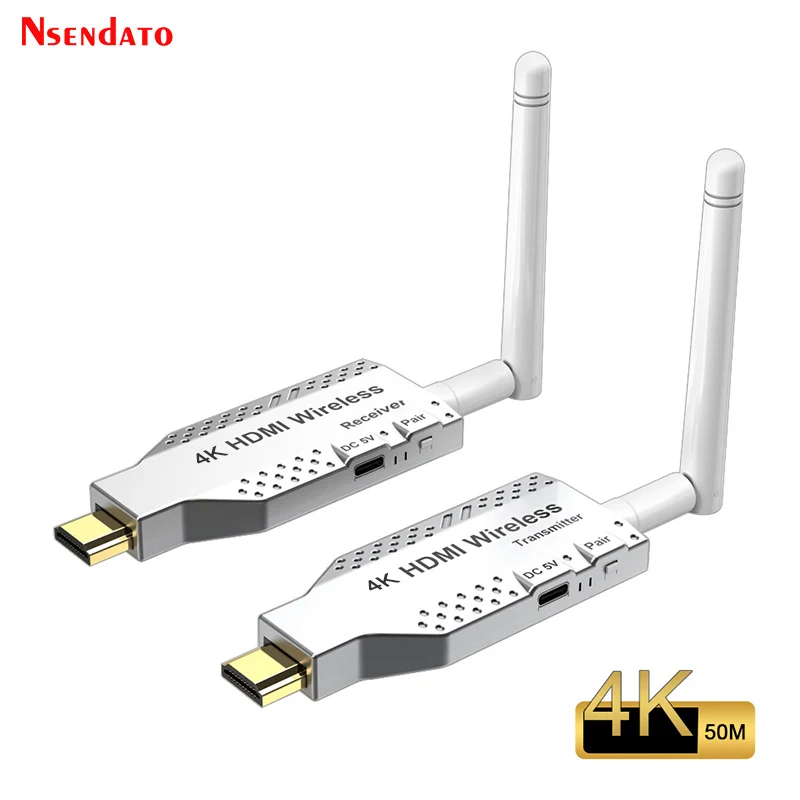
50M 5.8G 1080P 4K Wireless Wifi HDMI Extender Video Transmitter Receiver Adapter 1 To 4 Screen Share Switch for PS4 DVD Camera
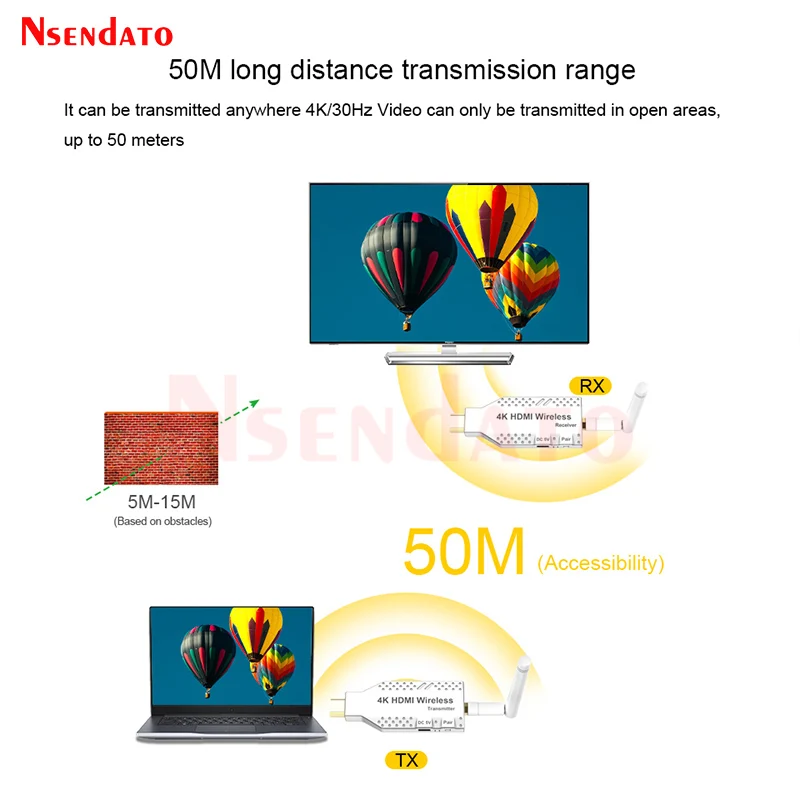
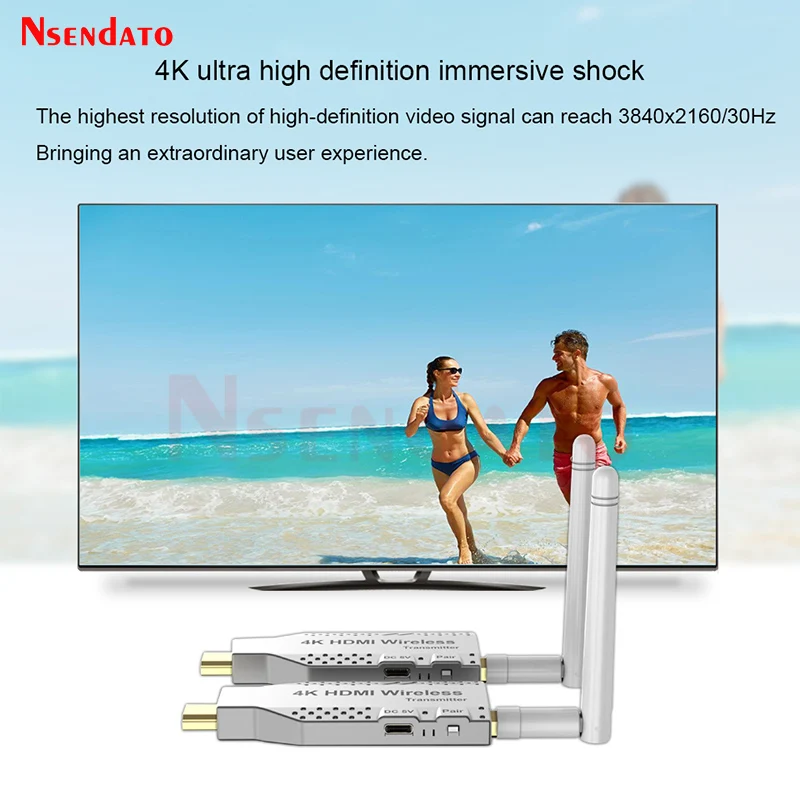
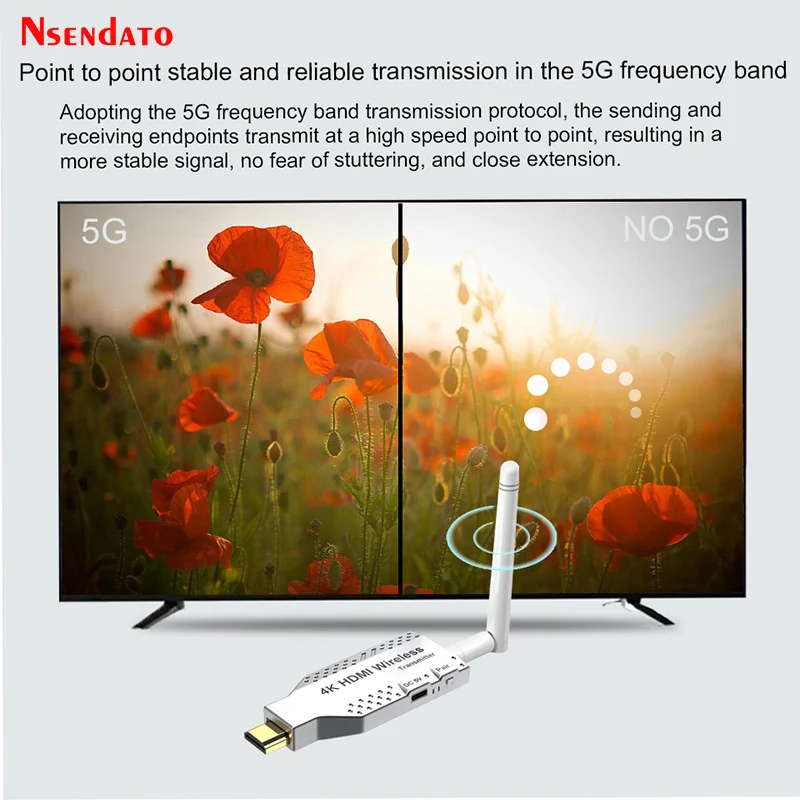
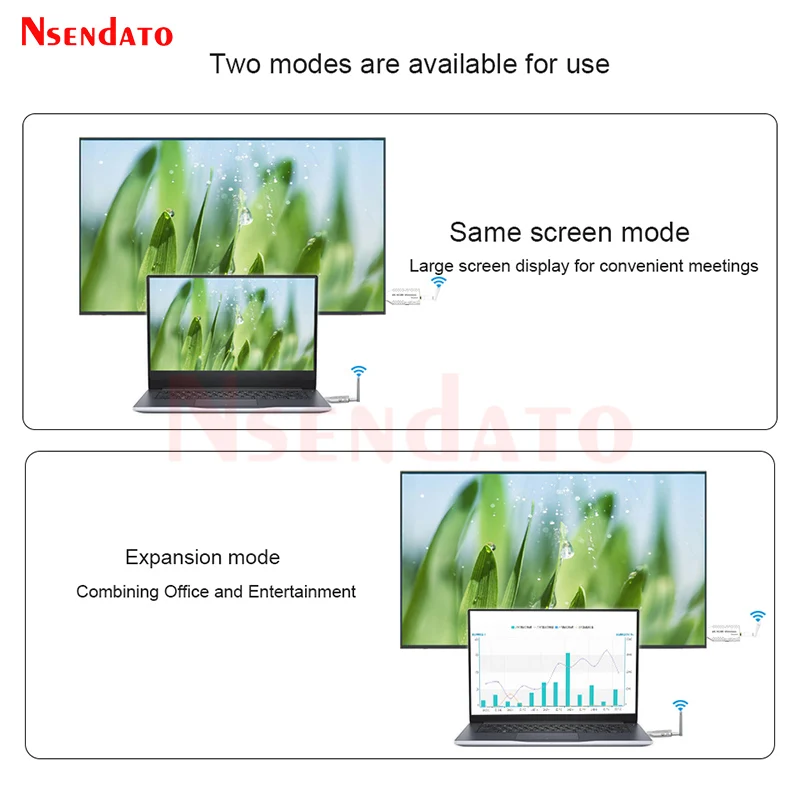
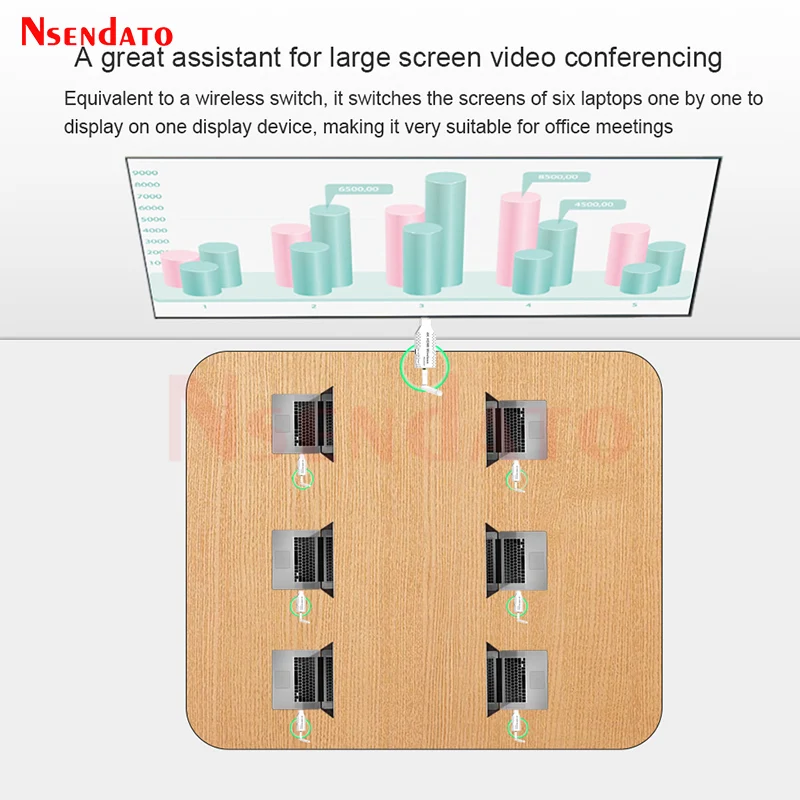
<p><br/><br/></p><br/><p><div class="detailmodule_media"><div class="video-container-1100185113713"><div class="detail-video" id="1100185113713" data-previewurl="https://ae01.alicdn.com/kf/Sb73903cfc5134d06a623d8c575daf192X.jpg"></div></div></div><kse:widget data-widget-type="customText" id="22569421" type="custom"></kse:widget></p><br/><p><br/></p><div><span style="font-size:16px;font-family:arial, helvetica, sans-serif">50M 5.8G Wireless Wifi HDMI Extender Video Transmitter Receiver Adapter 1 To 4 1080P Screen Share Switch for PS4 DVD Camera PC</span></div><div class="detailmodule_html"><div class="detail-desc-decorate-richtext"><div class="detailmodule_html"><div class="detailmodule_dynamic"></div><div class="detailmodule_dynamic"><span style="color:rgb(244, 78, 59);font-size:16px;font-family:arial, helvetica, sans-serif"><strong>Note:TX=Transmitter;RX=Receiver;TX RX= Transmitter Receiver,the link have two version ,one is 1080P ,other is 4K.but the description is only for 4K Version ;</strong></span></div><div class="detailmodule_dynamic"></div><div class="detailmodule_dynamic"><span style="color:rgb(244, 78, 59);font-size:16px;font-family:arial, helvetica, sans-serif">Transmission distance</span></div><div><span style="color:rgb(244, 78, 59);font-size:16px;font-family:arial, helvetica, sans-serif">1.Outdoor space 50m/660FT</span></div><div><span style="color:rgb(244, 78, 59);font-size:16px;font-family:arial, helvetica, sans-serif">2.No indoor wall penetrates 30m/164FT</span></div><div><span style="color:rgb(244, 78, 59);font-size:16px;font-family:arial, helvetica, sans-serif">3.Pass through the wall 5-15m /32-65FT</span></div><div><span style="color:rgb(244, 78, 59);font-size:16px;font-family:arial, helvetica, sans-serif">4.Upper and lower layers are better within 5m/32FT</span></div><div> </div><div><span style="font-size:16px;font-family:arial, helvetica, sans-serif">Introduction:</span></div><div><span style="font-size:16px;font-family:arial, helvetica, sans-serif">The HDMI wireless extender provides an easy way to extend the HDMI signal in open environments up to 50<br/> meters</span></div><div> </div><div><span style="font-size:16px;font-family:arial, helvetica, sans-serif">Characteristics:</span></div><div><span style="font-size:16px;font-family:arial, helvetica, sans-serif">1.This wireless HDMI extender consists of a transmitter unit and a receiver unit.</span></div><div><span style="font-size:16px;font-family:arial, helvetica, sans-serif">2.The transmitter supports loop output for easy monitoring.</span></div><div><span style="font-size:16px;font-family:arial, helvetica, sans-serif">3.Supports multiple resolutions, including 480i/576i to 4k@30hz(4K Version) or 1080P@60Hz(1080P Version).</span></div><div><span style="font-size:16px;font-family:arial, helvetica, sans-serif">4.Support 5G single frequency, fast transmission speed,strong anti-interference ability.</span></div><div><span style="font-size:16px;font-family:arial, helvetica, sans-serif">5.The external antenna supports long-distance transmission with a maximum air expansion environment of 50 meters (pay attention to ambient interference).</span></div><div><span style="font-size:16px;font-family:arial, helvetica, sans-serif">6.Plug and play, the computer does not need to install drivers</span></div><div> </div><div><span style="font-size:16px;font-family:arial, helvetica, sans-serif">Pairing method:</span></div><div><strong><span style="font-size:16px;font-family:arial, helvetica, sans-serif">One to one pairing method (one transmitter and one receiver):</span></strong></div><div><span style="font-size:16px;font-family:arial, helvetica, sans-serif">1.First press and hold the Pair key of the transmitter, then turn on the power, wait for the green light to flash, then release the key, then press and hold the Pair key of the receiver, then turn on the power,wait for the green light to flash, and then release the key.</span></div><div><span style="font-size:16px;font-family:arial, helvetica, sans-serif">2.Connect the transmitter and receiver with the HDMI female cable.Wait until the green light of the receiver is always on. At this time, the transmitter is still flashing, indicating that the pairing has been completed. If the receiver is still in the flashing state, it means that the pairing is unsuccessful. Please power off the transmitter and the receiver then pairing again.</span></div><div><span style="font-size:16px;font-family:arial, helvetica, sans-serif">3.After pairing, power off the transmitter and receiver, unplug the HDMI Female cable and wait for a few seconds before powering on again. The green lights of the transmitter and receiver are flashing, indicating that pairing has been successful.</span></div><div> </div><div><strong><span style="font-size:16px;font-family:arial, helvetica, sans-serif">One to many pairing method</span></strong></div><div><span style="font-size:16px;font-family:arial, helvetica, sans-serif">(one 1. According to the above one-to-one pairing method, a transmitter with the first receiver, then pair this transmitter with the second receiver. In the same way, pair this transmitter with the third receiver and the fourth receiver one-to-one, When all receivers are paired with the same transmitter one-to-one successfully, they can be powered on for use. (Note: One to many supports one transmitter to four receivers at most)</span></div><div> </div><div><strong><span style="font-size:16px;font-family:arial, helvetica, sans-serif">Multi to one transmitter pairing method (multi transmitter and one receiver):</span></strong></div><div><span style="font-size:16px;font-family:arial, helvetica, sans-serif">1.First press and hold the Pair key of the receiver, then turn on the power, wait for the green light to flash, then release the key, then press and hold the Pair key of the transmitter, then turn on the power,wait for the green light to flash, and then release the key.</span></div><div><span style="font-size:16px;font-family:arial, helvetica, sans-serif">2.Connect the receiver and transmitter with the HDMI double female cable. Wait until the green light of the transmitter is always on. At this time, the receiver is still flashing, indicating that the pairing has been completed. If the transmitter is still in the flashing state, it means that the pairing is unsuccessful. Please power off the transmitter and then pair again.</span></div><div><span style="font-size:16px;font-family:arial, helvetica, sans-serif">3.After pairing, power off the receiver and transmitter, unplug the HDMI female cable and wait for a few seconds before powering on again. The green lights of the receiver and transmitter are flashing,indicating that pairing has been successful.</span></div><div><span style="font-size:16px;font-family:arial, helvetica, sans-serif">4.According to the one-to-one pairing method, pair the first transmitter with a receiver. After the pairing is successful, pair the second transmitter with this receiver one-to-one. By analogy, pair the</span></div><div><span style="font-size:16px;font-family:arial, helvetica, sans-serif">third, fourth, fifth, and sixth transmitters with the same receiver one-to-one. When each transmitter and the same receiver are paired one-to-one successfully, the pairing is completed, and the power can be</span></div><div><span style="font-size:16px;font-family:arial, helvetica, sans-serif">turned on.(Note: many to one supports up to six transmitters to one receiver)</span></div><div> </div><div><span style="color:rgb(244, 78, 59);font-size:16px;font-family:arial, helvetica, sans-serif">Packing list(TX RX Option)</span></div><div><span style="font-size:16px;font-family:arial, helvetica, sans-serif">Transmitter</span></div><div><span style="font-size:16px;font-family:arial, helvetica, sans-serif">Receiver</span></div><div><span style="font-size:16px;font-family:arial, helvetica, sans-serif">Antenna</span></div><div><span style="font-size:16px;font-family:arial, helvetica, sans-serif">Micro USB charging cable</span></div><div><span style="font-size:16px;font-family:arial, helvetica, sans-serif">HDMI male to female adapter cable</span></div><div><span style="font-size:16px;font-family:arial, helvetica, sans-serif">User manual</span></div><div class="detailmodule_dynamic"></div><div class="detailmodule_html"><div class="detail-desc-decorate-richtext"><div style="font-size:13px;margin:0px;margin-bottom:0px;margin-top:0px;margin-left:0px;margin-right:0px;padding:0px 0px 0px 0em;padding-bottom:0px;padding-top:0px;padding-right:0px"><div></div><div></div><div></div><div></div><div></div><div></div><div></div><div></div><div></div><div></div><div></div><div></div><div></div><div><br/></div></div></div></div></div></div></div><p><kse:widget data-widget-type="customText" id="1005000001165679" type="custom"></kse:widget></p><p><br/></p><br/>
$73.355
$49.1
- Category : Consumer Electronics
- Brand : nsendato_office_store_store Nsendato Office Store Store
Colors
Sizes
-
+

<p><br/><br/></p><br/><p><div class="detailmodule_media"><div class="video-container-1100185113713"><div class="detail-video" id="1100185113713" data-previewurl="https://ae01.alicdn.com/kf/Sb73903cfc5134d06a623d8c575daf192X.jpg"></div></div></div><kse:widget data-widget-type="customText" id="22569421" type="custom"></kse:widget></p><br/><p><br/></p><div><span style="font-size:16px;font-family:arial, helvetica, sans-serif">50M 5.8G Wireless Wifi HDMI Extender Video Transmitter Receiver Adapter 1 To 4 1080P Screen Share Switch for PS4 DVD Camera PC</span></div><div class="detailmodule_html"><div class="detail-desc-decorate-richtext"><div class="detailmodule_html"><div class="detailmodule_dynamic"></div><div class="detailmodule_dynamic"><span style="color:rgb(244, 78, 59);font-size:16px;font-family:arial, helvetica, sans-serif"><strong>Note:TX=Transmitter;RX=Receiver;TX RX= Transmitter Receiver,the link have two version ,one is 1080P ,other is 4K.but the description is only for 4K Version ;</strong></span></div><div class="detailmodule_dynamic"></div><div class="detailmodule_dynamic"><span style="color:rgb(244, 78, 59);font-size:16px;font-family:arial, helvetica, sans-serif">Transmission distance</span></div><div><span style="color:rgb(244, 78, 59);font-size:16px;font-family:arial, helvetica, sans-serif">1.Outdoor space 50m/660FT</span></div><div><span style="color:rgb(244, 78, 59);font-size:16px;font-family:arial, helvetica, sans-serif">2.No indoor wall penetrates 30m/164FT</span></div><div><span style="color:rgb(244, 78, 59);font-size:16px;font-family:arial, helvetica, sans-serif">3.Pass through the wall 5-15m /32-65FT</span></div><div><span style="color:rgb(244, 78, 59);font-size:16px;font-family:arial, helvetica, sans-serif">4.Upper and lower layers are better within 5m/32FT</span></div><div> </div><div><span style="font-size:16px;font-family:arial, helvetica, sans-serif">Introduction:</span></div><div><span style="font-size:16px;font-family:arial, helvetica, sans-serif">The HDMI wireless extender provides an easy way to extend the HDMI signal in open environments up to 50<br/> meters</span></div><div> </div><div><span style="font-size:16px;font-family:arial, helvetica, sans-serif">Characteristics:</span></div><div><span style="font-size:16px;font-family:arial, helvetica, sans-serif">1.This wireless HDMI extender consists of a transmitter unit and a receiver unit.</span></div><div><span style="font-size:16px;font-family:arial, helvetica, sans-serif">2.The transmitter supports loop output for easy monitoring.</span></div><div><span style="font-size:16px;font-family:arial, helvetica, sans-serif">3.Supports multiple resolutions, including 480i/576i to 4k@30hz(4K Version) or 1080P@60Hz(1080P Version).</span></div><div><span style="font-size:16px;font-family:arial, helvetica, sans-serif">4.Support 5G single frequency, fast transmission speed,strong anti-interference ability.</span></div><div><span style="font-size:16px;font-family:arial, helvetica, sans-serif">5.The external antenna supports long-distance transmission with a maximum air expansion environment of 50 meters (pay attention to ambient interference).</span></div><div><span style="font-size:16px;font-family:arial, helvetica, sans-serif">6.Plug and play, the computer does not need to install drivers</span></div><div> </div><div><span style="font-size:16px;font-family:arial, helvetica, sans-serif">Pairing method:</span></div><div><strong><span style="font-size:16px;font-family:arial, helvetica, sans-serif">One to one pairing method (one transmitter and one receiver):</span></strong></div><div><span style="font-size:16px;font-family:arial, helvetica, sans-serif">1.First press and hold the Pair key of the transmitter, then turn on the power, wait for the green light to flash, then release the key, then press and hold the Pair key of the receiver, then turn on the power,wait for the green light to flash, and then release the key.</span></div><div><span style="font-size:16px;font-family:arial, helvetica, sans-serif">2.Connect the transmitter and receiver with the HDMI female cable.Wait until the green light of the receiver is always on. At this time, the transmitter is still flashing, indicating that the pairing has been completed. If the receiver is still in the flashing state, it means that the pairing is unsuccessful. Please power off the transmitter and the receiver then pairing again.</span></div><div><span style="font-size:16px;font-family:arial, helvetica, sans-serif">3.After pairing, power off the transmitter and receiver, unplug the HDMI Female cable and wait for a few seconds before powering on again. The green lights of the transmitter and receiver are flashing, indicating that pairing has been successful.</span></div><div> </div><div><strong><span style="font-size:16px;font-family:arial, helvetica, sans-serif">One to many pairing method</span></strong></div><div><span style="font-size:16px;font-family:arial, helvetica, sans-serif">(one 1. According to the above one-to-one pairing method, a transmitter with the first receiver, then pair this transmitter with the second receiver. In the same way, pair this transmitter with the third receiver and the fourth receiver one-to-one, When all receivers are paired with the same transmitter one-to-one successfully, they can be powered on for use. (Note: One to many supports one transmitter to four receivers at most)</span></div><div> </div><div><strong><span style="font-size:16px;font-family:arial, helvetica, sans-serif">Multi to one transmitter pairing method (multi transmitter and one receiver):</span></strong></div><div><span style="font-size:16px;font-family:arial, helvetica, sans-serif">1.First press and hold the Pair key of the receiver, then turn on the power, wait for the green light to flash, then release the key, then press and hold the Pair key of the transmitter, then turn on the power,wait for the green light to flash, and then release the key.</span></div><div><span style="font-size:16px;font-family:arial, helvetica, sans-serif">2.Connect the receiver and transmitter with the HDMI double female cable. Wait until the green light of the transmitter is always on. At this time, the receiver is still flashing, indicating that the pairing has been completed. If the transmitter is still in the flashing state, it means that the pairing is unsuccessful. Please power off the transmitter and then pair again.</span></div><div><span style="font-size:16px;font-family:arial, helvetica, sans-serif">3.After pairing, power off the receiver and transmitter, unplug the HDMI female cable and wait for a few seconds before powering on again. The green lights of the receiver and transmitter are flashing,indicating that pairing has been successful.</span></div><div><span style="font-size:16px;font-family:arial, helvetica, sans-serif">4.According to the one-to-one pairing method, pair the first transmitter with a receiver. After the pairing is successful, pair the second transmitter with this receiver one-to-one. By analogy, pair the</span></div><div><span style="font-size:16px;font-family:arial, helvetica, sans-serif">third, fourth, fifth, and sixth transmitters with the same receiver one-to-one. When each transmitter and the same receiver are paired one-to-one successfully, the pairing is completed, and the power can be</span></div><div><span style="font-size:16px;font-family:arial, helvetica, sans-serif">turned on.(Note: many to one supports up to six transmitters to one receiver)</span></div><div> </div><div><span style="color:rgb(244, 78, 59);font-size:16px;font-family:arial, helvetica, sans-serif">Packing list(TX RX Option)</span></div><div><span style="font-size:16px;font-family:arial, helvetica, sans-serif">Transmitter</span></div><div><span style="font-size:16px;font-family:arial, helvetica, sans-serif">Receiver</span></div><div><span style="font-size:16px;font-family:arial, helvetica, sans-serif">Antenna</span></div><div><span style="font-size:16px;font-family:arial, helvetica, sans-serif">Micro USB charging cable</span></div><div><span style="font-size:16px;font-family:arial, helvetica, sans-serif">HDMI male to female adapter cable</span></div><div><span style="font-size:16px;font-family:arial, helvetica, sans-serif">User manual</span></div><div class="detailmodule_dynamic"></div><div class="detailmodule_html"><div class="detail-desc-decorate-richtext"><div style="font-size:13px;margin:0px;margin-bottom:0px;margin-top:0px;margin-left:0px;margin-right:0px;padding:0px 0px 0px 0em;padding-bottom:0px;padding-top:0px;padding-right:0px"><div></div><div></div><div></div><div></div><div></div><div></div><div></div><div></div><div></div><div></div><div></div><div></div><div></div><div><br/></div></div></div></div></div></div></div><p><kse:widget data-widget-type="customText" id="1005000001165679" type="custom"></kse:widget></p><p><br/></p><br/>
Related Product
Browse The Collection of Top Products.