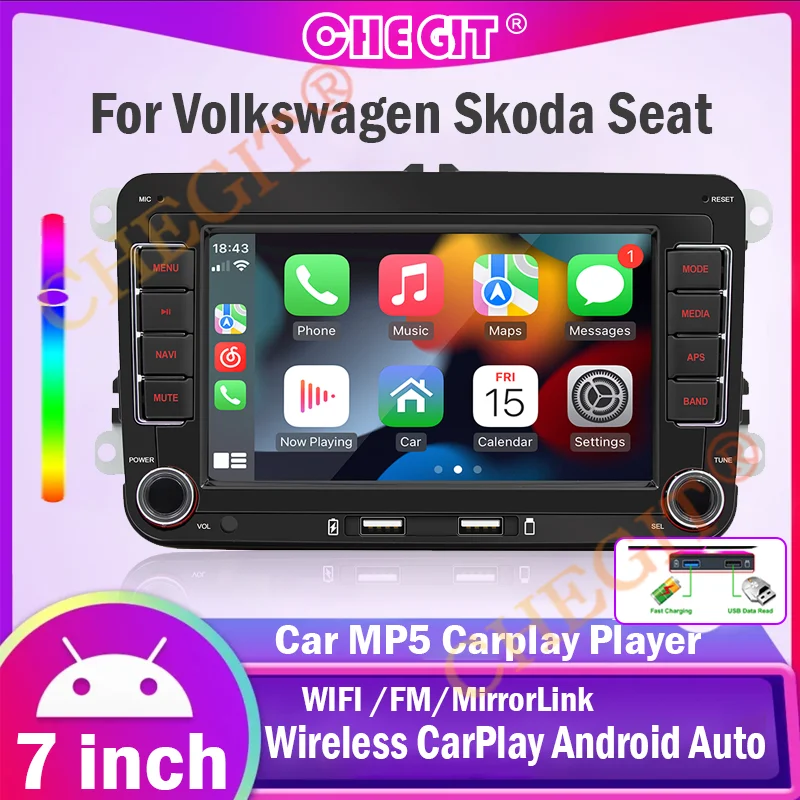
7" Car Media Video 2 Din HD RDS Airplay Car Radio Wireless CarPlay Android Auto Stereo Audio For VW/Seat/Skoda/Passat/Golf/Polo
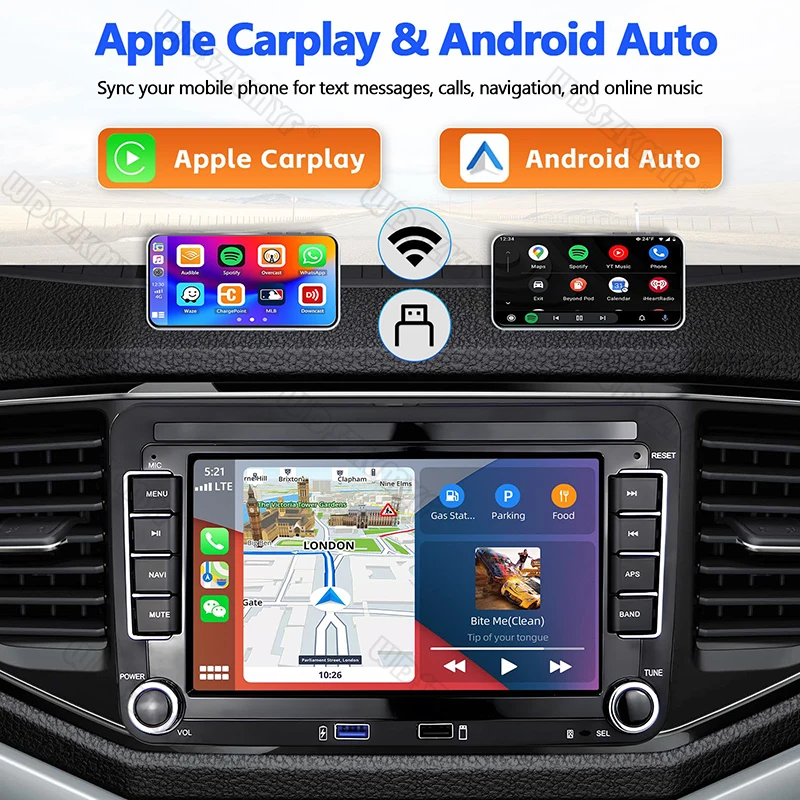
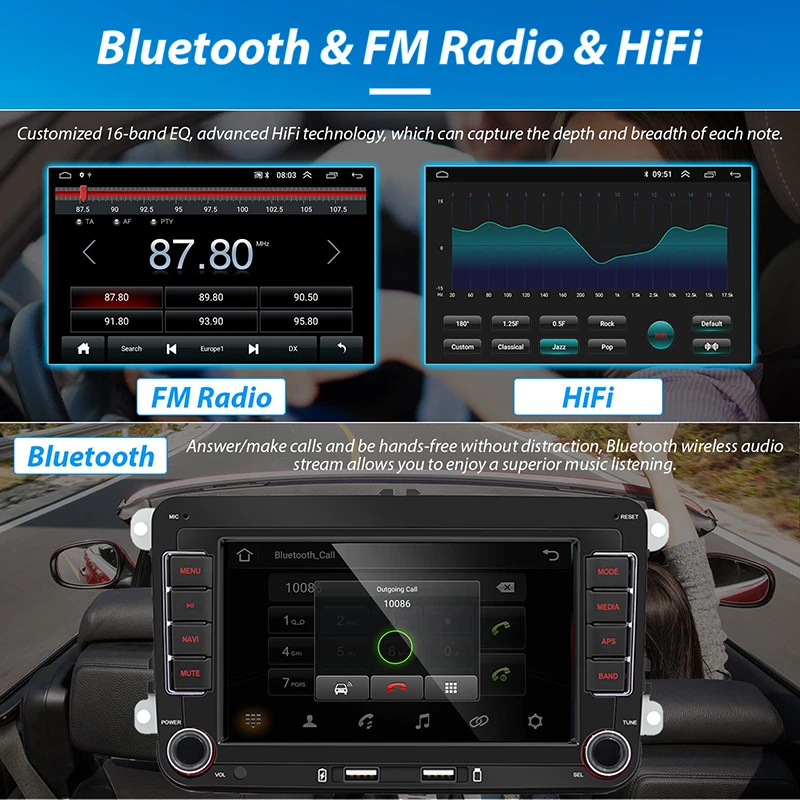
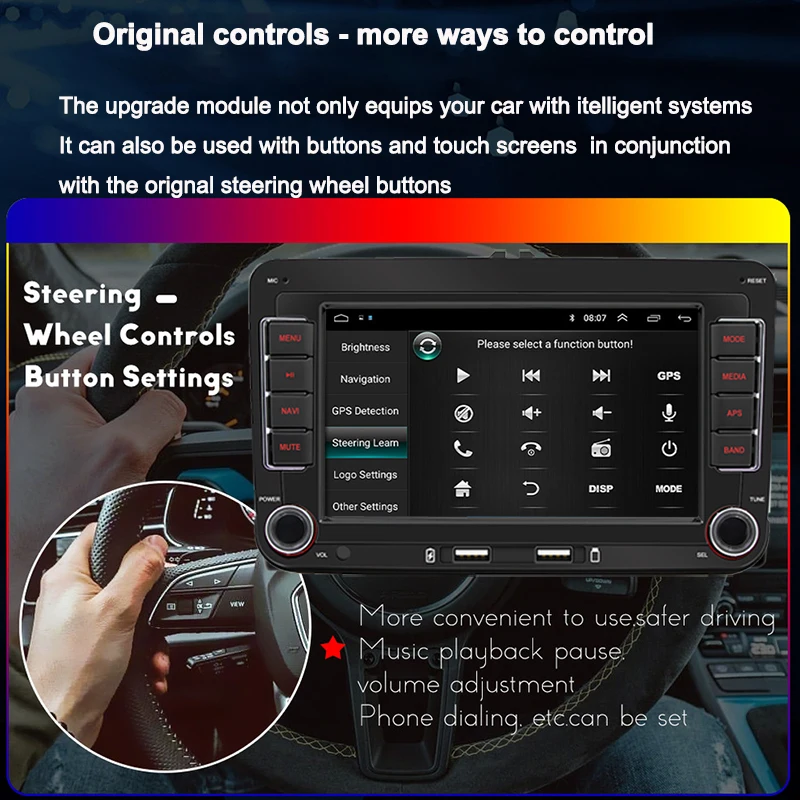
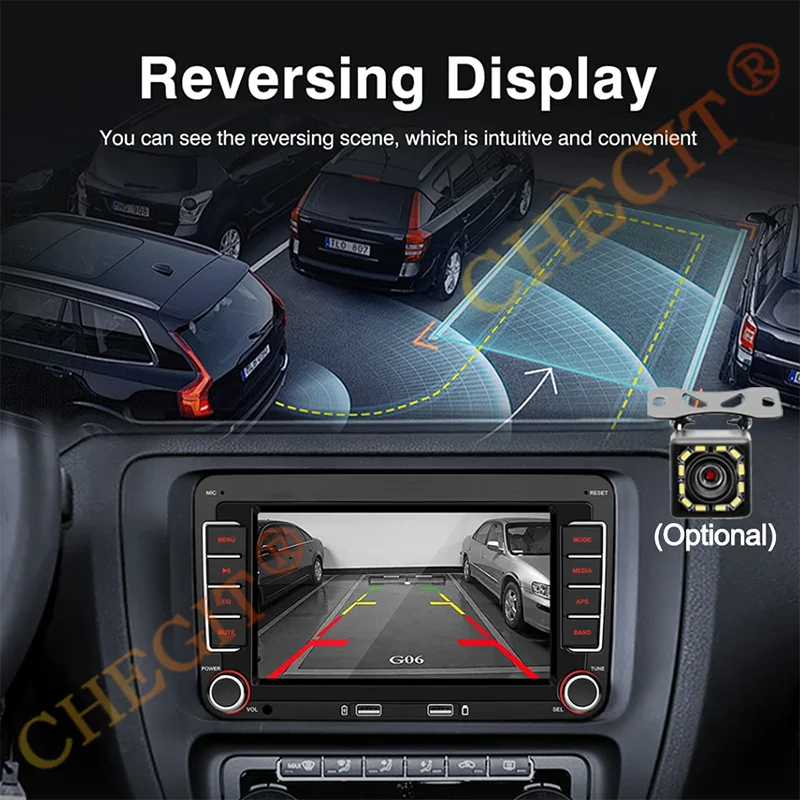
<div class="detailmodule_text-image"><p style="font-size:24px;font-weight:bold;color:rgb(255, 2, 2)">WARM TIPS:</p><p style="font-family:OpenSans;font-size:14px;font-weight:300;line-height:20px;white-space:pre-wrap;color:rgb(0, 0, 0);margin-bottom:12px" class="detail-desc-decorate-content">X57 is wired to Carpaly and Android Auto, it is universal car MP5 Carplay player; X173 is wireless to Carpaly and Android Auto, it is Volkswagen special car MP5 Carplay player. Please buy the product according to the buyer's needs!</p><div></div></div><div class="detailmodule_text"><p style="font-size:24px;font-weight:normal">• Double Din :The product has a double din size, which means it can accommodate two displays at once.<br/><br/>• Reversing Input :The product has a reversing input feature, which allows you to play media from your phone or other devices even when the car is not in motion.<br/><br/>• Support Steering Wheel Control :The product supports steering wheel control, which means you can easily control the media player without taking your hands off the wheel.<br/><br/>• JPEG digital media format:The product supports JPEG digital media format, which means you can easily play photos and videos from your phone or other devices.</p></div><div class="detailmodule_text"><p style="font-size:24px;font-weight:bold">F9070(X173) is a special car player of 2DIN Volkswagen series, which is suitable for most Volkswagen models. The following is our approximate statistical model, and the data is for reference only. Please refer to the following picture description and product size before purchase to see whether it is suitable for your car</p><p style="font-size:24px;font-weight:normal">For Headquarters<br/>For Altea ab 05/2004,Altea XL ab 04/2007 Alhambra ab 2010<br/>For Toledo ab 12/2004<br/>For Leon ab 09/2005<br/>For VW,VW / SAGITAR / JATTA / JETTA,VW / MAGOTAN / MAGOTAN V6<br/>VW / PASSAT B6,VW / PASSAT V6,VW / MAGOTAN variant<br/>VW / PASSAT B7,VW / PASSAT NMS,VW / PASSAT Variant<br/>VW/Passat CC,VW/Passat TSI,VW/Touran<br/>VW / GOLF V,VW / GOLF VI,VW / GOLF variants?<br/>VW / TIGUAN / TIGUAN GP,VW / SHARAN,VW / CADDY<br/>VW / POLO,VW / EOS,VW / SCIROCCO,VW / R36 variant<br/>VW / SCARABéE,VW / MULTZVAN,VW / GOLF CROSS<br/>VW / GOLF blue movement,VW / SPORTLINE,VW / BORA<br/>VW / AMAROK<br/>For a part of VW / T5 / TRANSPORTER<br/>For Skoda<br/>For Fabia Limousine ab 02/2007 bis 2012,Fabia Combi ab 04/2007 bis 2012<br/>For Praktic ab 04/2007 bis 2012<br/>For Roomster ab 04/2006 bis 2012<br/>For Octavia Combi 06/2004 bis facelift,Octavia Limousine ab 06/2004 bis face lift<br/>For Octavia II 2 & III3<br/>For Yeti ab 2009 bis 2012<br/>For Superb / 3 T ab 2008 bis 2012</p></div><div class="detailmodule_image"></div><div class="detailmodule_image"></div><div class="detailmodule_text"><p style="font-size:24px;font-weight:normal">Q&A<br/><br/>Q: It won't turn on, the screen won't light up or<br/>the screen won't turn off??<br/><br/>A: Please check whether the power cable of the<br/>machine is connected incorrectly or incorrectly. The normal wiring method is as<br/>follows: the yellow wire (B+) is connected to the 12V cable that is always<br/>active, and the red wire (ACC) is connected to the key cable of the original<br/>car. The method of judging the key cable is as follows: the key cable is 12V<br/>when the car is started and 0V when it is closed; Black connected with the<br/>negative pole; Check for blown fuses at electrical outlets in cars and<br/>machines.<br/><br/>Q: No sound from the horn?<br/><br/>A: Please check whether the horn wire of the<br/>machine is connected correctly. Please connect the horn of the original car<br/>strictly in accordance with the interface definition of the manual or the body<br/>label. Otherwise, the power amplifier chip of the machine may be damaged.<br/><br/>Q: Can't remember the last radio station and music<br/>you set?<br/><br/>A: Please check whether the red and yellow wires<br/>are reversed. Make sure that the yellow wire (B+) is always connected to the<br/>original car cable with 12V voltage, and the red wire (ACC) is connected to the<br/>original car key cable. The key cable is 12V when the car is started and 0V<br/>when it is closed.<br/><br/>Q: Can't read or play SD, USB music and videos?<br/><br/>A: Please use 8G or 16G storage card or USB flash<br/>drive. Some large-capacity storage devices may not support it. Format the<br/>storage device to ensure that the storage device's file system is the default<br/>value; Partially encoded video or music may not be recognized by the machine,<br/>please use common format media files.<br/><br/>Q: The Bluetooth connection fails, or some<br/>functions are abnormal after connection?<br/><br/>A: Please use your mobile phone to search for<br/>Bluetooth of the machine, the name is "CAR BT" or "CAR<br/>KIT"; Delete the devices that have been paired with but are not connected<br/>to the phone. Some Bluetooth devices that have been paired with each other may<br/>cause the phone's Bluetooth cannot be paired with other devices or its function<br/>is abnormal.<br/><br/>Q: How do I connect carplay and Android<br/>Car?<br/><br/>A: Search for the Bluetooth device "SWL-BT"<br/>on your mobile phone. When you connect it for the first time, the mobile phone<br/>will pop up a prompt, please click to use or trust the device.<br/><br/>Q: How do I connect a mirror link?<br/><br/>A: Before the phone is connected, click on<br/>phoneLink function of the device, change the automatic connection option under<br/>the corresponding phone type to mirror, then connect the phone data cable, and<br/>click the corresponding authorization on the phone end to connect.</p></div><div class="detailmodule_image"></div><div class="detailmodule_text"><p style="font-size:24px;font-weight:normal">Q:Does Bluetooth connect to carpaly or Android auto automatically?<br/><br/>A:1. Some connected Bluetooth devices will cause our device to fail to jump<br/>automatically. Please clear all paired Bluetooth devices on the mobile phone,<br/>restart the mobile phone Bluetooth and the vehicle device, and re-establish the<br/>Bluetooth connection. 2. Click on the interface and make sure that the carplay<br/>switch is on the "carplay" option. 3, click Settings - Basic Settings- Restore factory Settings.<br/><br/><br/>A: The above involves disassembly and circuit<br/>problems, please seek professional operation, so as to avoid damage to your car.</p></div><div class="detailmodule_text-image"><p style="font-size:24px;font-weight:bold;color:rgb(255, 0, 0)">X57 model wired Carpaly MP5.</p><div></div></div><br/>
$163.97
$82.985
- Category : Automobiles, Parts & Accessories
- Brand : global_car_accessories_factory_store Global Car Accessories Factory Store
Colors
Sizes
-
+

<div class="detailmodule_text-image"><p style="font-size:24px;font-weight:bold;color:rgb(255, 2, 2)">WARM TIPS:</p><p style="font-family:OpenSans;font-size:14px;font-weight:300;line-height:20px;white-space:pre-wrap;color:rgb(0, 0, 0);margin-bottom:12px" class="detail-desc-decorate-content">X57 is wired to Carpaly and Android Auto, it is universal car MP5 Carplay player; X173 is wireless to Carpaly and Android Auto, it is Volkswagen special car MP5 Carplay player. Please buy the product according to the buyer's needs!</p><div></div></div><div class="detailmodule_text"><p style="font-size:24px;font-weight:normal">• Double Din :The product has a double din size, which means it can accommodate two displays at once.<br/><br/>• Reversing Input :The product has a reversing input feature, which allows you to play media from your phone or other devices even when the car is not in motion.<br/><br/>• Support Steering Wheel Control :The product supports steering wheel control, which means you can easily control the media player without taking your hands off the wheel.<br/><br/>• JPEG digital media format:The product supports JPEG digital media format, which means you can easily play photos and videos from your phone or other devices.</p></div><div class="detailmodule_text"><p style="font-size:24px;font-weight:bold">F9070(X173) is a special car player of 2DIN Volkswagen series, which is suitable for most Volkswagen models. The following is our approximate statistical model, and the data is for reference only. Please refer to the following picture description and product size before purchase to see whether it is suitable for your car</p><p style="font-size:24px;font-weight:normal">For Headquarters<br/>For Altea ab 05/2004,Altea XL ab 04/2007 Alhambra ab 2010<br/>For Toledo ab 12/2004<br/>For Leon ab 09/2005<br/>For VW,VW / SAGITAR / JATTA / JETTA,VW / MAGOTAN / MAGOTAN V6<br/>VW / PASSAT B6,VW / PASSAT V6,VW / MAGOTAN variant<br/>VW / PASSAT B7,VW / PASSAT NMS,VW / PASSAT Variant<br/>VW/Passat CC,VW/Passat TSI,VW/Touran<br/>VW / GOLF V,VW / GOLF VI,VW / GOLF variants?<br/>VW / TIGUAN / TIGUAN GP,VW / SHARAN,VW / CADDY<br/>VW / POLO,VW / EOS,VW / SCIROCCO,VW / R36 variant<br/>VW / SCARABéE,VW / MULTZVAN,VW / GOLF CROSS<br/>VW / GOLF blue movement,VW / SPORTLINE,VW / BORA<br/>VW / AMAROK<br/>For a part of VW / T5 / TRANSPORTER<br/>For Skoda<br/>For Fabia Limousine ab 02/2007 bis 2012,Fabia Combi ab 04/2007 bis 2012<br/>For Praktic ab 04/2007 bis 2012<br/>For Roomster ab 04/2006 bis 2012<br/>For Octavia Combi 06/2004 bis facelift,Octavia Limousine ab 06/2004 bis face lift<br/>For Octavia II 2 & III3<br/>For Yeti ab 2009 bis 2012<br/>For Superb / 3 T ab 2008 bis 2012</p></div><div class="detailmodule_image"></div><div class="detailmodule_image"></div><div class="detailmodule_text"><p style="font-size:24px;font-weight:normal">Q&A<br/><br/>Q: It won't turn on, the screen won't light up or<br/>the screen won't turn off??<br/><br/>A: Please check whether the power cable of the<br/>machine is connected incorrectly or incorrectly. The normal wiring method is as<br/>follows: the yellow wire (B+) is connected to the 12V cable that is always<br/>active, and the red wire (ACC) is connected to the key cable of the original<br/>car. The method of judging the key cable is as follows: the key cable is 12V<br/>when the car is started and 0V when it is closed; Black connected with the<br/>negative pole; Check for blown fuses at electrical outlets in cars and<br/>machines.<br/><br/>Q: No sound from the horn?<br/><br/>A: Please check whether the horn wire of the<br/>machine is connected correctly. Please connect the horn of the original car<br/>strictly in accordance with the interface definition of the manual or the body<br/>label. Otherwise, the power amplifier chip of the machine may be damaged.<br/><br/>Q: Can't remember the last radio station and music<br/>you set?<br/><br/>A: Please check whether the red and yellow wires<br/>are reversed. Make sure that the yellow wire (B+) is always connected to the<br/>original car cable with 12V voltage, and the red wire (ACC) is connected to the<br/>original car key cable. The key cable is 12V when the car is started and 0V<br/>when it is closed.<br/><br/>Q: Can't read or play SD, USB music and videos?<br/><br/>A: Please use 8G or 16G storage card or USB flash<br/>drive. Some large-capacity storage devices may not support it. Format the<br/>storage device to ensure that the storage device's file system is the default<br/>value; Partially encoded video or music may not be recognized by the machine,<br/>please use common format media files.<br/><br/>Q: The Bluetooth connection fails, or some<br/>functions are abnormal after connection?<br/><br/>A: Please use your mobile phone to search for<br/>Bluetooth of the machine, the name is "CAR BT" or "CAR<br/>KIT"; Delete the devices that have been paired with but are not connected<br/>to the phone. Some Bluetooth devices that have been paired with each other may<br/>cause the phone's Bluetooth cannot be paired with other devices or its function<br/>is abnormal.<br/><br/>Q: How do I connect carplay and Android<br/>Car?<br/><br/>A: Search for the Bluetooth device "SWL-BT"<br/>on your mobile phone. When you connect it for the first time, the mobile phone<br/>will pop up a prompt, please click to use or trust the device.<br/><br/>Q: How do I connect a mirror link?<br/><br/>A: Before the phone is connected, click on<br/>phoneLink function of the device, change the automatic connection option under<br/>the corresponding phone type to mirror, then connect the phone data cable, and<br/>click the corresponding authorization on the phone end to connect.</p></div><div class="detailmodule_image"></div><div class="detailmodule_text"><p style="font-size:24px;font-weight:normal">Q:Does Bluetooth connect to carpaly or Android auto automatically?<br/><br/>A:1. Some connected Bluetooth devices will cause our device to fail to jump<br/>automatically. Please clear all paired Bluetooth devices on the mobile phone,<br/>restart the mobile phone Bluetooth and the vehicle device, and re-establish the<br/>Bluetooth connection. 2. Click on the interface and make sure that the carplay<br/>switch is on the "carplay" option. 3, click Settings - Basic Settings- Restore factory Settings.<br/><br/><br/>A: The above involves disassembly and circuit<br/>problems, please seek professional operation, so as to avoid damage to your car.</p></div><div class="detailmodule_text-image"><p style="font-size:24px;font-weight:bold;color:rgb(255, 0, 0)">X57 model wired Carpaly MP5.</p><div></div></div><br/>
Related Product
Browse The Collection of Top Products.