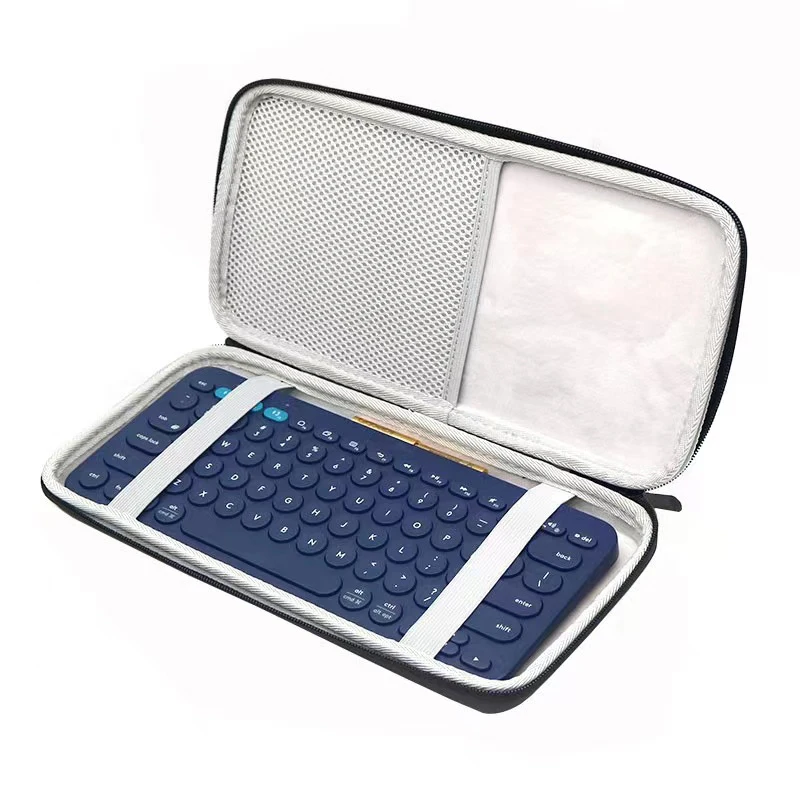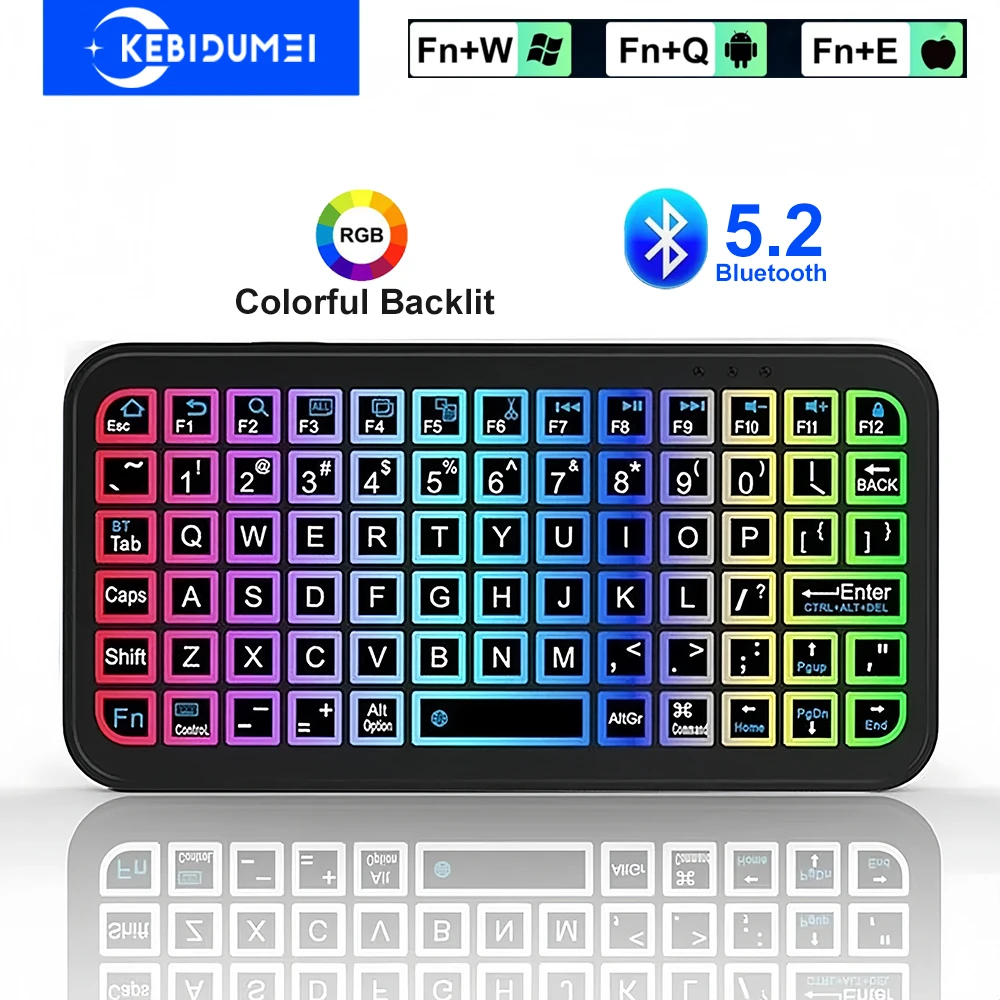
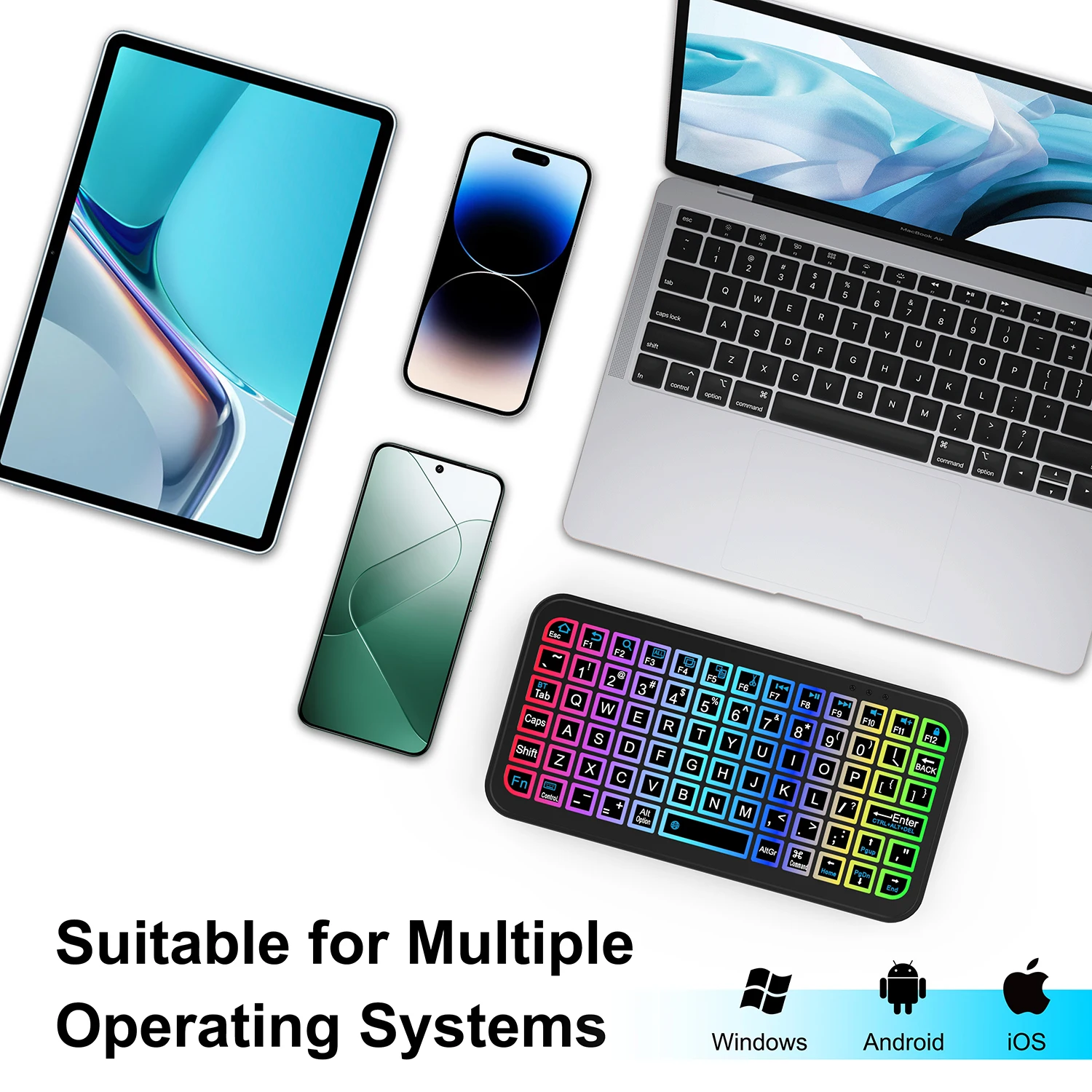
Bluetooth 5.2 Keyboard RGB Backlit Keyboard Ultra-thin Wireless Keyboard Mute Keyboard Mini Keyboard For Windows Android IOS
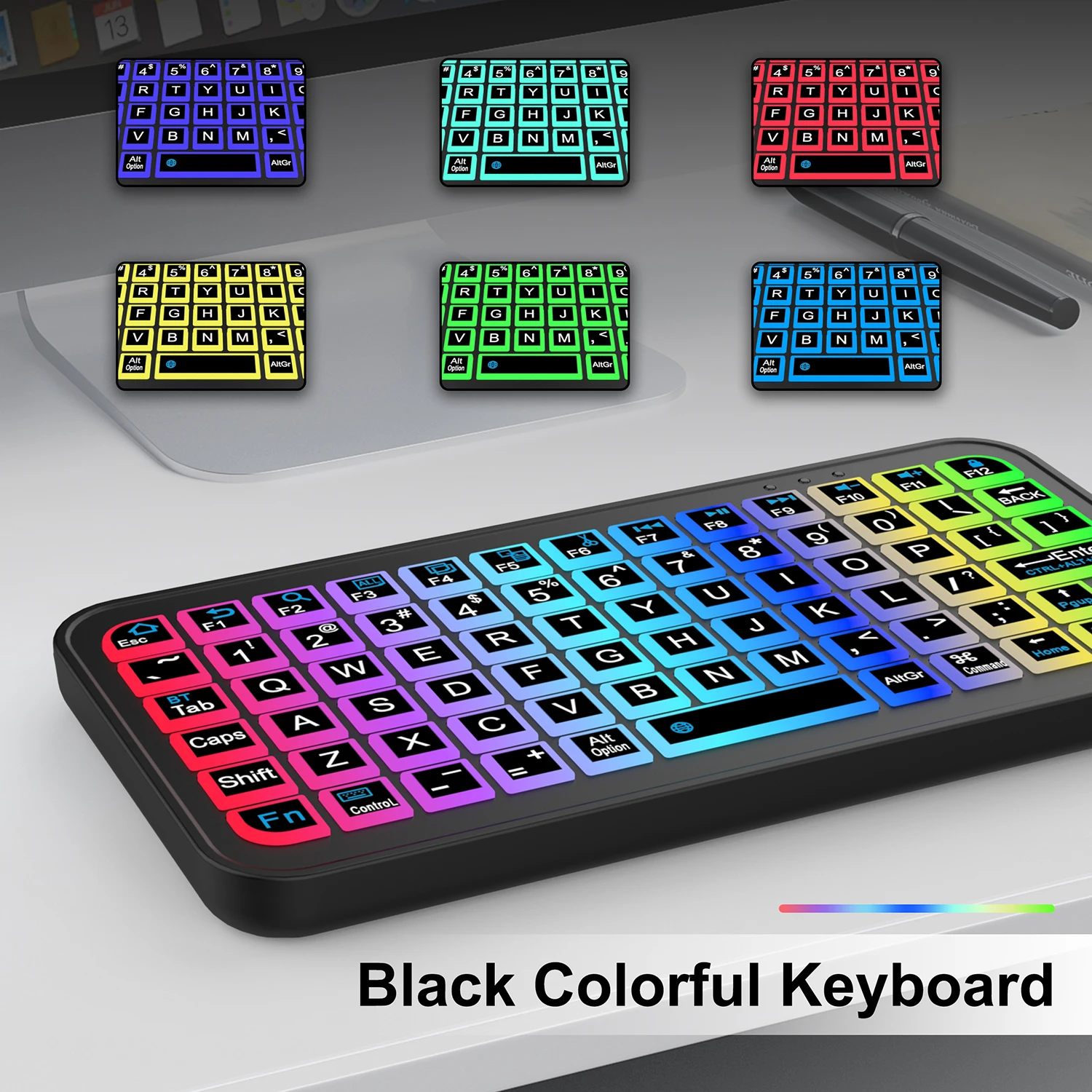
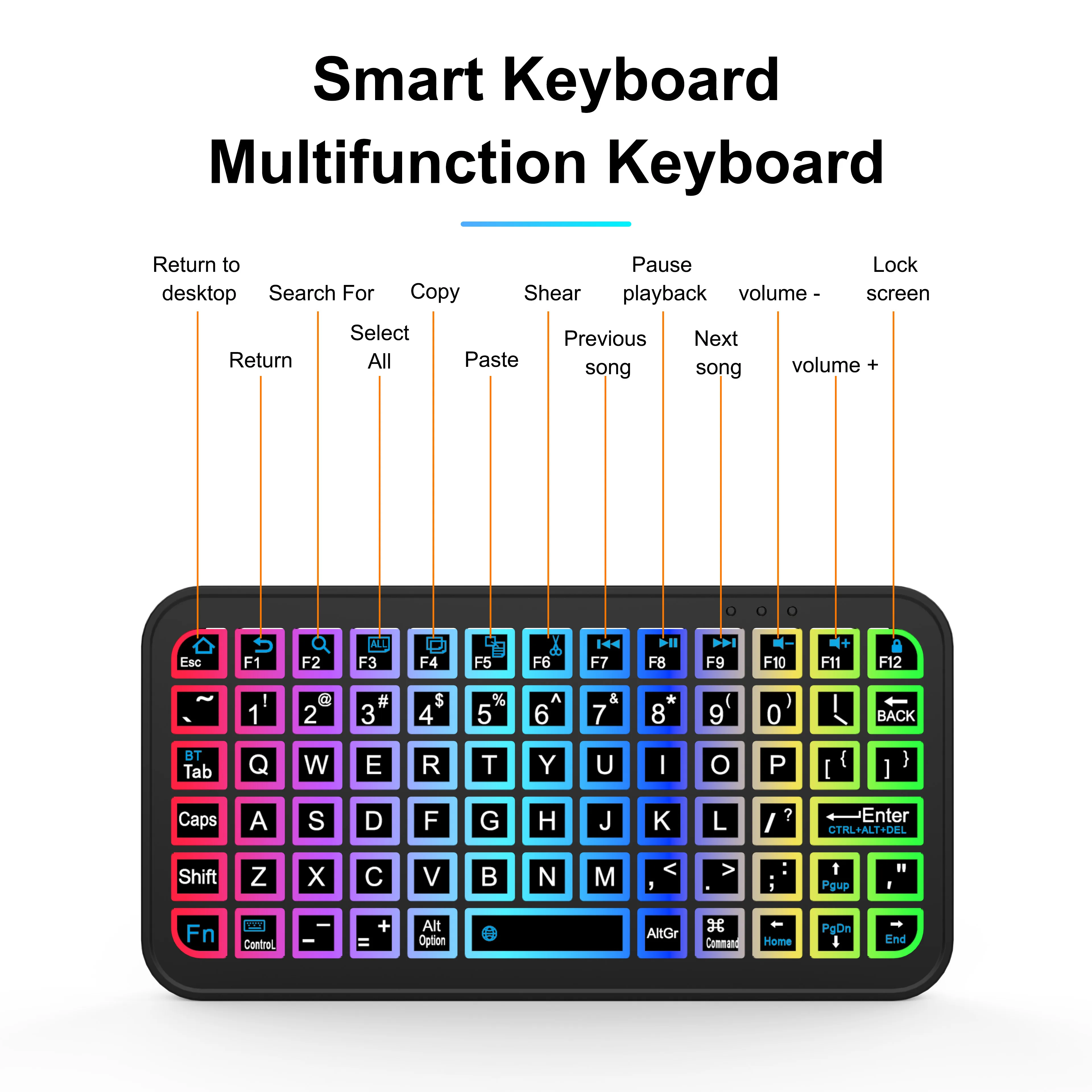
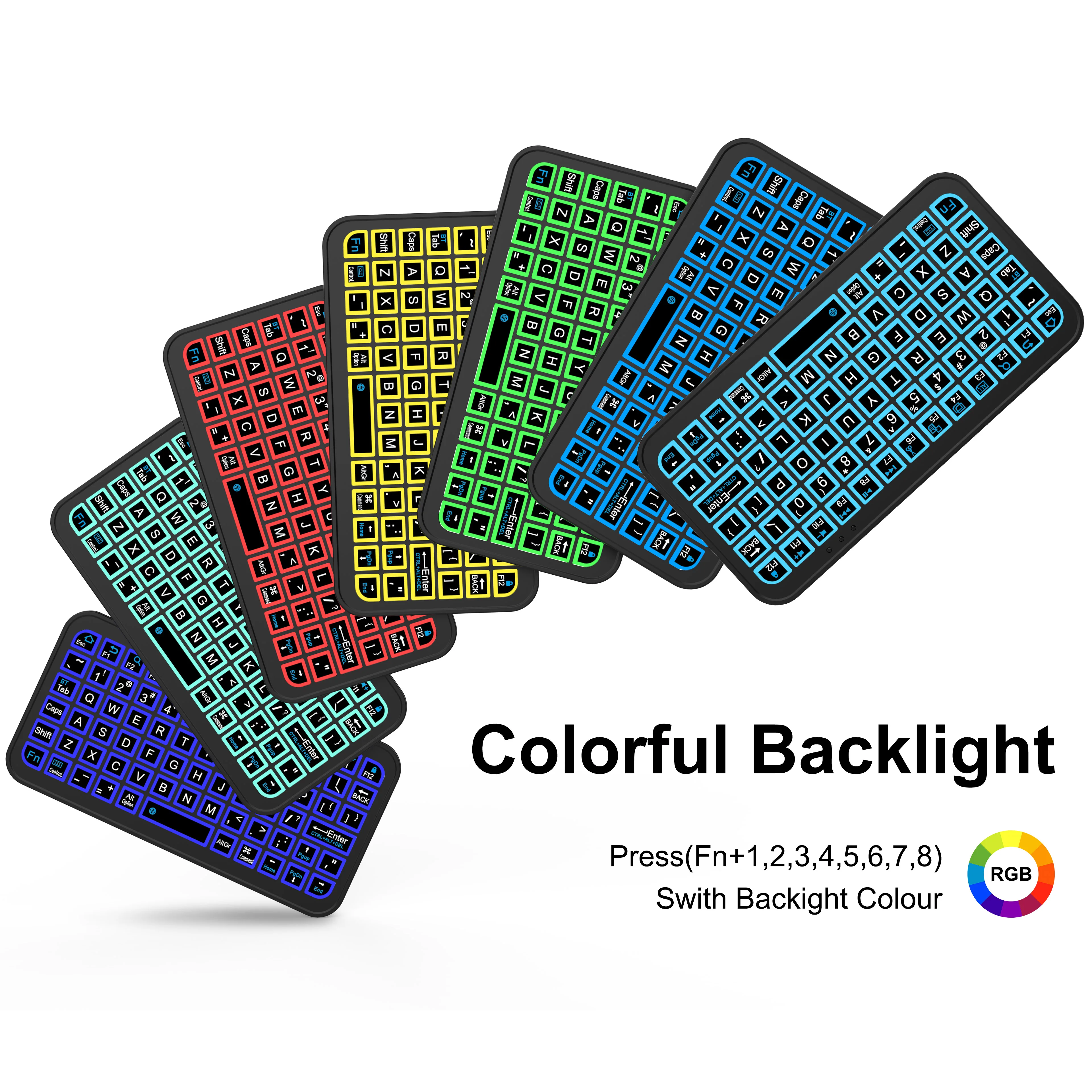
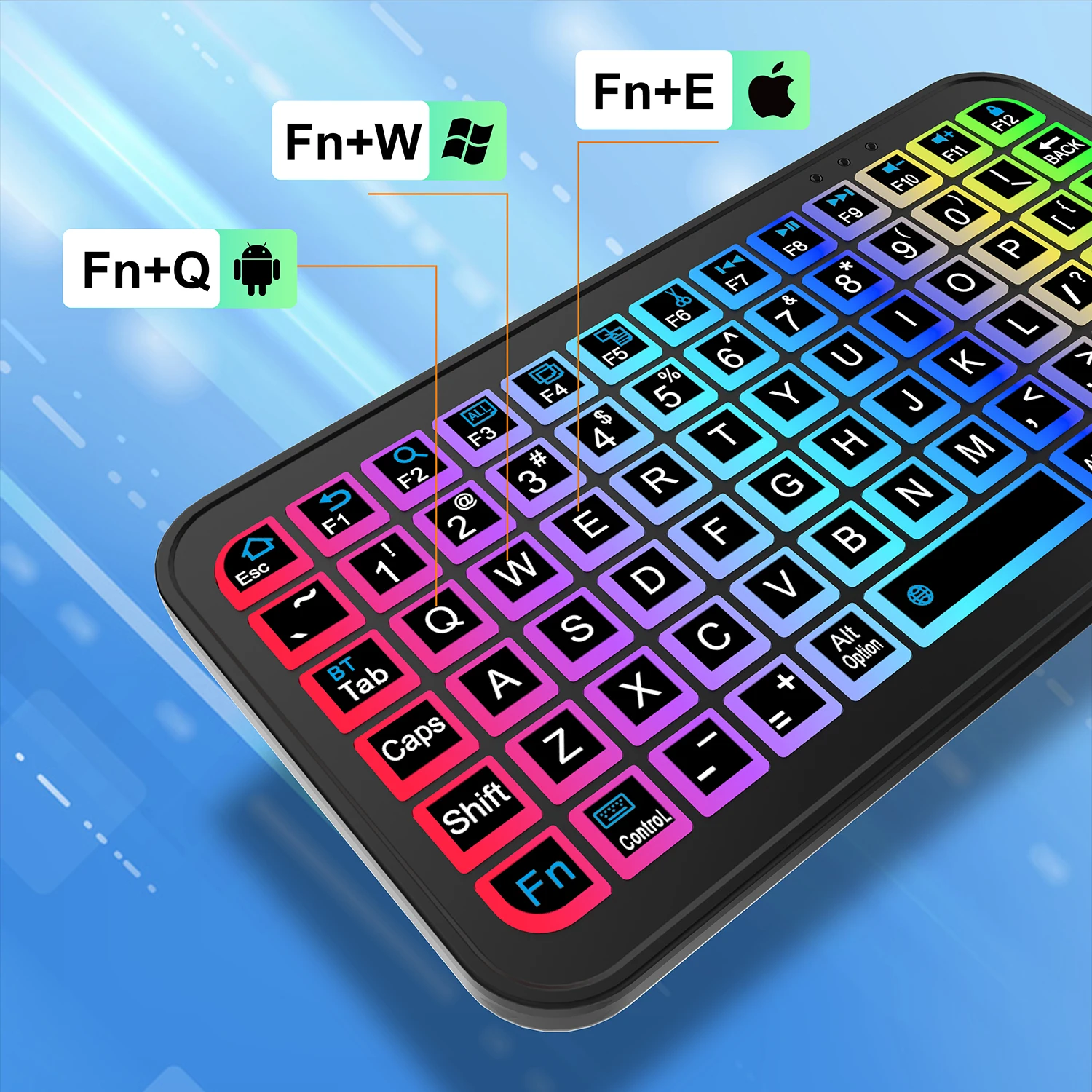
<div class="detailmodule_html"><div class="detail-desc-decorate-richtext"><div style="font-family:"TT Norms Pro", "Open Sans", Roboto, Arial, Helvetica, sans-serif, SimSun;font-size:14px;font-weight:400;letter-spacing:normal;text-align:start;white-space:normal;color:rgb(34, 34, 34);margin:0px;margin-bottom:0px;margin-top:0px;margin-left:0px;margin-right:0px;padding:0px;padding-bottom:0px;padding-top:0px;padding-left:0px;padding-right:0px;box-sizing:content-box" align="start"><br/></div><table style="border-collapse:collapse;font-family:"TT Norms Pro", "Open Sans", Roboto, Arial, Helvetica, sans-serif, SimSun;font-size:14px;text-align:start;color:rgb(34, 34, 34)" class="ke-zeroborder" width="100%" border="0" cellPadding="0" cellSpacing="0" align="start"><tbody><tr><td><div style="margin:0px;margin-bottom:0px;margin-top:0px;margin-left:0px;margin-right:0px;padding:0px;padding-bottom:0px;padding-top:0px;padding-left:0px;padding-right:0px;box-sizing:content-box"><br/></div><table style="border-collapse:collapse;width:944px" class="ke-zeroborder" width="100%" border="0" cellPadding="0" cellSpacing="0"><tbody><tr><td><div style="margin:0px;margin-bottom:0px;margin-top:0px;margin-left:0px;margin-right:0px;padding:0px;padding-bottom:0px;padding-top:0px;padding-left:0px;padding-right:0px;box-sizing:content-box"><br/></div></td></tr></tbody></table><div style="border:1px solid rgb(174, 174, 174);margin:0px;margin-bottom:0px;margin-top:0px;margin-left:0px;margin-right:0px;padding:15px;padding-bottom:15px;padding-top:15px;padding-left:15px;padding-right:15px;box-sizing:content-box"><div style="margin:0px;margin-bottom:0px;margin-top:0px;margin-left:0px;margin-right:0px;padding:0px;padding-bottom:0px;padding-top:0px;padding-left:0px;padding-right:0px;box-sizing:content-box" class="detailmodule_html"><div style="margin:0px;margin-bottom:0px;margin-top:0px;margin-left:0px;margin-right:0px;padding:0px;padding-bottom:0px;padding-top:0px;padding-left:0px;padding-right:0px;box-sizing:content-box" class="detail-desc-decorate-richtext"><h3><strong><span style="font-size:20px">Pairing with tablets and cell phones</span></strong></h3><h3><span style="font-size:20px">1.Press anykey to activate the keyboard</span></h3><h3><span style="font-size:20px">2.Press andhold the FN+BT button for a long time the status indicator light will start flashing,and the keyboard can now be connected to your device</span></h3><h3><span style="font-size:20px">3.Activate the Bluetooth function on the device you wish to pair with the keyboard.Once activated, located the keyboard (Bluetooth Keyboard )on your device</span></h3><h3><span style="font-size:20px">4.Once the Bluetooth keyboard has been found select it to connect</span></h3><h3><span style="font-size:20px">5.You will be prompted to enter a code on the keyboard to complete the pairing.Eolow th nstructions to enter this password code as displayed on the tablet or cell phone.</span></h3><h3><span style="font-size:20px">6.Once the Bluetooth keyboard has successfully connected to your device,the status indicator wil turn off</span></h3><h3><strong><span style="font-size:20px">Switch backlight:</span></strong></h3><h3><span style="font-size:20px">1.Press FN+numberkeys1-7 to switch seven colors. </span></h3><h3><span style="font-size:20px">2.Press FN+number 8 to switch breathing light mode</span></h3><h3><span style="font-size:20px">3.Press FN+numberkey 9 to turn off the backlight</span></h3><h3><strong><span style="font-size:20px">Specifications:</span></strong></h3><h3><span style="font-size:20px">Bluetooth Specification:Bluetooth5.2</span></h3><h3><span style="font-size:20px">Standby time:90 days</span></h3><h3><span style="font-size:20px">Charging time:4-5 hours</span></h3><h3><span style="font-size:20px">Battery Type:Lithiumpolymer,Non-accessible<br/></span></h3><h3><span style="font-size:20px">Battery Capacity:300mAh<br/></span></h3><h3><span style="font-size:20px">Material:Siliconkeys+Plastic</span></h3><h3><span style="font-size:20px">Supported:Android,iOS,Windows,Mac<br/></span></h3><h3><span style="font-size:20px">Keyboard Thickness:10mm</span><br/></h3></div></div></div><div style="margin:0px;margin-bottom:0px;margin-top:0px;margin-left:0px;margin-right:0px;padding:0px;padding-bottom:0px;padding-top:0px;padding-left:0px;padding-right:0px;box-sizing:content-box"><br/></div><div style="margin:0px;margin-bottom:0px;margin-top:0px;margin-left:0px;margin-right:0px;padding:0px;padding-bottom:0px;padding-top:0px;padding-left:0px;padding-right:0px;box-sizing:content-box"><br/></div><div style="border:1px solid rgb(174, 174, 174);margin:0px;margin-bottom:0px;margin-top:0px;margin-left:0px;margin-right:0px;padding:15px;padding-bottom:15px;padding-top:15px;padding-left:15px;padding-right:15px;box-sizing:content-box"><span style="font-size:20px">1 X Bluetooth 5.2 Keyboard</span></div></td></tr></tbody></table><p><br/></p><div><br/></div><p style="text-align:left" align="left"><strong><span style="font-size:32px">【Colorful Backlight Bluetooth Keyboard】</span></strong></p><p style="text-align:left" align="left"><strong><span style="font-size:32px">【Suitable for Multiple Operating Systems】</span></strong></p><p style="text-align:left" align="left"><span style="font-size:26px"><strong>【Fn+Q :Switch Android, Fn+W:Switch Windows, Fn+E:Switch IOS】</strong></span><strong><span style="font-size:32px">【Smart Keyboard Multifunction Keyboard】</span></strong><strong><span style="font-size:32px">【Built in Bluetooth Chip,Ultra thin body】</span></strong></p></div></div><p><br/></p>
$24.05
$12.59
- Category : Computer & Office
- Brand : tontop_store Ton-Top Store
Colors
Sizes
-
+

<div class="detailmodule_html"><div class="detail-desc-decorate-richtext"><div style="font-family:"TT Norms Pro", "Open Sans", Roboto, Arial, Helvetica, sans-serif, SimSun;font-size:14px;font-weight:400;letter-spacing:normal;text-align:start;white-space:normal;color:rgb(34, 34, 34);margin:0px;margin-bottom:0px;margin-top:0px;margin-left:0px;margin-right:0px;padding:0px;padding-bottom:0px;padding-top:0px;padding-left:0px;padding-right:0px;box-sizing:content-box" align="start"><br/></div><table style="border-collapse:collapse;font-family:"TT Norms Pro", "Open Sans", Roboto, Arial, Helvetica, sans-serif, SimSun;font-size:14px;text-align:start;color:rgb(34, 34, 34)" class="ke-zeroborder" width="100%" border="0" cellPadding="0" cellSpacing="0" align="start"><tbody><tr><td><div style="margin:0px;margin-bottom:0px;margin-top:0px;margin-left:0px;margin-right:0px;padding:0px;padding-bottom:0px;padding-top:0px;padding-left:0px;padding-right:0px;box-sizing:content-box"><br/></div><table style="border-collapse:collapse;width:944px" class="ke-zeroborder" width="100%" border="0" cellPadding="0" cellSpacing="0"><tbody><tr><td><div style="margin:0px;margin-bottom:0px;margin-top:0px;margin-left:0px;margin-right:0px;padding:0px;padding-bottom:0px;padding-top:0px;padding-left:0px;padding-right:0px;box-sizing:content-box"><br/></div></td></tr></tbody></table><div style="border:1px solid rgb(174, 174, 174);margin:0px;margin-bottom:0px;margin-top:0px;margin-left:0px;margin-right:0px;padding:15px;padding-bottom:15px;padding-top:15px;padding-left:15px;padding-right:15px;box-sizing:content-box"><div style="margin:0px;margin-bottom:0px;margin-top:0px;margin-left:0px;margin-right:0px;padding:0px;padding-bottom:0px;padding-top:0px;padding-left:0px;padding-right:0px;box-sizing:content-box" class="detailmodule_html"><div style="margin:0px;margin-bottom:0px;margin-top:0px;margin-left:0px;margin-right:0px;padding:0px;padding-bottom:0px;padding-top:0px;padding-left:0px;padding-right:0px;box-sizing:content-box" class="detail-desc-decorate-richtext"><h3><strong><span style="font-size:20px">Pairing with tablets and cell phones</span></strong></h3><h3><span style="font-size:20px">1.Press anykey to activate the keyboard</span></h3><h3><span style="font-size:20px">2.Press andhold the FN+BT button for a long time the status indicator light will start flashing,and the keyboard can now be connected to your device</span></h3><h3><span style="font-size:20px">3.Activate the Bluetooth function on the device you wish to pair with the keyboard.Once activated, located the keyboard (Bluetooth Keyboard )on your device</span></h3><h3><span style="font-size:20px">4.Once the Bluetooth keyboard has been found select it to connect</span></h3><h3><span style="font-size:20px">5.You will be prompted to enter a code on the keyboard to complete the pairing.Eolow th nstructions to enter this password code as displayed on the tablet or cell phone.</span></h3><h3><span style="font-size:20px">6.Once the Bluetooth keyboard has successfully connected to your device,the status indicator wil turn off</span></h3><h3><strong><span style="font-size:20px">Switch backlight:</span></strong></h3><h3><span style="font-size:20px">1.Press FN+numberkeys1-7 to switch seven colors. </span></h3><h3><span style="font-size:20px">2.Press FN+number 8 to switch breathing light mode</span></h3><h3><span style="font-size:20px">3.Press FN+numberkey 9 to turn off the backlight</span></h3><h3><strong><span style="font-size:20px">Specifications:</span></strong></h3><h3><span style="font-size:20px">Bluetooth Specification:Bluetooth5.2</span></h3><h3><span style="font-size:20px">Standby time:90 days</span></h3><h3><span style="font-size:20px">Charging time:4-5 hours</span></h3><h3><span style="font-size:20px">Battery Type:Lithiumpolymer,Non-accessible<br/></span></h3><h3><span style="font-size:20px">Battery Capacity:300mAh<br/></span></h3><h3><span style="font-size:20px">Material:Siliconkeys+Plastic</span></h3><h3><span style="font-size:20px">Supported:Android,iOS,Windows,Mac<br/></span></h3><h3><span style="font-size:20px">Keyboard Thickness:10mm</span><br/></h3></div></div></div><div style="margin:0px;margin-bottom:0px;margin-top:0px;margin-left:0px;margin-right:0px;padding:0px;padding-bottom:0px;padding-top:0px;padding-left:0px;padding-right:0px;box-sizing:content-box"><br/></div><div style="margin:0px;margin-bottom:0px;margin-top:0px;margin-left:0px;margin-right:0px;padding:0px;padding-bottom:0px;padding-top:0px;padding-left:0px;padding-right:0px;box-sizing:content-box"><br/></div><div style="border:1px solid rgb(174, 174, 174);margin:0px;margin-bottom:0px;margin-top:0px;margin-left:0px;margin-right:0px;padding:15px;padding-bottom:15px;padding-top:15px;padding-left:15px;padding-right:15px;box-sizing:content-box"><span style="font-size:20px">1 X Bluetooth 5.2 Keyboard</span></div></td></tr></tbody></table><p><br/></p><div><br/></div><p style="text-align:left" align="left"><strong><span style="font-size:32px">【Colorful Backlight Bluetooth Keyboard】</span></strong></p><p style="text-align:left" align="left"><strong><span style="font-size:32px">【Suitable for Multiple Operating Systems】</span></strong></p><p style="text-align:left" align="left"><span style="font-size:26px"><strong>【Fn+Q :Switch Android, Fn+W:Switch Windows, Fn+E:Switch IOS】</strong></span><strong><span style="font-size:32px">【Smart Keyboard Multifunction Keyboard】</span></strong><strong><span style="font-size:32px">【Built in Bluetooth Chip,Ultra thin body】</span></strong></p></div></div><p><br/></p>
Related Product
Browse The Collection of Top Products.