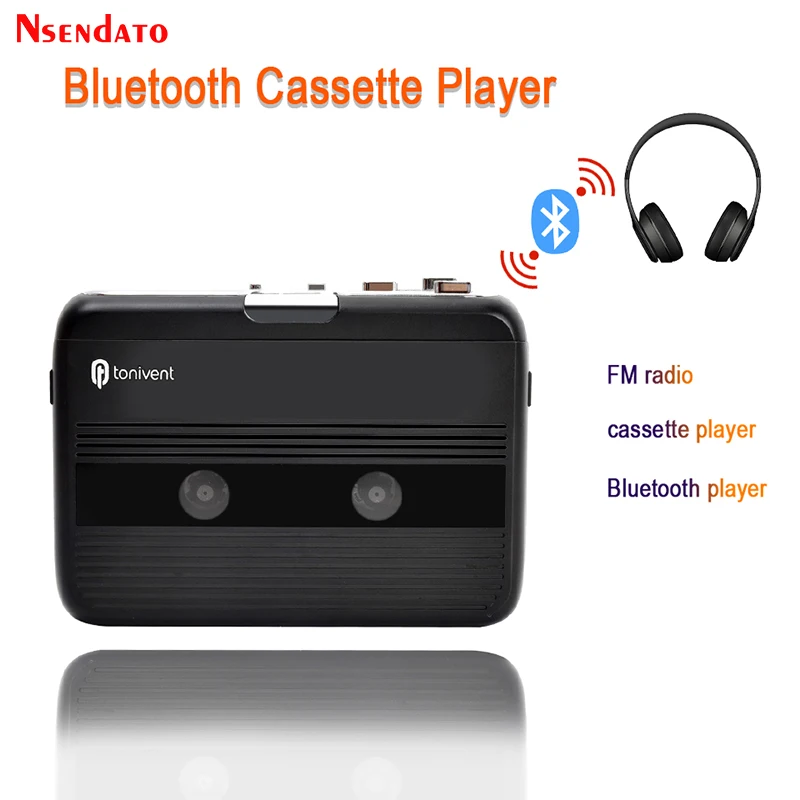
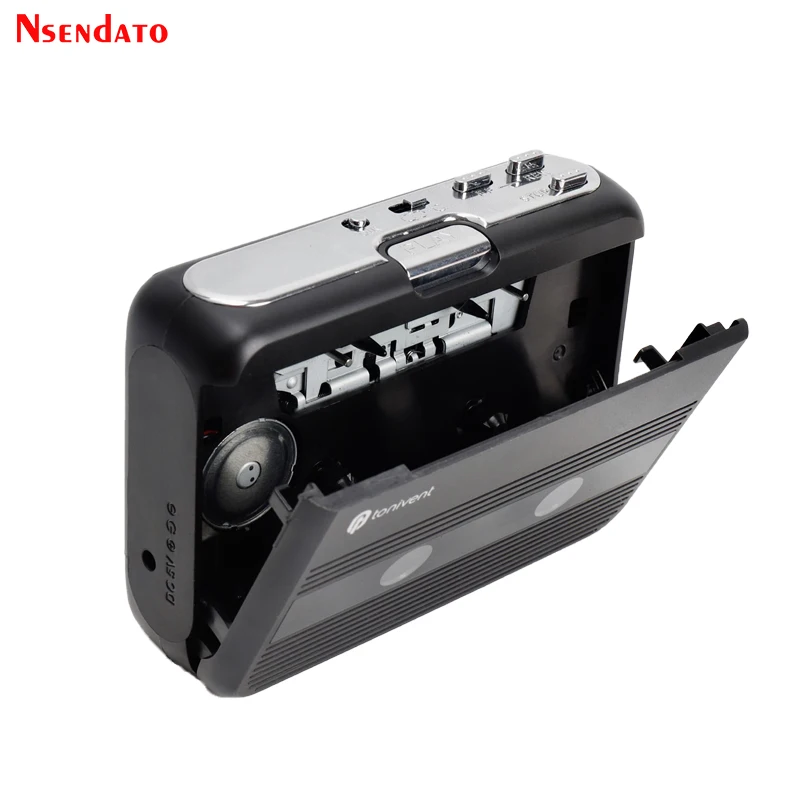
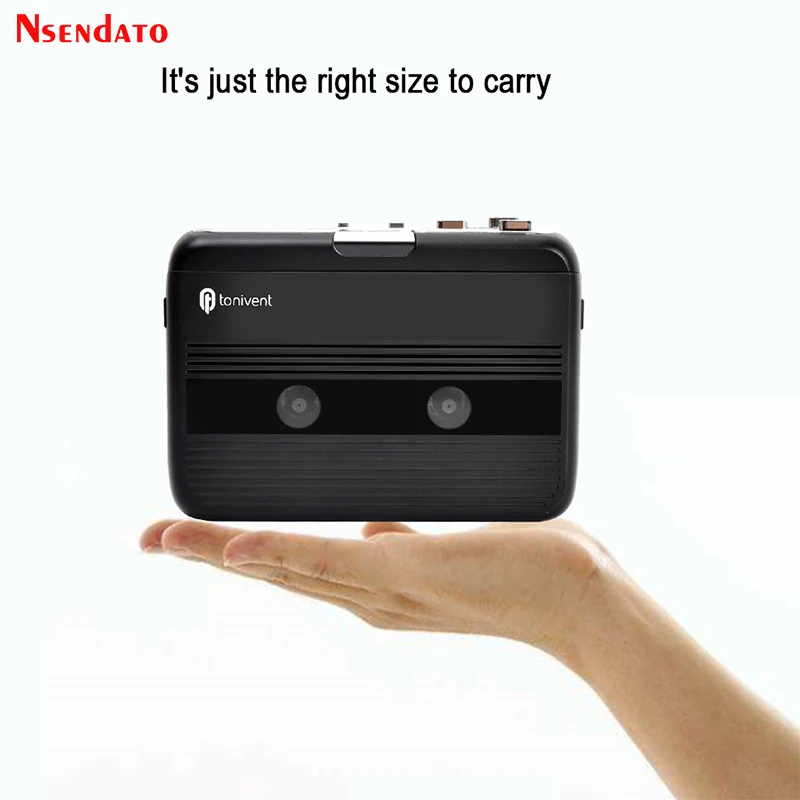
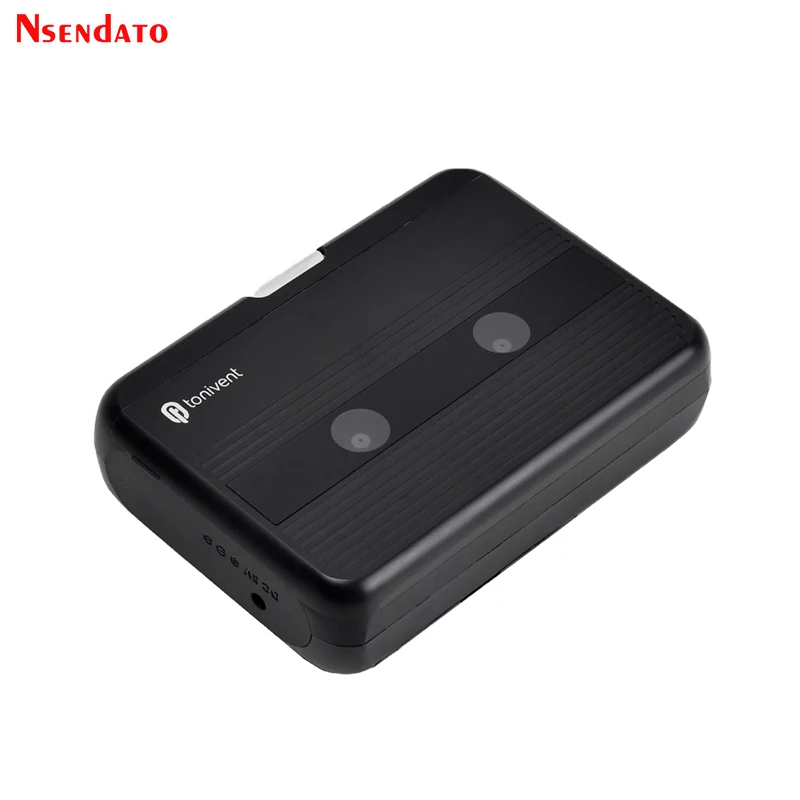
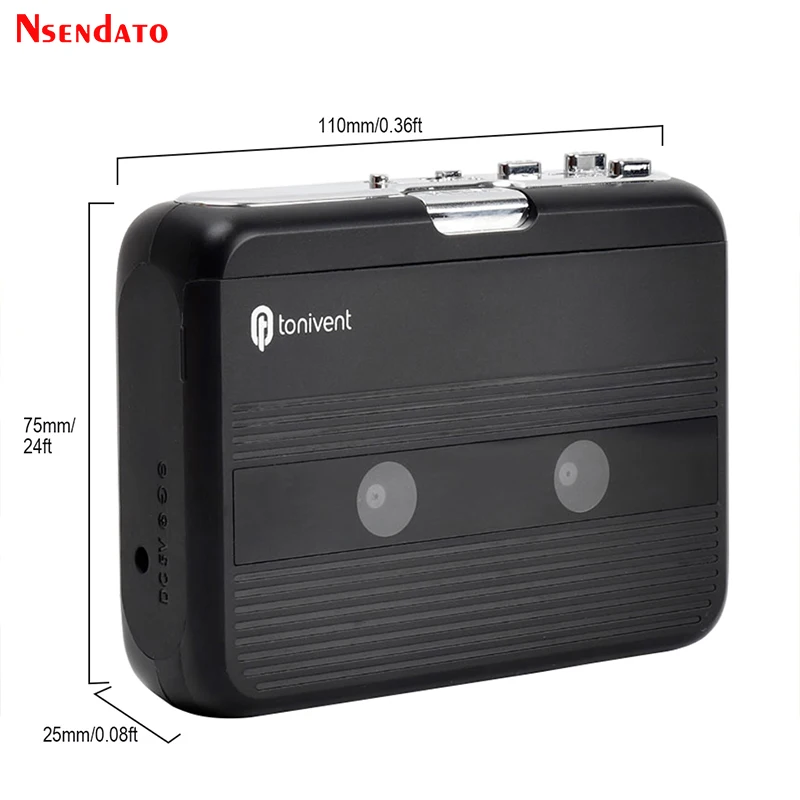
Bluetooth Cassette Recorder & Player Portable Standalone Cassette Players FM Radio With Auto-reverse function Bluetooth Player
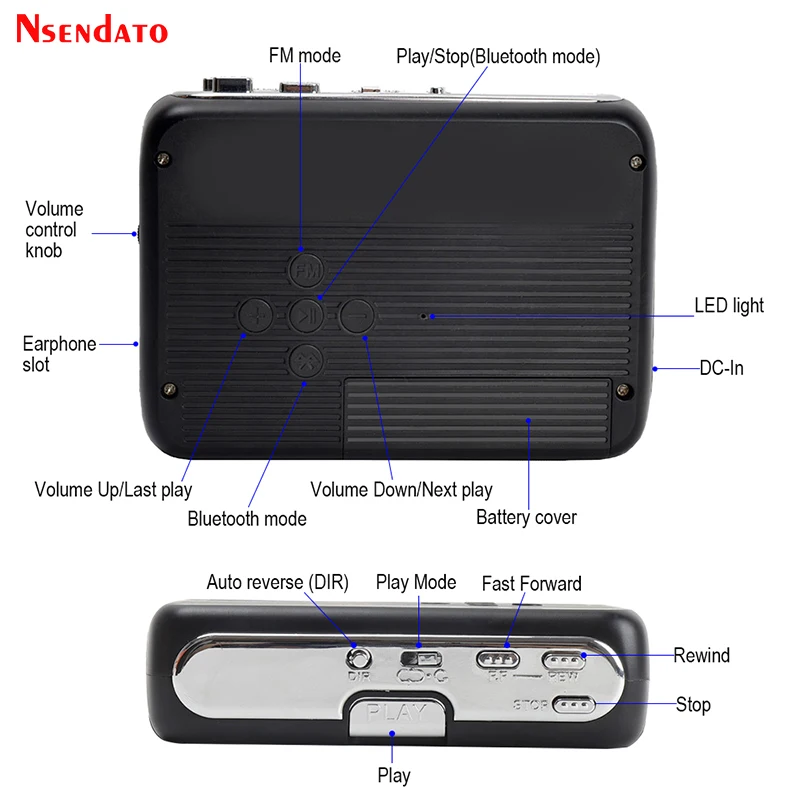
<div class="detailmodule_dynamic"><kse:widget data-widget-type="customText" id="22569421" type="custom"></kse:widget></div><div class="detailmodule_html"><div class="detail-desc-decorate-richtext"><p><span style="font-family:arial, helvetica, sans-serif"><span style="font-size:16px">Bluetooth Cassette Recorder & Player Portable Standalone Cassette Players FM Radio With Auto-reverse function Bluetooth Player</span></span></p><p></p><div><strong><span style="font-family:arial, helvetica, sans-serif"><span style="font-size:16px">Features:</span></span></strong></div><div><span style="font-family:arial, helvetica, sans-serif"><span style="font-size:16px">Used as like for walkman, play cassette tape music everywhere.</span></span></div><div><span style="font-family:arial, helvetica, sans-serif"><span style="font-size:16px">With Bluetooth out function, can transmit the music to other Bluetooth receivers.</span></span></div><div><span style="font-family:arial, helvetica, sans-serif"><span style="font-size:16px">With Auto-reverse function</span></span></div><div><span style="font-family:arial, helvetica, sans-serif"><span style="font-size:16px">FM mode can receive radio(with 3.5mm earphone as antenna)</span></span></div><div><span style="font-family:arial, helvetica, sans-serif"><span style="font-size:16px">3.5mm earphone jack</span></span></div><div><strong><span style="font-family:arial, helvetica, sans-serif"><span style="font-size:16px">Package Contents</span></span></strong></div><div><span style="font-family:arial, helvetica, sans-serif"><span style="font-size:16px">Nsendato Bluetooth Cassette Player</span></span></div><div><span style="font-family:arial, helvetica, sans-serif"><span style="font-size:16px">USB Cable</span></span></div><div><span style="font-family:arial, helvetica, sans-serif"><span style="font-size:16px">User Guide</span></span></div><div><span style="font-family:arial, helvetica, sans-serif"><span style="font-size:16px">Earphone</span></span></div><div><strong><span style="font-family:arial, helvetica, sans-serif"><span style="font-size:16px">Power Supply</span></span></strong></div><div><span style="font-family:arial, helvetica, sans-serif"><span style="font-size:16px">You can run Nsendato USB Cassette Player via batteries or your PC’s USB power.</span></span></div><div><span style="font-family:arial, helvetica, sans-serif"><span style="font-size:16px">Slide back switch to open the Cassette Player. Open the battery box and insert 2*AA battery, and make sure the battery has been correctly connected, and replace the battery box. Or connect the USB output connector of device to PC’s USB Bus.</span></span></div><div><strong><span style="font-family:arial, helvetica, sans-serif"><span style="font-size:16px">Operation:</span></span></strong></div><div><span style="font-family:arial, helvetica, sans-serif"><span style="font-size:16px">Earphone slot:enjoy music when earphones are in the slot.</span></span></div><div><span style="font-family:arial, helvetica, sans-serif"><span style="font-size:16px">When playing music, you can use the volume control knob to adjust the volume.</span></span></div><div><span style="font-family:arial, helvetica, sans-serif"><span style="font-size:16px">Press “DIR” button to auto-reverse the cassette.</span></span></div><div><span style="font-family:arial, helvetica, sans-serif"><span style="font-size:16px">Press “PLAY” button to play the cassette.</span></span></div><div><span style="font-family:arial, helvetica, sans-serif"><span style="font-size:16px">Play Mode: Selects what the cassette does when it reaches the end of a side. When set to the “loop” icon, the cassette will automatically switch direction and begin playing the opposite side when one side has finished. When set to the single arrow icon, the cassette will simply stop when a side has finished.</span></span></div><div><span style="font-family:arial, helvetica, sans-serif"><span style="font-size:16px">Press “F.F” button to Fast Forward the cassette.</span></span></div><div><span style="font-family:arial, helvetica, sans-serif"><span style="font-size:16px">Press “REW” button to Rewind the cassette.</span></span></div><div><span style="font-family:arial, helvetica, sans-serif"><span style="font-size:16px">Press the "STOP" button to stop playing the tape and the Bluetooth connection will also be disconnected.</span></span></div><div><strong><span style="font-family:arial, helvetica, sans-serif"><span style="font-size:16px">How to Connect to Bluetooth Receiver ?</span></span></strong></div><div><span style="font-family:arial, helvetica, sans-serif"><span style="font-size:16px">Please make sure to turn on your Bluetooth receiver devices at first.</span></span></div><div><span style="font-family:arial, helvetica, sans-serif"><span style="font-size:16px">Then Put 2*AA batteries(Not included) into the battery case or used by DC power(Not included) .</span></span></div><div><span style="font-family:arial, helvetica, sans-serif"><span style="font-size:16px">Long press Bluetooth button 3 seconds to turn on Bluetooth function,led white light on and fast flash,will auto search and pair the Bluetooth receiver,Put in the tape and press the “PLAY” button. When the device successfully pair the Bluetooth receiver, led white light keep on, Don’t put earphone in slot when Bluetooth open.</span></span></div><div><span style="font-family:arial, helvetica, sans-serif"><span style="font-size:16px">If it does not have any Bluetooth device to connect, after the LED white light fast flash for a while, Bluetooth will auto turn off.</span></span></div><div><strong><span style="font-family:arial, helvetica, sans-serif"><span style="font-size:16px">How to connect Mobile phone Bluetooth and use FM ?</span></span></strong></div><div><span style="font-family:arial, helvetica, sans-serif"><span style="font-size:16px">1. Earphone(or speaker with 3.5mm Aux male) plug into earphone slot, Long press Bluetooth button 3 seconds to turn on, press FM button to search radio,led light turn to blue and flash,</span></span></div><div><span style="font-family:arial, helvetica, sans-serif"><span style="font-size:16px">2. When voice announce Bluetooth mode on, turn on Bluetooth on the mobile phone, search and pair device “HC01”, led keep blue light on means connect successful, mobile phone audio play through earphone or speaker. Press”+” or ”-” button to adjust volume.</span></span></div><div><span style="font-family:arial, helvetica, sans-serif"><span style="font-size:16px">3. On FM mode, press PLAY/STOP button to search radio, Press”+” or ”-” button to adjust channel.</span></span></div><div><span style="font-family:arial, helvetica, sans-serif"><span style="font-size:16px">4. When FM mode on/ mobile phone Bluetooth connected,you can not Play cassette.</span></span></div><div><span style="font-family:arial, helvetica, sans-serif"><span style="font-size:16px"><span style="color:rgb(255, 0, 0)"><strong>Notes:the model have white and black color,Please leave message if you have color request,if not ,we will send with random color</strong></span></span></span></div><div><div></div></div><p></p><div><br/></div><p></p><div style="margin:0px;margin-bottom:0px;margin-top:0px;margin-left:0px;margin-right:0px;padding:0px;padding-bottom:0px;padding-top:0px;padding-left:0px;padding-right:0px"><div></div><div></div><div></div><div></div><div></div><div></div><div></div><div></div><div></div><div></div><div></div><div></div><div></div><div></div></div><div><br/><br/></div></div></div><p><br/></p>
$54.44
$52.67
- Category : Consumer Electronics
- Brand : nsendato_office_store_store Nsendato Office Store Store
Colors
Sizes
-
+

<div class="detailmodule_dynamic"><kse:widget data-widget-type="customText" id="22569421" type="custom"></kse:widget></div><div class="detailmodule_html"><div class="detail-desc-decorate-richtext"><p><span style="font-family:arial, helvetica, sans-serif"><span style="font-size:16px">Bluetooth Cassette Recorder & Player Portable Standalone Cassette Players FM Radio With Auto-reverse function Bluetooth Player</span></span></p><p></p><div><strong><span style="font-family:arial, helvetica, sans-serif"><span style="font-size:16px">Features:</span></span></strong></div><div><span style="font-family:arial, helvetica, sans-serif"><span style="font-size:16px">Used as like for walkman, play cassette tape music everywhere.</span></span></div><div><span style="font-family:arial, helvetica, sans-serif"><span style="font-size:16px">With Bluetooth out function, can transmit the music to other Bluetooth receivers.</span></span></div><div><span style="font-family:arial, helvetica, sans-serif"><span style="font-size:16px">With Auto-reverse function</span></span></div><div><span style="font-family:arial, helvetica, sans-serif"><span style="font-size:16px">FM mode can receive radio(with 3.5mm earphone as antenna)</span></span></div><div><span style="font-family:arial, helvetica, sans-serif"><span style="font-size:16px">3.5mm earphone jack</span></span></div><div><strong><span style="font-family:arial, helvetica, sans-serif"><span style="font-size:16px">Package Contents</span></span></strong></div><div><span style="font-family:arial, helvetica, sans-serif"><span style="font-size:16px">Nsendato Bluetooth Cassette Player</span></span></div><div><span style="font-family:arial, helvetica, sans-serif"><span style="font-size:16px">USB Cable</span></span></div><div><span style="font-family:arial, helvetica, sans-serif"><span style="font-size:16px">User Guide</span></span></div><div><span style="font-family:arial, helvetica, sans-serif"><span style="font-size:16px">Earphone</span></span></div><div><strong><span style="font-family:arial, helvetica, sans-serif"><span style="font-size:16px">Power Supply</span></span></strong></div><div><span style="font-family:arial, helvetica, sans-serif"><span style="font-size:16px">You can run Nsendato USB Cassette Player via batteries or your PC’s USB power.</span></span></div><div><span style="font-family:arial, helvetica, sans-serif"><span style="font-size:16px">Slide back switch to open the Cassette Player. Open the battery box and insert 2*AA battery, and make sure the battery has been correctly connected, and replace the battery box. Or connect the USB output connector of device to PC’s USB Bus.</span></span></div><div><strong><span style="font-family:arial, helvetica, sans-serif"><span style="font-size:16px">Operation:</span></span></strong></div><div><span style="font-family:arial, helvetica, sans-serif"><span style="font-size:16px">Earphone slot:enjoy music when earphones are in the slot.</span></span></div><div><span style="font-family:arial, helvetica, sans-serif"><span style="font-size:16px">When playing music, you can use the volume control knob to adjust the volume.</span></span></div><div><span style="font-family:arial, helvetica, sans-serif"><span style="font-size:16px">Press “DIR” button to auto-reverse the cassette.</span></span></div><div><span style="font-family:arial, helvetica, sans-serif"><span style="font-size:16px">Press “PLAY” button to play the cassette.</span></span></div><div><span style="font-family:arial, helvetica, sans-serif"><span style="font-size:16px">Play Mode: Selects what the cassette does when it reaches the end of a side. When set to the “loop” icon, the cassette will automatically switch direction and begin playing the opposite side when one side has finished. When set to the single arrow icon, the cassette will simply stop when a side has finished.</span></span></div><div><span style="font-family:arial, helvetica, sans-serif"><span style="font-size:16px">Press “F.F” button to Fast Forward the cassette.</span></span></div><div><span style="font-family:arial, helvetica, sans-serif"><span style="font-size:16px">Press “REW” button to Rewind the cassette.</span></span></div><div><span style="font-family:arial, helvetica, sans-serif"><span style="font-size:16px">Press the "STOP" button to stop playing the tape and the Bluetooth connection will also be disconnected.</span></span></div><div><strong><span style="font-family:arial, helvetica, sans-serif"><span style="font-size:16px">How to Connect to Bluetooth Receiver ?</span></span></strong></div><div><span style="font-family:arial, helvetica, sans-serif"><span style="font-size:16px">Please make sure to turn on your Bluetooth receiver devices at first.</span></span></div><div><span style="font-family:arial, helvetica, sans-serif"><span style="font-size:16px">Then Put 2*AA batteries(Not included) into the battery case or used by DC power(Not included) .</span></span></div><div><span style="font-family:arial, helvetica, sans-serif"><span style="font-size:16px">Long press Bluetooth button 3 seconds to turn on Bluetooth function,led white light on and fast flash,will auto search and pair the Bluetooth receiver,Put in the tape and press the “PLAY” button. When the device successfully pair the Bluetooth receiver, led white light keep on, Don’t put earphone in slot when Bluetooth open.</span></span></div><div><span style="font-family:arial, helvetica, sans-serif"><span style="font-size:16px">If it does not have any Bluetooth device to connect, after the LED white light fast flash for a while, Bluetooth will auto turn off.</span></span></div><div><strong><span style="font-family:arial, helvetica, sans-serif"><span style="font-size:16px">How to connect Mobile phone Bluetooth and use FM ?</span></span></strong></div><div><span style="font-family:arial, helvetica, sans-serif"><span style="font-size:16px">1. Earphone(or speaker with 3.5mm Aux male) plug into earphone slot, Long press Bluetooth button 3 seconds to turn on, press FM button to search radio,led light turn to blue and flash,</span></span></div><div><span style="font-family:arial, helvetica, sans-serif"><span style="font-size:16px">2. When voice announce Bluetooth mode on, turn on Bluetooth on the mobile phone, search and pair device “HC01”, led keep blue light on means connect successful, mobile phone audio play through earphone or speaker. Press”+” or ”-” button to adjust volume.</span></span></div><div><span style="font-family:arial, helvetica, sans-serif"><span style="font-size:16px">3. On FM mode, press PLAY/STOP button to search radio, Press”+” or ”-” button to adjust channel.</span></span></div><div><span style="font-family:arial, helvetica, sans-serif"><span style="font-size:16px">4. When FM mode on/ mobile phone Bluetooth connected,you can not Play cassette.</span></span></div><div><span style="font-family:arial, helvetica, sans-serif"><span style="font-size:16px"><span style="color:rgb(255, 0, 0)"><strong>Notes:the model have white and black color,Please leave message if you have color request,if not ,we will send with random color</strong></span></span></span></div><div><div></div></div><p></p><div><br/></div><p></p><div style="margin:0px;margin-bottom:0px;margin-top:0px;margin-left:0px;margin-right:0px;padding:0px;padding-bottom:0px;padding-top:0px;padding-left:0px;padding-right:0px"><div></div><div></div><div></div><div></div><div></div><div></div><div></div><div></div><div></div><div></div><div></div><div></div><div></div><div></div></div><div><br/><br/></div></div></div><p><br/></p>
Related Product
Browse The Collection of Top Products.