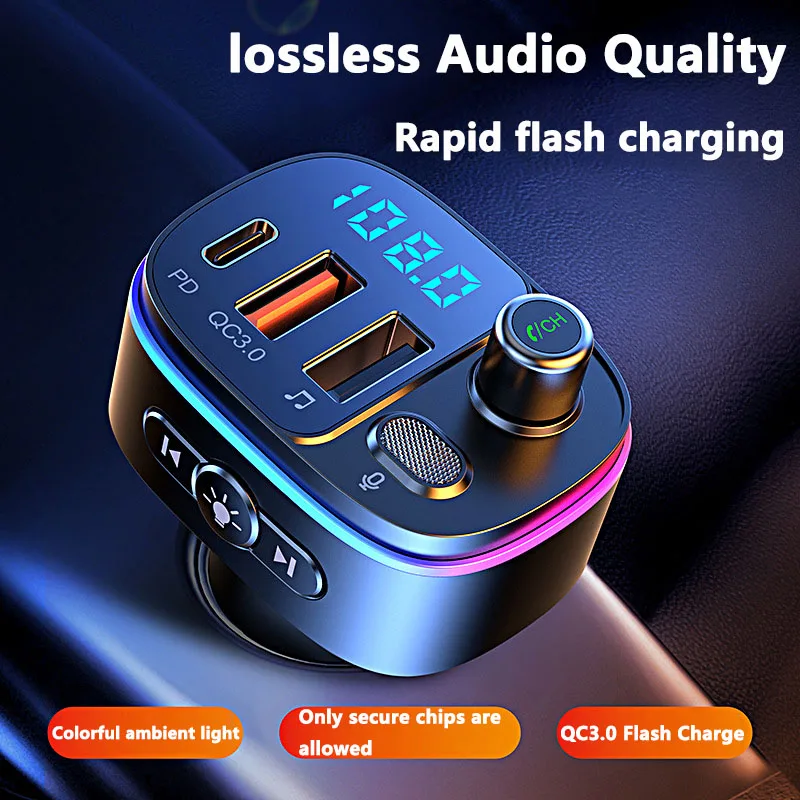
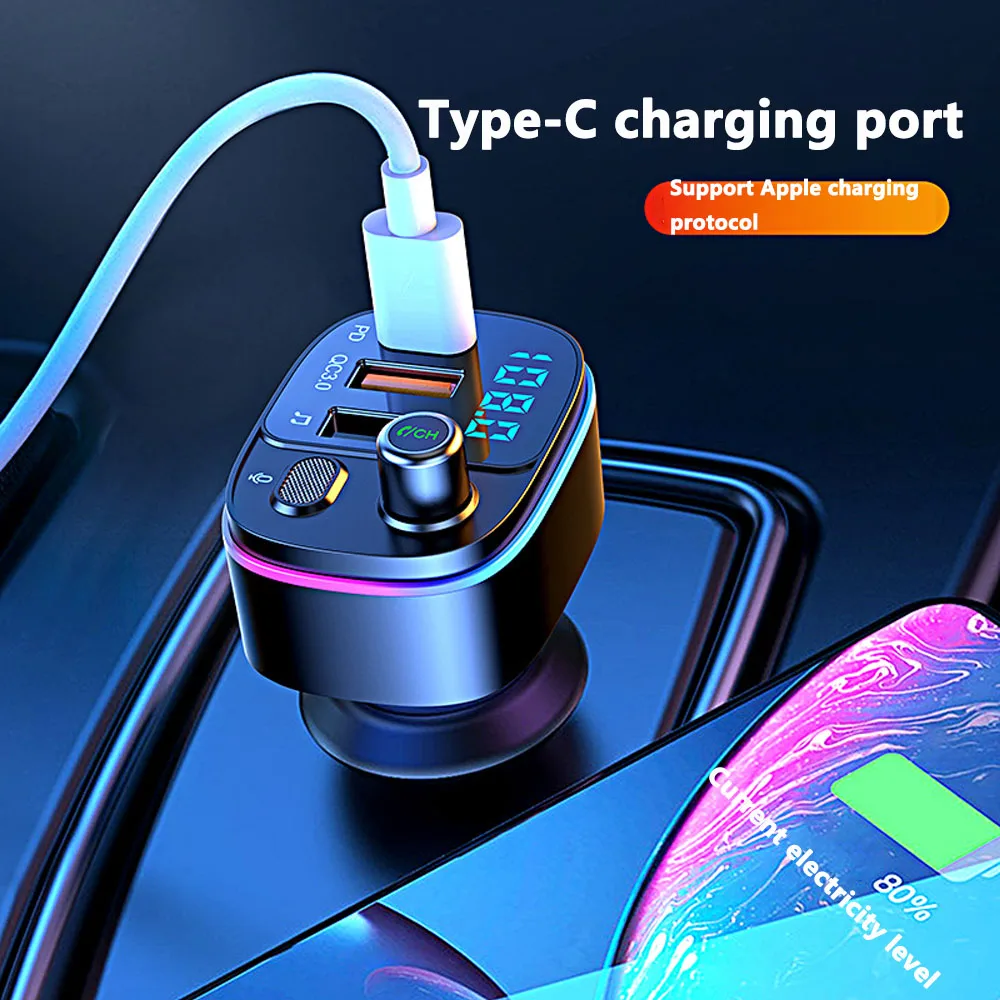
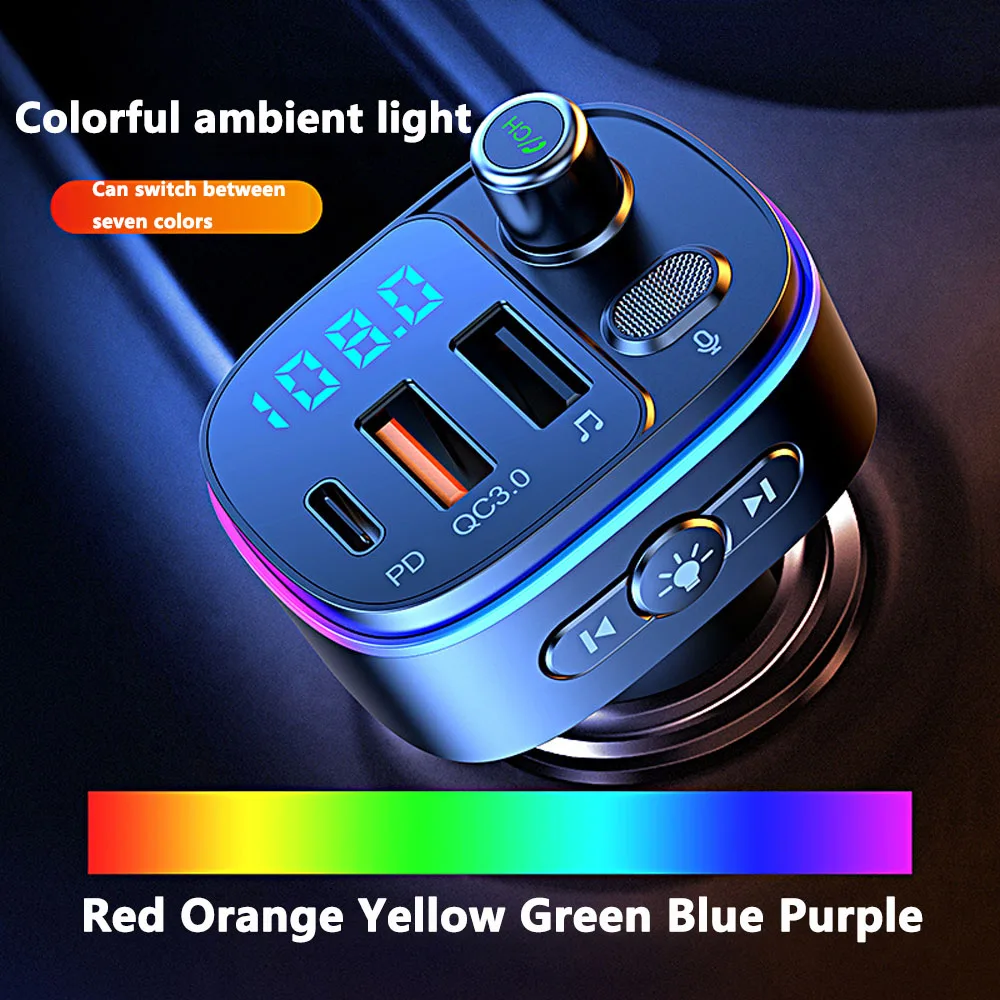
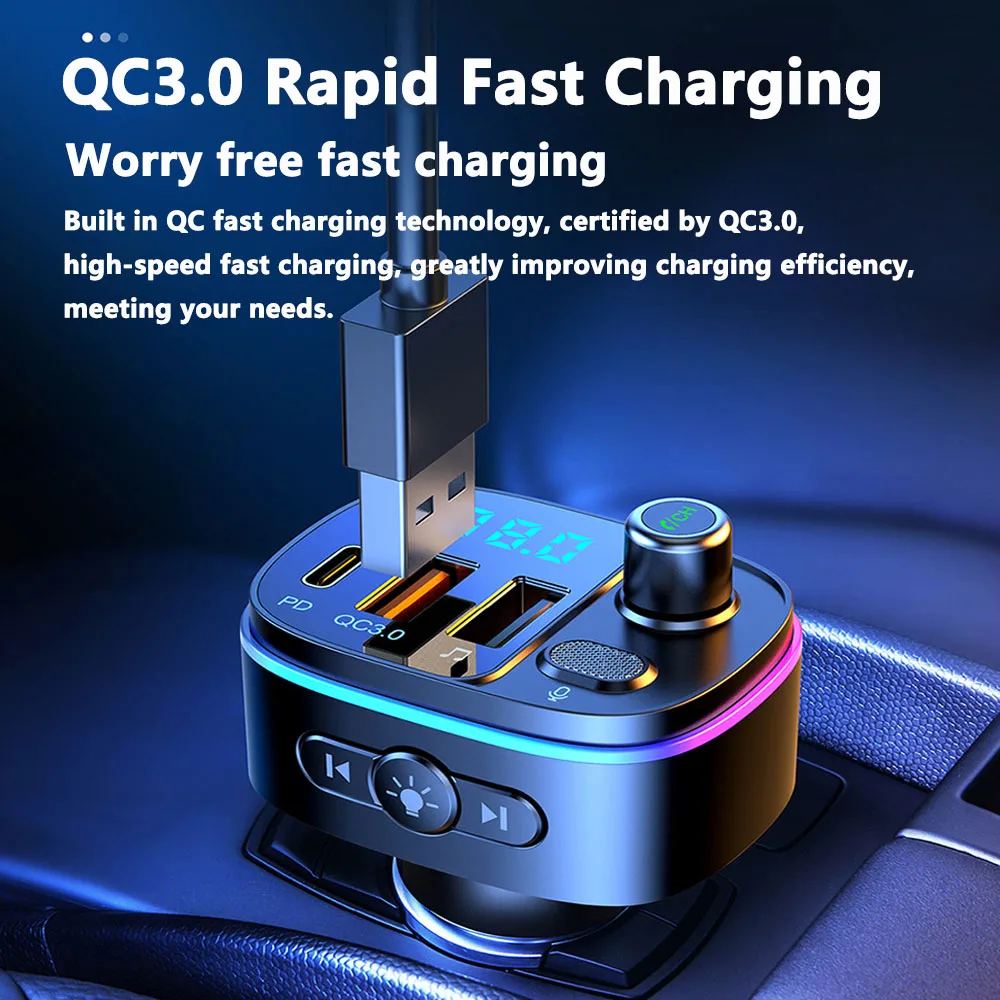
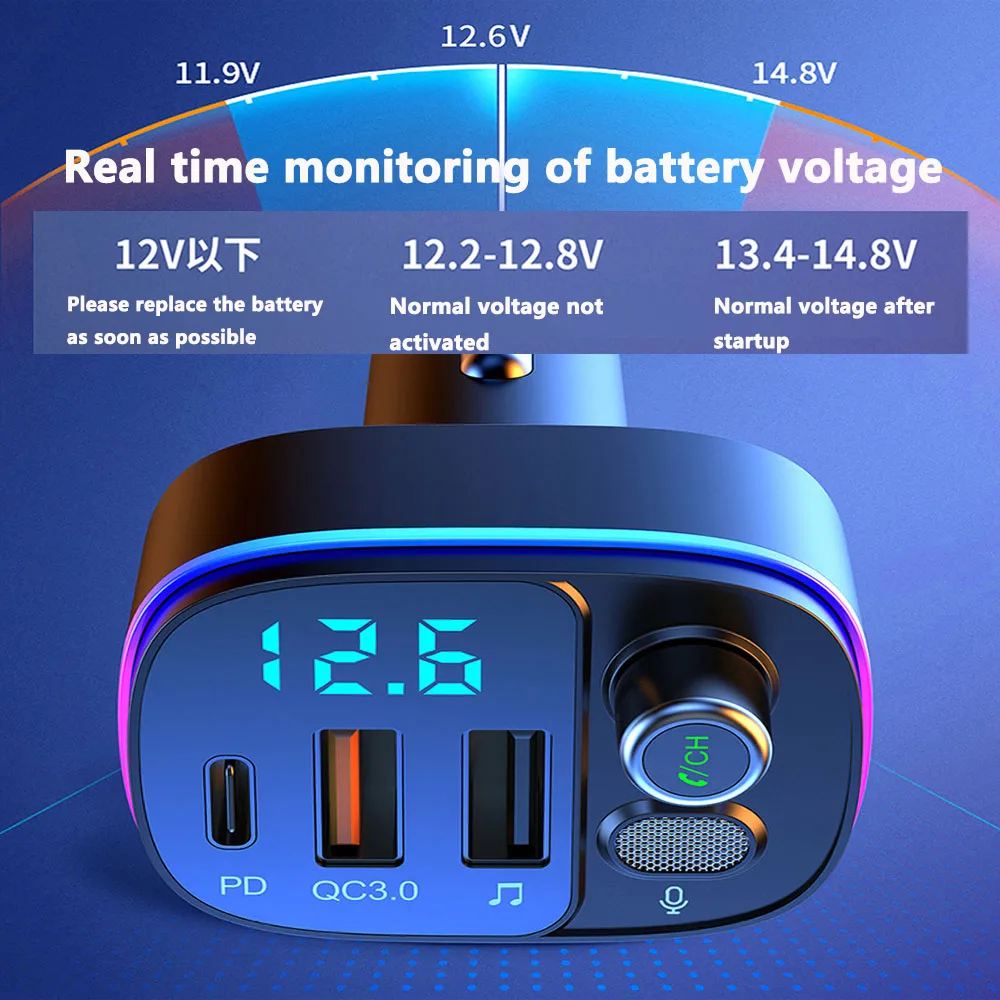
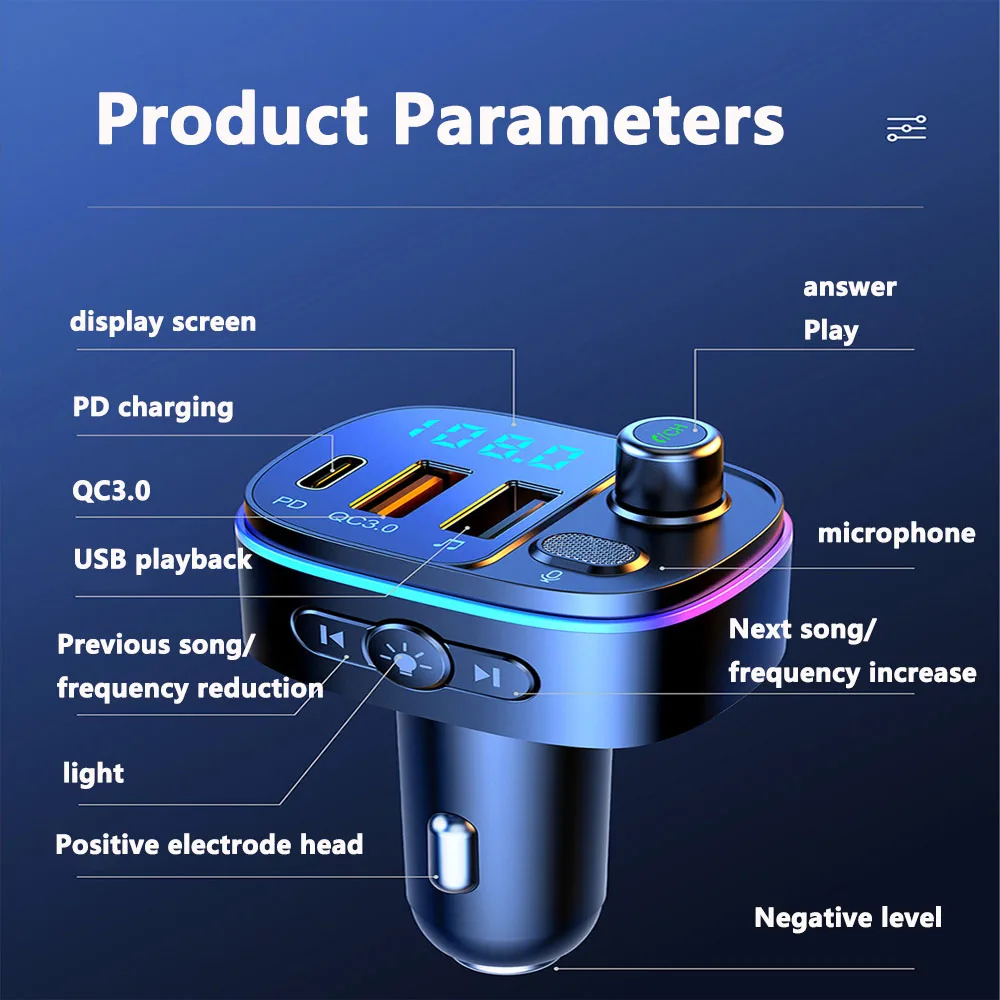
Car Specific Bluetooth Car MP3 Player FM Wireless Transmitter Bluetooth 5.0 QC3.0 USB Car Fast Charging
<div class="detailmodule_html"><div class="detail-desc-decorate-richtext"><span style="font-size:14px;"><span style="font-family:Arial,Helvetica,sans-serif;">Product Introduction<br>
This product is a car specific Bluetooth car MP3 player, which uses high-performance professional grade Bluetooth modules and MP3 decoding chips.<br>
Capable of playing music files from TF cards and transmitting them wirelessly to the car stereo via FM.<br>
You can also wirelessly transmit music from your phone to the car stereo through Bluetooth connection.<br>
You can also use this device as a hands-free phone system. You can communicate freely during your driving process.<br>
This device is transmitted wirelessly to your car audio system, without the need to modify your car. You can enjoy music while driving and use hands-free phone calls, balancing entertainment and safety.<br>
This device also has the function of a car charger, which can charge your digital products in the car. <br>
Product Features<br>
1. Power on and check the battery voltage<br>
2. Supports Bluetooth hands-free calling, built-in microphone, convenient and safe answering of calls; Caller ID<br>
3. CVC noise processing during communication, wind noise suppression, and full duplex communication technology;<br>
4. Supports A2DP function on mobile phones, allowing for direct playback of high-quality mobile music after connecting to Bluetooth;<br>
5. Automatically reconnect after power on and enter pairing mode;<br>
6. Support TF card extension for playing MP3/WMA format music;<br>
7. Comes with a built-in car charger that outputs 5V to 2100m and can charge handheld terminal devices.<br>
8. AVX port output input Song title display<br>
Operation Manual<br>
1. Power on<br>
(1) Insert this device into the car cigarette lighting power socket, and it will automatically turn on when powered on;<br>
(2) By adjusting, select a transmission frequency point on this device;<br>
(3) Turn on the car stereo and set it to FM radio mode. Adjust the receiving frequency of the car radio to match the transmitting frequency of the device.<br>
2. Adjust frequency and volume<br>
(1) This device supports full frequency point transmission, with a frequency range of 87.5MHz-108.0MHz. You can enter the frequency adjustment mode by short pressing the frequency option key, use the up and down arrow keys to adjust to the desired transmission frequency, and then press the frequency option key to confirm the frequency.<br>
(2) Adjust emission volume: In music playback mode or call mode, long press the up and down arrow keys to adjust the volume.<br>
(3) Song selection: You can select the desired song to play by short pressing the directional keys "" and "";<br>
3. Play music from TF card<br>
(1) Insert the TF card into the TF card expansion slot of this device, and the device will automatically recognize and play MP3/WMA music files in the TF card.<br>
(2) Play/Pause: In music playback mode, short press the "" key to switch between music playback and pause.<br>
(3) Song selection: In playback mode, select a song by short pressing "" and "".<br>
4. Connect Bluetooth devices<br>
(1) This device has a built-in Bluetooth chip that can be connected to handheld Bluetooth devices.<br>
(2) After the device is turned on, it will automatically enter Bluetooth pairing mode. At this time, the Bluetooth indicator light flashes at a frequency of once per second. Use the Bluetooth search name "T48QT48C" on the handheld terminal device to connect;<br>
(3) This device has a memory function. After pairing and connecting, it will automatically connect when turned on, without the need for manual connection again;<br>
(4) If you need to disconnect the currently connected Bluetooth device, you can long press "" to disconnect the currently connected Bluetooth device, or you can disconnect Bluetooth on the Bluetooth device end.<br>
5. Play music on your phone<br>
(1) After Bluetooth connection, music can be played on the phone and wirelessly transmitted to the car stereo.<br>
(2) You can control music through the operation of your mobile phone, and also control the volume of music, play/pause of songs, and selection of previous/next tracks through this device.<br>
6. Switch music source<br>
(1) This device can play music from TF cards or from Bluetooth devices. If both are present, you can switch between them by long pressing the "" key.<br>
7. Make a phone call<br>
(1) After Bluetooth connection, you can make and receive calls through this device and mobile phone.<br>
(2) Double click "" to redial a group of calls that were dialed later.<br>
(3) Switch call device: In the call mode, long press "" to quickly switch between the Bluetooth hands-free device and the phone earpiece.</span></span>
<p style="text-align:left;margin:0;"></p>
<span style="font-size:14px;"><span style="font-family:Arial,Helvetica,sans-serif;"></span></span></div></div>
$75.25
$75.25
- Category : Automobiles, Parts & Accessories
- Brand : for_your_love_car_store For Your Love Car Store
Colors
-
+

<div class="detailmodule_html"><div class="detail-desc-decorate-richtext"><span style="font-size:14px;"><span style="font-family:Arial,Helvetica,sans-serif;">Product Introduction<br>
This product is a car specific Bluetooth car MP3 player, which uses high-performance professional grade Bluetooth modules and MP3 decoding chips.<br>
Capable of playing music files from TF cards and transmitting them wirelessly to the car stereo via FM.<br>
You can also wirelessly transmit music from your phone to the car stereo through Bluetooth connection.<br>
You can also use this device as a hands-free phone system. You can communicate freely during your driving process.<br>
This device is transmitted wirelessly to your car audio system, without the need to modify your car. You can enjoy music while driving and use hands-free phone calls, balancing entertainment and safety.<br>
This device also has the function of a car charger, which can charge your digital products in the car. <br>
Product Features<br>
1. Power on and check the battery voltage<br>
2. Supports Bluetooth hands-free calling, built-in microphone, convenient and safe answering of calls; Caller ID<br>
3. CVC noise processing during communication, wind noise suppression, and full duplex communication technology;<br>
4. Supports A2DP function on mobile phones, allowing for direct playback of high-quality mobile music after connecting to Bluetooth;<br>
5. Automatically reconnect after power on and enter pairing mode;<br>
6. Support TF card extension for playing MP3/WMA format music;<br>
7. Comes with a built-in car charger that outputs 5V to 2100m and can charge handheld terminal devices.<br>
8. AVX port output input Song title display<br>
Operation Manual<br>
1. Power on<br>
(1) Insert this device into the car cigarette lighting power socket, and it will automatically turn on when powered on;<br>
(2) By adjusting, select a transmission frequency point on this device;<br>
(3) Turn on the car stereo and set it to FM radio mode. Adjust the receiving frequency of the car radio to match the transmitting frequency of the device.<br>
2. Adjust frequency and volume<br>
(1) This device supports full frequency point transmission, with a frequency range of 87.5MHz-108.0MHz. You can enter the frequency adjustment mode by short pressing the frequency option key, use the up and down arrow keys to adjust to the desired transmission frequency, and then press the frequency option key to confirm the frequency.<br>
(2) Adjust emission volume: In music playback mode or call mode, long press the up and down arrow keys to adjust the volume.<br>
(3) Song selection: You can select the desired song to play by short pressing the directional keys "" and "";<br>
3. Play music from TF card<br>
(1) Insert the TF card into the TF card expansion slot of this device, and the device will automatically recognize and play MP3/WMA music files in the TF card.<br>
(2) Play/Pause: In music playback mode, short press the "" key to switch between music playback and pause.<br>
(3) Song selection: In playback mode, select a song by short pressing "" and "".<br>
4. Connect Bluetooth devices<br>
(1) This device has a built-in Bluetooth chip that can be connected to handheld Bluetooth devices.<br>
(2) After the device is turned on, it will automatically enter Bluetooth pairing mode. At this time, the Bluetooth indicator light flashes at a frequency of once per second. Use the Bluetooth search name "T48QT48C" on the handheld terminal device to connect;<br>
(3) This device has a memory function. After pairing and connecting, it will automatically connect when turned on, without the need for manual connection again;<br>
(4) If you need to disconnect the currently connected Bluetooth device, you can long press "" to disconnect the currently connected Bluetooth device, or you can disconnect Bluetooth on the Bluetooth device end.<br>
5. Play music on your phone<br>
(1) After Bluetooth connection, music can be played on the phone and wirelessly transmitted to the car stereo.<br>
(2) You can control music through the operation of your mobile phone, and also control the volume of music, play/pause of songs, and selection of previous/next tracks through this device.<br>
6. Switch music source<br>
(1) This device can play music from TF cards or from Bluetooth devices. If both are present, you can switch between them by long pressing the "" key.<br>
7. Make a phone call<br>
(1) After Bluetooth connection, you can make and receive calls through this device and mobile phone.<br>
(2) Double click "" to redial a group of calls that were dialed later.<br>
(3) Switch call device: In the call mode, long press "" to quickly switch between the Bluetooth hands-free device and the phone earpiece.</span></span>
<p style="text-align:left;margin:0;"></p>
<span style="font-size:14px;"><span style="font-family:Arial,Helvetica,sans-serif;"></span></span></div></div>
Related Product
Browse The Collection of Top Products.


Waterproof Mechanical Hour Meter Counter Timer
$17.63
$30.94


Aluminum Alloy Black 5 6 Speed Car Gear Shift Knob
$15.11
$41.72


Silver ABS PC Car Inner Door Handle Panel Cover
$23.38
$44.75


O
N
L
I
N
E
G
A
L
A
X
Y
Loading