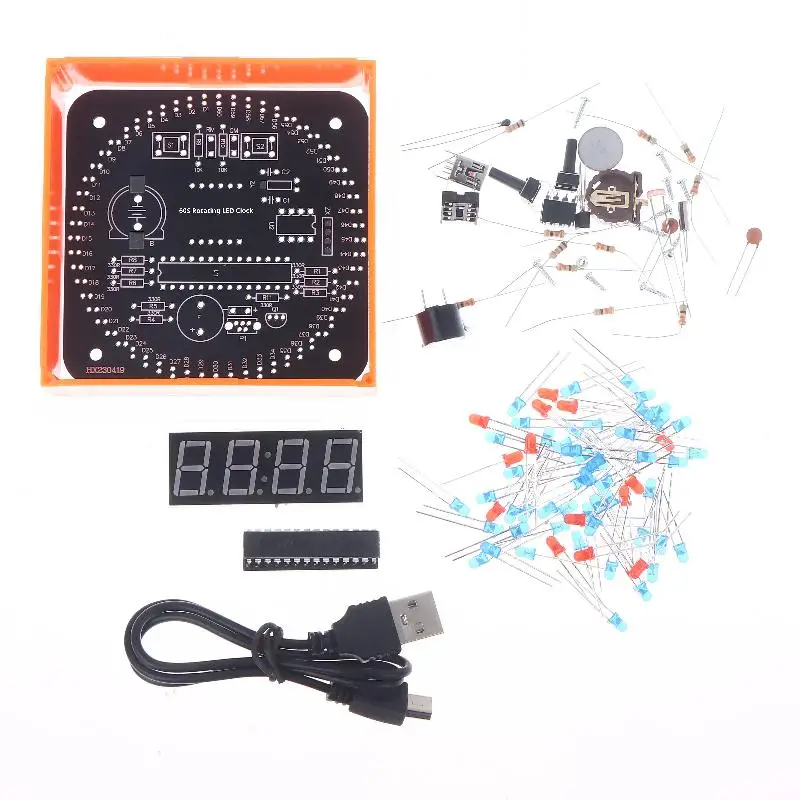
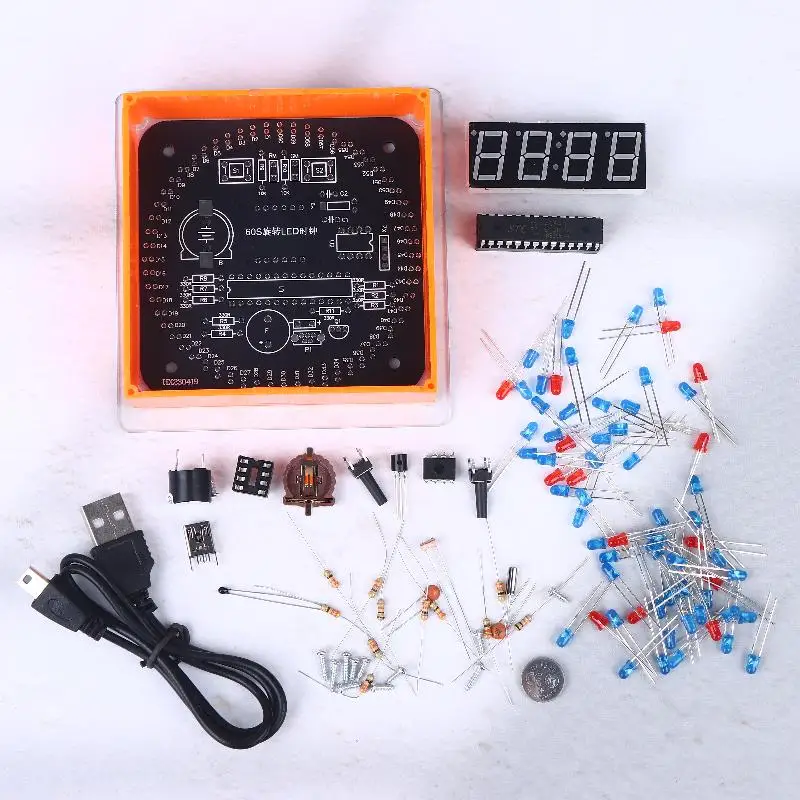
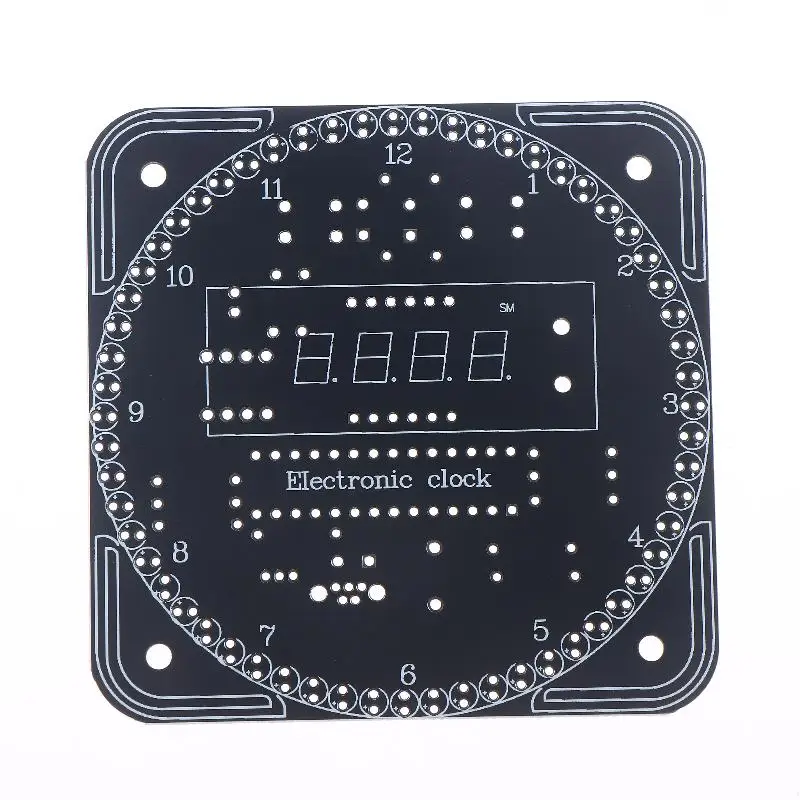
DIY Rotating LED Electronic Digital Clock Kit Light Controlled Temperature Display LED Digital Time Display Soldering Practice
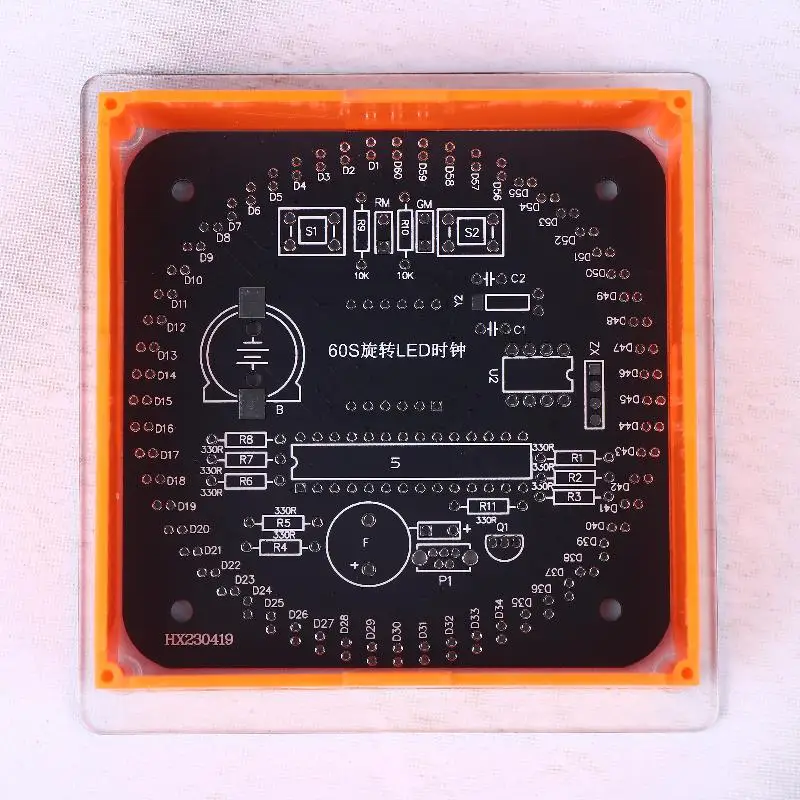
<div class="detailmodule_html"><div class="detail-desc-decorate-richtext"><p><span style="font-size: 16px; font-family: Verdana;">Description:</span></p><p><span style="font-size: 16px; font-family: Verdana;">100% new and high quality</span></p><p><span style="font-size: 16px; font-family: Verdana;">1.Time display, power-off saving function.</span></p><p><span style="font-size: 16px; font-family: Verdana;">2.Adjustable time and time division.</span></p><p><span style="font-size: 16px; font-family: Verdana;">3.Can display temperature.</span></p><p><span style="font-size: 16px; font-family: Verdana;">4.Adjustable alarm clock, alarm switch.</span></p><p><span style="font-size: 16px; font-family: Verdana;">5.Automatically adjust brightness on/off.</span></p><p><span style="font-size: 16px; font-family: Verdana;">6.Press S1 for the first time to enter the score adjustment mode, and at this time, press S2 to increase the score by 1.</span></p><p><span style="font-size: 16px; font-family: Verdana;">7.Press S1 for the second time to enter timing mode, and at this time, press S2 to add 1.</span></p><p><span style="font-size: 16px; font-family: Verdana;">8.Press S1 for the third time to enter the alarm clock adjustment mode. At this time, press S2 to increase the alarm clock adjustment by 1.</span></p><p><span style="font-size: 16px; font-family: Verdana;">9.Press S1 for the fourth time to enter the alarm clock timing mode. At this time, press S2 to increase the alarm clock timing by 1.</span></p><p><span style="font-size: 16px; font-family: Verdana;">10.Press S1 for the fifth time to enter the alarm switch. The default display is "0000", and the instant alarm is off. At this time, press S2 to display "1111", and the alarm is on.</span></p><p><span style="font-size: 16px; font-family: Verdana;">11.Press S1 for the sixth time to enter the automatic brightness adjustment mode switch, and the default display is "0000".</span></p><p><span style="font-size: 16px; font-family: Verdana;">12.The automatic photometric adjustment function is turned off, and pressing S2 to display "1111" means automatic.</span></p><p><span style="font-size: 16px; font-family: Verdana;">13.Photometric adjustment function enabled.</span></p><p><span style="font-size: 16px; font-family: Verdana;">14.Press S1 for the seventh time to return to the main display screen.</span></p><p><span style="font-size: 16px; font-family: Verdana;">Package Included: 1set</span></p><p><span style="font-size: 16px; font-family: Verdana;">The product is very suitable for DIY enthusiasts and electronic teaching, etc</span></p><p><span style="font-size: 16px; font-family: Verdana;">Notes: </span></p><p><span style="font-size: 16px; font-family: Verdana;">Due to manual measurement , there may be 5mm deviation exist,hope you can understand.</span></p><p><span style="font-size: 16px; font-family: Verdana;">There are slight difference between the picture and the item caused by light brightness,hope you can understand.</span></p></div></div>
<div class="detailmodule_image"></div>
$21.425
$11.51
- Category : Tools
- Brand : surehometools_store SureHomeTools Store
Colors
Sizes
-
+

<div class="detailmodule_html"><div class="detail-desc-decorate-richtext"><p><span style="font-size: 16px; font-family: Verdana;">Description:</span></p><p><span style="font-size: 16px; font-family: Verdana;">100% new and high quality</span></p><p><span style="font-size: 16px; font-family: Verdana;">1.Time display, power-off saving function.</span></p><p><span style="font-size: 16px; font-family: Verdana;">2.Adjustable time and time division.</span></p><p><span style="font-size: 16px; font-family: Verdana;">3.Can display temperature.</span></p><p><span style="font-size: 16px; font-family: Verdana;">4.Adjustable alarm clock, alarm switch.</span></p><p><span style="font-size: 16px; font-family: Verdana;">5.Automatically adjust brightness on/off.</span></p><p><span style="font-size: 16px; font-family: Verdana;">6.Press S1 for the first time to enter the score adjustment mode, and at this time, press S2 to increase the score by 1.</span></p><p><span style="font-size: 16px; font-family: Verdana;">7.Press S1 for the second time to enter timing mode, and at this time, press S2 to add 1.</span></p><p><span style="font-size: 16px; font-family: Verdana;">8.Press S1 for the third time to enter the alarm clock adjustment mode. At this time, press S2 to increase the alarm clock adjustment by 1.</span></p><p><span style="font-size: 16px; font-family: Verdana;">9.Press S1 for the fourth time to enter the alarm clock timing mode. At this time, press S2 to increase the alarm clock timing by 1.</span></p><p><span style="font-size: 16px; font-family: Verdana;">10.Press S1 for the fifth time to enter the alarm switch. The default display is "0000", and the instant alarm is off. At this time, press S2 to display "1111", and the alarm is on.</span></p><p><span style="font-size: 16px; font-family: Verdana;">11.Press S1 for the sixth time to enter the automatic brightness adjustment mode switch, and the default display is "0000".</span></p><p><span style="font-size: 16px; font-family: Verdana;">12.The automatic photometric adjustment function is turned off, and pressing S2 to display "1111" means automatic.</span></p><p><span style="font-size: 16px; font-family: Verdana;">13.Photometric adjustment function enabled.</span></p><p><span style="font-size: 16px; font-family: Verdana;">14.Press S1 for the seventh time to return to the main display screen.</span></p><p><span style="font-size: 16px; font-family: Verdana;">Package Included: 1set</span></p><p><span style="font-size: 16px; font-family: Verdana;">The product is very suitable for DIY enthusiasts and electronic teaching, etc</span></p><p><span style="font-size: 16px; font-family: Verdana;">Notes: </span></p><p><span style="font-size: 16px; font-family: Verdana;">Due to manual measurement , there may be 5mm deviation exist,hope you can understand.</span></p><p><span style="font-size: 16px; font-family: Verdana;">There are slight difference between the picture and the item caused by light brightness,hope you can understand.</span></p></div></div>
<div class="detailmodule_image"></div>
Related Product
Browse The Collection of Top Products.