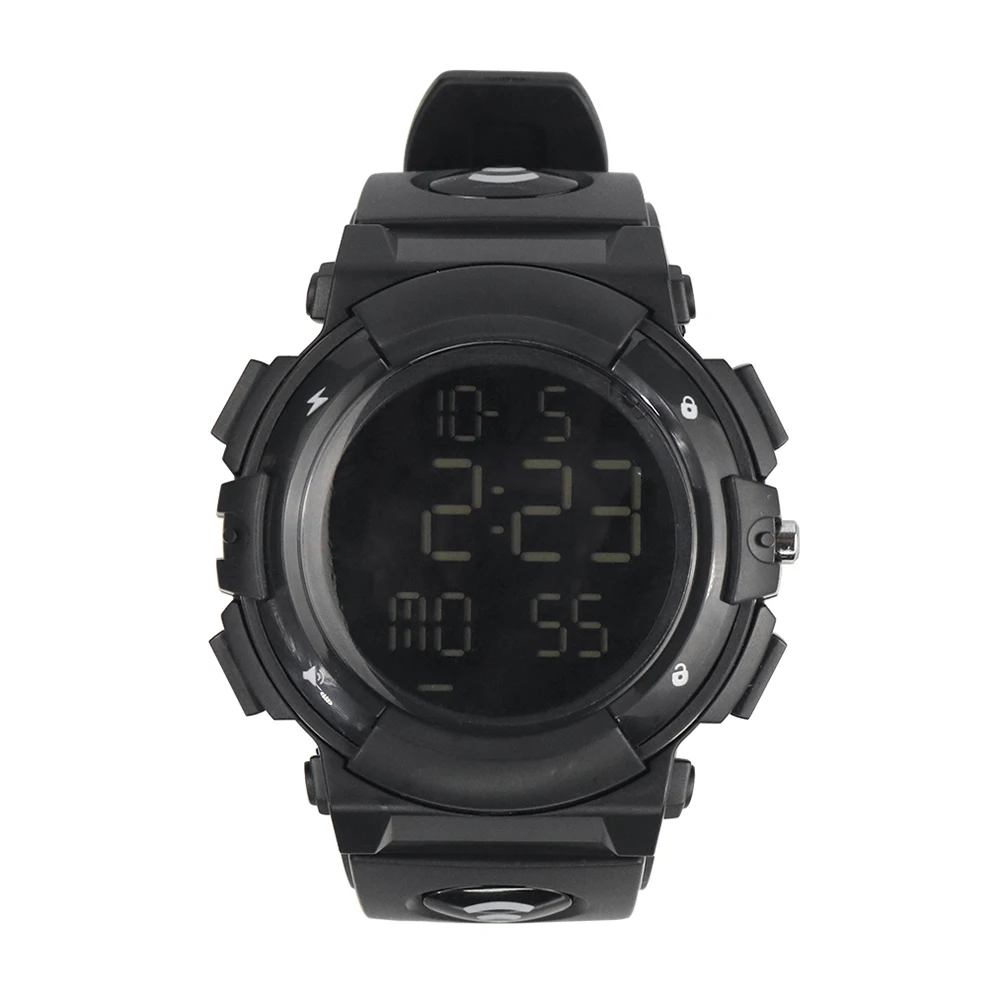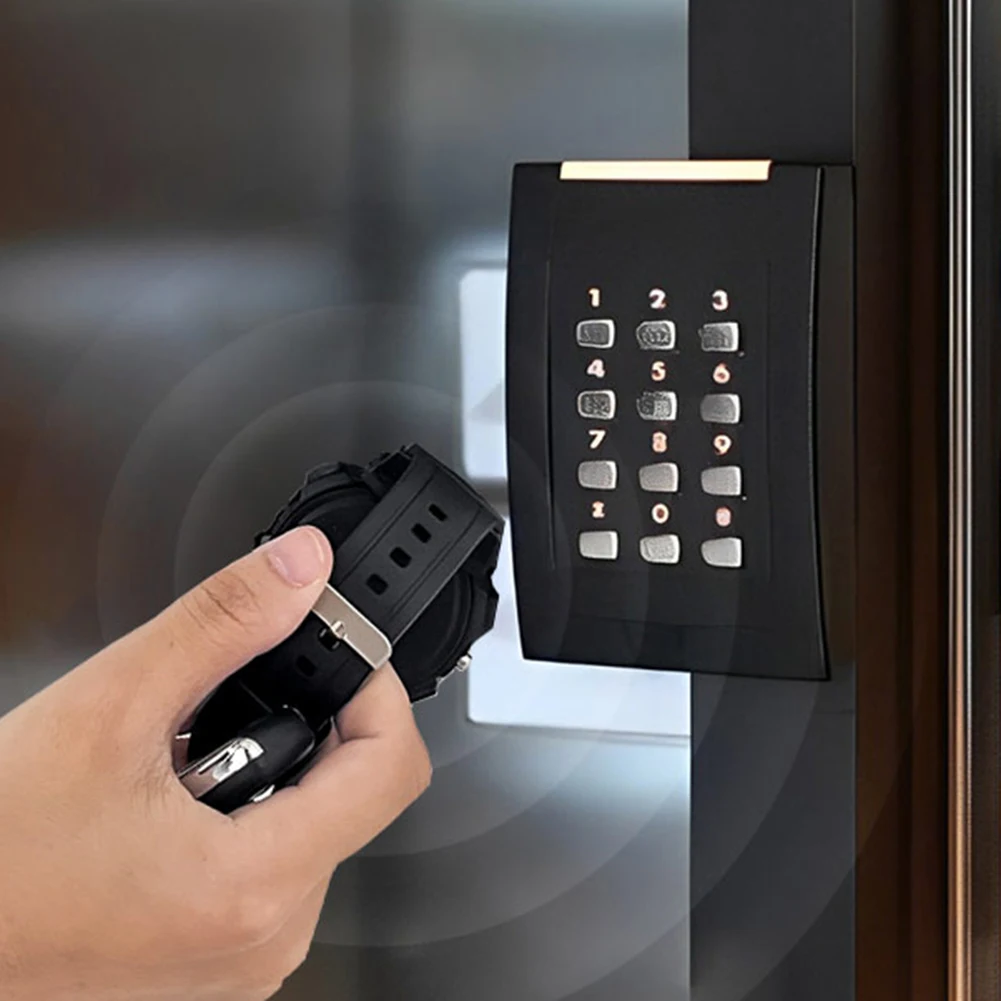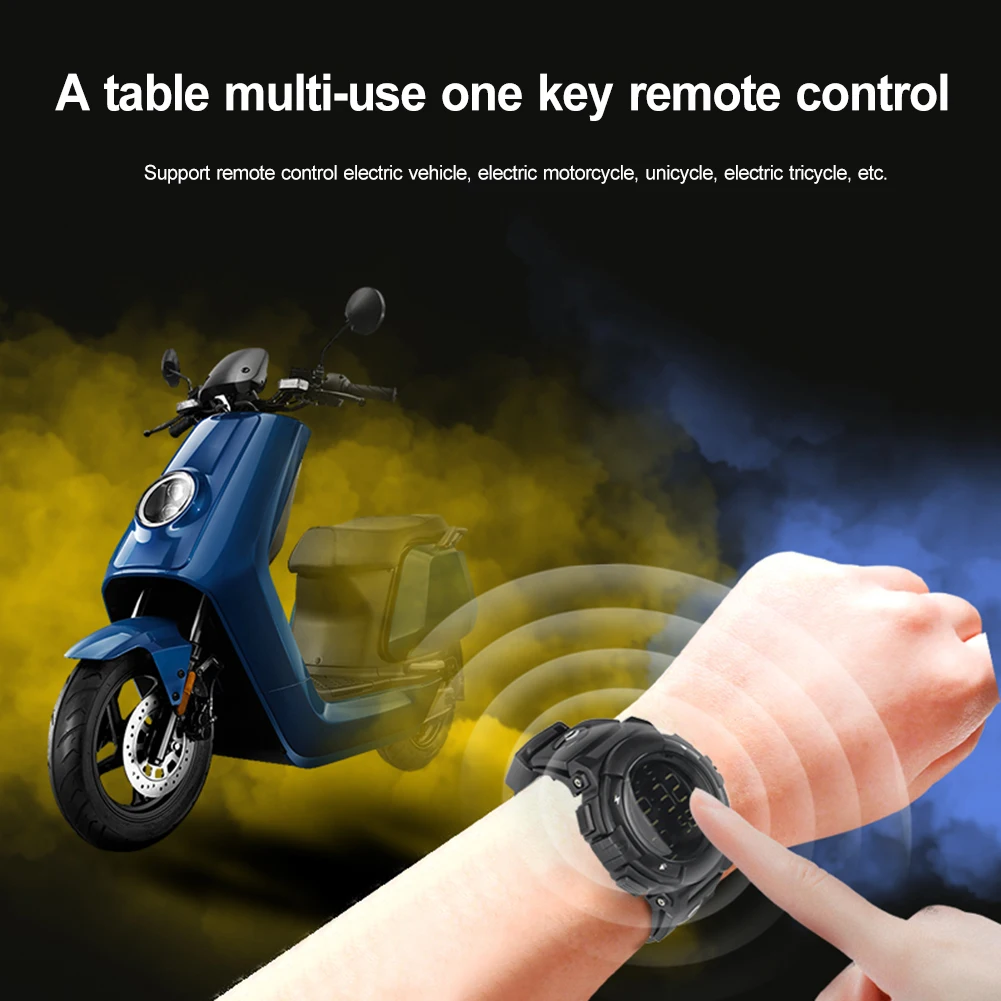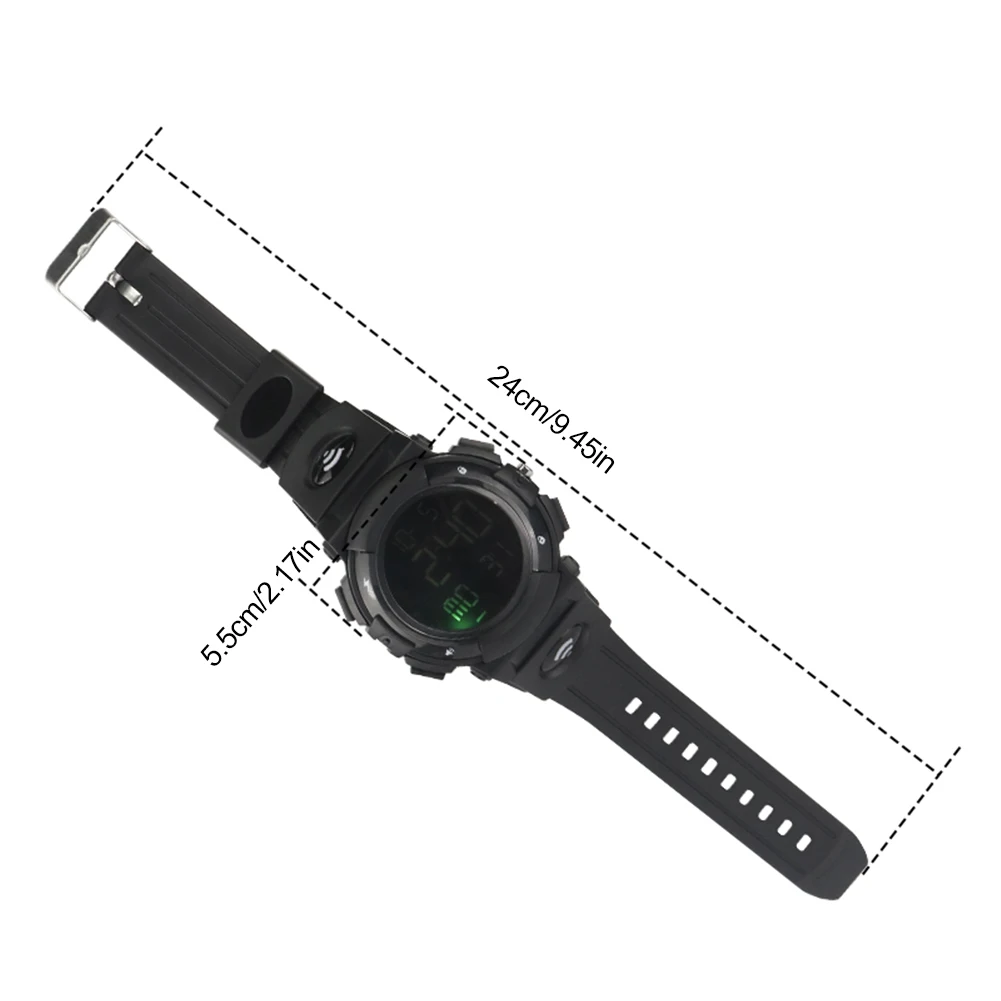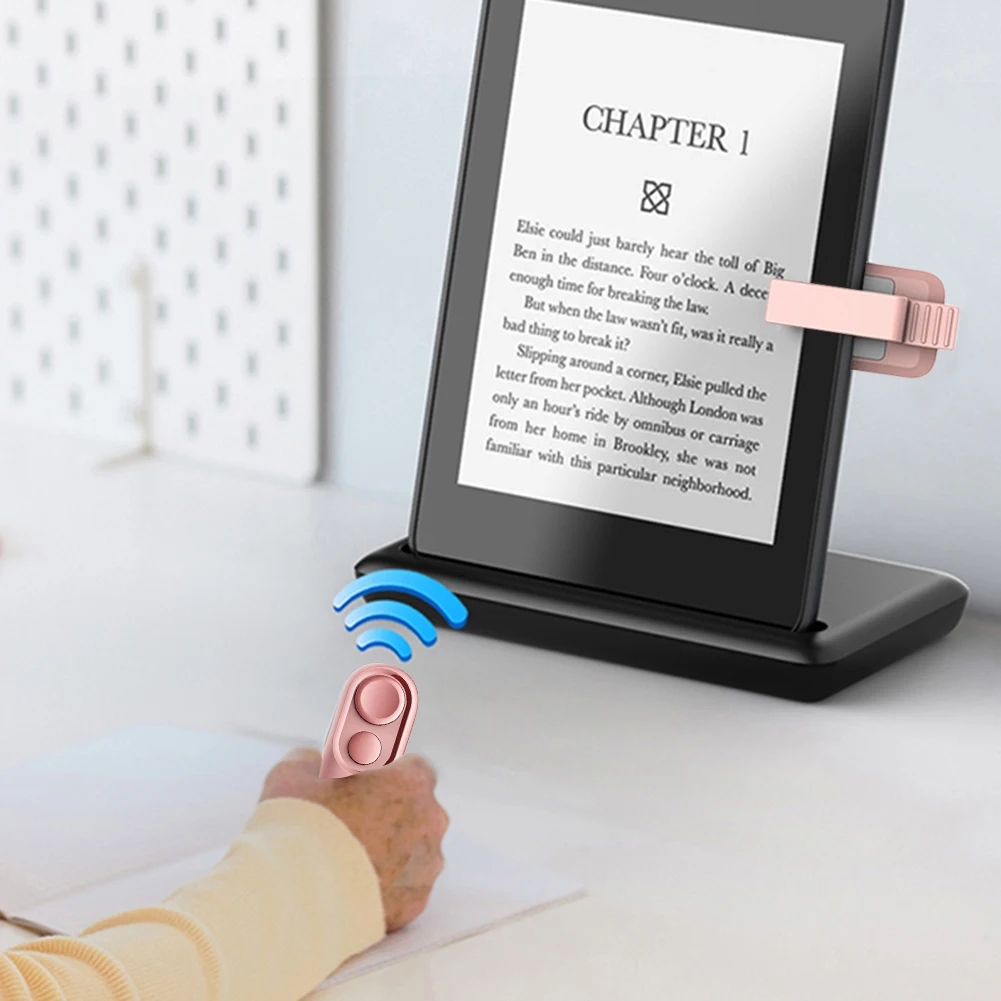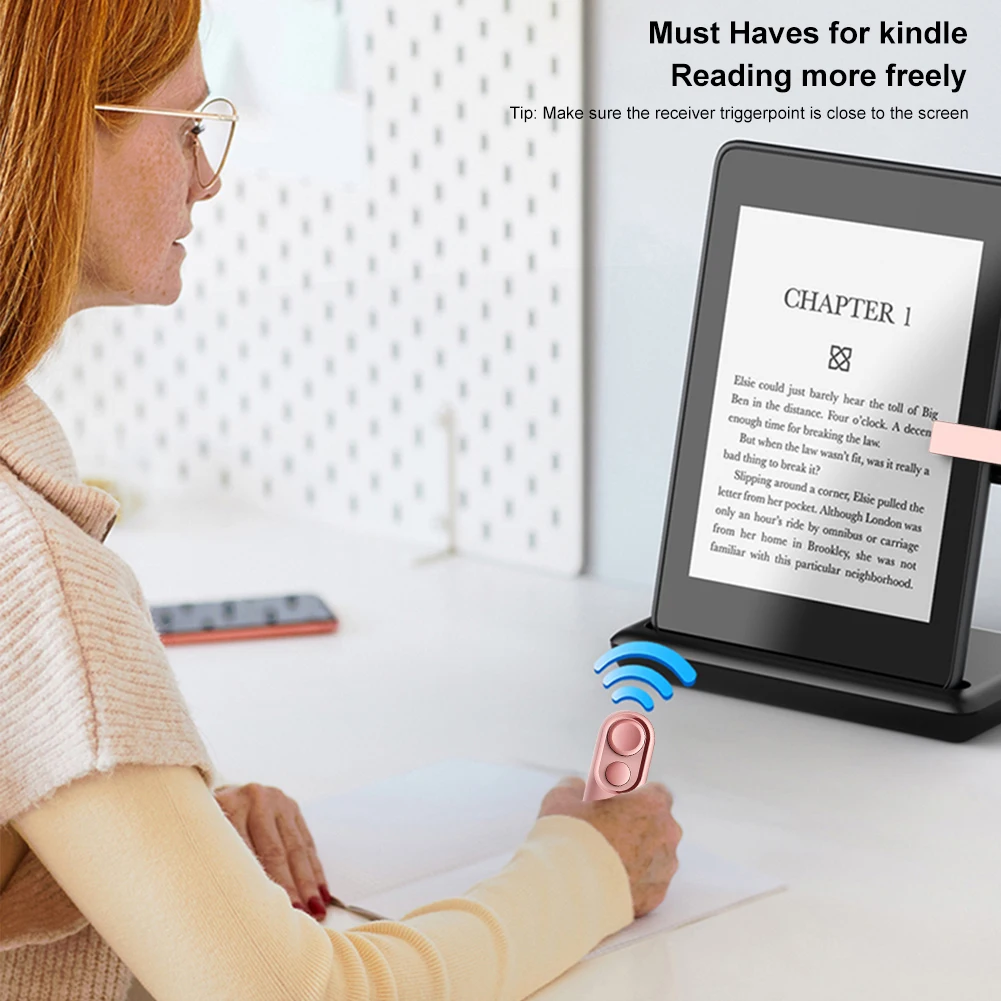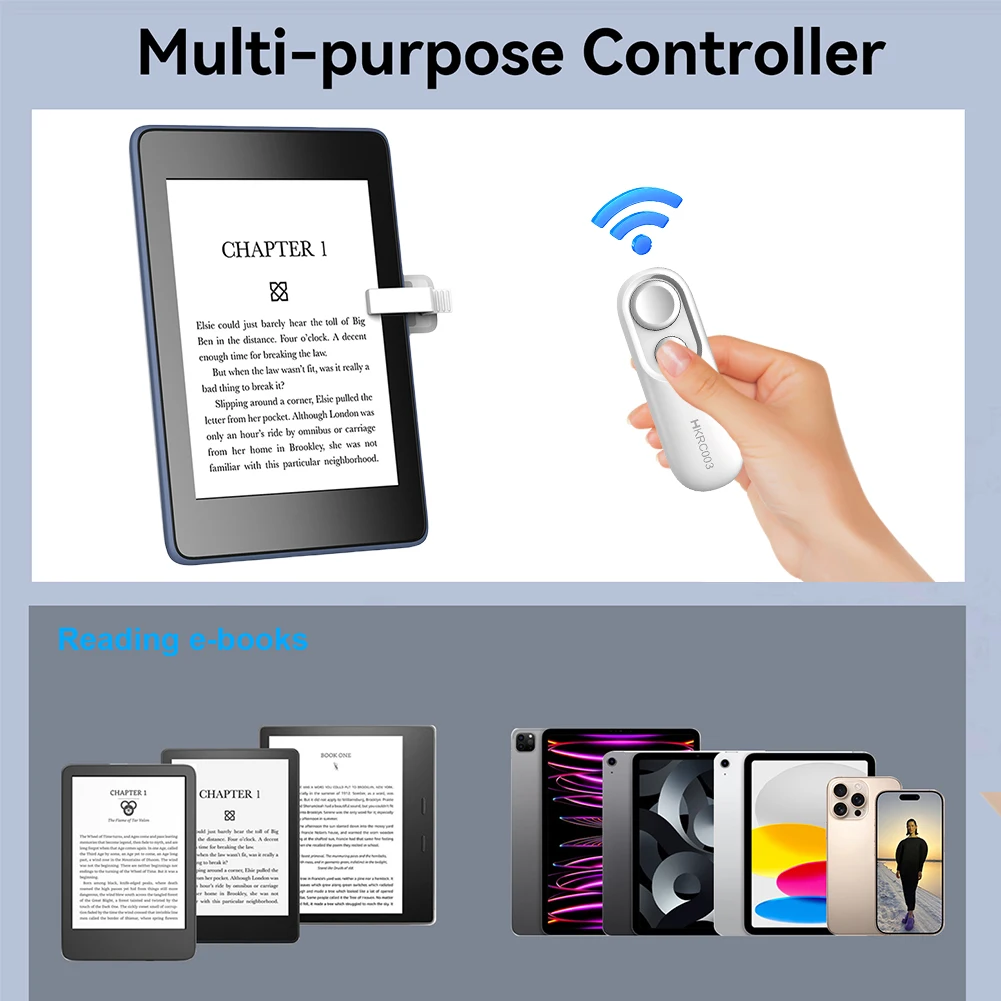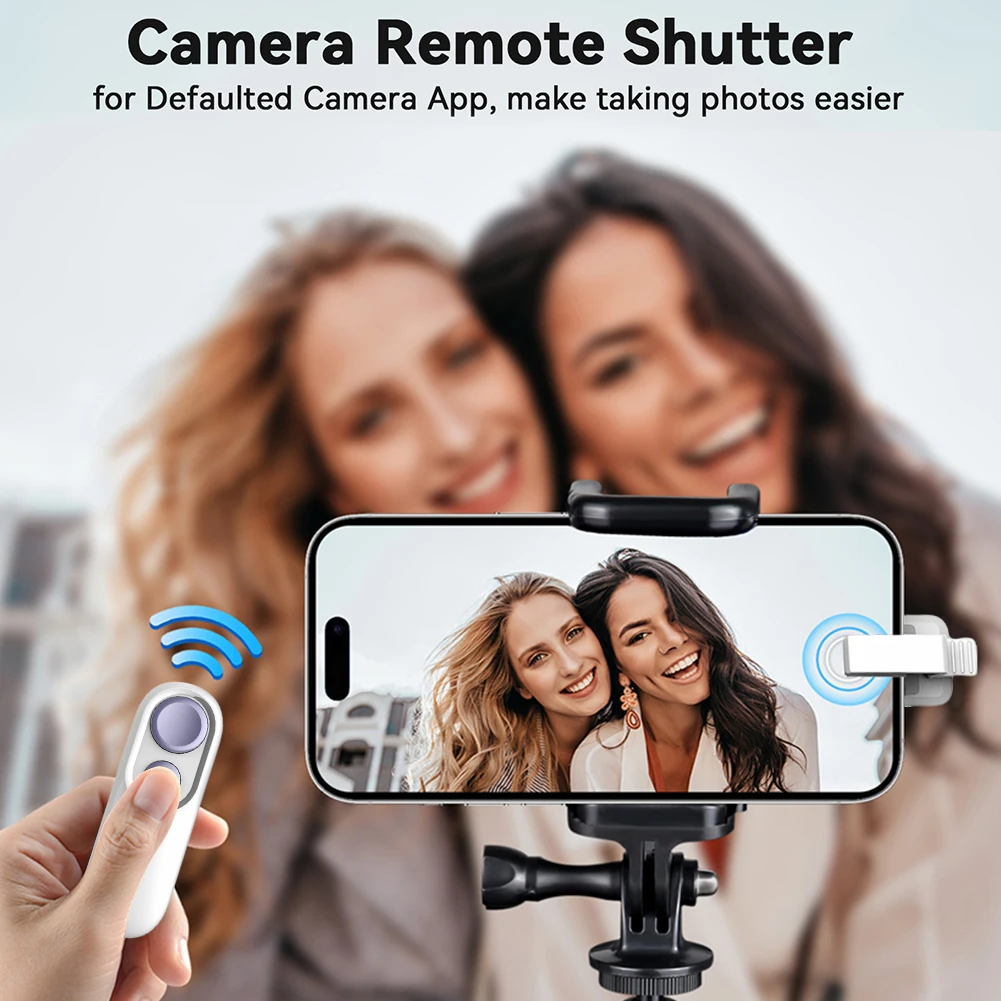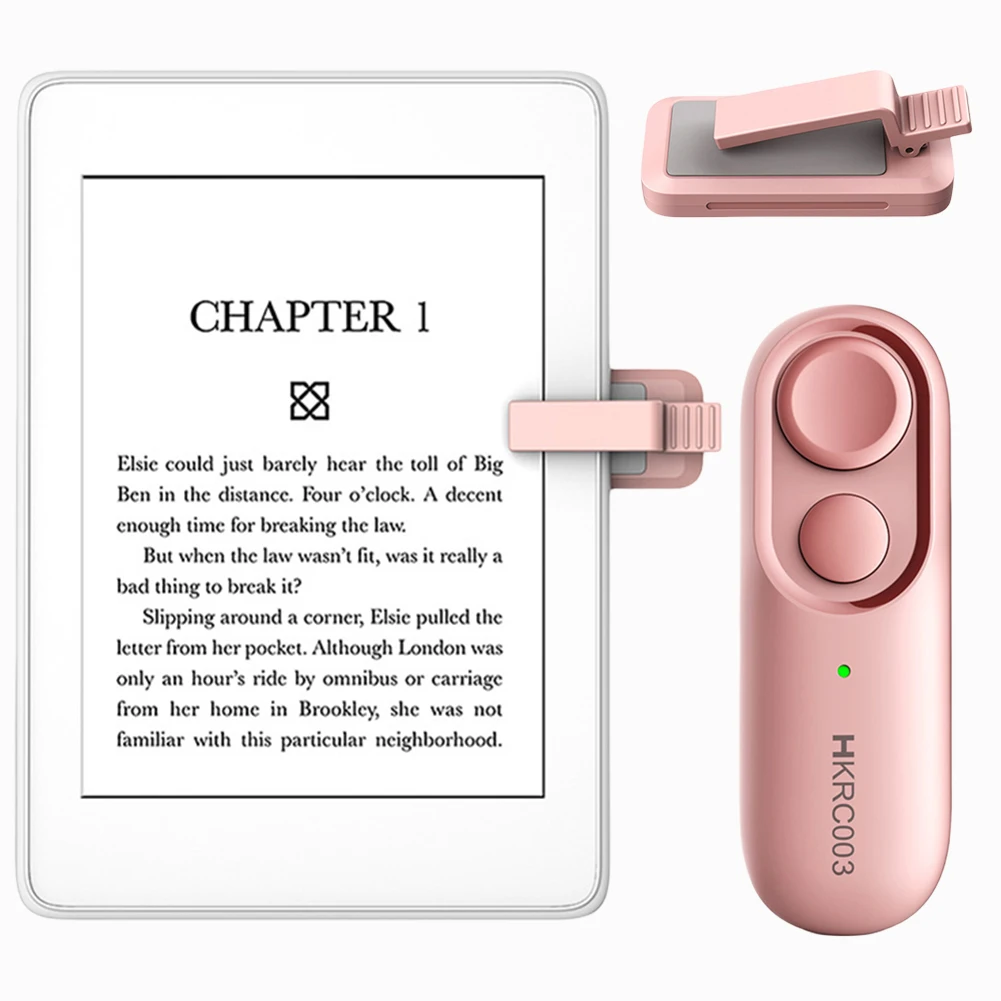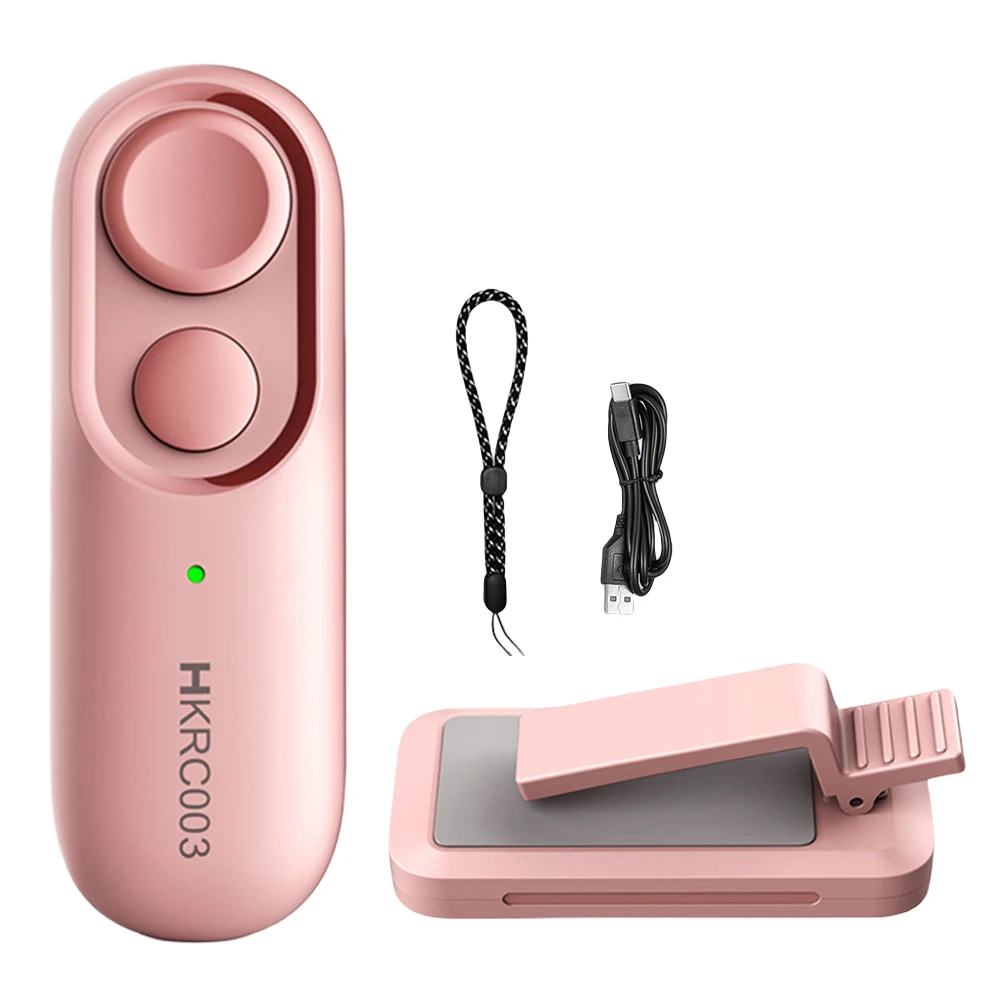
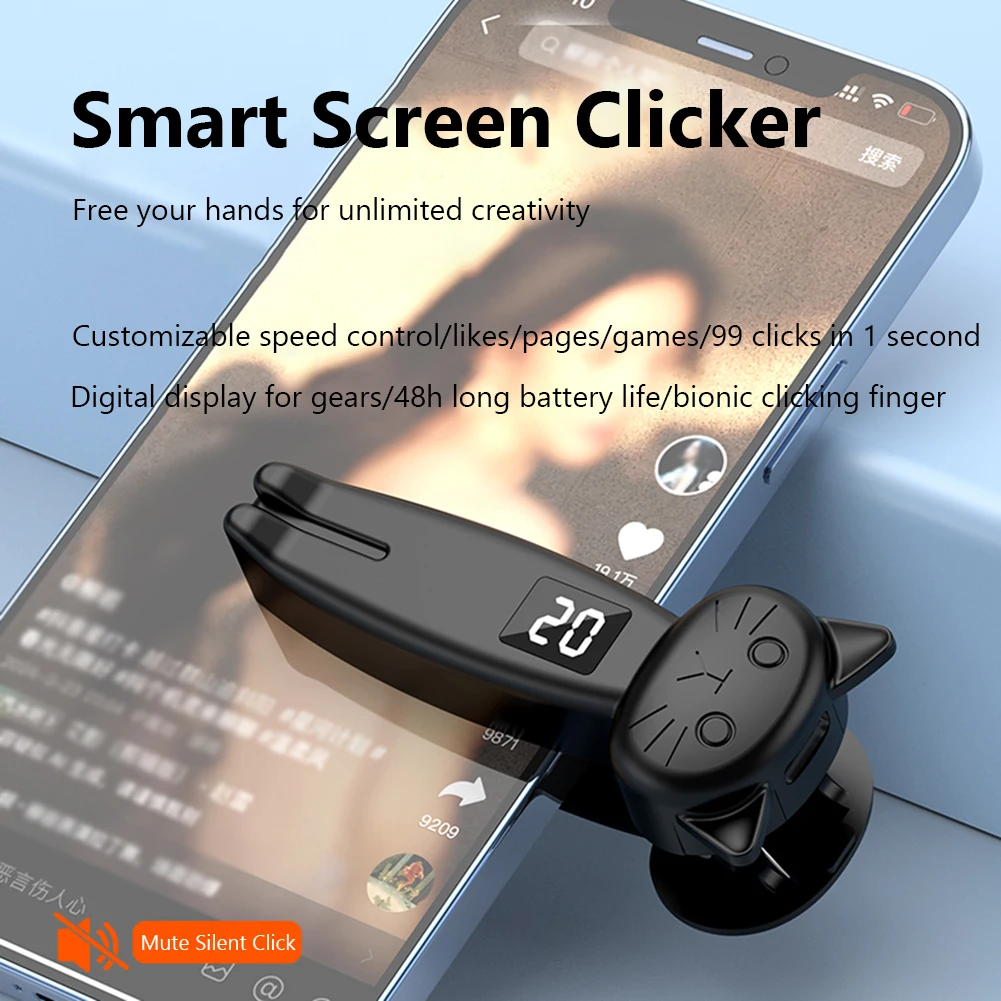
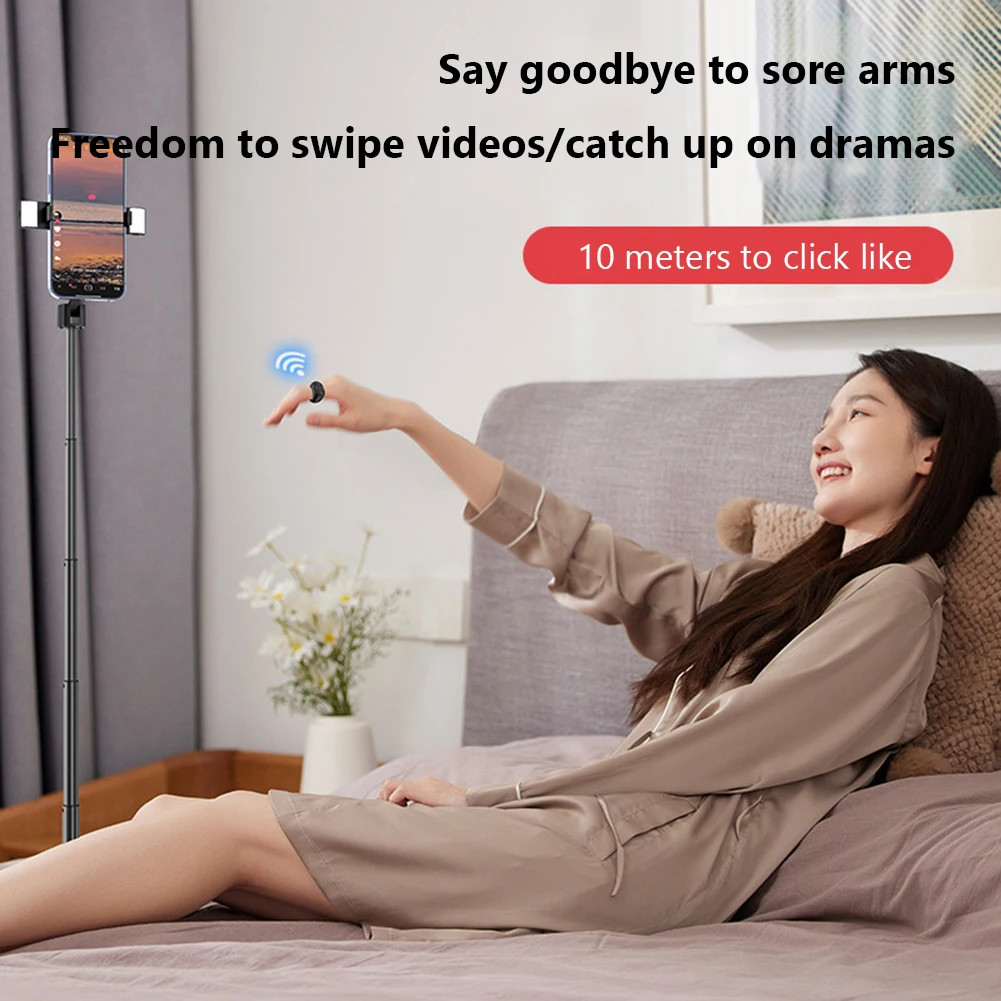
E-Reader Controller Bluetooth-Compatible 5.3 Camera Shutter Taking Photos Video Recording Remote Triggers for Kindle Paperwhite
<div class="detailmodule_html"><div class="detail-desc-decorate-richtext"><p>
<span> </span>
</p>
<p>
<br />
</p>
<h2>
<span style="font-size:14px;font-family:Arial;"></span>
</h2>
<table class="ke-zeroborder" width="100%" cellspacing="0" cellpadding="0" border="0">
<tbody>
<tr>
<td>
<br />
<div style="padding:15px;border:1px solid #AEAEAE;">
<p>
<table border="0" cellpadding="0" cellspacing="0" style="border: 1px solid #c1c7d0;border-collapse:collapse;"><tr><td style="font-size: 14px;color: orange;font-weight: bold;border: 1px solid #c1c7d0;">(Black A/Pink A/White A)--Remote Control Page Turner </td></tr><tr><td style="border: 1px solid #c1c7d0;"><span style="color:black;font-family:inherit;font-size:12px;">Page Turner for Kindle Paperwhite E-Reader,Smart Phone Auto Clicker Phone Screen Device Speed Clicker for Gaming Live Broadcasts Likes Reward Tasks,Bluetooth-Compatible 5.3 Remote Control Scrolling Ring for ,Wireless Camera Remote Shutter for iPhone/iPad <span>for </span>Android<br />
<div>
<br />
</div>
<strong></strong><strong>F</strong><strong>eature:</strong><br />
<strong>1. Smart Screen Silent Clicker: </strong>The smart phone auto clicker features silent and sensitive clicking, ensuring a longer lifespan without damaging your phone/tablet screen. With Bluetooth-Compatible connectivity, you can freely adjust the speed from 1 to 99 levels, clicking up to 99 times per second. The built-in LED smart digital display allows you to clearly view the click count, making it easy to use with button and Bluetooth-Compatible operation. for work, gaming, idle tasks, liking posts, and shopping, it efficiently replaces finger work, letting you enjoy life.<br />
<strong>2. E-Reader Remote Page Turner: </strong>With the remote control page turner, you can turn pages up or down on for Kindle Paperwhite or other e-readers without constantly touching the screen. Simply press the remote control button to turn pages remotely. In winter, you can comfortably read in bed, keeping your hands warm under the blanket while easily flipping pages. It's the accessory for avid e-reader enthusiasts.<br />
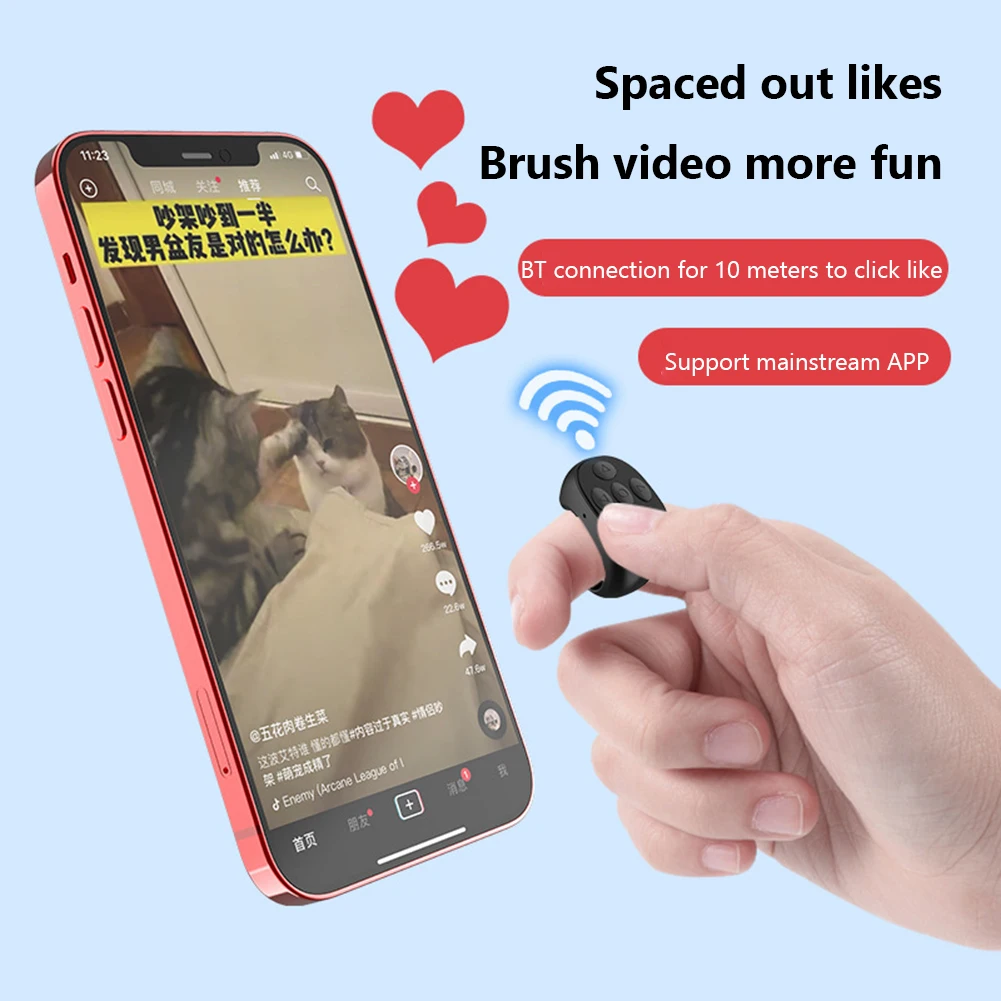
<strong>3. For Remote Page Turner: </strong>Experience a new way to watch videos! This e-reader controller allows you to free your hands while watching for , eliminating the need to constantly tap the screen. Whether exercising or dining, you can control page turns, scrolling, pause/play, screen off/on, likes, and volume adjustment with your fingers, making video enjoyment effortless. Immerse yourself in captivating content and make every moment more enjoyable.<br />
<strong>4. Smartphone Camera Shutter/Video Recording: </strong>As a taking photos video recording remote trigger, it solves the awkwardness of taking photos outdoors without assistance. It supports taking photos and recording videos with both the original and beauty cameras on smartphones. Whether for selfies or group photos, this remote button handles it with ease. Additionally, it supports remote video recording on apps like for . Even when alone, you can capture stunning for videos without constantly moving or clicking buttons.<br />
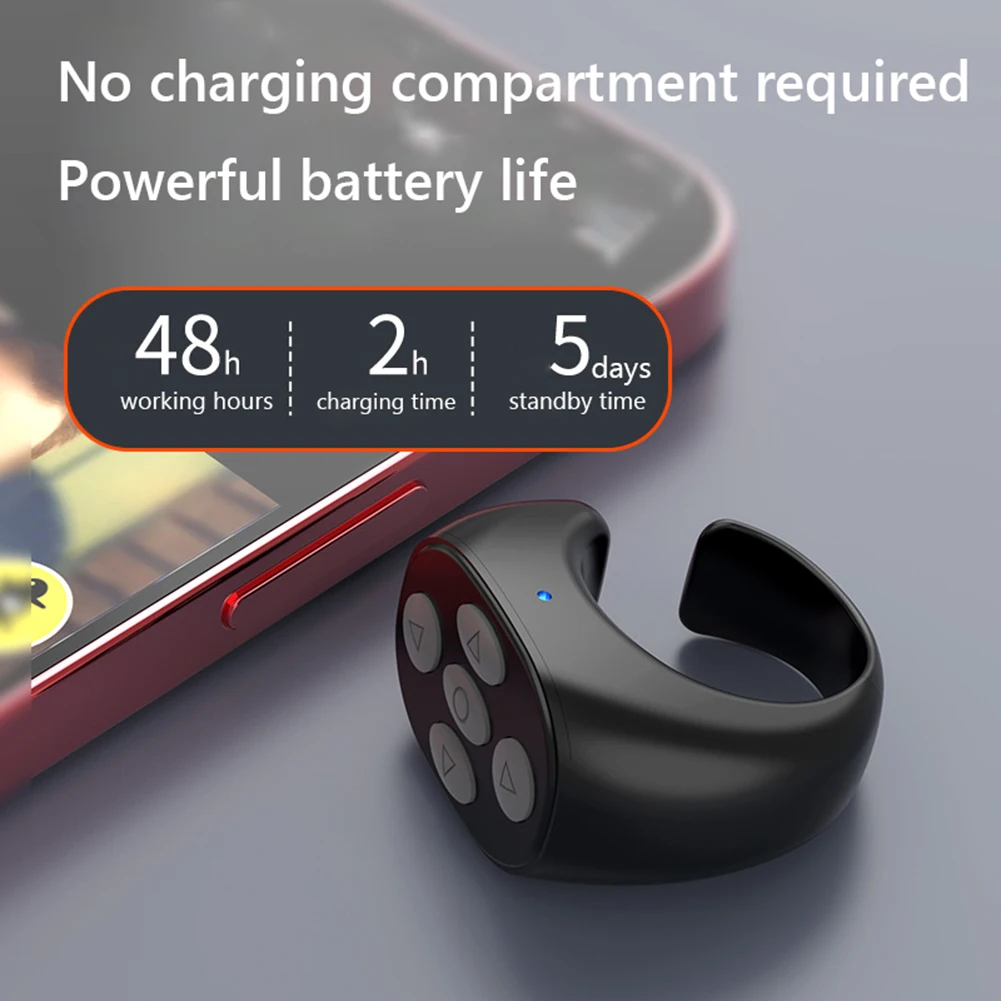
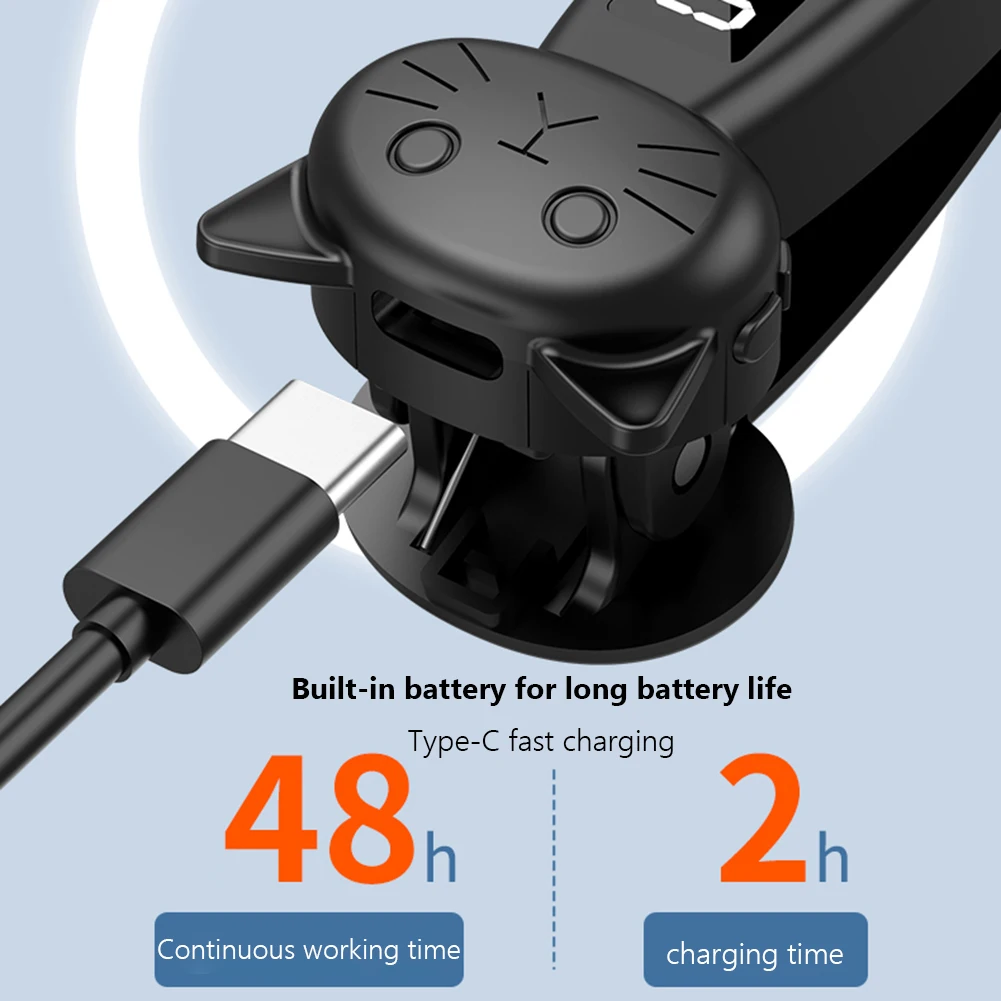
<strong>5. Strong Compatibility & Important Notes:</strong> Compatible with iOS and for Android devices including smartphones and tablets! For Apple iPhone and For iPad users: This camera shutter is compatible with iOS devices running software version 14.8 or higher. You need to enable AssistiveTouch: Settings >> Accessibility >> Touch >> AssistiveTouch >> Turn on AssistiveTouch button, as detailed in the manual (Note: If the product becomes unusable due to for iOS system upgrades, it is beyond our control). The remote control features a compact, ergonomic design ensuring easy and comfortable finger wear, reducing hand and finger strain for prolonged reading. It supports Type-C charging, with a built-in 30mAh battery in the ring remote and a 70mAh battery in the clicker. Charging time is 2 hours, offering up to several hours of use, so you don't have to worry about frequent charging and can use it anytime.<br />
<div>
<br />
</div>
</span><br /><br/><br/><span><strong>Specification:</strong></span><br />
<span>Origin: Mainland China</span><br />
<span>Use: Universal</span><br />
<span>Wireless Communication: bluetooth</span><br />
<span>Package: Yes</span><br />
Product name: Mobile phone screen clicker, smart e-book page turner<br />
Product color: black, white, pink (optional)<br />
Product model: JX-05pro<br />
Product function: physical click of mobile phone, page turning of kindle e-book, page turning of short video up and down, page turning of e-book, double-click to like, take photos and videos, volume increase and decrease, Type-C charging, etc.<br />
Click speed:<br />
Bluetooth-Compatible mode: connected to Bluetooth-Compatible, adjustable at will, 1-99 gears adjustable/99 clicks per second<br />
Key mode: not connected to Bluetooth-Compatible, the displayed value is 1-99 clicks per second<br />
Gear display: high-definition digital display screen<br />
Bluetooth-Compatible version: Ver 5.3<br />
Supported protocol: EDR+BLE<br />
Transmitting power: class ll (-6dBm~+4 dBm)<br />
Frequency (Hz): 2.40GHz~2.48GHz<br />
Bluetooth-Compatible transmission distance: 15 meters<br />
Charging interface: Type-C<br />
Input current: DC5V<br />
Ring battery: 30mAh*1<br />
Clicker: 70mAh*1<br />
Charging time: 2 hours<br />
Applicable method: Clip and use<br />
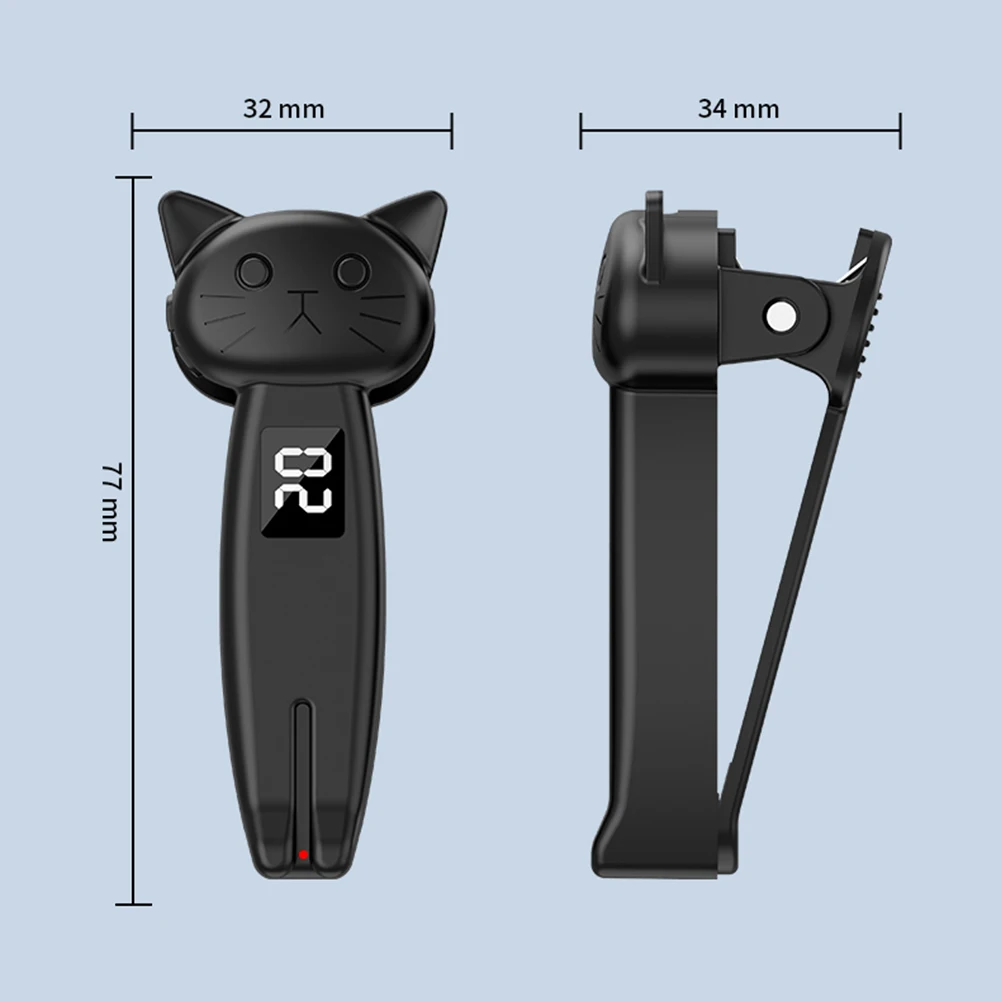
Product size: 77*34*32mm<br />
Ring product weight: 6 g<br />
Clicker weight: 20g<br />
<br />
For Apple users, please pay attention to the following points when using Apple mobile phones/tablets:<br />
1. Make sure the mobile phone compatible with iOS software is 14.8 or above<br />
2. The auxiliary touch function must be turned on (Settings-Accessibility-Touch)<br />
3. If the above two items are confirmed OK, but it still cannot be used normally, please turn off the phone and turn it on again--<br />
4. After turning on the auxiliary touch, 2 dots will appear. The big circle can be moved, and the small one cannot be moved. It disappears in 30 seconds when the video is not refreshed.for Android and Hongmeng systems do not have this dot.<br />
5. For Apple problem: Click the mouse point to jump, and the screen cannot be refreshed. Please turn off and then turn on the auxiliary touch to use it normally<br />
<br />
Tip: If this product cannot be used due to for iOS system upgrade, it is force majeure.<br />
<br />
<p>
<strong>Note:</strong><br />
Due to the different monitor and light effect, the actual color of the item might be slightly different from the color showed on the pictures. Thank you!<br />
Please allow 1-2cm measuring deviation due to manual measurement.
</p>
<br /></td></tr><tr><td style="font-size: 14px;color: orange;font-weight: bold;border: 1px solid #c1c7d0;">(Pink B no remote/Black B no remote)--Auto Screen Clicker </td></tr><tr><td style="border: 1px solid #c1c7d0;"><span style="color:black;font-family:inherit;font-size:12px;">Digital Auto Screen Clicker <span>USB </span>Simulated Finger Clicking Simulator 180° Rotation <span></span><span>108 Gears </span>Simulation Finger Continuous Click Game Screen Touch Tripods Tapper for Smart Phone Apps Video Live Streaming<br />
</span><strong>Feature:</strong><br />
<strong>1. LED Digital Display for Precision: </strong>The digital auto screen clicker features a built-in LED high-definition smart digital display, allowing you to clearly view the click count. With its user-friendly operation and speed adjustment, you can easily monitor any clicking rate at a glance, ensuring precise control over your automated tasks.<br />
<strong>2. Ultra-Quiet Operation: </strong>Our game screen touch tripods tapper utilizes space mapping click technology to replace traditional mechanical clicking, offering a silent operation. This not only extends the lifespan of the device but also prevents damage to your phone screen, ensuring sensitivity and stability during use.<br />
<strong>3. Adjustable Clicking Speed:</strong> With the automatic phone screen tapper, customize your clicking speed to suit your needs. From fast 99 clicks per second to a deliberate click every 9 seconds, choose from 108 speed settings. Save your preferred speeds for an irregular, finger-like tapping experience that provides a seamless interaction.<br />
<strong>4. Versatile Assistant Tool: </strong>Designed to free users from tedious manual clicking, the simulated finger clicking simulator is for various repetitive screen tasks. Whether purchasing products on shopping sites, continuous liking on social media, consecutive attacks in games, or flipping through novels, this smart device simplifies your digital interactions.<br />
<strong>5. Easy to Use with Flexible Adjustment:</strong> Simulating automatic finger clicks is effortless with the phone app speed clicker. Its clicking head can rotate 180° for flexible adjustment and secure placement. Upgraded with a USB interface, simply connect to a power source or power bank for immediate use, liberating your hands for more important tasks.<br />
<br />
<br />
<br />
<br />
<br />
<br />
<br />
<br />
<br />
<br />
<br />
<br />
<br />
<br />
<br /><br/><br/><span><strong>Specification:</strong></span><br />
<span>Certification: CE</span><br />
<span>Origin: Mainland China</span><br />
<span>Material: ABS</span><br />
Product name: Smart plug-in mobile phone screen clicker<br />
Product model: B-02<br />
Product color: black, pink (optional)<br />
Product chip: smart chip artificial intelligence algorithm<br />
Click gear: 9 seconds 1 time - 1 second 99 times range free speed adjustment<br />
Charging life: plug and play<br />
Device interface: upgraded USB interface<br />
Product size: 98.00x43.00x20.00mm/3.86x1.69x0.79inch<br />
Single gross weight: 45g<br />
<br />
<p>
<strong>Note:</strong><br />
Due to the different monitor and light effect, the actual color of the item might be slightly different from the color showed on the pictures. Thank you!<br />
Please allow 1-2cm measuring deviation due to manual measurement.
</p>
<br /></td></tr></table>
</p>
</div>
<br />
<div>
<br />
</div>
<div style="padding:15px;border:1px solid #AEAEAE;">
<table border="0" cellpadding="0" cellspacing="0" style="border: 1px solid #c1c7d0;border-collapse:collapse;"><tr><td style="border-right: 1px solid #c1c7d0;">Product</td><td>Included</td></tr><td style="border: 1px solid #c1c7d0;">Black A:</td><td style="border: 1px solid #c1c7d0;">1 X Clicker<br />
1 X Remote Control<br />
1 X Type-C Cable<br />
1 X Instruction Manual<br /></td></tr><td style="border: 1px solid #c1c7d0;">Pink A:</td><td style="border: 1px solid #c1c7d0;">1 X Clicker<br />
1 X Remote Control<br />
1 X Type-C Cable<br />
1 X Instruction Manual<br /></td></tr><td style="border: 1px solid #c1c7d0;">Pink B no remote:</td><td style="border: 1px solid #c1c7d0;">1 X Auto Screen Clicker <br />
1 X Charging Cable <br />
1 X Manual<br />
<br /></td></tr><td style="border: 1px solid #c1c7d0;">Black B no remote:</td><td style="border: 1px solid #c1c7d0;">1 X Auto Screen Clicker <br />
1 X Charging Cable <br />
1 X Manual<br />
<br /></td></tr><td style="border: 1px solid #c1c7d0;">White A:</td><td style="border: 1px solid #c1c7d0;">1 X Clicker<br />
1 X Remote Control<br />
1 X Type-C Cable<br />
1 X Instruction Manual<br /></td></tr></table> <br />
</div>
<br />
<div style="text-align:center;">
</div>
<br />
<div>
<br />
</div>
<div style="padding:15px;border:1px solid #AEAEAE;">
[relateproductdetail/]
</div>
<br />
<p>
<br />
</p>
<p>
</p>
</td>
</tr>
</tbody>
</table>
<p>
<br />
</p></div></div>
$44.315
$16.235
- Category : Consumer Electronics
- Brand : us_local_delivery_store_store US Local Delivery Store Store
Colors
Sizes
-
+

<div class="detailmodule_html"><div class="detail-desc-decorate-richtext"><p>
<span> </span>
</p>
<p>
<br />
</p>
<h2>
<span style="font-size:14px;font-family:Arial;"></span>
</h2>
<table class="ke-zeroborder" width="100%" cellspacing="0" cellpadding="0" border="0">
<tbody>
<tr>
<td>
<br />
<div style="padding:15px;border:1px solid #AEAEAE;">
<p>
<table border="0" cellpadding="0" cellspacing="0" style="border: 1px solid #c1c7d0;border-collapse:collapse;"><tr><td style="font-size: 14px;color: orange;font-weight: bold;border: 1px solid #c1c7d0;">(Black A/Pink A/White A)--Remote Control Page Turner </td></tr><tr><td style="border: 1px solid #c1c7d0;"><span style="color:black;font-family:inherit;font-size:12px;">Page Turner for Kindle Paperwhite E-Reader,Smart Phone Auto Clicker Phone Screen Device Speed Clicker for Gaming Live Broadcasts Likes Reward Tasks,Bluetooth-Compatible 5.3 Remote Control Scrolling Ring for ,Wireless Camera Remote Shutter for iPhone/iPad <span>for </span>Android<br />
<div>
<br />
</div>
<strong></strong><strong>F</strong><strong>eature:</strong><br />
<strong>1. Smart Screen Silent Clicker: </strong>The smart phone auto clicker features silent and sensitive clicking, ensuring a longer lifespan without damaging your phone/tablet screen. With Bluetooth-Compatible connectivity, you can freely adjust the speed from 1 to 99 levels, clicking up to 99 times per second. The built-in LED smart digital display allows you to clearly view the click count, making it easy to use with button and Bluetooth-Compatible operation. for work, gaming, idle tasks, liking posts, and shopping, it efficiently replaces finger work, letting you enjoy life.<br />
<strong>2. E-Reader Remote Page Turner: </strong>With the remote control page turner, you can turn pages up or down on for Kindle Paperwhite or other e-readers without constantly touching the screen. Simply press the remote control button to turn pages remotely. In winter, you can comfortably read in bed, keeping your hands warm under the blanket while easily flipping pages. It's the accessory for avid e-reader enthusiasts.<br />
<strong>3. For Remote Page Turner: </strong>Experience a new way to watch videos! This e-reader controller allows you to free your hands while watching for , eliminating the need to constantly tap the screen. Whether exercising or dining, you can control page turns, scrolling, pause/play, screen off/on, likes, and volume adjustment with your fingers, making video enjoyment effortless. Immerse yourself in captivating content and make every moment more enjoyable.<br />
<strong>4. Smartphone Camera Shutter/Video Recording: </strong>As a taking photos video recording remote trigger, it solves the awkwardness of taking photos outdoors without assistance. It supports taking photos and recording videos with both the original and beauty cameras on smartphones. Whether for selfies or group photos, this remote button handles it with ease. Additionally, it supports remote video recording on apps like for . Even when alone, you can capture stunning for videos without constantly moving or clicking buttons.<br />
<strong>5. Strong Compatibility & Important Notes:</strong> Compatible with iOS and for Android devices including smartphones and tablets! For Apple iPhone and For iPad users: This camera shutter is compatible with iOS devices running software version 14.8 or higher. You need to enable AssistiveTouch: Settings >> Accessibility >> Touch >> AssistiveTouch >> Turn on AssistiveTouch button, as detailed in the manual (Note: If the product becomes unusable due to for iOS system upgrades, it is beyond our control). The remote control features a compact, ergonomic design ensuring easy and comfortable finger wear, reducing hand and finger strain for prolonged reading. It supports Type-C charging, with a built-in 30mAh battery in the ring remote and a 70mAh battery in the clicker. Charging time is 2 hours, offering up to several hours of use, so you don't have to worry about frequent charging and can use it anytime.<br />
<div>
<br />
</div>
</span><br /><br/><br/><span><strong>Specification:</strong></span><br />
<span>Origin: Mainland China</span><br />
<span>Use: Universal</span><br />
<span>Wireless Communication: bluetooth</span><br />
<span>Package: Yes</span><br />
Product name: Mobile phone screen clicker, smart e-book page turner<br />
Product color: black, white, pink (optional)<br />
Product model: JX-05pro<br />
Product function: physical click of mobile phone, page turning of kindle e-book, page turning of short video up and down, page turning of e-book, double-click to like, take photos and videos, volume increase and decrease, Type-C charging, etc.<br />
Click speed:<br />
Bluetooth-Compatible mode: connected to Bluetooth-Compatible, adjustable at will, 1-99 gears adjustable/99 clicks per second<br />
Key mode: not connected to Bluetooth-Compatible, the displayed value is 1-99 clicks per second<br />
Gear display: high-definition digital display screen<br />
Bluetooth-Compatible version: Ver 5.3<br />
Supported protocol: EDR+BLE<br />
Transmitting power: class ll (-6dBm~+4 dBm)<br />
Frequency (Hz): 2.40GHz~2.48GHz<br />
Bluetooth-Compatible transmission distance: 15 meters<br />
Charging interface: Type-C<br />
Input current: DC5V<br />
Ring battery: 30mAh*1<br />
Clicker: 70mAh*1<br />
Charging time: 2 hours<br />
Applicable method: Clip and use<br />
Product size: 77*34*32mm<br />
Ring product weight: 6 g<br />
Clicker weight: 20g<br />
<br />
For Apple users, please pay attention to the following points when using Apple mobile phones/tablets:<br />
1. Make sure the mobile phone compatible with iOS software is 14.8 or above<br />
2. The auxiliary touch function must be turned on (Settings-Accessibility-Touch)<br />
3. If the above two items are confirmed OK, but it still cannot be used normally, please turn off the phone and turn it on again--<br />
4. After turning on the auxiliary touch, 2 dots will appear. The big circle can be moved, and the small one cannot be moved. It disappears in 30 seconds when the video is not refreshed.for Android and Hongmeng systems do not have this dot.<br />
5. For Apple problem: Click the mouse point to jump, and the screen cannot be refreshed. Please turn off and then turn on the auxiliary touch to use it normally<br />
<br />
Tip: If this product cannot be used due to for iOS system upgrade, it is force majeure.<br />
<br />
<p>
<strong>Note:</strong><br />
Due to the different monitor and light effect, the actual color of the item might be slightly different from the color showed on the pictures. Thank you!<br />
Please allow 1-2cm measuring deviation due to manual measurement.
</p>
<br /></td></tr><tr><td style="font-size: 14px;color: orange;font-weight: bold;border: 1px solid #c1c7d0;">(Pink B no remote/Black B no remote)--Auto Screen Clicker </td></tr><tr><td style="border: 1px solid #c1c7d0;"><span style="color:black;font-family:inherit;font-size:12px;">Digital Auto Screen Clicker <span>USB </span>Simulated Finger Clicking Simulator 180° Rotation <span></span><span>108 Gears </span>Simulation Finger Continuous Click Game Screen Touch Tripods Tapper for Smart Phone Apps Video Live Streaming<br />
</span><strong>Feature:</strong><br />
<strong>1. LED Digital Display for Precision: </strong>The digital auto screen clicker features a built-in LED high-definition smart digital display, allowing you to clearly view the click count. With its user-friendly operation and speed adjustment, you can easily monitor any clicking rate at a glance, ensuring precise control over your automated tasks.<br />
<strong>2. Ultra-Quiet Operation: </strong>Our game screen touch tripods tapper utilizes space mapping click technology to replace traditional mechanical clicking, offering a silent operation. This not only extends the lifespan of the device but also prevents damage to your phone screen, ensuring sensitivity and stability during use.<br />
<strong>3. Adjustable Clicking Speed:</strong> With the automatic phone screen tapper, customize your clicking speed to suit your needs. From fast 99 clicks per second to a deliberate click every 9 seconds, choose from 108 speed settings. Save your preferred speeds for an irregular, finger-like tapping experience that provides a seamless interaction.<br />
<strong>4. Versatile Assistant Tool: </strong>Designed to free users from tedious manual clicking, the simulated finger clicking simulator is for various repetitive screen tasks. Whether purchasing products on shopping sites, continuous liking on social media, consecutive attacks in games, or flipping through novels, this smart device simplifies your digital interactions.<br />
<strong>5. Easy to Use with Flexible Adjustment:</strong> Simulating automatic finger clicks is effortless with the phone app speed clicker. Its clicking head can rotate 180° for flexible adjustment and secure placement. Upgraded with a USB interface, simply connect to a power source or power bank for immediate use, liberating your hands for more important tasks.<br />
<br />
<br />
<br />
<br />
<br />
<br />
<br />
<br />
<br />
<br />
<br />
<br />
<br />
<br />
<br /><br/><br/><span><strong>Specification:</strong></span><br />
<span>Certification: CE</span><br />
<span>Origin: Mainland China</span><br />
<span>Material: ABS</span><br />
Product name: Smart plug-in mobile phone screen clicker<br />
Product model: B-02<br />
Product color: black, pink (optional)<br />
Product chip: smart chip artificial intelligence algorithm<br />
Click gear: 9 seconds 1 time - 1 second 99 times range free speed adjustment<br />
Charging life: plug and play<br />
Device interface: upgraded USB interface<br />
Product size: 98.00x43.00x20.00mm/3.86x1.69x0.79inch<br />
Single gross weight: 45g<br />
<br />
<p>
<strong>Note:</strong><br />
Due to the different monitor and light effect, the actual color of the item might be slightly different from the color showed on the pictures. Thank you!<br />
Please allow 1-2cm measuring deviation due to manual measurement.
</p>
<br /></td></tr></table>
</p>
</div>
<br />
<div>
<br />
</div>
<div style="padding:15px;border:1px solid #AEAEAE;">
<table border="0" cellpadding="0" cellspacing="0" style="border: 1px solid #c1c7d0;border-collapse:collapse;"><tr><td style="border-right: 1px solid #c1c7d0;">Product</td><td>Included</td></tr><td style="border: 1px solid #c1c7d0;">Black A:</td><td style="border: 1px solid #c1c7d0;">1 X Clicker<br />
1 X Remote Control<br />
1 X Type-C Cable<br />
1 X Instruction Manual<br /></td></tr><td style="border: 1px solid #c1c7d0;">Pink A:</td><td style="border: 1px solid #c1c7d0;">1 X Clicker<br />
1 X Remote Control<br />
1 X Type-C Cable<br />
1 X Instruction Manual<br /></td></tr><td style="border: 1px solid #c1c7d0;">Pink B no remote:</td><td style="border: 1px solid #c1c7d0;">1 X Auto Screen Clicker <br />
1 X Charging Cable <br />
1 X Manual<br />
<br /></td></tr><td style="border: 1px solid #c1c7d0;">Black B no remote:</td><td style="border: 1px solid #c1c7d0;">1 X Auto Screen Clicker <br />
1 X Charging Cable <br />
1 X Manual<br />
<br /></td></tr><td style="border: 1px solid #c1c7d0;">White A:</td><td style="border: 1px solid #c1c7d0;">1 X Clicker<br />
1 X Remote Control<br />
1 X Type-C Cable<br />
1 X Instruction Manual<br /></td></tr></table> <br />
</div>
<br />
<div style="text-align:center;">
</div>
<br />
<div>
<br />
</div>
<div style="padding:15px;border:1px solid #AEAEAE;">
[relateproductdetail/]
</div>
<br />
<p>
<br />
</p>
<p>
</p>
</td>
</tr>
</tbody>
</table>
<p>
<br />
</p></div></div>
Related Product
Browse The Collection of Top Products.