
Ezcap279 HDMI SDI Video Recorder Capture to Micro SD Card Box 1080P 60fps HDMI SDI Game Video Capture For Live Broadcast Stream
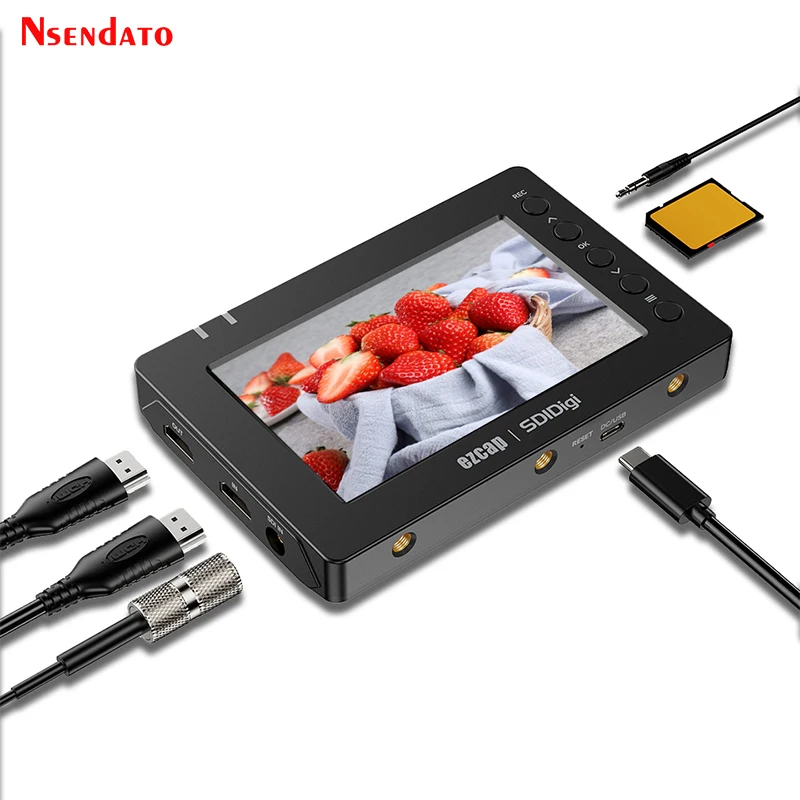
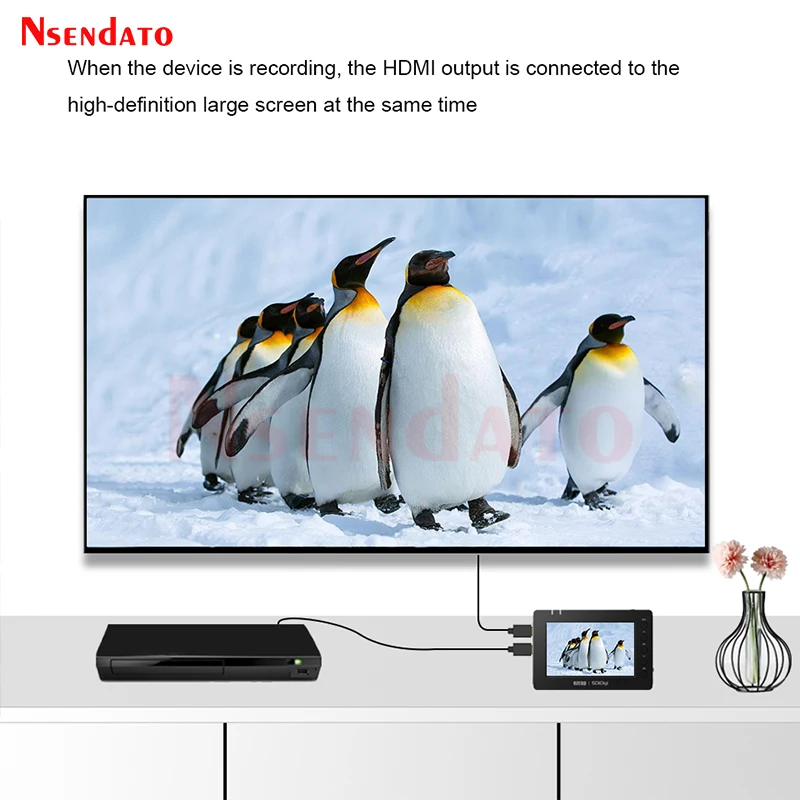
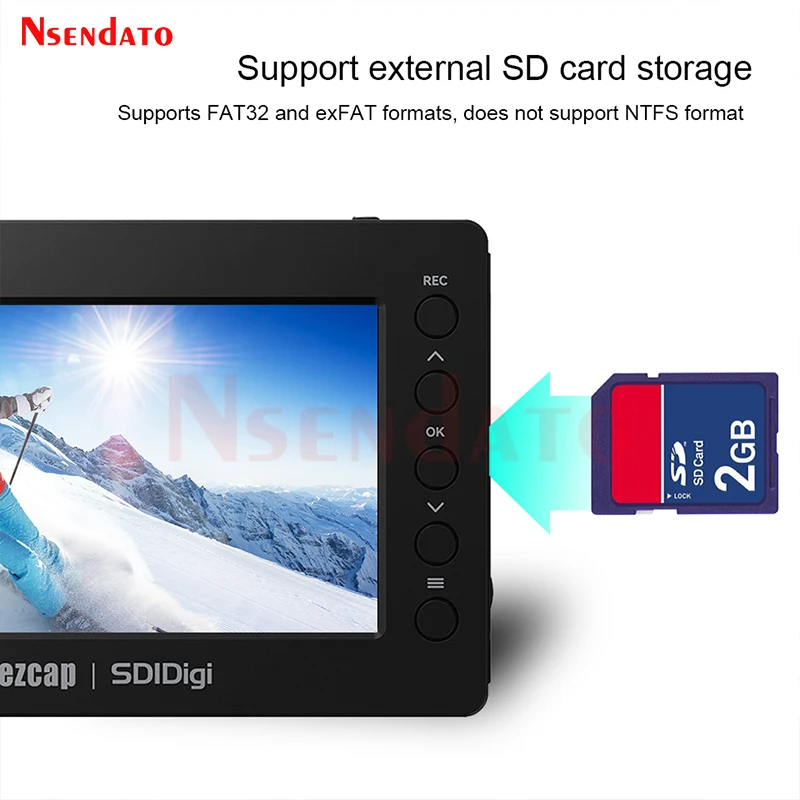
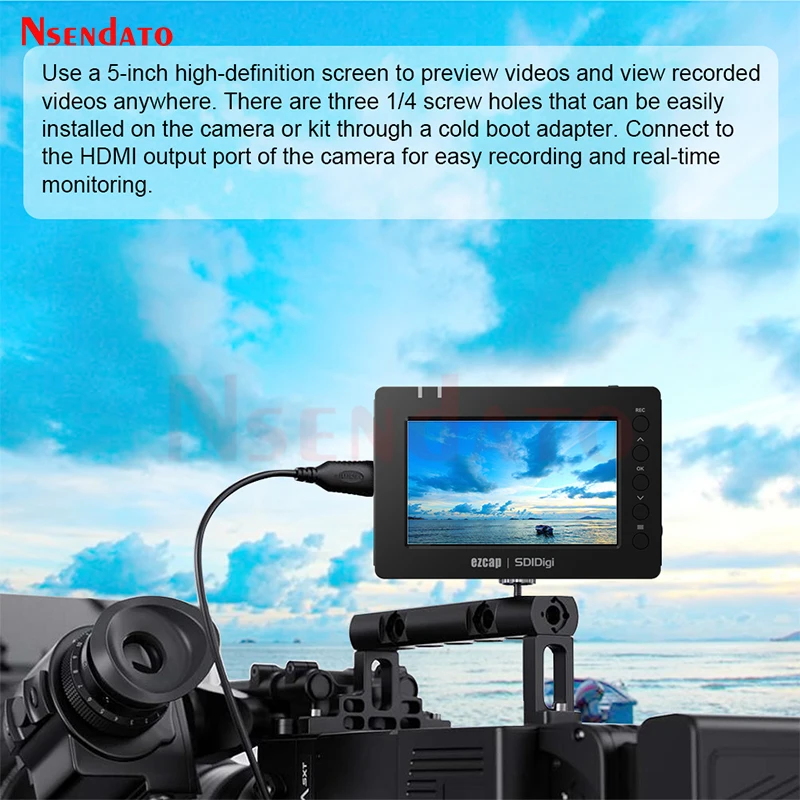
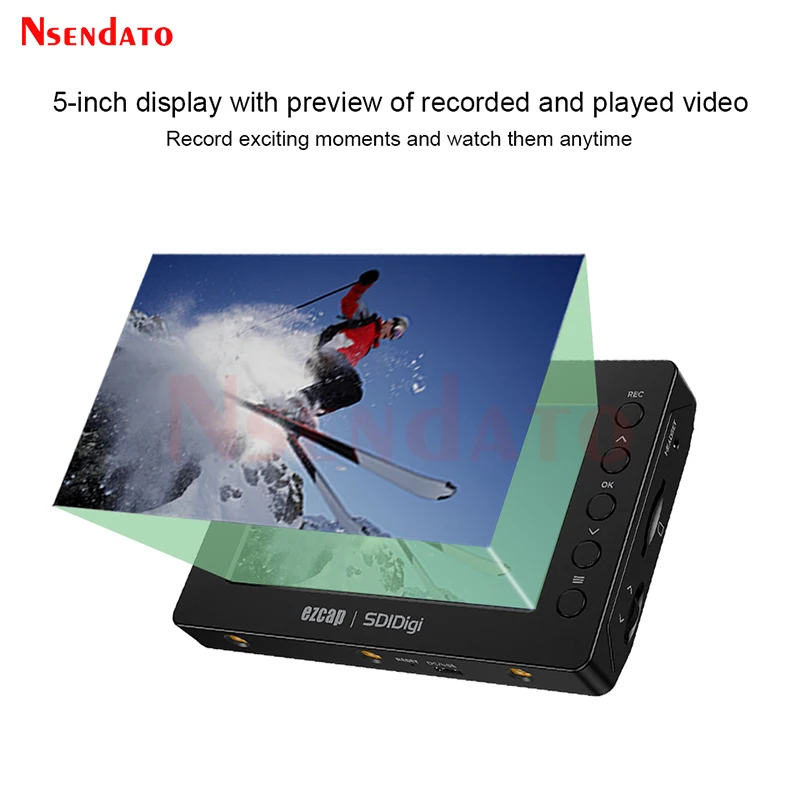
<br/><br/><p><div class="detailmodule_media"><div class="video-container-5000141898326"><div class="detail-video" id="5000141898326" data-previewurl="https://ae01.alicdn.com/kf/Sfc48e367421c4635b5a0b0c9ce4a5a27i.jpg"></div></div></div><kse:widget data-widget-type="customText" id="22569421" type="custom"></kse:widget></p><br/><p><span style="font-size:16px;font-family:arial, helvetica, sans-serif"><span style="font-size:16px">Ezcap279 HDMI SDI Video Recorder Capture to Micro SD Card Box 1080P 60fps HDMI SDI Game Video Capture For Live Broadcast Stream</span></span></p><p style="font-size:13.3333px"></p><div style="font-size:13.3333px"><div><span style="font-size:16px;font-family:arial, helvetica, sans-serif">Specifications</span></div><div><span style="font-size:16px;font-family:arial, helvetica, sans-serif">Interface:USB 2.0</span></div><div><span style="font-size:16px;font-family:arial, helvetica, sans-serif">Video Input:HDMI® 1.4enabled,supports 1080p60;SDI(Micro BNC, 3GSDI)</span></div><div><span style="font-size:16px;font-family:arial, helvetica, sans-serif">Audio Input:HDMI,SDI,microphone input(3.5mm CTIA standard)</span></div><div><span style="font-size:16px;font-family:arial, helvetica, sans-serif">Video Output:HDMI,5inch screen</span></div><div><span style="font-size:16px;font-family:arial, helvetica, sans-serif">Audio Output:HDMI,Speaker,Earphone(3.5mm CTIA standard)</span></div><div><span style="font-size:16px;font-family:arial, helvetica, sans-serif">Storage Media:SD card,supports FAT32 and exFAT,and NTFS is not supported.</span></div><div><span style="font-size:16px;font-family:arial, helvetica, sans-serif">Input/Output Resolution:720x480(60p),720x576(50p),1280x720p(50p/60p),1920x1080(50i/60i/25p/30p/50p/60p).</span></div><div><span style="font-size:16px;font-family:arial, helvetica, sans-serif">Record Resolution:720x480(60p),720x576(50p),1280x720p(60p),1920x1080(50p/60p).</span></div><div><span style="font-size:16px;font-family:arial, helvetica, sans-serif">Record Quality:Max 22Mbps@1080P 60fps</span></div><div><span style="font-size:16px;font-family:arial, helvetica, sans-serif">Record File:H.264 mp4 format,max 3.8GB per file</span></div><div><span style="font-size:16px;font-family:arial, helvetica, sans-serif">Power Supply:2900mAhlithium battery inside,Playback-2.5 hours,Preview-2 hours, HDMI record-1.5 hours, SDI record-1.5 hour.USB Type-C jack,</span><span style="color:rgb(244, 78, 59);font-size:16px;font-family:arial, helvetica, sans-serif">DC 5V2A (5V2A USB power adapter is not included).</span></div><div> </div><div> </div><div><span style="font-size:16px;font-family:arial, helvetica, sans-serif">Package:</span></div><div><span style="font-size:16px;font-family:arial, helvetica, sans-serif">ezcap279SDIDigi SDI Full HD Recorderx1,</span></div><div><span style="font-size:16px;font-family:arial, helvetica, sans-serif">Manual x1,</span></div><div><span style="font-size:16px;font-family:arial, helvetica, sans-serif">USB-Ccable x1,</span></div><div><span style="font-size:16px;font-family:arial, helvetica, sans-serif">SDI cable x1,</span></div><div><span style="font-size:16px;font-family:arial, helvetica, sans-serif">Audio adapter cable (CTIA to TRS adapter) x1</span></div><div> </div><div> </div><div><span style="font-size:16px;font-family:arial, helvetica, sans-serif">Record video to SD card</span></div><div><span style="font-size:16px;font-family:arial, helvetica, sans-serif">1.First of all,the device need be charged.Or plug DC cable (USB Type-C) to work.</span></div><div><span style="font-size:16px;font-family:arial, helvetica, sans-serif">2.Long-press POWER/MODE button to turn on device.</span></div><div><span style="font-size:16px;font-family:arial, helvetica, sans-serif">3.Plug HDMI source to HDMI INport with HDMI cable,or plug SDI video source to SDI IN port with included SDI cable. Please do not connect HDMI IN and SDI IN at the same time.</span></div><div><span style="font-size:16px;font-family:arial, helvetica, sans-serif">4.Plug HDMI OUT port to TV.</span></div><div><span style="font-size:16px;font-family:arial, helvetica, sans-serif">5.Plug a SD card (FAT32 or exFAT format) with enough space.</span></div><div><span style="font-size:16px;font-family:arial, helvetica, sans-serif">6.Plug a headset to mix your sound with video together and monitor the audio.Please plug the included audio adapter cable to device if you have the 3-pole microphone or earphone,then connect them together.</span></div><div><span style="font-size:16px;font-family:arial, helvetica, sans-serif">7.Press UP or DOWN button to increase or decrease device volume–Speaker/Earphone.</span></div><div><span style="font-size:16px;font-family:arial, helvetica, sans-serif">Press MENU button,then select Microphone menu to increase or decrease microphone volume.</span></div><div><span style="font-size:16px;font-family:arial, helvetica, sans-serif">8.Press RECORDbutton to record, press again to stop recording, and save file into SD card.</span></div><div><span style="font-size:16px;font-family:arial, helvetica, sans-serif">9.During recording, press MENU button to pause recording, press again to continue recording.</span></div><div><span style="font-size:16px;font-family:arial, helvetica, sans-serif">10.During recording,or previewing, press OK button to take a picture (snapshot).</span></div><div><span style="font-size:16px;font-family:arial, helvetica, sans-serif">11.On previewing,press MENU button to set device, you can set</span></div></div><p style="font-size:13.3333px"></p><p></p><p style="font-size:13.3333px"></p><div style="font-size:13.3333px;margin:0px;margin-bottom:0px;margin-top:0px;margin-left:0px;margin-right:0px;padding:0px 0px 0px 0em;padding-bottom:0px;padding-top:0px;padding-right:0px"><div></div><div></div><div></div><div></div><div></div><div></div><div></div><div></div><div></div><div></div><div></div><div></div><div></div></div><p><kse:widget data-widget-type="customText" id="1005000001165679" type="custom"></kse:widget><br/></p><br/>
$359.795
$281.075
- Category : Consumer Electronics
- Brand : nsendato_office_store_store Nsendato Office Store Store
Colors
Sizes
-
+

<br/><br/><p><div class="detailmodule_media"><div class="video-container-5000141898326"><div class="detail-video" id="5000141898326" data-previewurl="https://ae01.alicdn.com/kf/Sfc48e367421c4635b5a0b0c9ce4a5a27i.jpg"></div></div></div><kse:widget data-widget-type="customText" id="22569421" type="custom"></kse:widget></p><br/><p><span style="font-size:16px;font-family:arial, helvetica, sans-serif"><span style="font-size:16px">Ezcap279 HDMI SDI Video Recorder Capture to Micro SD Card Box 1080P 60fps HDMI SDI Game Video Capture For Live Broadcast Stream</span></span></p><p style="font-size:13.3333px"></p><div style="font-size:13.3333px"><div><span style="font-size:16px;font-family:arial, helvetica, sans-serif">Specifications</span></div><div><span style="font-size:16px;font-family:arial, helvetica, sans-serif">Interface:USB 2.0</span></div><div><span style="font-size:16px;font-family:arial, helvetica, sans-serif">Video Input:HDMI® 1.4enabled,supports 1080p60;SDI(Micro BNC, 3GSDI)</span></div><div><span style="font-size:16px;font-family:arial, helvetica, sans-serif">Audio Input:HDMI,SDI,microphone input(3.5mm CTIA standard)</span></div><div><span style="font-size:16px;font-family:arial, helvetica, sans-serif">Video Output:HDMI,5inch screen</span></div><div><span style="font-size:16px;font-family:arial, helvetica, sans-serif">Audio Output:HDMI,Speaker,Earphone(3.5mm CTIA standard)</span></div><div><span style="font-size:16px;font-family:arial, helvetica, sans-serif">Storage Media:SD card,supports FAT32 and exFAT,and NTFS is not supported.</span></div><div><span style="font-size:16px;font-family:arial, helvetica, sans-serif">Input/Output Resolution:720x480(60p),720x576(50p),1280x720p(50p/60p),1920x1080(50i/60i/25p/30p/50p/60p).</span></div><div><span style="font-size:16px;font-family:arial, helvetica, sans-serif">Record Resolution:720x480(60p),720x576(50p),1280x720p(60p),1920x1080(50p/60p).</span></div><div><span style="font-size:16px;font-family:arial, helvetica, sans-serif">Record Quality:Max 22Mbps@1080P 60fps</span></div><div><span style="font-size:16px;font-family:arial, helvetica, sans-serif">Record File:H.264 mp4 format,max 3.8GB per file</span></div><div><span style="font-size:16px;font-family:arial, helvetica, sans-serif">Power Supply:2900mAhlithium battery inside,Playback-2.5 hours,Preview-2 hours, HDMI record-1.5 hours, SDI record-1.5 hour.USB Type-C jack,</span><span style="color:rgb(244, 78, 59);font-size:16px;font-family:arial, helvetica, sans-serif">DC 5V2A (5V2A USB power adapter is not included).</span></div><div> </div><div> </div><div><span style="font-size:16px;font-family:arial, helvetica, sans-serif">Package:</span></div><div><span style="font-size:16px;font-family:arial, helvetica, sans-serif">ezcap279SDIDigi SDI Full HD Recorderx1,</span></div><div><span style="font-size:16px;font-family:arial, helvetica, sans-serif">Manual x1,</span></div><div><span style="font-size:16px;font-family:arial, helvetica, sans-serif">USB-Ccable x1,</span></div><div><span style="font-size:16px;font-family:arial, helvetica, sans-serif">SDI cable x1,</span></div><div><span style="font-size:16px;font-family:arial, helvetica, sans-serif">Audio adapter cable (CTIA to TRS adapter) x1</span></div><div> </div><div> </div><div><span style="font-size:16px;font-family:arial, helvetica, sans-serif">Record video to SD card</span></div><div><span style="font-size:16px;font-family:arial, helvetica, sans-serif">1.First of all,the device need be charged.Or plug DC cable (USB Type-C) to work.</span></div><div><span style="font-size:16px;font-family:arial, helvetica, sans-serif">2.Long-press POWER/MODE button to turn on device.</span></div><div><span style="font-size:16px;font-family:arial, helvetica, sans-serif">3.Plug HDMI source to HDMI INport with HDMI cable,or plug SDI video source to SDI IN port with included SDI cable. Please do not connect HDMI IN and SDI IN at the same time.</span></div><div><span style="font-size:16px;font-family:arial, helvetica, sans-serif">4.Plug HDMI OUT port to TV.</span></div><div><span style="font-size:16px;font-family:arial, helvetica, sans-serif">5.Plug a SD card (FAT32 or exFAT format) with enough space.</span></div><div><span style="font-size:16px;font-family:arial, helvetica, sans-serif">6.Plug a headset to mix your sound with video together and monitor the audio.Please plug the included audio adapter cable to device if you have the 3-pole microphone or earphone,then connect them together.</span></div><div><span style="font-size:16px;font-family:arial, helvetica, sans-serif">7.Press UP or DOWN button to increase or decrease device volume–Speaker/Earphone.</span></div><div><span style="font-size:16px;font-family:arial, helvetica, sans-serif">Press MENU button,then select Microphone menu to increase or decrease microphone volume.</span></div><div><span style="font-size:16px;font-family:arial, helvetica, sans-serif">8.Press RECORDbutton to record, press again to stop recording, and save file into SD card.</span></div><div><span style="font-size:16px;font-family:arial, helvetica, sans-serif">9.During recording, press MENU button to pause recording, press again to continue recording.</span></div><div><span style="font-size:16px;font-family:arial, helvetica, sans-serif">10.During recording,or previewing, press OK button to take a picture (snapshot).</span></div><div><span style="font-size:16px;font-family:arial, helvetica, sans-serif">11.On previewing,press MENU button to set device, you can set</span></div></div><p style="font-size:13.3333px"></p><p></p><p style="font-size:13.3333px"></p><div style="font-size:13.3333px;margin:0px;margin-bottom:0px;margin-top:0px;margin-left:0px;margin-right:0px;padding:0px 0px 0px 0em;padding-bottom:0px;padding-top:0px;padding-right:0px"><div></div><div></div><div></div><div></div><div></div><div></div><div></div><div></div><div></div><div></div><div></div><div></div><div></div></div><p><kse:widget data-widget-type="customText" id="1005000001165679" type="custom"></kse:widget><br/></p><br/>
Related Product
Browse The Collection of Top Products.