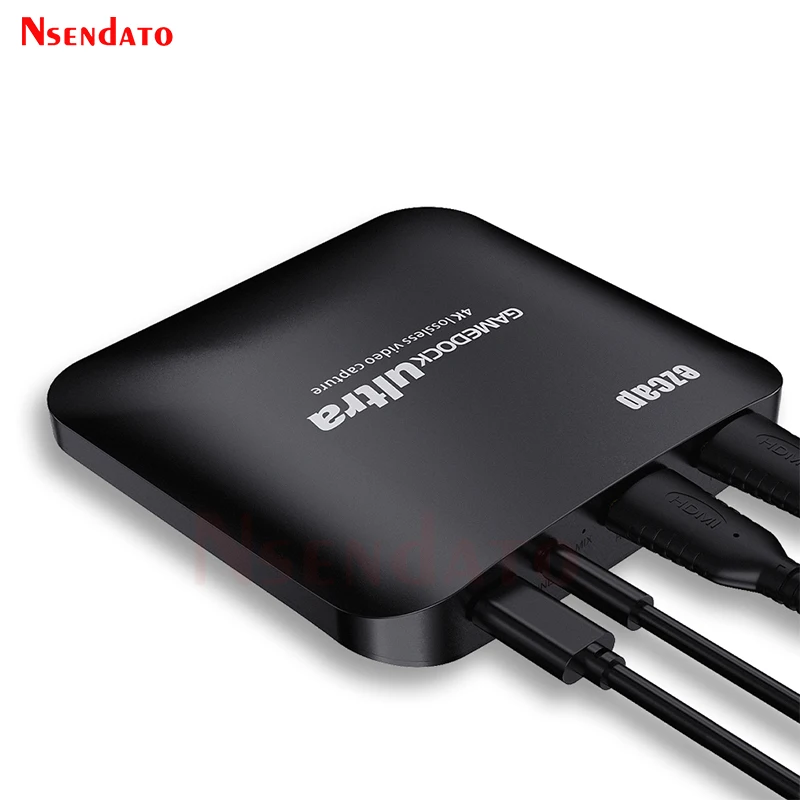
Ezcap326C HDMI USB C Video Capture Card 4k 30fps HDR HDMI to USB3.1 Type C Video Recording Capture card For Live Streaming PS4
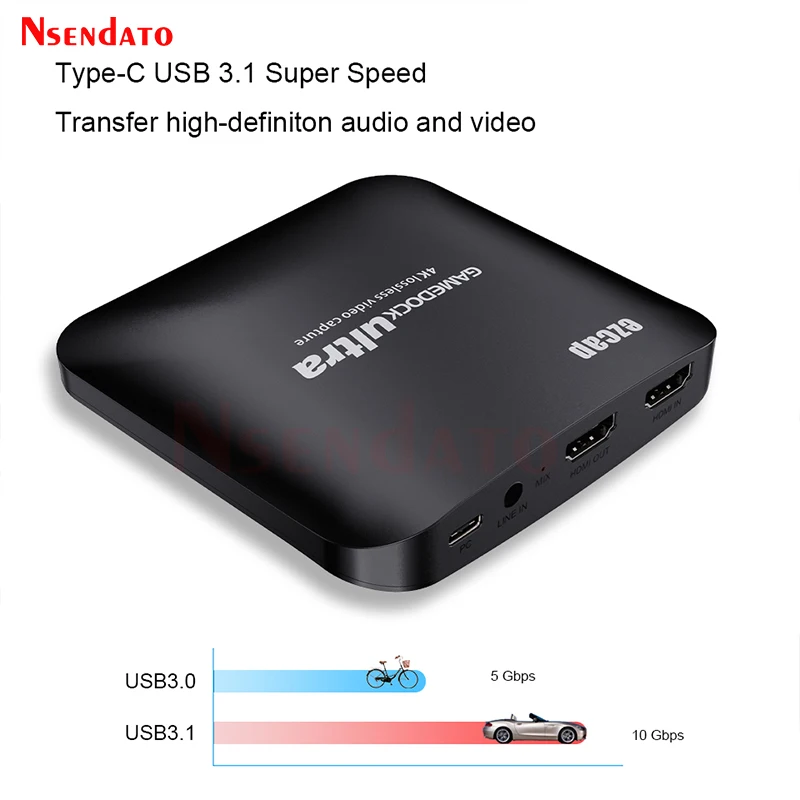
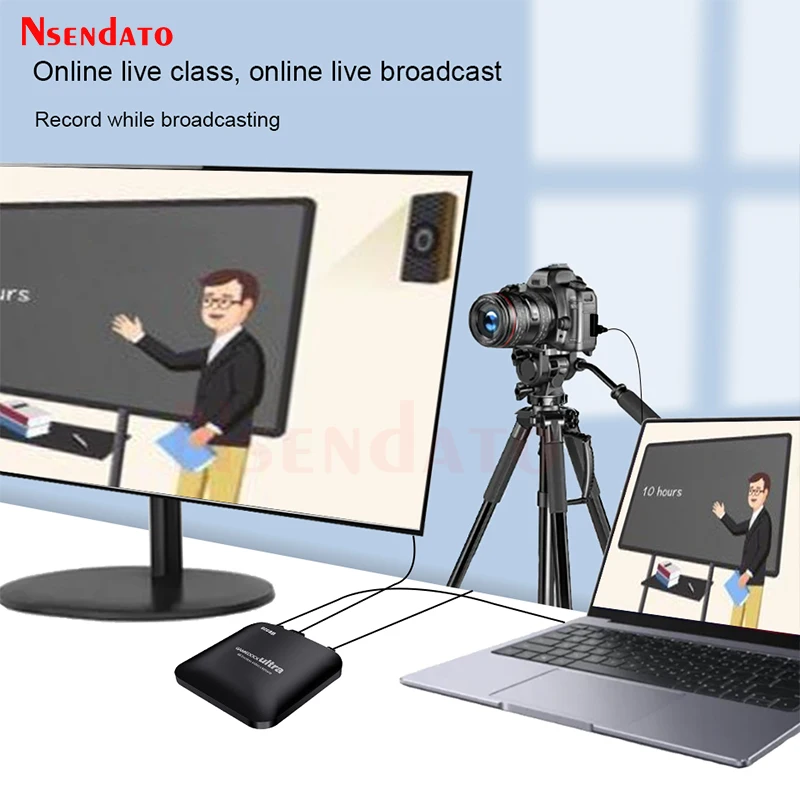
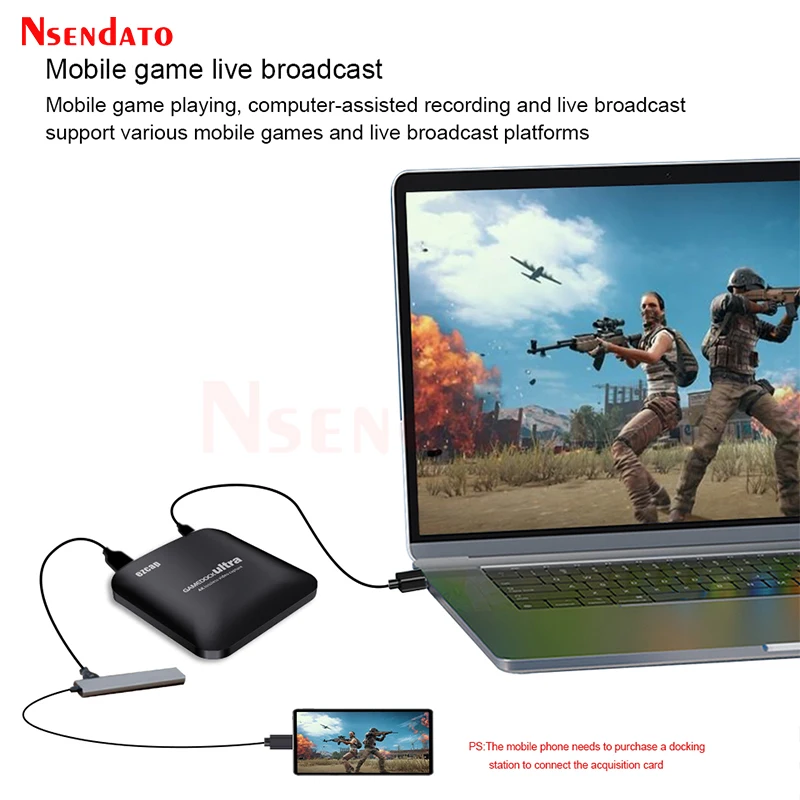
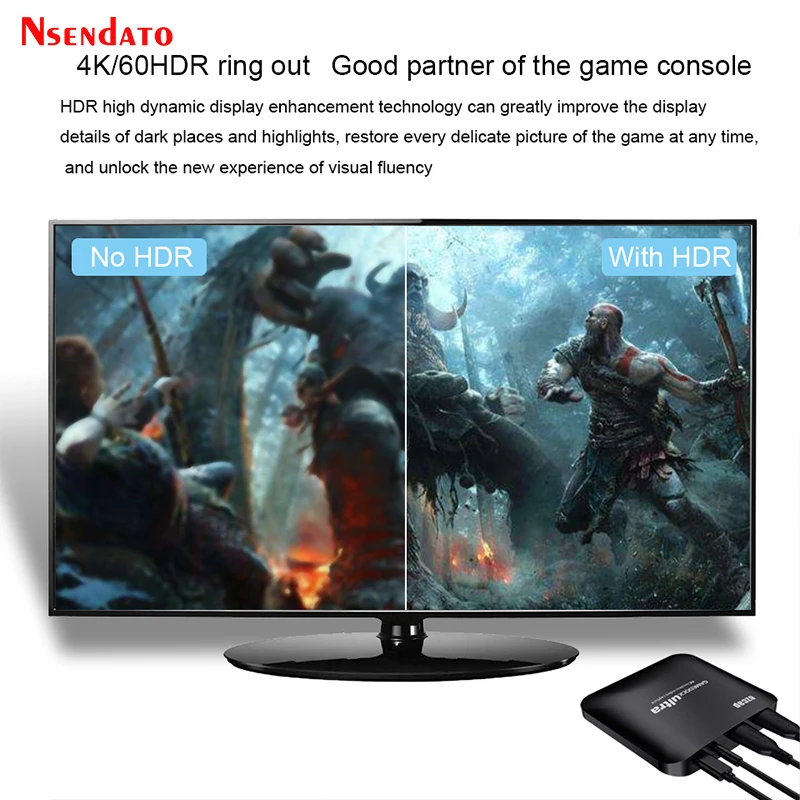
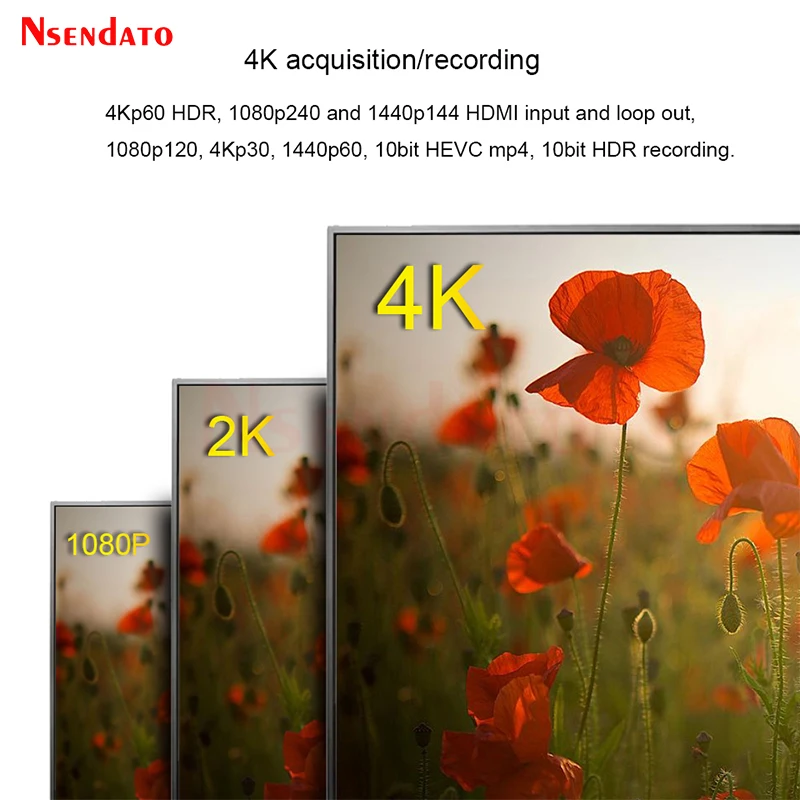
<br/><div class="detailmodule_html"><div class="detail-desc-decorate-richtext"><p><br/></p><div><div class="detailmodule_media"><div class="video-container-1100100917792"><div class="detail-video" id="1100100917792" data-previewurl="https://ae01.alicdn.com/kf/S8551b76bd39840ae81cba71f9ea3f659o.jpg"></div></div></div></div><p><br/></p><p><kse:widget data-widget-type="customText" id="22569421" type="custom"></kse:widget></p><p><span style="font-size:16px;font-family:arial, helvetica, sans-serif"><span style="font-size:16px">Ezcap326C HDMI Video Capture board Card 4k 30fps HDR HDMI to USB3.1 Type C Video Recording Capture card For Live Streaming PS4</span></span></p><p style="font-size:13.3333px"></p><div><span style="font-size:16px;font-family:arial, helvetica, sans-serif">Feature </span></div><div><span style="font-size:16px;font-family:arial, helvetica, sans-serif">Capture astonishing 4Kp30 HDR video content </span></div><div><span style="font-size:16px;font-family:arial, helvetica, sans-serif">Record up to 120 frames per second in crystal clear full HD </span></div><div><span style="font-size:16px;font-family:arial, helvetica, sans-serif">High Refresh Rate passthrough get an edge over the competition with support for 1440p 144Hz and 1080p 240Hz displays </span></div><div><span style="font-size:16px;font-family:arial, helvetica, sans-serif">Make latency less than 50ms. Even use the capture screen to play game, you hardly notice it. </span></div><div><span style="font-size:16px;font-family:arial, helvetica, sans-serif">Uncompressed videos ensure that your gameplay is completely unaltered </span></div><div><span style="font-size:16px;font-family:arial, helvetica, sans-serif">For encrypted HDMI, you need to use our live streaming software (ezcap Link) or buy an HDMI splitter. </span></div><div> </div><div><span style="font-size:16px;font-family:arial, helvetica, sans-serif">Specifications </span></div><div><span style="font-size:16px;font-family:arial, helvetica, sans-serif">Interface:Type-C USB 3.1 Gen1 </span></div><div><span style="font-size:16px;font-family:arial, helvetica, sans-serif">Video Input:HDMI 2.0(unencrypted HDMI) </span></div><div><span style="font-size:16px;font-family:arial, helvetica, sans-serif">Audio Input:HDMI,Line In (3.5mm TRS) </span></div><div><span style="font-size:16px;font-family:arial, helvetica, sans-serif">Video Output:HDMI 2.0 </span></div><div><span style="font-size:16px;font-family:arial, helvetica, sans-serif">Audio Output:HDMI </span></div><div><span style="font-size:16px;font-family:arial, helvetica, sans-serif">Max.Pass-Through:2160p60 HDR,1440p144,1080p240 </span></div><div><span style="font-size:16px;font-family:arial, helvetica, sans-serif">Max.Recording:1080p120,2160p30 </span></div><div><span style="font-size:16px;font-family:arial, helvetica, sans-serif">Supported Resolution:2160p,1440p,1080p,720p </span></div><div><span style="font-size:16px;font-family:arial, helvetica, sans-serif">Output Video Format:YUY2,NV12,RGB </span></div><div><span style="font-size:16px;font-family:arial, helvetica, sans-serif">Recording Resolution and Max FPS: </span></div><div><span style="font-size:16px;font-family:arial, helvetica, sans-serif">3840*2160:NV12/30. </span></div><div><span style="font-size:16px;font-family:arial, helvetica, sans-serif">2560*1440:NV12/60,YUY/50. </span></div><div><span style="font-size:16px;font-family:arial, helvetica, sans-serif">1920*1080:NV12/120,YUY/60,XRGB/30. </span></div><div><span style="font-size:16px;font-family:arial, helvetica, sans-serif">1280*720:NV12/60,YUY/60,XRGB/60. </span></div><div><span style="font-size:16px;font-family:arial, helvetica, sans-serif">4Kp60 HDR Pass-through </span></div><div><span style="font-size:16px;font-family:arial, helvetica, sans-serif">Don't give up 4K HDR content just to be able to record your gameplay.With 100% lag-free,4Kp60 HDR video pass-through,the GDU allows you to enjoy mesmerizing 4K HDR gameplay and record at 4Kp30. </span></div><div> </div><div><span style="font-size:16px;font-family:arial, helvetica, sans-serif">How to transfer HDR images </span></div><div><span style="font-size:16px;font-family:arial, helvetica, sans-serif">1:The video source must be HDR, </span></div><div><span style="font-size:16px;font-family:arial, helvetica, sans-serif">2:You need to use HDMI2.0 cable, the HDMI cable we distribute is only 1.4. </span></div><div><span style="font-size:16px;font-family:arial, helvetica, sans-serif">3:Your display must be able to support playing HDR images. </span></div><div> </div><div><span style="font-size:16px;font-family:arial, helvetica, sans-serif">120Hz Full HD Recording </span></div><div><span style="font-size:16px;font-family:arial, helvetica, sans-serif">With its high frame rate capture ability of up to 120 fps for Full HD signals,the GDU brings super smooth recordings to your archives. </span></div><div><span style="font-size:16px;font-family:arial, helvetica, sans-serif">RGB real color format output </span></div><div><span style="font-size:16px;font-family:arial, helvetica, sans-serif">delivery RGB format full HD picture to computer lossless video quality up to 1080p30,even connect a PC as source. </span></div><div><span style="font-size:16px;font-family:arial, helvetica, sans-serif">Latency?Not really,not here. </span></div><div><span style="font-size:16px;font-family:arial, helvetica, sans-serif">The GDU with latest technology.Make latency less than 50ms. Even use the capture screen to play game, you hardly notice it. </span></div><div> </div><div><span style="font-size:16px;font-family:arial, helvetica, sans-serif">Operating System:Windows 10x64 </span></div><div><span style="font-size:16px;font-family:arial, helvetica, sans-serif">System Laptop:For 4Kp30 or 1080p120 recording:Intel Core i7-7700HQ or above,NVIDIA® GeForce® GTX1050 Ti or above,8 GB RAM.For 1080p60 recording:intel Core i7-4810MQ, NVIDIA® GeForce® GTX 870M or above,8 GB RAM </span></div><div><span style="font-size:16px;font-family:arial, helvetica, sans-serif">System Desktop:For 4Kp30 or 1080p120 recording:Intel® Core™ i5-6XXX/AMD,Ryzen™ 3 XXX or above,NVIDIA® GTX 1060/AMD RX 5700 or above,8 GB RAM.For 1080p60 recording (4Kp60 HDR pass-through supported):Intel® Core™ i7-3770 recommended,NVIDIA® GeForce® GTX 650/AMD Radeon™ R7 250X or above,4 GB RAM.*Please read the manual for Mac OS X </span></div><div> </div><div><span style="font-size:16px;font-family:arial, helvetica, sans-serif">Package Contents: </span></div><div><span style="font-size:16px;font-family:arial, helvetica, sans-serif">ezcap326C GameDock Ultra </span></div><div><span style="font-size:16px;font-family:arial, helvetica, sans-serif">Type-C cable, </span></div><div><span style="font-size:16px;font-family:arial, helvetica, sans-serif">Type-C to USB3.0 cable </span></div><div><span style="font-size:16px;font-family:arial, helvetica, sans-serif">Manual. </span></div><div><span style="font-size:16px;font-family:arial, helvetica, sans-serif">Party chat link cable </span></div><div><span style="font-size:16px;font-family:arial, helvetica, sans-serif">3.5mm one-to-two adapter cable </span></div><p style="font-size:13.3333px"></p><p></p><p style="font-size:13.3333px"></p><div style="font-size:13.3333px;margin:0px;margin-bottom:0px;margin-top:0px;margin-left:0px;margin-right:0px;padding:0px 0px 0px 0em;padding-bottom:0px;padding-top:0px;padding-right:0px"><div></div><div></div><div></div><div></div><div></div><div></div><div></div><div></div><div></div><div></div><div></div><div></div><div></div></div><p><kse:widget data-widget-type="customText" id="1005000001165679" type="custom"></kse:widget></p></div></div><br/>
$177.98
$135.74
- Category : Security & Protection
- Brand : nsendato_office_store_store Nsendato Office Store Store
Colors
Sizes
-
+

<br/><div class="detailmodule_html"><div class="detail-desc-decorate-richtext"><p><br/></p><div><div class="detailmodule_media"><div class="video-container-1100100917792"><div class="detail-video" id="1100100917792" data-previewurl="https://ae01.alicdn.com/kf/S8551b76bd39840ae81cba71f9ea3f659o.jpg"></div></div></div></div><p><br/></p><p><kse:widget data-widget-type="customText" id="22569421" type="custom"></kse:widget></p><p><span style="font-size:16px;font-family:arial, helvetica, sans-serif"><span style="font-size:16px">Ezcap326C HDMI Video Capture board Card 4k 30fps HDR HDMI to USB3.1 Type C Video Recording Capture card For Live Streaming PS4</span></span></p><p style="font-size:13.3333px"></p><div><span style="font-size:16px;font-family:arial, helvetica, sans-serif">Feature </span></div><div><span style="font-size:16px;font-family:arial, helvetica, sans-serif">Capture astonishing 4Kp30 HDR video content </span></div><div><span style="font-size:16px;font-family:arial, helvetica, sans-serif">Record up to 120 frames per second in crystal clear full HD </span></div><div><span style="font-size:16px;font-family:arial, helvetica, sans-serif">High Refresh Rate passthrough get an edge over the competition with support for 1440p 144Hz and 1080p 240Hz displays </span></div><div><span style="font-size:16px;font-family:arial, helvetica, sans-serif">Make latency less than 50ms. Even use the capture screen to play game, you hardly notice it. </span></div><div><span style="font-size:16px;font-family:arial, helvetica, sans-serif">Uncompressed videos ensure that your gameplay is completely unaltered </span></div><div><span style="font-size:16px;font-family:arial, helvetica, sans-serif">For encrypted HDMI, you need to use our live streaming software (ezcap Link) or buy an HDMI splitter. </span></div><div> </div><div><span style="font-size:16px;font-family:arial, helvetica, sans-serif">Specifications </span></div><div><span style="font-size:16px;font-family:arial, helvetica, sans-serif">Interface:Type-C USB 3.1 Gen1 </span></div><div><span style="font-size:16px;font-family:arial, helvetica, sans-serif">Video Input:HDMI 2.0(unencrypted HDMI) </span></div><div><span style="font-size:16px;font-family:arial, helvetica, sans-serif">Audio Input:HDMI,Line In (3.5mm TRS) </span></div><div><span style="font-size:16px;font-family:arial, helvetica, sans-serif">Video Output:HDMI 2.0 </span></div><div><span style="font-size:16px;font-family:arial, helvetica, sans-serif">Audio Output:HDMI </span></div><div><span style="font-size:16px;font-family:arial, helvetica, sans-serif">Max.Pass-Through:2160p60 HDR,1440p144,1080p240 </span></div><div><span style="font-size:16px;font-family:arial, helvetica, sans-serif">Max.Recording:1080p120,2160p30 </span></div><div><span style="font-size:16px;font-family:arial, helvetica, sans-serif">Supported Resolution:2160p,1440p,1080p,720p </span></div><div><span style="font-size:16px;font-family:arial, helvetica, sans-serif">Output Video Format:YUY2,NV12,RGB </span></div><div><span style="font-size:16px;font-family:arial, helvetica, sans-serif">Recording Resolution and Max FPS: </span></div><div><span style="font-size:16px;font-family:arial, helvetica, sans-serif">3840*2160:NV12/30. </span></div><div><span style="font-size:16px;font-family:arial, helvetica, sans-serif">2560*1440:NV12/60,YUY/50. </span></div><div><span style="font-size:16px;font-family:arial, helvetica, sans-serif">1920*1080:NV12/120,YUY/60,XRGB/30. </span></div><div><span style="font-size:16px;font-family:arial, helvetica, sans-serif">1280*720:NV12/60,YUY/60,XRGB/60. </span></div><div><span style="font-size:16px;font-family:arial, helvetica, sans-serif">4Kp60 HDR Pass-through </span></div><div><span style="font-size:16px;font-family:arial, helvetica, sans-serif">Don't give up 4K HDR content just to be able to record your gameplay.With 100% lag-free,4Kp60 HDR video pass-through,the GDU allows you to enjoy mesmerizing 4K HDR gameplay and record at 4Kp30. </span></div><div> </div><div><span style="font-size:16px;font-family:arial, helvetica, sans-serif">How to transfer HDR images </span></div><div><span style="font-size:16px;font-family:arial, helvetica, sans-serif">1:The video source must be HDR, </span></div><div><span style="font-size:16px;font-family:arial, helvetica, sans-serif">2:You need to use HDMI2.0 cable, the HDMI cable we distribute is only 1.4. </span></div><div><span style="font-size:16px;font-family:arial, helvetica, sans-serif">3:Your display must be able to support playing HDR images. </span></div><div> </div><div><span style="font-size:16px;font-family:arial, helvetica, sans-serif">120Hz Full HD Recording </span></div><div><span style="font-size:16px;font-family:arial, helvetica, sans-serif">With its high frame rate capture ability of up to 120 fps for Full HD signals,the GDU brings super smooth recordings to your archives. </span></div><div><span style="font-size:16px;font-family:arial, helvetica, sans-serif">RGB real color format output </span></div><div><span style="font-size:16px;font-family:arial, helvetica, sans-serif">delivery RGB format full HD picture to computer lossless video quality up to 1080p30,even connect a PC as source. </span></div><div><span style="font-size:16px;font-family:arial, helvetica, sans-serif">Latency?Not really,not here. </span></div><div><span style="font-size:16px;font-family:arial, helvetica, sans-serif">The GDU with latest technology.Make latency less than 50ms. Even use the capture screen to play game, you hardly notice it. </span></div><div> </div><div><span style="font-size:16px;font-family:arial, helvetica, sans-serif">Operating System:Windows 10x64 </span></div><div><span style="font-size:16px;font-family:arial, helvetica, sans-serif">System Laptop:For 4Kp30 or 1080p120 recording:Intel Core i7-7700HQ or above,NVIDIA® GeForce® GTX1050 Ti or above,8 GB RAM.For 1080p60 recording:intel Core i7-4810MQ, NVIDIA® GeForce® GTX 870M or above,8 GB RAM </span></div><div><span style="font-size:16px;font-family:arial, helvetica, sans-serif">System Desktop:For 4Kp30 or 1080p120 recording:Intel® Core™ i5-6XXX/AMD,Ryzen™ 3 XXX or above,NVIDIA® GTX 1060/AMD RX 5700 or above,8 GB RAM.For 1080p60 recording (4Kp60 HDR pass-through supported):Intel® Core™ i7-3770 recommended,NVIDIA® GeForce® GTX 650/AMD Radeon™ R7 250X or above,4 GB RAM.*Please read the manual for Mac OS X </span></div><div> </div><div><span style="font-size:16px;font-family:arial, helvetica, sans-serif">Package Contents: </span></div><div><span style="font-size:16px;font-family:arial, helvetica, sans-serif">ezcap326C GameDock Ultra </span></div><div><span style="font-size:16px;font-family:arial, helvetica, sans-serif">Type-C cable, </span></div><div><span style="font-size:16px;font-family:arial, helvetica, sans-serif">Type-C to USB3.0 cable </span></div><div><span style="font-size:16px;font-family:arial, helvetica, sans-serif">Manual. </span></div><div><span style="font-size:16px;font-family:arial, helvetica, sans-serif">Party chat link cable </span></div><div><span style="font-size:16px;font-family:arial, helvetica, sans-serif">3.5mm one-to-two adapter cable </span></div><p style="font-size:13.3333px"></p><p></p><p style="font-size:13.3333px"></p><div style="font-size:13.3333px;margin:0px;margin-bottom:0px;margin-top:0px;margin-left:0px;margin-right:0px;padding:0px 0px 0px 0em;padding-bottom:0px;padding-top:0px;padding-right:0px"><div></div><div></div><div></div><div></div><div></div><div></div><div></div><div></div><div></div><div></div><div></div><div></div><div></div></div><p><kse:widget data-widget-type="customText" id="1005000001165679" type="custom"></kse:widget></p></div></div><br/>
Related Product
Browse The Collection of Top Products.