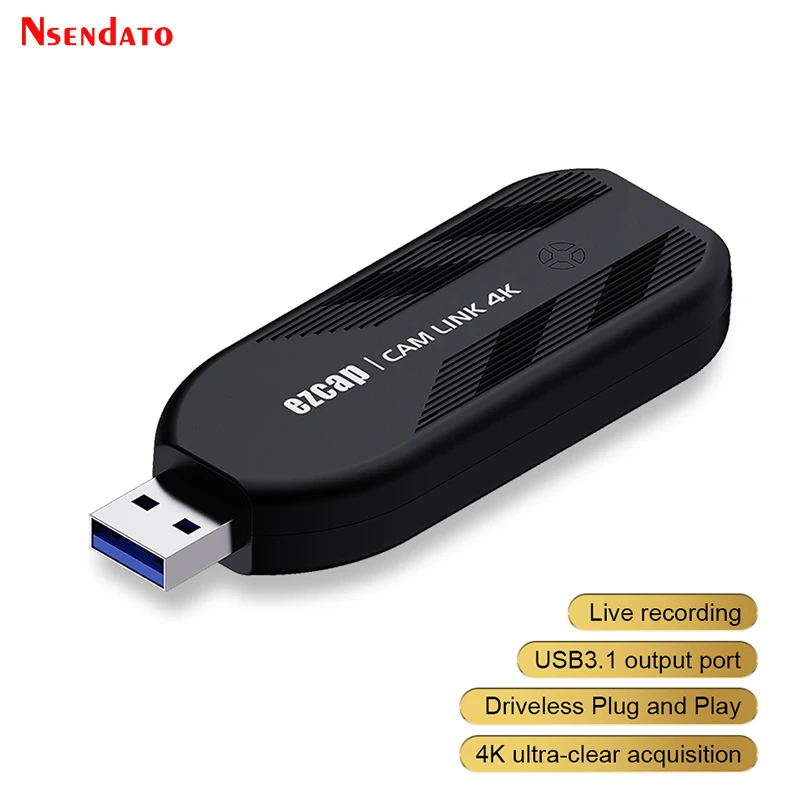
Ezcap331 camlink 4k 30Fps 1080P 120hz HDMI Video Capture Card USB 3.0 Broadcast Live Streaming Record For DSLR Camcorder Camera
<div class="detailmodule_html"><div class="detail-desc-decorate-richtext"><br /><br /><p><br /></p><div class="detailmodule_media">
<div class="video-container-1100131999531">
<div class="detail-video" id="1100131999531" data-previewurl="https://ae01.alicdn.com/kf/Saa255be83c4a4be0b6e6b00fe10d8ab54.jpg"></div>
</div>
</div><p><br /></p><br /><p>
<kse:widget data-widget-type="customText" id="22569421" title="undefined" type="custom"></kse:widget></p><p><span style="font-size:16px;font-family:arial, helvetica, sans-serif;">Ezcap311 4K 30Fps 1080P 120hz HDMI Video Capture Card USB 3.0 Broadcast Live Streaming Record For DSLR Camcorder Action Camera</span></p><p style="font-size:13.3333px;"></p><div>
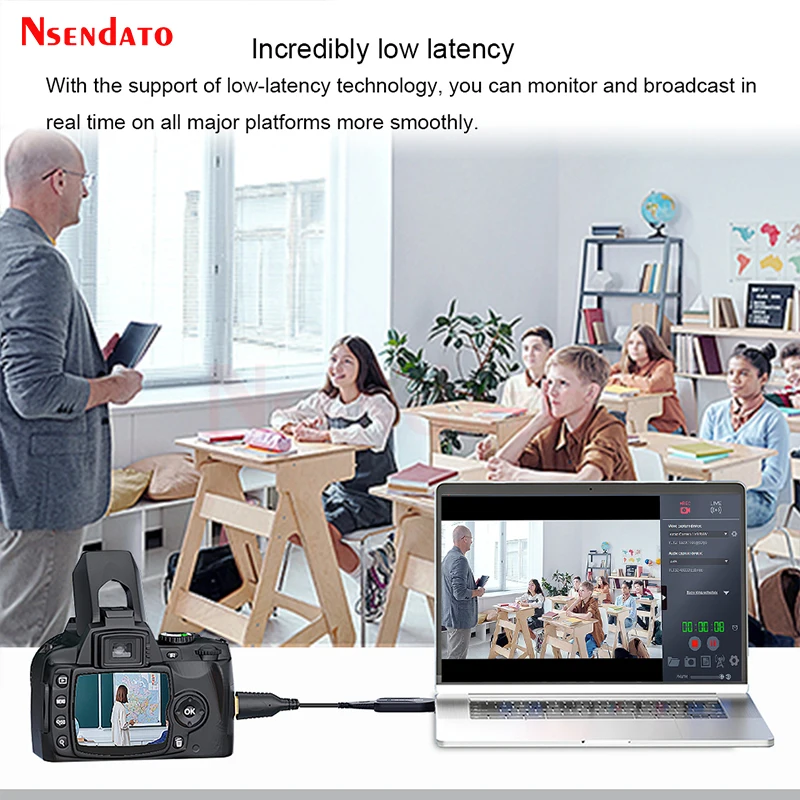
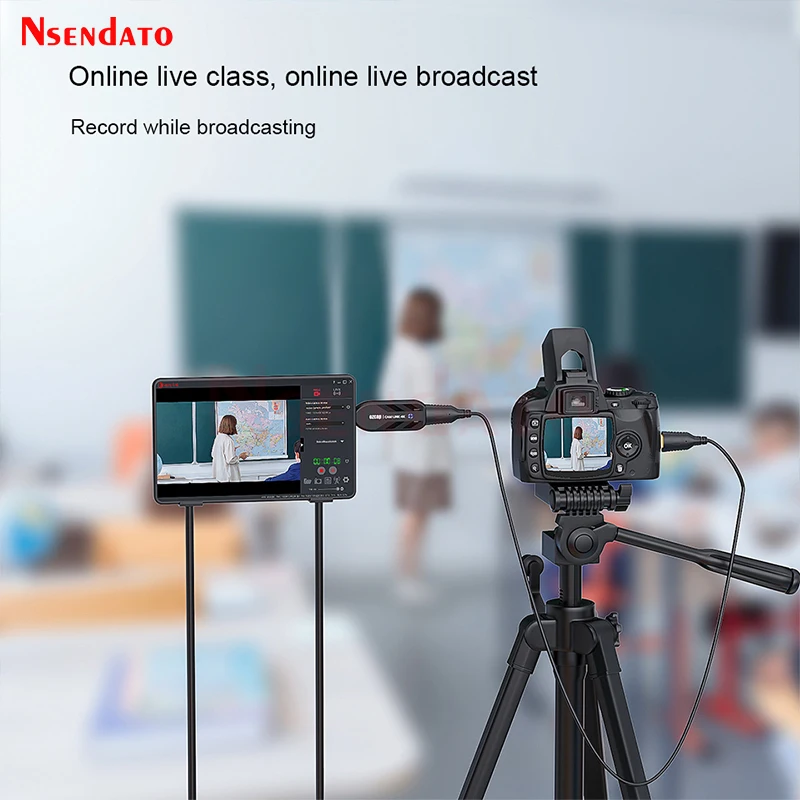
<span style="font-size:16px;font-family:arial, helvetica, sans-serif;">With Ezcap Cam Link 4K, use your DSLR, camcorder or action cam as a professional webcam on your</span>
</div><div>
<span style="font-size:16px;font-family:arial, helvetica, sans-serif;">PC or Mac. Stream or record in stunning 1080p60 quality or even 4K at 30 fps. And broadcast live via</span>
</div><div>
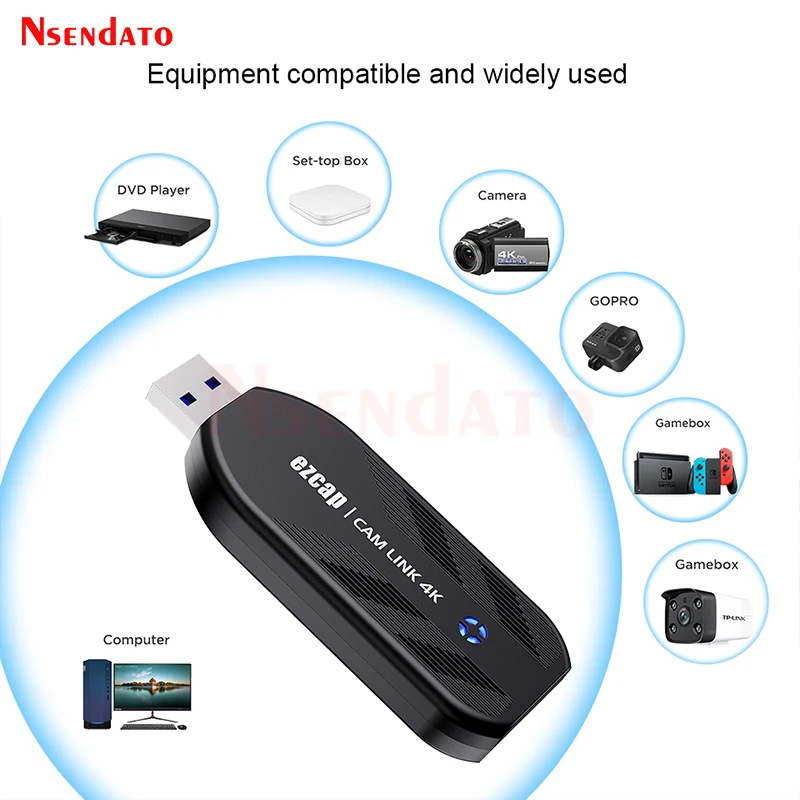
<span style="font-size:16px;font-family:arial, helvetica, sans-serif;">any platform in no time thanks to ultra-low latency technology. Say goodbye to maxing out your memory card mid-shoot or discovering shoddy shots while editing. It also compatible with varies kinds of other</span>
</div><div>
<span style="font-size:16px;font-family:arial, helvetica, sans-serif;">HDMI Video source devices,such as For PS3/4/5/Xbox/DVD/TV Box/Computer/Laptop PC/mobile phone etc.</span>
</div><div>
</div><div>
<span style="font-size:16px;font-family:arial, helvetica, sans-serif;">Features:</span>
</div><div>
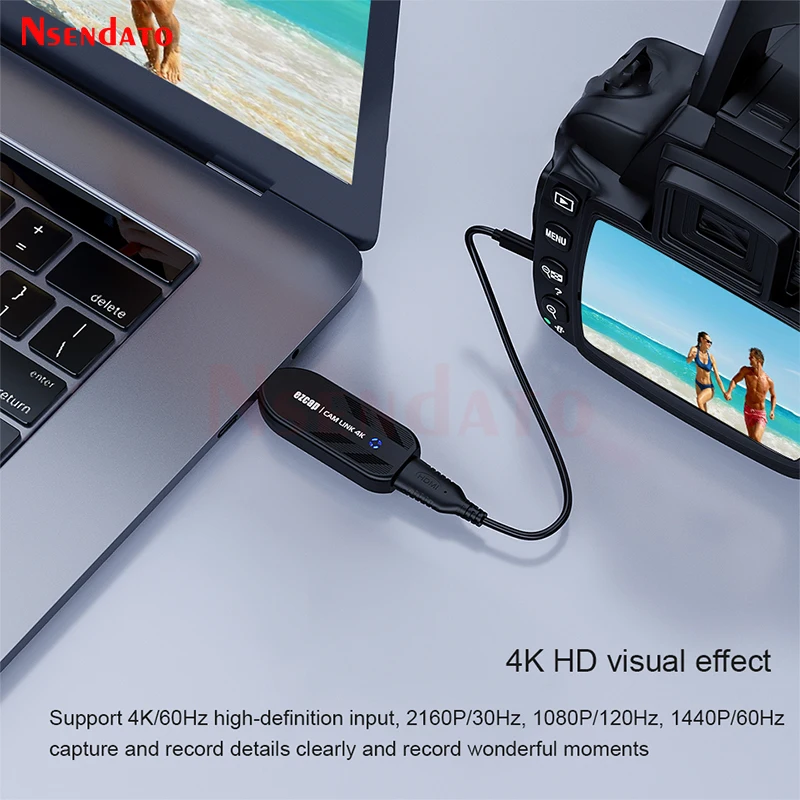
<span style="font-size:16px;font-family:arial, helvetica, sans-serif;">2160p30, 1080p120 and 1440p60 HDMI input.</span>
</div><div>
<span style="font-size:16px;font-family:arial, helvetica, sans-serif;">1080p120, 2160p30 and 1440p60 recording and live streaming</span>
</div><div>
<span style="font-size:16px;font-family:arial, helvetica, sans-serif;">Easily connect your DSLR, camcorder, or action cam and record save to your PC or Mac</span>
</div><div>
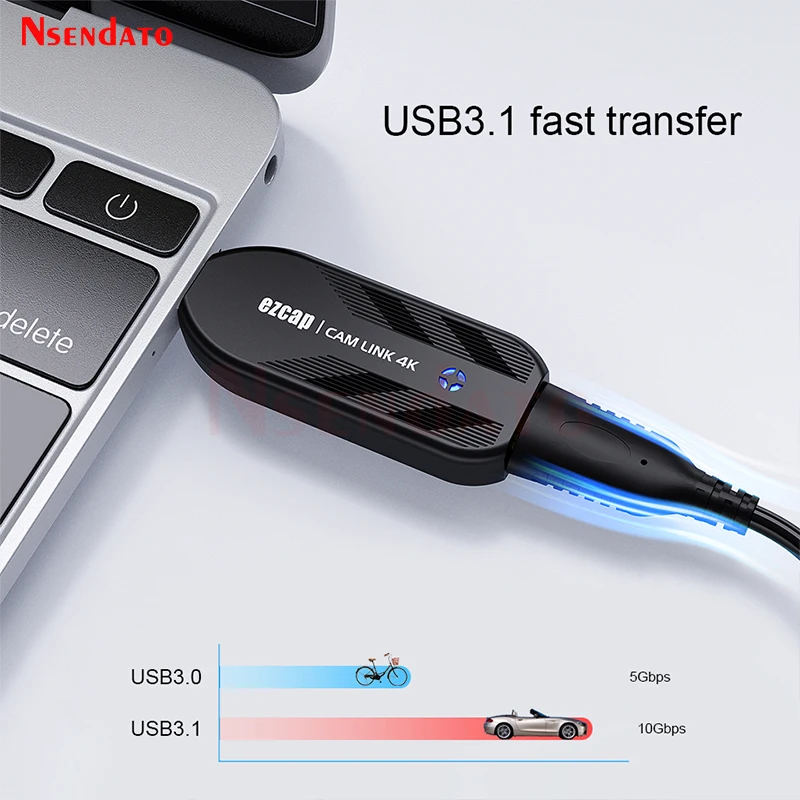
<span style="font-size:16px;font-family:arial, helvetica, sans-serif;">USB 3.1 super fast speed. Ultra-low-latency technology</span>
</div><div>
<span style="font-size:16px;font-family:arial, helvetica, sans-serif;">RGB real color video format up to 1080p30.</span>
</div><div>
<span style="font-size:16px;font-family:arial, helvetica, sans-serif;">LED status indicator: Red-power, Blue-HDMI connected, Green-device running.</span>
</div><div>
<span style="font-size:16px;font-family:arial, helvetica, sans-serif;">UVC standard, manual driver installation is not needed.</span>
</div><div>
<span style="font-size:16px;font-family:arial, helvetica, sans-serif;">Supports most of third party video capture softwares.</span>
</div><div>
</div><div>
<span style="font-size:16px;font-family:arial, helvetica, sans-serif;">Specifications:</span>
</div><div>
<span style="font-size:16px;font-family:arial, helvetica, sans-serif;">Interface: USB3.0</span>
</div><div>
<span style="font-size:16px;font-family:arial, helvetica, sans-serif;">Video Input: HDMI 1.4</span>
</div><div>
<span style="font-size:16px;font-family:arial, helvetica, sans-serif;">Audio Input: HDMI</span>
</div><div>
<span style="font-size:16px;font-family:arial, helvetica, sans-serif;">Max. Recording Resolution: 1080p120, 2160p30, 1440p60</span>
</div><div>
<span style="font-size:16px;font-family:arial, helvetica, sans-serif;">Supported Resolution: 2160p, 1440p, 1080p, 720p</span>
</div><div>
<span style="font-size:16px;font-family:arial, helvetica, sans-serif;">Video Format: YUY2, NV12, XRGB</span>
</div><div>
<span style="font-size:16px;font-family:arial, helvetica, sans-serif;">Recording Resolution and Max FPS: 3840x2160 - NV12/30; 2560x1440 - NV12/60, YUY/50;</span>
</div><div>
<span style="font-size:16px;font-family:arial, helvetica, sans-serif;">1920x1080 - NV12/120, YUY/60, XRGB/30; 1280x720 - NV12/60, YUY/60, XRGB/60.</span>
</div><div>
</div><div>
<span style="font-size:16px;font-family:arial, helvetica, sans-serif;">System Requirement:</span>
</div><div>
<span style="font-size:16px;font-family:arial, helvetica, sans-serif;">Windows 10 x 64</span>
</div><div>
<span style="font-size:16px;font-family:arial, helvetica, sans-serif;">Laptop:</span>
</div><div>
<span style="font-size:16px;font-family:arial, helvetica, sans-serif;">For 4Kp30 or 1080p120 recording: Intel Core i7-7700HQ or above,</span>
</div><div>
<span style="font-size:16px;font-family:arial, helvetica, sans-serif;">NVIDIA GeForce GTX1050 Ti or above, 8 GB RAM.</span>
</div><div>
<span style="font-size:16px;font-family:arial, helvetica, sans-serif;">For 1080p60 recording: Intel Core i7-4810MQ, NVIDIA GeForce GTX 870M or above, 8 GB RAM.</span>
</div><div>
</div><div>
<span style="font-size:16px;font-family:arial, helvetica, sans-serif;">Desktop:</span>
</div><div>
<span style="font-size:16px;font-family:arial, helvetica, sans-serif;">For 4Kp30 or 1080p120 recording:Intel Core i5-6XXX / AMD, Ryzen 3 XXX or above,</span>
</div><div>
<span style="font-size:16px;font-family:arial, helvetica, sans-serif;">NVIDIA GTX 1060 / AMD RX 5700 or above, 8 GB RAM.</span>
</div><div>
<span style="font-size:16px;font-family:arial, helvetica, sans-serif;">For 1080p60 recording:Intel Core i7-3770 recommended, NVIDIA GeForce GTX 650 / AMD Radeon R7 250X or above, 4 GB RAM.</span>
</div><div>
</div><div>
<span style="font-size:16px;font-family:arial, helvetica, sans-serif;">For Mac OS High Sierra 10.15 and above.</span>
</div><div>
<span style="font-size:16px;font-family:arial, helvetica, sans-serif;">For 4Kp30 or 1080p120 recording:</span>
</div><div>
<span style="font-size:16px;font-family:arial, helvetica, sans-serif;">For iMac 2019: 3.2GHz 6-core Intel Core i7, Radeon Pro 555X with 2GB of GDDR5 memory,</span>
</div><div>
<span style="font-size:16px;font-family:arial, helvetica, sans-serif;">16GB of 2400MHz DDR4 memory.</span>
</div><div>
<span style="font-size:16px;font-family:arial, helvetica, sans-serif;">for MacBook Pro 2018: 2.6GHz 6-core Intel Core i7, Radeon Pro 560X with 4GB of GDDR5</span>
</div><div>
<span style="font-size:16px;font-family:arial, helvetica, sans-serif;">memory or above, 16GB of 2400MHz DDR4 memory.</span>
</div><div>
</div><div>
<span style="font-size:16px;font-family:arial, helvetica, sans-serif;">Package:</span>
</div><div>
<span style="font-size:16px;font-family:arial, helvetica, sans-serif;">Ezcap331 CAM LINK 4K x1</span>
</div><div>
<span style="font-size:16px;font-family:arial, helvetica, sans-serif;">Manual x1</span>
</div><p style="font-size:13.3333px;"></p><p></p><p style="font-size:13.3333px;"></p><div style="font-size:13.3333px;margin:0px;padding:0px 0px 0px 0em;margin:0px;padding-top:0px;padding-right:0px;padding-bottom:0px;">
<div>
</div>
<div>
</div>
<div>
</div>
<div>
</div>
<div>
</div>
<div>
</div>
<div>
</div>
<div>
</div>
<div>
</div>
<div>
</div>
<div>
</div>
<div>
</div>
<div>
</div>
</div><p>
<kse:widget data-widget-type="customText" id="1005000001165679" title="undefined" type="custom"></kse:widget></p><br /></div></div>
$69.365
$66.05
- Category : Security & Protection
- Brand : nsendato_office_store_store Nsendato Office Store Store
Colors
Sizes
-
+

<div class="detailmodule_html"><div class="detail-desc-decorate-richtext"><br /><br /><p><br /></p><div class="detailmodule_media">
<div class="video-container-1100131999531">
<div class="detail-video" id="1100131999531" data-previewurl="https://ae01.alicdn.com/kf/Saa255be83c4a4be0b6e6b00fe10d8ab54.jpg"></div>
</div>
</div><p><br /></p><br /><p>
<kse:widget data-widget-type="customText" id="22569421" title="undefined" type="custom"></kse:widget></p><p><span style="font-size:16px;font-family:arial, helvetica, sans-serif;">Ezcap311 4K 30Fps 1080P 120hz HDMI Video Capture Card USB 3.0 Broadcast Live Streaming Record For DSLR Camcorder Action Camera</span></p><p style="font-size:13.3333px;"></p><div>
<span style="font-size:16px;font-family:arial, helvetica, sans-serif;">With Ezcap Cam Link 4K, use your DSLR, camcorder or action cam as a professional webcam on your</span>
</div><div>
<span style="font-size:16px;font-family:arial, helvetica, sans-serif;">PC or Mac. Stream or record in stunning 1080p60 quality or even 4K at 30 fps. And broadcast live via</span>
</div><div>
<span style="font-size:16px;font-family:arial, helvetica, sans-serif;">any platform in no time thanks to ultra-low latency technology. Say goodbye to maxing out your memory card mid-shoot or discovering shoddy shots while editing. It also compatible with varies kinds of other</span>
</div><div>
<span style="font-size:16px;font-family:arial, helvetica, sans-serif;">HDMI Video source devices,such as For PS3/4/5/Xbox/DVD/TV Box/Computer/Laptop PC/mobile phone etc.</span>
</div><div>
</div><div>
<span style="font-size:16px;font-family:arial, helvetica, sans-serif;">Features:</span>
</div><div>
<span style="font-size:16px;font-family:arial, helvetica, sans-serif;">2160p30, 1080p120 and 1440p60 HDMI input.</span>
</div><div>
<span style="font-size:16px;font-family:arial, helvetica, sans-serif;">1080p120, 2160p30 and 1440p60 recording and live streaming</span>
</div><div>
<span style="font-size:16px;font-family:arial, helvetica, sans-serif;">Easily connect your DSLR, camcorder, or action cam and record save to your PC or Mac</span>
</div><div>
<span style="font-size:16px;font-family:arial, helvetica, sans-serif;">USB 3.1 super fast speed. Ultra-low-latency technology</span>
</div><div>
<span style="font-size:16px;font-family:arial, helvetica, sans-serif;">RGB real color video format up to 1080p30.</span>
</div><div>
<span style="font-size:16px;font-family:arial, helvetica, sans-serif;">LED status indicator: Red-power, Blue-HDMI connected, Green-device running.</span>
</div><div>
<span style="font-size:16px;font-family:arial, helvetica, sans-serif;">UVC standard, manual driver installation is not needed.</span>
</div><div>
<span style="font-size:16px;font-family:arial, helvetica, sans-serif;">Supports most of third party video capture softwares.</span>
</div><div>
</div><div>
<span style="font-size:16px;font-family:arial, helvetica, sans-serif;">Specifications:</span>
</div><div>
<span style="font-size:16px;font-family:arial, helvetica, sans-serif;">Interface: USB3.0</span>
</div><div>
<span style="font-size:16px;font-family:arial, helvetica, sans-serif;">Video Input: HDMI 1.4</span>
</div><div>
<span style="font-size:16px;font-family:arial, helvetica, sans-serif;">Audio Input: HDMI</span>
</div><div>
<span style="font-size:16px;font-family:arial, helvetica, sans-serif;">Max. Recording Resolution: 1080p120, 2160p30, 1440p60</span>
</div><div>
<span style="font-size:16px;font-family:arial, helvetica, sans-serif;">Supported Resolution: 2160p, 1440p, 1080p, 720p</span>
</div><div>
<span style="font-size:16px;font-family:arial, helvetica, sans-serif;">Video Format: YUY2, NV12, XRGB</span>
</div><div>
<span style="font-size:16px;font-family:arial, helvetica, sans-serif;">Recording Resolution and Max FPS: 3840x2160 - NV12/30; 2560x1440 - NV12/60, YUY/50;</span>
</div><div>
<span style="font-size:16px;font-family:arial, helvetica, sans-serif;">1920x1080 - NV12/120, YUY/60, XRGB/30; 1280x720 - NV12/60, YUY/60, XRGB/60.</span>
</div><div>
</div><div>
<span style="font-size:16px;font-family:arial, helvetica, sans-serif;">System Requirement:</span>
</div><div>
<span style="font-size:16px;font-family:arial, helvetica, sans-serif;">Windows 10 x 64</span>
</div><div>
<span style="font-size:16px;font-family:arial, helvetica, sans-serif;">Laptop:</span>
</div><div>
<span style="font-size:16px;font-family:arial, helvetica, sans-serif;">For 4Kp30 or 1080p120 recording: Intel Core i7-7700HQ or above,</span>
</div><div>
<span style="font-size:16px;font-family:arial, helvetica, sans-serif;">NVIDIA GeForce GTX1050 Ti or above, 8 GB RAM.</span>
</div><div>
<span style="font-size:16px;font-family:arial, helvetica, sans-serif;">For 1080p60 recording: Intel Core i7-4810MQ, NVIDIA GeForce GTX 870M or above, 8 GB RAM.</span>
</div><div>
</div><div>
<span style="font-size:16px;font-family:arial, helvetica, sans-serif;">Desktop:</span>
</div><div>
<span style="font-size:16px;font-family:arial, helvetica, sans-serif;">For 4Kp30 or 1080p120 recording:Intel Core i5-6XXX / AMD, Ryzen 3 XXX or above,</span>
</div><div>
<span style="font-size:16px;font-family:arial, helvetica, sans-serif;">NVIDIA GTX 1060 / AMD RX 5700 or above, 8 GB RAM.</span>
</div><div>
<span style="font-size:16px;font-family:arial, helvetica, sans-serif;">For 1080p60 recording:Intel Core i7-3770 recommended, NVIDIA GeForce GTX 650 / AMD Radeon R7 250X or above, 4 GB RAM.</span>
</div><div>
</div><div>
<span style="font-size:16px;font-family:arial, helvetica, sans-serif;">For Mac OS High Sierra 10.15 and above.</span>
</div><div>
<span style="font-size:16px;font-family:arial, helvetica, sans-serif;">For 4Kp30 or 1080p120 recording:</span>
</div><div>
<span style="font-size:16px;font-family:arial, helvetica, sans-serif;">For iMac 2019: 3.2GHz 6-core Intel Core i7, Radeon Pro 555X with 2GB of GDDR5 memory,</span>
</div><div>
<span style="font-size:16px;font-family:arial, helvetica, sans-serif;">16GB of 2400MHz DDR4 memory.</span>
</div><div>
<span style="font-size:16px;font-family:arial, helvetica, sans-serif;">for MacBook Pro 2018: 2.6GHz 6-core Intel Core i7, Radeon Pro 560X with 4GB of GDDR5</span>
</div><div>
<span style="font-size:16px;font-family:arial, helvetica, sans-serif;">memory or above, 16GB of 2400MHz DDR4 memory.</span>
</div><div>
</div><div>
<span style="font-size:16px;font-family:arial, helvetica, sans-serif;">Package:</span>
</div><div>
<span style="font-size:16px;font-family:arial, helvetica, sans-serif;">Ezcap331 CAM LINK 4K x1</span>
</div><div>
<span style="font-size:16px;font-family:arial, helvetica, sans-serif;">Manual x1</span>
</div><p style="font-size:13.3333px;"></p><p></p><p style="font-size:13.3333px;"></p><div style="font-size:13.3333px;margin:0px;padding:0px 0px 0px 0em;margin:0px;padding-top:0px;padding-right:0px;padding-bottom:0px;">
<div>
</div>
<div>
</div>
<div>
</div>
<div>
</div>
<div>
</div>
<div>
</div>
<div>
</div>
<div>
</div>
<div>
</div>
<div>
</div>
<div>
</div>
<div>
</div>
<div>
</div>
</div><p>
<kse:widget data-widget-type="customText" id="1005000001165679" title="undefined" type="custom"></kse:widget></p><br /></div></div>
Related Product
Browse The Collection of Top Products.