Ezcap350 HD PVR Pro HDR HDMI Video Gaming Capture Record Card 4K 60fps For live streaming Broadcast OBS For PC USB Flash Driver
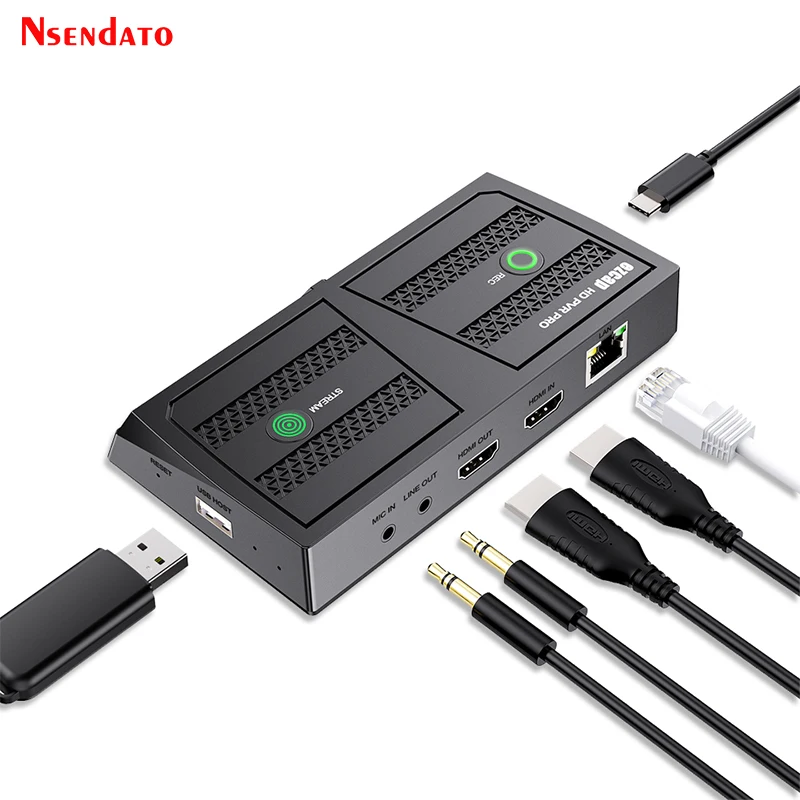
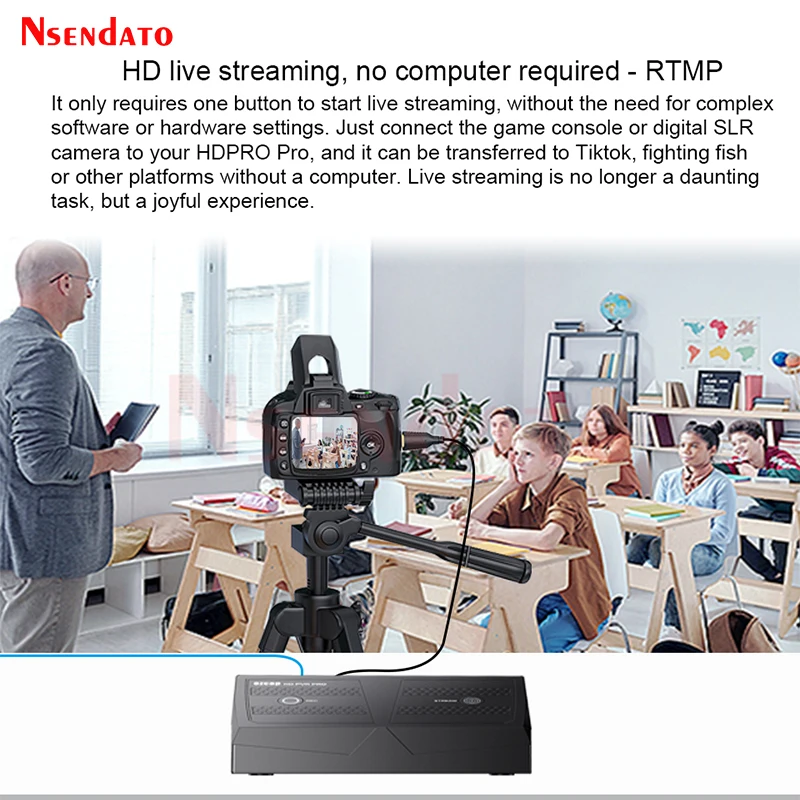
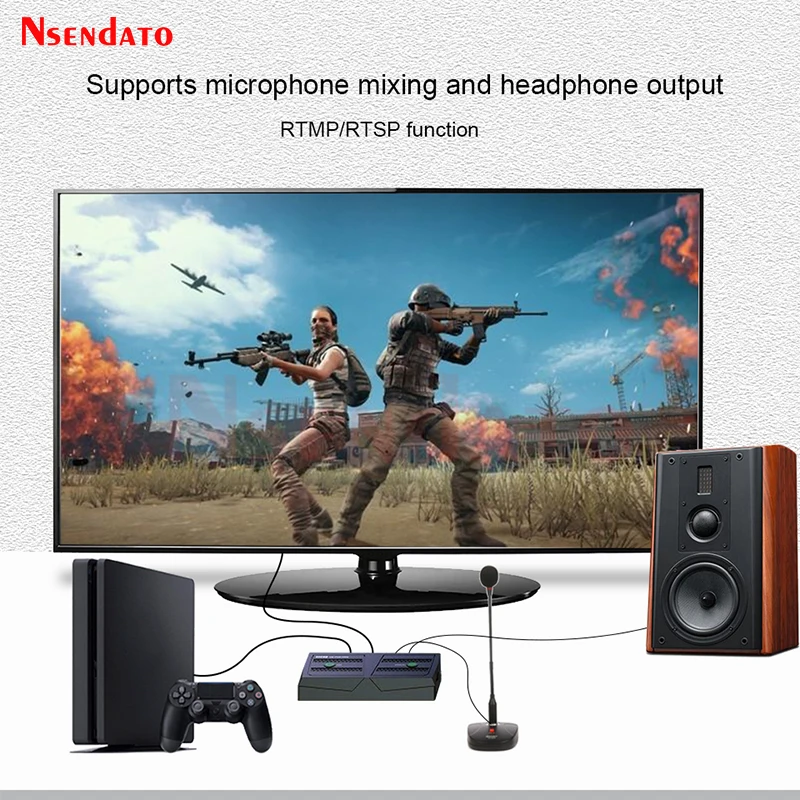
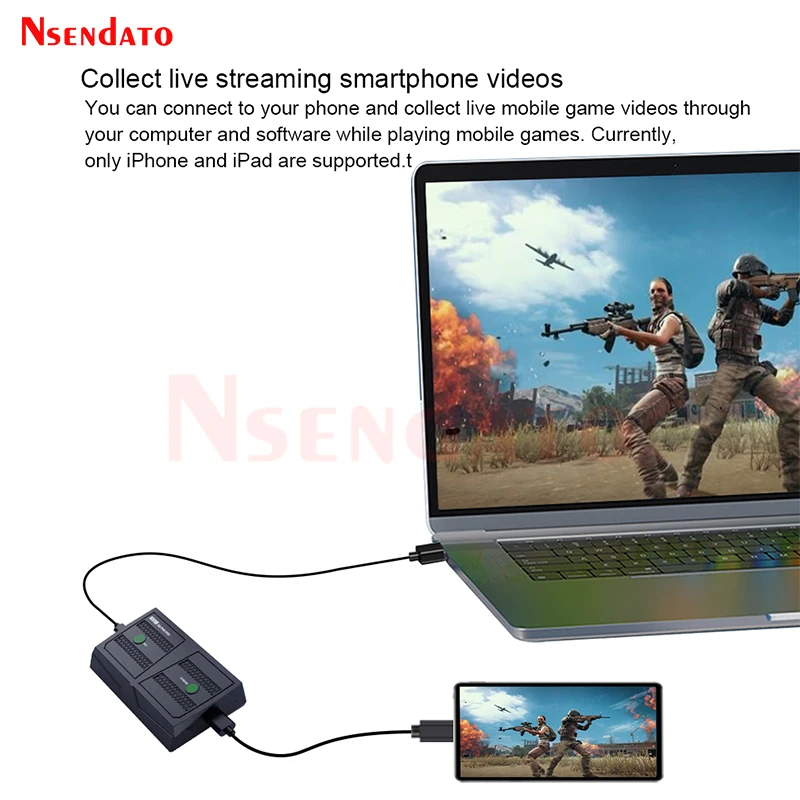
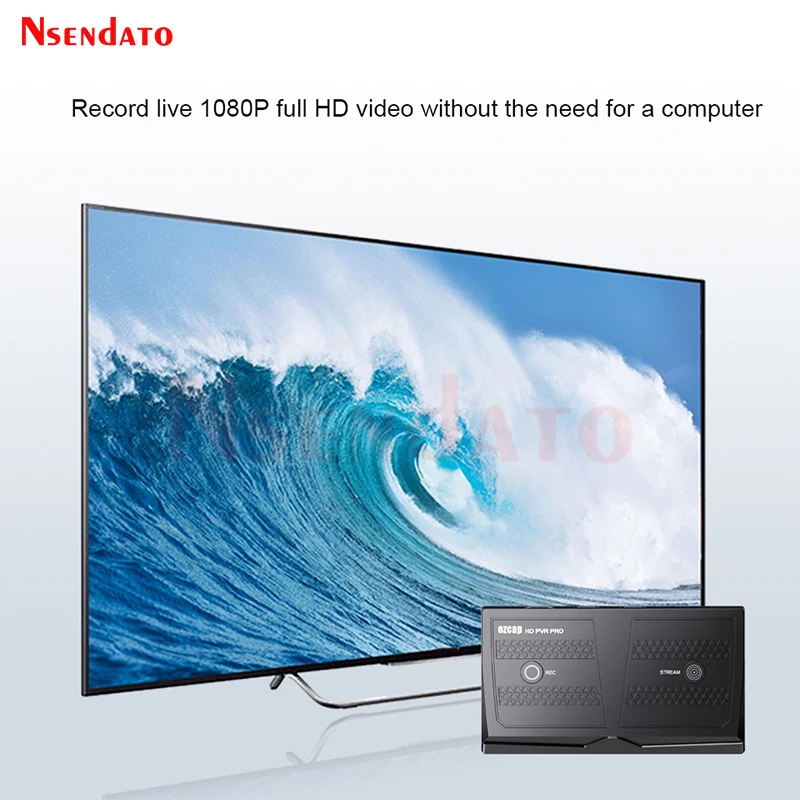
<br/><br/><p><div class="detailmodule_media"><div class="video-container-1100172765408"><div class="detail-video" id="1100172765408" data-previewurl="https://ae01.alicdn.com/kf/S36115da981c042fba93069f2d1dafa60G.jpg"></div></div></div><kse:widget data-widget-type="customText" id="22569421" type="custom"></kse:widget></p><br/><div class="detailmodule_html"><div class="detail-desc-decorate-richtext"><p><br/></p><p><br/></p><p><span style="font-size:16px;font-family:arial, helvetica, sans-serif"><span style="font-size:16px">Ezcap350 HD PVR Pro HDR HDMI Video Gaming Capture Record Card 4K 60fps For live streaming Broadcast OBS For PC USB Flash Driver</span></span></p><p style="font-size:13.3333px"></p><div style="font-size:13.3333px"><div><span style="font-size:16px;font-family:arial, helvetica, sans-serif">Introduction</span></div><div><span style="font-size:16px;font-family:arial, helvetica, sans-serif">Thanks for purchasing ezcap350 HD PVR Pra. Please read this manual before use and keep it in a safe place for future reference.You can use this device: Input and pas through 4Kp60 HDR HDMI video, record video and save in USB flssh drive up to 1080p60 resolution stream live 1080p video on Facabook, YouTube and more with network bonding and H.264 compression, capture and stream ive 1080p video by software on computer,Capture and stream smartphone video by software on computer.</span></div><div> </div><div> </div><div> </div><div><span style="font-size:16px;font-family:arial, helvetica, sans-serif">Overview and Connections</span></div><div><span style="font-size:16px;font-family:arial, helvetica, sans-serif">1:PC/DC- USB-C port,connect to 5V2A USB power supply,or connec to computer USB3.0 port to capture and streaming video by software</span></div><div><span style="font-size:16px;font-family:arial, helvetica, sans-serif">2:LAN-Network port connect to network to streaming video,indictor inside flashing means connected to the network.</span></div><div><span style="font-size:16px;font-family:arial, helvetica, sans-serif">3:HDMI IN-HDMI input port connect to video source with Hdmi cable.</span></div><div><span style="font-size:16px;font-family:arial, helvetica, sans-serif">4:HDMI out-HDMI output port,connect to TV or monitor to show video, not necessary only if you need.</span></div><div><span style="font-size:16px;font-family:arial, helvetica, sans-serif">5:LINE Out-3.5mm 3-pole TRS audio port,connect to earphone or speaker by audio cable, Does not work when device connects to smartphone</span></div><div><span style="font-size:16px;font-family:arial, helvetica, sans-serif">6:MIC IN 3.5mm 3-pole TRS audio part, connect to microphone to mix sound.</span></div><div><span style="font-size:16px;font-family:arial, helvetica, sans-serif">7:USB HOST-Connect to USB flash drive for saving recording video fle, support FAT32 and exFAT formats, NTFS is not Supported. or connect to smartphone to project video to big screen and capture and streaming video.</span></div><div><span style="font-size:16px;font-family:arial, helvetica, sans-serif">8:RESET- Reset buton. use a needle or stick to press it to reset device</span></div><div><span style="font-size:16px;font-family:arial, helvetica, sans-serif">9:STREAM Stream button for streaming video throuigh LAN port, pr9ss itto slart streaming press again 10 stop Indcators WHITE 1 ready to streaming. RED flashing nal ready, GREEN slart streaming</span></div><div><span style="font-size:16px;font-family:arial, helvetica, sans-serif">10:REC-Recard bulton for recording video into USB flash drive, press it to start recording. press again to stop,Indicators WHITE-ready to streaming. RED fashing- not ready GREEN start streaming</span></div><div> </div><div> </div><div> </div><div><span style="font-size:16px;font-family:arial, helvetica, sans-serif">Specifications</span></div><div><span style="font-size:16px;font-family:arial, helvetica, sans-serif">Interface:USB3.0 Type-C, USB2.0 Type-A</span></div><div><span style="font-size:16px;font-family:arial, helvetica, sans-serif">Video Input:HDMI 2.0 USB 2.0 Type-A</span></div><div><span style="font-size:16px;font-family:arial, helvetica, sans-serif">Audio Input:HDMI input,microphone input (3.5mm 3-pole TRS), USB2.0 Type-A</span></div><div><span style="font-size:16px;font-family:arial, helvetica, sans-serif">Video Output:HDMI2.0,USB3.0 Type-C,RJ45 LAN</span></div><div><span style="font-size:16px;font-family:arial, helvetica, sans-serif">Audio Output:HDMI output,earphone output(3.5mm 3-pole TRS USB3.0 Type-C,RJ45 LAN)</span></div><div><span style="font-size:16px;font-family:arial, helvetica, sans-serif">User Interface:Record bution,Stream button,Reset button,Status indicators</span></div><div><span style="font-size:16px;font-family:arial, helvetica, sans-serif">HDMI Input/Passthrough:720x480(60p).720x576(50p),1280x720p(50p/60p).1920x1080(50p/60p).3840x2160(30p/50pi60p)</span></div><div><span style="font-size:16px;font-family:arial, helvetica, sans-serif">Record:720x480(60p).720x576(50p).1280x720p(60p).1920x1080(60p).(1080p50 for 4K60 RGB nput)</span></div><div><span style="font-size:16px;font-family:arial, helvetica, sans-serif">RTMP/RTSP/USB-C output:640x480,1280x720p,1920x1080,max 1080p60</span></div><div><span style="font-size:16px;font-family:arial, helvetica, sans-serif">Storage Media:USB flash drives, USB HDD,Max 2TB,supports FAT32 and exFAT</span></div><div><span style="font-size:16px;font-family:arial, helvetica, sans-serif">Record Quality:Max 16Mbps@1080P 60fps</span></div><div><span style="font-size:16px;font-family:arial, helvetica, sans-serif">Record File:H264 mp4 format,max 4GB per file for FAT32 format storage</span></div><div><span style="font-size:16px;font-family:arial, helvetica, sans-serif">USB-C output format:NV12,MJPG,H.264</span></div><div><span style="font-size:16px;font-family:arial, helvetica, sans-serif">Power Supply:USB Type-C,DC 5V2A(not include power supply adapter)</span></div><div> </div><div> </div><div> </div><div><span style="font-size:16px;font-family:arial, helvetica, sans-serif">Package</span></div><div><span style="font-size:16px;font-family:arial, helvetica, sans-serif">ezcap350 HD PVR Pro</span></div><div><span style="font-size:16px;font-family:arial, helvetica, sans-serif">Manual</span></div><div><span style="font-size:16px;font-family:arial, helvetica, sans-serif">USB Cable</span></div><div><span style="font-size:16px;font-family:arial, helvetica, sans-serif">USB adapter</span></div></div><p style="font-size:13.3333px"></p><p></p><p style="font-size:13.3333px"></p><div style="font-size:13.3333px;margin:0px;margin-bottom:0px;margin-top:0px;margin-left:0px;margin-right:0px;padding:0px 0px 0px 0em;padding-bottom:0px;padding-top:0px;padding-right:0px"><div></div><div></div><div></div><div></div><div></div><div></div><div></div><div></div><div></div><div></div><div></div><div></div><div></div></div><p><kse:widget data-widget-type="customText" id="1005000001165679" type="custom"></kse:widget></p><p><br/></p><div><br/></div></div></div><p><br/></p><br/>
$265.46
$204.86
- Category : Security & Protection
- Brand : nsendato_office_store_store Nsendato Office Store Store
Colors
Sizes
-
+

<br/><br/><p><div class="detailmodule_media"><div class="video-container-1100172765408"><div class="detail-video" id="1100172765408" data-previewurl="https://ae01.alicdn.com/kf/S36115da981c042fba93069f2d1dafa60G.jpg"></div></div></div><kse:widget data-widget-type="customText" id="22569421" type="custom"></kse:widget></p><br/><div class="detailmodule_html"><div class="detail-desc-decorate-richtext"><p><br/></p><p><br/></p><p><span style="font-size:16px;font-family:arial, helvetica, sans-serif"><span style="font-size:16px">Ezcap350 HD PVR Pro HDR HDMI Video Gaming Capture Record Card 4K 60fps For live streaming Broadcast OBS For PC USB Flash Driver</span></span></p><p style="font-size:13.3333px"></p><div style="font-size:13.3333px"><div><span style="font-size:16px;font-family:arial, helvetica, sans-serif">Introduction</span></div><div><span style="font-size:16px;font-family:arial, helvetica, sans-serif">Thanks for purchasing ezcap350 HD PVR Pra. Please read this manual before use and keep it in a safe place for future reference.You can use this device: Input and pas through 4Kp60 HDR HDMI video, record video and save in USB flssh drive up to 1080p60 resolution stream live 1080p video on Facabook, YouTube and more with network bonding and H.264 compression, capture and stream ive 1080p video by software on computer,Capture and stream smartphone video by software on computer.</span></div><div> </div><div> </div><div> </div><div><span style="font-size:16px;font-family:arial, helvetica, sans-serif">Overview and Connections</span></div><div><span style="font-size:16px;font-family:arial, helvetica, sans-serif">1:PC/DC- USB-C port,connect to 5V2A USB power supply,or connec to computer USB3.0 port to capture and streaming video by software</span></div><div><span style="font-size:16px;font-family:arial, helvetica, sans-serif">2:LAN-Network port connect to network to streaming video,indictor inside flashing means connected to the network.</span></div><div><span style="font-size:16px;font-family:arial, helvetica, sans-serif">3:HDMI IN-HDMI input port connect to video source with Hdmi cable.</span></div><div><span style="font-size:16px;font-family:arial, helvetica, sans-serif">4:HDMI out-HDMI output port,connect to TV or monitor to show video, not necessary only if you need.</span></div><div><span style="font-size:16px;font-family:arial, helvetica, sans-serif">5:LINE Out-3.5mm 3-pole TRS audio port,connect to earphone or speaker by audio cable, Does not work when device connects to smartphone</span></div><div><span style="font-size:16px;font-family:arial, helvetica, sans-serif">6:MIC IN 3.5mm 3-pole TRS audio part, connect to microphone to mix sound.</span></div><div><span style="font-size:16px;font-family:arial, helvetica, sans-serif">7:USB HOST-Connect to USB flash drive for saving recording video fle, support FAT32 and exFAT formats, NTFS is not Supported. or connect to smartphone to project video to big screen and capture and streaming video.</span></div><div><span style="font-size:16px;font-family:arial, helvetica, sans-serif">8:RESET- Reset buton. use a needle or stick to press it to reset device</span></div><div><span style="font-size:16px;font-family:arial, helvetica, sans-serif">9:STREAM Stream button for streaming video throuigh LAN port, pr9ss itto slart streaming press again 10 stop Indcators WHITE 1 ready to streaming. RED flashing nal ready, GREEN slart streaming</span></div><div><span style="font-size:16px;font-family:arial, helvetica, sans-serif">10:REC-Recard bulton for recording video into USB flash drive, press it to start recording. press again to stop,Indicators WHITE-ready to streaming. RED fashing- not ready GREEN start streaming</span></div><div> </div><div> </div><div> </div><div><span style="font-size:16px;font-family:arial, helvetica, sans-serif">Specifications</span></div><div><span style="font-size:16px;font-family:arial, helvetica, sans-serif">Interface:USB3.0 Type-C, USB2.0 Type-A</span></div><div><span style="font-size:16px;font-family:arial, helvetica, sans-serif">Video Input:HDMI 2.0 USB 2.0 Type-A</span></div><div><span style="font-size:16px;font-family:arial, helvetica, sans-serif">Audio Input:HDMI input,microphone input (3.5mm 3-pole TRS), USB2.0 Type-A</span></div><div><span style="font-size:16px;font-family:arial, helvetica, sans-serif">Video Output:HDMI2.0,USB3.0 Type-C,RJ45 LAN</span></div><div><span style="font-size:16px;font-family:arial, helvetica, sans-serif">Audio Output:HDMI output,earphone output(3.5mm 3-pole TRS USB3.0 Type-C,RJ45 LAN)</span></div><div><span style="font-size:16px;font-family:arial, helvetica, sans-serif">User Interface:Record bution,Stream button,Reset button,Status indicators</span></div><div><span style="font-size:16px;font-family:arial, helvetica, sans-serif">HDMI Input/Passthrough:720x480(60p).720x576(50p),1280x720p(50p/60p).1920x1080(50p/60p).3840x2160(30p/50pi60p)</span></div><div><span style="font-size:16px;font-family:arial, helvetica, sans-serif">Record:720x480(60p).720x576(50p).1280x720p(60p).1920x1080(60p).(1080p50 for 4K60 RGB nput)</span></div><div><span style="font-size:16px;font-family:arial, helvetica, sans-serif">RTMP/RTSP/USB-C output:640x480,1280x720p,1920x1080,max 1080p60</span></div><div><span style="font-size:16px;font-family:arial, helvetica, sans-serif">Storage Media:USB flash drives, USB HDD,Max 2TB,supports FAT32 and exFAT</span></div><div><span style="font-size:16px;font-family:arial, helvetica, sans-serif">Record Quality:Max 16Mbps@1080P 60fps</span></div><div><span style="font-size:16px;font-family:arial, helvetica, sans-serif">Record File:H264 mp4 format,max 4GB per file for FAT32 format storage</span></div><div><span style="font-size:16px;font-family:arial, helvetica, sans-serif">USB-C output format:NV12,MJPG,H.264</span></div><div><span style="font-size:16px;font-family:arial, helvetica, sans-serif">Power Supply:USB Type-C,DC 5V2A(not include power supply adapter)</span></div><div> </div><div> </div><div> </div><div><span style="font-size:16px;font-family:arial, helvetica, sans-serif">Package</span></div><div><span style="font-size:16px;font-family:arial, helvetica, sans-serif">ezcap350 HD PVR Pro</span></div><div><span style="font-size:16px;font-family:arial, helvetica, sans-serif">Manual</span></div><div><span style="font-size:16px;font-family:arial, helvetica, sans-serif">USB Cable</span></div><div><span style="font-size:16px;font-family:arial, helvetica, sans-serif">USB adapter</span></div></div><p style="font-size:13.3333px"></p><p></p><p style="font-size:13.3333px"></p><div style="font-size:13.3333px;margin:0px;margin-bottom:0px;margin-top:0px;margin-left:0px;margin-right:0px;padding:0px 0px 0px 0em;padding-bottom:0px;padding-top:0px;padding-right:0px"><div></div><div></div><div></div><div></div><div></div><div></div><div></div><div></div><div></div><div></div><div></div><div></div><div></div></div><p><kse:widget data-widget-type="customText" id="1005000001165679" type="custom"></kse:widget></p><p><br/></p><div><br/></div></div></div><p><br/></p><br/>
Related Product
Browse The Collection of Top Products.