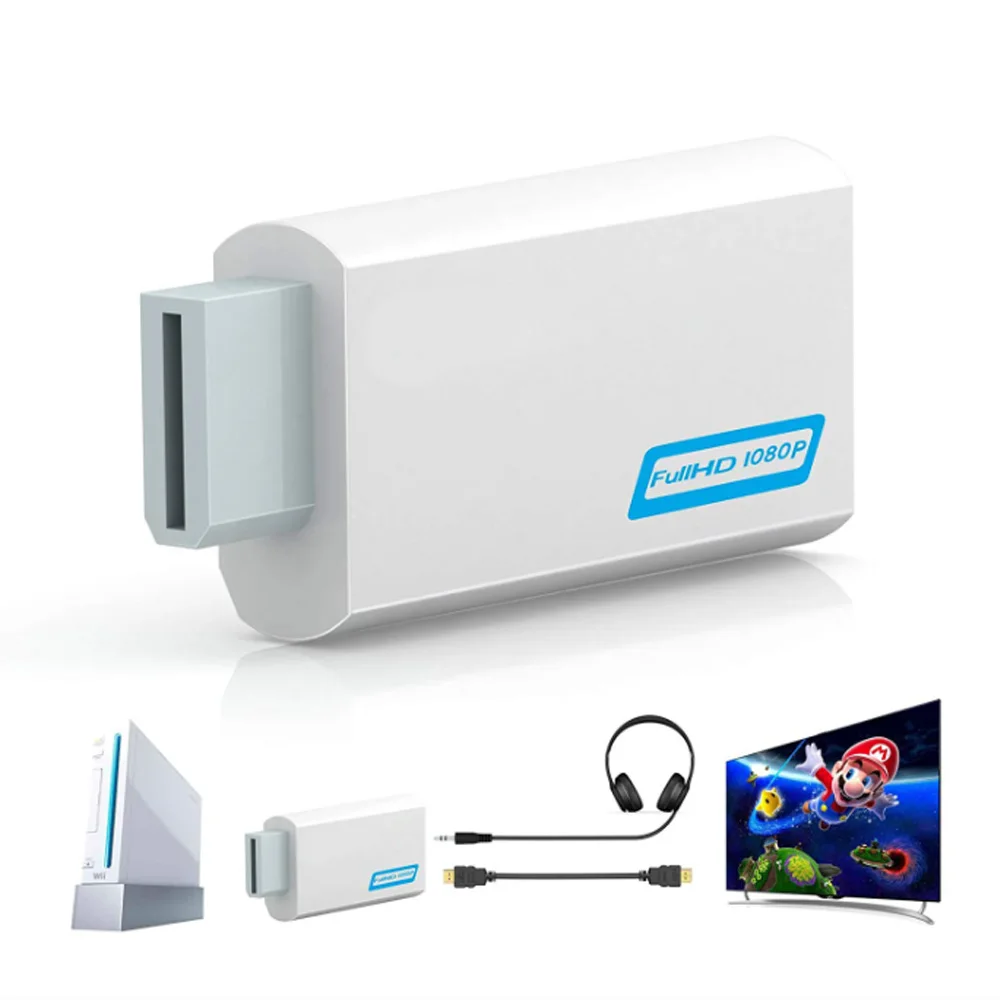
Full HD 1080P HDMI Compatible Converter Adapter HDMI Converter 3.5mm Audio for PC HDTV Monitor Display
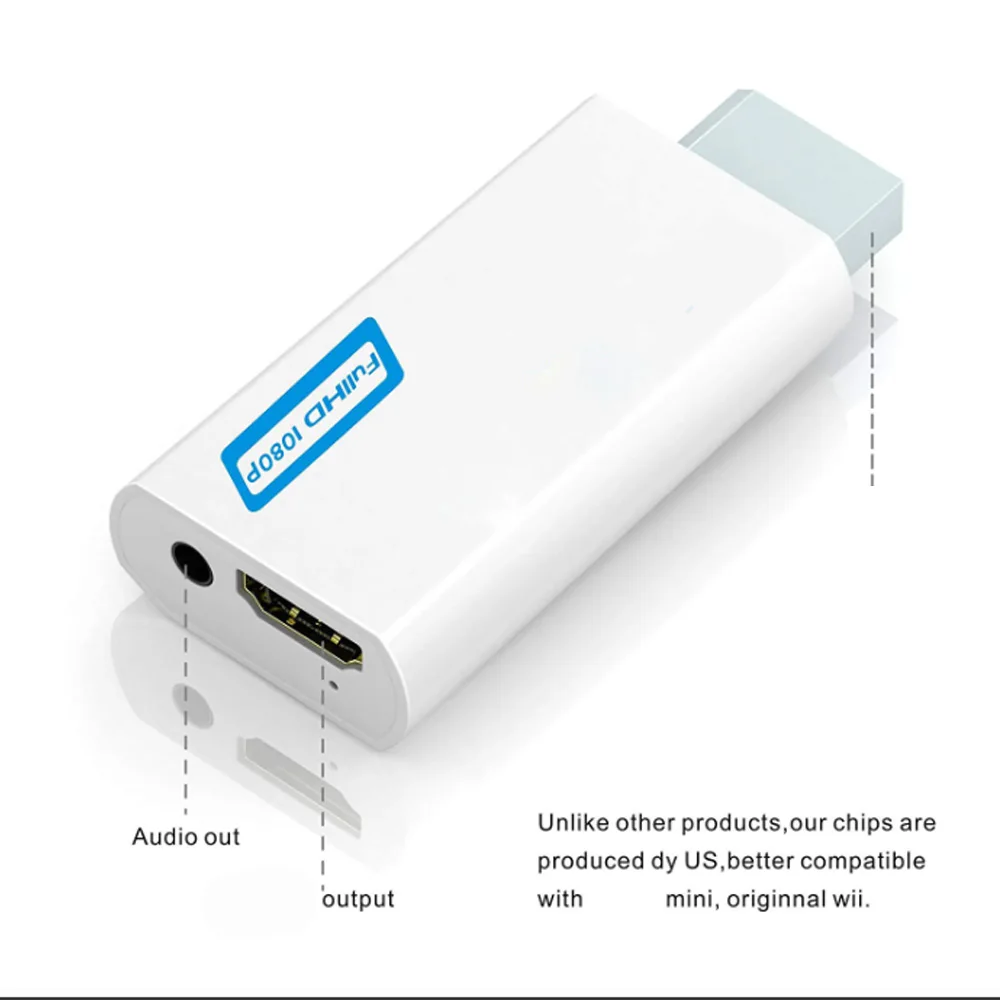
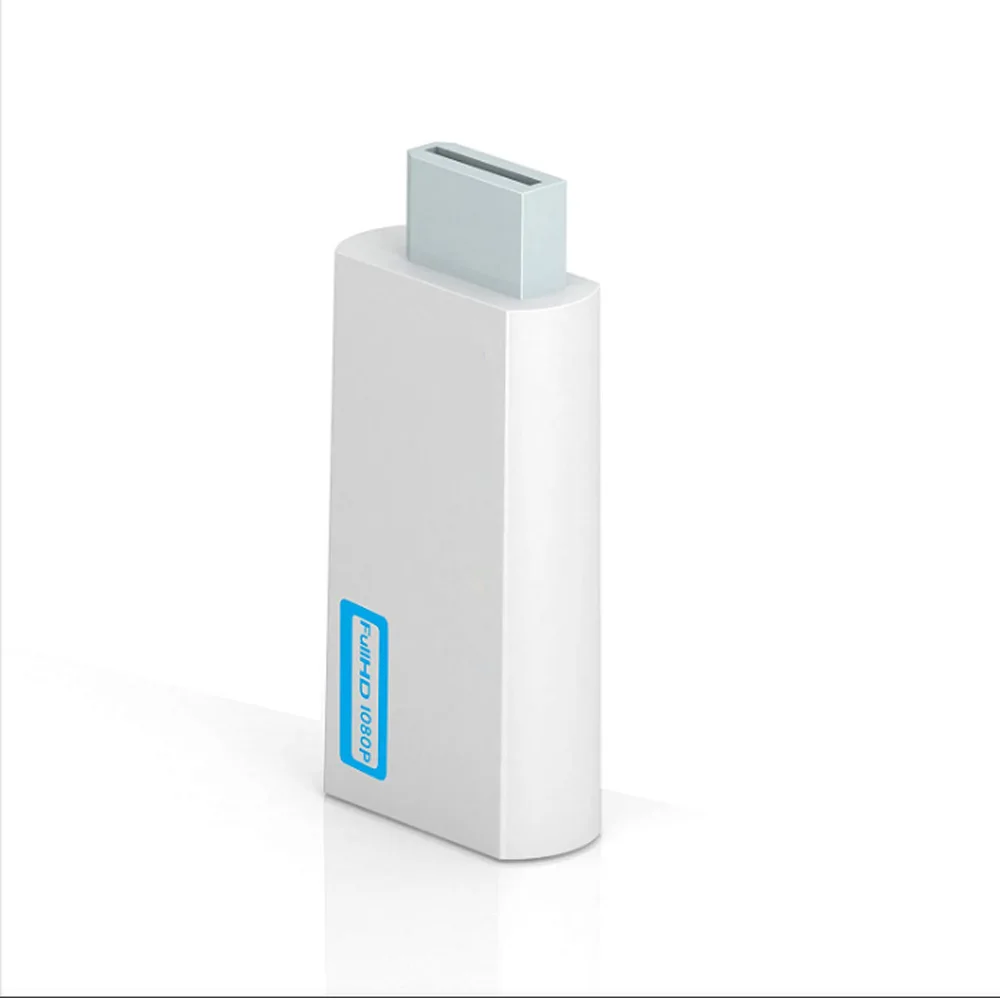
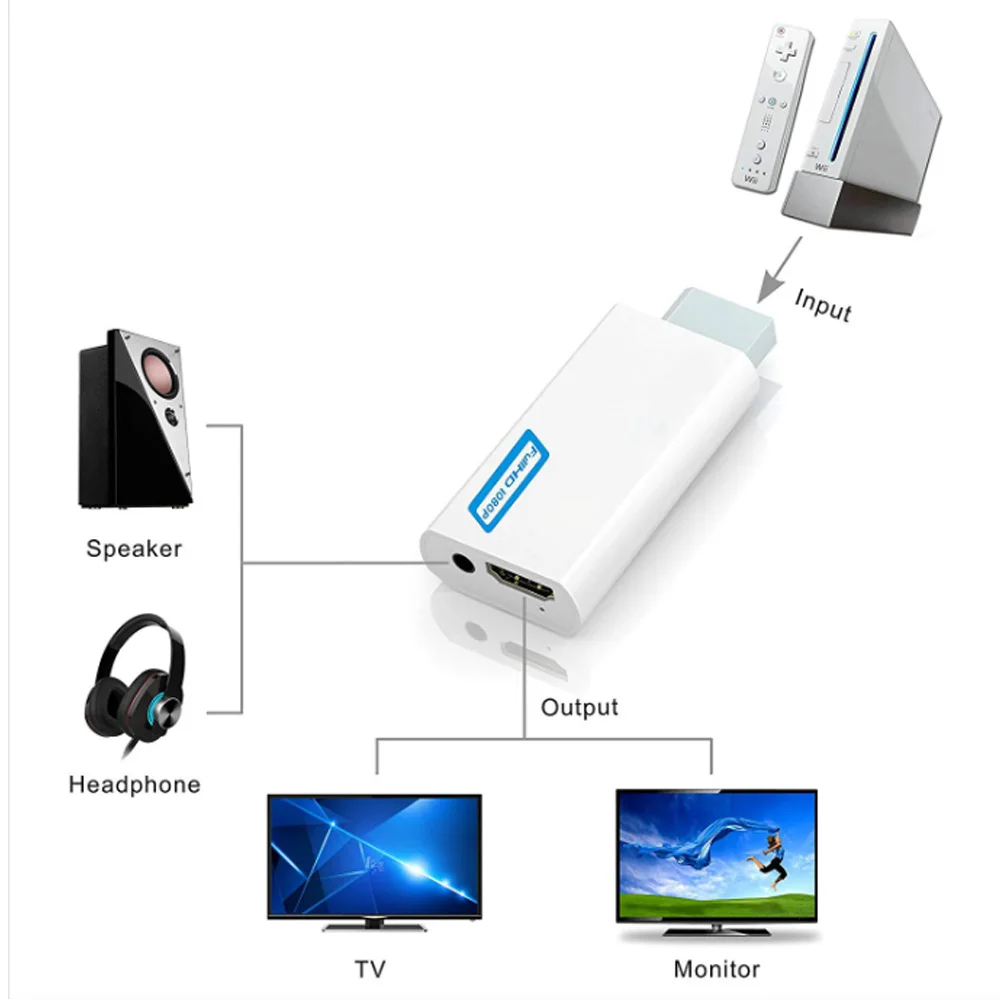
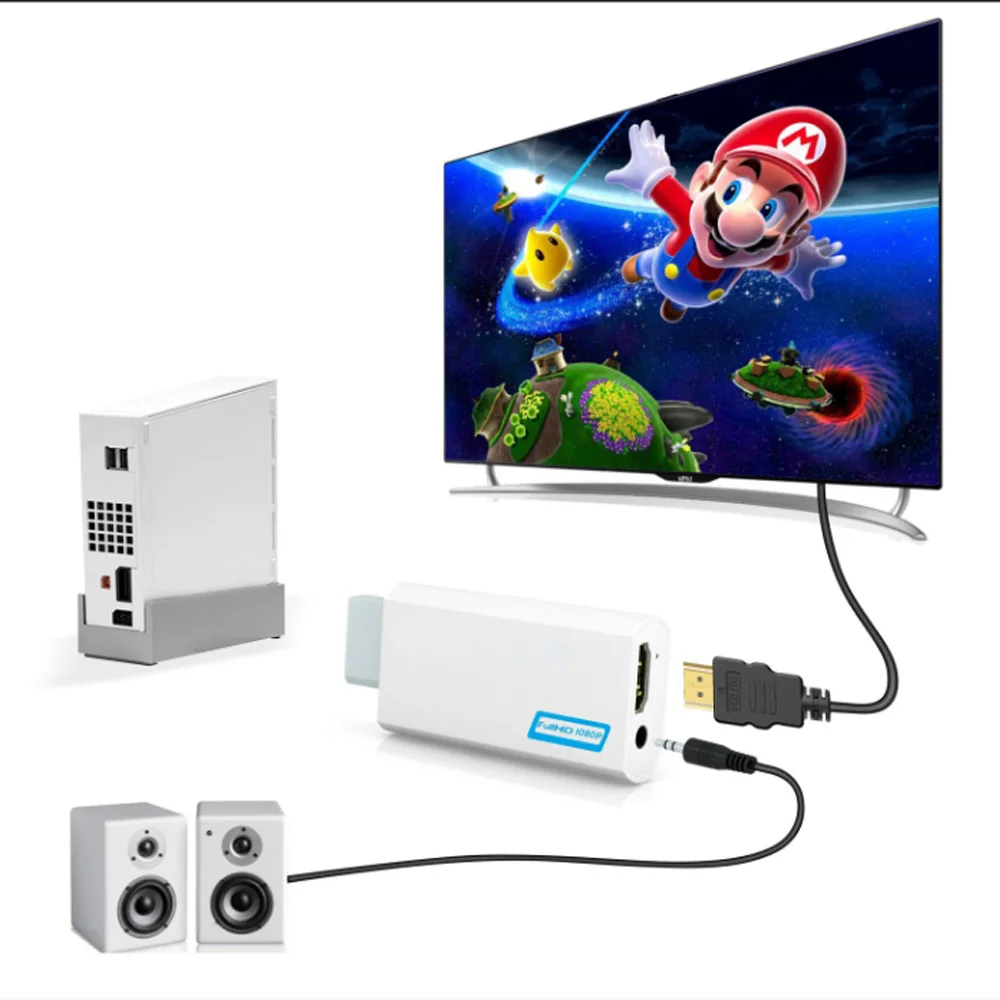
<div class="detailmodule_html"><div class="detail-desc-decorate-richtext"><div class="ai-description"><div class="origin-part box-sizing"><p style="font-family:"Open Sans", sans-serif;font-size:14px;font-weight:400;letter-spacing:normal;line-height:inherit;text-align:start;white-space:normal;color:rgb(0, 0, 0);background-color:rgb(255, 255, 255);margin:0px;margin-bottom:0px;margin-top:0px;margin-left:0px;margin-right:0px;padding:0px;padding-bottom:0px;padding-top:0px;padding-left:0px;padding-right:0px;box-sizing:border-box" align="start"><span style="background-color:rgb(255, 255, 255)"><strong>• Full HD 1080P Resolution :</strong></span><span style="background-color:rgb(255, 255, 255)">Enjoy high-quality video output with a resolution of 1080P, providing clear and crisp visuals.</span></p><p><br/></p><p style="font-family:"Open Sans", sans-serif;font-size:14px;font-weight:400;letter-spacing:normal;line-height:inherit;text-align:start;white-space:normal;color:rgb(0, 0, 0);background-color:rgb(255, 255, 255);margin:0px;margin-bottom:0px;margin-top:0px;margin-left:0px;margin-right:0px;padding:0px;padding-bottom:0px;padding-top:0px;padding-left:0px;padding-right:0px;box-sizing:border-box" align="start"><span style="background-color:rgb(255, 255, 255)"><strong>• HDMI Compatibility :</strong></span><span style="background-color:rgb(255, 255, 255)">Connect to a wide range of devices with HDMI ports, ensuring compatibility and versatility.</span></p><p><br/></p><p style="font-family:"Open Sans", sans-serif;font-size:14px;font-weight:400;letter-spacing:normal;line-height:inherit;text-align:start;white-space:normal;color:rgb(0, 0, 0);background-color:rgb(255, 255, 255);margin:0px;margin-bottom:0px;margin-top:0px;margin-left:0px;margin-right:0px;padding:0px;padding-bottom:0px;padding-top:0px;padding-left:0px;padding-right:0px;box-sizing:border-box" align="start"><span style="background-color:rgb(255, 255, 255)"><strong>• 3.5mm Audio Output :</strong></span><span style="background-color:rgb(255, 255, 255)">Experience high-quality audio output with a 3.5mm audio port, delivering clear and balanced sound.</span></p><p><br/></p><p style="font-family:"Open Sans", sans-serif;font-size:14px;font-weight:400;letter-spacing:normal;line-height:inherit;text-align:start;white-space:normal;color:rgb(0, 0, 0);background-color:rgb(255, 255, 255);margin:0px;margin-bottom:0px;margin-top:0px;margin-left:0px;margin-right:0px;padding:0px;padding-bottom:0px;padding-top:0px;padding-left:0px;padding-right:0px;box-sizing:border-box" align="start"><span style="background-color:rgb(255, 255, 255)"><strong>• USB Connector :</strong></span><span style="background-color:rgb(255, 255, 255)">Power your device with the convenient USB connector, providing easy and efficient charging.</span></p><p><br/></p></div></div><p><span style="font-size:14px"><span style="font-family:"Open Sans", Arial, Helvetica, sans-serif, Heiti"><span style="background-color:rgb(255, 255, 255)"><span style="font-size:18px"><span>tohdmi-compatibleconverter support FullHD 720p 1080p 3.5mm audio adapter for HDTV converter</span></span></span></span></span></p><p><span style="font-size:14px"><span style="font-family:"Open Sans", Arial, Helvetica, sans-serif, Heiti"><span style="background-color:rgb(255, 255, 255)"><span style="font-size:18px"><span>The toHDMI-compatibleConverter support game console input, widely used in home entertainment, and various game sites.</span></span></span></span></span></p><p><br/></p><p><span style="font-size:14px"><span style="font-family:"Open Sans", Arial, Helvetica, sans-serif, Heiti"><span style="background-color:rgb(255, 255, 255)"><span style="font-size:18px"><span>Signal Stability</span></span></span></span></span></p><p><span style="font-size:14px"><span style="font-family:"Open Sans", Arial, Helvetica, sans-serif, Heiti"><span style="background-color:rgb(255, 255, 255)"><span style="font-size:18px"><span>HDMI-compatibleconverter converts the standard Wii output into ancompatible device allowing audio and video to be carried over a singleHDMI-compatiblecable.</span></span></span></span></span></p><p><span style="font-size:14px"><span style="font-family:"Open Sans", Arial, Helvetica, sans-serif, Heiti"><span style="background-color:rgb(255, 255, 255)"><span style="font-size:18px"><span>It outputs video and audio in full digital format and supports all Wii display modes (NTSC 480i 480p, PAL 576i).</span></span></span></span></span></p><p><br/></p><p><span style="font-size:14px"><span style="font-family:"Open Sans", Arial, Helvetica, sans-serif, Heiti"><span style="background-color:rgb(255, 255, 255)"><span style="font-size:18px"><span>Easy Plug and Play</span></span></span></span></span></p><p><span style="font-size:14px"><span style="font-family:"Open Sans", Arial, Helvetica, sans-serif, Heiti"><span style="background-color:rgb(255, 255, 255)"><span style="font-size:18px"><span>The toHDMI-compatibleAdapter can connect with PC speakers and headset directly.No power adaptor, no messy cords--With just oneHDMI-compatiblecable,</span></span></span></span></span></p><p><span style="font-size:14px"><span style="font-family:"Open Sans", Arial, Helvetica, sans-serif, Heiti"><span style="background-color:rgb(255, 255, 255)"><span style="font-size:18px"><span>plug and play for true-to-life video/audio effects on your TV/monitor</span></span></span></span></span><span style="font-size:14px"><span style="background-color:rgb(255, 255, 255)"><span><span style="font-family:arial"><br/><br/></span></span></span></span><span style="font-size:14px"><span style="background-color:rgb(255, 255, 255)"><span style="font-family:arial"><u><span>Specifications:</span></u></span></span></span><span style="font-size:14px"><span style="background-color:rgb(255, 255, 255)"><span style="font-family:arial"><span><br/>Power consumption: Below 2W<br/>Supported Video input Mode: Includes all the display modes of the Wii console (NTSC 480i 480p, PAL 576i)<br/>Supported HDoutput Mode: Outputs pure digitalHDMI-compatiblevideo/audio signals<br/>Input Connector: AV Multi Out Plug<br/>Output Connectors:</span></span></span></span>HDMI-compatible<span> </span><span style="font-size:14px"><span style="background-color:rgb(255, 255, 255)"><span><span style="font-family:arial">Connector & 3.5mm Stereo Audio Jack<br/><br/></span></span></span></span><span style="font-size:14px"><span style="background-color:rgb(255, 255, 255)"><span style="font-family:arial"><u><span>Two ways to solve without audio</span></u></span></span></span><span style="font-size:14px"><span style="background-color:rgb(255, 255, 255)"><span><span style="font-family:arial"><br/>Set your Wii to LPCM mode first and change aHDMI-compatibleinterface of your TV to plug if the first step didn't work<br/><br/></span></span></span></span><span style="font-size:14px"><span style="background-color:rgb(255, 255, 255)"><span style="font-family:arial"><u><span>Please note</span></u></span></span></span><span style="font-size:14px"><span style="background-color:rgb(255, 255, 255)"><span style="font-family:arial"><span><br/>When you install the to</span></span></span></span>HDMI-compatible<span> </span><span style="font-size:14px"><span style="background-color:rgb(255, 255, 255)"><span><span style="font-family:arial">and start to work, If the following problem occurs, please contact us, we will solve the problem for you.<br/>1.No signal or doesn't work<br/>2.No picture display, no sound, screen is unclear, flashing<br/>3.Have picture no sound or have sound no picture</span></span></span></span></p><p></p><p><span style="font-size:16px"><strong>Notice:</strong></span></p><p>*Images on this page are for illustration only and the design of the actual product may differ.</p><p><br/></p><p>*All data on this page are from laboratories, actual results may vary according to differences in software version, environment and phone edition.</p><p><br/></p><p>*Channel availability may vary between markets. Local standards and laws may vary, please ensure this product meets local requirements before purchasing.</p><p><br/></p></div></div><br/>
$12.995
$7.49
- Category : Consumer Electronics
- Brand : yuejun_store YueJun Store
Colors
Sizes
-
+

<div class="detailmodule_html"><div class="detail-desc-decorate-richtext"><div class="ai-description"><div class="origin-part box-sizing"><p style="font-family:"Open Sans", sans-serif;font-size:14px;font-weight:400;letter-spacing:normal;line-height:inherit;text-align:start;white-space:normal;color:rgb(0, 0, 0);background-color:rgb(255, 255, 255);margin:0px;margin-bottom:0px;margin-top:0px;margin-left:0px;margin-right:0px;padding:0px;padding-bottom:0px;padding-top:0px;padding-left:0px;padding-right:0px;box-sizing:border-box" align="start"><span style="background-color:rgb(255, 255, 255)"><strong>• Full HD 1080P Resolution :</strong></span><span style="background-color:rgb(255, 255, 255)">Enjoy high-quality video output with a resolution of 1080P, providing clear and crisp visuals.</span></p><p><br/></p><p style="font-family:"Open Sans", sans-serif;font-size:14px;font-weight:400;letter-spacing:normal;line-height:inherit;text-align:start;white-space:normal;color:rgb(0, 0, 0);background-color:rgb(255, 255, 255);margin:0px;margin-bottom:0px;margin-top:0px;margin-left:0px;margin-right:0px;padding:0px;padding-bottom:0px;padding-top:0px;padding-left:0px;padding-right:0px;box-sizing:border-box" align="start"><span style="background-color:rgb(255, 255, 255)"><strong>• HDMI Compatibility :</strong></span><span style="background-color:rgb(255, 255, 255)">Connect to a wide range of devices with HDMI ports, ensuring compatibility and versatility.</span></p><p><br/></p><p style="font-family:"Open Sans", sans-serif;font-size:14px;font-weight:400;letter-spacing:normal;line-height:inherit;text-align:start;white-space:normal;color:rgb(0, 0, 0);background-color:rgb(255, 255, 255);margin:0px;margin-bottom:0px;margin-top:0px;margin-left:0px;margin-right:0px;padding:0px;padding-bottom:0px;padding-top:0px;padding-left:0px;padding-right:0px;box-sizing:border-box" align="start"><span style="background-color:rgb(255, 255, 255)"><strong>• 3.5mm Audio Output :</strong></span><span style="background-color:rgb(255, 255, 255)">Experience high-quality audio output with a 3.5mm audio port, delivering clear and balanced sound.</span></p><p><br/></p><p style="font-family:"Open Sans", sans-serif;font-size:14px;font-weight:400;letter-spacing:normal;line-height:inherit;text-align:start;white-space:normal;color:rgb(0, 0, 0);background-color:rgb(255, 255, 255);margin:0px;margin-bottom:0px;margin-top:0px;margin-left:0px;margin-right:0px;padding:0px;padding-bottom:0px;padding-top:0px;padding-left:0px;padding-right:0px;box-sizing:border-box" align="start"><span style="background-color:rgb(255, 255, 255)"><strong>• USB Connector :</strong></span><span style="background-color:rgb(255, 255, 255)">Power your device with the convenient USB connector, providing easy and efficient charging.</span></p><p><br/></p></div></div><p><span style="font-size:14px"><span style="font-family:"Open Sans", Arial, Helvetica, sans-serif, Heiti"><span style="background-color:rgb(255, 255, 255)"><span style="font-size:18px"><span>tohdmi-compatibleconverter support FullHD 720p 1080p 3.5mm audio adapter for HDTV converter</span></span></span></span></span></p><p><span style="font-size:14px"><span style="font-family:"Open Sans", Arial, Helvetica, sans-serif, Heiti"><span style="background-color:rgb(255, 255, 255)"><span style="font-size:18px"><span>The toHDMI-compatibleConverter support game console input, widely used in home entertainment, and various game sites.</span></span></span></span></span></p><p><br/></p><p><span style="font-size:14px"><span style="font-family:"Open Sans", Arial, Helvetica, sans-serif, Heiti"><span style="background-color:rgb(255, 255, 255)"><span style="font-size:18px"><span>Signal Stability</span></span></span></span></span></p><p><span style="font-size:14px"><span style="font-family:"Open Sans", Arial, Helvetica, sans-serif, Heiti"><span style="background-color:rgb(255, 255, 255)"><span style="font-size:18px"><span>HDMI-compatibleconverter converts the standard Wii output into ancompatible device allowing audio and video to be carried over a singleHDMI-compatiblecable.</span></span></span></span></span></p><p><span style="font-size:14px"><span style="font-family:"Open Sans", Arial, Helvetica, sans-serif, Heiti"><span style="background-color:rgb(255, 255, 255)"><span style="font-size:18px"><span>It outputs video and audio in full digital format and supports all Wii display modes (NTSC 480i 480p, PAL 576i).</span></span></span></span></span></p><p><br/></p><p><span style="font-size:14px"><span style="font-family:"Open Sans", Arial, Helvetica, sans-serif, Heiti"><span style="background-color:rgb(255, 255, 255)"><span style="font-size:18px"><span>Easy Plug and Play</span></span></span></span></span></p><p><span style="font-size:14px"><span style="font-family:"Open Sans", Arial, Helvetica, sans-serif, Heiti"><span style="background-color:rgb(255, 255, 255)"><span style="font-size:18px"><span>The toHDMI-compatibleAdapter can connect with PC speakers and headset directly.No power adaptor, no messy cords--With just oneHDMI-compatiblecable,</span></span></span></span></span></p><p><span style="font-size:14px"><span style="font-family:"Open Sans", Arial, Helvetica, sans-serif, Heiti"><span style="background-color:rgb(255, 255, 255)"><span style="font-size:18px"><span>plug and play for true-to-life video/audio effects on your TV/monitor</span></span></span></span></span><span style="font-size:14px"><span style="background-color:rgb(255, 255, 255)"><span><span style="font-family:arial"><br/><br/></span></span></span></span><span style="font-size:14px"><span style="background-color:rgb(255, 255, 255)"><span style="font-family:arial"><u><span>Specifications:</span></u></span></span></span><span style="font-size:14px"><span style="background-color:rgb(255, 255, 255)"><span style="font-family:arial"><span><br/>Power consumption: Below 2W<br/>Supported Video input Mode: Includes all the display modes of the Wii console (NTSC 480i 480p, PAL 576i)<br/>Supported HDoutput Mode: Outputs pure digitalHDMI-compatiblevideo/audio signals<br/>Input Connector: AV Multi Out Plug<br/>Output Connectors:</span></span></span></span>HDMI-compatible<span> </span><span style="font-size:14px"><span style="background-color:rgb(255, 255, 255)"><span><span style="font-family:arial">Connector & 3.5mm Stereo Audio Jack<br/><br/></span></span></span></span><span style="font-size:14px"><span style="background-color:rgb(255, 255, 255)"><span style="font-family:arial"><u><span>Two ways to solve without audio</span></u></span></span></span><span style="font-size:14px"><span style="background-color:rgb(255, 255, 255)"><span><span style="font-family:arial"><br/>Set your Wii to LPCM mode first and change aHDMI-compatibleinterface of your TV to plug if the first step didn't work<br/><br/></span></span></span></span><span style="font-size:14px"><span style="background-color:rgb(255, 255, 255)"><span style="font-family:arial"><u><span>Please note</span></u></span></span></span><span style="font-size:14px"><span style="background-color:rgb(255, 255, 255)"><span style="font-family:arial"><span><br/>When you install the to</span></span></span></span>HDMI-compatible<span> </span><span style="font-size:14px"><span style="background-color:rgb(255, 255, 255)"><span><span style="font-family:arial">and start to work, If the following problem occurs, please contact us, we will solve the problem for you.<br/>1.No signal or doesn't work<br/>2.No picture display, no sound, screen is unclear, flashing<br/>3.Have picture no sound or have sound no picture</span></span></span></span></p><p></p><p><span style="font-size:16px"><strong>Notice:</strong></span></p><p>*Images on this page are for illustration only and the design of the actual product may differ.</p><p><br/></p><p>*All data on this page are from laboratories, actual results may vary according to differences in software version, environment and phone edition.</p><p><br/></p><p>*Channel availability may vary between markets. Local standards and laws may vary, please ensure this product meets local requirements before purchasing.</p><p><br/></p></div></div><br/>
Related Product
Browse The Collection of Top Products.