GPU Backplane Radiator Graphics Card Backplane Heatsink Alloy Aluminum Cooling Backplate DIY Gamer Cooler for RTX 3090 3080 3070
<div class="detailmodule_html"><div class="detail-desc-decorate-richtext"><p>
<span><br />
</span>
<table class="ke-zeroborder" width="100%" cellspacing="0" cellpadding="0" border="0">
<tbody>
<tr>
<td>
<div>
<div>
<p class="MsoNormal">
<div style="font-size: 28px; font-family: tahoma, geneva, sans-serif; font-weight: bold; padding: 2px 2px;">
<kse:widget data-widget-type="customText" id="1005000010918803" title="code" type="custom"></kse:widget>
</div>
</p>
</div>
</div>
<div style="padding:15px;border:solid 1px #aeaeae;">
<span style="color:black;font-family:inherit;font-size:12px;">GPU Backplane Radiator Graphics Card Backplate Memory Cooler Alloy Aluminum Graphics Card Backplane Heatsink PWM Video Memory VRAM Radiator Panel Dual Fan for RTX 3090 3080 3070 Series<br />
</span><strong>Feature:</strong><br />
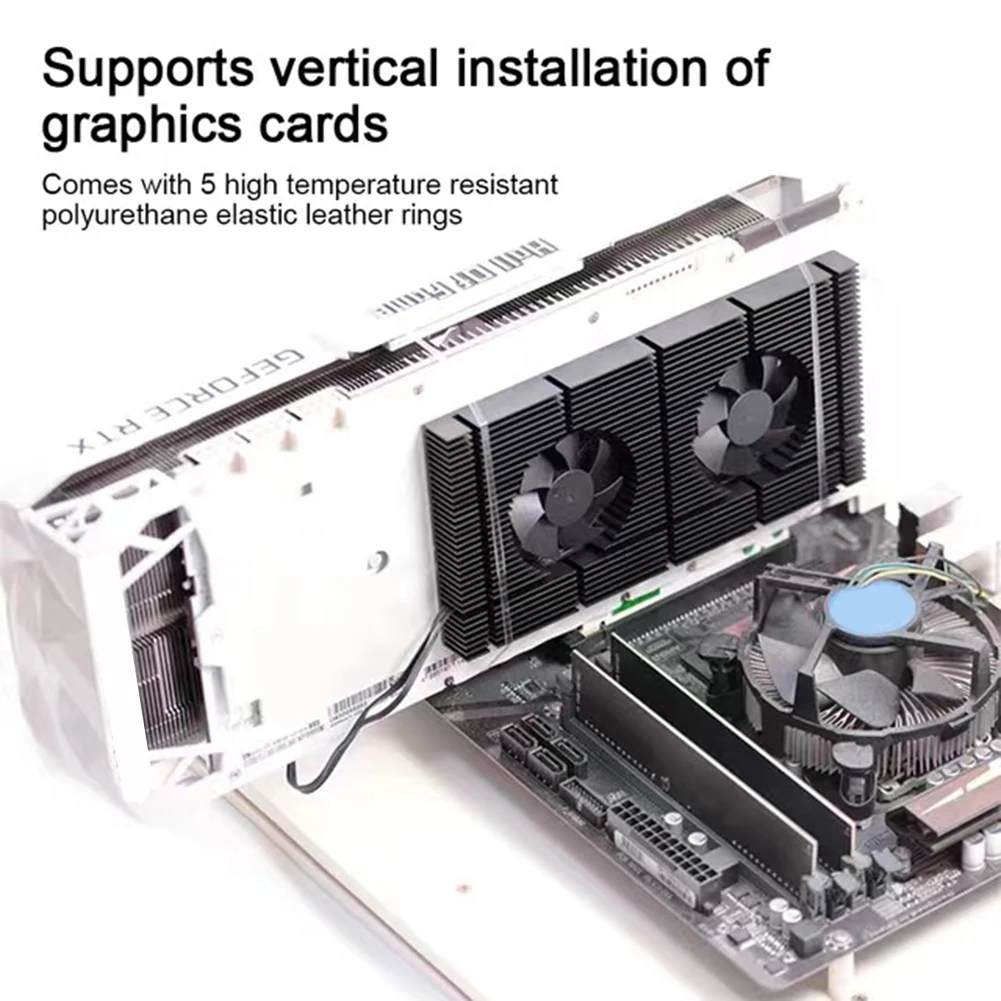
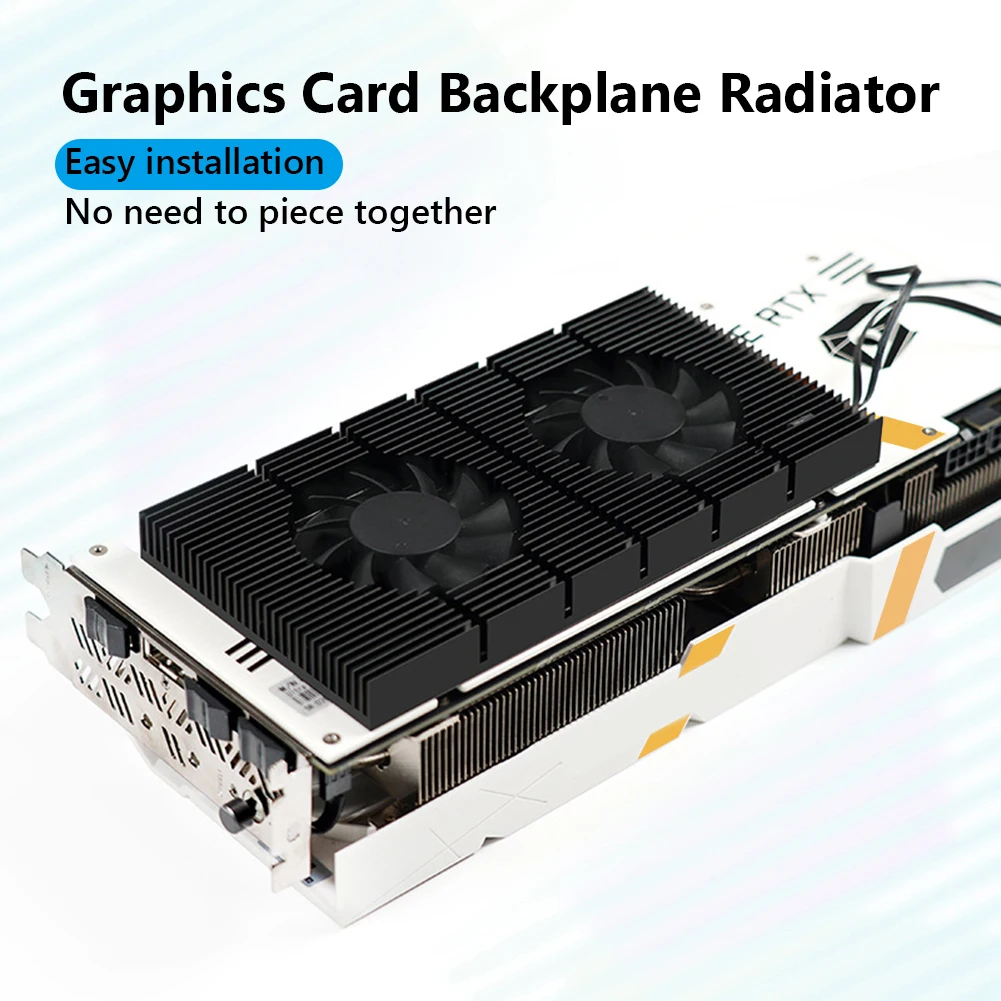
<strong>1. GPU Integration:</strong> The GPU backplane radiator is designed to snap into place effortlessly, engineered for GPUs like the 3090. It eliminates the hassle of complex assembly, providing a straightforward solution for vertical GPU mounting and addressing overheating memory modules.<br />
<strong>2. Whisper-Quiet Operation:</strong> Experience tranquility with our graphics card backplate memory cooler, featuring dual 6010 anodized fans. These fans operate in near silence, even under heavy loads, due to their sophisticated black CNC-machined finish and low-noise hydraulic bearings, while PWM control finely tunes airflow.<br />
<strong>3. Customizable Cooling Dynamics:</strong> The graphics card backplane heatsink offers tailored cooling control via a 4-pin connector, enabling users to optimize fan speeds directly through the motherboard's BIOS. With RPMs ranging from 1500 to 5000, it's designed to keep up with varying intensity workloads.<br />
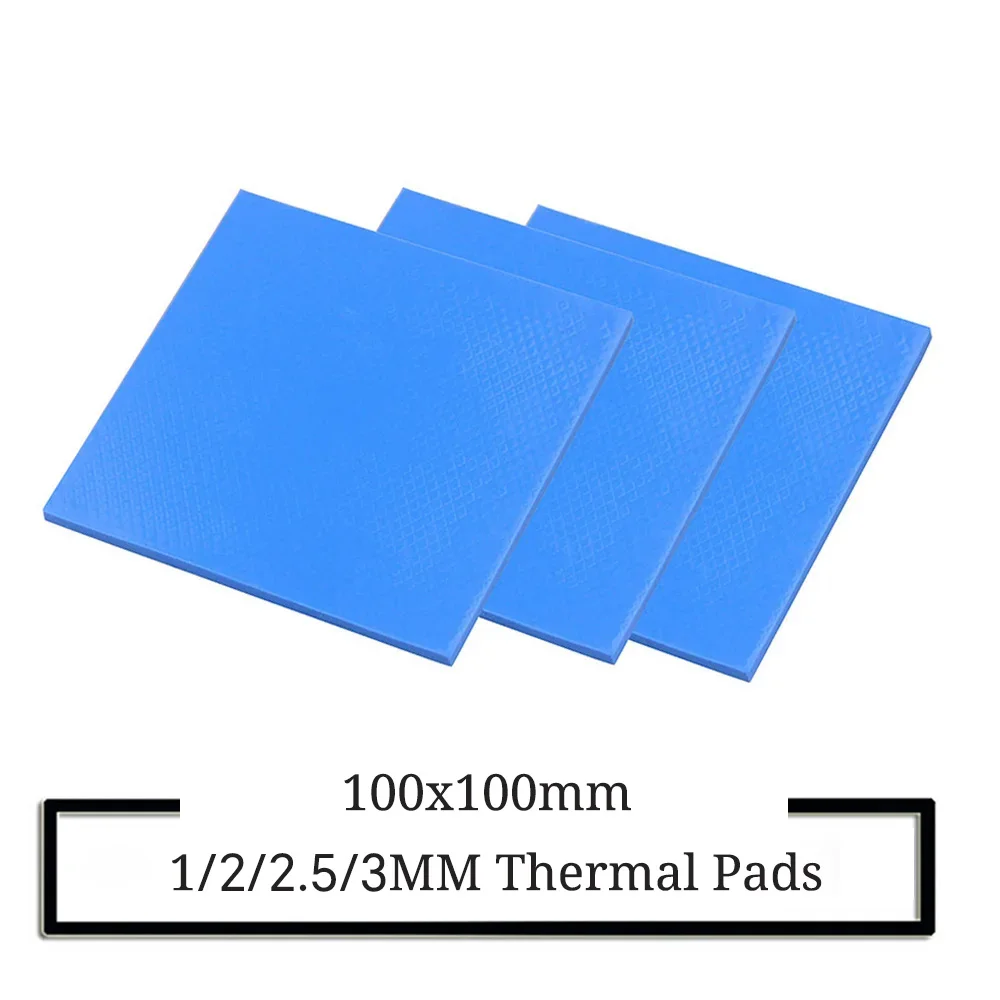
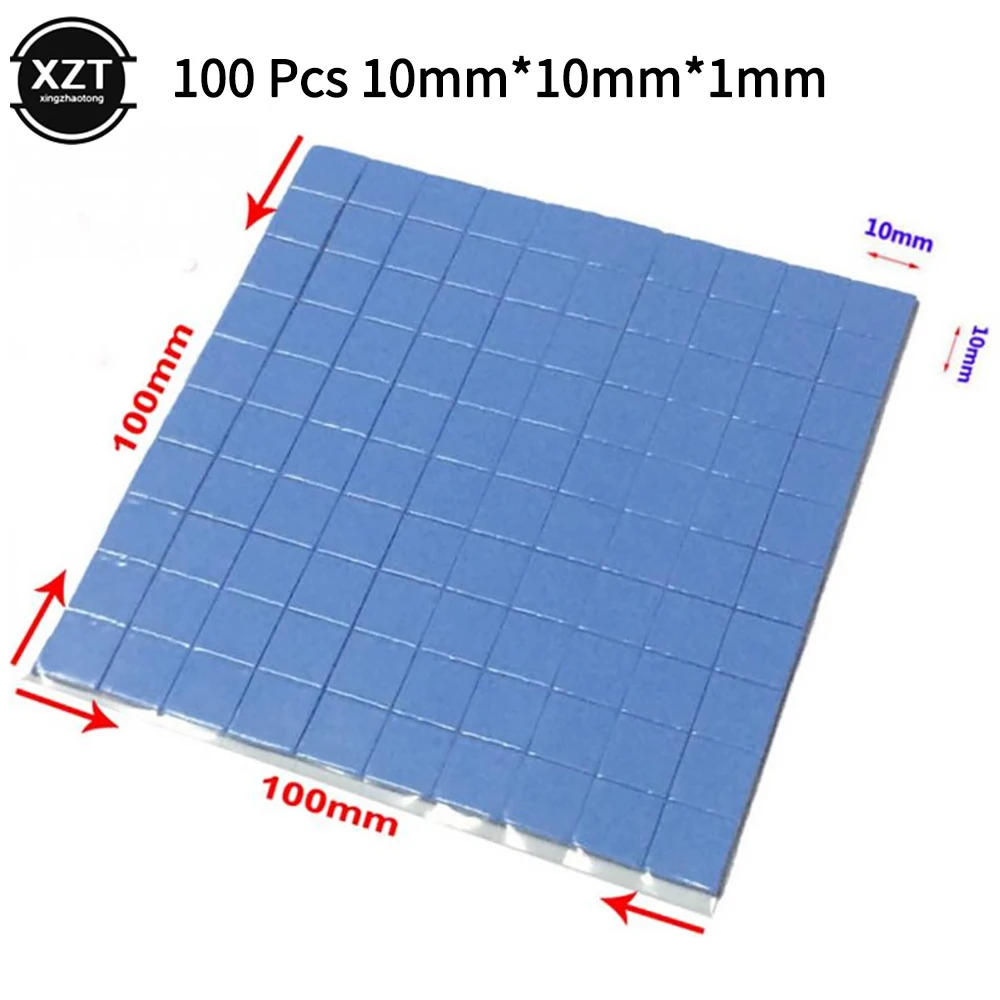
<strong>4. Expert Thermal Advice:</strong> Ensure optimal compatibility with our video memory VRAM radiator panel, which pairs perfectly with a 0.5mm or 1mm thermal pad depending on backplate flatness. This 15mm thick cooler enhances its adaptability, fitting a wide array of GPU architectures.<br />
<strong>5. Essential Installation Reminder: </strong>To maximize effectiveness, our heatsink cooling fan panel requires a thermal pad during installation to ensure proper heat conduction from the GPU's metal backplate. This design approach results in a total height that accounts for both the 15mm heatsink and the thermal pad's thickness, ensuring comprehensive cooling coverage.<br />
<br />
<br />
<br />
<br />
<br />
<br />
<br /><br/><br/><strong>Specification:</strong><br />
Product Type: GPU Backplane Heatsink<br />
Item model number: GK6<br />
Product color: Black<br />
Body material: Alloy aluminum (anodized CNC)<br />
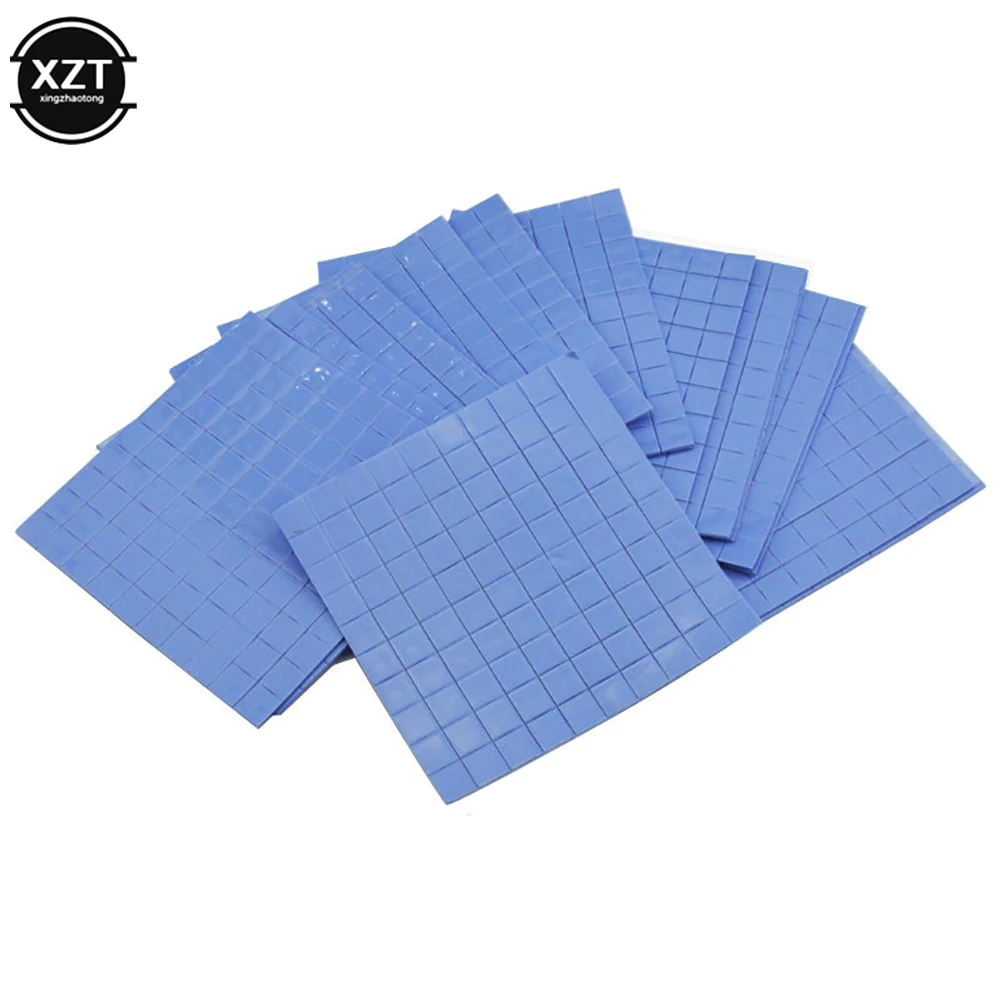
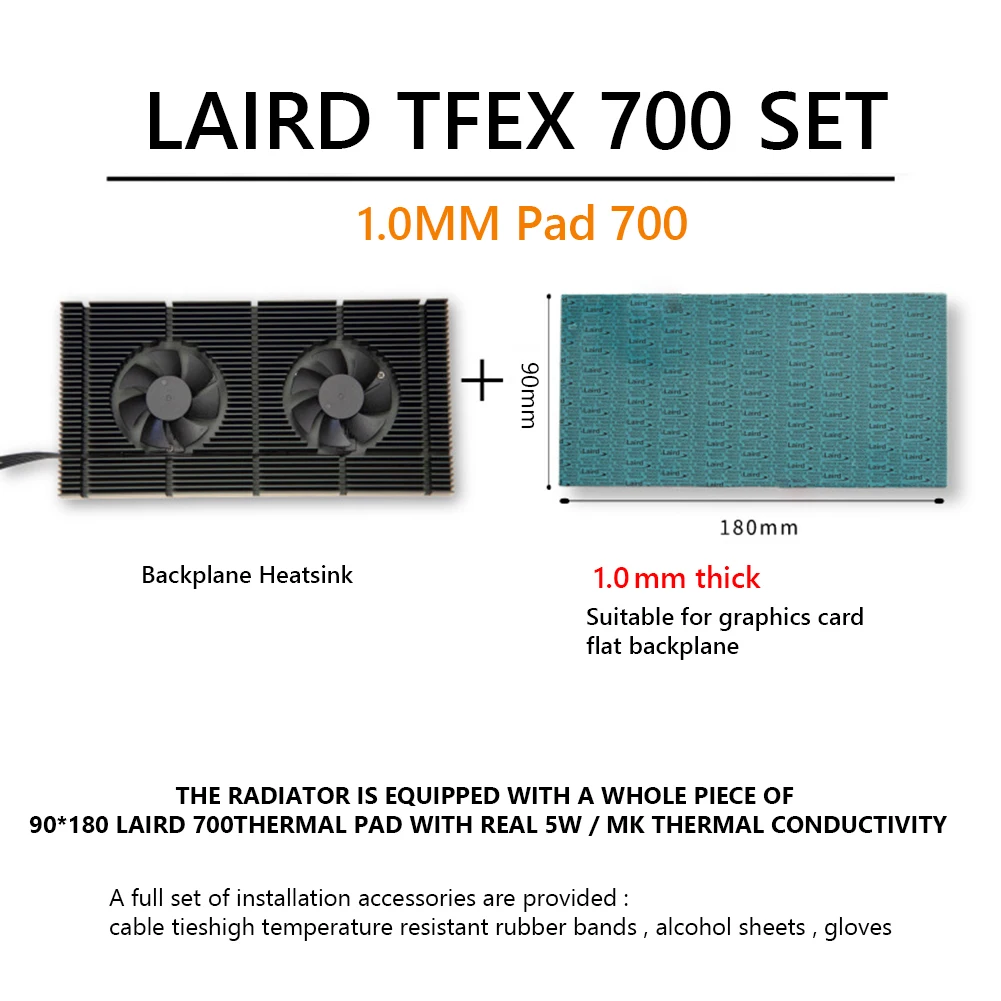
Thermal Pad: Standard Ordinary 6W 1mm, for Laird 700 0.5mm, <span>for </span>Laird 7001mm (Optional)<br />
Bearing type: oil-impregnated bearing sleep bearing<br />
Number of fans: 2<br />
Fan model: 6010 bracket<br />
Fan speed: 1500-4500±5% rpm<br />
Fan interface: small 4pin, adjustable by PWM<br />
Maximum noise: 25.5dB (single)<br />
Fan air volume: 12.2CFM±5% (single)<br />
Applicability: Compatible for RTX 3090 3080 3070 series graphics cards<br />
Wire length: about 400mm±10mm/15.75±0.39 inch<br />
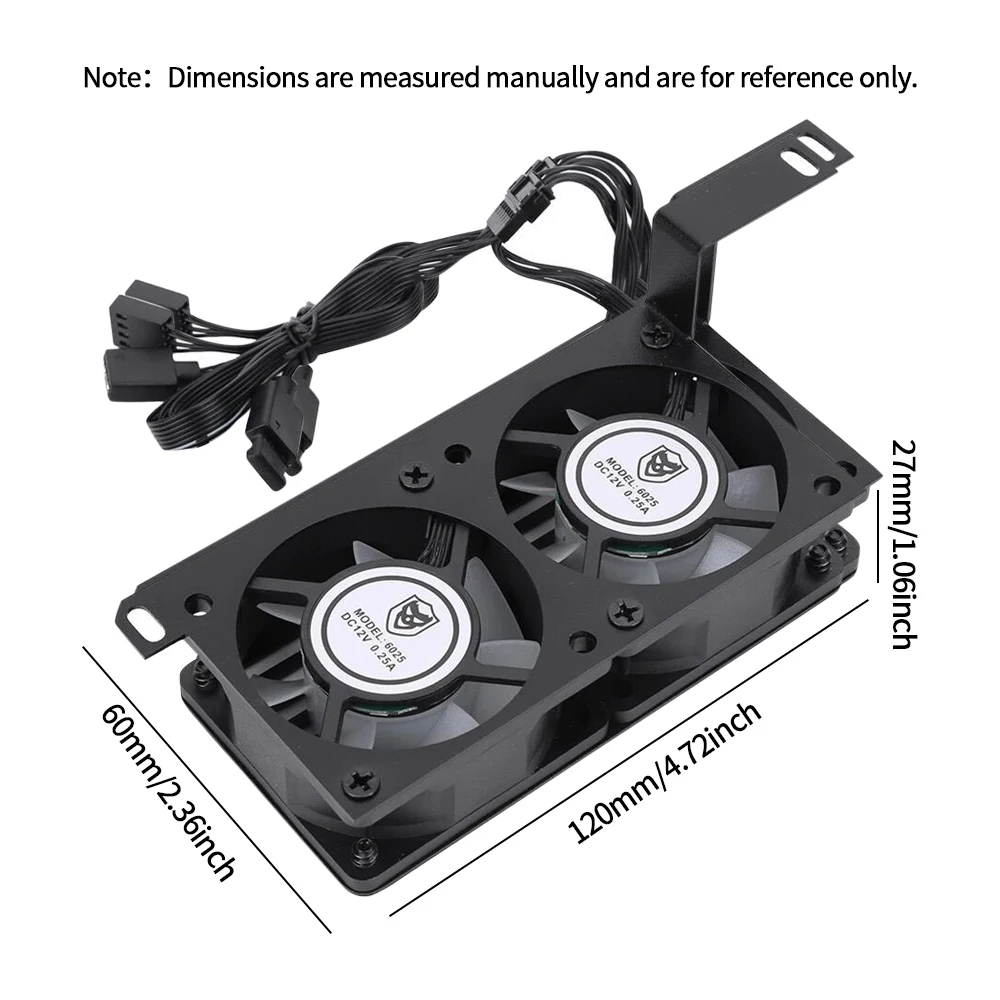
Body size: about 180X90X15mm/7.09x3.54x0.59 inch<br />
<br />
Differences between standard 6W and <span>for </span>Laird 700 thermal pads:<br />
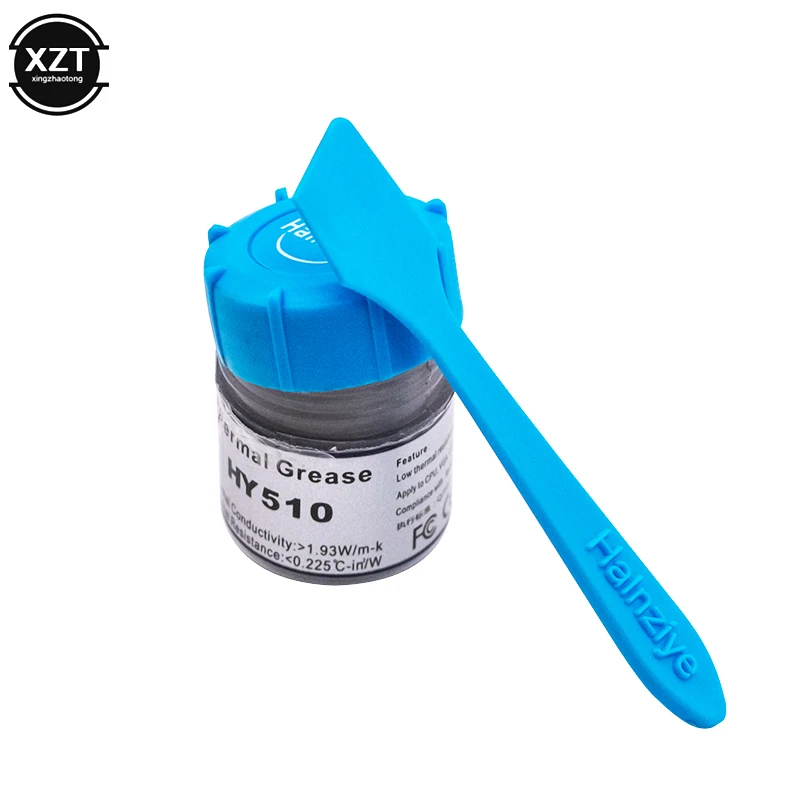
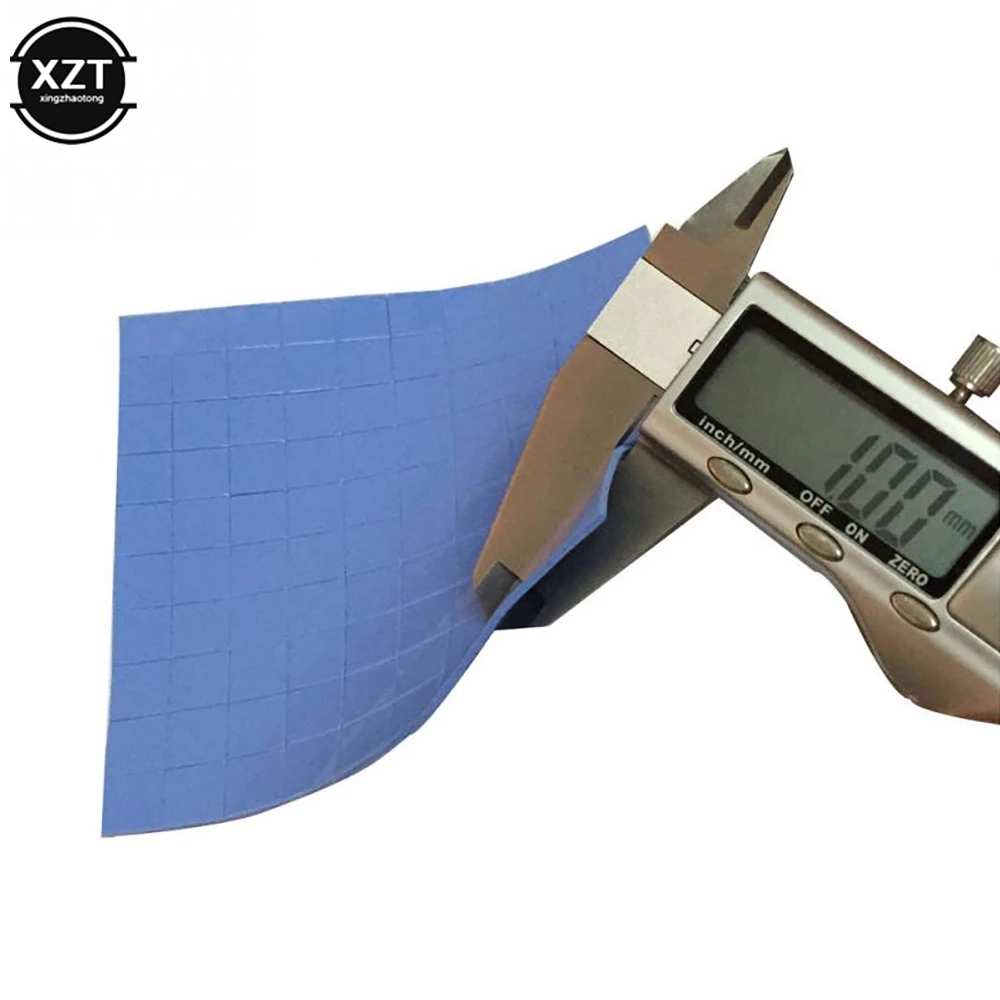
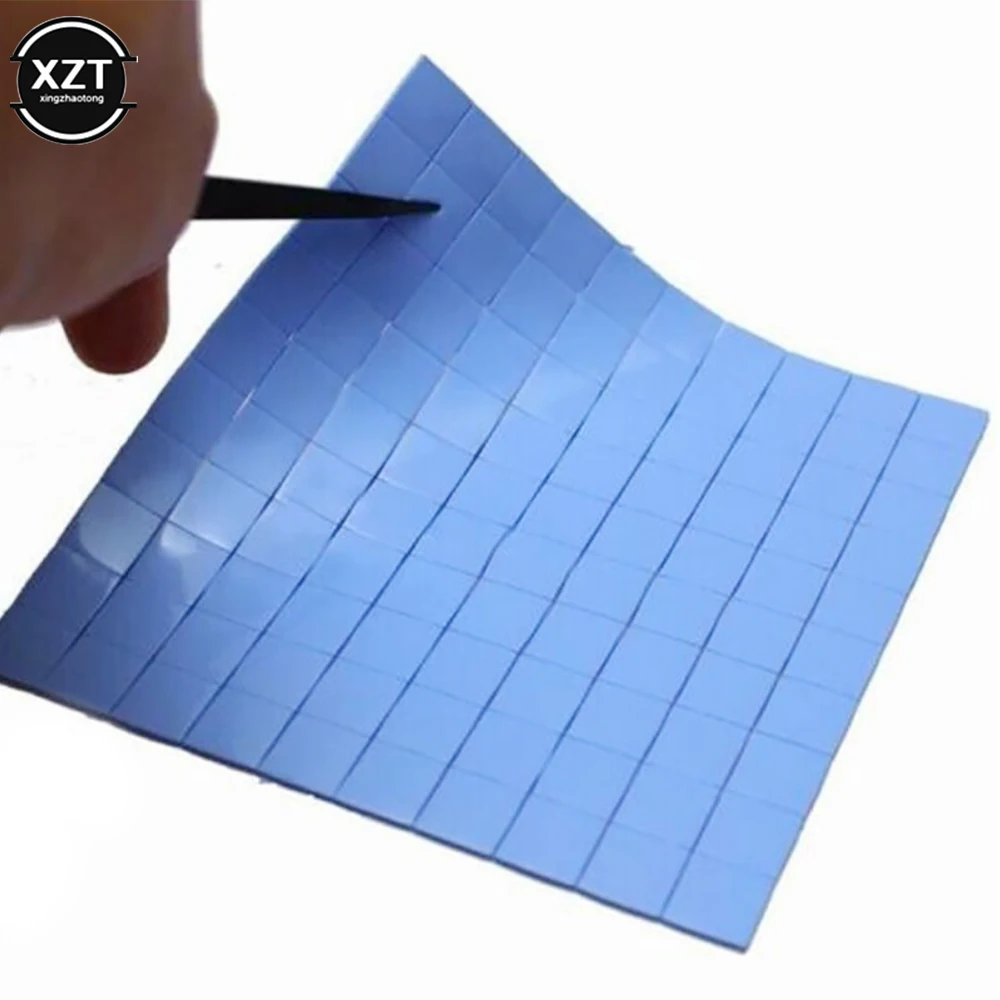
1. The thickness of the standard set (6W silicone pad) is 1mm, and the 90x180mm ordinary silicone thermal pad is soft, tough, and has a thermal conductivity of 6W/m.k. Almost oil-free, slightly higher thermal resistance, average performance, suitable for game enthusiasts non-mining use. Suitable for graphics cards (with backplane and cable ties.<br />
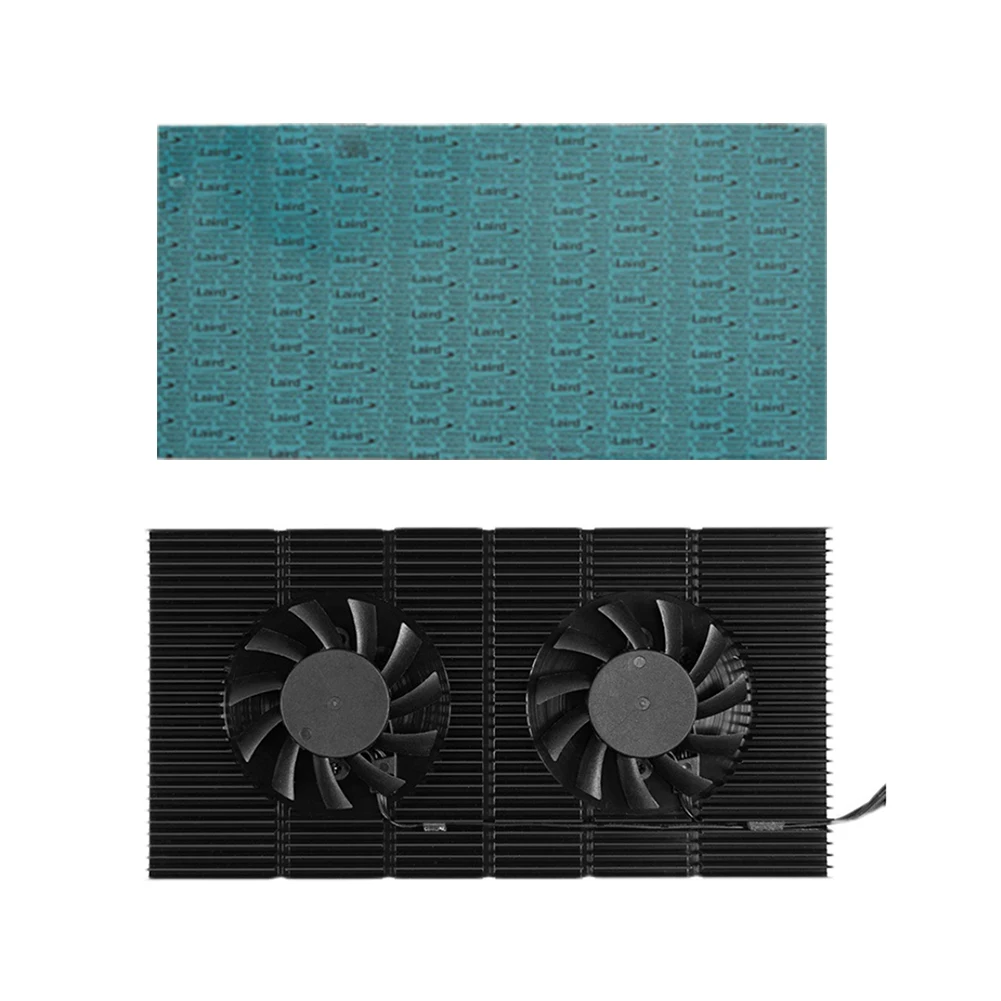
2. <span>for </span>Laird Tflex700 set is equipped with a whole piece <span>for </span>Laird 700 thermal pad of 90x180mm, thickness 0.5mm/1mm, real 5W/m.K thermal conductivity. Has excellent thermal performance and high compatibility.<br />
<br />
Installation Steps:<br />
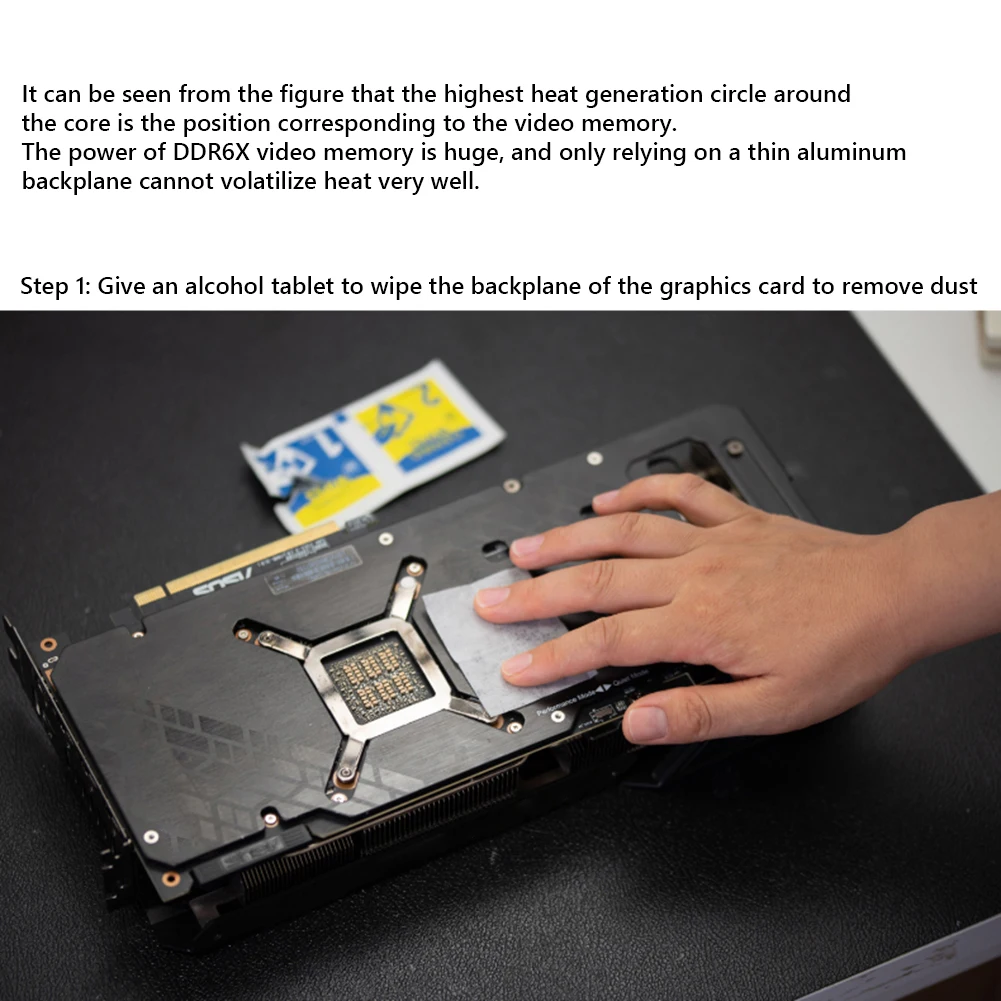
Step 1: Wipe the back of the graphics card with alcohol paper to remove dust.<br />
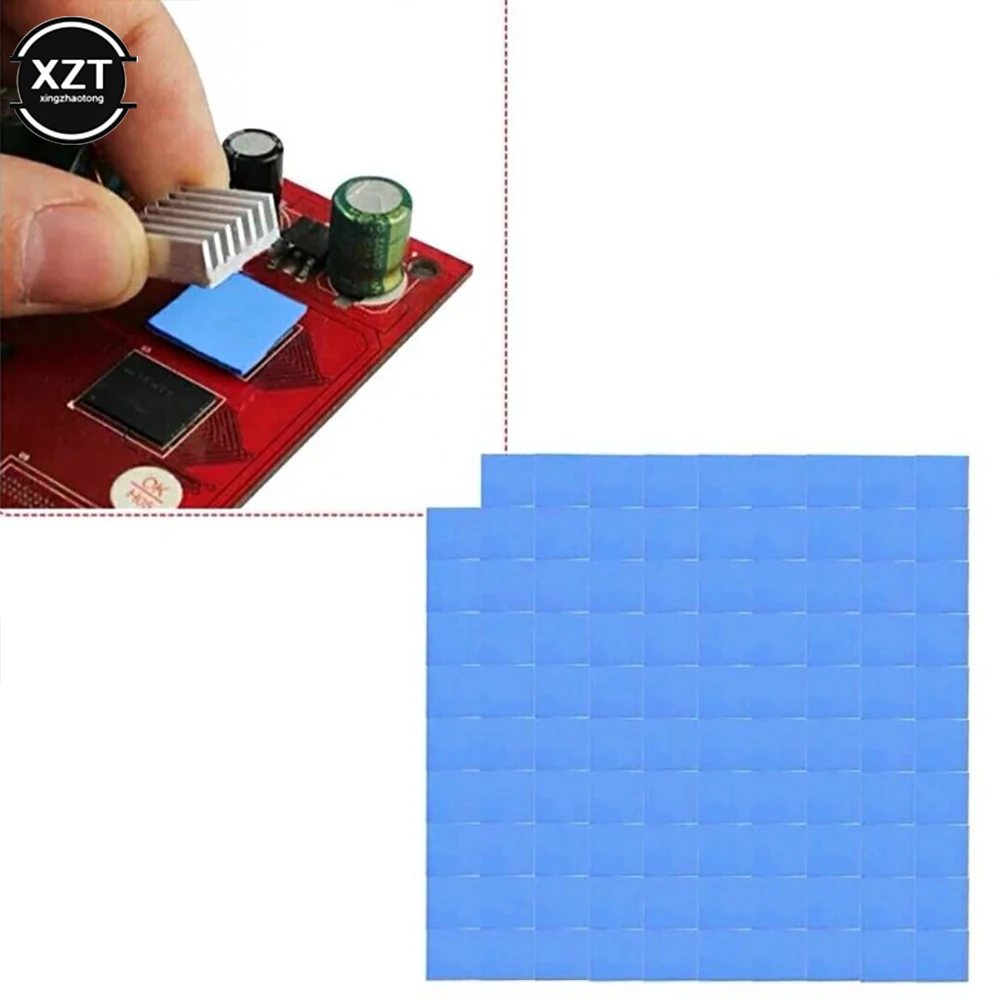
Step 2: Peel off the thermal pad and stick it flat on the back of the heatsink.<br />
Step 3: Glue the backplane heatsink to the memory location on the graphics card backplane.<br />
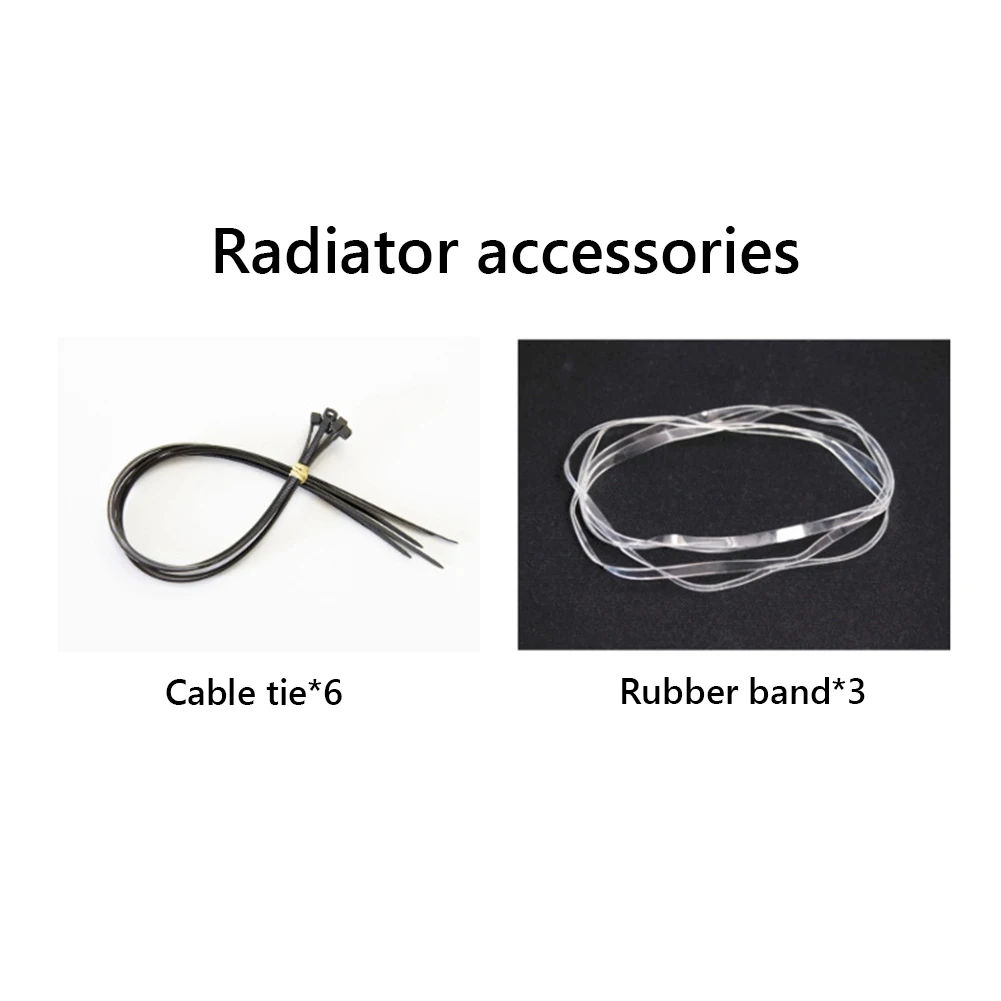
Step 4: Fix the backplane radiator: If the graphics card is flat mounted, the thermal pad has a large area and has a certain adsorption force, and can be used directly; if the graphics card is installed vertically, it can be fixed with nylon cable ties or high temperature rubber bands.<br />
<br />
<strong>Note:</strong><br />
Due to the different monitor and light effect, the actual color of the item might be slightly different from the color showed on the pictures. Thank you!<br />
Please allow 1-2cm measuring deviation due to manual measurement.<br /><br><span style="color:black;font-family:inherit;font-size:12px;">GPU Backplane Radiator Graphics Card Backplate Memory Cooler Alloy Aluminum Graphics Card Backplane Heatsink PWM Video Memory VRAM Radiator Panel Dual Fan for RTX 3090 3080 3070 Series<br />
</span><strong>Feature:</strong><br />
<strong>1. GPU Integration:</strong> The GPU backplane radiator is designed to snap into place effortlessly, engineered for GPUs like the 3090. It eliminates the hassle of complex assembly, providing a straightforward solution for vertical GPU mounting and addressing overheating memory modules.<br />
<strong>2. Whisper-Quiet Operation:</strong> Experience tranquility with our graphics card backplate memory cooler, featuring dual 6010 anodized fans. These fans operate in near silence, even under heavy loads, due to their sophisticated black CNC-machined finish and low-noise hydraulic bearings, while PWM control finely tunes airflow.<br />
<strong>3. Customizable Cooling Dynamics:</strong> The graphics card backplane heatsink offers tailored cooling control via a 4-pin connector, enabling users to optimize fan speeds directly through the motherboard's BIOS. With RPMs ranging from 1500 to 5000, it's designed to keep up with varying intensity workloads.<br />
<strong>4. Expert Thermal Advice:</strong> Ensure optimal compatibility with our video memory VRAM radiator panel, which pairs perfectly with a 0.5mm or 1mm thermal pad depending on backplate flatness. This 15mm thick cooler enhances its adaptability, fitting a wide array of GPU architectures.<br />
<strong>5. Essential Installation Reminder: </strong>To maximize effectiveness, our heatsink cooling fan panel requires a thermal pad during installation to ensure proper heat conduction from the GPU's metal backplate. This design approach results in a total height that accounts for both the 15mm heatsink and the thermal pad's thickness, ensuring comprehensive cooling coverage.<br />
<br />
<br />
<br />
<br />
<br />
<br />
<br /><br/><br/><strong>Specification:</strong><br />
Product Type: GPU Backplane Heatsink<br />
Item model number: GK6<br />
Product color: Black<br />
Body material: Alloy aluminum (anodized CNC)<br />
Thermal Pad: Standard Ordinary 6W 1mm, for Laird 700 0.5mm, <span>for </span>Laird 7001mm (Optional)<br />
Bearing type: oil-impregnated bearing sleep bearing<br />
Number of fans: 2<br />
Fan model: 6010 bracket<br />
Fan speed: 1500-4500±5% rpm<br />
Fan interface: small 4pin, adjustable by PWM<br />
Maximum noise: 25.5dB (single)<br />
Fan air volume: 12.2CFM±5% (single)<br />
Applicability: Compatible for RTX 3090 3080 3070 series graphics cards<br />
Wire length: about 400mm±10mm/15.75±0.39 inch<br />
Body size: about 180X90X15mm/7.09x3.54x0.59 inch<br />
<br />
Differences between standard 6W and <span>for </span>Laird 700 thermal pads:<br />
1. The thickness of the standard set (6W silicone pad) is 1mm, and the 90x180mm ordinary silicone thermal pad is soft, tough, and has a thermal conductivity of 6W/m.k. Almost oil-free, slightly higher thermal resistance, average performance, suitable for game enthusiasts non-mining use. Suitable for graphics cards (with backplane and cable ties.<br />
2. <span>for </span>Laird Tflex700 set is equipped with a whole piece <span>for </span>Laird 700 thermal pad of 90x180mm, thickness 0.5mm/1mm, real 5W/m.K thermal conductivity. Has excellent thermal performance and high compatibility.<br />
<br />
Installation Steps:<br />
Step 1: Wipe the back of the graphics card with alcohol paper to remove dust.<br />
Step 2: Peel off the thermal pad and stick it flat on the back of the heatsink.<br />
Step 3: Glue the backplane heatsink to the memory location on the graphics card backplane.<br />
Step 4: Fix the backplane radiator: If the graphics card is flat mounted, the thermal pad has a large area and has a certain adsorption force, and can be used directly; if the graphics card is installed vertically, it can be fixed with nylon cable ties or high temperature rubber bands.<br />
<br />
<strong>Note:</strong><br />
Due to the different monitor and light effect, the actual color of the item might be slightly different from the color showed on the pictures. Thank you!<br />
Please allow 1-2cm measuring deviation due to manual measurement.<br /><br><span style="color:black;font-family:inherit;font-size:12px;">GPU Backplane Radiator Graphics Card Backplate Memory Cooler Alloy Aluminum Graphics Card Backplane Heatsink PWM Video Memory VRAM Radiator Panel Dual Fan for RTX 3090 3080 3070 Series<br />
</span><strong>Feature:</strong><br />
<strong>1. GPU Integration:</strong> The GPU backplane radiator is designed to snap into place effortlessly, engineered for GPUs like the 3090. It eliminates the hassle of complex assembly, providing a straightforward solution for vertical GPU mounting and addressing overheating memory modules.<br />
<strong>2. Whisper-Quiet Operation:</strong> Experience tranquility with our graphics card backplate memory cooler, featuring dual 6010 anodized fans. These fans operate in near silence, even under heavy loads, due to their sophisticated black CNC-machined finish and low-noise hydraulic bearings, while PWM control finely tunes airflow.<br />
<strong>3. Customizable Cooling Dynamics:</strong> The graphics card backplane heatsink offers tailored cooling control via a 4-pin connector, enabling users to optimize fan speeds directly through the motherboard's BIOS. With RPMs ranging from 1500 to 5000, it's designed to keep up with varying intensity workloads.<br />
<strong>4. Expert Thermal Advice:</strong> Ensure optimal compatibility with our video memory VRAM radiator panel, which pairs perfectly with a 0.5mm or 1mm thermal pad depending on backplate flatness. This 15mm thick cooler enhances its adaptability, fitting a wide array of GPU architectures.<br />
<strong>5. Essential Installation Reminder: </strong>To maximize effectiveness, our heatsink cooling fan panel requires a thermal pad during installation to ensure proper heat conduction from the GPU's metal backplate. This design approach results in a total height that accounts for both the 15mm heatsink and the thermal pad's thickness, ensuring comprehensive cooling coverage.<br />
<br />
<br />
<br />
<br />
<br />
<br />
<br /><br/><br/><strong>Specification:</strong><br />
Product Type: GPU Backplane Heatsink<br />
Item model number: GK6<br />
Product color: Black<br />
Body material: Alloy aluminum (anodized CNC)<br />
Thermal Pad: Standard Ordinary 6W 1mm, for Laird 700 0.5mm, <span>for </span>Laird 7001mm (Optional)<br />
Bearing type: oil-impregnated bearing sleep bearing<br />
Number of fans: 2<br />
Fan model: 6010 bracket<br />
Fan speed: 1500-4500±5% rpm<br />
Fan interface: small 4pin, adjustable by PWM<br />
Maximum noise: 25.5dB (single)<br />
Fan air volume: 12.2CFM±5% (single)<br />
Applicability: Compatible for RTX 3090 3080 3070 series graphics cards<br />
Wire length: about 400mm±10mm/15.75±0.39 inch<br />
Body size: about 180X90X15mm/7.09x3.54x0.59 inch<br />
<br />
Differences between standard 6W and <span>for </span>Laird 700 thermal pads:<br />
1. The thickness of the standard set (6W silicone pad) is 1mm, and the 90x180mm ordinary silicone thermal pad is soft, tough, and has a thermal conductivity of 6W/m.k. Almost oil-free, slightly higher thermal resistance, average performance, suitable for game enthusiasts non-mining use. Suitable for graphics cards (with backplane and cable ties.<br />
2. <span>for </span>Laird Tflex700 set is equipped with a whole piece <span>for </span>Laird 700 thermal pad of 90x180mm, thickness 0.5mm/1mm, real 5W/m.K thermal conductivity. Has excellent thermal performance and high compatibility.<br />
<br />
Installation Steps:<br />
Step 1: Wipe the back of the graphics card with alcohol paper to remove dust.<br />
Step 2: Peel off the thermal pad and stick it flat on the back of the heatsink.<br />
Step 3: Glue the backplane heatsink to the memory location on the graphics card backplane.<br />
Step 4: Fix the backplane radiator: If the graphics card is flat mounted, the thermal pad has a large area and has a certain adsorption force, and can be used directly; if the graphics card is installed vertically, it can be fixed with nylon cable ties or high temperature rubber bands.<br />
<br />
<strong>Note:</strong><br />
Due to the different monitor and light effect, the actual color of the item might be slightly different from the color showed on the pictures. Thank you!<br />
Please allow 1-2cm measuring deviation due to manual measurement.<br /> <br />
</div>
<br />
<div>
</div>
<div style="padding:15px;border:solid 1px #aeaeae;">
1 x Graphics Card Backplane Cooling Fan Set<br>1 x Graphics Card Backplane Cooling Fan Set<br>1 x Graphics Card Backplane Cooling Fan Set <br />
</div>
<br />
<div style="text-align:center;">
</div>
<br />
<br />
<div>
</div>
<div style="padding:15px;border:solid 1px #aeaeae;">
<p class="MsoNormal">
<div style="font-size: 28px; font-family: tahoma, geneva, sans-serif; font-weight: bold; padding: 2px 2px;">
<kse:widget data-widget-type="relatedProduct" id="1005000002922868" title="电脑硬件线缆&接头" type="relation"></kse:widget>
</div>
</p>
</div>
<p>
</p>
<p>
</p>
<p>
</p>
<p>
</p>
<p>
<br />
</p>
</td>
</tr>
</tbody>
</table>
</p></div></div>
$84.815
$31.82
- Category : Computer & Office
- Brand : aaa_dropship_store AAA Dropship Store
Colors
Sizes
-
+

<div class="detailmodule_html"><div class="detail-desc-decorate-richtext"><p>
<span><br />
</span>
<table class="ke-zeroborder" width="100%" cellspacing="0" cellpadding="0" border="0">
<tbody>
<tr>
<td>
<div>
<div>
<p class="MsoNormal">
<div style="font-size: 28px; font-family: tahoma, geneva, sans-serif; font-weight: bold; padding: 2px 2px;">
<kse:widget data-widget-type="customText" id="1005000010918803" title="code" type="custom"></kse:widget>
</div>
</p>
</div>
</div>
<div style="padding:15px;border:solid 1px #aeaeae;">
<span style="color:black;font-family:inherit;font-size:12px;">GPU Backplane Radiator Graphics Card Backplate Memory Cooler Alloy Aluminum Graphics Card Backplane Heatsink PWM Video Memory VRAM Radiator Panel Dual Fan for RTX 3090 3080 3070 Series<br />
</span><strong>Feature:</strong><br />
<strong>1. GPU Integration:</strong> The GPU backplane radiator is designed to snap into place effortlessly, engineered for GPUs like the 3090. It eliminates the hassle of complex assembly, providing a straightforward solution for vertical GPU mounting and addressing overheating memory modules.<br />
<strong>2. Whisper-Quiet Operation:</strong> Experience tranquility with our graphics card backplate memory cooler, featuring dual 6010 anodized fans. These fans operate in near silence, even under heavy loads, due to their sophisticated black CNC-machined finish and low-noise hydraulic bearings, while PWM control finely tunes airflow.<br />
<strong>3. Customizable Cooling Dynamics:</strong> The graphics card backplane heatsink offers tailored cooling control via a 4-pin connector, enabling users to optimize fan speeds directly through the motherboard's BIOS. With RPMs ranging from 1500 to 5000, it's designed to keep up with varying intensity workloads.<br />
<strong>4. Expert Thermal Advice:</strong> Ensure optimal compatibility with our video memory VRAM radiator panel, which pairs perfectly with a 0.5mm or 1mm thermal pad depending on backplate flatness. This 15mm thick cooler enhances its adaptability, fitting a wide array of GPU architectures.<br />
<strong>5. Essential Installation Reminder: </strong>To maximize effectiveness, our heatsink cooling fan panel requires a thermal pad during installation to ensure proper heat conduction from the GPU's metal backplate. This design approach results in a total height that accounts for both the 15mm heatsink and the thermal pad's thickness, ensuring comprehensive cooling coverage.<br />
<br />
<br />
<br />
<br />
<br />
<br />
<br /><br/><br/><strong>Specification:</strong><br />
Product Type: GPU Backplane Heatsink<br />
Item model number: GK6<br />
Product color: Black<br />
Body material: Alloy aluminum (anodized CNC)<br />
Thermal Pad: Standard Ordinary 6W 1mm, for Laird 700 0.5mm, <span>for </span>Laird 7001mm (Optional)<br />
Bearing type: oil-impregnated bearing sleep bearing<br />
Number of fans: 2<br />
Fan model: 6010 bracket<br />
Fan speed: 1500-4500±5% rpm<br />
Fan interface: small 4pin, adjustable by PWM<br />
Maximum noise: 25.5dB (single)<br />
Fan air volume: 12.2CFM±5% (single)<br />
Applicability: Compatible for RTX 3090 3080 3070 series graphics cards<br />
Wire length: about 400mm±10mm/15.75±0.39 inch<br />
Body size: about 180X90X15mm/7.09x3.54x0.59 inch<br />
<br />
Differences between standard 6W and <span>for </span>Laird 700 thermal pads:<br />
1. The thickness of the standard set (6W silicone pad) is 1mm, and the 90x180mm ordinary silicone thermal pad is soft, tough, and has a thermal conductivity of 6W/m.k. Almost oil-free, slightly higher thermal resistance, average performance, suitable for game enthusiasts non-mining use. Suitable for graphics cards (with backplane and cable ties.<br />
2. <span>for </span>Laird Tflex700 set is equipped with a whole piece <span>for </span>Laird 700 thermal pad of 90x180mm, thickness 0.5mm/1mm, real 5W/m.K thermal conductivity. Has excellent thermal performance and high compatibility.<br />
<br />
Installation Steps:<br />
Step 1: Wipe the back of the graphics card with alcohol paper to remove dust.<br />
Step 2: Peel off the thermal pad and stick it flat on the back of the heatsink.<br />
Step 3: Glue the backplane heatsink to the memory location on the graphics card backplane.<br />
Step 4: Fix the backplane radiator: If the graphics card is flat mounted, the thermal pad has a large area and has a certain adsorption force, and can be used directly; if the graphics card is installed vertically, it can be fixed with nylon cable ties or high temperature rubber bands.<br />
<br />
<strong>Note:</strong><br />
Due to the different monitor and light effect, the actual color of the item might be slightly different from the color showed on the pictures. Thank you!<br />
Please allow 1-2cm measuring deviation due to manual measurement.<br /><br><span style="color:black;font-family:inherit;font-size:12px;">GPU Backplane Radiator Graphics Card Backplate Memory Cooler Alloy Aluminum Graphics Card Backplane Heatsink PWM Video Memory VRAM Radiator Panel Dual Fan for RTX 3090 3080 3070 Series<br />
</span><strong>Feature:</strong><br />
<strong>1. GPU Integration:</strong> The GPU backplane radiator is designed to snap into place effortlessly, engineered for GPUs like the 3090. It eliminates the hassle of complex assembly, providing a straightforward solution for vertical GPU mounting and addressing overheating memory modules.<br />
<strong>2. Whisper-Quiet Operation:</strong> Experience tranquility with our graphics card backplate memory cooler, featuring dual 6010 anodized fans. These fans operate in near silence, even under heavy loads, due to their sophisticated black CNC-machined finish and low-noise hydraulic bearings, while PWM control finely tunes airflow.<br />
<strong>3. Customizable Cooling Dynamics:</strong> The graphics card backplane heatsink offers tailored cooling control via a 4-pin connector, enabling users to optimize fan speeds directly through the motherboard's BIOS. With RPMs ranging from 1500 to 5000, it's designed to keep up with varying intensity workloads.<br />
<strong>4. Expert Thermal Advice:</strong> Ensure optimal compatibility with our video memory VRAM radiator panel, which pairs perfectly with a 0.5mm or 1mm thermal pad depending on backplate flatness. This 15mm thick cooler enhances its adaptability, fitting a wide array of GPU architectures.<br />
<strong>5. Essential Installation Reminder: </strong>To maximize effectiveness, our heatsink cooling fan panel requires a thermal pad during installation to ensure proper heat conduction from the GPU's metal backplate. This design approach results in a total height that accounts for both the 15mm heatsink and the thermal pad's thickness, ensuring comprehensive cooling coverage.<br />
<br />
<br />
<br />
<br />
<br />
<br />
<br /><br/><br/><strong>Specification:</strong><br />
Product Type: GPU Backplane Heatsink<br />
Item model number: GK6<br />
Product color: Black<br />
Body material: Alloy aluminum (anodized CNC)<br />
Thermal Pad: Standard Ordinary 6W 1mm, for Laird 700 0.5mm, <span>for </span>Laird 7001mm (Optional)<br />
Bearing type: oil-impregnated bearing sleep bearing<br />
Number of fans: 2<br />
Fan model: 6010 bracket<br />
Fan speed: 1500-4500±5% rpm<br />
Fan interface: small 4pin, adjustable by PWM<br />
Maximum noise: 25.5dB (single)<br />
Fan air volume: 12.2CFM±5% (single)<br />
Applicability: Compatible for RTX 3090 3080 3070 series graphics cards<br />
Wire length: about 400mm±10mm/15.75±0.39 inch<br />
Body size: about 180X90X15mm/7.09x3.54x0.59 inch<br />
<br />
Differences between standard 6W and <span>for </span>Laird 700 thermal pads:<br />
1. The thickness of the standard set (6W silicone pad) is 1mm, and the 90x180mm ordinary silicone thermal pad is soft, tough, and has a thermal conductivity of 6W/m.k. Almost oil-free, slightly higher thermal resistance, average performance, suitable for game enthusiasts non-mining use. Suitable for graphics cards (with backplane and cable ties.<br />
2. <span>for </span>Laird Tflex700 set is equipped with a whole piece <span>for </span>Laird 700 thermal pad of 90x180mm, thickness 0.5mm/1mm, real 5W/m.K thermal conductivity. Has excellent thermal performance and high compatibility.<br />
<br />
Installation Steps:<br />
Step 1: Wipe the back of the graphics card with alcohol paper to remove dust.<br />
Step 2: Peel off the thermal pad and stick it flat on the back of the heatsink.<br />
Step 3: Glue the backplane heatsink to the memory location on the graphics card backplane.<br />
Step 4: Fix the backplane radiator: If the graphics card is flat mounted, the thermal pad has a large area and has a certain adsorption force, and can be used directly; if the graphics card is installed vertically, it can be fixed with nylon cable ties or high temperature rubber bands.<br />
<br />
<strong>Note:</strong><br />
Due to the different monitor and light effect, the actual color of the item might be slightly different from the color showed on the pictures. Thank you!<br />
Please allow 1-2cm measuring deviation due to manual measurement.<br /><br><span style="color:black;font-family:inherit;font-size:12px;">GPU Backplane Radiator Graphics Card Backplate Memory Cooler Alloy Aluminum Graphics Card Backplane Heatsink PWM Video Memory VRAM Radiator Panel Dual Fan for RTX 3090 3080 3070 Series<br />
</span><strong>Feature:</strong><br />
<strong>1. GPU Integration:</strong> The GPU backplane radiator is designed to snap into place effortlessly, engineered for GPUs like the 3090. It eliminates the hassle of complex assembly, providing a straightforward solution for vertical GPU mounting and addressing overheating memory modules.<br />
<strong>2. Whisper-Quiet Operation:</strong> Experience tranquility with our graphics card backplate memory cooler, featuring dual 6010 anodized fans. These fans operate in near silence, even under heavy loads, due to their sophisticated black CNC-machined finish and low-noise hydraulic bearings, while PWM control finely tunes airflow.<br />
<strong>3. Customizable Cooling Dynamics:</strong> The graphics card backplane heatsink offers tailored cooling control via a 4-pin connector, enabling users to optimize fan speeds directly through the motherboard's BIOS. With RPMs ranging from 1500 to 5000, it's designed to keep up with varying intensity workloads.<br />
<strong>4. Expert Thermal Advice:</strong> Ensure optimal compatibility with our video memory VRAM radiator panel, which pairs perfectly with a 0.5mm or 1mm thermal pad depending on backplate flatness. This 15mm thick cooler enhances its adaptability, fitting a wide array of GPU architectures.<br />
<strong>5. Essential Installation Reminder: </strong>To maximize effectiveness, our heatsink cooling fan panel requires a thermal pad during installation to ensure proper heat conduction from the GPU's metal backplate. This design approach results in a total height that accounts for both the 15mm heatsink and the thermal pad's thickness, ensuring comprehensive cooling coverage.<br />
<br />
<br />
<br />
<br />
<br />
<br />
<br /><br/><br/><strong>Specification:</strong><br />
Product Type: GPU Backplane Heatsink<br />
Item model number: GK6<br />
Product color: Black<br />
Body material: Alloy aluminum (anodized CNC)<br />
Thermal Pad: Standard Ordinary 6W 1mm, for Laird 700 0.5mm, <span>for </span>Laird 7001mm (Optional)<br />
Bearing type: oil-impregnated bearing sleep bearing<br />
Number of fans: 2<br />
Fan model: 6010 bracket<br />
Fan speed: 1500-4500±5% rpm<br />
Fan interface: small 4pin, adjustable by PWM<br />
Maximum noise: 25.5dB (single)<br />
Fan air volume: 12.2CFM±5% (single)<br />
Applicability: Compatible for RTX 3090 3080 3070 series graphics cards<br />
Wire length: about 400mm±10mm/15.75±0.39 inch<br />
Body size: about 180X90X15mm/7.09x3.54x0.59 inch<br />
<br />
Differences between standard 6W and <span>for </span>Laird 700 thermal pads:<br />
1. The thickness of the standard set (6W silicone pad) is 1mm, and the 90x180mm ordinary silicone thermal pad is soft, tough, and has a thermal conductivity of 6W/m.k. Almost oil-free, slightly higher thermal resistance, average performance, suitable for game enthusiasts non-mining use. Suitable for graphics cards (with backplane and cable ties.<br />
2. <span>for </span>Laird Tflex700 set is equipped with a whole piece <span>for </span>Laird 700 thermal pad of 90x180mm, thickness 0.5mm/1mm, real 5W/m.K thermal conductivity. Has excellent thermal performance and high compatibility.<br />
<br />
Installation Steps:<br />
Step 1: Wipe the back of the graphics card with alcohol paper to remove dust.<br />
Step 2: Peel off the thermal pad and stick it flat on the back of the heatsink.<br />
Step 3: Glue the backplane heatsink to the memory location on the graphics card backplane.<br />
Step 4: Fix the backplane radiator: If the graphics card is flat mounted, the thermal pad has a large area and has a certain adsorption force, and can be used directly; if the graphics card is installed vertically, it can be fixed with nylon cable ties or high temperature rubber bands.<br />
<br />
<strong>Note:</strong><br />
Due to the different monitor and light effect, the actual color of the item might be slightly different from the color showed on the pictures. Thank you!<br />
Please allow 1-2cm measuring deviation due to manual measurement.<br /> <br />
</div>
<br />
<div>
</div>
<div style="padding:15px;border:solid 1px #aeaeae;">
1 x Graphics Card Backplane Cooling Fan Set<br>1 x Graphics Card Backplane Cooling Fan Set<br>1 x Graphics Card Backplane Cooling Fan Set <br />
</div>
<br />
<div style="text-align:center;">
</div>
<br />
<br />
<div>
</div>
<div style="padding:15px;border:solid 1px #aeaeae;">
<p class="MsoNormal">
<div style="font-size: 28px; font-family: tahoma, geneva, sans-serif; font-weight: bold; padding: 2px 2px;">
<kse:widget data-widget-type="relatedProduct" id="1005000002922868" title="电脑硬件线缆&接头" type="relation"></kse:widget>
</div>
</p>
</div>
<p>
</p>
<p>
</p>
<p>
</p>
<p>
</p>
<p>
<br />
</p>
</td>
</tr>
</tbody>
</table>
</p></div></div>
Related Product
Browse The Collection of Top Products.