


Hard Disk Splitter Expansion Card PCIe 5.0 X16 4-Port Bifurcation PCI-E Split Card for U.2 SSD/EDSFF E1.S/E3.S R37D 5.0 R37A 4.0
<div class="detailmodule_html"><div class="detail-desc-decorate-richtext"><h1 style="font-size:32px;font-weight:bold;text-align:center;border-bottom:2px solid rgb(204, 204, 204);margin:0px 0px 20px;margin-bottom:20px;margin-top:0px;margin-left:0px;margin-right:0px;padding:0px 4px 0px 0px;padding-bottom:0px;padding-top:0px;padding-left:0px;padding-right:4px" align="center">4-in-1 PCIe 5.0 X16 To 4-Port Bifurcation PCI-E Split Adapter Card for U.2 SSD/EDSFF E1.S/E3.S Hard Disk Splitter Expansion Card<br/></h1><p><span style="font-size:19px">Product Model:R37A,R37D</span></p><p><span style="font-size:19px"><br/></span></p><p><span style="font-size:19px">Product Name:</span></p><p><span style="font-size:19px">PCIe x16 to 4-Port U.2 SSD Split Adapter Expansion Card,</span></p><p><span style="font-size:19px">PCIe x16 to 4-Port E1.S/E3.S(SFF-TA-1002) SSD Split Adapter Expansion Card</span></p><p><span style="font-size:19px"><br/></span></p><p><span style="font-size:19px">Speed Bandwidth: PCIe 5.0 x16 4x128Gbps</span></p><p><span style="font-size:19px"><br/></span></p><p><span style="font-size:19px">Purchase Tips: Be sure to buy 1~2 samples first to test and verify that<br/>there is no error before purchasing large quantities.</span></p><p><span style="font-size:19px"><br/></span></p><p><span style="font-size:19px">Product Size: Size data are maximum values</span></p><p><span style="font-size:19px"><br/></span></p><p><span style="font-size:19px"> R37A:Length 307.3mm*Height 151.9mm*Thickness 21.6mm</span></p><p><span style="font-size:19px"><br/></span></p><p><span style="font-size:19px"> R37A:Length 336.7mm*Height 167mm*Thickness 21.6mm</span></p><p><span style="font-size:19px"><br/></span></p><p><span style="font-size:19px">Product weight: R37A(159g),R37D(200g)</span></p><p><span style="font-size:19px"><br/></span></p><p><span style="font-size:19px">Appearance Color: Black</span></p><p><span style="font-size:19px"><br/></span></p><p><span style="font-size:19px">Working temperature: -40℃~80</span></p><p><span style="font-size:19px"><br/></span></p><p><span style="font-size:19px">Flame retardant grade: 94V0</span></p><p><br/></p><div style="font-family:Inter, -apple-system, BlinkMacSystemFont, "Segoe UI", "SF Pro SC", "SF Pro Display", "SF Pro Icons", "PingFang SC", "Hiragino Sans GB", "Microsoft YaHei", "Helvetica Neue", Helvetica, Arial, sans-serif;line-height:var(--md-box-samantha-normal-text-line-height);color:var(--md-box-samantha-normal-text-color);background-color:rgb(255, 255, 255);margin-top:0px;box-sizing:border-box" class="auto-hide-last-sibling-br paragraph-Oc488D paragraph-element br-paragraph-space"><strong><span style="font-size:19px">Product Model Description:</span></strong></div><p><br/></p><div style="font-family:Inter, -apple-system, BlinkMacSystemFont, "Segoe UI", "SF Pro SC", "SF Pro Display", "SF Pro Icons", "PingFang SC", "Hiragino Sans GB", "Microsoft YaHei", "Helvetica Neue", Helvetica, Arial, sans-serif;background-color:rgb(255, 255, 255);border:1px solid var(--s-color-border-tertiary,rgba(0,0,0,.08));margin-bottom:8px;max-width:100%;overflow:auto;width:fit-content;box-sizing:border-box" class="auto-hide-last-sibling-br table-container-FTJPBk"><table style="border-collapse:collapse" width="NaN"><tbody><tr style="background-color:var(--color-table-header)" class="firstRow"><td style="font-size:var(--md-box-samantha-normal-text-font-size);text-align:center;color:var(--md-box-samantha-deep-text-color);padding:12px 18px" align="center"><p>Model</p></td><td style="font-size:var(--md-box-samantha-normal-text-font-size);text-align:center;color:var(--md-box-samantha-deep-text-color);padding:12px 18px" align="center"><p>Model Description</p></td><td style="font-size:var(--md-box-samantha-normal-text-font-size);text-align:center;color:var(--md-box-samantha-deep-text-color);padding:12px 18px" align="center"><p>Speed Bandwidth</p></td></tr></tbody><tbody><tr><td style="font-size:var(--md-box-samantha-normal-text-font-size);color:var(--md-box-samantha-normal-text-color);padding:12px 18px"><p>R37A</p></td><td style="font-size:var(--md-box-samantha-normal-text-font-size);color:var(--md-box-samantha-normal-text-color);padding:12px 18px"><p>PCIe x16 to 4-Port U.2 SSD Splitter Adapter Expansion Card</p></td><td style="font-size:var(--md-box-samantha-normal-text-font-size);color:var(--md-box-samantha-normal-text-color);padding:12px 18px"><p>Gen4 x16</p></td></tr><tr><td style="font-size:var(--md-box-samantha-normal-text-font-size);color:var(--md-box-samantha-normal-text-color);padding:12px 18px"><p>R37D</p></td><td style="font-size:var(--md-box-samantha-normal-text-font-size);color:var(--md-box-samantha-normal-text-color);padding:12px 18px"><p>PCIe x16 to 4-Port E1.S/E3.S (SFF-TA-1002) SSD Splitter Adapter Expansion Card</p></td><td style="font-size:var(--md-box-samantha-normal-text-font-size);color:var(--md-box-samantha-normal-text-color);padding:12px 18px"><p>Gen5 x16</p></td></tr></tbody></table></div><p><br/></p><p><strong><span style="font-size:19px">Product Benefits.<br/><br/></span></strong></p><p><span style="font-size:19px">1. Support PCIe 5.0 x4 full-speed transmission, compatible with Gen3/Gen4/Gen5.</span></p><p><span style="font-size:19px"><br/></span></p><p><span style="font-size:19px">2. Support external power supply, external power supply protection, effectively avoiding<br/>the problem of reverse current, to ensure the safety of the motherboard power supply.</span></p><p><span style="font-size:19px"><br/></span></p><p><span style="font-size:19px">3. Exclusive design of the motherboard, perfectly adapted to the different structure of the E1.</span></p><p><span style="font-size:19px"><br/></span></p><p><span style="font-size:19px">4. Gold-plated gold fingers, gold thickness up to 10U,<br/>in line with the international standard of IPC level 1.</span></p><p><span style="font-size:19px"><br/></span></p><p><span style="font-size:19px">5. High-frequency, low resistance, high-temperature resistant and anti-oxidation PCB boards,<br/>non-deformation of the color yellow crystal semi-transparent non-white and non-black.</span></p><p><br/></p><p style="font-family:"PingFang SC";font-size:12px;background-color:rgb(255, 255, 255);margin-bottom:0px;margin-top:0px;padding:0px;padding-bottom:0px;padding-top:0px;padding-left:0px;padding-right:0px"><span style="color:rgb(255, 0, 255);font-size:22px;font-family:"arial helvetica sans-serif""><strong>R37A 4.0:</strong></span></p><p style="font-family:"PingFang SC";font-size:12px;background-color:rgb(255, 255, 255);margin-bottom:0px;margin-top:0px;padding:0px;padding-bottom:0px;padding-top:0px;padding-left:0px;padding-right:0px"></p><p style="font-family:"PingFang SC";font-size:12px;background-color:rgb(255, 255, 255);margin-bottom:0px;margin-top:0px;padding:0px;padding-bottom:0px;padding-top:0px;padding-left:0px;padding-right:0px"><span style="color:rgb(255, 0, 255);font-size:22px;font-family:"arial helvetica sans-serif""><strong>R37D:</strong></span></p><p style="font-family:"PingFang SC";font-size:12px;background-color:rgb(255, 255, 255);margin-bottom:0px;margin-top:0px;padding:0px;padding-bottom:0px;padding-top:0px;padding-left:0px;padding-right:0px"></p><p><br/></p><p><strong><span style="font-size:19px">Technical Question Summary.</span></strong></p><p><span style="font-size:19px"><br/></span></p><p><span style="font-size:19px">How should I distinguish the front and back of E1.S and E3.S hard disk?</span></p><p><span style="font-size:19px"><br/></span></p><p><span style="font-size:19px">Please refer to the diagram below and insert the hard disk face up<br/>after clarifying the insertion direction.</span></p><p><br/></p><p><span style="font-size:19px">What are the dimensions of R37A,R37D?</span></p><p><span style="font-size:19px"><br/></span></p><div><br/></div><p style="font-family:"PingFang SC";font-size:12px;background-color:rgb(255, 255, 255);margin-bottom:0px;margin-top:0px;padding:0px;padding-bottom:0px;padding-top:0px;padding-left:0px;padding-right:0px"><span style="color:rgb(0, 0, 255);font-size:22px;font-family:"arial helvetica sans-serif"">R37A:</span></p><p style="font-family:"PingFang SC";font-size:12px;background-color:rgb(255, 255, 255);margin-bottom:0px;margin-top:0px;padding:0px;padding-bottom:0px;padding-top:0px;padding-left:0px;padding-right:0px"></p><div><br/></div><p style="font-family:"PingFang SC";font-size:12px;background-color:rgb(255, 255, 255);margin-bottom:0px;margin-top:0px;padding:0px;padding-bottom:0px;padding-top:0px;padding-left:0px;padding-right:0px"><span style="color:rgb(0, 0, 255);font-size:22px;font-family:"arial helvetica sans-serif"">R37D:</span></p><p style="font-family:"PingFang SC";font-size:12px;background-color:rgb(255, 255, 255);margin-bottom:0px;margin-top:0px;padding:0px;padding-bottom:0px;padding-top:0px;padding-left:0px;padding-right:0px"></p><p><span style="font-size:19px">Does model R37D support PCIe5.0?</span></p><p><span style="font-size:19px"><br/></span></p><p><span style="font-size:19px">The R37D is tested up to PCIe5.0x4.</span></p><p><br/></p><div><br/></div><p><span style="font-size:19px">Why the motherboard can only recognize one disk after setting the split?</span></p><p><span style="font-size:19px"><br/></span></p><p><span style="font-size:19px">Please check whether the motherboard split is set to x4x4x4x4x4,<br/>if it is set to x8x8 or x8x4x4, it can only recognize one disk;<br/>secondly, please make sure that the slot where the adapter card is located<br/>supports PCIe x16 full-bandwidth operation,<br/>please refer to the manual of the motherboard for details.</span></p><p><span style="font-size:19px"><br/></span></p><p><span style="font-size:19px">How to check if the motherboard supports Bifurcation PCIE split?</span></p><p><span style="font-size:19px"><br/></span></p><p><span style="font-size:19px">Please refer to the motherboard manual, the manual or BIOS option<br/>will explain the Bandwidth PCIE channel split or Bifurcation option,<br/>if it is not mentioned, then it is not supported.</span></p><p><br/><br/></p><p><span style="font-size:19px">For options please select 4x4 or x4x4x4x4x4</span></p><p><span style="font-size:19px"><br/></span></p><p><span style="font-size:19px">How to fix the different structure of E1.S,E3.S?</span></p><p><span style="font-size:19px"><br/></span></p><p><span style="font-size:19px">Different types of hard disk choose different screw package,<br/>the specific installation method refer to the installation video:</span></p><p><span style="font-size:19px"><br/><br/></span></p><p><span style="font-size:19px">Comes with three kinds of screw packs, using different types of hard disk<br/>please refer to the installation video to use different screw packs.</span></p><p><span style="font-size:19px"><br/></span></p><p><strong><span style="font-size:19px">How to see the indicator lights on the product?</span></strong></p><p><span style="font-size:19px"><br/></span></p><p><span style="font-size:19px">D1-D4 respectively represent port 1-4 hard disk reading and writing lights,<br/>normal reading and writing for the blinking state; D5 for the power indicator,<br/>the product under normal conditions D5 light is always on.</span></p><p><span style="font-size:19px"><br/><br/></span><br/></p><p><br/></p><p><br/></p></div></div><p><br/></p>
$209
$113.78
- Category : Computer & Office
- Brand : xtxinte_specialty_store XT-XINTE Specialty Store
Colors
-
+

<div class="detailmodule_html"><div class="detail-desc-decorate-richtext"><h1 style="font-size:32px;font-weight:bold;text-align:center;border-bottom:2px solid rgb(204, 204, 204);margin:0px 0px 20px;margin-bottom:20px;margin-top:0px;margin-left:0px;margin-right:0px;padding:0px 4px 0px 0px;padding-bottom:0px;padding-top:0px;padding-left:0px;padding-right:4px" align="center">4-in-1 PCIe 5.0 X16 To 4-Port Bifurcation PCI-E Split Adapter Card for U.2 SSD/EDSFF E1.S/E3.S Hard Disk Splitter Expansion Card<br/></h1><p><span style="font-size:19px">Product Model:R37A,R37D</span></p><p><span style="font-size:19px"><br/></span></p><p><span style="font-size:19px">Product Name:</span></p><p><span style="font-size:19px">PCIe x16 to 4-Port U.2 SSD Split Adapter Expansion Card,</span></p><p><span style="font-size:19px">PCIe x16 to 4-Port E1.S/E3.S(SFF-TA-1002) SSD Split Adapter Expansion Card</span></p><p><span style="font-size:19px"><br/></span></p><p><span style="font-size:19px">Speed Bandwidth: PCIe 5.0 x16 4x128Gbps</span></p><p><span style="font-size:19px"><br/></span></p><p><span style="font-size:19px">Purchase Tips: Be sure to buy 1~2 samples first to test and verify that<br/>there is no error before purchasing large quantities.</span></p><p><span style="font-size:19px"><br/></span></p><p><span style="font-size:19px">Product Size: Size data are maximum values</span></p><p><span style="font-size:19px"><br/></span></p><p><span style="font-size:19px"> R37A:Length 307.3mm*Height 151.9mm*Thickness 21.6mm</span></p><p><span style="font-size:19px"><br/></span></p><p><span style="font-size:19px"> R37A:Length 336.7mm*Height 167mm*Thickness 21.6mm</span></p><p><span style="font-size:19px"><br/></span></p><p><span style="font-size:19px">Product weight: R37A(159g),R37D(200g)</span></p><p><span style="font-size:19px"><br/></span></p><p><span style="font-size:19px">Appearance Color: Black</span></p><p><span style="font-size:19px"><br/></span></p><p><span style="font-size:19px">Working temperature: -40℃~80</span></p><p><span style="font-size:19px"><br/></span></p><p><span style="font-size:19px">Flame retardant grade: 94V0</span></p><p><br/></p><div style="font-family:Inter, -apple-system, BlinkMacSystemFont, "Segoe UI", "SF Pro SC", "SF Pro Display", "SF Pro Icons", "PingFang SC", "Hiragino Sans GB", "Microsoft YaHei", "Helvetica Neue", Helvetica, Arial, sans-serif;line-height:var(--md-box-samantha-normal-text-line-height);color:var(--md-box-samantha-normal-text-color);background-color:rgb(255, 255, 255);margin-top:0px;box-sizing:border-box" class="auto-hide-last-sibling-br paragraph-Oc488D paragraph-element br-paragraph-space"><strong><span style="font-size:19px">Product Model Description:</span></strong></div><p><br/></p><div style="font-family:Inter, -apple-system, BlinkMacSystemFont, "Segoe UI", "SF Pro SC", "SF Pro Display", "SF Pro Icons", "PingFang SC", "Hiragino Sans GB", "Microsoft YaHei", "Helvetica Neue", Helvetica, Arial, sans-serif;background-color:rgb(255, 255, 255);border:1px solid var(--s-color-border-tertiary,rgba(0,0,0,.08));margin-bottom:8px;max-width:100%;overflow:auto;width:fit-content;box-sizing:border-box" class="auto-hide-last-sibling-br table-container-FTJPBk"><table style="border-collapse:collapse" width="NaN"><tbody><tr style="background-color:var(--color-table-header)" class="firstRow"><td style="font-size:var(--md-box-samantha-normal-text-font-size);text-align:center;color:var(--md-box-samantha-deep-text-color);padding:12px 18px" align="center"><p>Model</p></td><td style="font-size:var(--md-box-samantha-normal-text-font-size);text-align:center;color:var(--md-box-samantha-deep-text-color);padding:12px 18px" align="center"><p>Model Description</p></td><td style="font-size:var(--md-box-samantha-normal-text-font-size);text-align:center;color:var(--md-box-samantha-deep-text-color);padding:12px 18px" align="center"><p>Speed Bandwidth</p></td></tr></tbody><tbody><tr><td style="font-size:var(--md-box-samantha-normal-text-font-size);color:var(--md-box-samantha-normal-text-color);padding:12px 18px"><p>R37A</p></td><td style="font-size:var(--md-box-samantha-normal-text-font-size);color:var(--md-box-samantha-normal-text-color);padding:12px 18px"><p>PCIe x16 to 4-Port U.2 SSD Splitter Adapter Expansion Card</p></td><td style="font-size:var(--md-box-samantha-normal-text-font-size);color:var(--md-box-samantha-normal-text-color);padding:12px 18px"><p>Gen4 x16</p></td></tr><tr><td style="font-size:var(--md-box-samantha-normal-text-font-size);color:var(--md-box-samantha-normal-text-color);padding:12px 18px"><p>R37D</p></td><td style="font-size:var(--md-box-samantha-normal-text-font-size);color:var(--md-box-samantha-normal-text-color);padding:12px 18px"><p>PCIe x16 to 4-Port E1.S/E3.S (SFF-TA-1002) SSD Splitter Adapter Expansion Card</p></td><td style="font-size:var(--md-box-samantha-normal-text-font-size);color:var(--md-box-samantha-normal-text-color);padding:12px 18px"><p>Gen5 x16</p></td></tr></tbody></table></div><p><br/></p><p><strong><span style="font-size:19px">Product Benefits.<br/><br/></span></strong></p><p><span style="font-size:19px">1. Support PCIe 5.0 x4 full-speed transmission, compatible with Gen3/Gen4/Gen5.</span></p><p><span style="font-size:19px"><br/></span></p><p><span style="font-size:19px">2. Support external power supply, external power supply protection, effectively avoiding<br/>the problem of reverse current, to ensure the safety of the motherboard power supply.</span></p><p><span style="font-size:19px"><br/></span></p><p><span style="font-size:19px">3. Exclusive design of the motherboard, perfectly adapted to the different structure of the E1.</span></p><p><span style="font-size:19px"><br/></span></p><p><span style="font-size:19px">4. Gold-plated gold fingers, gold thickness up to 10U,<br/>in line with the international standard of IPC level 1.</span></p><p><span style="font-size:19px"><br/></span></p><p><span style="font-size:19px">5. High-frequency, low resistance, high-temperature resistant and anti-oxidation PCB boards,<br/>non-deformation of the color yellow crystal semi-transparent non-white and non-black.</span></p><p><br/></p><p style="font-family:"PingFang SC";font-size:12px;background-color:rgb(255, 255, 255);margin-bottom:0px;margin-top:0px;padding:0px;padding-bottom:0px;padding-top:0px;padding-left:0px;padding-right:0px"><span style="color:rgb(255, 0, 255);font-size:22px;font-family:"arial helvetica sans-serif""><strong>R37A 4.0:</strong></span></p><p style="font-family:"PingFang SC";font-size:12px;background-color:rgb(255, 255, 255);margin-bottom:0px;margin-top:0px;padding:0px;padding-bottom:0px;padding-top:0px;padding-left:0px;padding-right:0px"></p><p style="font-family:"PingFang SC";font-size:12px;background-color:rgb(255, 255, 255);margin-bottom:0px;margin-top:0px;padding:0px;padding-bottom:0px;padding-top:0px;padding-left:0px;padding-right:0px"><span style="color:rgb(255, 0, 255);font-size:22px;font-family:"arial helvetica sans-serif""><strong>R37D:</strong></span></p><p style="font-family:"PingFang SC";font-size:12px;background-color:rgb(255, 255, 255);margin-bottom:0px;margin-top:0px;padding:0px;padding-bottom:0px;padding-top:0px;padding-left:0px;padding-right:0px"></p><p><br/></p><p><strong><span style="font-size:19px">Technical Question Summary.</span></strong></p><p><span style="font-size:19px"><br/></span></p><p><span style="font-size:19px">How should I distinguish the front and back of E1.S and E3.S hard disk?</span></p><p><span style="font-size:19px"><br/></span></p><p><span style="font-size:19px">Please refer to the diagram below and insert the hard disk face up<br/>after clarifying the insertion direction.</span></p><p><br/></p><p><span style="font-size:19px">What are the dimensions of R37A,R37D?</span></p><p><span style="font-size:19px"><br/></span></p><div><br/></div><p style="font-family:"PingFang SC";font-size:12px;background-color:rgb(255, 255, 255);margin-bottom:0px;margin-top:0px;padding:0px;padding-bottom:0px;padding-top:0px;padding-left:0px;padding-right:0px"><span style="color:rgb(0, 0, 255);font-size:22px;font-family:"arial helvetica sans-serif"">R37A:</span></p><p style="font-family:"PingFang SC";font-size:12px;background-color:rgb(255, 255, 255);margin-bottom:0px;margin-top:0px;padding:0px;padding-bottom:0px;padding-top:0px;padding-left:0px;padding-right:0px"></p><div><br/></div><p style="font-family:"PingFang SC";font-size:12px;background-color:rgb(255, 255, 255);margin-bottom:0px;margin-top:0px;padding:0px;padding-bottom:0px;padding-top:0px;padding-left:0px;padding-right:0px"><span style="color:rgb(0, 0, 255);font-size:22px;font-family:"arial helvetica sans-serif"">R37D:</span></p><p style="font-family:"PingFang SC";font-size:12px;background-color:rgb(255, 255, 255);margin-bottom:0px;margin-top:0px;padding:0px;padding-bottom:0px;padding-top:0px;padding-left:0px;padding-right:0px"></p><p><span style="font-size:19px">Does model R37D support PCIe5.0?</span></p><p><span style="font-size:19px"><br/></span></p><p><span style="font-size:19px">The R37D is tested up to PCIe5.0x4.</span></p><p><br/></p><div><br/></div><p><span style="font-size:19px">Why the motherboard can only recognize one disk after setting the split?</span></p><p><span style="font-size:19px"><br/></span></p><p><span style="font-size:19px">Please check whether the motherboard split is set to x4x4x4x4x4,<br/>if it is set to x8x8 or x8x4x4, it can only recognize one disk;<br/>secondly, please make sure that the slot where the adapter card is located<br/>supports PCIe x16 full-bandwidth operation,<br/>please refer to the manual of the motherboard for details.</span></p><p><span style="font-size:19px"><br/></span></p><p><span style="font-size:19px">How to check if the motherboard supports Bifurcation PCIE split?</span></p><p><span style="font-size:19px"><br/></span></p><p><span style="font-size:19px">Please refer to the motherboard manual, the manual or BIOS option<br/>will explain the Bandwidth PCIE channel split or Bifurcation option,<br/>if it is not mentioned, then it is not supported.</span></p><p><br/><br/></p><p><span style="font-size:19px">For options please select 4x4 or x4x4x4x4x4</span></p><p><span style="font-size:19px"><br/></span></p><p><span style="font-size:19px">How to fix the different structure of E1.S,E3.S?</span></p><p><span style="font-size:19px"><br/></span></p><p><span style="font-size:19px">Different types of hard disk choose different screw package,<br/>the specific installation method refer to the installation video:</span></p><p><span style="font-size:19px"><br/><br/></span></p><p><span style="font-size:19px">Comes with three kinds of screw packs, using different types of hard disk<br/>please refer to the installation video to use different screw packs.</span></p><p><span style="font-size:19px"><br/></span></p><p><strong><span style="font-size:19px">How to see the indicator lights on the product?</span></strong></p><p><span style="font-size:19px"><br/></span></p><p><span style="font-size:19px">D1-D4 respectively represent port 1-4 hard disk reading and writing lights,<br/>normal reading and writing for the blinking state; D5 for the power indicator,<br/>the product under normal conditions D5 light is always on.</span></p><p><span style="font-size:19px"><br/><br/></span><br/></p><p><br/></p><p><br/></p></div></div><p><br/></p>
Related Product
Browse The Collection of Top Products.


PCIe NVME M2 to 6 Port SATA Adapter Card for Server PC
$43.57
$85.15


M2 NVME SSD To PCIe 4.0 X16 Adapter Card
$35.14
$68.26


Portable 4G LTE Wireless Router Modem for Home Office
$14.84
$27.68


Black ABS USB Wireless Receiver Adapter for Gaming Mouse
$21.25
$40.49
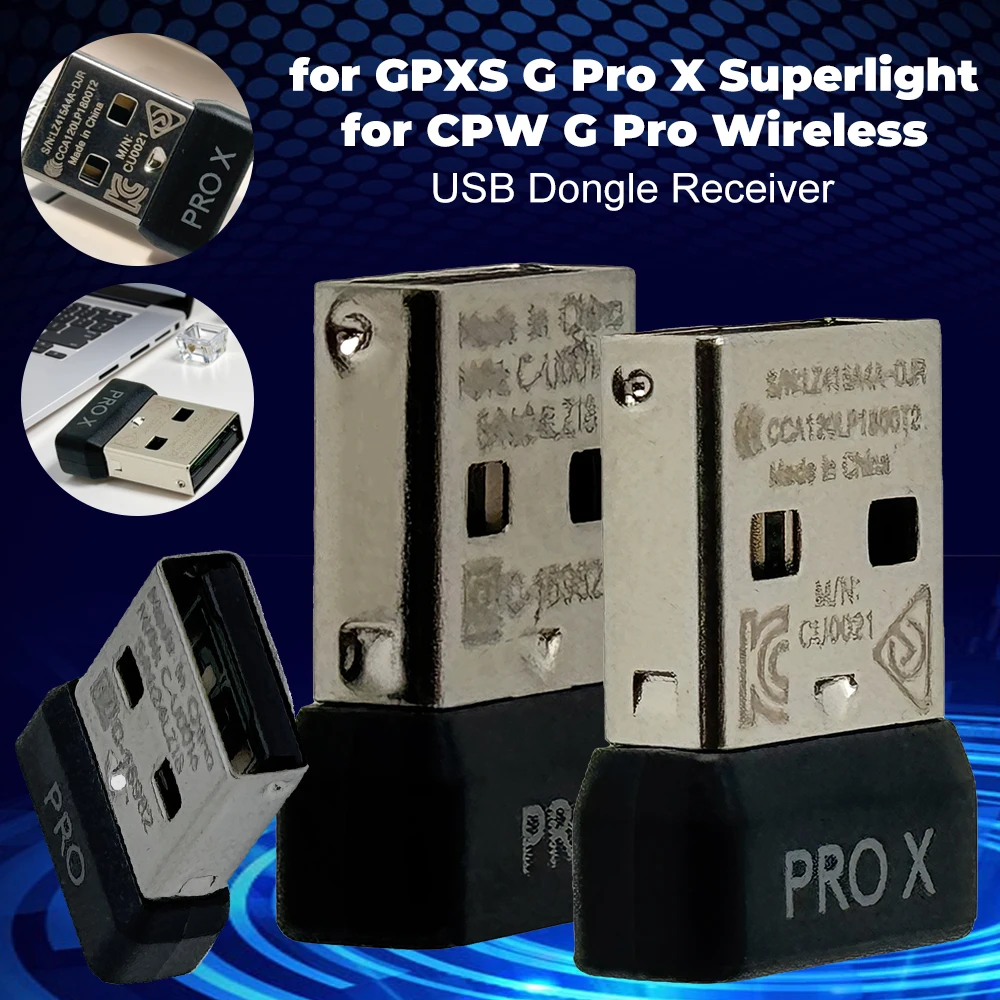


Mini USB Receiver Wireless Gaming Mouse Adapter
$21.77
$42.35


ARGB Addressable Splitter Light Strip Controller for PC
$27.38
$52.78




M2 A+E To NVME SSD Adapter PCI-E 4.0 Riser Card
$6.95
$11.92


Micro SD to IDE Adapter Card for Laptop Notebook
$19.37
$36.74


Vertical Graphics Card Holder Stand for Computer VGA
$20.81
$27.77