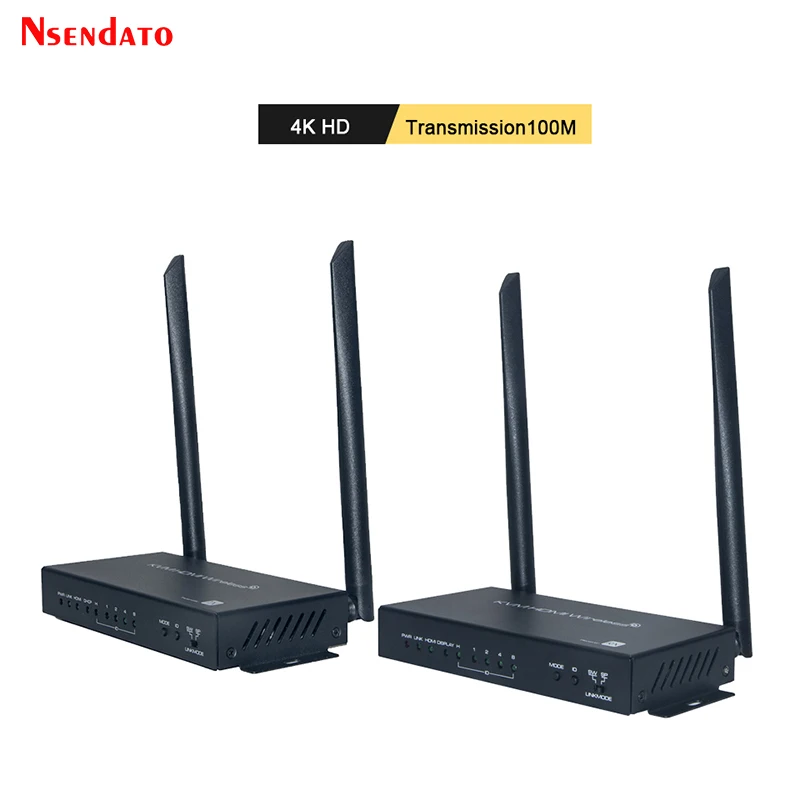
HDMI Wireless Video Transmitter Receiver kit 4K 60Hz 100M UHD HDMI USB KVM Switch Switcher Extender for Mouse keyboard Monitor
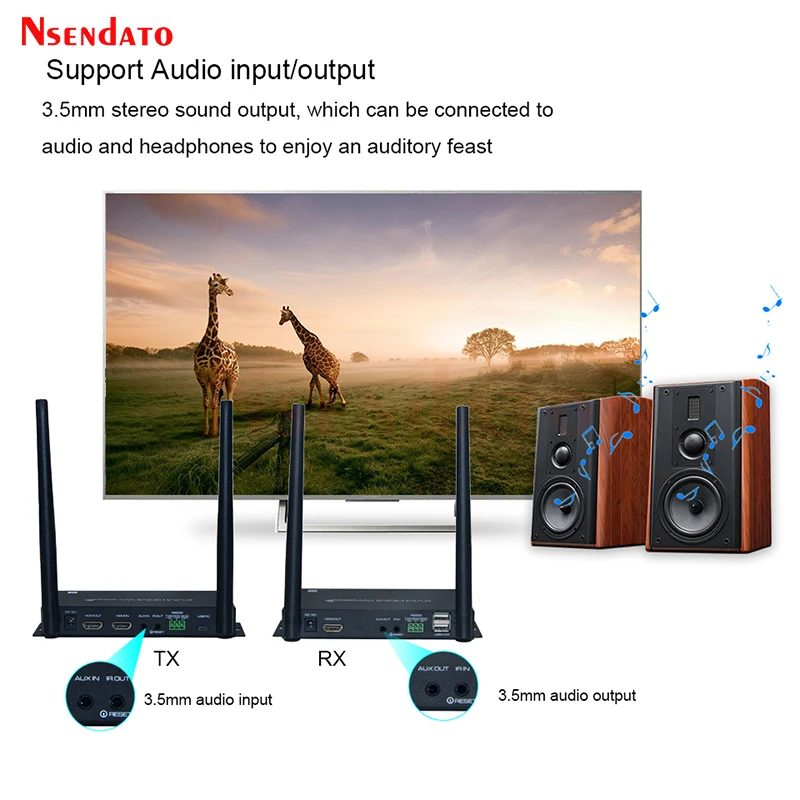
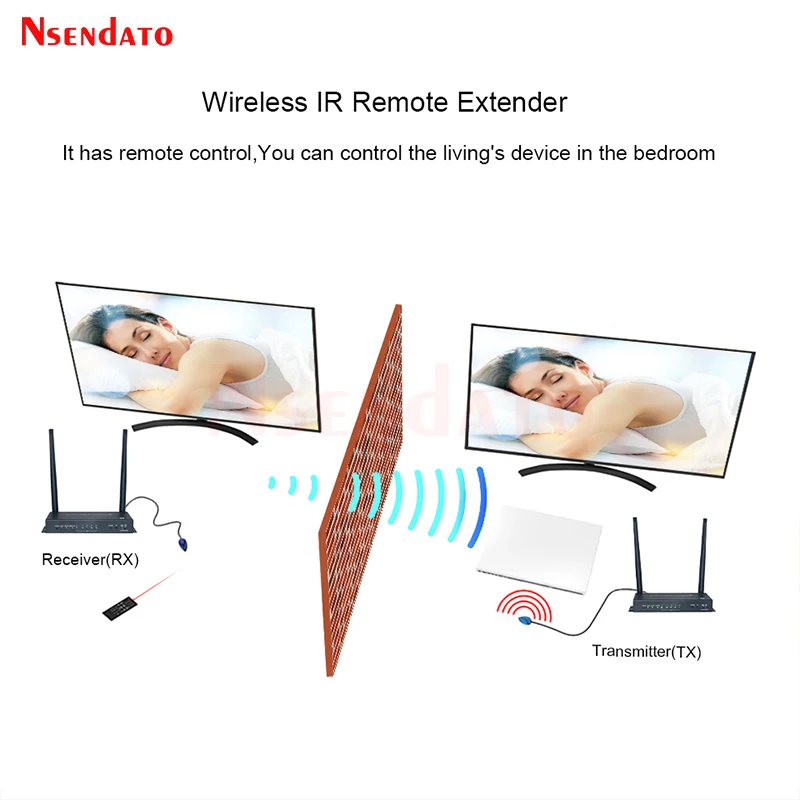
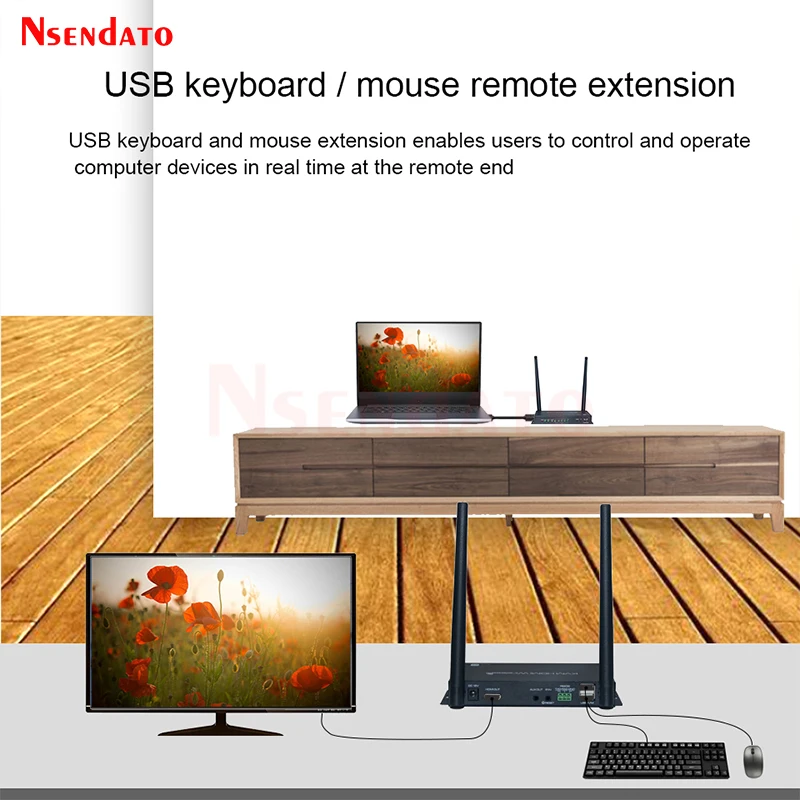
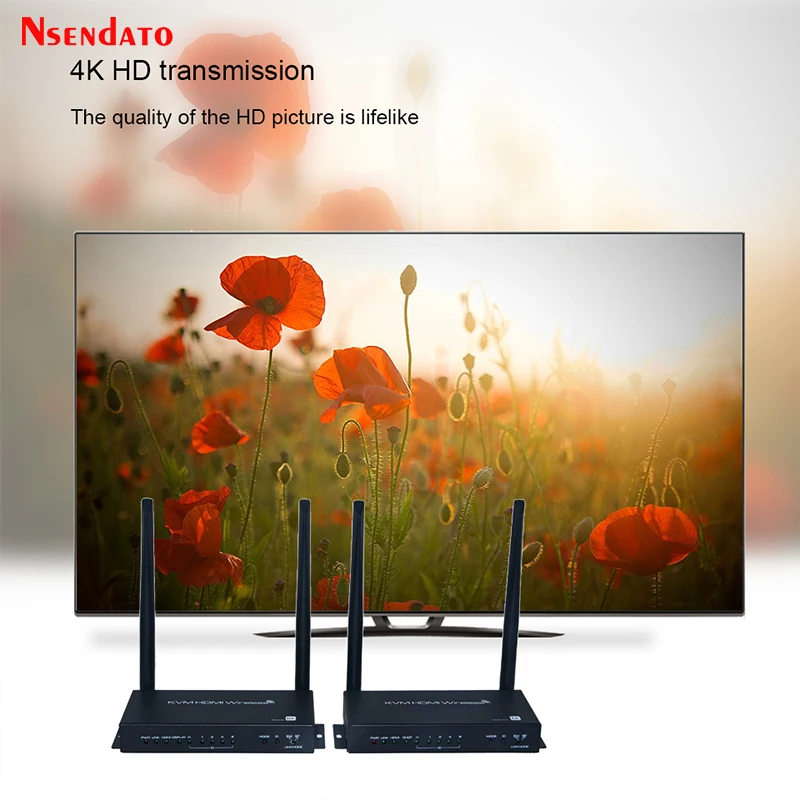
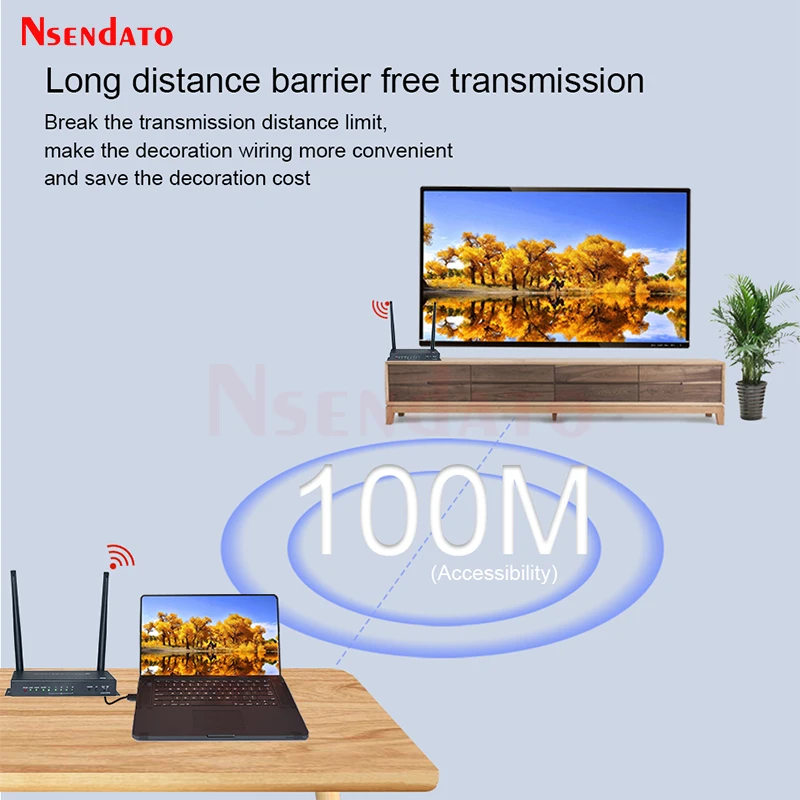
<br/><p><br/></p><div class="detailmodule_html"><div class="detail-desc-decorate-richtext"><div class="detailmodule_dynamic"><div class="detailmodule_media"><div class="video-container-1100109907629"><div class="detail-video" id="1100109907629" data-previewurl="https://ae01.alicdn.com/kf/S0baed81f499140c596056c5ae93aa076o.jpg"></div></div></div></div><div class="detailmodule_dynamic"><kse:widget data-widget-type="customText" id="22569421" type="custom"></kse:widget></div><div class="detailmodule_dynamic"><span style="font-size:16px;font-family:arial, helvetica, sans-serif">HDMI Wireless Video Transmitter Receiver kit 4K 60Hz 100M UHD HDMI USB KVM Switch Switcher Extender for Mouse keyboard Monitor</span><span style="font-size:16px;font-family:arial, helvetica, sans-serif">SPECIFICATIONS:</span></div><div><span style="font-size:16px;font-family:arial, helvetica, sans-serif">Model name:UHD HDMI Wireless Extender</span></div><div><span style="font-size:16px;font-family:arial, helvetica, sans-serif">Ports</span></div><div><span style="font-size:16px;font-family:arial, helvetica, sans-serif">TX: HDMI IN x1, HDMI OUT x1, IR Jack x 1, Micro USB x1, Micro USB (DC 5V) x1</span></div><div><span style="font-size:16px;font-family:arial, helvetica, sans-serif">RX: HDMI OUT x1, USB2.0 x1, Micro USB (DC 5V) x1</span></div><div><span style="font-size:16px;font-family:arial, helvetica, sans-serif">HDMI input resolution:480P/720P/1080P/2160P@60/50/30/25/24</span></div><div><span style="font-size:16px;font-family:arial, helvetica, sans-serif">Supports HDR (HDR10/HDR12/Dolby Vision/HLG)</span></div><div><span style="font-size:16px;font-family:arial, helvetica, sans-serif">HDMI loop output resolution:Same as input, with no latency</span></div><div><span style="font-size:16px;font-family:arial, helvetica, sans-serif">HDMI output resolution:1080P@60</span></div><div><span style="font-size:16px;font-family:arial, helvetica, sans-serif">HDMI Audio format:LPCM (48/44.1KHZ 16/24bit)</span></div><div><span style="font-size:16px;font-family:arial, helvetica, sans-serif">Input/output TMDS signal:0.5~1.5Vp-p(TTL)</span></div><div><span style="font-size:16px;font-family:arial, helvetica, sans-serif">Input/output DDC signal:5Vp-p(TTL)</span></div><div><span style="font-size:16px;font-family:arial, helvetica, sans-serif">Transmission latency:Less than 120ms</span></div><div><span style="font-size:16px;font-family:arial, helvetica, sans-serif">Wireless standard:802.11 ac WiFi MIMO technology</span></div><div><span style="font-size:16px;font-family:arial, helvetica, sans-serif">Wireless Band:4.900 GHz ~ 5.845 GHz (5GHz ISM Band)</span></div><div><span style="font-size:16px;font-family:arial, helvetica, sans-serif">Antenna type:External dual 5dBi gain antenna</span></div><div><span style="font-size:16px;font-family:arial, helvetica, sans-serif">Transmit Output Power:802.11ac /MCS9 : 12dBm ± 2 dB(IPEX)</span></div><div><span style="font-size:16px;font-family:arial, helvetica, sans-serif">Transmission distance:≤100m (in open space)</span></div><div><span style="font-size:16px;font-family:arial, helvetica, sans-serif">IR Carrier frequency:20~60KHz</span></div><div><span style="font-size:16px;font-family:arial, helvetica, sans-serif">Power adapter specification:Input: AC 100~240V / Output: DC 5V/1A (Micro USB)</span></div><div><span style="font-size:16px;font-family:arial, helvetica, sans-serif">Max working current:TX≤ 500mA, RX≤ 500mA</span></div><div><span style="font-size:16px;font-family:arial, helvetica, sans-serif">Packing list:</span></div><div><span style="font-size:16px;font-family:arial, helvetica, sans-serif">Transmitter x1,</span></div><div><span style="font-size:16px;font-family:arial, helvetica, sans-serif">Receiverx1,</span></div><div><span style="font-size:16px;font-family:arial, helvetica, sans-serif">Manualx1,</span></div><div><span style="font-size:16px;font-family:arial, helvetica, sans-serif">Power Adaptorx2,</span></div><div><span style="font-size:16px;font-family:arial, helvetica, sans-serif">Micro USB-USB cable x2,</span></div><div><span style="font-size:16px;font-family:arial, helvetica, sans-serif">IR Transmitter cable x1</span></div><div><strong><span style="color:rgb(247, 17, 17);font-size:16px;font-family:arial, helvetica, sans-serif">Install TX</span></strong></div><div><span style="font-size:16px;font-family:arial, helvetica, sans-serif">Step1: Connect HDMI output port of video source (BD player, PC...) to HDMI input port of TX by HDMI cable.</span></div><div><span style="font-size:16px;font-family:arial, helvetica, sans-serif">Step 2: If you need a local screen, connect HDMI output port of TX to HDMI input port of TV by HDMI cable.</span></div><div><span style="font-size:16px;font-family:arial, helvetica, sans-serif">Step3: Connect the power adapter to TX and wall socket, the TX will power on automatically, the status LED light will turn on flashing red.</span></div><div><strong><span style="color:rgb(242, 10, 10);font-size:16px;font-family:arial, helvetica, sans-serif">Install RX</span></strong></div><div><span style="font-size:16px;font-family:arial, helvetica, sans-serif">Step1: Connect HDMI output port of RX to HDMI input port of TV by HDMI cable.</span></div><div><span style="font-size:16px;font-family:arial, helvetica, sans-serif">Step2: Connect the power adapter to RX and wall socket, the RX will power on automatically, the status LED light will turn on flashing blue.</span></div><div><span style="font-size:16px;font-family:arial, helvetica, sans-serif">Step3: Wait for about 50 seconds, TX and RX will be paired and connected successfully. The color of TX's status LED changes to blue and flashing.</span></div><div><span style="font-size:16px;font-family:arial, helvetica, sans-serif">Step4: If the source has a video output, the video will be sent from TX to RX.</span></div><div><strong><span style="color:rgb(247, 10, 10);font-size:16px;font-family:arial, helvetica, sans-serif">Wireless Pairing</span></strong></div><div><span style="font-size:16px;font-family:arial, helvetica, sans-serif">1, Power on both TX and RX, TX and RX will automatically start pairing, no configuration.</span></div><div><span style="font-size:16px;font-family:arial, helvetica, sans-serif">2, The color of TX's status LED changes to blue after successful pairing. Paired devices will no longer be connected to other devices.</span></div><div><span style="font-size:16px;font-family:arial, helvetica, sans-serif">3, If you want to clear the pairing, please press the reset button of TX for more than 5 seconds. When the color of TX's status LED changes to red, Indicates that the pairing information has been cleared. The reset button is embedded in the IR OUT jack, you need a long and thin rod (e.g. toothpicks) inserted into the jack to operate it. After reset, TX will search for RX again for pairing.</span></div><div><span style="font-size:16px;font-family:arial, helvetica, sans-serif">How to control the device by using remote control</span></div><div><span style="font-size:16px;font-family:arial, helvetica, sans-serif">1, Using the infrared transmission function of this product, you can remote control the source devices and other peripherals that can be controlled by infrared (e.g. air conditioner).</span></div><div><span style="font-size:16px;font-family:arial, helvetica, sans-serif">2, Connect the IR Transmitter cable to the IR OUT jack of TX, and aim the IR probe in front of the IR sensor of the video source. (Please find the correct position of IR sensor of the video source or the IR signal won't pass through)</span></div><div><span style="font-size:16px;font-family:arial, helvetica, sans-serif">3, Use the source device remote control aiming at IR receiver hole of the RX front panel to control the source device, the distance between this IR receiver hole and remote control should be within 5m.</span></div><div><strong><span style="color:rgb(252, 10, 10);font-size:16px;font-family:arial, helvetica, sans-serif">How to control the device by using mouse/keyboard</span></strong></div><div><span style="font-size:16px;font-family:arial, helvetica, sans-serif">1, Connect the Device Port of TX to PC/ Android TV Box by using a Micro USB-USB Type A Cable.</span></div><div><span style="font-size:16px;font-family:arial, helvetica, sans-serif">2, Connect the RX USB Host jack with a mouse or game controller.</span></div><div><span style="font-size:16px;font-family:arial, helvetica, sans-serif">3, Then you can use the mouse or game controller to control the PC/ game controller in other room.</span></div><div><strong><span style="color:rgb(254, 5, 5);font-size:16px;font-family:arial, helvetica, sans-serif">Other Notes</span></strong></div><div><span style="font-size:16px;font-family:arial, helvetica, sans-serif">1, Proprietary anti-interference technology to ensure stable streaming in a crowded Wi-Fi environment, support up to 6 sets of equipment running at the same time at one space.</span></div><div><span style="font-size:16px;font-family:arial, helvetica, sans-serif">2, TX RX will automatically select a channel with less interference to connect according to the current wireless interference situation.</span></div><div><span style="font-size:16px;font-family:arial, helvetica, sans-serif">3, Don't worry about the data security, this product support AES 128-bit security encryption and WPA2/WPA-PSK/WPA2-PSK authentication protocol to protect data. FOR HDCP supported to protect the content.</span></div><div><span style="font-size:16px;font-family:arial, helvetica, sans-serif">4, If the environment is not good, the distance could will be much shorter. At this time, please try to adjust the angle of the antenna or adjust the position of the device. Matter that needs attention: Concrete walls, Brick, Wallpaper, Metal, Bulletproof glass will shorten the signal cover range or cause big signal loss. Please try to avoid these obstacles in the transmission path.</span></div><div><span style="font-size:16px;font-family:arial, helvetica, sans-serif">5, When the devices can’t run normally, please try to restart TX and RX, or reset and repair.<br/>6, This product only support 48/44. 1KHZ 16/24 bit digital audio, please check the source device set to correct audio standard. If the product has no sound or abnormal sound, try to modify the audio output format of the signal source to LPCM/PCM.</span></div><div class="detailmodule_html"><div class="detail-desc-decorate-richtext"><div style="font-size:13.3333px;margin:0px;margin-bottom:0px;margin-top:0px;margin-left:0px;margin-right:0px;padding:0px 0px 0px 0em;padding-bottom:0px;padding-top:0px;padding-right:0px"><div></div><div></div><div></div><div></div><div></div><div></div><div></div><div></div><div></div><div></div><div></div><div></div><div></div><div></div></div></div></div><p><kse:widget data-widget-type="customText" id="1005000001165679" type="custom"></kse:widget><br/></p></div></div><p><br/></p><p><br/></p><p><br/></p><br/>
$269.825
$213.575
- Category : Consumer Electronics
- Brand : nsendato_office_store_store Nsendato Office Store Store
Colors
Sizes
-
+

<br/><p><br/></p><div class="detailmodule_html"><div class="detail-desc-decorate-richtext"><div class="detailmodule_dynamic"><div class="detailmodule_media"><div class="video-container-1100109907629"><div class="detail-video" id="1100109907629" data-previewurl="https://ae01.alicdn.com/kf/S0baed81f499140c596056c5ae93aa076o.jpg"></div></div></div></div><div class="detailmodule_dynamic"><kse:widget data-widget-type="customText" id="22569421" type="custom"></kse:widget></div><div class="detailmodule_dynamic"><span style="font-size:16px;font-family:arial, helvetica, sans-serif">HDMI Wireless Video Transmitter Receiver kit 4K 60Hz 100M UHD HDMI USB KVM Switch Switcher Extender for Mouse keyboard Monitor</span><span style="font-size:16px;font-family:arial, helvetica, sans-serif">SPECIFICATIONS:</span></div><div><span style="font-size:16px;font-family:arial, helvetica, sans-serif">Model name:UHD HDMI Wireless Extender</span></div><div><span style="font-size:16px;font-family:arial, helvetica, sans-serif">Ports</span></div><div><span style="font-size:16px;font-family:arial, helvetica, sans-serif">TX: HDMI IN x1, HDMI OUT x1, IR Jack x 1, Micro USB x1, Micro USB (DC 5V) x1</span></div><div><span style="font-size:16px;font-family:arial, helvetica, sans-serif">RX: HDMI OUT x1, USB2.0 x1, Micro USB (DC 5V) x1</span></div><div><span style="font-size:16px;font-family:arial, helvetica, sans-serif">HDMI input resolution:480P/720P/1080P/2160P@60/50/30/25/24</span></div><div><span style="font-size:16px;font-family:arial, helvetica, sans-serif">Supports HDR (HDR10/HDR12/Dolby Vision/HLG)</span></div><div><span style="font-size:16px;font-family:arial, helvetica, sans-serif">HDMI loop output resolution:Same as input, with no latency</span></div><div><span style="font-size:16px;font-family:arial, helvetica, sans-serif">HDMI output resolution:1080P@60</span></div><div><span style="font-size:16px;font-family:arial, helvetica, sans-serif">HDMI Audio format:LPCM (48/44.1KHZ 16/24bit)</span></div><div><span style="font-size:16px;font-family:arial, helvetica, sans-serif">Input/output TMDS signal:0.5~1.5Vp-p(TTL)</span></div><div><span style="font-size:16px;font-family:arial, helvetica, sans-serif">Input/output DDC signal:5Vp-p(TTL)</span></div><div><span style="font-size:16px;font-family:arial, helvetica, sans-serif">Transmission latency:Less than 120ms</span></div><div><span style="font-size:16px;font-family:arial, helvetica, sans-serif">Wireless standard:802.11 ac WiFi MIMO technology</span></div><div><span style="font-size:16px;font-family:arial, helvetica, sans-serif">Wireless Band:4.900 GHz ~ 5.845 GHz (5GHz ISM Band)</span></div><div><span style="font-size:16px;font-family:arial, helvetica, sans-serif">Antenna type:External dual 5dBi gain antenna</span></div><div><span style="font-size:16px;font-family:arial, helvetica, sans-serif">Transmit Output Power:802.11ac /MCS9 : 12dBm ± 2 dB(IPEX)</span></div><div><span style="font-size:16px;font-family:arial, helvetica, sans-serif">Transmission distance:≤100m (in open space)</span></div><div><span style="font-size:16px;font-family:arial, helvetica, sans-serif">IR Carrier frequency:20~60KHz</span></div><div><span style="font-size:16px;font-family:arial, helvetica, sans-serif">Power adapter specification:Input: AC 100~240V / Output: DC 5V/1A (Micro USB)</span></div><div><span style="font-size:16px;font-family:arial, helvetica, sans-serif">Max working current:TX≤ 500mA, RX≤ 500mA</span></div><div><span style="font-size:16px;font-family:arial, helvetica, sans-serif">Packing list:</span></div><div><span style="font-size:16px;font-family:arial, helvetica, sans-serif">Transmitter x1,</span></div><div><span style="font-size:16px;font-family:arial, helvetica, sans-serif">Receiverx1,</span></div><div><span style="font-size:16px;font-family:arial, helvetica, sans-serif">Manualx1,</span></div><div><span style="font-size:16px;font-family:arial, helvetica, sans-serif">Power Adaptorx2,</span></div><div><span style="font-size:16px;font-family:arial, helvetica, sans-serif">Micro USB-USB cable x2,</span></div><div><span style="font-size:16px;font-family:arial, helvetica, sans-serif">IR Transmitter cable x1</span></div><div><strong><span style="color:rgb(247, 17, 17);font-size:16px;font-family:arial, helvetica, sans-serif">Install TX</span></strong></div><div><span style="font-size:16px;font-family:arial, helvetica, sans-serif">Step1: Connect HDMI output port of video source (BD player, PC...) to HDMI input port of TX by HDMI cable.</span></div><div><span style="font-size:16px;font-family:arial, helvetica, sans-serif">Step 2: If you need a local screen, connect HDMI output port of TX to HDMI input port of TV by HDMI cable.</span></div><div><span style="font-size:16px;font-family:arial, helvetica, sans-serif">Step3: Connect the power adapter to TX and wall socket, the TX will power on automatically, the status LED light will turn on flashing red.</span></div><div><strong><span style="color:rgb(242, 10, 10);font-size:16px;font-family:arial, helvetica, sans-serif">Install RX</span></strong></div><div><span style="font-size:16px;font-family:arial, helvetica, sans-serif">Step1: Connect HDMI output port of RX to HDMI input port of TV by HDMI cable.</span></div><div><span style="font-size:16px;font-family:arial, helvetica, sans-serif">Step2: Connect the power adapter to RX and wall socket, the RX will power on automatically, the status LED light will turn on flashing blue.</span></div><div><span style="font-size:16px;font-family:arial, helvetica, sans-serif">Step3: Wait for about 50 seconds, TX and RX will be paired and connected successfully. The color of TX's status LED changes to blue and flashing.</span></div><div><span style="font-size:16px;font-family:arial, helvetica, sans-serif">Step4: If the source has a video output, the video will be sent from TX to RX.</span></div><div><strong><span style="color:rgb(247, 10, 10);font-size:16px;font-family:arial, helvetica, sans-serif">Wireless Pairing</span></strong></div><div><span style="font-size:16px;font-family:arial, helvetica, sans-serif">1, Power on both TX and RX, TX and RX will automatically start pairing, no configuration.</span></div><div><span style="font-size:16px;font-family:arial, helvetica, sans-serif">2, The color of TX's status LED changes to blue after successful pairing. Paired devices will no longer be connected to other devices.</span></div><div><span style="font-size:16px;font-family:arial, helvetica, sans-serif">3, If you want to clear the pairing, please press the reset button of TX for more than 5 seconds. When the color of TX's status LED changes to red, Indicates that the pairing information has been cleared. The reset button is embedded in the IR OUT jack, you need a long and thin rod (e.g. toothpicks) inserted into the jack to operate it. After reset, TX will search for RX again for pairing.</span></div><div><span style="font-size:16px;font-family:arial, helvetica, sans-serif">How to control the device by using remote control</span></div><div><span style="font-size:16px;font-family:arial, helvetica, sans-serif">1, Using the infrared transmission function of this product, you can remote control the source devices and other peripherals that can be controlled by infrared (e.g. air conditioner).</span></div><div><span style="font-size:16px;font-family:arial, helvetica, sans-serif">2, Connect the IR Transmitter cable to the IR OUT jack of TX, and aim the IR probe in front of the IR sensor of the video source. (Please find the correct position of IR sensor of the video source or the IR signal won't pass through)</span></div><div><span style="font-size:16px;font-family:arial, helvetica, sans-serif">3, Use the source device remote control aiming at IR receiver hole of the RX front panel to control the source device, the distance between this IR receiver hole and remote control should be within 5m.</span></div><div><strong><span style="color:rgb(252, 10, 10);font-size:16px;font-family:arial, helvetica, sans-serif">How to control the device by using mouse/keyboard</span></strong></div><div><span style="font-size:16px;font-family:arial, helvetica, sans-serif">1, Connect the Device Port of TX to PC/ Android TV Box by using a Micro USB-USB Type A Cable.</span></div><div><span style="font-size:16px;font-family:arial, helvetica, sans-serif">2, Connect the RX USB Host jack with a mouse or game controller.</span></div><div><span style="font-size:16px;font-family:arial, helvetica, sans-serif">3, Then you can use the mouse or game controller to control the PC/ game controller in other room.</span></div><div><strong><span style="color:rgb(254, 5, 5);font-size:16px;font-family:arial, helvetica, sans-serif">Other Notes</span></strong></div><div><span style="font-size:16px;font-family:arial, helvetica, sans-serif">1, Proprietary anti-interference technology to ensure stable streaming in a crowded Wi-Fi environment, support up to 6 sets of equipment running at the same time at one space.</span></div><div><span style="font-size:16px;font-family:arial, helvetica, sans-serif">2, TX RX will automatically select a channel with less interference to connect according to the current wireless interference situation.</span></div><div><span style="font-size:16px;font-family:arial, helvetica, sans-serif">3, Don't worry about the data security, this product support AES 128-bit security encryption and WPA2/WPA-PSK/WPA2-PSK authentication protocol to protect data. FOR HDCP supported to protect the content.</span></div><div><span style="font-size:16px;font-family:arial, helvetica, sans-serif">4, If the environment is not good, the distance could will be much shorter. At this time, please try to adjust the angle of the antenna or adjust the position of the device. Matter that needs attention: Concrete walls, Brick, Wallpaper, Metal, Bulletproof glass will shorten the signal cover range or cause big signal loss. Please try to avoid these obstacles in the transmission path.</span></div><div><span style="font-size:16px;font-family:arial, helvetica, sans-serif">5, When the devices can’t run normally, please try to restart TX and RX, or reset and repair.<br/>6, This product only support 48/44. 1KHZ 16/24 bit digital audio, please check the source device set to correct audio standard. If the product has no sound or abnormal sound, try to modify the audio output format of the signal source to LPCM/PCM.</span></div><div class="detailmodule_html"><div class="detail-desc-decorate-richtext"><div style="font-size:13.3333px;margin:0px;margin-bottom:0px;margin-top:0px;margin-left:0px;margin-right:0px;padding:0px 0px 0px 0em;padding-bottom:0px;padding-top:0px;padding-right:0px"><div></div><div></div><div></div><div></div><div></div><div></div><div></div><div></div><div></div><div></div><div></div><div></div><div></div><div></div></div></div></div><p><kse:widget data-widget-type="customText" id="1005000001165679" type="custom"></kse:widget><br/></p></div></div><p><br/></p><p><br/></p><p><br/></p><br/>
Related Product
Browse The Collection of Top Products.