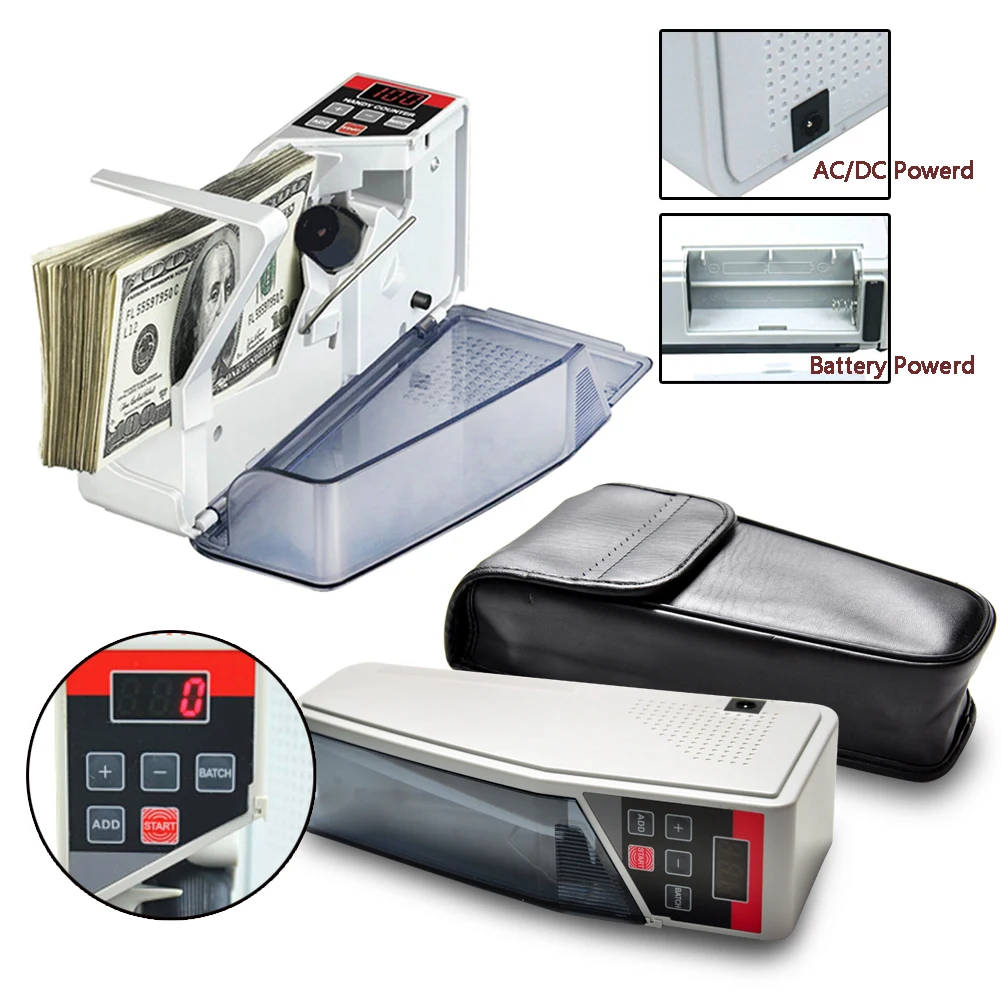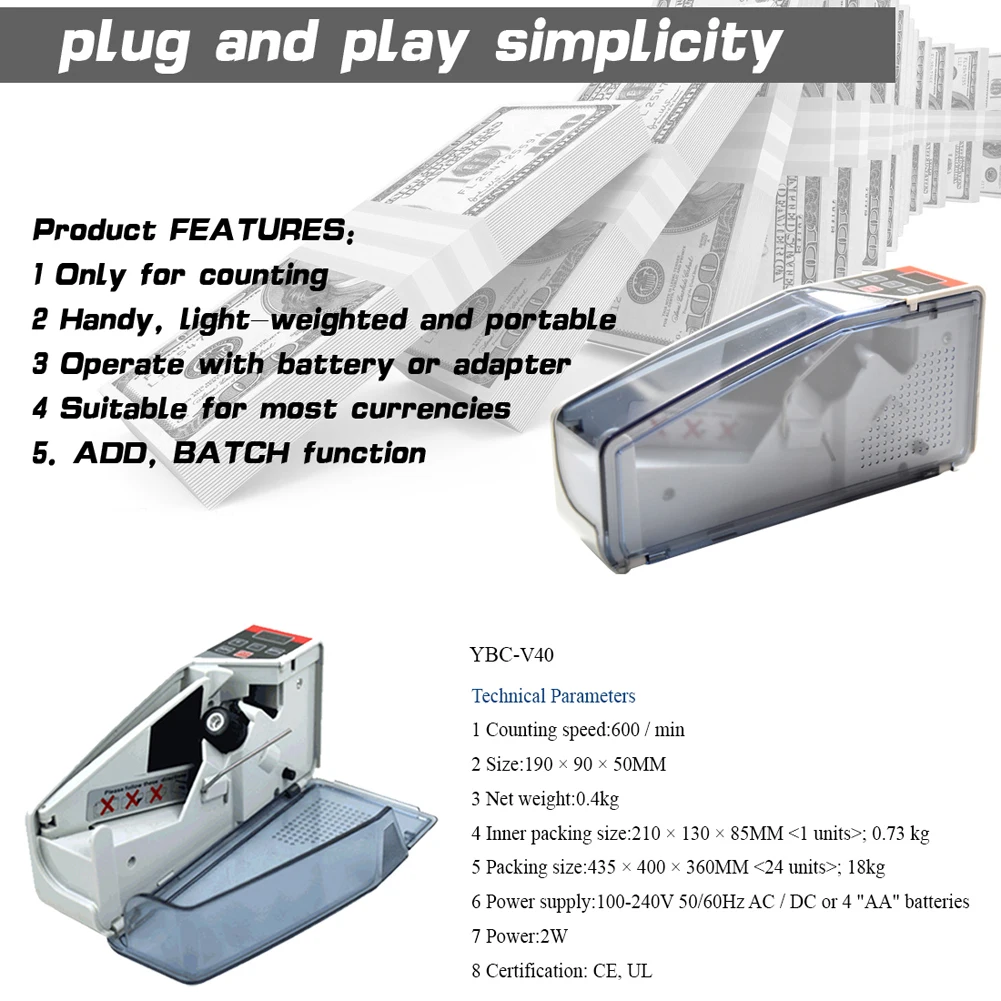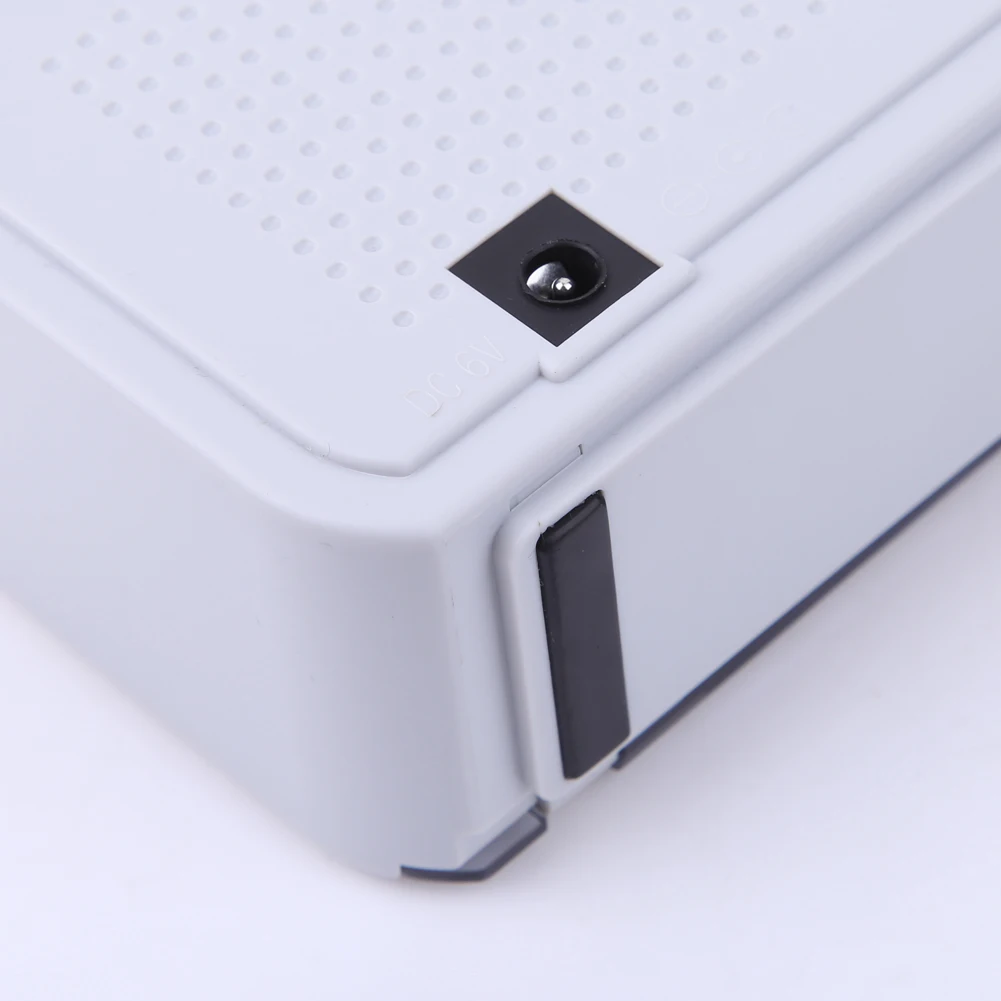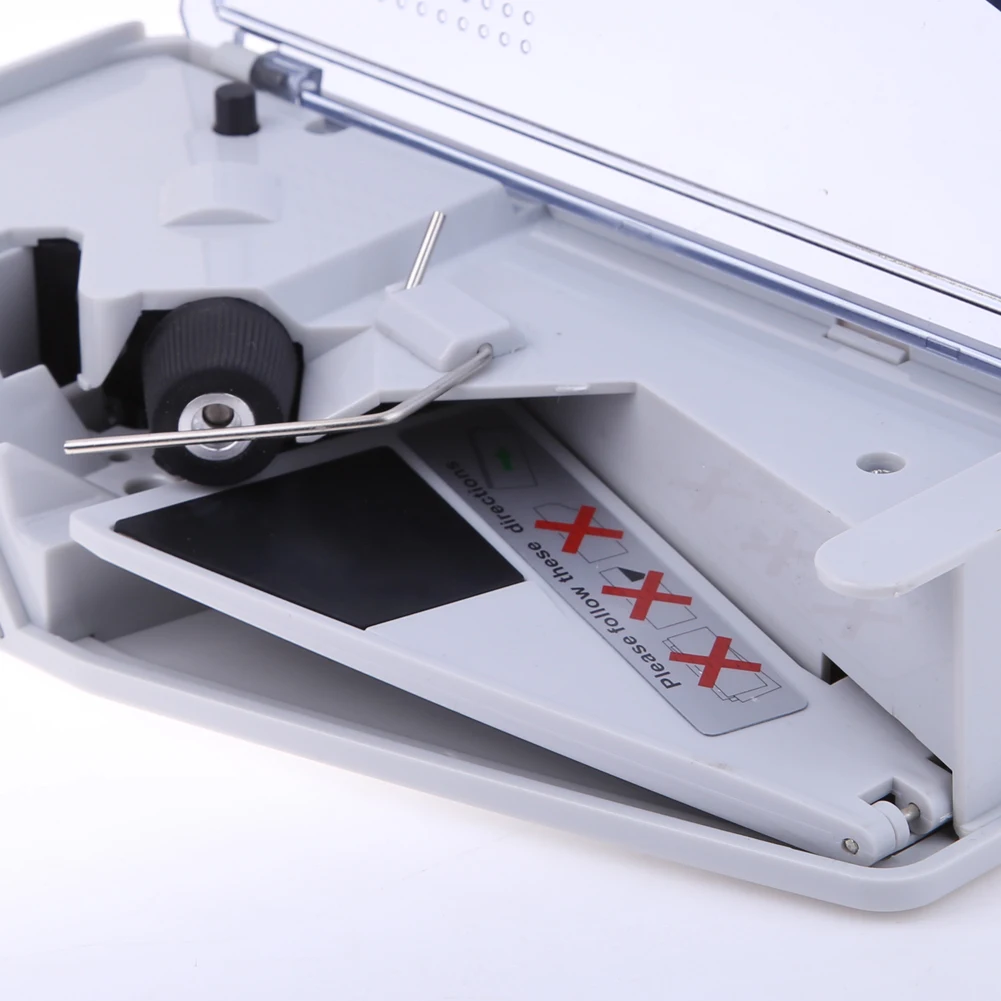


Mini Iscan Document & Image Scanner A4 Paper 1050DPI JPG/PDF Format High Speed Portable Scan LCD Display for Business File Photo
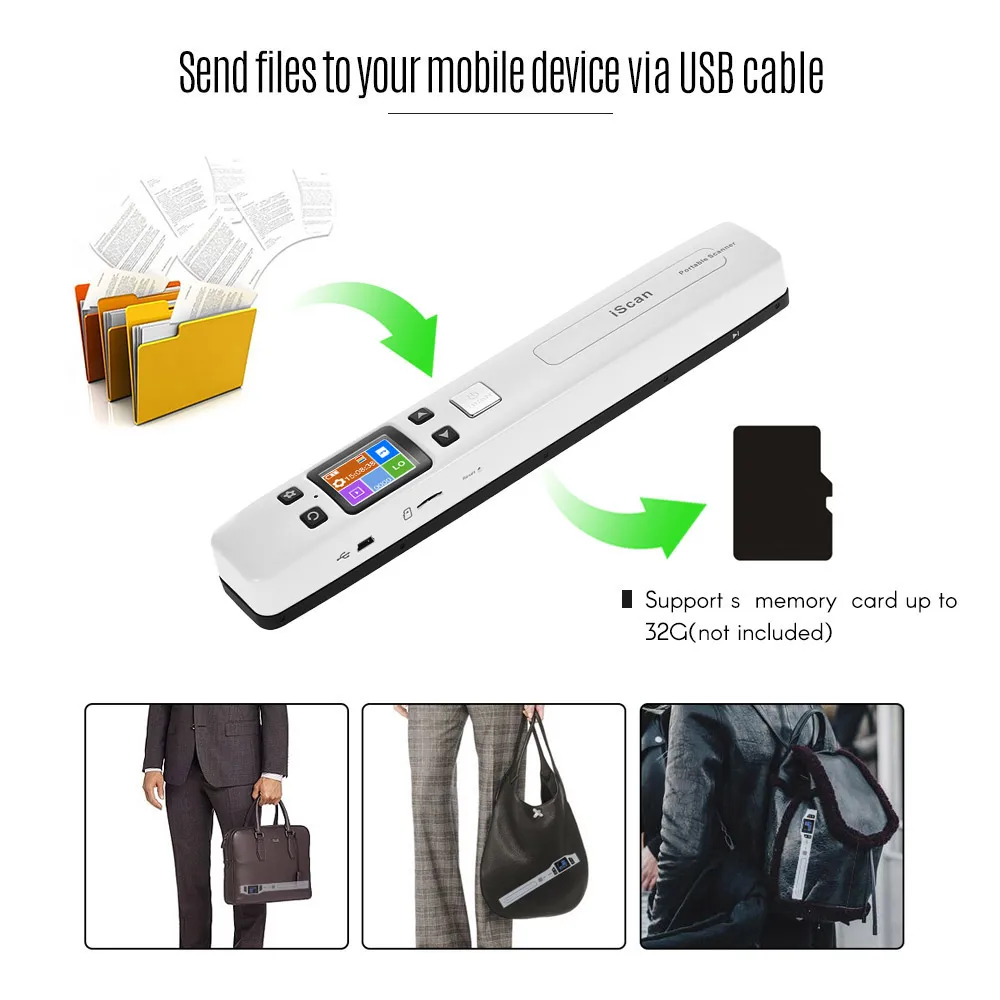
<div class="detailmodule_html"><div class="detail-desc-decorate-richtext"><div><span style="color:rgb(255, 0, 0)"><strong><span style="font-size:48px"><span style="background-color:rgb(255, 192, 0)">Please kindly watch the video! </span></span></strong></span></div><div style="font-family:"TT Norms Pro", "Open Sans", Roboto, Arial, Helvetica, sans-serif, SimSun;font-size:14px;font-weight:400;letter-spacing:normal;text-align:start;white-space:normal;color:rgb(34, 34, 34);background-color:rgb(255, 255, 255);margin:0px;margin-bottom:0px;margin-top:0px;margin-left:0px;margin-right:0px;padding:0px;padding-bottom:0px;padding-top:0px;padding-left:0px;padding-right:0px;box-sizing:content-box" align="start"></div><div style="font-family:"TT Norms Pro", "Open Sans", Roboto, Arial, Helvetica, sans-serif, SimSun;font-size:14px;font-weight:400;letter-spacing:normal;text-align:start;white-space:normal;color:rgb(34, 34, 34);background-color:rgb(255, 255, 255);margin:0px;margin-bottom:0px;margin-top:0px;margin-left:0px;margin-right:0px;padding:0px;padding-bottom:0px;padding-top:0px;padding-left:0px;padding-right:0px;box-sizing:content-box" align="start"><span style="font-size:18px"><strong>Warm reminder:</strong></span></div><div style="font-family:"TT Norms Pro", "Open Sans", Roboto, Arial, Helvetica, sans-serif, SimSun;font-size:14px;font-weight:400;letter-spacing:normal;text-align:start;white-space:normal;color:rgb(34, 34, 34);background-color:rgb(255, 255, 255);margin:0px;margin-bottom:0px;margin-top:0px;margin-left:0px;margin-right:0px;padding:0px;padding-bottom:0px;padding-top:0px;padding-left:0px;padding-right:0px;box-sizing:content-box" align="start"><span style="font-size:18px"><strong>The package comes with a CD file that can be downloaded directly by accessing the following link:</strong></span></div><div style="font-family:"TT Norms Pro", "Open Sans", Roboto, Arial, Helvetica, sans-serif, SimSun;font-size:14px;font-weight:400;letter-spacing:normal;text-align:start;white-space:normal;color:rgb(34, 34, 34);background-color:rgb(255, 255, 255);margin:0px;margin-bottom:0px;margin-top:0px;margin-left:0px;margin-right:0px;padding:0px;padding-bottom:0px;padding-top:0px;padding-left:0px;padding-right:0px;box-sizing:content-box" align="start"><a style="color:rgb(25, 25, 25);background-color:transparent;margin:0px;margin-bottom:0px;margin-top:0px;margin-left:0px;margin-right:0px;padding:0px;padding-bottom:0px;padding-top:0px;padding-left:0px;padding-right:0px;box-sizing:border-box" href="https://u.pcloud.link/publink/show?code=XZrxhP0ZOtf3UQ1RBF8Bbpm0petmlzT4AA1y" target="_self" class=""><span style="font-size:18px"><strong>https://u.pcloud.link/publink/show?code=XZrxhP0ZOtf3UQ1RBF8Bbpm0petmlzT4AA</strong></span></a></div><div style="font-family:"TT Norms Pro", "Open Sans", Roboto, Arial, Helvetica, sans-serif, SimSun;font-size:14px;font-weight:400;letter-spacing:normal;text-align:start;white-space:normal;color:rgb(34, 34, 34);background-color:rgb(255, 255, 255);margin:0px;margin-bottom:0px;margin-top:0px;margin-left:0px;margin-right:0px;padding:0px;padding-bottom:0px;padding-top:0px;padding-left:0px;padding-right:0px;box-sizing:content-box" align="start"></div><div style="font-family:"TT Norms Pro", "Open Sans", Roboto, Arial, Helvetica, sans-serif, SimSun;font-size:14px;font-weight:400;letter-spacing:normal;text-align:start;white-space:normal;color:rgb(34, 34, 34);background-color:rgb(255, 255, 255);margin:0px;margin-bottom:0px;margin-top:0px;margin-left:0px;margin-right:0px;padding:0px;padding-bottom:0px;padding-top:0px;padding-left:0px;padding-right:0px;box-sizing:content-box" align="start"><span style="font-size:18px"><strong>USB/WIFI is only a transmission channel, the scanner must be used with a memory card for storage</strong></span><span style="color:rgb(34, 34, 34);font-size:20px;font-family:"TT Norms Pro", "Open Sans", Roboto, Arial, Helvetica, sans-serif, SimSun"><strong>(Up to 32G only)</strong></span><span style="font-size:18px"><strong>.</strong></span></div><div style="font-family:"TT Norms Pro", "Open Sans", Roboto, Arial, Helvetica, sans-serif, SimSun;font-size:14px;font-weight:400;letter-spacing:normal;text-align:start;white-space:normal;color:rgb(34, 34, 34);background-color:rgb(255, 255, 255);margin:0px;margin-bottom:0px;margin-top:0px;margin-left:0px;margin-right:0px;padding:0px;padding-bottom:0px;padding-top:0px;padding-left:0px;padding-right:0px;box-sizing:content-box" align="start"><br/></div><div><div><p style="font-family:OpenSans;font-size:14px;font-weight:300;line-height:20px;white-space:pre-wrap;color:rgb(0, 0, 0);margin-bottom:12px" class="detail-desc-decorate-content"><span style="font-size:18px;font-family:tahoma, geneva, sans-serif">- Wand portable scanner is very small and can scan anywhere. You can take it in your bag with your tablet.<br/>- Better for businessman to scan contracts and related files face to face after the meeting with customers.<br/>- Try the best to catch every opportunities in a shorter time.<br/>- Good for graduates to prepare for thesis. Gather all the files from library with this document scanner.<br/>- Examination period, you can use document scanner to scan your classmates and teachers' notes. One hour can scan the whole school term's notes and knowledge points.<br/>- Wide using range in business, teaching, study, law and others. Save our time, money and energy. This wand portable scanners for documents will assist you to show image and characters of document in your computer with high resolution way in two seconds</span></p><div></div></div></div><p style="font-family:OpenSans;font-size:14px;font-weight:300;line-height:20px;white-space:pre-wrap;color:rgb(0, 0, 0);margin-bottom:12px" class="detail-desc-decorate-content"><br/></p><div><p style="font-family:OpenSans;font-size:14px;font-weight:300;line-height:20px;white-space:pre-wrap;color:rgb(0, 0, 0);margin-bottom:12px" class="detail-desc-decorate-content"><span style="font-size:22px"><strong>Feature</strong></span></p><p style="font-family:OpenSans;font-size:14px;font-weight:300;line-height:20px;white-space:pre-wrap;color:rgb(0, 0, 0);margin-bottom:12px" class="detail-desc-decorate-content"><span style="font-size:16px">Portable USB Document Scanner built in real time scanning detector to avoid image distortion, the high quality speed controller can scan one A4 paper within 3 seconds.</span></p><p style="font-family:OpenSans;font-size:14px;font-weight:300;line-height:20px;white-space:pre-wrap;color:rgb(0, 0, 0);margin-bottom:12px" class="detail-desc-decorate-content"><span style="font-size:16px">It support save in format of PDF and JPG, you can modify scanned documents by Windows Imaging, PHOTO Shop and other similar image modification OCR software.</span></p><p style="font-family:OpenSans;font-size:14px;font-weight:300;line-height:20px;white-space:pre-wrap;color:rgb(0, 0, 0);margin-bottom:12px" class="detail-desc-decorate-content"><span style="font-size:16px"><br/></span><span style="font-size:16px"><strong> 【OCR function installed】</strong></span><span style="font-size:16px">The OCR software can transfer JPEG to Word etc kinds of format, it is easy to operate and carry. Makes your office work more efficient and convenient. (Support Windows system only)<br/></span><span style="font-size:16px"><strong> 【Easy data conversion】</strong></span><span style="font-size:16px">This scanner is useful when you want to scan meetings'newspaper articles, paper documents, etc. it is a compact model, scanner that is optimal for carrying. It is easy to store and manage, and business efficiency will be up!<br/></span><span style="font-size:16px"><strong> 【Ideal for mobile】</strong></span><span style="font-size:16px"> Compact and lightweight design, comes with a special pouch that is convenient to carry and store. We will not let you take time and effort for storage.<br/></span><span style="font-size:16px"><strong> 【Scanning range】</strong></span><span style="font-size:16px"> Scan size It is wide, and it corresponds to various sizes such as A4, photographs, business cards and postcard size. You can easily extract only the necessary parts of the document.<br/></span><span style="font-size:16px"><strong> 【Auto Save】</strong></span><span style="font-size:16px"> Since it is attached to the 16G microSD card, the scanned data will be saved on the microSD card as it is. It is ideal for people who want to use and carry on the go, such as business scenes. Since it can be used as a single unit without connecting to a personal computer, it can be used in various places such as home, office, going out and so on.</span></p></div><p style="font-family:OpenSans;font-size:20px;font-weight:900;line-height:28px;white-space:pre-wrap;color:rgb(0, 0, 0);margin-bottom:12px" class="detail-desc-decorate-title">How to connect your smart phone and tablet to the Scanner WI-FI?</p><p style="font-family:OpenSans;font-size:14px;font-weight:300;line-height:20px;white-space:pre-wrap;color:rgb(0, 0, 0);margin-bottom:12px" class="detail-desc-decorate-content"><span style="font-size:16px"><strong>1). </strong></span><span style="font-size:16px">Press the "Menu" key enter setup mode.<br/></span><span style="font-size:16px"><strong>2).</strong></span><span style="font-size:16px">Select WiFi Link by the "Down" key.<br/></span><span style="font-size:16px"><strong>3). </strong></span><span style="font-size:16px">Press the key to startup the Wifi.<br/></span><span style="font-size:16px"><strong>4).</strong></span><span style="font-size:16px">When the WiFi is started up, the LCD screen will display WiFi .After you've activated the smart phone and tablet's Wi-Fi radio, you can connect to the scanner's wifi network. The method can vary, depending on which type is your phone or tablet.<br/>Scanner Wi-Fi features the scanner icon. Obey these steps to connect to the Scanner Wi-Fi network:<br/></span><span style="font-size:16px"><strong>1).</strong></span><span style="font-size:16px"> Click the Apps icon on the Home screen.<br/></span><span style="font-size:16px"><strong>2).</strong></span><span style="font-size:16px"> Open the Settings app.<br/></span><span style="font-size:16px"><strong>3).</strong></span><span style="font-size:16px"> Choose Wi-Fi.<br/></span><span style="font-size:16px"><strong>4). </strong></span><span style="font-size:16px">The Wi-Fi settings icon appears.<br/></span><span style="font-size:16px"><strong>5).</strong></span><span style="font-size:16px"> Click the scannerxxx icon from the network list on the screen.<br/></span><span style="font-size:16px"><strong>6).</strong></span><span style="font-size:16px"> After it connect successfully, open your web browser, and enter the address 192.168.10.1 in the Web address field and hit return to reach the Wi-Fi's home page.<br/></span><span style="font-size:16px"><strong>7). </strong></span><span style="font-size:16px">The Wi-Fi's home page will ask you for a username and password ( Default username:admin ) ( Default password:admin )<br/>Then you can view and download the pictures scanned in Scanner</span></p><div></div><div></div><div><div><br/></div><div></div></div><p style="font-family:OpenSans;font-size:20px;font-weight:900;line-height:28px;white-space:pre-wrap;color:rgb(0, 0, 0);margin-bottom:12px" class="detail-desc-decorate-title">Package content</p><p style="font-family:OpenSans;font-size:14px;font-weight:300;line-height:20px;white-space:pre-wrap;color:rgb(0, 0, 0);margin-bottom:12px" class="detail-desc-decorate-content"><span style="font-size:16px">-1x Document Scanner<br/>-1x CD Driver<br/>-1x Carry Bag<br/>-1x User Manual</span></p><div></div><div><br/></div></div></div><p><br/></p>
$133.79
$111.38
- Category : Computer & Office
- Brand : alisons_dropshipping_store Alison's Dropshipping Store
Colors
Sizes
-
+

<div class="detailmodule_html"><div class="detail-desc-decorate-richtext"><div><span style="color:rgb(255, 0, 0)"><strong><span style="font-size:48px"><span style="background-color:rgb(255, 192, 0)">Please kindly watch the video! </span></span></strong></span></div><div style="font-family:"TT Norms Pro", "Open Sans", Roboto, Arial, Helvetica, sans-serif, SimSun;font-size:14px;font-weight:400;letter-spacing:normal;text-align:start;white-space:normal;color:rgb(34, 34, 34);background-color:rgb(255, 255, 255);margin:0px;margin-bottom:0px;margin-top:0px;margin-left:0px;margin-right:0px;padding:0px;padding-bottom:0px;padding-top:0px;padding-left:0px;padding-right:0px;box-sizing:content-box" align="start"></div><div style="font-family:"TT Norms Pro", "Open Sans", Roboto, Arial, Helvetica, sans-serif, SimSun;font-size:14px;font-weight:400;letter-spacing:normal;text-align:start;white-space:normal;color:rgb(34, 34, 34);background-color:rgb(255, 255, 255);margin:0px;margin-bottom:0px;margin-top:0px;margin-left:0px;margin-right:0px;padding:0px;padding-bottom:0px;padding-top:0px;padding-left:0px;padding-right:0px;box-sizing:content-box" align="start"><span style="font-size:18px"><strong>Warm reminder:</strong></span></div><div style="font-family:"TT Norms Pro", "Open Sans", Roboto, Arial, Helvetica, sans-serif, SimSun;font-size:14px;font-weight:400;letter-spacing:normal;text-align:start;white-space:normal;color:rgb(34, 34, 34);background-color:rgb(255, 255, 255);margin:0px;margin-bottom:0px;margin-top:0px;margin-left:0px;margin-right:0px;padding:0px;padding-bottom:0px;padding-top:0px;padding-left:0px;padding-right:0px;box-sizing:content-box" align="start"><span style="font-size:18px"><strong>The package comes with a CD file that can be downloaded directly by accessing the following link:</strong></span></div><div style="font-family:"TT Norms Pro", "Open Sans", Roboto, Arial, Helvetica, sans-serif, SimSun;font-size:14px;font-weight:400;letter-spacing:normal;text-align:start;white-space:normal;color:rgb(34, 34, 34);background-color:rgb(255, 255, 255);margin:0px;margin-bottom:0px;margin-top:0px;margin-left:0px;margin-right:0px;padding:0px;padding-bottom:0px;padding-top:0px;padding-left:0px;padding-right:0px;box-sizing:content-box" align="start"><a style="color:rgb(25, 25, 25);background-color:transparent;margin:0px;margin-bottom:0px;margin-top:0px;margin-left:0px;margin-right:0px;padding:0px;padding-bottom:0px;padding-top:0px;padding-left:0px;padding-right:0px;box-sizing:border-box" href="https://u.pcloud.link/publink/show?code=XZrxhP0ZOtf3UQ1RBF8Bbpm0petmlzT4AA1y" target="_self" class=""><span style="font-size:18px"><strong>https://u.pcloud.link/publink/show?code=XZrxhP0ZOtf3UQ1RBF8Bbpm0petmlzT4AA</strong></span></a></div><div style="font-family:"TT Norms Pro", "Open Sans", Roboto, Arial, Helvetica, sans-serif, SimSun;font-size:14px;font-weight:400;letter-spacing:normal;text-align:start;white-space:normal;color:rgb(34, 34, 34);background-color:rgb(255, 255, 255);margin:0px;margin-bottom:0px;margin-top:0px;margin-left:0px;margin-right:0px;padding:0px;padding-bottom:0px;padding-top:0px;padding-left:0px;padding-right:0px;box-sizing:content-box" align="start"></div><div style="font-family:"TT Norms Pro", "Open Sans", Roboto, Arial, Helvetica, sans-serif, SimSun;font-size:14px;font-weight:400;letter-spacing:normal;text-align:start;white-space:normal;color:rgb(34, 34, 34);background-color:rgb(255, 255, 255);margin:0px;margin-bottom:0px;margin-top:0px;margin-left:0px;margin-right:0px;padding:0px;padding-bottom:0px;padding-top:0px;padding-left:0px;padding-right:0px;box-sizing:content-box" align="start"><span style="font-size:18px"><strong>USB/WIFI is only a transmission channel, the scanner must be used with a memory card for storage</strong></span><span style="color:rgb(34, 34, 34);font-size:20px;font-family:"TT Norms Pro", "Open Sans", Roboto, Arial, Helvetica, sans-serif, SimSun"><strong>(Up to 32G only)</strong></span><span style="font-size:18px"><strong>.</strong></span></div><div style="font-family:"TT Norms Pro", "Open Sans", Roboto, Arial, Helvetica, sans-serif, SimSun;font-size:14px;font-weight:400;letter-spacing:normal;text-align:start;white-space:normal;color:rgb(34, 34, 34);background-color:rgb(255, 255, 255);margin:0px;margin-bottom:0px;margin-top:0px;margin-left:0px;margin-right:0px;padding:0px;padding-bottom:0px;padding-top:0px;padding-left:0px;padding-right:0px;box-sizing:content-box" align="start"><br/></div><div><div><p style="font-family:OpenSans;font-size:14px;font-weight:300;line-height:20px;white-space:pre-wrap;color:rgb(0, 0, 0);margin-bottom:12px" class="detail-desc-decorate-content"><span style="font-size:18px;font-family:tahoma, geneva, sans-serif">- Wand portable scanner is very small and can scan anywhere. You can take it in your bag with your tablet.<br/>- Better for businessman to scan contracts and related files face to face after the meeting with customers.<br/>- Try the best to catch every opportunities in a shorter time.<br/>- Good for graduates to prepare for thesis. Gather all the files from library with this document scanner.<br/>- Examination period, you can use document scanner to scan your classmates and teachers' notes. One hour can scan the whole school term's notes and knowledge points.<br/>- Wide using range in business, teaching, study, law and others. Save our time, money and energy. This wand portable scanners for documents will assist you to show image and characters of document in your computer with high resolution way in two seconds</span></p><div></div></div></div><p style="font-family:OpenSans;font-size:14px;font-weight:300;line-height:20px;white-space:pre-wrap;color:rgb(0, 0, 0);margin-bottom:12px" class="detail-desc-decorate-content"><br/></p><div><p style="font-family:OpenSans;font-size:14px;font-weight:300;line-height:20px;white-space:pre-wrap;color:rgb(0, 0, 0);margin-bottom:12px" class="detail-desc-decorate-content"><span style="font-size:22px"><strong>Feature</strong></span></p><p style="font-family:OpenSans;font-size:14px;font-weight:300;line-height:20px;white-space:pre-wrap;color:rgb(0, 0, 0);margin-bottom:12px" class="detail-desc-decorate-content"><span style="font-size:16px">Portable USB Document Scanner built in real time scanning detector to avoid image distortion, the high quality speed controller can scan one A4 paper within 3 seconds.</span></p><p style="font-family:OpenSans;font-size:14px;font-weight:300;line-height:20px;white-space:pre-wrap;color:rgb(0, 0, 0);margin-bottom:12px" class="detail-desc-decorate-content"><span style="font-size:16px">It support save in format of PDF and JPG, you can modify scanned documents by Windows Imaging, PHOTO Shop and other similar image modification OCR software.</span></p><p style="font-family:OpenSans;font-size:14px;font-weight:300;line-height:20px;white-space:pre-wrap;color:rgb(0, 0, 0);margin-bottom:12px" class="detail-desc-decorate-content"><span style="font-size:16px"><br/></span><span style="font-size:16px"><strong> 【OCR function installed】</strong></span><span style="font-size:16px">The OCR software can transfer JPEG to Word etc kinds of format, it is easy to operate and carry. Makes your office work more efficient and convenient. (Support Windows system only)<br/></span><span style="font-size:16px"><strong> 【Easy data conversion】</strong></span><span style="font-size:16px">This scanner is useful when you want to scan meetings'newspaper articles, paper documents, etc. it is a compact model, scanner that is optimal for carrying. It is easy to store and manage, and business efficiency will be up!<br/></span><span style="font-size:16px"><strong> 【Ideal for mobile】</strong></span><span style="font-size:16px"> Compact and lightweight design, comes with a special pouch that is convenient to carry and store. We will not let you take time and effort for storage.<br/></span><span style="font-size:16px"><strong> 【Scanning range】</strong></span><span style="font-size:16px"> Scan size It is wide, and it corresponds to various sizes such as A4, photographs, business cards and postcard size. You can easily extract only the necessary parts of the document.<br/></span><span style="font-size:16px"><strong> 【Auto Save】</strong></span><span style="font-size:16px"> Since it is attached to the 16G microSD card, the scanned data will be saved on the microSD card as it is. It is ideal for people who want to use and carry on the go, such as business scenes. Since it can be used as a single unit without connecting to a personal computer, it can be used in various places such as home, office, going out and so on.</span></p></div><p style="font-family:OpenSans;font-size:20px;font-weight:900;line-height:28px;white-space:pre-wrap;color:rgb(0, 0, 0);margin-bottom:12px" class="detail-desc-decorate-title">How to connect your smart phone and tablet to the Scanner WI-FI?</p><p style="font-family:OpenSans;font-size:14px;font-weight:300;line-height:20px;white-space:pre-wrap;color:rgb(0, 0, 0);margin-bottom:12px" class="detail-desc-decorate-content"><span style="font-size:16px"><strong>1). </strong></span><span style="font-size:16px">Press the "Menu" key enter setup mode.<br/></span><span style="font-size:16px"><strong>2).</strong></span><span style="font-size:16px">Select WiFi Link by the "Down" key.<br/></span><span style="font-size:16px"><strong>3). </strong></span><span style="font-size:16px">Press the key to startup the Wifi.<br/></span><span style="font-size:16px"><strong>4).</strong></span><span style="font-size:16px">When the WiFi is started up, the LCD screen will display WiFi .After you've activated the smart phone and tablet's Wi-Fi radio, you can connect to the scanner's wifi network. The method can vary, depending on which type is your phone or tablet.<br/>Scanner Wi-Fi features the scanner icon. Obey these steps to connect to the Scanner Wi-Fi network:<br/></span><span style="font-size:16px"><strong>1).</strong></span><span style="font-size:16px"> Click the Apps icon on the Home screen.<br/></span><span style="font-size:16px"><strong>2).</strong></span><span style="font-size:16px"> Open the Settings app.<br/></span><span style="font-size:16px"><strong>3).</strong></span><span style="font-size:16px"> Choose Wi-Fi.<br/></span><span style="font-size:16px"><strong>4). </strong></span><span style="font-size:16px">The Wi-Fi settings icon appears.<br/></span><span style="font-size:16px"><strong>5).</strong></span><span style="font-size:16px"> Click the scannerxxx icon from the network list on the screen.<br/></span><span style="font-size:16px"><strong>6).</strong></span><span style="font-size:16px"> After it connect successfully, open your web browser, and enter the address 192.168.10.1 in the Web address field and hit return to reach the Wi-Fi's home page.<br/></span><span style="font-size:16px"><strong>7). </strong></span><span style="font-size:16px">The Wi-Fi's home page will ask you for a username and password ( Default username:admin ) ( Default password:admin )<br/>Then you can view and download the pictures scanned in Scanner</span></p><div></div><div></div><div><div><br/></div><div></div></div><p style="font-family:OpenSans;font-size:20px;font-weight:900;line-height:28px;white-space:pre-wrap;color:rgb(0, 0, 0);margin-bottom:12px" class="detail-desc-decorate-title">Package content</p><p style="font-family:OpenSans;font-size:14px;font-weight:300;line-height:20px;white-space:pre-wrap;color:rgb(0, 0, 0);margin-bottom:12px" class="detail-desc-decorate-content"><span style="font-size:16px">-1x Document Scanner<br/>-1x CD Driver<br/>-1x Carry Bag<br/>-1x User Manual</span></p><div></div><div><br/></div></div></div><p><br/></p>
Related Product
Browse The Collection of Top Products.