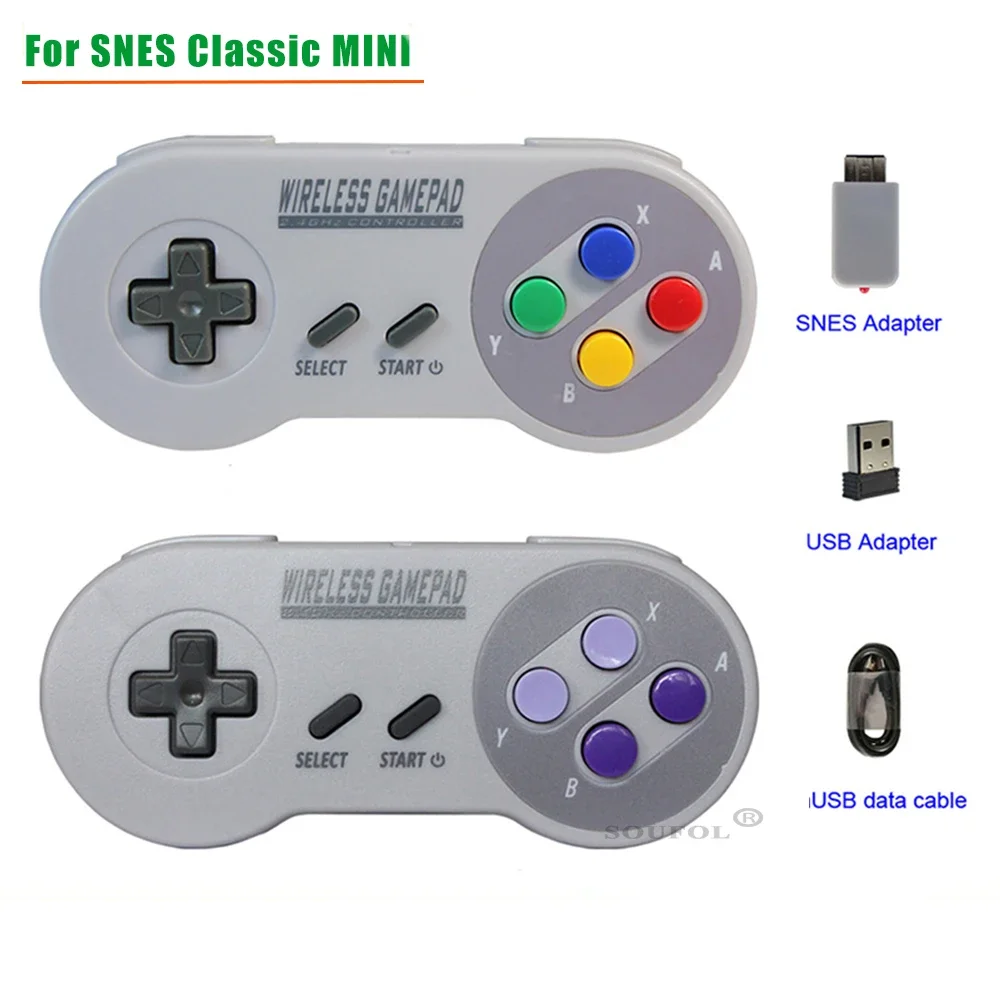
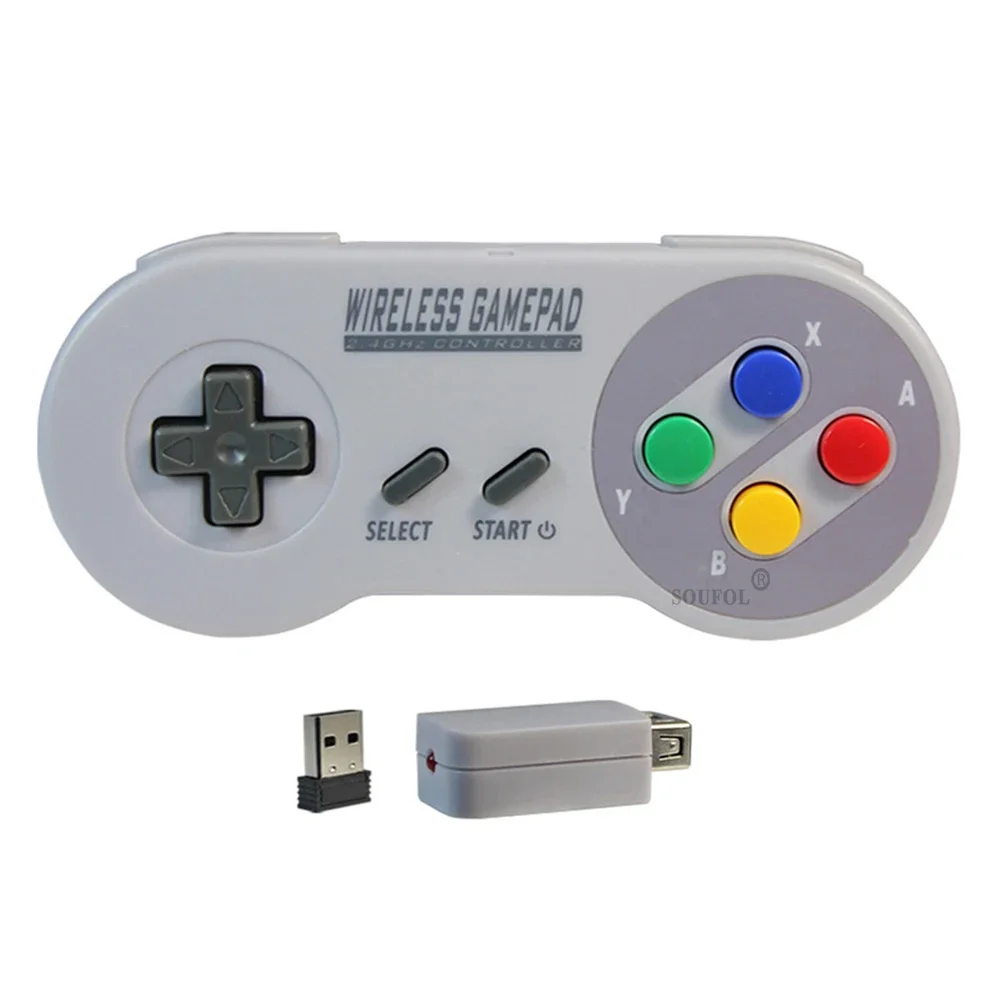
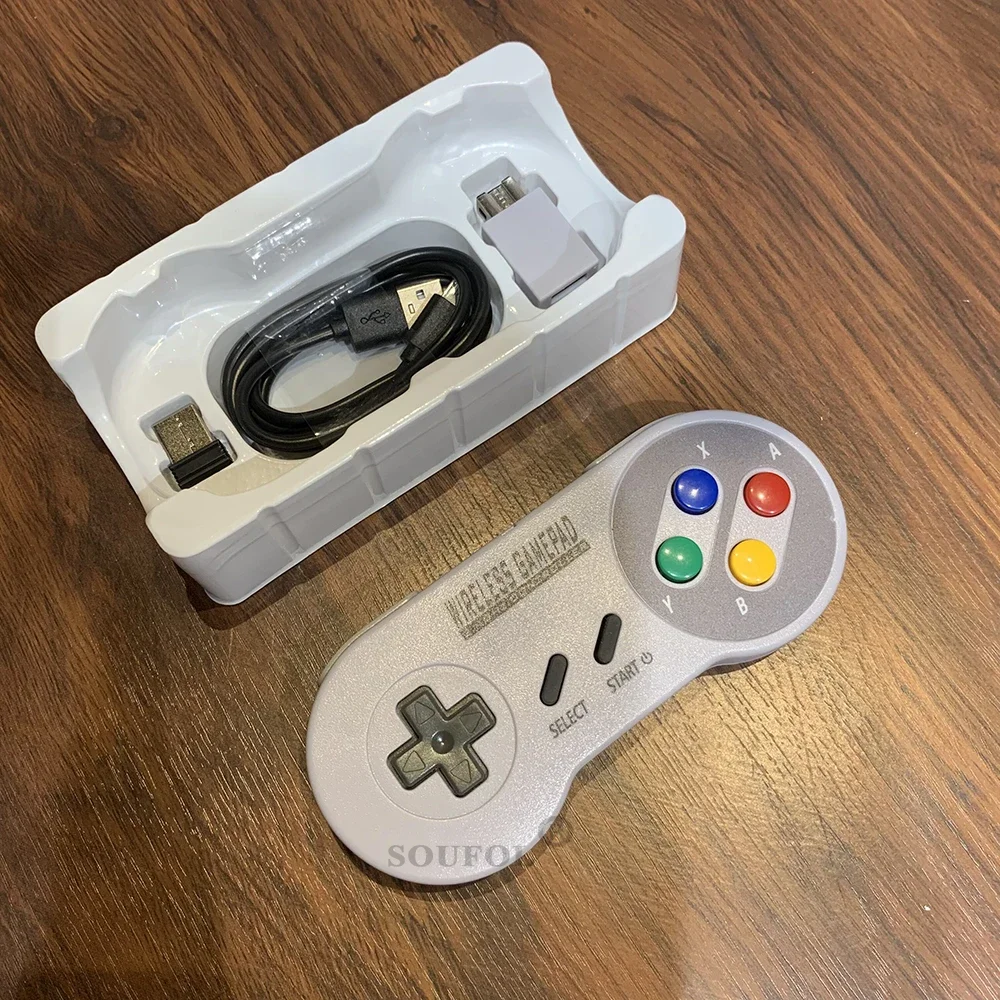
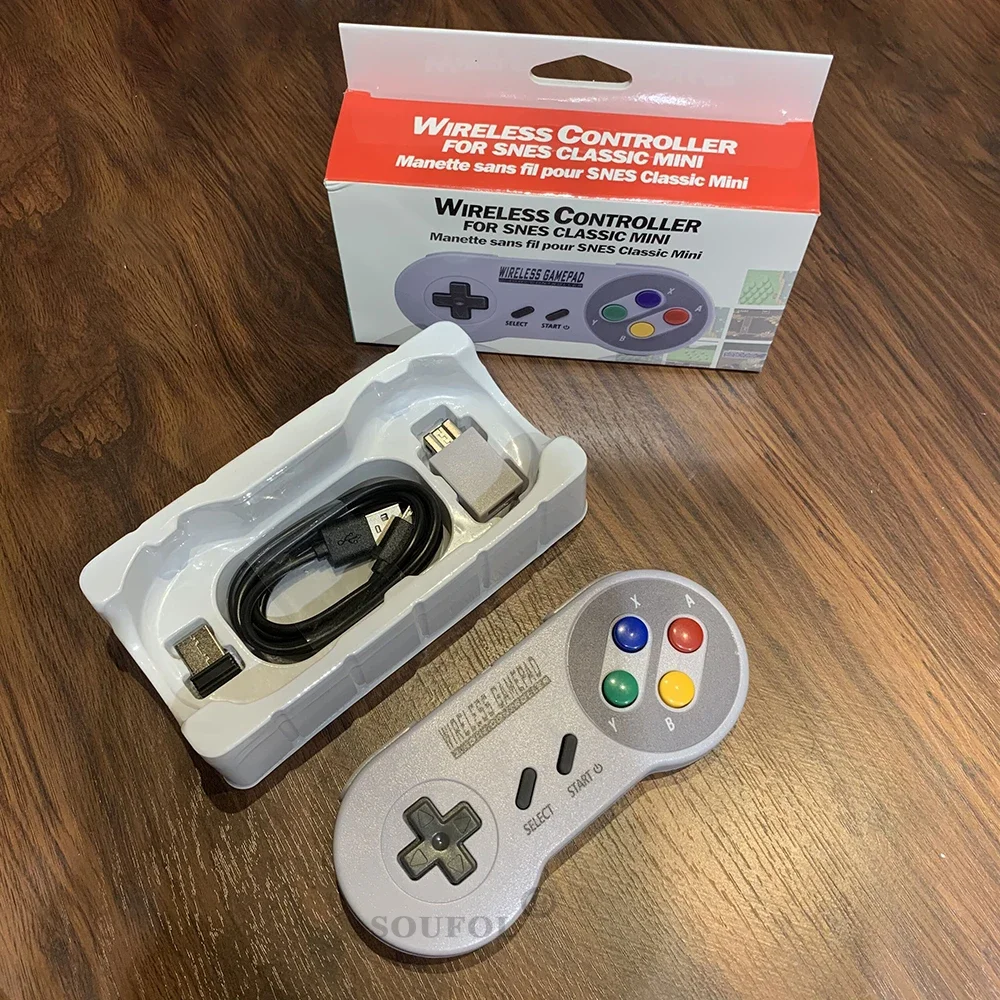
New 2.4GHz Wireless Gamepad Controller for Super Nintend NES & SNES Classic Mini Wireless Console Joystick Gamepads Dropshipping
<div class="detailmodule_html"><div class="detail-desc-decorate-richtext"><html>
<head></head>
<body>
<div style="display:mangofig">
<div style="height:0;overflow:hidden;">
modname=ckeditor
</div>
<div>
<div>
<kse:widget data-widget-type="relatedProduct" id="1005000000035207" title="NEW 2" type="relation"></kse:widget>
</div>
<div>
</div>
<div>
</div>
<div>
<span style="color:#B22222;"><span style="font-size:22px;"><strong>New 2.4GHz Wireless Gamepad Controller for Super Nintend NES & SNES Classic Mini Wireless Console Joystick Gamepads Dropshipping</strong></span></span>
</div>
<div>
</div>
<div>
<div data-pl="product-reviewer" style="box-sizing: border-box; -webkit-tap-highlight-color: transparent; outline: 0px; margin: 16px 0px 0px; padding: 0px;">
<div style="box-sizing: border-box; -webkit-tap-highlight-color: transparent; outline: 0px; margin: 0px; padding: 0px; display: inline-block; vertical-align: text-top; color: rgb(34, 34, 34); font-family: "TT Norms Pro", "Open Sans", Roboto, Arial, Helvetica, sans-serif, SimSun; font-size: 14px;">
<div style="box-sizing: border-box; -webkit-tap-highlight-color: transparent; outline: 0px; margin: 0px 1px; padding: 0px; display: inline-block; height: 16px; position: relative; width: 16px;">
</div>
</div>
</div>
</div>
<div>
<div>
</div>
</div>
<div>
</div>
<div>
<p><span style="font-family:arial,helvetica,sans-serif"><span style="color:rgb(178, 34, 34)"><span style="font-size:16px"><u>Features:</u></span></span></span></p>
<p><span style="font-family:arial,helvetica,sans-serif">1. Micro-USB Charging port and Blue-Red LED indicate</span></p>
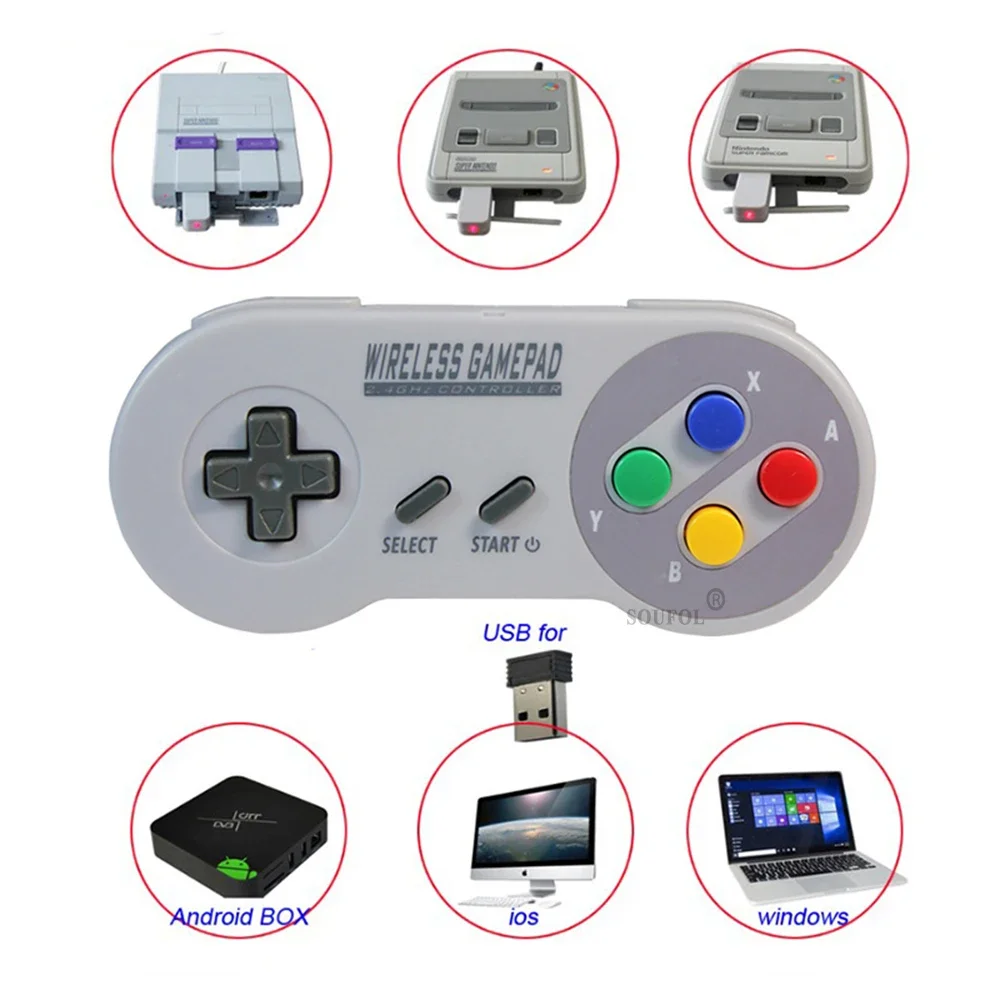
<p><span style="font-family:arial,helvetica,sans-serif">2.Compatible with Game console and WinXP/Vista/for Windows 7/for Windows 8/ for Windows 10</span></p>
<p><span style="font-family:arial,helvetica,sans-serif">3.The buttons are designed to fit your hands, easy to get ultimate skill out</span></p>
<p><span style="font-family:arial,helvetica,sans-serif">4.Compatible with all for Mac Operating Systems</span></p>
<p><span style="font-family:arial,helvetica,sans-serif">5.Build-in 250mAH polymer lithium-ion battery</span></p>
<p><span style="font-family:arial,helvetica,sans-serif"><span style="font-size:16px"><span style="color:rgb(178, 34, 34)"><u> How to Connect ?</u></span></span></span></p>
<p><span style="font-family:arial,helvetica,sans-serif">1. Insert the right adapter into game console, or USB Device</span></p>
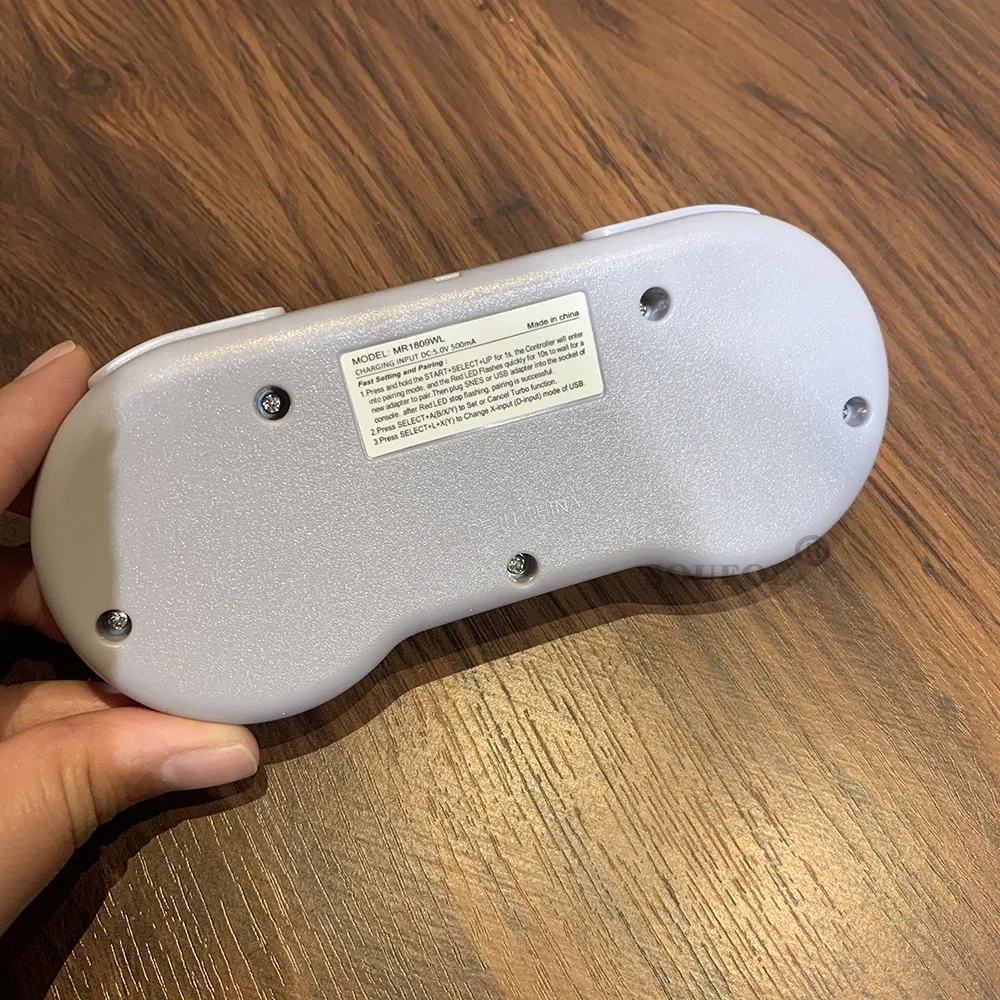
<p><span style="font-family:arial,helvetica,sans-serif">2. Press START button on controller, the red LED will light, which means they are connected</span></p>
<p><span style="font-family:arial,helvetica,sans-serif">3. Wait for 5 seconds, Controller will enter into the standby mode</span></p>
<p><span style="font-family:arial,helvetica,sans-serif">4. Red LED will off and the adapter LED will flash,Pressing any button can wake up the Controller</span></p>
<p><span style="font-family:arial,helvetica,sans-serif">5. Controller will enter into sleep mode if there's no actions for 10 minis</span></p>
<p><span style="font-family:arial,helvetica,sans-serif">6. RESET Key=Press the START SELECTAT the same time return to Main menu</span></p>
<p><span style="font-family:arial,helvetica,sans-serif"><span style="color:rgb(178, 34, 34)"><span style="font-size:16px"><u>Packing include:</u></span></span></span></p>
<p><span style="font-family:arial,helvetica,sans-serif">1X USB PC Controller</span></p>
<p><span style="font-family:arial,helvetica,sans-serif">1x Adapter for NES/SNES game system</span></p>
<p><span style="font-family:arial,helvetica,sans-serif">1x Adapter for USB PC,Android,window Games</span></p>
<div>
<p><span style="font-family:arial,helvetica,sans-serif">1x USB Charging cable</span></p>
<p><span style="font-family:arial,helvetica,sans-serif">1x Color Box</span></p>
</div>
<p><span style="font-family:arial,helvetica,sans-serif"><span style="font-size:16px"><span style="color:rgb(178, 34, 34)"><u>Note:</u></span></span></span><span style="font-family:arial,helvetica,sans-serif"><span style="font-size:16px"> if you want to connect windows XP, the way is below:</span></span></p>
<p><span style="font-family:arial,helvetica,sans-serif"><span style="background-color:rgb(249, 249, 249); color:rgb(21, 21, 21)">uninstalled the Xbox 360 controller driver that was installed earlier. After that, you need to remove the device in the task manager and restart the computer. Next, you need to insert the transmitter and SNES controller will determine itself.</span></span></p>
<p><span style="font-size:16px"><span style="font-family:arial,helvetica,sans-serif"><span style="color:rgb(178, 34, 34)"><u>Note:</u></span></span></span></p>
<div>
<div>
<span style="font-family:arial,helvetica,sans-serif">1. Due to the light and screen difference, the item's color may be slightly different from the pictures.</span>
</div>
<div>
<span style="font-family:arial,helvetica,sans-serif">2. Please allow slight deviation for the measurement data and make sure you do not mind before ordering.</span>
</div>
<div>
<span style="font-family:arial,helvetica,sans-serif">3. If find package or products damaged or missing items pls take clear video for full package and real weight received ,and contact us at first time .so can solve for you asap thx .</span>
</div>
<div>
</div>
</div>
</div>
<div>
</div>
<div>
</div>
<div>
</div>
<div>
</div>
<div>
</div>
<div>
</div>
<div>
</div>
<div>
</div>
<div>
</div>
<div>
<kse:widget data-widget-type="customText" id="23011823" title="After sale" type="custom"></kse:widget>
</div>
</div>
</div>
</body>
</html></div></div>
$75.17
$29.81
- Category : Consumer Electronics
- Brand : shop1102854951_store Shop1102854951 Store
Colors
-
+

<div class="detailmodule_html"><div class="detail-desc-decorate-richtext"><html>
<head></head>
<body>
<div style="display:mangofig">
<div style="height:0;overflow:hidden;">
modname=ckeditor
</div>
<div>
<div>
<kse:widget data-widget-type="relatedProduct" id="1005000000035207" title="NEW 2" type="relation"></kse:widget>
</div>
<div>
</div>
<div>
</div>
<div>
<span style="color:#B22222;"><span style="font-size:22px;"><strong>New 2.4GHz Wireless Gamepad Controller for Super Nintend NES & SNES Classic Mini Wireless Console Joystick Gamepads Dropshipping</strong></span></span>
</div>
<div>
</div>
<div>
<div data-pl="product-reviewer" style="box-sizing: border-box; -webkit-tap-highlight-color: transparent; outline: 0px; margin: 16px 0px 0px; padding: 0px;">
<div style="box-sizing: border-box; -webkit-tap-highlight-color: transparent; outline: 0px; margin: 0px; padding: 0px; display: inline-block; vertical-align: text-top; color: rgb(34, 34, 34); font-family: "TT Norms Pro", "Open Sans", Roboto, Arial, Helvetica, sans-serif, SimSun; font-size: 14px;">
<div style="box-sizing: border-box; -webkit-tap-highlight-color: transparent; outline: 0px; margin: 0px 1px; padding: 0px; display: inline-block; height: 16px; position: relative; width: 16px;">
</div>
</div>
</div>
</div>
<div>
<div>
</div>
</div>
<div>
</div>
<div>
<p><span style="font-family:arial,helvetica,sans-serif"><span style="color:rgb(178, 34, 34)"><span style="font-size:16px"><u>Features:</u></span></span></span></p>
<p><span style="font-family:arial,helvetica,sans-serif">1. Micro-USB Charging port and Blue-Red LED indicate</span></p>
<p><span style="font-family:arial,helvetica,sans-serif">2.Compatible with Game console and WinXP/Vista/for Windows 7/for Windows 8/ for Windows 10</span></p>
<p><span style="font-family:arial,helvetica,sans-serif">3.The buttons are designed to fit your hands, easy to get ultimate skill out</span></p>
<p><span style="font-family:arial,helvetica,sans-serif">4.Compatible with all for Mac Operating Systems</span></p>
<p><span style="font-family:arial,helvetica,sans-serif">5.Build-in 250mAH polymer lithium-ion battery</span></p>
<p><span style="font-family:arial,helvetica,sans-serif"><span style="font-size:16px"><span style="color:rgb(178, 34, 34)"><u> How to Connect ?</u></span></span></span></p>
<p><span style="font-family:arial,helvetica,sans-serif">1. Insert the right adapter into game console, or USB Device</span></p>
<p><span style="font-family:arial,helvetica,sans-serif">2. Press START button on controller, the red LED will light, which means they are connected</span></p>
<p><span style="font-family:arial,helvetica,sans-serif">3. Wait for 5 seconds, Controller will enter into the standby mode</span></p>
<p><span style="font-family:arial,helvetica,sans-serif">4. Red LED will off and the adapter LED will flash,Pressing any button can wake up the Controller</span></p>
<p><span style="font-family:arial,helvetica,sans-serif">5. Controller will enter into sleep mode if there's no actions for 10 minis</span></p>
<p><span style="font-family:arial,helvetica,sans-serif">6. RESET Key=Press the START SELECTAT the same time return to Main menu</span></p>
<p><span style="font-family:arial,helvetica,sans-serif"><span style="color:rgb(178, 34, 34)"><span style="font-size:16px"><u>Packing include:</u></span></span></span></p>
<p><span style="font-family:arial,helvetica,sans-serif">1X USB PC Controller</span></p>
<p><span style="font-family:arial,helvetica,sans-serif">1x Adapter for NES/SNES game system</span></p>
<p><span style="font-family:arial,helvetica,sans-serif">1x Adapter for USB PC,Android,window Games</span></p>
<div>
<p><span style="font-family:arial,helvetica,sans-serif">1x USB Charging cable</span></p>
<p><span style="font-family:arial,helvetica,sans-serif">1x Color Box</span></p>
</div>
<p><span style="font-family:arial,helvetica,sans-serif"><span style="font-size:16px"><span style="color:rgb(178, 34, 34)"><u>Note:</u></span></span></span><span style="font-family:arial,helvetica,sans-serif"><span style="font-size:16px"> if you want to connect windows XP, the way is below:</span></span></p>
<p><span style="font-family:arial,helvetica,sans-serif"><span style="background-color:rgb(249, 249, 249); color:rgb(21, 21, 21)">uninstalled the Xbox 360 controller driver that was installed earlier. After that, you need to remove the device in the task manager and restart the computer. Next, you need to insert the transmitter and SNES controller will determine itself.</span></span></p>
<p><span style="font-size:16px"><span style="font-family:arial,helvetica,sans-serif"><span style="color:rgb(178, 34, 34)"><u>Note:</u></span></span></span></p>
<div>
<div>
<span style="font-family:arial,helvetica,sans-serif">1. Due to the light and screen difference, the item's color may be slightly different from the pictures.</span>
</div>
<div>
<span style="font-family:arial,helvetica,sans-serif">2. Please allow slight deviation for the measurement data and make sure you do not mind before ordering.</span>
</div>
<div>
<span style="font-family:arial,helvetica,sans-serif">3. If find package or products damaged or missing items pls take clear video for full package and real weight received ,and contact us at first time .so can solve for you asap thx .</span>
</div>
<div>
</div>
</div>
</div>
<div>
</div>
<div>
</div>
<div>
</div>
<div>
</div>
<div>
</div>
<div>
</div>
<div>
</div>
<div>
</div>
<div>
</div>
<div>
<kse:widget data-widget-type="customText" id="23011823" title="After sale" type="custom"></kse:widget>
</div>
</div>
</div>
</body>
</html></div></div>
Related Product
Browse The Collection of Top Products.


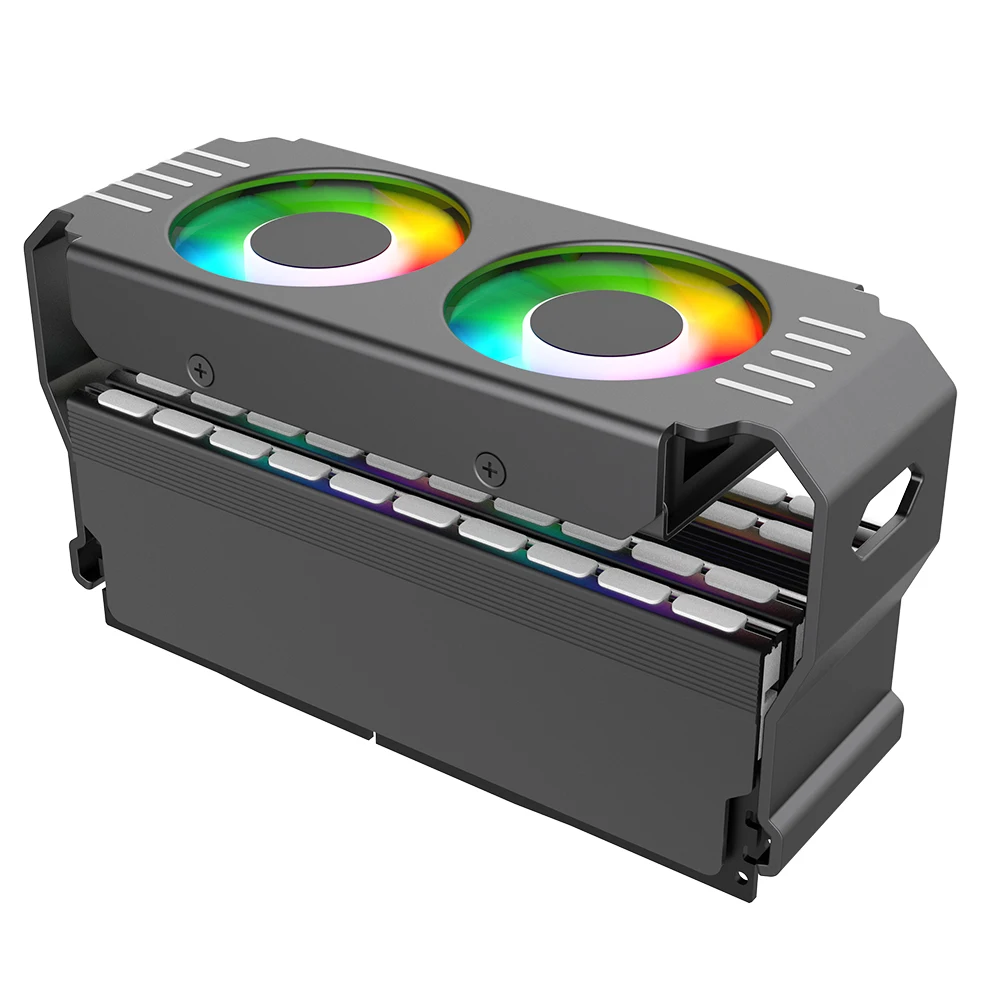


Aluminum RAM Cooling Fan for DDR4 DDR5 Memory
$34.73
$98.3


NFC Smart Simulator Card with LCD Screen for Gaming
$29.49
$56.99
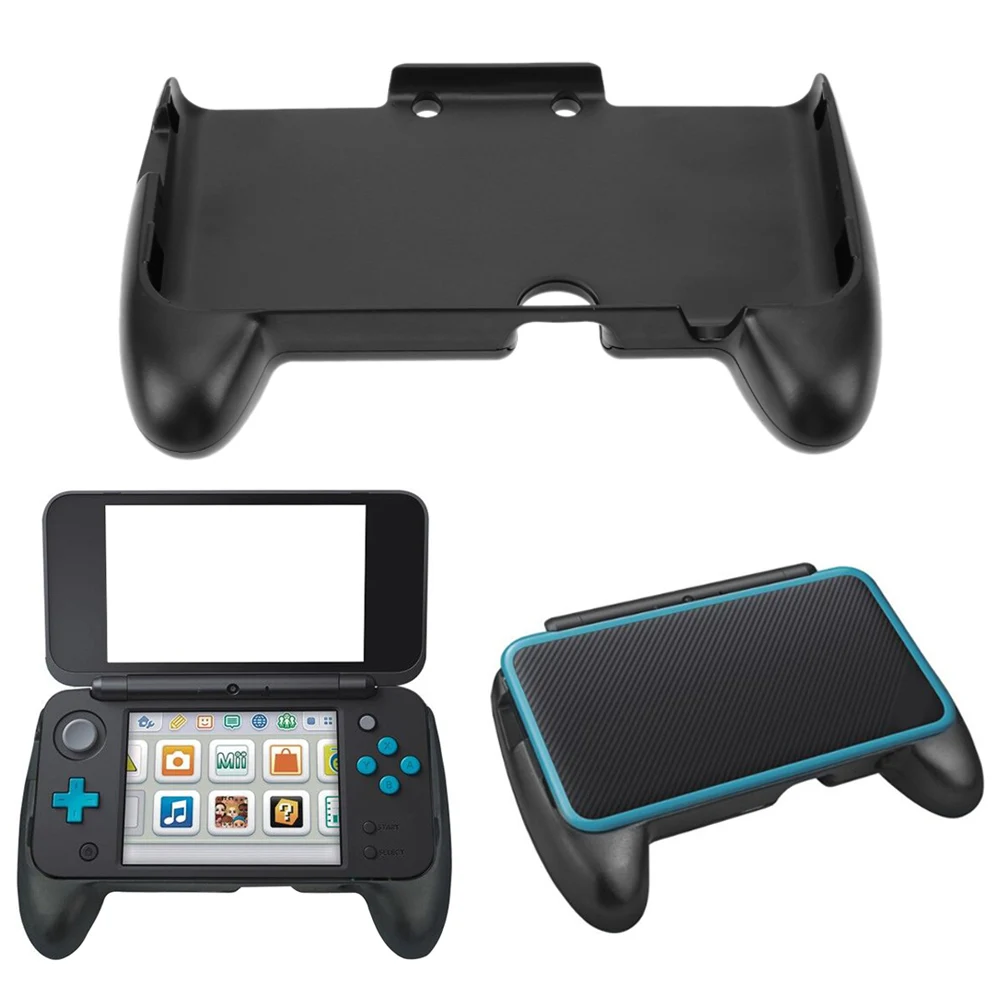


ABS Plastic Hand Grip for Nintendo 2DS XL Console
$8.38
$14.77



Resin Boxing Glove Mug for Coffee and Tea Lovers
$19.37
$37.46


Sweatproof Gaming Finger Sleeves for Mobile Players
$6.01
$10.36


PS2 Memory Card 64MB for Game Console
$24.23
$49.31


PS4 Game Mod Kit with Type C Cable for PS4 Pro and Slim
$32.92
$63.85


