Russian Layout 68 Keys Gaming Keyboard Wired Portable 20 RGB Backlight Russian Alphabet Keyboard for Windows Laptops Computer
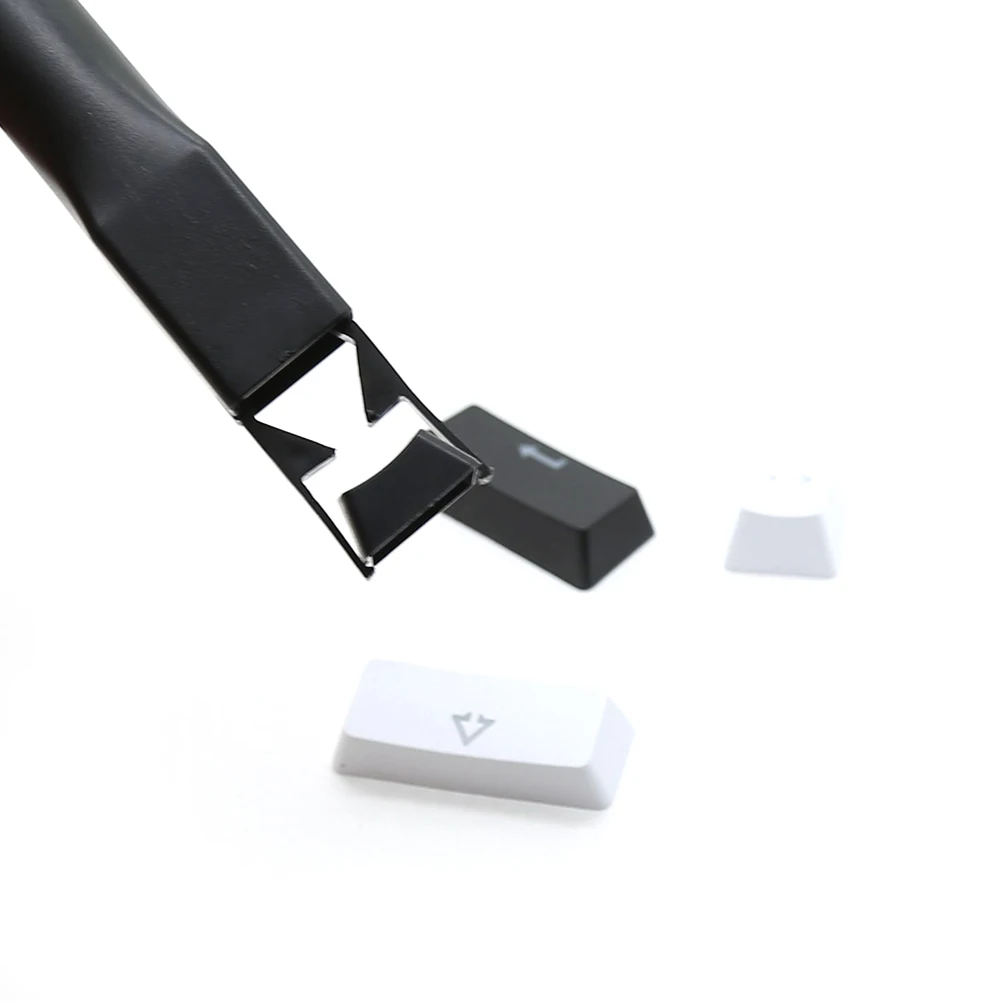
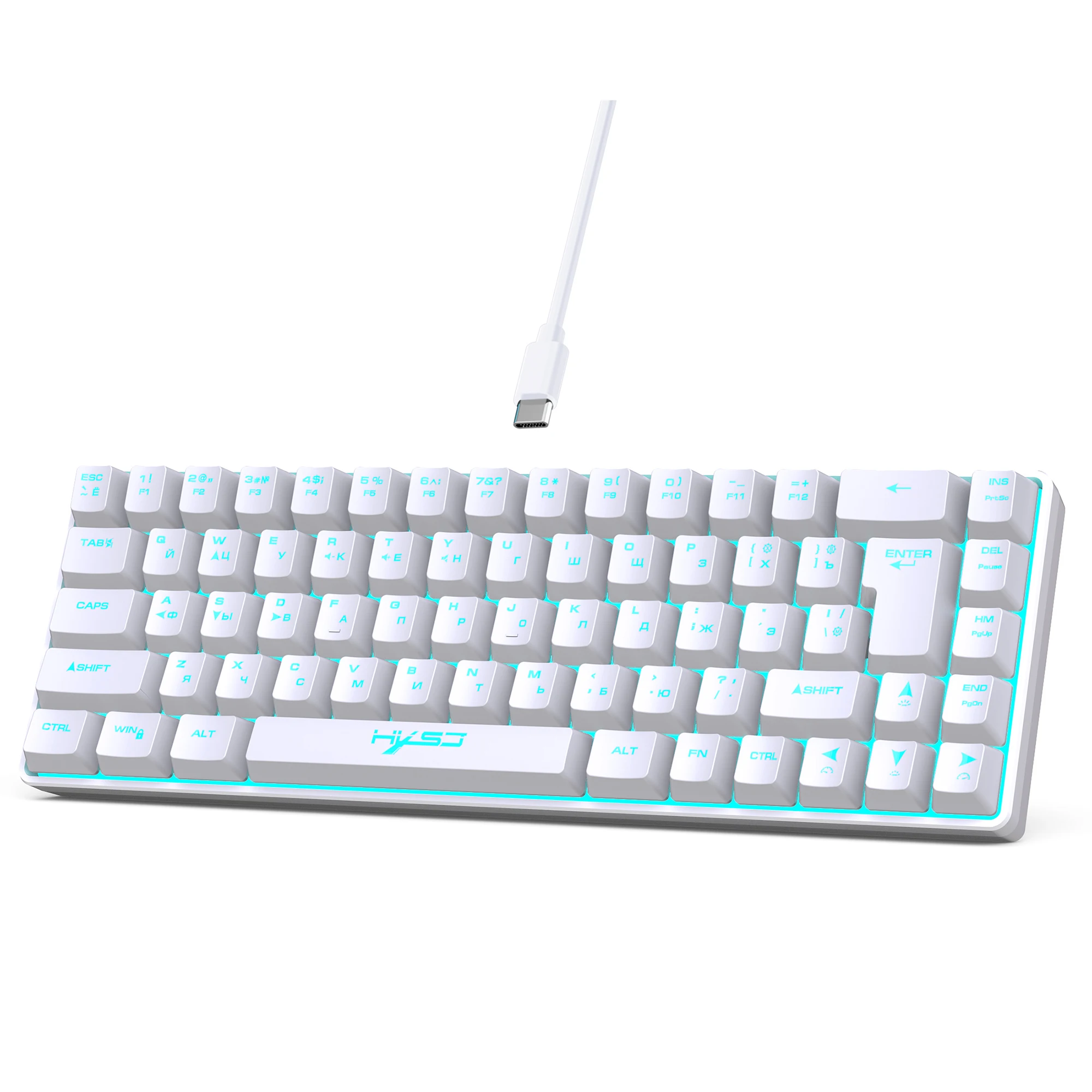
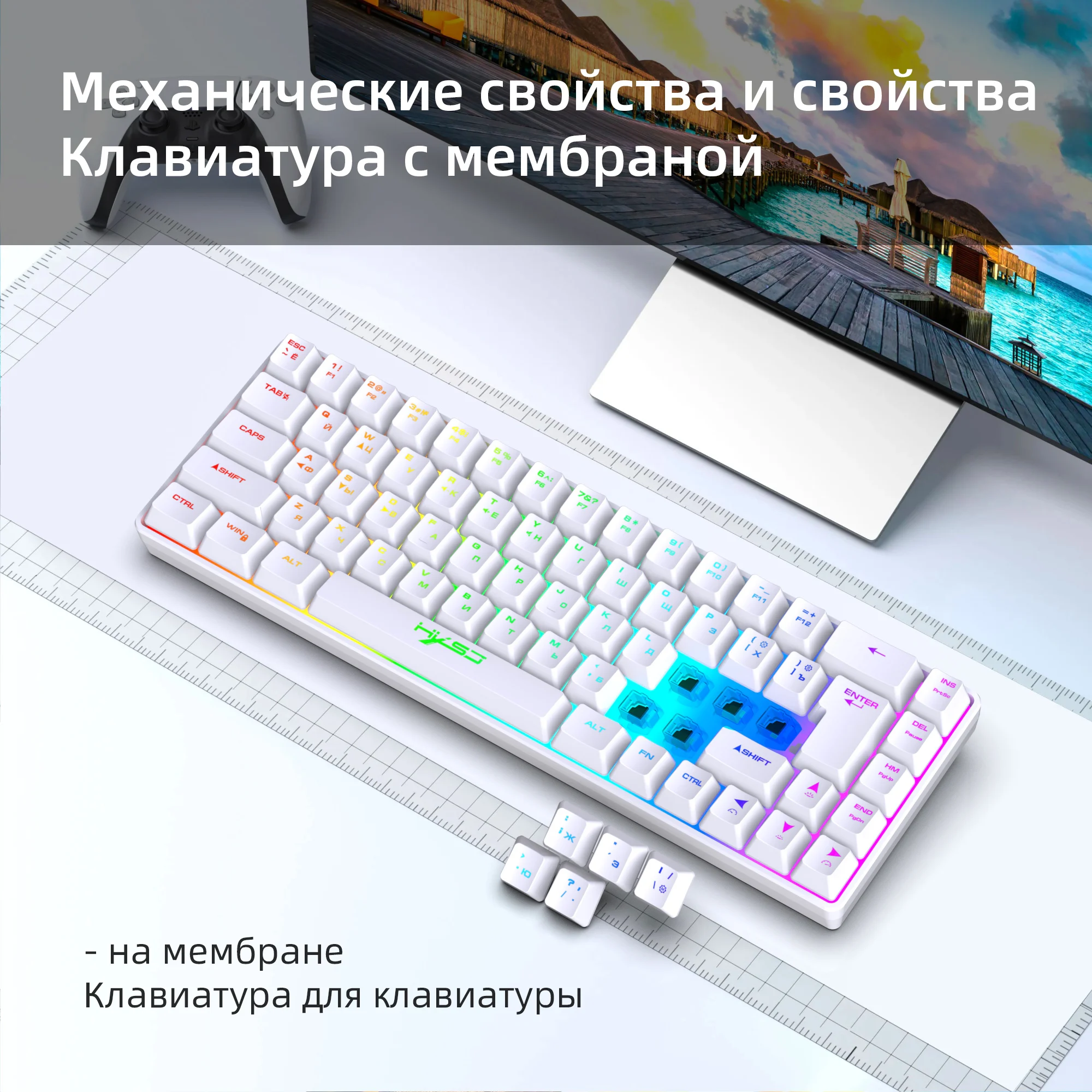
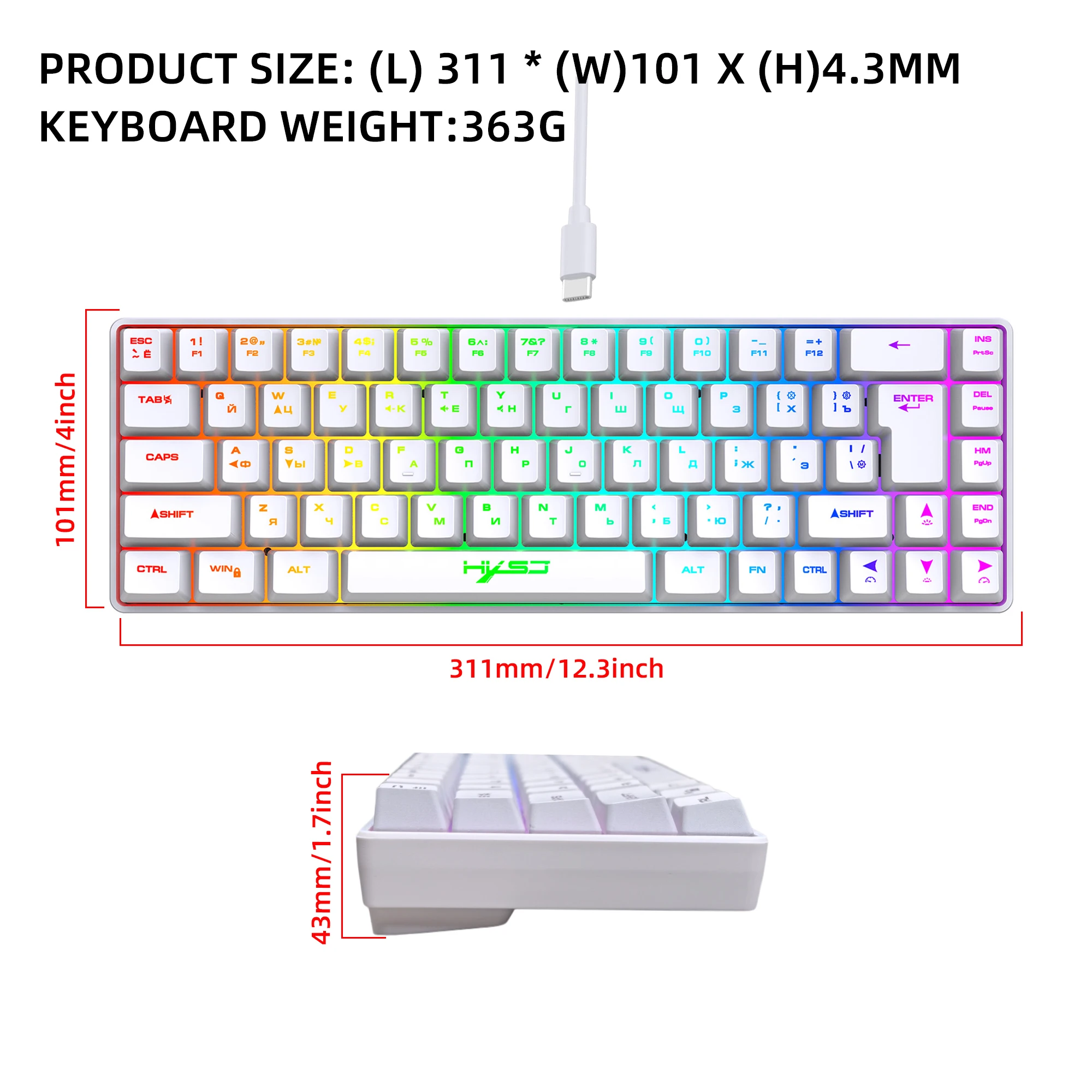
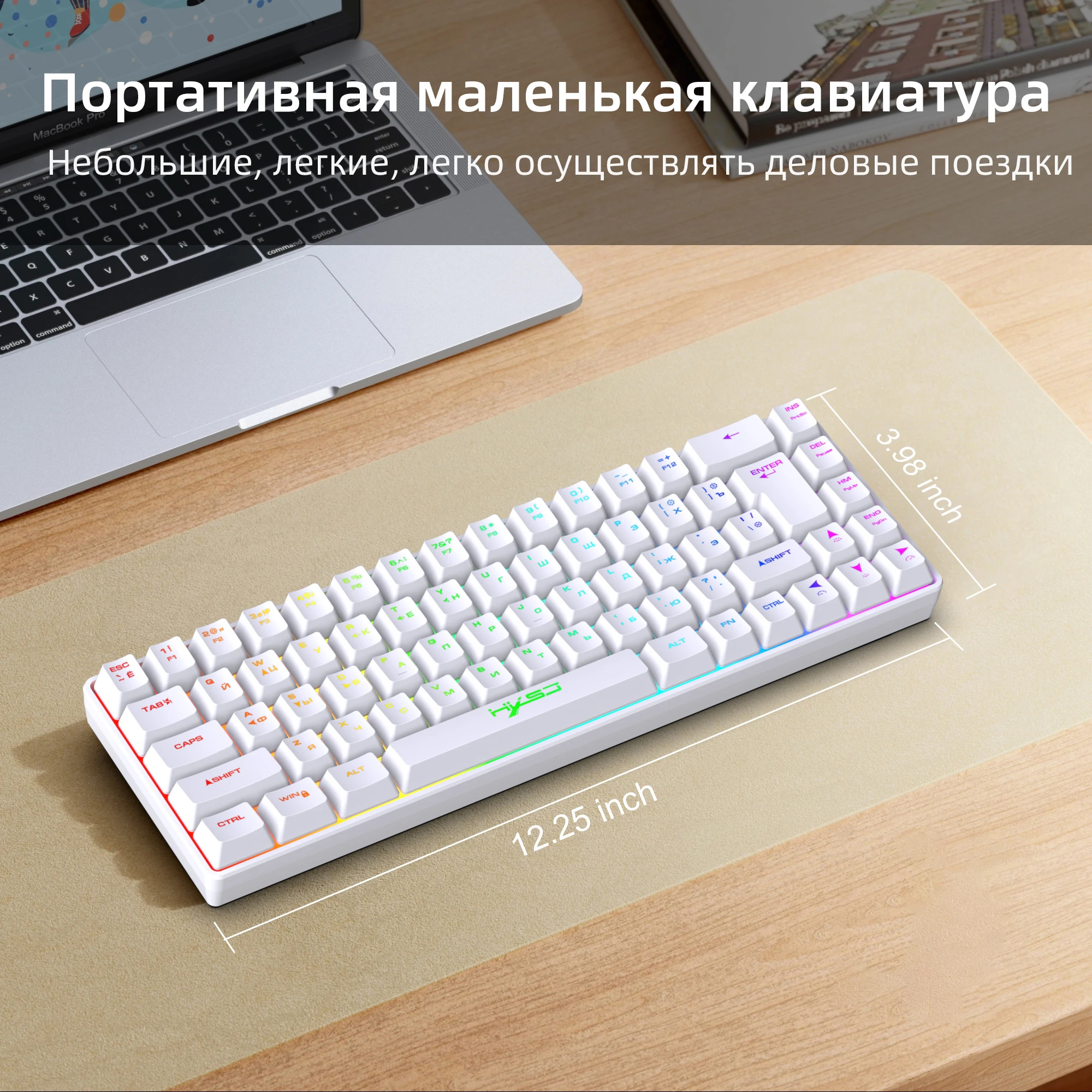
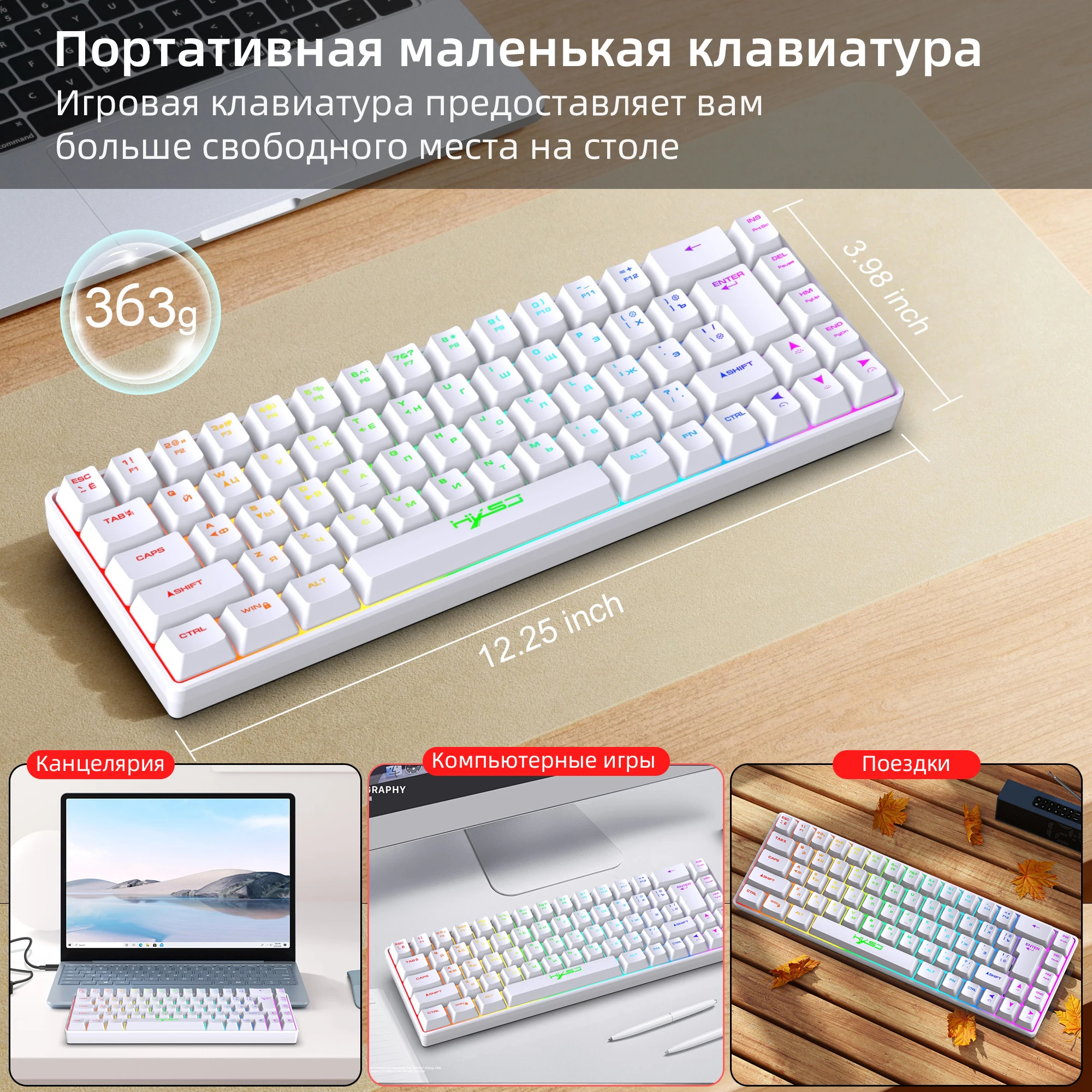
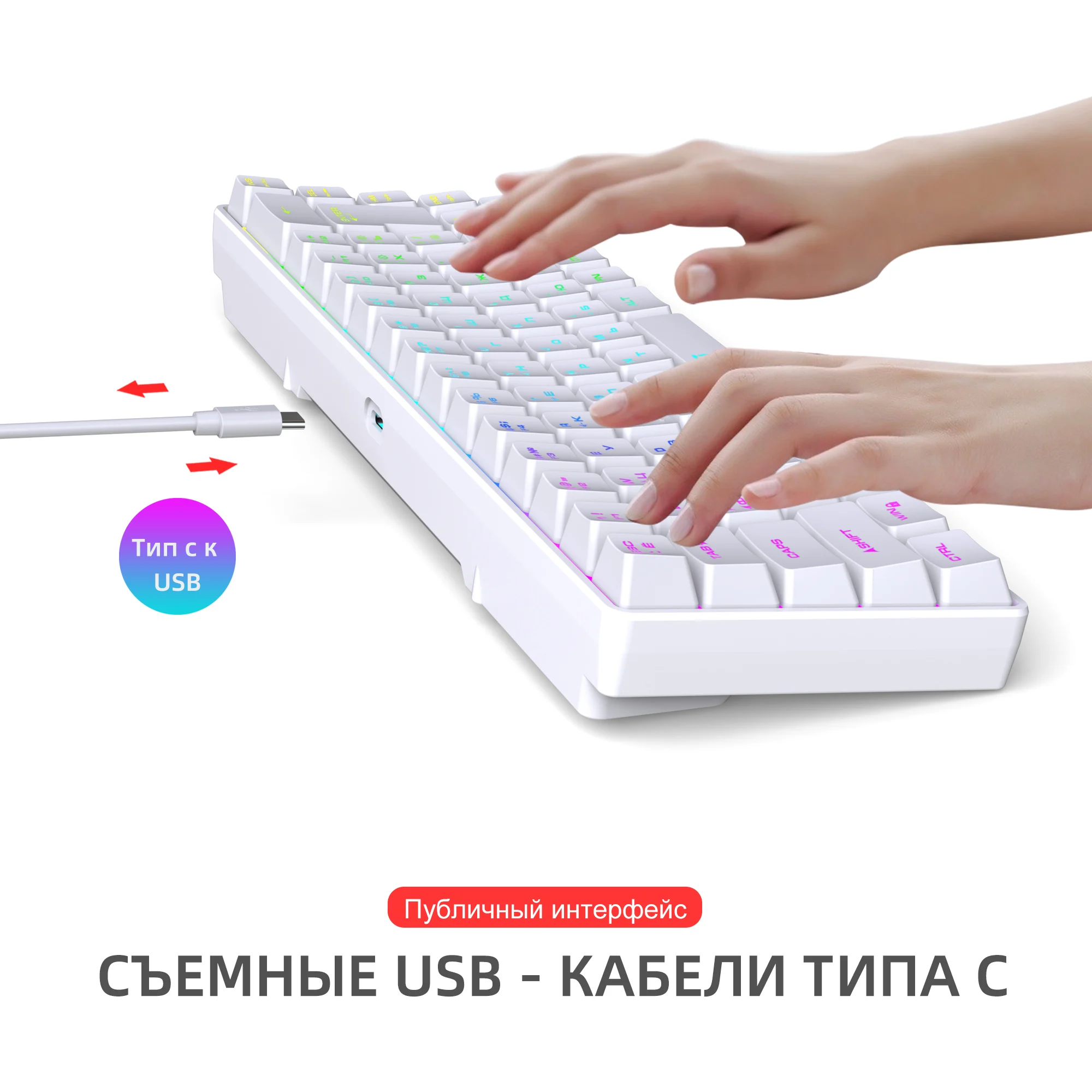
<p><kse:widget data-widget-type="customText" id="1005000000185606" type="relation"></kse:widget></p><p>Selling point:</p><p>1. Wired membrane gaming keyboard with more than 18 backlight options, creating a stunning and colorful experience with lighting modes.</p><p>2. Mini keyboard with ergonomic design and full support for combination keys, ideal for both gaming and office use. Portable and easy to operate.</p><p>3. Mechanical keyboard with long-lasting switch life of up to 10 million uses and reliable quality, offering excellent value for money.</p><p>4. Keyboard with detachable key line and USB to Type-C connector, featuring transparent character backlight for easy typing and character recognition.</p><p>5. Compatible with multiple systems, including Win7/Win8/Win10/Win11 and IOS, allowing for seamless connection with just one click.</p><p>6. Multiple combination keys available for enhanced gaming and office experience, offering simple and convenient operation.</p><p><br/></p><p>Specification:</p><p>Product number: V200 68 Keys RGB Gaming Keyboard</p><p>Keycap language: English+Russian keycap characters</p><p>lnterface Type: USB</p><p>Product solutions: SK9708</p><p>Number of keys:68 Keys</p><p>Button life: 10 million times or more</p><p>Operating Voltage: 5.0V+5% DC</p><p>Working current: 110mA(MAX)</p><p>Product line length:170CM</p><p>Keycap material: ABS injection molding</p><p>Lighting mode: RGB backlight (18 different lighting modes)</p><p>Multimedia: With multimedia (laser carving)</p><p>Product Size:31*10.1x 35cm</p><p>Product weight:363g</p><p>Package Size: 33.5*13*4.5cm</p><p>Package weight:509g</p><p><br/></p><p>Package included:</p><p>1x keyboard</p><p class="MsoNormal"><span style="font-size:10.5pt;font-family:Calibri">1x English User manual</span></p><p><br/></p><p style="background-color:rgb(255, 255, 255);margin:0pt;margin-bottom:0pt;margin-top:0pt;margin-left:0pt;margin-right:0pt;padding:0pt 0pt 0pt 0em;padding-bottom:0pt;padding-top:0pt;padding-right:0pt" class="p"><strong><span class="15" style="background-color:rgb(255, 255, 255);color:rgb(34, 34, 34);font-size:10.5pt;font-family:Calibri">System Requirements: </span></strong></p><p style="background-color:rgb(255, 255, 255);margin:0pt;margin-bottom:0pt;margin-top:0pt;margin-left:0pt;margin-right:0pt;padding:0pt 0pt 0pt 0em;padding-bottom:0pt;padding-top:0pt;padding-right:0pt" class="p"><span style="background-color:rgb(255, 255, 255);color:rgb(34, 34, 34);font-size:10.5pt;font-family:Calibri">Windows 98/Me/2000/XP/Vista/ Win 7/Win8/Win10/Win11 or Mac IOS and Linux latest.</span></p><p class="MsoNormal"><strong><span style="font-size:10.5pt;font-family:Calibri">Product function introduction:</span></strong></p><p class="MsoNormal"><span style="font-size:10.5pt;font-family:Calibri">The keyboard is a Type-C interface, which is connected to the host with a Type-C to USB interface cable.</span></p><p class="MsoNormal"><strong><span style="font-size:10.5pt;font-family:Calibri">4-1.Volume adjustment:</span></strong></p><p class="MsoNormal"><span style="font-size:10.5pt;font-family:Calibri">FN+R key for volume reduction,FN+T key for volume plus,FN+Y key for mute;</span></p><p class="MsoNormal"><strong><span style="font-size:10.5pt;font-family:Calibri">4-2.Backlight adjustment:</span></strong></p><p class="MsoNormal"><span style="font-size:10.5pt;font-family:Calibri">FN + left arrow key to adjust the streamer speed to slow down, </span></p><p class="MsoNormal"><span style="font-size:10.5pt;font-family:Calibri">FN + right arrow key streamerspeed acceleration, there are 4 speed adjustable speed;The constant light backlight cannot be adjusted;</span></p><p class="MsoNormal"><span style="font-size:10.5pt;font-family:Calibri">FN + up arrow key and FN + down arrow key to adjust backlight brightness, 4 levels adjustable;</span></p><p class="MsoNormal"><span style="font-size:10.5pt;font-family:Calibri">FN+ {[ key: backlight off/on, cycle switch;</span></p><p class="MsoNormal"><span style="font-size:10.5pt;font-family:Calibri">FN+] Key: Streamer switch mode;</span></p><p class="MsoNormal"><span style="font-size:10.5pt;font-family:Calibri">FN+ ]}key : monochrome light switching mode;</span></p><p class="MsoNormal"><span style="font-size:10.5pt;font-family:Calibri">FN+W: W.A S.D key and arrow key switching function, cyclic switching;</span></p><p class="MsoNormal"><span style="font-size:10.5pt;font-family:Calibri">FN+Win: Lock the Win key, repeat unlock</span></p><p><br/></p><p class="MsoNormal"><strong><span style="font-size:10.5pt;font-family:Calibri">4-3.Compound function key switching:</span></strong></p><p><br/></p><p class="MsoNormal"><span style="font-size:10.5pt;font-family:Calibri">FN + Esc key = '~FN +9(key = F9</span></p><p class="MsoNormal"><span style="font-size:10.5pt;font-family:Calibri">FN+ 1! key = F1FN+ O) key = F10</span></p><p class="MsoNormal"><span style="font-size:10.5pt;font-family:Calibri">FN + 2@ key = F2FN + - key = F11</span></p><p class="MsoNormal"><span style="font-size:10.5pt;font-family:Calibri">FN + 3# key = F3FN+=+ key = F12</span></p><p class="MsoNormal"><span style="font-size:10.5pt;font-family:Calibri">FN+ 4$ key = F4FN+ Back key = Delete</span></p><p class="MsoNormal"><span style="font-size:10.5pt;font-family:Calibri">FN +5% key = F5FN+INS key = Prtsc</span></p><p class="MsoNormal"><span style="font-size:10.5pt;font-family:Calibri">FN+6^ key = F6FN + Del key = Pause</span></p><p class="MsoNormal"><span style="font-size:10.5pt;font-family:Calibri">FN+ 7& key = F7FN + Home key = Pgup</span></p><p class="MsoNormal"><span style="font-size:10.5pt;font-family:Calibri">FN+8* key = F8FN+ End key = Pgdn</span></p><p><br/></p><p class="MsoNormal"></p>
$69.815
$35.24
- Category : Computer & Office
- Brand : factory_global_discount_store Factory Global Discount Store
Colors
Sizes
-
+

<p><kse:widget data-widget-type="customText" id="1005000000185606" type="relation"></kse:widget></p><p>Selling point:</p><p>1. Wired membrane gaming keyboard with more than 18 backlight options, creating a stunning and colorful experience with lighting modes.</p><p>2. Mini keyboard with ergonomic design and full support for combination keys, ideal for both gaming and office use. Portable and easy to operate.</p><p>3. Mechanical keyboard with long-lasting switch life of up to 10 million uses and reliable quality, offering excellent value for money.</p><p>4. Keyboard with detachable key line and USB to Type-C connector, featuring transparent character backlight for easy typing and character recognition.</p><p>5. Compatible with multiple systems, including Win7/Win8/Win10/Win11 and IOS, allowing for seamless connection with just one click.</p><p>6. Multiple combination keys available for enhanced gaming and office experience, offering simple and convenient operation.</p><p><br/></p><p>Specification:</p><p>Product number: V200 68 Keys RGB Gaming Keyboard</p><p>Keycap language: English+Russian keycap characters</p><p>lnterface Type: USB</p><p>Product solutions: SK9708</p><p>Number of keys:68 Keys</p><p>Button life: 10 million times or more</p><p>Operating Voltage: 5.0V+5% DC</p><p>Working current: 110mA(MAX)</p><p>Product line length:170CM</p><p>Keycap material: ABS injection molding</p><p>Lighting mode: RGB backlight (18 different lighting modes)</p><p>Multimedia: With multimedia (laser carving)</p><p>Product Size:31*10.1x 35cm</p><p>Product weight:363g</p><p>Package Size: 33.5*13*4.5cm</p><p>Package weight:509g</p><p><br/></p><p>Package included:</p><p>1x keyboard</p><p class="MsoNormal"><span style="font-size:10.5pt;font-family:Calibri">1x English User manual</span></p><p><br/></p><p style="background-color:rgb(255, 255, 255);margin:0pt;margin-bottom:0pt;margin-top:0pt;margin-left:0pt;margin-right:0pt;padding:0pt 0pt 0pt 0em;padding-bottom:0pt;padding-top:0pt;padding-right:0pt" class="p"><strong><span class="15" style="background-color:rgb(255, 255, 255);color:rgb(34, 34, 34);font-size:10.5pt;font-family:Calibri">System Requirements: </span></strong></p><p style="background-color:rgb(255, 255, 255);margin:0pt;margin-bottom:0pt;margin-top:0pt;margin-left:0pt;margin-right:0pt;padding:0pt 0pt 0pt 0em;padding-bottom:0pt;padding-top:0pt;padding-right:0pt" class="p"><span style="background-color:rgb(255, 255, 255);color:rgb(34, 34, 34);font-size:10.5pt;font-family:Calibri">Windows 98/Me/2000/XP/Vista/ Win 7/Win8/Win10/Win11 or Mac IOS and Linux latest.</span></p><p class="MsoNormal"><strong><span style="font-size:10.5pt;font-family:Calibri">Product function introduction:</span></strong></p><p class="MsoNormal"><span style="font-size:10.5pt;font-family:Calibri">The keyboard is a Type-C interface, which is connected to the host with a Type-C to USB interface cable.</span></p><p class="MsoNormal"><strong><span style="font-size:10.5pt;font-family:Calibri">4-1.Volume adjustment:</span></strong></p><p class="MsoNormal"><span style="font-size:10.5pt;font-family:Calibri">FN+R key for volume reduction,FN+T key for volume plus,FN+Y key for mute;</span></p><p class="MsoNormal"><strong><span style="font-size:10.5pt;font-family:Calibri">4-2.Backlight adjustment:</span></strong></p><p class="MsoNormal"><span style="font-size:10.5pt;font-family:Calibri">FN + left arrow key to adjust the streamer speed to slow down, </span></p><p class="MsoNormal"><span style="font-size:10.5pt;font-family:Calibri">FN + right arrow key streamerspeed acceleration, there are 4 speed adjustable speed;The constant light backlight cannot be adjusted;</span></p><p class="MsoNormal"><span style="font-size:10.5pt;font-family:Calibri">FN + up arrow key and FN + down arrow key to adjust backlight brightness, 4 levels adjustable;</span></p><p class="MsoNormal"><span style="font-size:10.5pt;font-family:Calibri">FN+ {[ key: backlight off/on, cycle switch;</span></p><p class="MsoNormal"><span style="font-size:10.5pt;font-family:Calibri">FN+] Key: Streamer switch mode;</span></p><p class="MsoNormal"><span style="font-size:10.5pt;font-family:Calibri">FN+ ]}key : monochrome light switching mode;</span></p><p class="MsoNormal"><span style="font-size:10.5pt;font-family:Calibri">FN+W: W.A S.D key and arrow key switching function, cyclic switching;</span></p><p class="MsoNormal"><span style="font-size:10.5pt;font-family:Calibri">FN+Win: Lock the Win key, repeat unlock</span></p><p><br/></p><p class="MsoNormal"><strong><span style="font-size:10.5pt;font-family:Calibri">4-3.Compound function key switching:</span></strong></p><p><br/></p><p class="MsoNormal"><span style="font-size:10.5pt;font-family:Calibri">FN + Esc key = '~FN +9(key = F9</span></p><p class="MsoNormal"><span style="font-size:10.5pt;font-family:Calibri">FN+ 1! key = F1FN+ O) key = F10</span></p><p class="MsoNormal"><span style="font-size:10.5pt;font-family:Calibri">FN + 2@ key = F2FN + - key = F11</span></p><p class="MsoNormal"><span style="font-size:10.5pt;font-family:Calibri">FN + 3# key = F3FN+=+ key = F12</span></p><p class="MsoNormal"><span style="font-size:10.5pt;font-family:Calibri">FN+ 4$ key = F4FN+ Back key = Delete</span></p><p class="MsoNormal"><span style="font-size:10.5pt;font-family:Calibri">FN +5% key = F5FN+INS key = Prtsc</span></p><p class="MsoNormal"><span style="font-size:10.5pt;font-family:Calibri">FN+6^ key = F6FN + Del key = Pause</span></p><p class="MsoNormal"><span style="font-size:10.5pt;font-family:Calibri">FN+ 7& key = F7FN + Home key = Pgup</span></p><p class="MsoNormal"><span style="font-size:10.5pt;font-family:Calibri">FN+8* key = F8FN+ End key = Pgdn</span></p><p><br/></p><p class="MsoNormal"></p>
Related Product
Browse The Collection of Top Products.