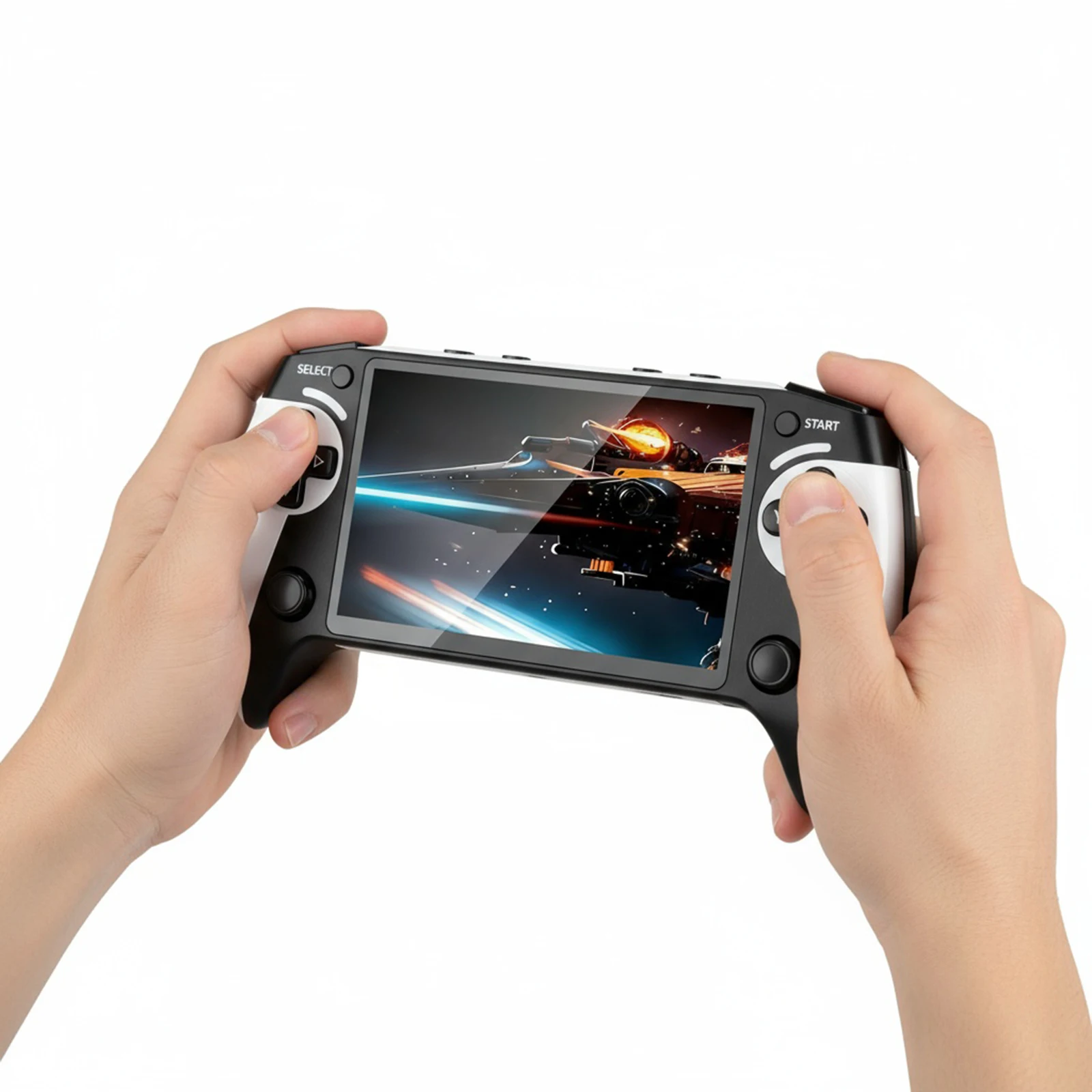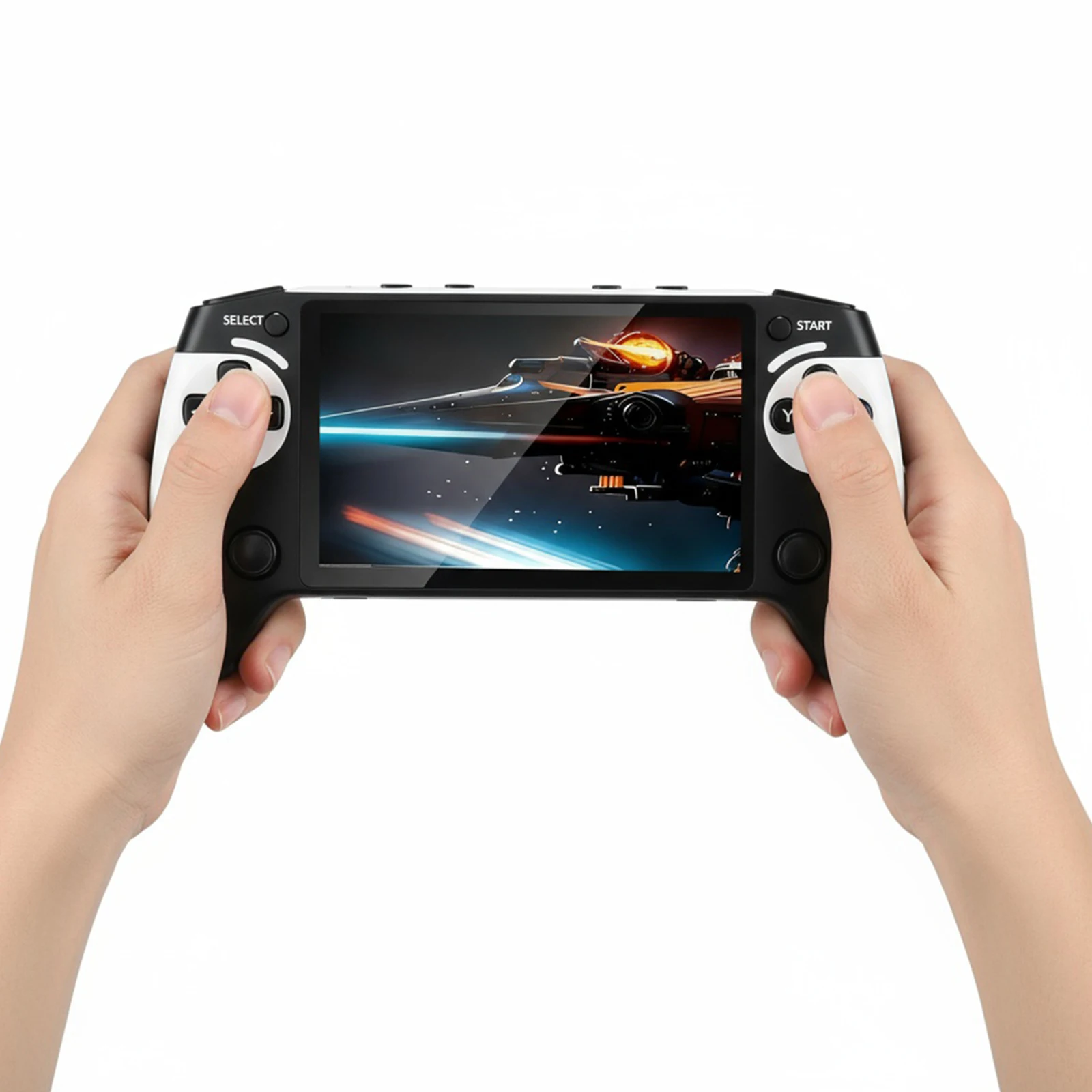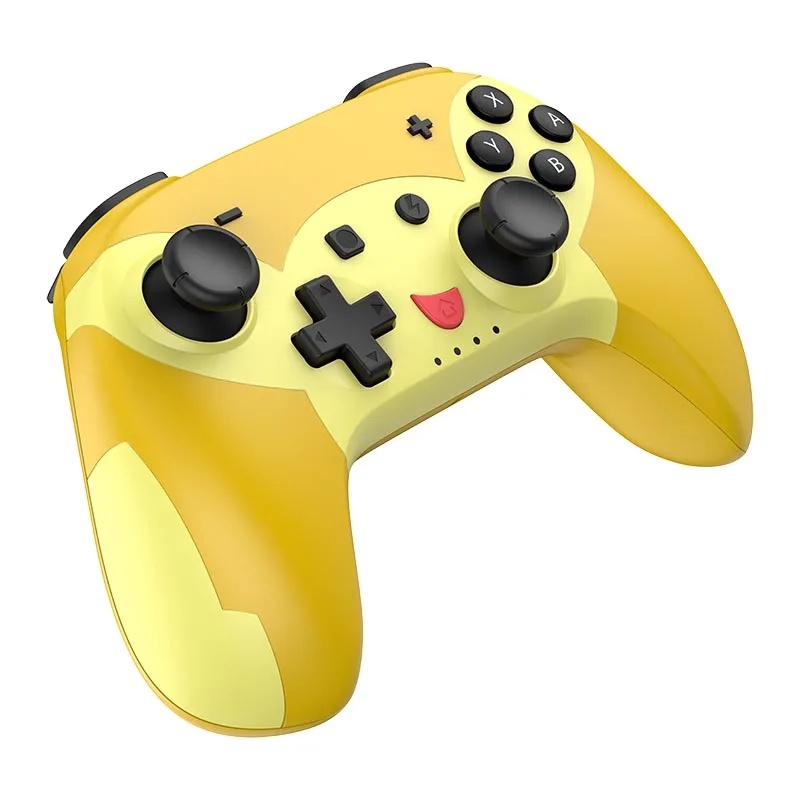
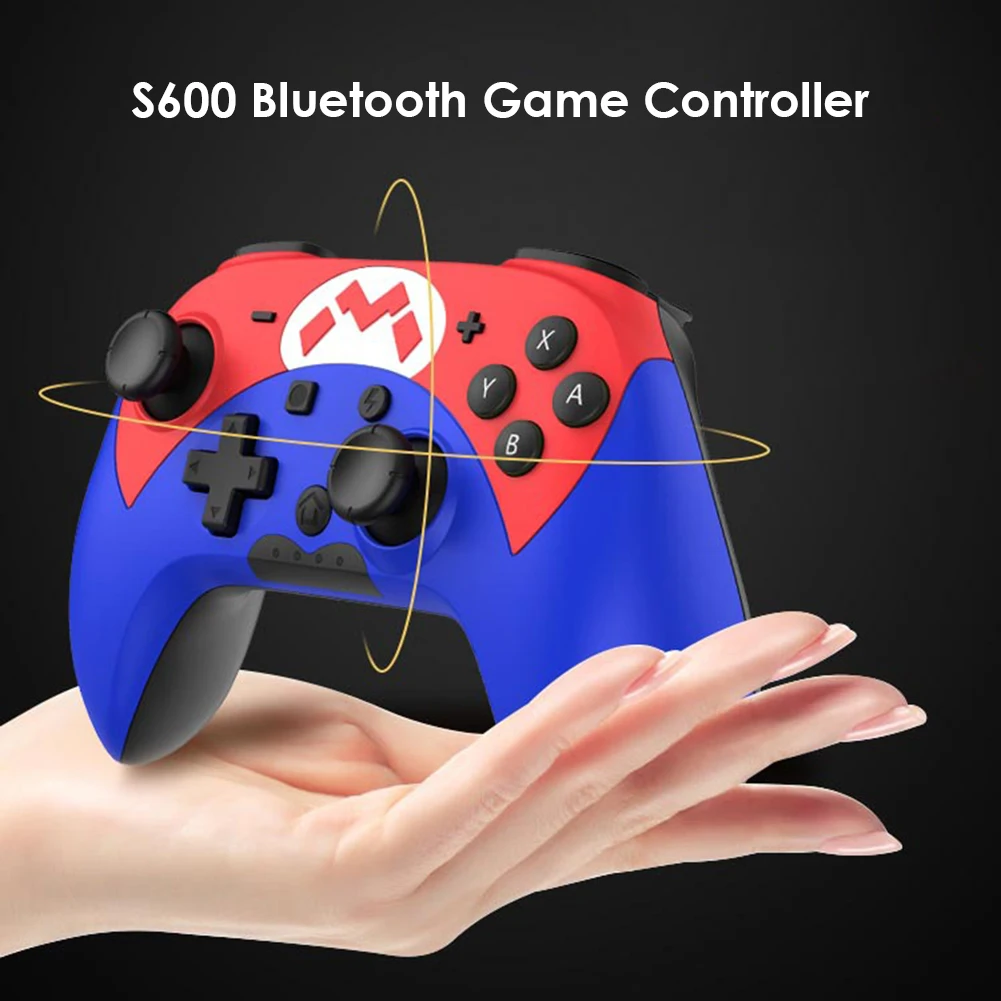
S600 For Switch Pro Controller Bluetooth Wireless Game Controller Wired Gamepad for iPhone Android Phone PC gift
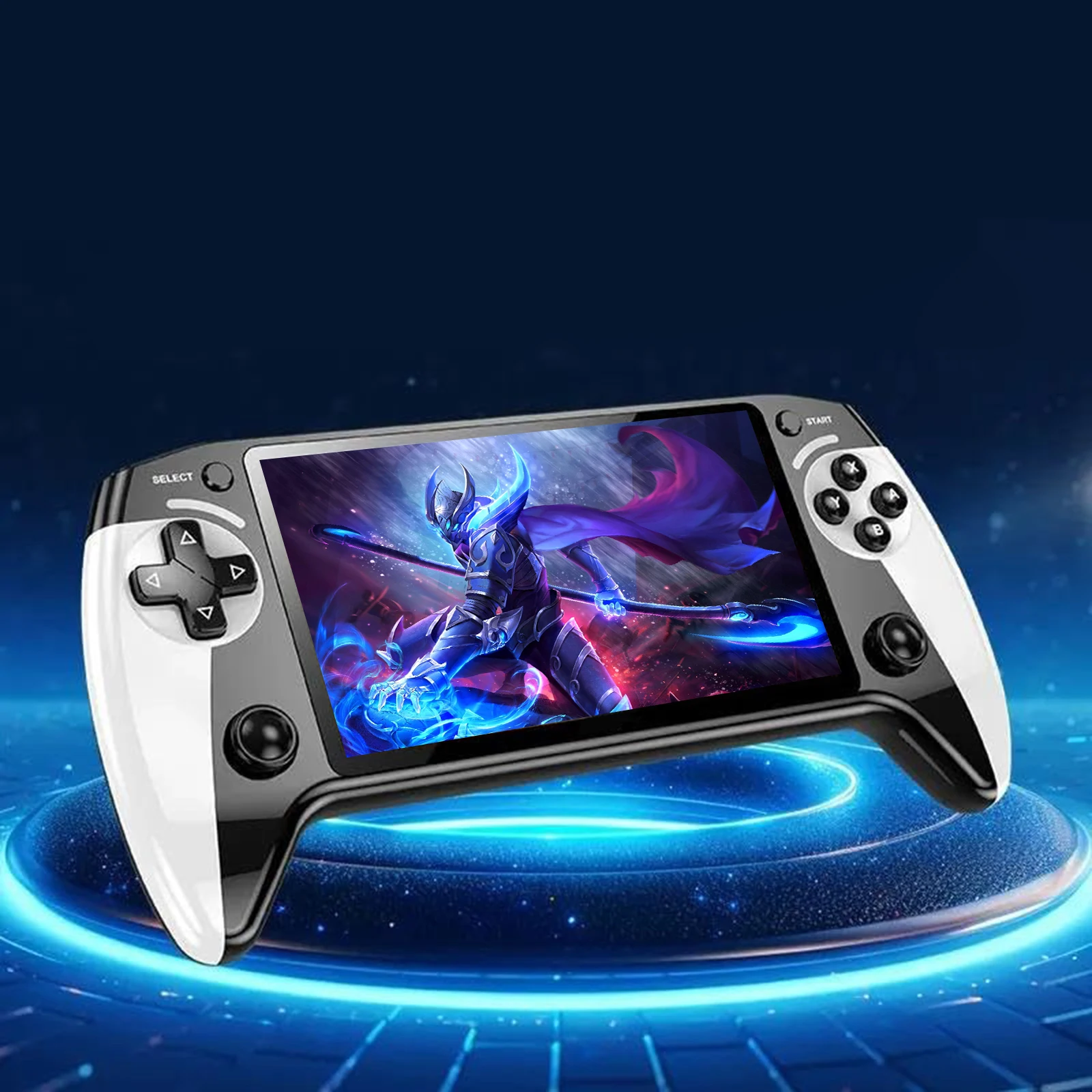
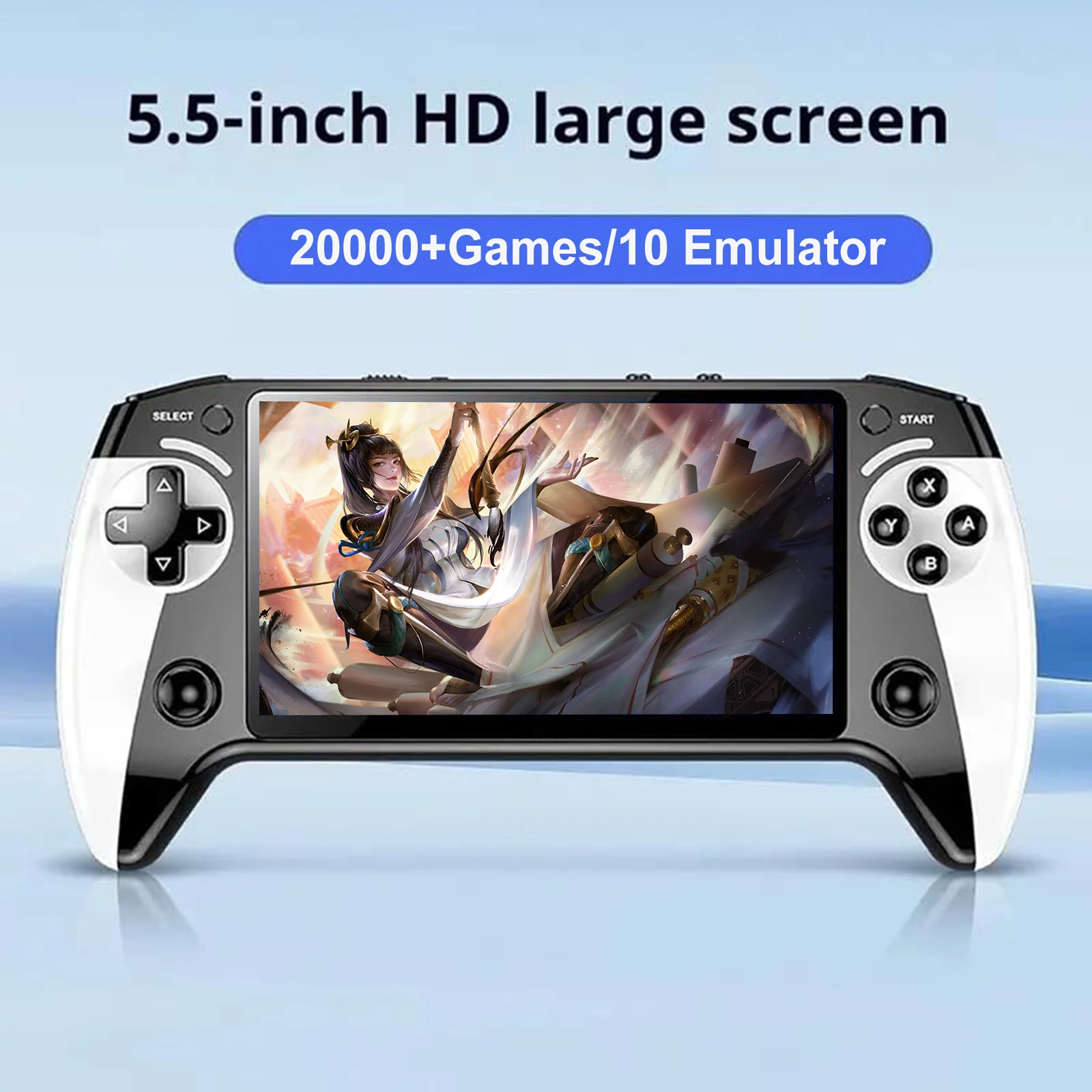
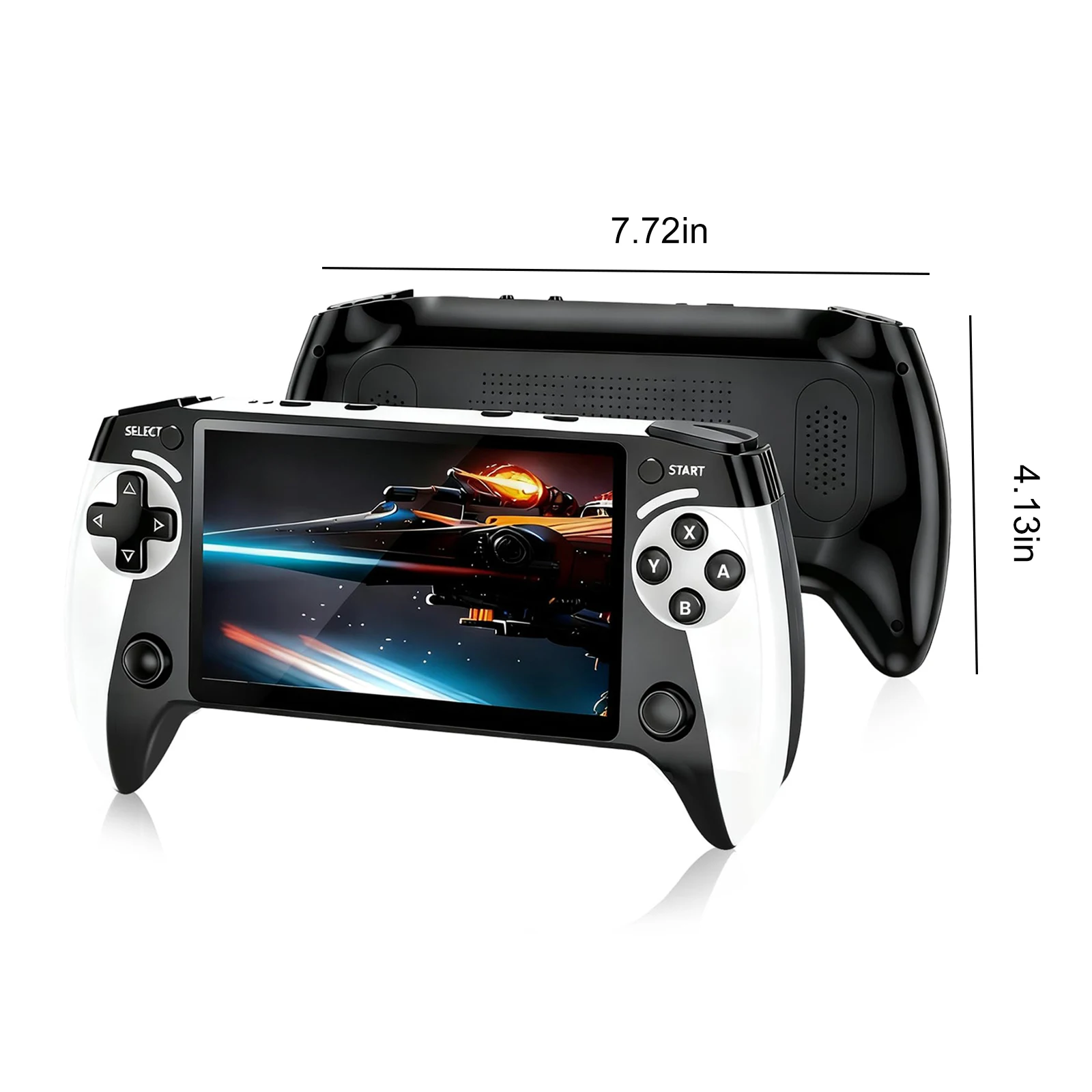
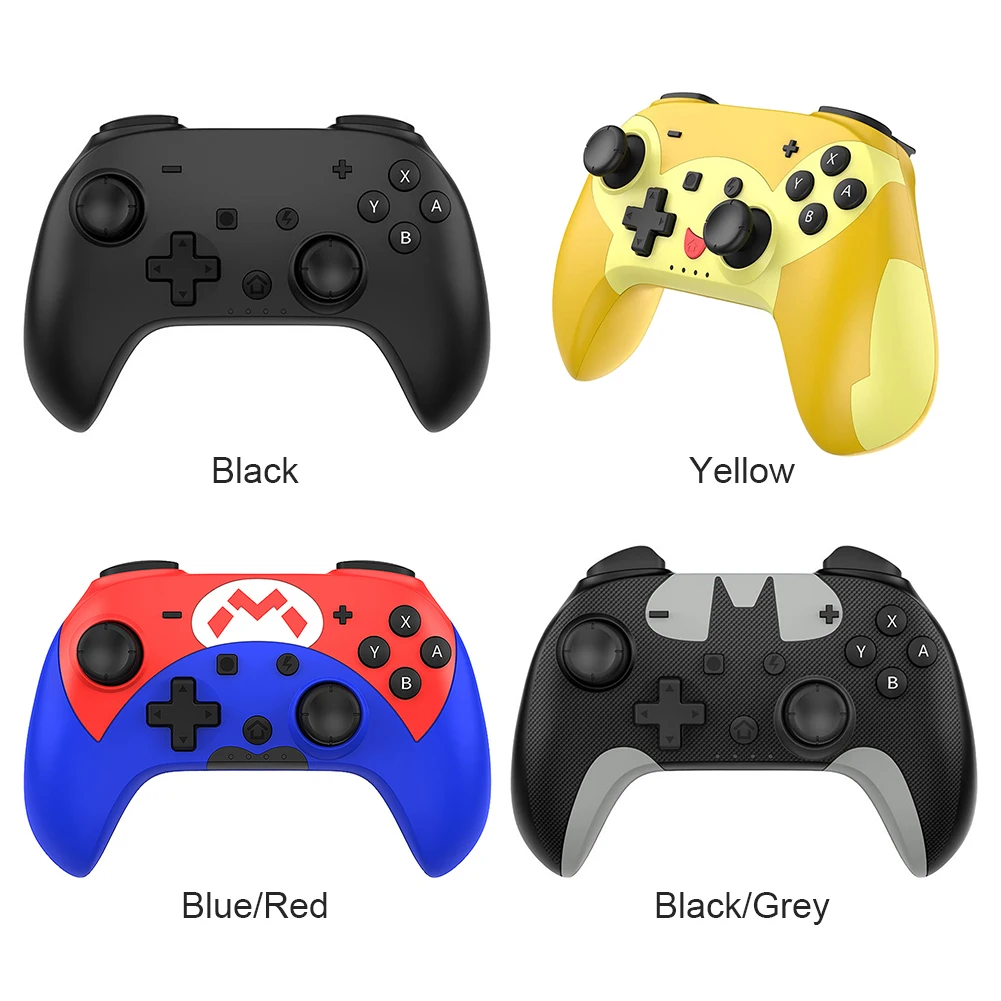
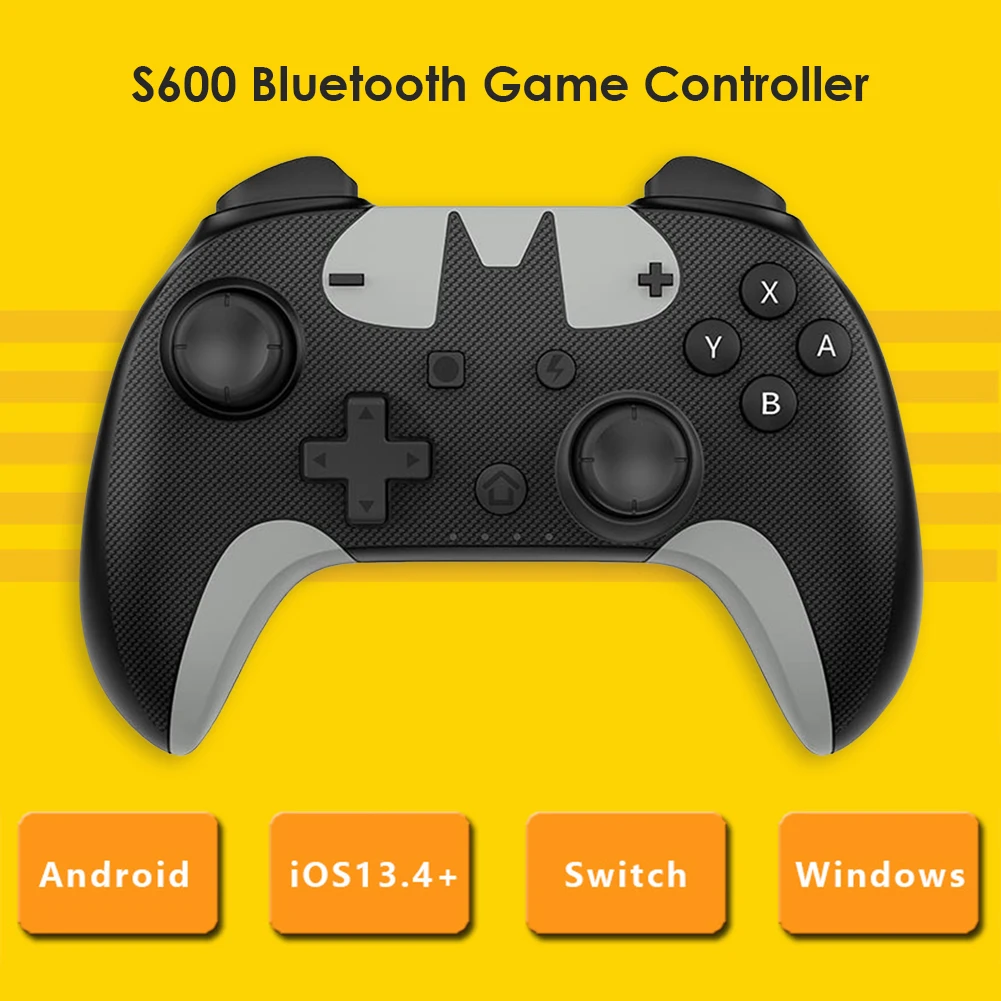
<p style="font-family:arial, helvetica, sans-serif;font-size:14px;font-weight:400;letter-spacing:normal;line-height:inherit;text-align:left;white-space:normal;color:rgb(0, 0, 0);background-color:rgb(255, 255, 255);margin:0px;margin-bottom:0px;margin-top:0px;margin-left:0px;margin-right:0px;padding:0px 0px 0px 0em;padding-bottom:0px;padding-top:0px;padding-right:0px;box-sizing:border-box" align="left"><span style="background-color:rgb(255, 255, 255);color:rgb(0, 0, 0);font-size:16px;font-family:"Open Sans", sans-serif">For Nintendo Switch Pro Controller Bluetooth Wireless Game Controller Wired Gamepad for iPhone Android Phone PC S600</span><br/><span style="background-color:rgb(255, 255, 255);color:rgb(0, 0, 0);font-size:16px;font-family:"Open Sans", sans-serif">Specification:</span><br/><span style="background-color:rgb(255, 255, 255);color:rgb(0, 0, 0);font-size:16px;font-family:"Open Sans", sans-serif">Model: S600</span><br/><span style="background-color:rgb(255, 255, 255);color:rgb(0, 0, 0);font-size:16px;font-family:"Open Sans", sans-serif">Product color: Black/Yellow/Red/Grey (Optional)</span><br/><span style="background-color:rgb(255, 255, 255);color:rgb(0, 0, 0);font-size:16px;font-family:"Open Sans", sans-serif">Product material: ABS</span><br/><span style="background-color:rgb(255, 255, 255);color:rgb(0, 0, 0);font-size:16px;font-family:"Open Sans", sans-serif">Product weight: 233g</span><br/><span style="background-color:rgb(255, 255, 255);color:rgb(0, 0, 0);font-size:16px;font-family:"Open Sans", sans-serif">Product size: 155*110*55mm/6.10*4.33*2.17"</span><br/><br/><span style="background-color:rgb(255, 255, 255);color:rgb(0, 0, 0);font-size:16px;font-family:"Open Sans", sans-serif">Connection method</span><br/><span style="background-color:rgb(255, 255, 255);color:rgb(0, 0, 0);font-size:16px;font-family:"Open Sans", sans-serif">1. Wired</span><br/><span style="background-color:rgb(255, 255, 255);color:rgb(0, 0, 0);font-size:16px;font-family:"Open Sans", sans-serif">For Nintendo Switch console, for Steam on PC</span><br/><span style="background-color:rgb(255, 255, 255);color:rgb(0, 0, 0);font-size:16px;font-family:"Open Sans", sans-serif">XINPUT: Device name for Xbox 360 Controller for Windows</span><br/><span style="background-color:rgb(255, 255, 255);color:rgb(0, 0, 0);font-size:16px;font-family:"Open Sans", sans-serif">DINPUT: Device name S600 Gamepad</span><br/><span style="background-color:rgb(255, 255, 255);color:rgb(0, 0, 0);font-size:16px;font-family:"Open Sans", sans-serif">When connected to the PC, press and hold SELECT (-) and START (+) for more than 3 seconds to switch between DINPUT and XINPUT. The controller mode lights XINPUT (lights 1, 4 are on), DINPUT (lights 2, 3 are on)</span><br/><span style="background-color:rgb(255, 255, 255);color:rgb(0, 0, 0);font-size:16px;font-family:"Open Sans", sans-serif">2. Wireless</span><br/><span style="background-color:rgb(255, 255, 255);color:rgb(0, 0, 0);font-size:16px;font-family:"Open Sans", sans-serif">Bluetooth name: Pro Controller, the controller mode light is assigned by the host</span><br/><br/><span style="background-color:rgb(255, 255, 255);color:rgb(0, 0, 0);font-size:16px;font-family:"Open Sans", sans-serif">How to use:</span><br/><span style="background-color:rgb(255, 255, 255);color:rgb(0, 0, 0);font-size:16px;font-family:"Open Sans", sans-serif">Pair:</span><br/><span style="background-color:rgb(255, 255, 255);color:rgb(0, 0, 0);font-size:16px;font-family:"Open Sans", sans-serif">The Bluetooth function of the controller needs to be paired when connecting to the console or mobile phone for the first time.</span><br/><span style="background-color:rgb(255, 255, 255);color:rgb(0, 0, 0);font-size:16px;font-family:"Open Sans", sans-serif">When the controller is turned off, press and hold the pairing button for more than 1 second, the mode light flashes in 50ms intervals, and the pairing mode is entered, if it is less than 1 second, it will enter the reconnect mode. If the pairing fails for more than 2.5 minutes, the controller will be turned off.</span><br/><span style="background-color:rgb(255, 255, 255);color:rgb(0, 0, 0);font-size:16px;font-family:"Open Sans", sans-serif">Re-pair:</span><br/><span style="background-color:rgb(255, 255, 255);color:rgb(0, 0, 0);font-size:16px;font-family:"Open Sans", sans-serif">The controller has already been paired with the console or mobile phone, you don't need to re-pair it, it will automatically connect after entering the back connection.</span><br/><span style="background-color:rgb(255, 255, 255);color:rgb(0, 0, 0);font-size:16px;font-family:"Open Sans", sans-serif">When the controller is turned off, short press any one of the basic buttons or function buttons, the mode light will be in the form of a marquee with 120ms</span><br/><span style="background-color:rgb(255, 255, 255);color:rgb(0, 0, 0);font-size:16px;font-family:"Open Sans", sans-serif">Flashes at intervals, the controller is turned on and enters the reconnecting state.</span><br/><br/><span style="background-color:rgb(255, 255, 255);color:rgb(0, 0, 0);font-size:16px;font-family:"Open Sans", sans-serif">Note:</span><br/><span style="background-color:rgb(255, 255, 255);color:rgb(0, 0, 0);font-size:16px;font-family:"Open Sans", sans-serif">There may be slight size deviations due to manual measurement, different measuring methods and tools.</span><br/><span style="background-color:rgb(255, 255, 255);color:rgb(0, 0, 0);font-size:16px;font-family:"Open Sans", sans-serif">The picture may not reflect the actual color of the item because of different photographing light, angle and display monitor.</span></p><p style="font-family:arial, helvetica, sans-serif;font-size:13px;font-weight:400;letter-spacing:normal;line-height:inherit;text-align:center;white-space:normal;color:rgb(0, 0, 0);margin:0px;margin-bottom:0px;margin-top:0px;margin-left:0px;margin-right:0px;padding:0px;padding-bottom:0px;padding-top:0px;padding-left:0px;padding-right:0px;box-sizing:border-box" align="center"><br/></p><p style="font-family:arial, helvetica, sans-serif;font-size:14px;font-weight:400;letter-spacing:normal;line-height:inherit;text-align:left;white-space:normal;color:rgb(0, 0, 0);background-color:rgb(255, 255, 255);margin:0px;margin-bottom:0px;margin-top:0px;margin-left:0px;margin-right:0px;padding:0px 0px 0px 0em;padding-bottom:0px;padding-top:0px;padding-right:0px;box-sizing:border-box" align="left"><span style="background-color:rgb(255, 255, 255);color:rgb(0, 0, 0);font-size:14px;font-family:"Open Sans", sans-serif">1 X Game Controller</span><br/><span style="background-color:rgb(255, 255, 255);color:rgb(0, 0, 0);font-size:14px;font-family:"Open Sans", sans-serif">1 X Charging Cable</span><br/><span style="background-color:rgb(255, 255, 255);color:rgb(0, 0, 0);font-size:14px;font-family:"Open Sans", sans-serif">1 X Manual</span><br/></p><p style="font-family:arial, helvetica, sans-serif;font-size:14px;font-weight:400;letter-spacing:normal;line-height:inherit;text-align:left;white-space:normal;color:rgb(0, 0, 0);background-color:rgb(255, 255, 255);margin:0px;margin-bottom:0px;margin-top:0px;margin-left:0px;margin-right:0px;padding:0px 0px 0px 0em;padding-bottom:0px;padding-top:0px;padding-right:0px;box-sizing:border-box" align="left"></p>
$35.27
$33.605
- Category : Consumer Electronics
- Brand : game_01_store Game 01 Store
Colors
Sizes
-
+

<p style="font-family:arial, helvetica, sans-serif;font-size:14px;font-weight:400;letter-spacing:normal;line-height:inherit;text-align:left;white-space:normal;color:rgb(0, 0, 0);background-color:rgb(255, 255, 255);margin:0px;margin-bottom:0px;margin-top:0px;margin-left:0px;margin-right:0px;padding:0px 0px 0px 0em;padding-bottom:0px;padding-top:0px;padding-right:0px;box-sizing:border-box" align="left"><span style="background-color:rgb(255, 255, 255);color:rgb(0, 0, 0);font-size:16px;font-family:"Open Sans", sans-serif">For Nintendo Switch Pro Controller Bluetooth Wireless Game Controller Wired Gamepad for iPhone Android Phone PC S600</span><br/><span style="background-color:rgb(255, 255, 255);color:rgb(0, 0, 0);font-size:16px;font-family:"Open Sans", sans-serif">Specification:</span><br/><span style="background-color:rgb(255, 255, 255);color:rgb(0, 0, 0);font-size:16px;font-family:"Open Sans", sans-serif">Model: S600</span><br/><span style="background-color:rgb(255, 255, 255);color:rgb(0, 0, 0);font-size:16px;font-family:"Open Sans", sans-serif">Product color: Black/Yellow/Red/Grey (Optional)</span><br/><span style="background-color:rgb(255, 255, 255);color:rgb(0, 0, 0);font-size:16px;font-family:"Open Sans", sans-serif">Product material: ABS</span><br/><span style="background-color:rgb(255, 255, 255);color:rgb(0, 0, 0);font-size:16px;font-family:"Open Sans", sans-serif">Product weight: 233g</span><br/><span style="background-color:rgb(255, 255, 255);color:rgb(0, 0, 0);font-size:16px;font-family:"Open Sans", sans-serif">Product size: 155*110*55mm/6.10*4.33*2.17"</span><br/><br/><span style="background-color:rgb(255, 255, 255);color:rgb(0, 0, 0);font-size:16px;font-family:"Open Sans", sans-serif">Connection method</span><br/><span style="background-color:rgb(255, 255, 255);color:rgb(0, 0, 0);font-size:16px;font-family:"Open Sans", sans-serif">1. Wired</span><br/><span style="background-color:rgb(255, 255, 255);color:rgb(0, 0, 0);font-size:16px;font-family:"Open Sans", sans-serif">For Nintendo Switch console, for Steam on PC</span><br/><span style="background-color:rgb(255, 255, 255);color:rgb(0, 0, 0);font-size:16px;font-family:"Open Sans", sans-serif">XINPUT: Device name for Xbox 360 Controller for Windows</span><br/><span style="background-color:rgb(255, 255, 255);color:rgb(0, 0, 0);font-size:16px;font-family:"Open Sans", sans-serif">DINPUT: Device name S600 Gamepad</span><br/><span style="background-color:rgb(255, 255, 255);color:rgb(0, 0, 0);font-size:16px;font-family:"Open Sans", sans-serif">When connected to the PC, press and hold SELECT (-) and START (+) for more than 3 seconds to switch between DINPUT and XINPUT. The controller mode lights XINPUT (lights 1, 4 are on), DINPUT (lights 2, 3 are on)</span><br/><span style="background-color:rgb(255, 255, 255);color:rgb(0, 0, 0);font-size:16px;font-family:"Open Sans", sans-serif">2. Wireless</span><br/><span style="background-color:rgb(255, 255, 255);color:rgb(0, 0, 0);font-size:16px;font-family:"Open Sans", sans-serif">Bluetooth name: Pro Controller, the controller mode light is assigned by the host</span><br/><br/><span style="background-color:rgb(255, 255, 255);color:rgb(0, 0, 0);font-size:16px;font-family:"Open Sans", sans-serif">How to use:</span><br/><span style="background-color:rgb(255, 255, 255);color:rgb(0, 0, 0);font-size:16px;font-family:"Open Sans", sans-serif">Pair:</span><br/><span style="background-color:rgb(255, 255, 255);color:rgb(0, 0, 0);font-size:16px;font-family:"Open Sans", sans-serif">The Bluetooth function of the controller needs to be paired when connecting to the console or mobile phone for the first time.</span><br/><span style="background-color:rgb(255, 255, 255);color:rgb(0, 0, 0);font-size:16px;font-family:"Open Sans", sans-serif">When the controller is turned off, press and hold the pairing button for more than 1 second, the mode light flashes in 50ms intervals, and the pairing mode is entered, if it is less than 1 second, it will enter the reconnect mode. If the pairing fails for more than 2.5 minutes, the controller will be turned off.</span><br/><span style="background-color:rgb(255, 255, 255);color:rgb(0, 0, 0);font-size:16px;font-family:"Open Sans", sans-serif">Re-pair:</span><br/><span style="background-color:rgb(255, 255, 255);color:rgb(0, 0, 0);font-size:16px;font-family:"Open Sans", sans-serif">The controller has already been paired with the console or mobile phone, you don't need to re-pair it, it will automatically connect after entering the back connection.</span><br/><span style="background-color:rgb(255, 255, 255);color:rgb(0, 0, 0);font-size:16px;font-family:"Open Sans", sans-serif">When the controller is turned off, short press any one of the basic buttons or function buttons, the mode light will be in the form of a marquee with 120ms</span><br/><span style="background-color:rgb(255, 255, 255);color:rgb(0, 0, 0);font-size:16px;font-family:"Open Sans", sans-serif">Flashes at intervals, the controller is turned on and enters the reconnecting state.</span><br/><br/><span style="background-color:rgb(255, 255, 255);color:rgb(0, 0, 0);font-size:16px;font-family:"Open Sans", sans-serif">Note:</span><br/><span style="background-color:rgb(255, 255, 255);color:rgb(0, 0, 0);font-size:16px;font-family:"Open Sans", sans-serif">There may be slight size deviations due to manual measurement, different measuring methods and tools.</span><br/><span style="background-color:rgb(255, 255, 255);color:rgb(0, 0, 0);font-size:16px;font-family:"Open Sans", sans-serif">The picture may not reflect the actual color of the item because of different photographing light, angle and display monitor.</span></p><p style="font-family:arial, helvetica, sans-serif;font-size:13px;font-weight:400;letter-spacing:normal;line-height:inherit;text-align:center;white-space:normal;color:rgb(0, 0, 0);margin:0px;margin-bottom:0px;margin-top:0px;margin-left:0px;margin-right:0px;padding:0px;padding-bottom:0px;padding-top:0px;padding-left:0px;padding-right:0px;box-sizing:border-box" align="center"><br/></p><p style="font-family:arial, helvetica, sans-serif;font-size:14px;font-weight:400;letter-spacing:normal;line-height:inherit;text-align:left;white-space:normal;color:rgb(0, 0, 0);background-color:rgb(255, 255, 255);margin:0px;margin-bottom:0px;margin-top:0px;margin-left:0px;margin-right:0px;padding:0px 0px 0px 0em;padding-bottom:0px;padding-top:0px;padding-right:0px;box-sizing:border-box" align="left"><span style="background-color:rgb(255, 255, 255);color:rgb(0, 0, 0);font-size:14px;font-family:"Open Sans", sans-serif">1 X Game Controller</span><br/><span style="background-color:rgb(255, 255, 255);color:rgb(0, 0, 0);font-size:14px;font-family:"Open Sans", sans-serif">1 X Charging Cable</span><br/><span style="background-color:rgb(255, 255, 255);color:rgb(0, 0, 0);font-size:14px;font-family:"Open Sans", sans-serif">1 X Manual</span><br/></p><p style="font-family:arial, helvetica, sans-serif;font-size:14px;font-weight:400;letter-spacing:normal;line-height:inherit;text-align:left;white-space:normal;color:rgb(0, 0, 0);background-color:rgb(255, 255, 255);margin:0px;margin-bottom:0px;margin-top:0px;margin-left:0px;margin-right:0px;padding:0px 0px 0px 0em;padding-bottom:0px;padding-top:0px;padding-right:0px;box-sizing:border-box" align="left"></p>
Related Product
Browse The Collection of Top Products.