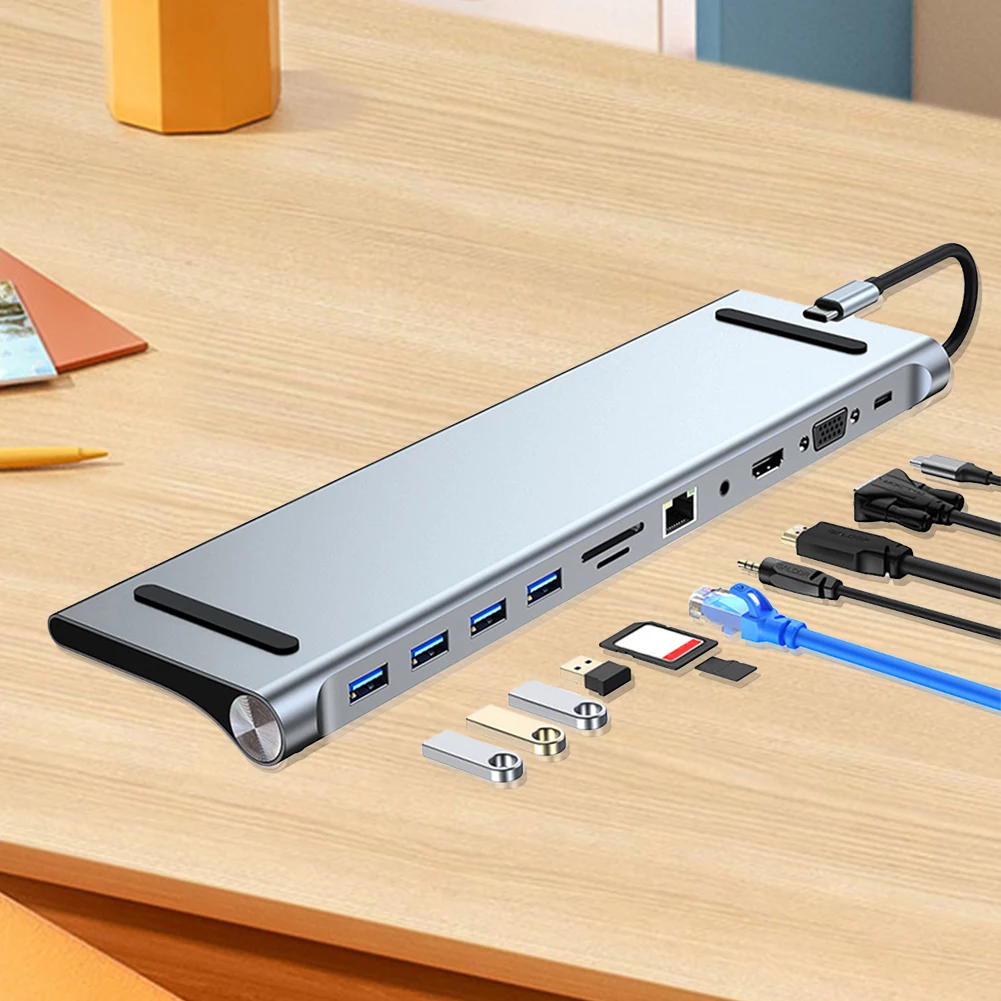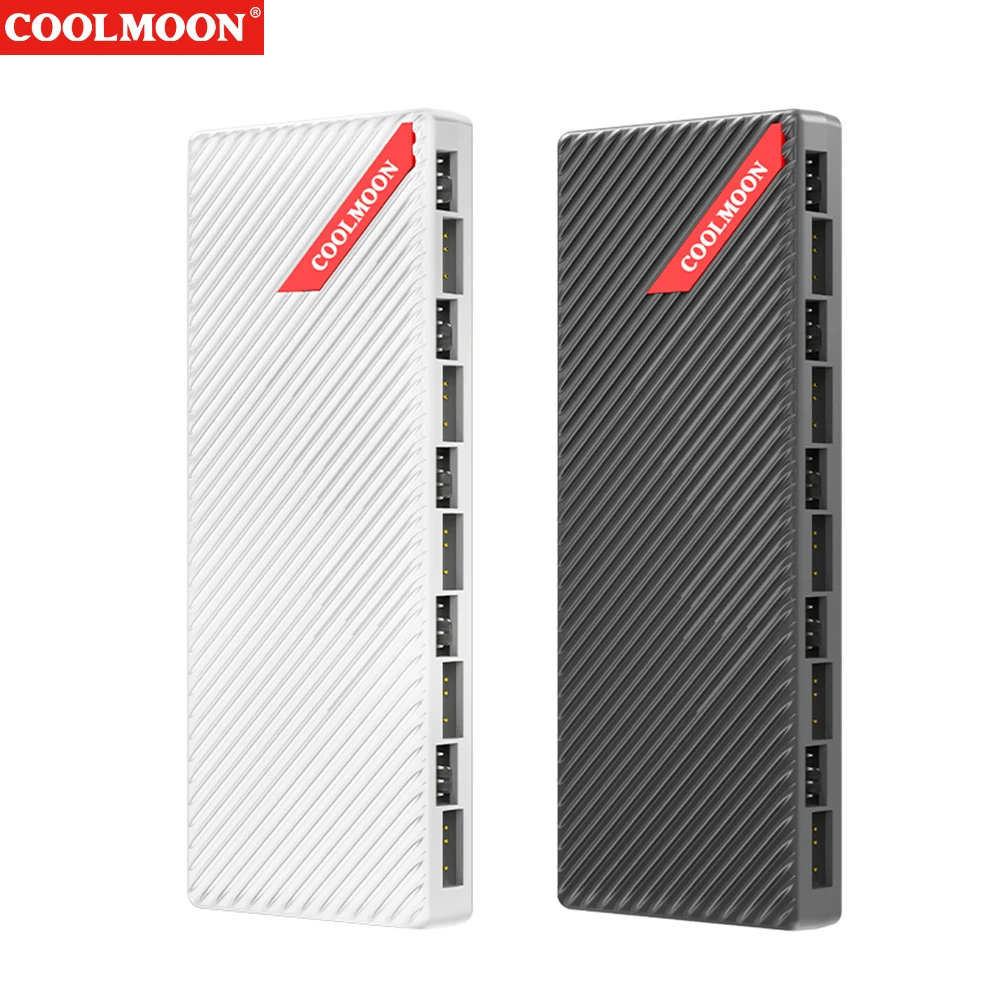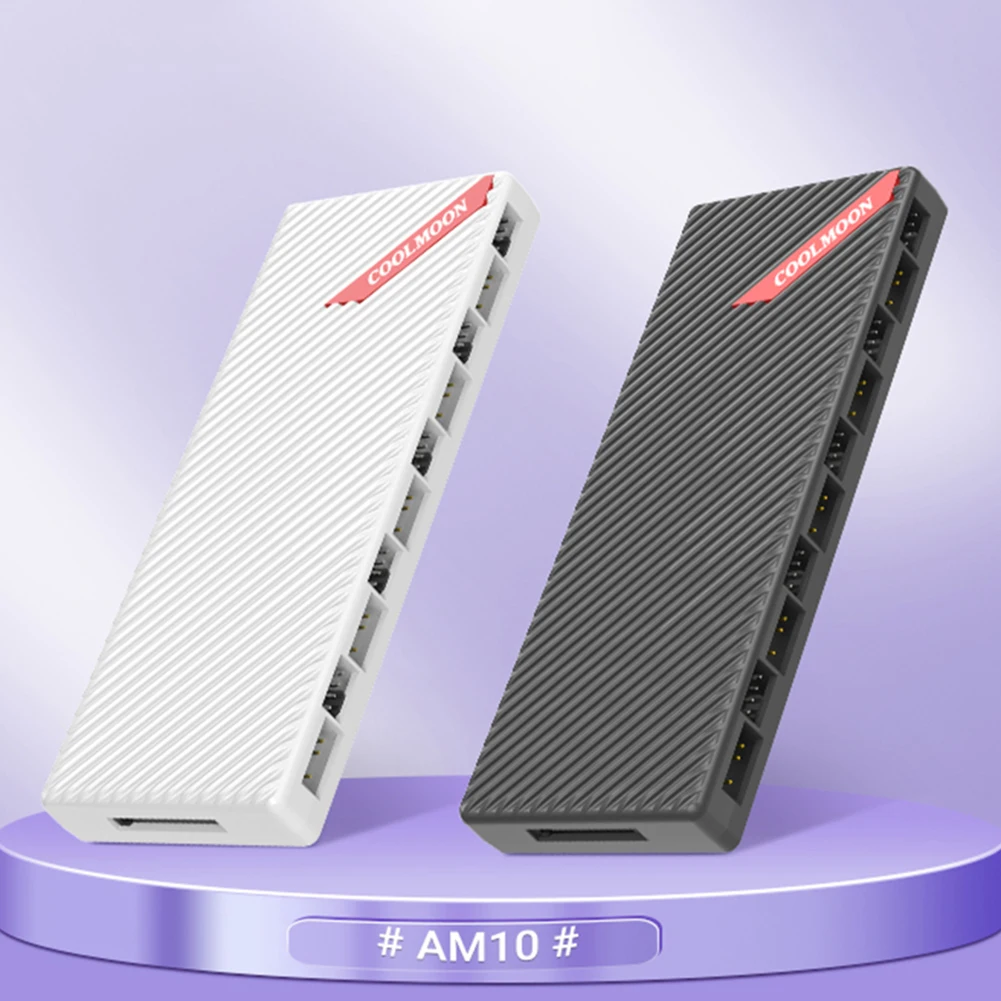
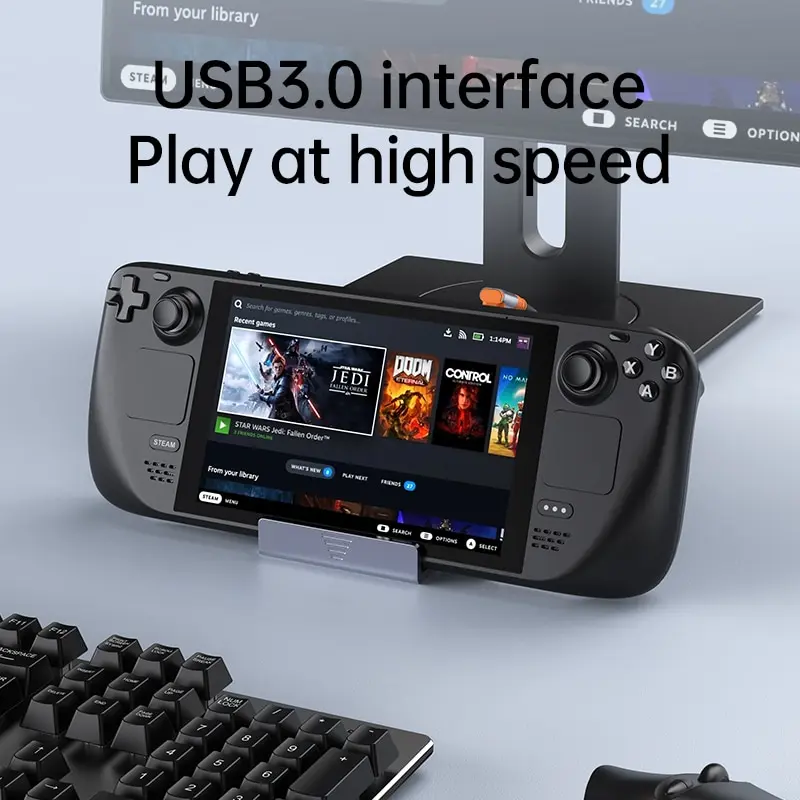
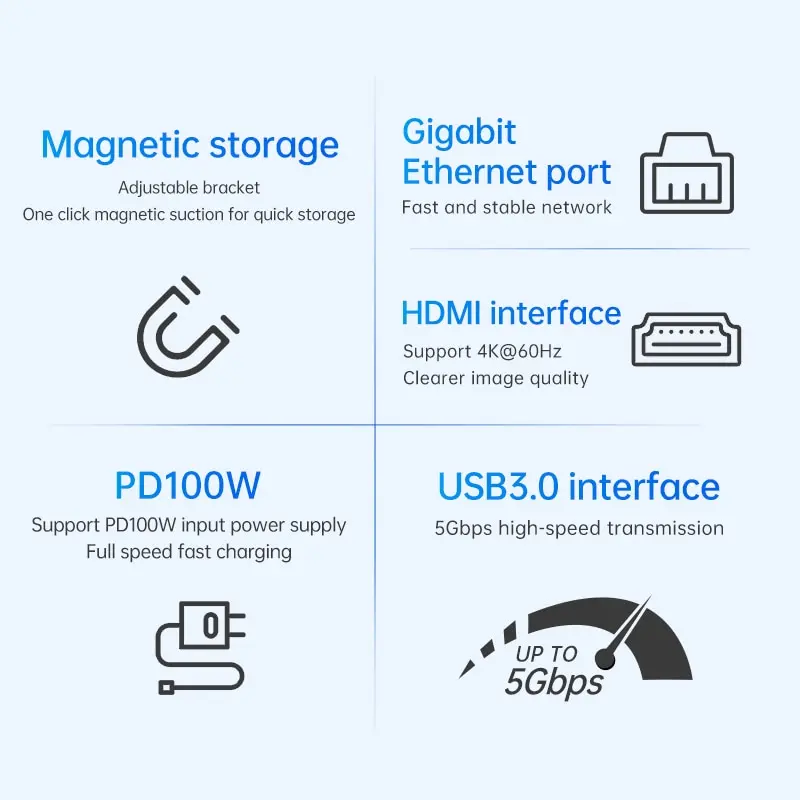
Steam Deck Dock Docking Station with Fan 6-in-1 HDMI 2.0 4k@60hz Gigabit Ethernet Full Speed Charging USB-C USB 3.0
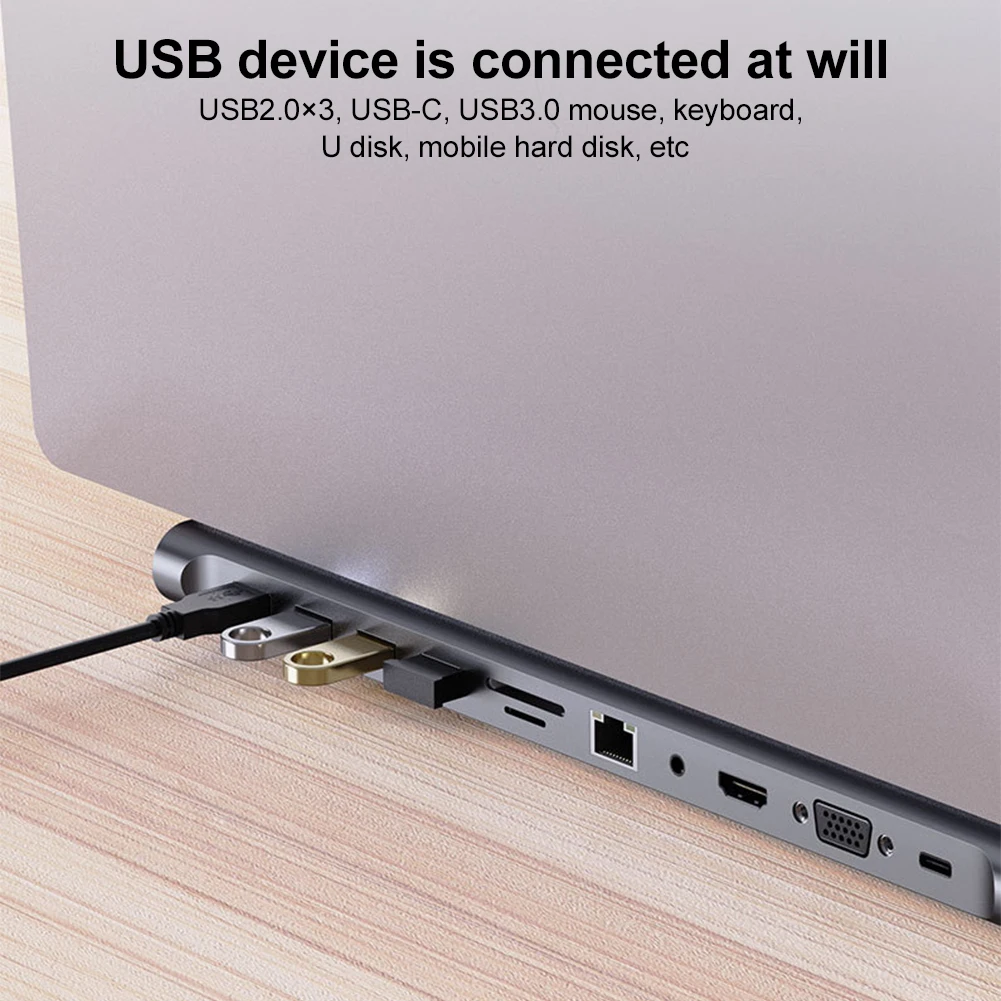
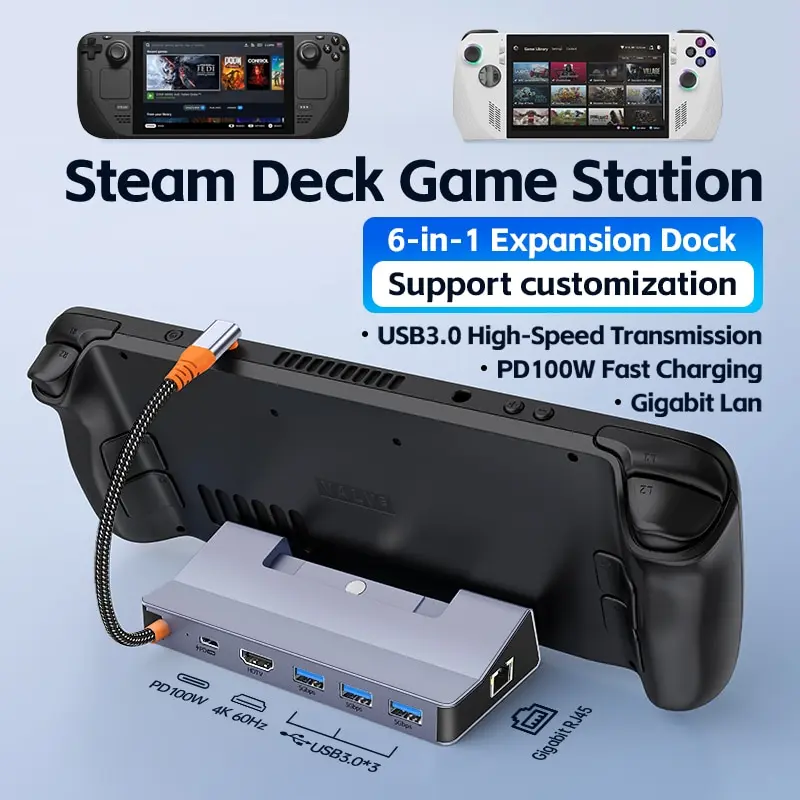
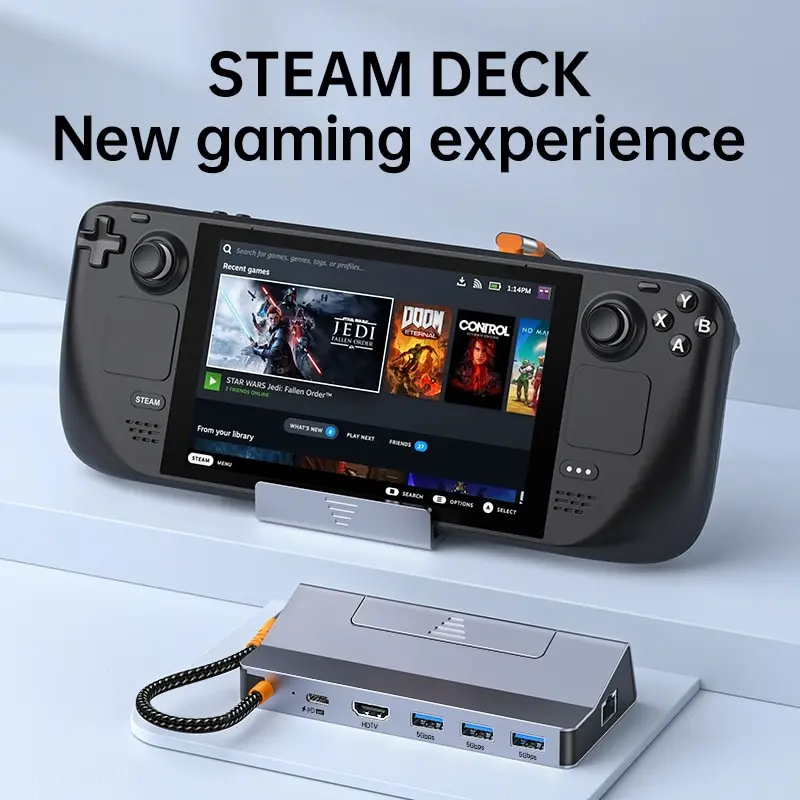
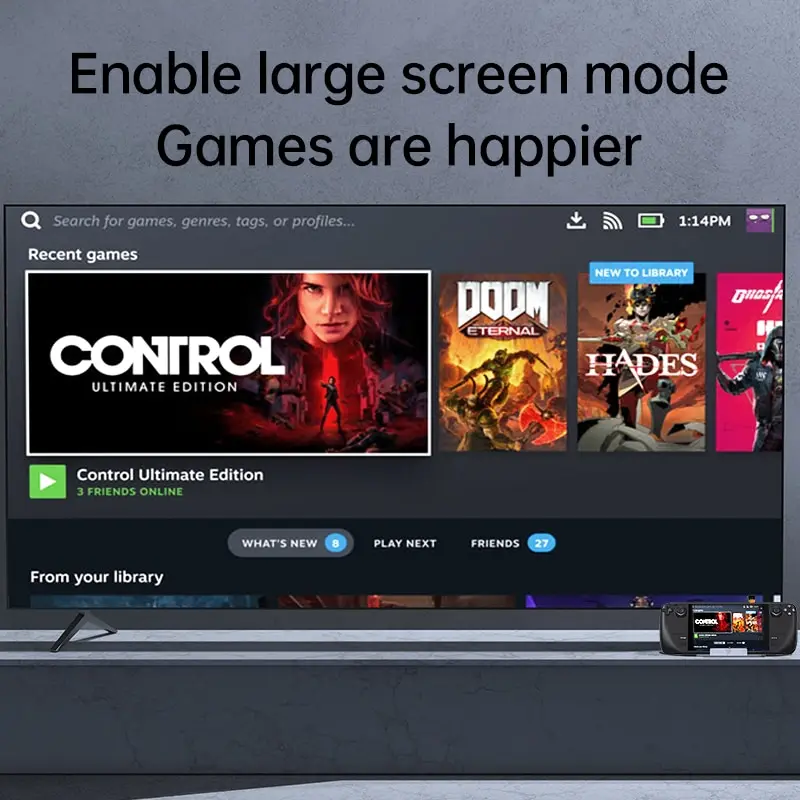
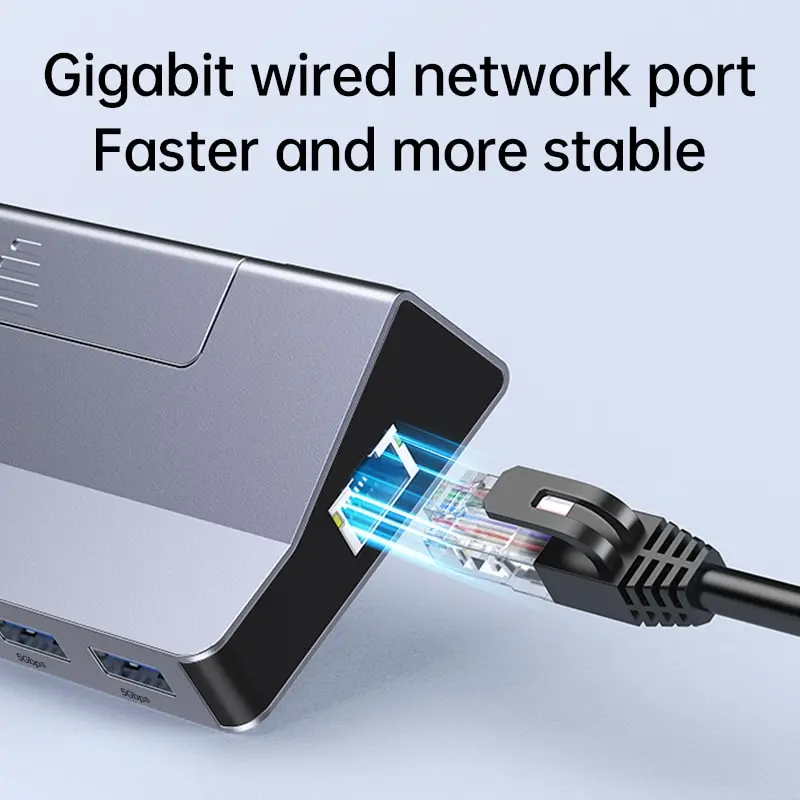
<div class="detailmodule_html"><div class="detail-desc-decorate-richtext"><div class="ai-description"><div class="origin-part box-sizing"><p style="font-family:"Open Sans", sans-serif;font-size:14px;font-weight:400;letter-spacing:normal;line-height:inherit;text-align:start;white-space:normal;color:rgb(0, 0, 0);background-color:rgb(255, 255, 255);margin:0px;margin-bottom:0px;margin-top:0px;margin-left:0px;margin-right:0px;padding:0px;padding-bottom:0px;padding-top:0px;padding-left:0px;padding-right:0px;box-sizing:border-box" align="start"><span style="background-color:rgb(255, 255, 255)"><strong>• 6-in-1 HDMI 2.0 4k@60hz :</strong></span><span style="background-color:rgb(255, 255, 255)">Enjoy high-quality video output with 6-in-1 HDMI 2.0 4k@60hz, providing crystal-clear visuals for an immersive viewing experience.</span></p><p><br/></p><p style="font-family:"Open Sans", sans-serif;font-size:14px;font-weight:400;letter-spacing:normal;line-height:inherit;text-align:start;white-space:normal;color:rgb(0, 0, 0);background-color:rgb(255, 255, 255);margin:0px;margin-bottom:0px;margin-top:0px;margin-left:0px;margin-right:0px;padding:0px;padding-bottom:0px;padding-top:0px;padding-left:0px;padding-right:0px;box-sizing:border-box" align="start"><span style="background-color:rgb(255, 255, 255)"><strong>• Gigabit Ethernet Full Speed Charging :</strong></span><span style="background-color:rgb(255, 255, 255)">Charge your devices quickly and efficiently with Gigabit Ethernet Full Speed Charging, ensuring that your devices are always ready to go.</span></p><p><br/></p><p style="font-family:"Open Sans", sans-serif;font-size:14px;font-weight:400;letter-spacing:normal;line-height:inherit;text-align:start;white-space:normal;color:rgb(0, 0, 0);background-color:rgb(255, 255, 255);margin:0px;margin-bottom:0px;margin-top:0px;margin-left:0px;margin-right:0px;padding:0px;padding-bottom:0px;padding-top:0px;padding-left:0px;padding-right:0px;box-sizing:border-box" align="start"><span style="background-color:rgb(255, 255, 255)"><strong>• USB-C USB 3.0 :</strong></span><span style="background-color:rgb(255, 255, 255)">Connect your devices seamlessly with USB-C USB 3.0, providing fast and stable data transfer for a hassle-free experience.</span></p><p><br/></p><p style="font-family:"Open Sans", sans-serif;font-size:14px;font-weight:400;letter-spacing:normal;line-height:inherit;text-align:start;white-space:normal;color:rgb(0, 0, 0);background-color:rgb(255, 255, 255);margin:0px;margin-bottom:0px;margin-top:0px;margin-left:0px;margin-right:0px;padding:0px;padding-bottom:0px;padding-top:0px;padding-left:0px;padding-right:0px;box-sizing:border-box" align="start"><span style="background-color:rgb(255, 255, 255)"><strong>• HDMI-Compatible/RJ45 :</strong></span><span style="background-color:rgb(255, 255, 255)">The HDMI-Compatible/RJ45 interface ensures compatibility with a wide range of devices, making it a versatile option for all your connectivity needs.</span></p><p><br/></p></div></div><p><span style="font-size:22px">Follow the store to get Double Eleven coupons, the quantity is limited, first come first served</span></p><p><br/></p><p><span style="font-size:22px">Usage time: November 11th 00:00-November 17th 23:59</span></p><p><br/></p><p><span style="font-size:22px">How to use: Find the input box where you can enter the code on the payment page, copy the code provided by our store into the input box, and then click Use</span></p><p></p><p style="font-family:"Open Sans", Roboto, Arial, Helvetica, sans-serif, SimSun;font-size:14px;font-weight:400;letter-spacing:normal;line-height:inherit;text-align:start;white-space:normal;color:rgb(51, 51, 51);background-color:rgb(255, 255, 255);margin:0px;margin-bottom:0px;margin-top:0px;margin-left:0px;margin-right:0px;padding:0px;padding-bottom:0px;padding-top:0px;padding-left:0px;padding-right:0px;box-sizing:border-box" align="start"><span style="color:rgb(0, 0, 0);font-size:20px;font-family:arial"><strong><span style="font-size:20px;font-family:"trebuchet ms", helvetica, sans-serif">Description:</span></strong></span></p><p><br/></p><p style="font-family:"Open Sans", Roboto, Arial, Helvetica, sans-serif, SimSun;font-size:14px;font-weight:400;letter-spacing:normal;line-height:inherit;text-align:start;white-space:normal;color:rgb(34, 34, 34);background-color:rgb(255, 255, 255);margin:0px;margin-bottom:0px;margin-top:0px;margin-left:0px;margin-right:0px;padding:0px;padding-bottom:0px;padding-top:0px;padding-left:0px;padding-right:0px;box-sizing:border-box" align="start"><span style="color:rgb(0, 0, 0);font-size:18px;font-family:Calibri">⚡【One is Enough】Rocoren 6-in-1 Docking Station for Steam Deck and ASUS ROG Ally, equipped with an HDMI 2.0 4K@60Hz output, a 1000Mbps Ethernet input, 3*USB-A 3.0 ports and a 100W PD 3.0Type-C port for charging. With this useful steam deck accessories, your gaming experience will be greatly enhanced. (Note: Not compatible with protective case with kickstand, Please ensure that the thickness of your protective case is less than 3mm.)</span></p><div style="font-family:"Open Sans", Roboto, Arial, Helvetica, sans-serif, SimSun;font-size:14px;font-weight:400;letter-spacing:normal;text-align:start;white-space:normal;color:rgb(34, 34, 34);background-color:rgb(255, 255, 255);margin:0px;margin-bottom:0px;margin-top:0px;margin-left:0px;margin-right:0px;padding:0px;padding-bottom:0px;padding-top:0px;padding-left:0px;padding-right:0px;box-sizing:content-box" align="start"><br/></div><p><br/></p><p style="font-family:"Open Sans", Roboto, Arial, Helvetica, sans-serif, SimSun;font-size:14px;font-weight:400;letter-spacing:normal;line-height:inherit;text-align:start;white-space:normal;color:rgb(34, 34, 34);background-color:rgb(255, 255, 255);margin:0px;margin-bottom:0px;margin-top:0px;margin-left:0px;margin-right:0px;padding:0px;padding-bottom:0px;padding-top:0px;padding-left:0px;padding-right:0px;box-sizing:border-box" align="start"><span style="color:rgb(0, 0, 0);font-size:18px;font-family:Calibri">⚡【Better visual experience】This Steam Deck Dock comes with a 4K@60Hz HDMI 2.0 output. When you connect an external 4K monitor, it can provide you sharper and smoother visual experience, so you can enjoy the visual feast on your games.</span></p><div style="font-family:"Open Sans", Roboto, Arial, Helvetica, sans-serif, SimSun;font-size:14px;font-weight:400;letter-spacing:normal;text-align:start;white-space:normal;color:rgb(34, 34, 34);background-color:rgb(255, 255, 255);margin:0px;margin-bottom:0px;margin-top:0px;margin-left:0px;margin-right:0px;padding:0px;padding-bottom:0px;padding-top:0px;padding-left:0px;padding-right:0px;box-sizing:content-box" align="start"><br/></div><p><br/></p><p style="font-family:"Open Sans", Roboto, Arial, Helvetica, sans-serif, SimSun;font-size:14px;font-weight:400;letter-spacing:normal;line-height:inherit;text-align:start;white-space:normal;color:rgb(34, 34, 34);background-color:rgb(255, 255, 255);margin:0px;margin-bottom:0px;margin-top:0px;margin-left:0px;margin-right:0px;padding:0px;padding-bottom:0px;padding-top:0px;padding-left:0px;padding-right:0px;box-sizing:border-box" align="start"><span style="color:rgb(0, 0, 0);font-size:18px;font-family:Calibri">⚡【Full Speed Charging】100W PD 3.0 Type-C port fast charging your steam deck and ASUS ROG Ally. You don't need to afraid of running out of battery. Rocoren Steam Deck Hub enable full speed charging while gaming. Without being disturbed by the low battery, happiness can last longer. (Note: the MAX charging speed of Steam Deck is 45W)</span></p><div style="font-family:"Open Sans", Roboto, Arial, Helvetica, sans-serif, SimSun;font-size:14px;font-weight:400;letter-spacing:normal;text-align:start;white-space:normal;color:rgb(34, 34, 34);background-color:rgb(255, 255, 255);margin:0px;margin-bottom:0px;margin-top:0px;margin-left:0px;margin-right:0px;padding:0px;padding-bottom:0px;padding-top:0px;padding-left:0px;padding-right:0px;box-sizing:content-box" align="start"><br/></div><p><br/></p><p style="font-family:"Open Sans", Roboto, Arial, Helvetica, sans-serif, SimSun;font-size:14px;font-weight:400;letter-spacing:normal;line-height:inherit;text-align:start;white-space:normal;color:rgb(34, 34, 34);background-color:rgb(255, 255, 255);margin:0px;margin-bottom:0px;margin-top:0px;margin-left:0px;margin-right:0px;padding:0px;padding-bottom:0px;padding-top:0px;padding-left:0px;padding-right:0px;box-sizing:border-box" align="start"><span style="color:rgb(0, 0, 0);font-size:18px;font-family:Calibri">⚡【Stable Network & Fast Data Transmission】: This steam docking station comes with 1000Mbps Ethernet which could reduce the lag of playing games, download games faster and watch videos more smoothly. And 3*USB 3. 0 ports (speed up to 5Gbp) allows you transfer files and big huge games in seconds, connect to the gamepad, mouse, U disk and keyboard without any lags.</span></p><div style="font-family:"Open Sans", Roboto, Arial, Helvetica, sans-serif, SimSun;font-size:14px;font-weight:400;letter-spacing:normal;text-align:start;white-space:normal;color:rgb(34, 34, 34);background-color:rgb(255, 255, 255);margin:0px;margin-bottom:0px;margin-top:0px;margin-left:0px;margin-right:0px;padding:0px;padding-bottom:0px;padding-top:0px;padding-left:0px;padding-right:0px;box-sizing:content-box" align="start"><br/></div><p><br/></p><p style="font-family:"Open Sans", Roboto, Arial, Helvetica, sans-serif, SimSun;font-size:14px;font-weight:400;letter-spacing:normal;line-height:inherit;text-align:start;white-space:normal;color:rgb(34, 34, 34);background-color:rgb(255, 255, 255);margin:0px;margin-bottom:0px;margin-top:0px;margin-left:0px;margin-right:0px;padding:0px;padding-bottom:0px;padding-top:0px;padding-left:0px;padding-right:0px;box-sizing:border-box" align="start"><span style="color:rgb(0, 0, 0);font-size:18px;font-family:Calibri">⚡【Wide Compatibility】: Though this Steam Deck Dock is specifically designed for Steam Deck, it can be used as a normal USB C hub which is compatible with other devices built-in USB C port, such as ASUS ROG Ally, laptop, iPad, Android, phones, Nintendo Switch and OneXPlayer, etc. Steam deck docking station redefines your Steam Deck gaming experience, allows you to project games to a larger display when you are tired of using thumbsticks or trackpads, let you start a new gaming journey with your friends, family and colleagues.</span></p><p style="font-family:"Open Sans", Roboto, Arial, Helvetica, sans-serif, SimSun;font-size:14px;font-weight:400;letter-spacing:normal;line-height:inherit;text-align:start;white-space:normal;color:rgb(34, 34, 34);background-color:rgb(255, 255, 255);margin:0px;margin-bottom:0px;margin-top:0px;margin-left:0px;margin-right:0px;padding:0px;padding-bottom:0px;padding-top:0px;padding-left:0px;padding-right:0px;box-sizing:border-box" align="start"></p><p style="font-family:"Open Sans", Roboto, Arial, Helvetica, sans-serif, SimSun;font-size:14px;font-weight:400;letter-spacing:normal;line-height:inherit;text-align:start;white-space:normal;color:rgb(34, 34, 34);background-color:rgb(255, 255, 255);margin:0px;margin-bottom:0px;margin-top:0px;margin-left:0px;margin-right:0px;padding:0px;padding-bottom:0px;padding-top:0px;padding-left:0px;padding-right:0px;box-sizing:border-box" align="start"><span style="color:rgb(0, 0, 0);font-size:20px;font-family:arial"><strong><span style="font-size:20px;font-family:"trebuchet ms", helvetica, sans-serif"><span style="font-size:20px">Package include:</span></span></strong></span></p><p style="font-family:"Open Sans", Roboto, Arial, Helvetica, sans-serif, SimSun;font-size:14px;font-weight:400;letter-spacing:normal;line-height:inherit;text-align:left;white-space:normal;color:rgb(34, 34, 34);background-color:rgb(255, 255, 255);margin:0px;margin-bottom:0px;margin-top:0px;margin-left:0px;margin-right:0px;padding:0px;padding-bottom:0px;padding-top:0px;padding-left:0px;padding-right:0px;box-sizing:border-box" align="left"><span style="background-color:rgb(255, 255, 255);color:rgb(51, 51, 51);font-size:18px;font-family:"trebuchet ms", helvetica, sans-serif">Color box packaging</span></p><p style="font-family:"Open Sans", Roboto, Arial, Helvetica, sans-serif, SimSun;font-size:14px;font-weight:400;letter-spacing:normal;line-height:inherit;text-align:left;white-space:normal;color:rgb(34, 34, 34);background-color:rgb(255, 255, 255);margin:0px;margin-bottom:0px;margin-top:0px;margin-left:0px;margin-right:0px;padding:0px;padding-bottom:0px;padding-top:0px;padding-left:0px;padding-right:0px;box-sizing:border-box" align="left"><span style="background-color:rgb(255, 255, 255);color:rgb(0, 0, 0);font-size:18px;font-family:"trebuchet ms", helvetica, sans-serif">1 x 6 in 1 Steam Deck Dock</span></p><p style="font-family:"Open Sans", Roboto, Arial, Helvetica, sans-serif, SimSun;font-size:14px;font-weight:400;letter-spacing:normal;line-height:inherit;text-align:left;white-space:normal;color:rgb(34, 34, 34);background-color:rgb(255, 255, 255);margin:0px;margin-bottom:0px;margin-top:0px;margin-left:0px;margin-right:0px;padding:0px;padding-bottom:0px;padding-top:0px;padding-left:0px;padding-right:0px;box-sizing:border-box" align="left"></p><p><br/></p><p></p><p><span style="font-size:22px">Enjoy large screen gamesSteam deck game base</span></p><p></p><p><span style="font-size:24px">Start a large screen gameSupport ROG handheld devices</span></p><p></p><p><span style="font-size:24px">RJ45 Gigabit Ethernet port, adaptive 10/100/1000Mbps easy connection </span></p><p><span style="font-size:24px">to wired network.unobstructed gaming, and better gaming experience</span></p><p></p><p><span style="font-size:24px">Adjustable bracket, one click magnetic suction for quick storageJust put </span></p><p><span style="font-size:24px">on the handheld, it's both convenient and effortless</span></p><p></p><p><span style="font-size:24px">Three USB 3.0 high-speed extensionscapable of simultaneously connecting external devicessuch as keyboards, mice, and handles.with a 5Gbps </span></p><p><span style="font-size:24px">transmission speed for more fun to play!</span></p><p></p><p><span style="font-size:24px">Supports PD100W input power supply, fast charging at full speedand </span></p><p><span style="font-size:24px">can serve as a bracket without overheating during acceleration.killing </span></p><p><span style="font-size:24px">two birds with one stone</span></p><p></p><p><span style="font-size:24px">Six port expansion, stable operation of multiple portsone solution to </span></p><p><span style="font-size:24px">solve all problemsWorry free and sound in battle.</span></p><p></p><p><span style="color:rgb(0, 0, 0);font-size:24px;font-family:Calibri"><strong>Q&A</strong></span></p><p style="font-family:"Open Sans", Roboto, Arial, Helvetica, sans-serif, SimSun;font-size:14px;font-weight:400;letter-spacing:normal;line-height:inherit;text-align:justify;white-space:normal;color:rgb(34, 34, 34);background-color:rgb(255, 255, 255);margin:0pt;margin-bottom:0pt;margin-top:0pt;margin-left:0pt;margin-right:0pt;padding:0px;padding-bottom:0px;padding-top:0px;padding-left:0px;padding-right:0px;box-sizing:border-box" class="MsoNormal" align="justify"><span style="font-size:20px;font-family:Calibri"><span style="color:rgb(255, 0, 0);font-size:20px;font-family:Calibri"><span style="font-size:20px"><span style="color:rgb(0, 0, 0);font-size:20px"><u>1.How to ensure the output of 4K@60Hz?</u></span></span></span></span></p><p style="font-family:"Open Sans", Roboto, Arial, Helvetica, sans-serif, SimSun;font-size:14px;font-weight:400;letter-spacing:normal;line-height:inherit;text-align:justify;white-space:normal;color:rgb(34, 34, 34);background-color:rgb(255, 255, 255);margin:0pt;margin-bottom:0pt;margin-top:0pt;margin-left:0pt;margin-right:0pt;padding:0px;padding-bottom:0px;padding-top:0px;padding-left:0px;padding-right:0px;box-sizing:border-box" class="MsoNormal" align="justify"><span style="color:rgb(0, 0, 0);font-size:20px;font-family:Calibri">Please use an HDMI-Compatible to HDMI-Compatible 2.0/2.1 cable with a length shorter than 15 feet and use as few cable adapters as possible. Please manually debug to desktop mode and set the 4K@60Hz output. If necessary, you also need to set up in-game.</span></p><p style="font-family:"Open Sans", Roboto, Arial, Helvetica, sans-serif, SimSun;font-size:14px;font-weight:400;letter-spacing:normal;line-height:inherit;text-align:justify;white-space:normal;color:rgb(34, 34, 34);background-color:rgb(255, 255, 255);margin:0pt;margin-bottom:0pt;margin-top:0pt;margin-left:0pt;margin-right:0pt;padding:0px;padding-bottom:0px;padding-top:0px;padding-left:0px;padding-right:0px;box-sizing:border-box" class="MsoNormal" align="justify"><span style="font-size:20px;font-family:Calibri"><span style="color:rgb(255, 0, 0);font-size:20px;font-family:Calibri"><span style="font-size:20px"><span style="color:rgb(0, 0, 0);font-size:20px"><u>2.Why do external devices such as mouse and keyboard not work?</u></span></span></span></span></p><p style="font-family:"Open Sans", Roboto, Arial, Helvetica, sans-serif, SimSun;font-size:14px;font-weight:400;letter-spacing:normal;line-height:inherit;text-align:justify;white-space:normal;color:rgb(34, 34, 34);background-color:rgb(255, 255, 255);margin:0pt;margin-bottom:0pt;margin-top:0pt;margin-left:0pt;margin-right:0pt;padding:0px;padding-bottom:0px;padding-top:0px;padding-left:0px;padding-right:0px;box-sizing:border-box" class="MsoNormal" align="justify"><span style="color:rgb(0, 0, 0);font-size:20px;font-family:Calibri">When putting the Steam Deck, please connect the power adapter to provide enough power supply.</span></p><p style="font-family:"Open Sans", Roboto, Arial, Helvetica, sans-serif, SimSun;font-size:14px;font-weight:400;letter-spacing:normal;line-height:inherit;text-align:justify;white-space:normal;color:rgb(34, 34, 34);background-color:rgb(255, 255, 255);margin:0pt;margin-bottom:0pt;margin-top:0pt;margin-left:0pt;margin-right:0pt;padding:0px;padding-bottom:0px;padding-top:0px;padding-left:0px;padding-right:0px;box-sizing:border-box" class="MsoNormal" align="justify"><span style="font-size:20px;font-family:Calibri"><span style="color:rgb(255, 0, 0);font-size:20px;font-family:Calibri"><span style="font-size:20px"><span style="color:rgb(0, 0, 0);font-size:20px"><u>3.Why does Ethernet not work?</u></span></span></span></span></p><p style="font-family:"Open Sans", Roboto, Arial, Helvetica, sans-serif, SimSun;font-size:14px;font-weight:400;letter-spacing:normal;line-height:inherit;text-align:justify;white-space:normal;color:rgb(34, 34, 34);background-color:rgb(255, 255, 255);margin:0pt;margin-bottom:0pt;margin-top:0pt;margin-left:0pt;margin-right:0pt;padding:0px;padding-bottom:0px;padding-top:0px;padding-left:0px;padding-right:0px;box-sizing:border-box" class="MsoNormal" align="justify"><span style="color:rgb(0, 0, 0);font-size:20px;font-family:Calibri">After SteamOS upgrade, please manually enter desktop mode and connect to wired network. Turn off WiFi, or set the priority of wired connection.</span></p><p style="font-family:"Open Sans", Roboto, Arial, Helvetica, sans-serif, SimSun;font-size:14px;font-weight:400;letter-spacing:normal;line-height:inherit;text-align:justify;white-space:normal;color:rgb(34, 34, 34);background-color:rgb(255, 255, 255);margin:0pt;margin-bottom:0pt;margin-top:0pt;margin-left:0pt;margin-right:0pt;padding:0px;padding-bottom:0px;padding-top:0px;padding-left:0px;padding-right:0px;box-sizing:border-box" class="MsoNormal" align="justify"><span style="font-size:20px;font-family:Calibri"><span style="color:rgb(255, 0, 0);font-size:20px;font-family:Calibri"><span style="font-size:20px"><span style="color:rgb(0, 0, 0);font-size:20px"><u>4.Why does my TV not recognize my sound barrier and deactivate the CEC device?</u></span></span></span></span></p><p style="font-family:"Open Sans", Roboto, Arial, Helvetica, sans-serif, SimSun;font-size:14px;font-weight:400;letter-spacing:normal;line-height:inherit;text-align:justify;white-space:normal;color:rgb(34, 34, 34);background-color:rgb(255, 255, 255);margin:0pt;margin-bottom:0pt;margin-top:0pt;margin-left:0pt;margin-right:0pt;padding:0px;padding-bottom:0px;padding-top:0px;padding-left:0px;padding-right:0px;box-sizing:border-box" class="MsoNormal" align="justify"><span style="color:rgb(0, 0, 0);font-size:20px;font-family:Calibri">In Steam settings, click Audio, there is output, click "External Device", you can transfer audio to TV.</span></p><p style="font-family:"Open Sans", Roboto, Arial, Helvetica, sans-serif, SimSun;font-size:14px;font-weight:400;letter-spacing:normal;line-height:inherit;text-align:justify;white-space:normal;color:rgb(34, 34, 34);background-color:rgb(255, 255, 255);margin:0pt;margin-bottom:0pt;margin-top:0pt;margin-left:0pt;margin-right:0pt;padding:0px;padding-bottom:0px;padding-top:0px;padding-left:0px;padding-right:0px;box-sizing:border-box" class="MsoNormal" align="justify"><span style="color:rgb(0, 0, 0);font-size:20px;font-family:Calibri"><u>5. Does the dock output video through the USB-C port?</u></span></p><p style="font-family:"Open Sans", Roboto, Arial, Helvetica, sans-serif, SimSun;font-size:14px;font-weight:400;letter-spacing:normal;line-height:inherit;text-align:justify;white-space:normal;color:rgb(34, 34, 34);background-color:rgb(255, 255, 255);margin:0pt;margin-bottom:0pt;margin-top:0pt;margin-left:0pt;margin-right:0pt;padding:0px;padding-bottom:0px;padding-top:0px;padding-left:0px;padding-right:0px;box-sizing:border-box" class="MsoNormal" align="justify"><span style="color:rgb(0, 0, 0);font-size:20px;font-family:Calibri">No, the USB-C port is for power input only.</span></p><p><br/></p><p><br/><br/><br/><br/><br/><br/><br/><br/><br/><br/><br/><br/><br/><br/><br/><br/><br/></p><p><br/></p></div></div>
$82.37
$41.375
- Category : Computer & Office
- Brand : innolife_aemall_store Innolife AE-Mall Store
Colors
Sizes
-
+

<div class="detailmodule_html"><div class="detail-desc-decorate-richtext"><div class="ai-description"><div class="origin-part box-sizing"><p style="font-family:"Open Sans", sans-serif;font-size:14px;font-weight:400;letter-spacing:normal;line-height:inherit;text-align:start;white-space:normal;color:rgb(0, 0, 0);background-color:rgb(255, 255, 255);margin:0px;margin-bottom:0px;margin-top:0px;margin-left:0px;margin-right:0px;padding:0px;padding-bottom:0px;padding-top:0px;padding-left:0px;padding-right:0px;box-sizing:border-box" align="start"><span style="background-color:rgb(255, 255, 255)"><strong>• 6-in-1 HDMI 2.0 4k@60hz :</strong></span><span style="background-color:rgb(255, 255, 255)">Enjoy high-quality video output with 6-in-1 HDMI 2.0 4k@60hz, providing crystal-clear visuals for an immersive viewing experience.</span></p><p><br/></p><p style="font-family:"Open Sans", sans-serif;font-size:14px;font-weight:400;letter-spacing:normal;line-height:inherit;text-align:start;white-space:normal;color:rgb(0, 0, 0);background-color:rgb(255, 255, 255);margin:0px;margin-bottom:0px;margin-top:0px;margin-left:0px;margin-right:0px;padding:0px;padding-bottom:0px;padding-top:0px;padding-left:0px;padding-right:0px;box-sizing:border-box" align="start"><span style="background-color:rgb(255, 255, 255)"><strong>• Gigabit Ethernet Full Speed Charging :</strong></span><span style="background-color:rgb(255, 255, 255)">Charge your devices quickly and efficiently with Gigabit Ethernet Full Speed Charging, ensuring that your devices are always ready to go.</span></p><p><br/></p><p style="font-family:"Open Sans", sans-serif;font-size:14px;font-weight:400;letter-spacing:normal;line-height:inherit;text-align:start;white-space:normal;color:rgb(0, 0, 0);background-color:rgb(255, 255, 255);margin:0px;margin-bottom:0px;margin-top:0px;margin-left:0px;margin-right:0px;padding:0px;padding-bottom:0px;padding-top:0px;padding-left:0px;padding-right:0px;box-sizing:border-box" align="start"><span style="background-color:rgb(255, 255, 255)"><strong>• USB-C USB 3.0 :</strong></span><span style="background-color:rgb(255, 255, 255)">Connect your devices seamlessly with USB-C USB 3.0, providing fast and stable data transfer for a hassle-free experience.</span></p><p><br/></p><p style="font-family:"Open Sans", sans-serif;font-size:14px;font-weight:400;letter-spacing:normal;line-height:inherit;text-align:start;white-space:normal;color:rgb(0, 0, 0);background-color:rgb(255, 255, 255);margin:0px;margin-bottom:0px;margin-top:0px;margin-left:0px;margin-right:0px;padding:0px;padding-bottom:0px;padding-top:0px;padding-left:0px;padding-right:0px;box-sizing:border-box" align="start"><span style="background-color:rgb(255, 255, 255)"><strong>• HDMI-Compatible/RJ45 :</strong></span><span style="background-color:rgb(255, 255, 255)">The HDMI-Compatible/RJ45 interface ensures compatibility with a wide range of devices, making it a versatile option for all your connectivity needs.</span></p><p><br/></p></div></div><p><span style="font-size:22px">Follow the store to get Double Eleven coupons, the quantity is limited, first come first served</span></p><p><br/></p><p><span style="font-size:22px">Usage time: November 11th 00:00-November 17th 23:59</span></p><p><br/></p><p><span style="font-size:22px">How to use: Find the input box where you can enter the code on the payment page, copy the code provided by our store into the input box, and then click Use</span></p><p></p><p style="font-family:"Open Sans", Roboto, Arial, Helvetica, sans-serif, SimSun;font-size:14px;font-weight:400;letter-spacing:normal;line-height:inherit;text-align:start;white-space:normal;color:rgb(51, 51, 51);background-color:rgb(255, 255, 255);margin:0px;margin-bottom:0px;margin-top:0px;margin-left:0px;margin-right:0px;padding:0px;padding-bottom:0px;padding-top:0px;padding-left:0px;padding-right:0px;box-sizing:border-box" align="start"><span style="color:rgb(0, 0, 0);font-size:20px;font-family:arial"><strong><span style="font-size:20px;font-family:"trebuchet ms", helvetica, sans-serif">Description:</span></strong></span></p><p><br/></p><p style="font-family:"Open Sans", Roboto, Arial, Helvetica, sans-serif, SimSun;font-size:14px;font-weight:400;letter-spacing:normal;line-height:inherit;text-align:start;white-space:normal;color:rgb(34, 34, 34);background-color:rgb(255, 255, 255);margin:0px;margin-bottom:0px;margin-top:0px;margin-left:0px;margin-right:0px;padding:0px;padding-bottom:0px;padding-top:0px;padding-left:0px;padding-right:0px;box-sizing:border-box" align="start"><span style="color:rgb(0, 0, 0);font-size:18px;font-family:Calibri">⚡【One is Enough】Rocoren 6-in-1 Docking Station for Steam Deck and ASUS ROG Ally, equipped with an HDMI 2.0 4K@60Hz output, a 1000Mbps Ethernet input, 3*USB-A 3.0 ports and a 100W PD 3.0Type-C port for charging. With this useful steam deck accessories, your gaming experience will be greatly enhanced. (Note: Not compatible with protective case with kickstand, Please ensure that the thickness of your protective case is less than 3mm.)</span></p><div style="font-family:"Open Sans", Roboto, Arial, Helvetica, sans-serif, SimSun;font-size:14px;font-weight:400;letter-spacing:normal;text-align:start;white-space:normal;color:rgb(34, 34, 34);background-color:rgb(255, 255, 255);margin:0px;margin-bottom:0px;margin-top:0px;margin-left:0px;margin-right:0px;padding:0px;padding-bottom:0px;padding-top:0px;padding-left:0px;padding-right:0px;box-sizing:content-box" align="start"><br/></div><p><br/></p><p style="font-family:"Open Sans", Roboto, Arial, Helvetica, sans-serif, SimSun;font-size:14px;font-weight:400;letter-spacing:normal;line-height:inherit;text-align:start;white-space:normal;color:rgb(34, 34, 34);background-color:rgb(255, 255, 255);margin:0px;margin-bottom:0px;margin-top:0px;margin-left:0px;margin-right:0px;padding:0px;padding-bottom:0px;padding-top:0px;padding-left:0px;padding-right:0px;box-sizing:border-box" align="start"><span style="color:rgb(0, 0, 0);font-size:18px;font-family:Calibri">⚡【Better visual experience】This Steam Deck Dock comes with a 4K@60Hz HDMI 2.0 output. When you connect an external 4K monitor, it can provide you sharper and smoother visual experience, so you can enjoy the visual feast on your games.</span></p><div style="font-family:"Open Sans", Roboto, Arial, Helvetica, sans-serif, SimSun;font-size:14px;font-weight:400;letter-spacing:normal;text-align:start;white-space:normal;color:rgb(34, 34, 34);background-color:rgb(255, 255, 255);margin:0px;margin-bottom:0px;margin-top:0px;margin-left:0px;margin-right:0px;padding:0px;padding-bottom:0px;padding-top:0px;padding-left:0px;padding-right:0px;box-sizing:content-box" align="start"><br/></div><p><br/></p><p style="font-family:"Open Sans", Roboto, Arial, Helvetica, sans-serif, SimSun;font-size:14px;font-weight:400;letter-spacing:normal;line-height:inherit;text-align:start;white-space:normal;color:rgb(34, 34, 34);background-color:rgb(255, 255, 255);margin:0px;margin-bottom:0px;margin-top:0px;margin-left:0px;margin-right:0px;padding:0px;padding-bottom:0px;padding-top:0px;padding-left:0px;padding-right:0px;box-sizing:border-box" align="start"><span style="color:rgb(0, 0, 0);font-size:18px;font-family:Calibri">⚡【Full Speed Charging】100W PD 3.0 Type-C port fast charging your steam deck and ASUS ROG Ally. You don't need to afraid of running out of battery. Rocoren Steam Deck Hub enable full speed charging while gaming. Without being disturbed by the low battery, happiness can last longer. (Note: the MAX charging speed of Steam Deck is 45W)</span></p><div style="font-family:"Open Sans", Roboto, Arial, Helvetica, sans-serif, SimSun;font-size:14px;font-weight:400;letter-spacing:normal;text-align:start;white-space:normal;color:rgb(34, 34, 34);background-color:rgb(255, 255, 255);margin:0px;margin-bottom:0px;margin-top:0px;margin-left:0px;margin-right:0px;padding:0px;padding-bottom:0px;padding-top:0px;padding-left:0px;padding-right:0px;box-sizing:content-box" align="start"><br/></div><p><br/></p><p style="font-family:"Open Sans", Roboto, Arial, Helvetica, sans-serif, SimSun;font-size:14px;font-weight:400;letter-spacing:normal;line-height:inherit;text-align:start;white-space:normal;color:rgb(34, 34, 34);background-color:rgb(255, 255, 255);margin:0px;margin-bottom:0px;margin-top:0px;margin-left:0px;margin-right:0px;padding:0px;padding-bottom:0px;padding-top:0px;padding-left:0px;padding-right:0px;box-sizing:border-box" align="start"><span style="color:rgb(0, 0, 0);font-size:18px;font-family:Calibri">⚡【Stable Network & Fast Data Transmission】: This steam docking station comes with 1000Mbps Ethernet which could reduce the lag of playing games, download games faster and watch videos more smoothly. And 3*USB 3. 0 ports (speed up to 5Gbp) allows you transfer files and big huge games in seconds, connect to the gamepad, mouse, U disk and keyboard without any lags.</span></p><div style="font-family:"Open Sans", Roboto, Arial, Helvetica, sans-serif, SimSun;font-size:14px;font-weight:400;letter-spacing:normal;text-align:start;white-space:normal;color:rgb(34, 34, 34);background-color:rgb(255, 255, 255);margin:0px;margin-bottom:0px;margin-top:0px;margin-left:0px;margin-right:0px;padding:0px;padding-bottom:0px;padding-top:0px;padding-left:0px;padding-right:0px;box-sizing:content-box" align="start"><br/></div><p><br/></p><p style="font-family:"Open Sans", Roboto, Arial, Helvetica, sans-serif, SimSun;font-size:14px;font-weight:400;letter-spacing:normal;line-height:inherit;text-align:start;white-space:normal;color:rgb(34, 34, 34);background-color:rgb(255, 255, 255);margin:0px;margin-bottom:0px;margin-top:0px;margin-left:0px;margin-right:0px;padding:0px;padding-bottom:0px;padding-top:0px;padding-left:0px;padding-right:0px;box-sizing:border-box" align="start"><span style="color:rgb(0, 0, 0);font-size:18px;font-family:Calibri">⚡【Wide Compatibility】: Though this Steam Deck Dock is specifically designed for Steam Deck, it can be used as a normal USB C hub which is compatible with other devices built-in USB C port, such as ASUS ROG Ally, laptop, iPad, Android, phones, Nintendo Switch and OneXPlayer, etc. Steam deck docking station redefines your Steam Deck gaming experience, allows you to project games to a larger display when you are tired of using thumbsticks or trackpads, let you start a new gaming journey with your friends, family and colleagues.</span></p><p style="font-family:"Open Sans", Roboto, Arial, Helvetica, sans-serif, SimSun;font-size:14px;font-weight:400;letter-spacing:normal;line-height:inherit;text-align:start;white-space:normal;color:rgb(34, 34, 34);background-color:rgb(255, 255, 255);margin:0px;margin-bottom:0px;margin-top:0px;margin-left:0px;margin-right:0px;padding:0px;padding-bottom:0px;padding-top:0px;padding-left:0px;padding-right:0px;box-sizing:border-box" align="start"></p><p style="font-family:"Open Sans", Roboto, Arial, Helvetica, sans-serif, SimSun;font-size:14px;font-weight:400;letter-spacing:normal;line-height:inherit;text-align:start;white-space:normal;color:rgb(34, 34, 34);background-color:rgb(255, 255, 255);margin:0px;margin-bottom:0px;margin-top:0px;margin-left:0px;margin-right:0px;padding:0px;padding-bottom:0px;padding-top:0px;padding-left:0px;padding-right:0px;box-sizing:border-box" align="start"><span style="color:rgb(0, 0, 0);font-size:20px;font-family:arial"><strong><span style="font-size:20px;font-family:"trebuchet ms", helvetica, sans-serif"><span style="font-size:20px">Package include:</span></span></strong></span></p><p style="font-family:"Open Sans", Roboto, Arial, Helvetica, sans-serif, SimSun;font-size:14px;font-weight:400;letter-spacing:normal;line-height:inherit;text-align:left;white-space:normal;color:rgb(34, 34, 34);background-color:rgb(255, 255, 255);margin:0px;margin-bottom:0px;margin-top:0px;margin-left:0px;margin-right:0px;padding:0px;padding-bottom:0px;padding-top:0px;padding-left:0px;padding-right:0px;box-sizing:border-box" align="left"><span style="background-color:rgb(255, 255, 255);color:rgb(51, 51, 51);font-size:18px;font-family:"trebuchet ms", helvetica, sans-serif">Color box packaging</span></p><p style="font-family:"Open Sans", Roboto, Arial, Helvetica, sans-serif, SimSun;font-size:14px;font-weight:400;letter-spacing:normal;line-height:inherit;text-align:left;white-space:normal;color:rgb(34, 34, 34);background-color:rgb(255, 255, 255);margin:0px;margin-bottom:0px;margin-top:0px;margin-left:0px;margin-right:0px;padding:0px;padding-bottom:0px;padding-top:0px;padding-left:0px;padding-right:0px;box-sizing:border-box" align="left"><span style="background-color:rgb(255, 255, 255);color:rgb(0, 0, 0);font-size:18px;font-family:"trebuchet ms", helvetica, sans-serif">1 x 6 in 1 Steam Deck Dock</span></p><p style="font-family:"Open Sans", Roboto, Arial, Helvetica, sans-serif, SimSun;font-size:14px;font-weight:400;letter-spacing:normal;line-height:inherit;text-align:left;white-space:normal;color:rgb(34, 34, 34);background-color:rgb(255, 255, 255);margin:0px;margin-bottom:0px;margin-top:0px;margin-left:0px;margin-right:0px;padding:0px;padding-bottom:0px;padding-top:0px;padding-left:0px;padding-right:0px;box-sizing:border-box" align="left"></p><p><br/></p><p></p><p><span style="font-size:22px">Enjoy large screen gamesSteam deck game base</span></p><p></p><p><span style="font-size:24px">Start a large screen gameSupport ROG handheld devices</span></p><p></p><p><span style="font-size:24px">RJ45 Gigabit Ethernet port, adaptive 10/100/1000Mbps easy connection </span></p><p><span style="font-size:24px">to wired network.unobstructed gaming, and better gaming experience</span></p><p></p><p><span style="font-size:24px">Adjustable bracket, one click magnetic suction for quick storageJust put </span></p><p><span style="font-size:24px">on the handheld, it's both convenient and effortless</span></p><p></p><p><span style="font-size:24px">Three USB 3.0 high-speed extensionscapable of simultaneously connecting external devicessuch as keyboards, mice, and handles.with a 5Gbps </span></p><p><span style="font-size:24px">transmission speed for more fun to play!</span></p><p></p><p><span style="font-size:24px">Supports PD100W input power supply, fast charging at full speedand </span></p><p><span style="font-size:24px">can serve as a bracket without overheating during acceleration.killing </span></p><p><span style="font-size:24px">two birds with one stone</span></p><p></p><p><span style="font-size:24px">Six port expansion, stable operation of multiple portsone solution to </span></p><p><span style="font-size:24px">solve all problemsWorry free and sound in battle.</span></p><p></p><p><span style="color:rgb(0, 0, 0);font-size:24px;font-family:Calibri"><strong>Q&A</strong></span></p><p style="font-family:"Open Sans", Roboto, Arial, Helvetica, sans-serif, SimSun;font-size:14px;font-weight:400;letter-spacing:normal;line-height:inherit;text-align:justify;white-space:normal;color:rgb(34, 34, 34);background-color:rgb(255, 255, 255);margin:0pt;margin-bottom:0pt;margin-top:0pt;margin-left:0pt;margin-right:0pt;padding:0px;padding-bottom:0px;padding-top:0px;padding-left:0px;padding-right:0px;box-sizing:border-box" class="MsoNormal" align="justify"><span style="font-size:20px;font-family:Calibri"><span style="color:rgb(255, 0, 0);font-size:20px;font-family:Calibri"><span style="font-size:20px"><span style="color:rgb(0, 0, 0);font-size:20px"><u>1.How to ensure the output of 4K@60Hz?</u></span></span></span></span></p><p style="font-family:"Open Sans", Roboto, Arial, Helvetica, sans-serif, SimSun;font-size:14px;font-weight:400;letter-spacing:normal;line-height:inherit;text-align:justify;white-space:normal;color:rgb(34, 34, 34);background-color:rgb(255, 255, 255);margin:0pt;margin-bottom:0pt;margin-top:0pt;margin-left:0pt;margin-right:0pt;padding:0px;padding-bottom:0px;padding-top:0px;padding-left:0px;padding-right:0px;box-sizing:border-box" class="MsoNormal" align="justify"><span style="color:rgb(0, 0, 0);font-size:20px;font-family:Calibri">Please use an HDMI-Compatible to HDMI-Compatible 2.0/2.1 cable with a length shorter than 15 feet and use as few cable adapters as possible. Please manually debug to desktop mode and set the 4K@60Hz output. If necessary, you also need to set up in-game.</span></p><p style="font-family:"Open Sans", Roboto, Arial, Helvetica, sans-serif, SimSun;font-size:14px;font-weight:400;letter-spacing:normal;line-height:inherit;text-align:justify;white-space:normal;color:rgb(34, 34, 34);background-color:rgb(255, 255, 255);margin:0pt;margin-bottom:0pt;margin-top:0pt;margin-left:0pt;margin-right:0pt;padding:0px;padding-bottom:0px;padding-top:0px;padding-left:0px;padding-right:0px;box-sizing:border-box" class="MsoNormal" align="justify"><span style="font-size:20px;font-family:Calibri"><span style="color:rgb(255, 0, 0);font-size:20px;font-family:Calibri"><span style="font-size:20px"><span style="color:rgb(0, 0, 0);font-size:20px"><u>2.Why do external devices such as mouse and keyboard not work?</u></span></span></span></span></p><p style="font-family:"Open Sans", Roboto, Arial, Helvetica, sans-serif, SimSun;font-size:14px;font-weight:400;letter-spacing:normal;line-height:inherit;text-align:justify;white-space:normal;color:rgb(34, 34, 34);background-color:rgb(255, 255, 255);margin:0pt;margin-bottom:0pt;margin-top:0pt;margin-left:0pt;margin-right:0pt;padding:0px;padding-bottom:0px;padding-top:0px;padding-left:0px;padding-right:0px;box-sizing:border-box" class="MsoNormal" align="justify"><span style="color:rgb(0, 0, 0);font-size:20px;font-family:Calibri">When putting the Steam Deck, please connect the power adapter to provide enough power supply.</span></p><p style="font-family:"Open Sans", Roboto, Arial, Helvetica, sans-serif, SimSun;font-size:14px;font-weight:400;letter-spacing:normal;line-height:inherit;text-align:justify;white-space:normal;color:rgb(34, 34, 34);background-color:rgb(255, 255, 255);margin:0pt;margin-bottom:0pt;margin-top:0pt;margin-left:0pt;margin-right:0pt;padding:0px;padding-bottom:0px;padding-top:0px;padding-left:0px;padding-right:0px;box-sizing:border-box" class="MsoNormal" align="justify"><span style="font-size:20px;font-family:Calibri"><span style="color:rgb(255, 0, 0);font-size:20px;font-family:Calibri"><span style="font-size:20px"><span style="color:rgb(0, 0, 0);font-size:20px"><u>3.Why does Ethernet not work?</u></span></span></span></span></p><p style="font-family:"Open Sans", Roboto, Arial, Helvetica, sans-serif, SimSun;font-size:14px;font-weight:400;letter-spacing:normal;line-height:inherit;text-align:justify;white-space:normal;color:rgb(34, 34, 34);background-color:rgb(255, 255, 255);margin:0pt;margin-bottom:0pt;margin-top:0pt;margin-left:0pt;margin-right:0pt;padding:0px;padding-bottom:0px;padding-top:0px;padding-left:0px;padding-right:0px;box-sizing:border-box" class="MsoNormal" align="justify"><span style="color:rgb(0, 0, 0);font-size:20px;font-family:Calibri">After SteamOS upgrade, please manually enter desktop mode and connect to wired network. Turn off WiFi, or set the priority of wired connection.</span></p><p style="font-family:"Open Sans", Roboto, Arial, Helvetica, sans-serif, SimSun;font-size:14px;font-weight:400;letter-spacing:normal;line-height:inherit;text-align:justify;white-space:normal;color:rgb(34, 34, 34);background-color:rgb(255, 255, 255);margin:0pt;margin-bottom:0pt;margin-top:0pt;margin-left:0pt;margin-right:0pt;padding:0px;padding-bottom:0px;padding-top:0px;padding-left:0px;padding-right:0px;box-sizing:border-box" class="MsoNormal" align="justify"><span style="font-size:20px;font-family:Calibri"><span style="color:rgb(255, 0, 0);font-size:20px;font-family:Calibri"><span style="font-size:20px"><span style="color:rgb(0, 0, 0);font-size:20px"><u>4.Why does my TV not recognize my sound barrier and deactivate the CEC device?</u></span></span></span></span></p><p style="font-family:"Open Sans", Roboto, Arial, Helvetica, sans-serif, SimSun;font-size:14px;font-weight:400;letter-spacing:normal;line-height:inherit;text-align:justify;white-space:normal;color:rgb(34, 34, 34);background-color:rgb(255, 255, 255);margin:0pt;margin-bottom:0pt;margin-top:0pt;margin-left:0pt;margin-right:0pt;padding:0px;padding-bottom:0px;padding-top:0px;padding-left:0px;padding-right:0px;box-sizing:border-box" class="MsoNormal" align="justify"><span style="color:rgb(0, 0, 0);font-size:20px;font-family:Calibri">In Steam settings, click Audio, there is output, click "External Device", you can transfer audio to TV.</span></p><p style="font-family:"Open Sans", Roboto, Arial, Helvetica, sans-serif, SimSun;font-size:14px;font-weight:400;letter-spacing:normal;line-height:inherit;text-align:justify;white-space:normal;color:rgb(34, 34, 34);background-color:rgb(255, 255, 255);margin:0pt;margin-bottom:0pt;margin-top:0pt;margin-left:0pt;margin-right:0pt;padding:0px;padding-bottom:0px;padding-top:0px;padding-left:0px;padding-right:0px;box-sizing:border-box" class="MsoNormal" align="justify"><span style="color:rgb(0, 0, 0);font-size:20px;font-family:Calibri"><u>5. Does the dock output video through the USB-C port?</u></span></p><p style="font-family:"Open Sans", Roboto, Arial, Helvetica, sans-serif, SimSun;font-size:14px;font-weight:400;letter-spacing:normal;line-height:inherit;text-align:justify;white-space:normal;color:rgb(34, 34, 34);background-color:rgb(255, 255, 255);margin:0pt;margin-bottom:0pt;margin-top:0pt;margin-left:0pt;margin-right:0pt;padding:0px;padding-bottom:0px;padding-top:0px;padding-left:0px;padding-right:0px;box-sizing:border-box" class="MsoNormal" align="justify"><span style="color:rgb(0, 0, 0);font-size:20px;font-family:Calibri">No, the USB-C port is for power input only.</span></p><p><br/></p><p><br/><br/><br/><br/><br/><br/><br/><br/><br/><br/><br/><br/><br/><br/><br/><br/><br/></p><p><br/></p></div></div>
Related Product
Browse The Collection of Top Products.