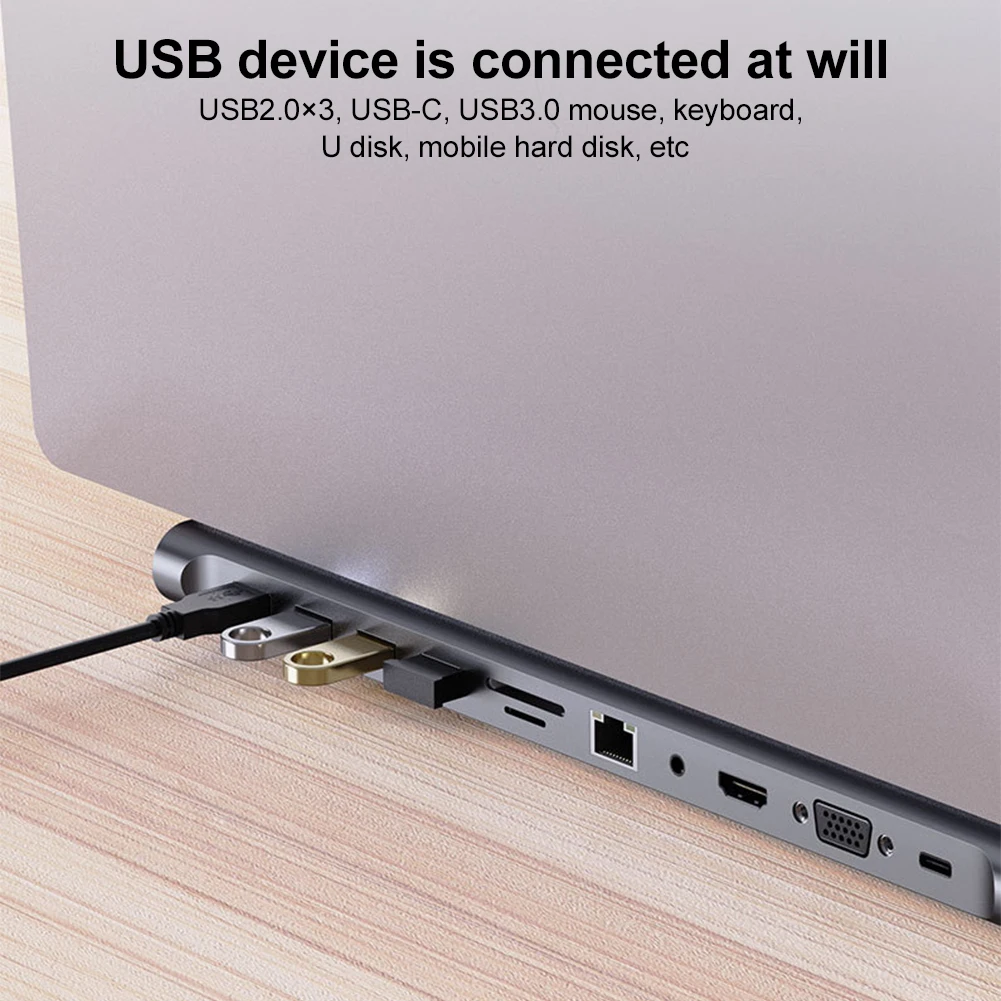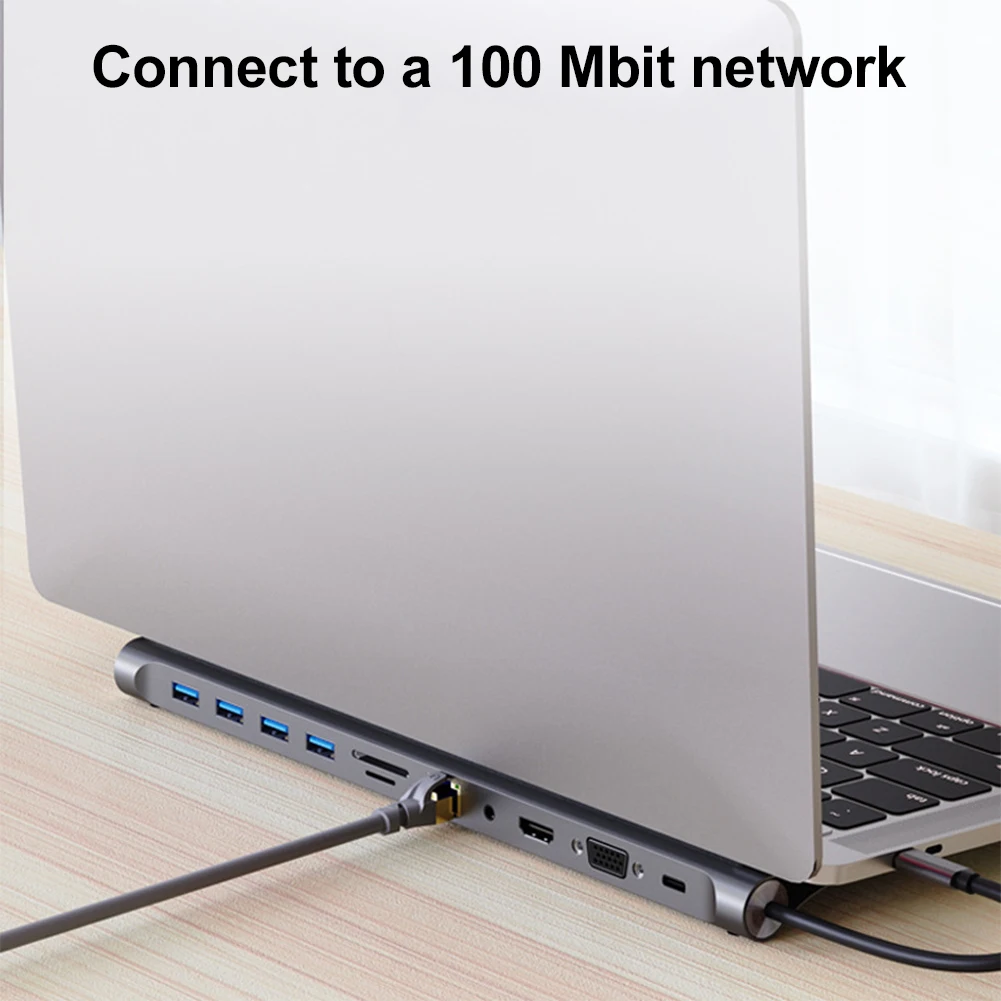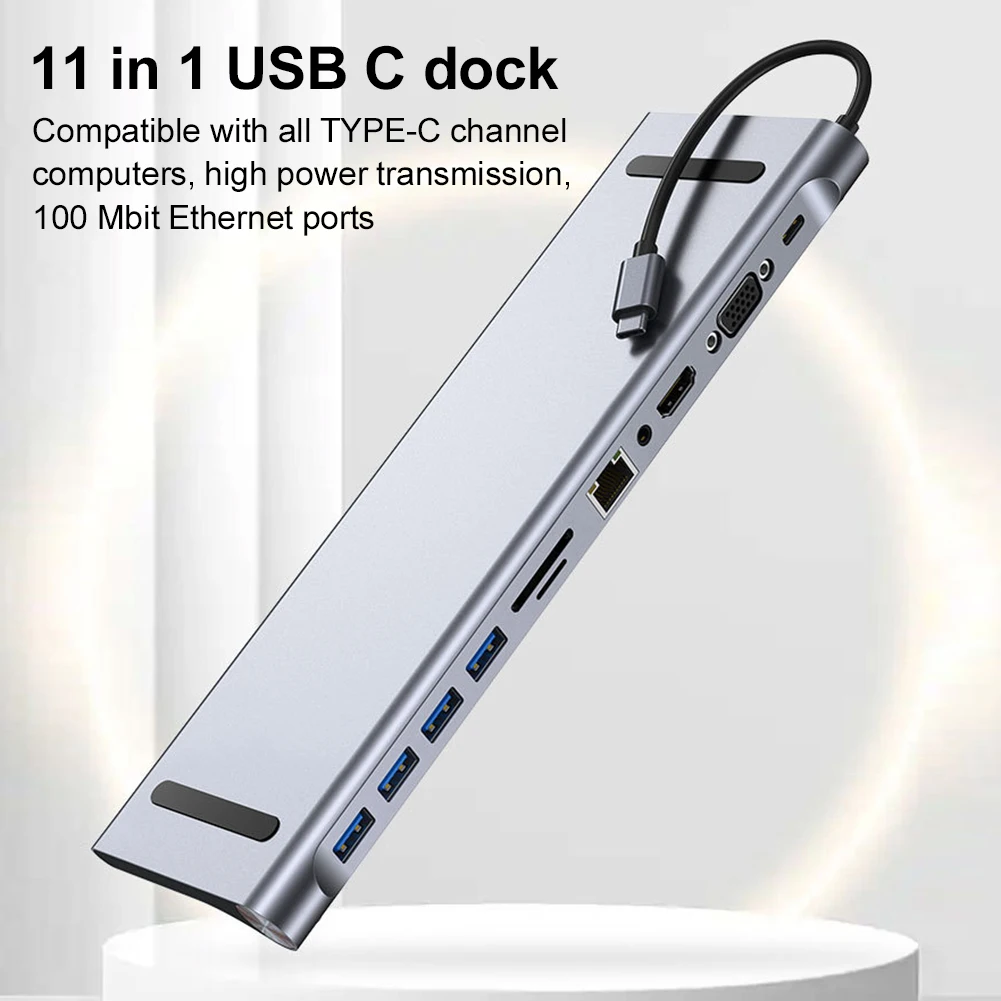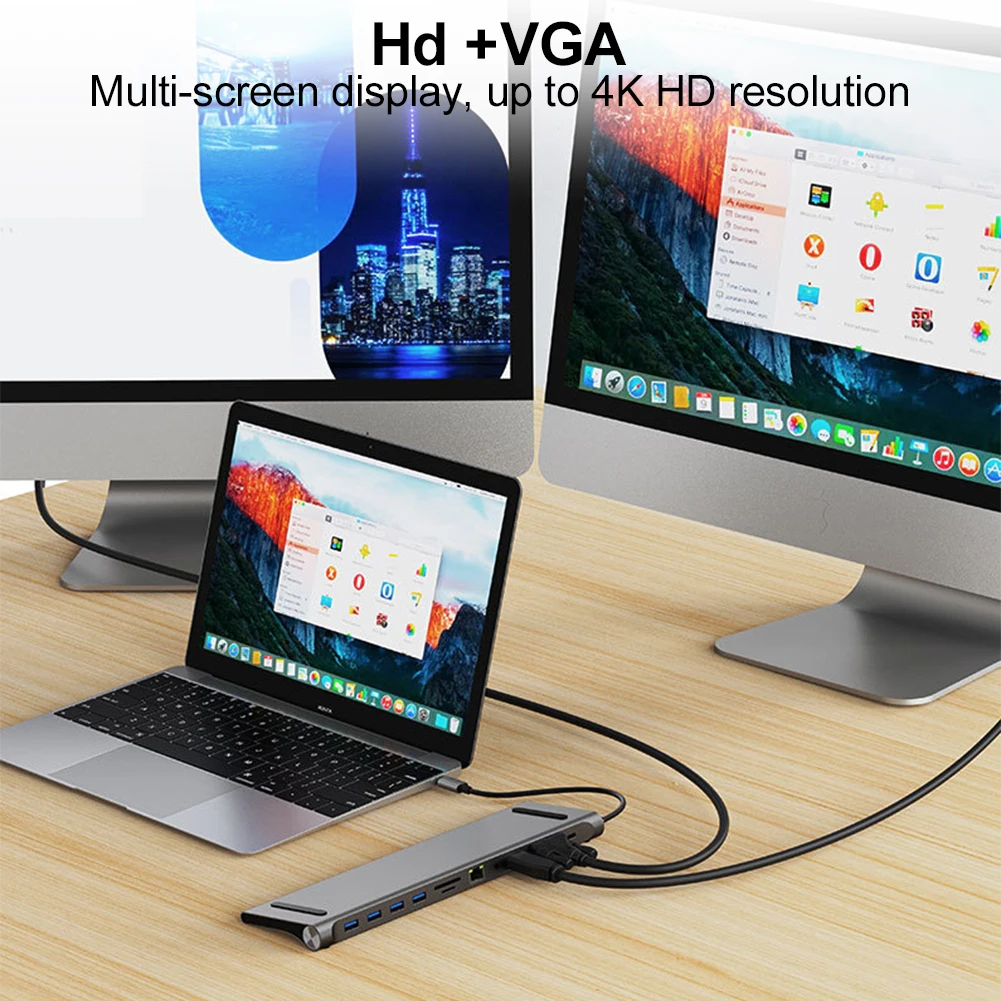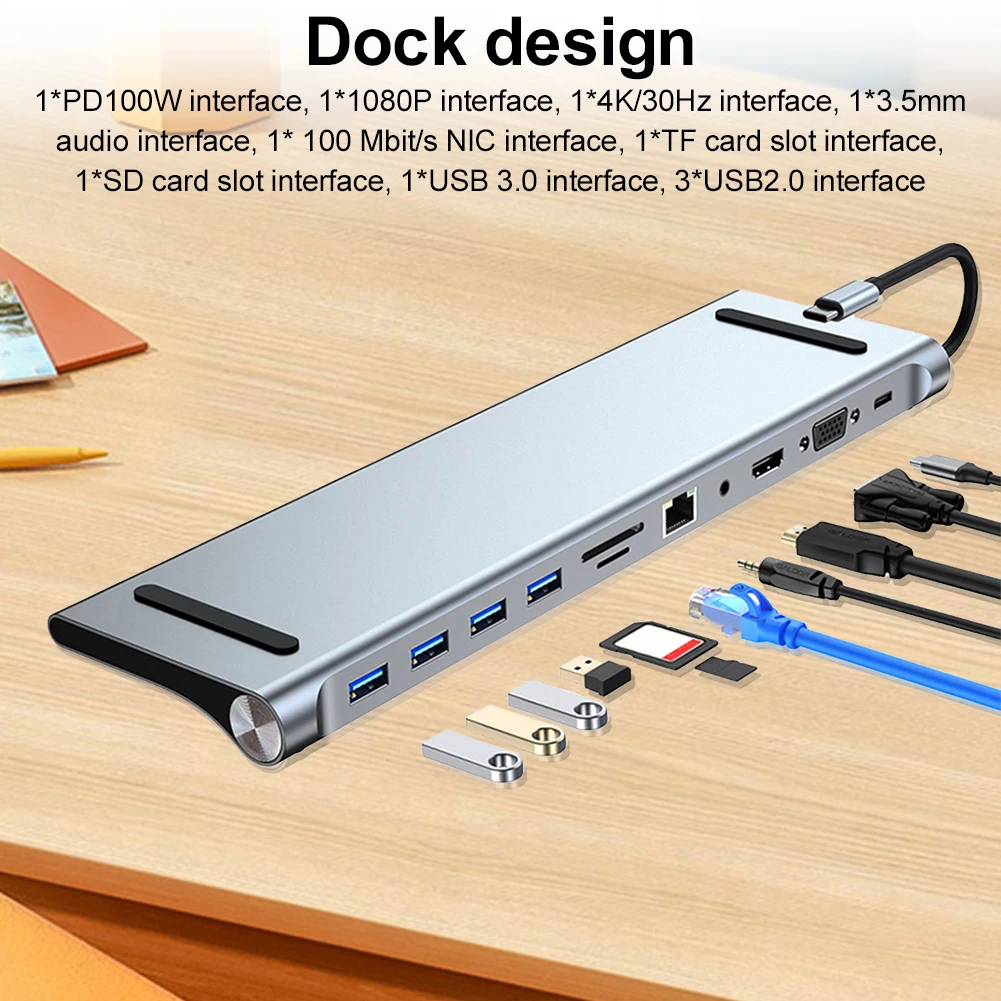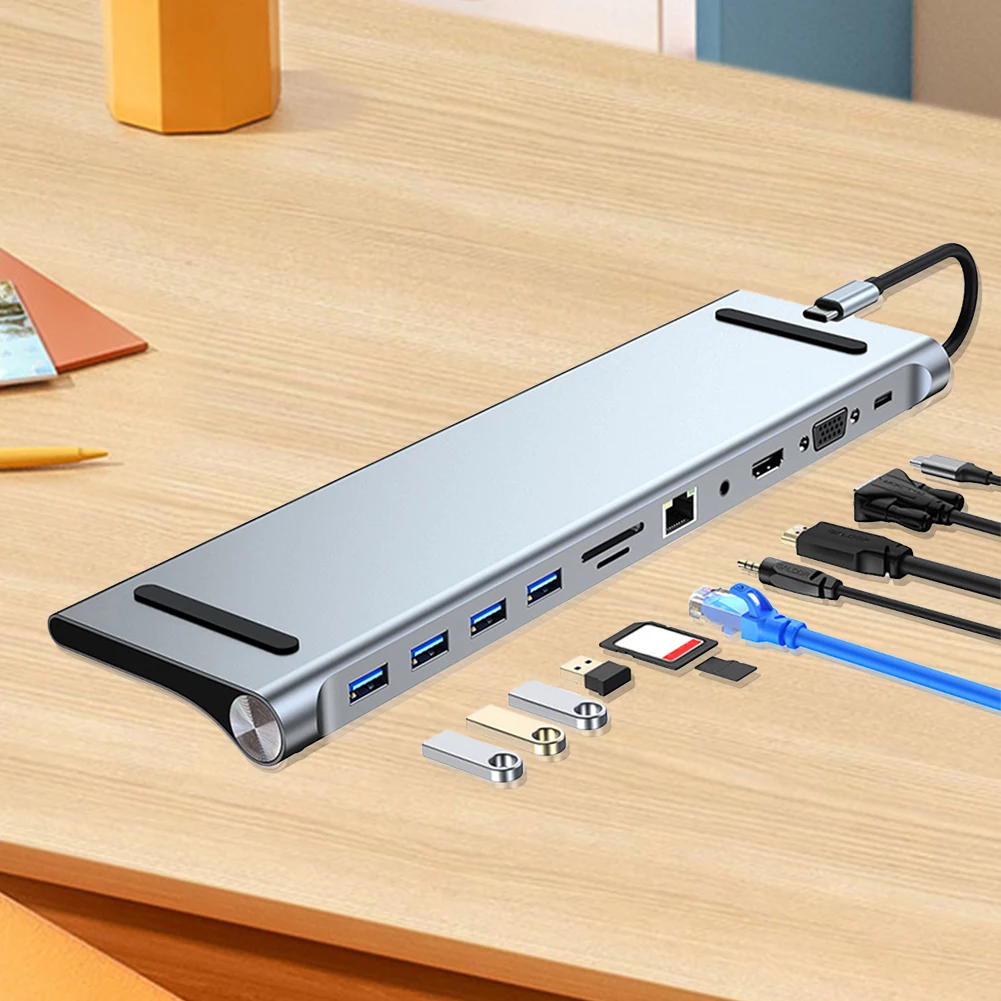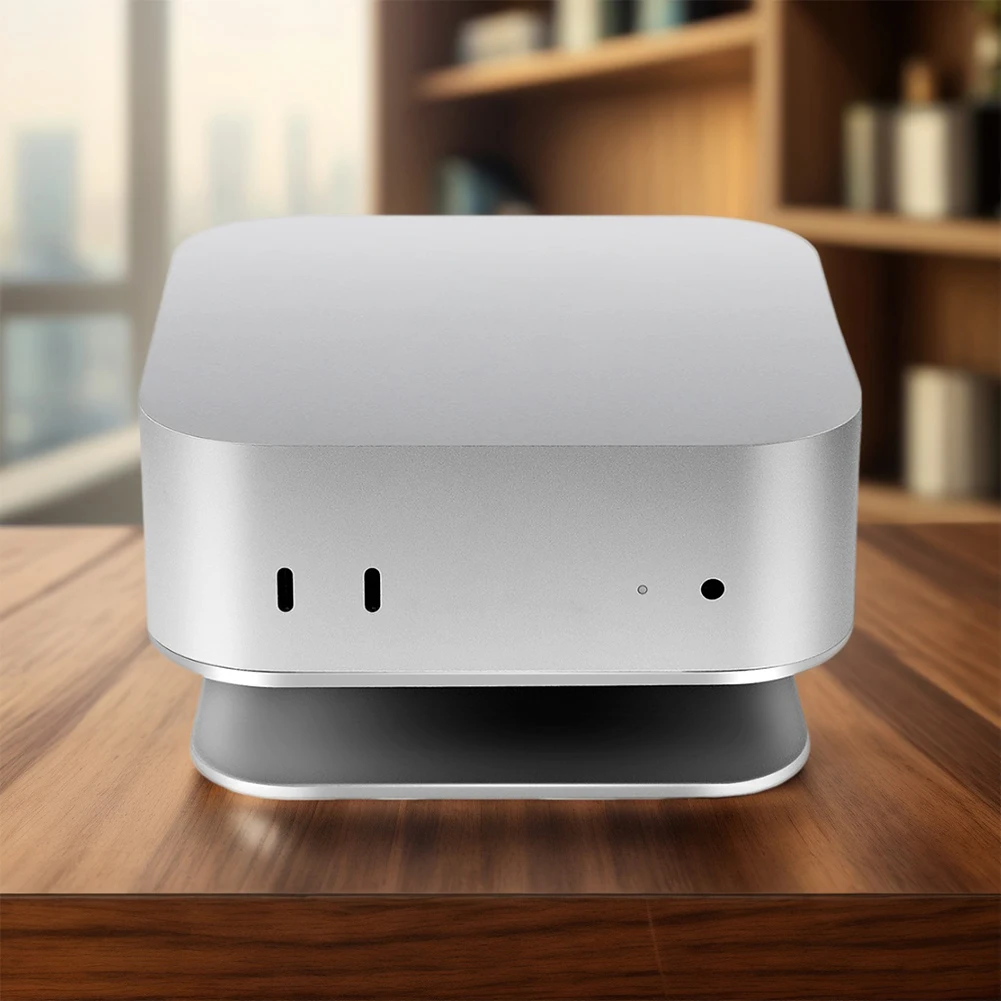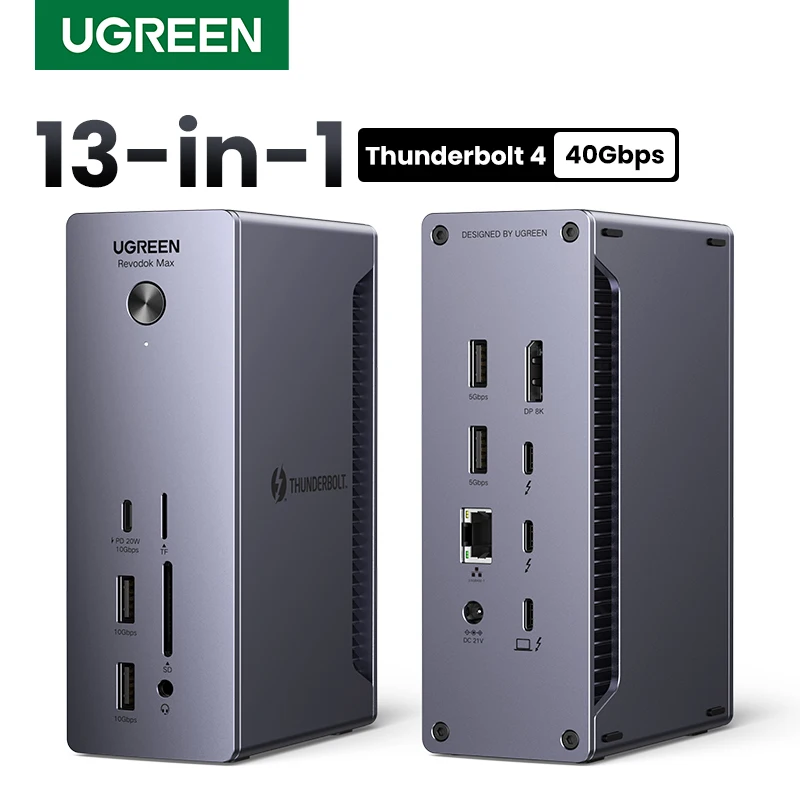



UGREEN Thunderbolt4 Docking Station 13-in-1 USB HUB 40Gbps 90W 4K@60Hz 8K@30Hz DP 2.5GbE SD&TF 4.0 3.5mm for MacBook Dell Laptop
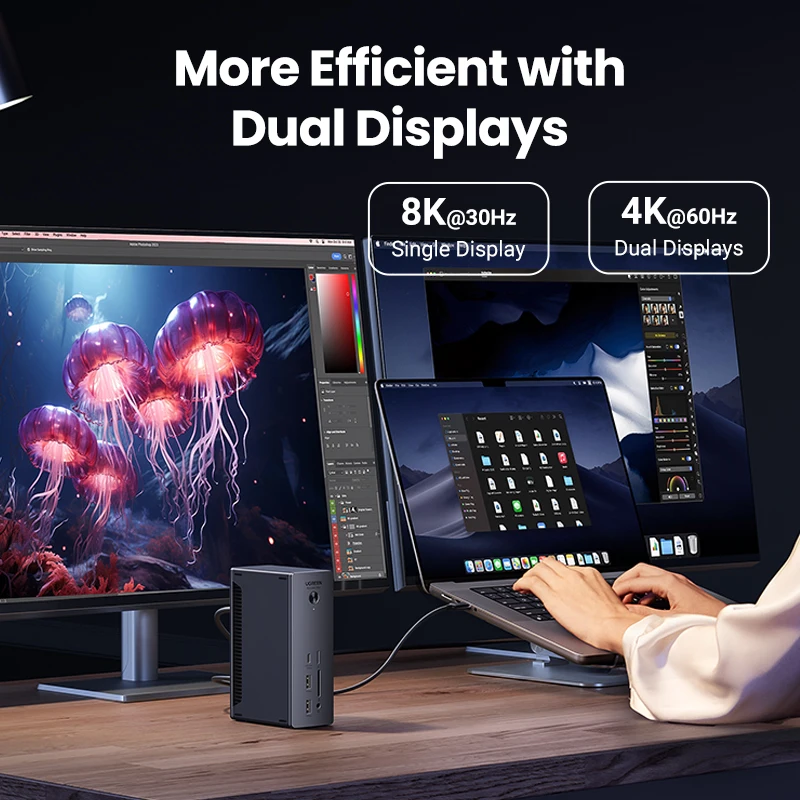
<div class="detailmodule_html"><div class="detail-desc-decorate-richtext"><div id="dxbglyxpre" name="dxbglyxpre" class="dxbglyxpre"><map name="uJrsUXYfz1kbtxgHtD5w9JSLwNMjZfup"><area shape="rect" coords="0,0,930,350" target="_blank" href="https://www.aliexpress.com/item/32821301992.html"/></map></div><div id="dxbglyxpre" name="dxbglyxpre" class="dxbglyxpre"><span style="font-size:24px"><strong>About this item:</strong></span><map name="uHdnnoMnWSx8NKcO2wDWWzp7qEEhrupT"><area shape="rect" coords="0,0,930,350" target="_blank" href="https://www.aliexpress.com/item/1005003016375106.html"/></map></div><ul style="font-family:"Amazon Ember", Arial, sans-serif;font-size:14px;font-weight:400;letter-spacing:normal;text-align:start;white-space:normal;color:rgb(15, 17, 17);background-color:rgb(255, 255, 255);margin:0px 0px 0px 18px;margin-bottom:0px;margin-top:0px;margin-left:18px;margin-right:0px;padding:0px;padding-bottom:0px;padding-top:0px;padding-left:0px;padding-right:0px;box-sizing:border-box" class="a-unordered-list a-vertical a-spacing-mini" align="start"><li style="margin:0px;margin-bottom:0px;margin-top:0px;margin-left:0px;margin-right:0px;list-style:disc;box-sizing:border-box" class="a-spacing-mini"><h3><strong><span class="a-list-item" style="color:rgb(15, 17, 17);font-size:18px">13-in-1 Massive Expansion</span></strong><span class="a-list-item" style="color:rgb(15, 17, 17);font-size:18px">: The 13-in-1 Thunderbolt 4 Dock is equipped with 2 Thunderbolt 4(40Gbps, 15W), a DisplayPort 1.4, a 2.5GbE ethernet, SD & TF 4.0, a USB C 3.2(10Gbps, 20W), two USB A 3.2(10Gbps), two USB A 3.0, a 3.5mm audio, and a 180W DC power ports, which can meet all your high-performance expansion needs.</span></h3></li><li style="margin:0px;margin-bottom:0px;margin-top:0px;margin-left:0px;margin-right:0px;list-style:disc;box-sizing:border-box" class="a-spacing-mini"><h3><strong><span class="a-list-item" style="color:rgb(15, 17, 17);font-size:18px">Powerful Thunderbolt 4</span></strong><span class="a-list-item" style="color:rgb(15, 17, 17);font-size:18px">: With one upstream and two downstream Thunderbolt 4 ports, you can transfer data at speeds up to 40Gbps and display in resolutions up to 8K. Experience high-performance work like never before.</span></h3></li><li style="margin:0px;margin-bottom:0px;margin-top:0px;margin-left:0px;margin-right:0px;list-style:disc;box-sizing:border-box" class="a-spacing-mini"><h3><strong><span class="a-list-item" style="color:rgb(15, 17, 17);font-size:18px">Dual 4K@60Hz or Single 8K Display</span></strong><span class="a-list-item" style="color:rgb(15, 17, 17);font-size:18px">: The Thunderbolt 4 Docking station can extend two displays in up to 4K@60Hz or a single display in up to 8K@30Hz (macOS only supports 4K@60Hz). Greatly improve your work efficiency and display experience. (For Macbook, only Pro/Max version M-Chips & Intel chips support Dual Display Output)</span></h3></li><li style="margin:0px;margin-bottom:0px;margin-top:0px;margin-left:0px;margin-right:0px;list-style:disc;box-sizing:border-box" class="a-spacing-mini"><h3><strong><span class="a-list-item" style="color:rgb(15, 17, 17);font-size:18px">90W High-speed Charging</span></strong><span class="a-list-item" style="color:rgb(15, 17, 17);font-size:18px">: With the included 180W GaN charger, this Thunderbolt 4 dock can charge your laptop up to 90W while working. No need to connect another charger. (The dock must be connected to the charger to work)</span></h3></li><li style="margin:0px;margin-bottom:0px;margin-top:0px;margin-left:0px;margin-right:0px;list-style:disc;box-sizing:border-box" class="a-spacing-mini"><h3><strong><span class="a-list-item" style="color:rgb(15, 17, 17);font-size:18px">Widely Compatible</span></strong><span class="a-list-item" style="color:rgb(15, 17, 17);font-size:18px">: The Thunderbolt 4 Dock is compatible with most Thunderbolt 4, Thunderbolt 3, USB4, or USB-C computers or tablets, including Macbooks(macOS 11.4 & above), Windows laptops(Windows 10 & above), iPads, or other tablets with USB-C ports. (Full-function USB-C laptops and tablets only support single display. Not compatible with Mac mini 2018(intel). )</span></h3><div><br/></div></li></ul><p style="text-align:center" align="center"><span style="background-color:rgb(4, 119, 50);color:rgb(255, 255, 255);font-size:48px"><strong>UGREEN</strong></span></p><h1 style="font-family:"TT Norms Pro", "Open Sans", Roboto, Arial, Helvetica, sans-serif, SimSun;font-size:36px;font-weight:500;letter-spacing:normal;line-height:1.1;text-align:center;white-space:normal;color:rgb(34, 34, 34);background-color:rgb(255, 255, 255);margin:20px 0px 10px;margin-bottom:10px;margin-top:20px;margin-left:0px;margin-right:0px;box-sizing:border-box" align="center"><span style="color:rgb(244, 78, 59);font-size:48px"><strong>Thunderbolt 4 40Gbps</strong></span></h1><div style="font-family:"TT Norms Pro", "Open Sans", Roboto, Arial, Helvetica, sans-serif, SimSun;font-size:14px;font-weight:400;letter-spacing:normal;text-align:start;white-space:normal;color:rgb(34, 34, 34);background-color:rgb(255, 255, 255);margin:0px;margin-bottom:0px;margin-top:0px;margin-left:0px;margin-right:0px;padding:0px;padding-bottom:0px;padding-top:0px;padding-left:0px;padding-right:0px;box-sizing:content-box" class="detailmodule_html" align="start"><div style="margin:0px;margin-bottom:0px;margin-top:0px;margin-left:0px;margin-right:0px;padding:0px;padding-bottom:0px;padding-top:0px;padding-left:0px;padding-right:0px;box-sizing:content-box" class="detail-desc-decorate-richtext"><h1 style="font-family:inherit;font-size:36px;font-weight:500;line-height:1.1;text-align:center;color:inherit;margin:20px 0px 10px;margin-bottom:10px;margin-top:20px;margin-left:0px;margin-right:0px;box-sizing:border-box" align="center"><span style="color:rgb(244, 78, 59);font-size:48px"><strong>13-in-1 Docking Station</strong></span></h1></div></div><h1 style="font-family:"Open Sans", Roboto, Arial, Helvetica, sans-serif, SimSun;font-size:14px;font-weight:400;letter-spacing:normal;line-height:inherit;text-align:center;white-space:normal;color:rgb(34, 34, 34);background-color:rgb(255, 255, 255);margin:0px;margin-bottom:0px;margin-top:0px;margin-left:0px;margin-right:0px;padding:0px;padding-bottom:0px;padding-top:0px;padding-left:0px;padding-right:0px;box-sizing:border-box" align="center"><span style="background-color:rgb(255, 255, 255);color:rgb(77, 77, 77);font-size:26px"><span style="background-color:rgb(255, 255, 255);color:rgb(18, 18, 18);font-size:26px"><strong>✔2 x 40Gbps Thunderbolt 4 Ports ✔13 Ports Expansion</strong></span></span></h1><h1 style="font-family:"Open Sans", Roboto, Arial, Helvetica, sans-serif, SimSun;font-size:14px;font-weight:400;letter-spacing:normal;line-height:inherit;text-align:center;white-space:normal;color:rgb(34, 34, 34);background-color:rgb(255, 255, 255);margin:0px;margin-bottom:0px;margin-top:0px;margin-left:0px;margin-right:0px;padding:0px;padding-bottom:0px;padding-top:0px;padding-left:0px;padding-right:0px;box-sizing:border-box" align="center"><span style="background-color:rgb(255, 255, 255);color:rgb(77, 77, 77);font-size:26px"><span style="background-color:rgb(255, 255, 255);color:rgb(18, 18, 18);font-size:26px"><strong>✔8K@30Hz Single Display ✔4K@60Hz Dual Displays</strong></span></span></h1><h1 style="font-family:"Open Sans", Roboto, Arial, Helvetica, sans-serif, SimSun;font-size:14px;font-weight:400;letter-spacing:normal;line-height:inherit;text-align:center;white-space:normal;color:rgb(34, 34, 34);background-color:rgb(255, 255, 255);margin:0px;margin-bottom:0px;margin-top:0px;margin-left:0px;margin-right:0px;padding:0px;padding-bottom:0px;padding-top:0px;padding-left:0px;padding-right:0px;box-sizing:border-box" align="center"><span style="background-color:rgb(255, 255, 255);color:rgb(77, 77, 77);font-size:26px"><span style="background-color:rgb(255, 255, 255);color:rgb(18, 18, 18);font-size:26px"><strong>✔10Gbps 1xUSB-C+2xUSB-A ✔DP1.4 Ports</strong></span></span></h1><h1 style="font-family:"Open Sans", Roboto, Arial, Helvetica, sans-serif, SimSun;font-size:14px;font-weight:400;letter-spacing:normal;line-height:inherit;text-align:center;white-space:normal;color:rgb(34, 34, 34);background-color:rgb(255, 255, 255);margin:0px;margin-bottom:0px;margin-top:0px;margin-left:0px;margin-right:0px;padding:0px;padding-bottom:0px;padding-top:0px;padding-left:0px;padding-right:0px;box-sizing:border-box" align="center"><span style="background-color:rgb(255, 255, 255);color:rgb(77, 77, 77);font-size:26px"><span style="background-color:rgb(255, 255, 255);color:rgb(18, 18, 18);font-size:26px"><strong>✔2500Mbps RJ45 ✔180W DC Input ✔312MB/s. SD/TF 4.0 Slots</strong></span></span></h1><h1 style="font-family:"Open Sans", Roboto, Arial, Helvetica, sans-serif, SimSun;font-size:14px;font-weight:400;letter-spacing:normal;line-height:inherit;text-align:center;white-space:normal;color:rgb(34, 34, 34);background-color:rgb(255, 255, 255);margin:0px;margin-bottom:0px;margin-top:0px;margin-left:0px;margin-right:0px;padding:0px;padding-bottom:0px;padding-top:0px;padding-left:0px;padding-right:0px;box-sizing:border-box" align="center"><strong><span style="font-size:48px">13-in-1 Massive Connectivity</span></strong></h1><h1 style="font-family:"Open Sans", Roboto, Arial, Helvetica, sans-serif, SimSun;font-size:14px;font-weight:400;letter-spacing:normal;line-height:inherit;text-align:center;white-space:normal;color:rgb(34, 34, 34);background-color:rgb(255, 255, 255);margin:0px;margin-bottom:0px;margin-top:0px;margin-left:0px;margin-right:0px;padding:0px;padding-bottom:0px;padding-top:0px;padding-left:0px;padding-right:0px;box-sizing:border-box" align="center"><span style="font-size:24px">Equipped with 2 Thunderbolt 4(40Gbps, 15W), a DisplayPort 1.4, a 2.5GbE ethernet, SD & TF 4.0, a USB C 3.2(10Gbps, 20W), two USB A 3.2(10Gbps), two USB A 3.0, a 3.5mm audio, and a 180W DC power ports, which can meet all your high-performance expansion needs.</span></h1><h1 style="font-family:"Open Sans", Roboto, Arial, Helvetica, sans-serif, SimSun;font-size:14px;font-weight:400;letter-spacing:normal;line-height:inherit;text-align:center;white-space:normal;color:rgb(34, 34, 34);background-color:rgb(255, 255, 255);margin:0px;margin-bottom:0px;margin-top:0px;margin-left:0px;margin-right:0px;padding:0px;padding-bottom:0px;padding-top:0px;padding-left:0px;padding-right:0px;box-sizing:border-box" align="center"><strong><span style="font-size:48px">Powerful Thunderbolt 4</span></strong></h1><h1 style="font-family:"Open Sans", Roboto, Arial, Helvetica, sans-serif, SimSun;font-size:14px;font-weight:400;letter-spacing:normal;line-height:inherit;text-align:center;white-space:normal;color:rgb(34, 34, 34);background-color:rgb(255, 255, 255);margin:0px;margin-bottom:0px;margin-top:0px;margin-left:0px;margin-right:0px;padding:0px;padding-bottom:0px;padding-top:0px;padding-left:0px;padding-right:0px;box-sizing:border-box" align="center"><span style="font-size:24px">With one upstream and two downstream Thunderbolt 4 ports, you can transfer data at speeds up to 40Gbps and display in resolutions up to 8K. </span></h1><h1 style="font-family:"Open Sans", Roboto, Arial, Helvetica, sans-serif, SimSun;font-size:14px;font-weight:400;letter-spacing:normal;line-height:inherit;text-align:center;white-space:normal;color:rgb(34, 34, 34);background-color:rgb(255, 255, 255);margin:0px;margin-bottom:0px;margin-top:0px;margin-left:0px;margin-right:0px;padding:0px;padding-bottom:0px;padding-top:0px;padding-left:0px;padding-right:0px;box-sizing:border-box" align="center"><strong><span style="font-size:48px">90W High-Speed Charging</span></strong></h1><h1 style="text-align:center" align="center"><span style="font-size:24px">With the included 180W GaN charger, this Thunderbolt 4 dock can charge your laptop up to 90W while working. No need to connect another charger. (The dock must be connected to the charger to work)</span></h1><h1 style="font-family:"Open Sans", Roboto, Arial, Helvetica, sans-serif, SimSun;font-size:14px;font-weight:400;letter-spacing:normal;line-height:inherit;text-align:center;white-space:normal;color:rgb(34, 34, 34);background-color:rgb(255, 255, 255);margin:0px;margin-bottom:0px;margin-top:0px;margin-left:0px;margin-right:0px;padding:0px;padding-bottom:0px;padding-top:0px;padding-left:0px;padding-right:0px;box-sizing:border-box" align="center"><span style="font-size:48px"><strong>More Efficient with Dual Displays</strong></span></h1><h1 style="font-family:"Open Sans", Roboto, Arial, Helvetica, sans-serif, SimSun;font-size:14px;font-weight:400;letter-spacing:normal;line-height:inherit;text-align:center;white-space:normal;color:rgb(34, 34, 34);background-color:rgb(255, 255, 255);margin:0px;margin-bottom:0px;margin-top:0px;margin-left:0px;margin-right:0px;padding:0px;padding-bottom:0px;padding-top:0px;padding-left:0px;padding-right:0px;box-sizing:border-box" align="center"><span style="font-size:24px">8K@30Hz single display / 4K@60Hz dual displays</span></h1><div class="detailmodule_html"><div class="detail-desc-decorate-richtext"><h1 style="font-family:"Open Sans", Roboto, Arial, Helvetica, sans-serif, SimSun;font-size:14px;font-weight:400;letter-spacing:normal;line-height:inherit;text-align:center;white-space:normal;color:rgb(34, 34, 34);background-color:rgb(255, 255, 255);margin:0px;margin-bottom:0px;margin-top:0px;margin-left:0px;margin-right:0px;padding:0px;padding-bottom:0px;padding-top:0px;padding-left:0px;padding-right:0px;box-sizing:border-box" align="center"><strong><span style="font-size:48px">Display What You Want</span></strong></h1><h1 style="text-align:center" align="center"><span style="font-size:24px">Multiple display modes for Windows & macOS</span></h1></div></div><h1 style="text-align:center" align="center"><span style="font-size:48px"><strong>Dual 4K@60Hz Displays for macOS</strong></span></h1><h1 style="text-align:center" align="center">* For Macbook, only the Pro/Max version M-Chips & Intel chips support Dual Display Output.</h1><h1 style="text-align:center" align="center"><span style="font-size:16px">*The LG38WN95C monitor is not supported and may cause color cast issues.</span></h1><div class="detailmodule_html"><div class="detail-desc-decorate-richtext"><h1 style="text-align:center" align="center"><span style="background-color:rgb(255, 255, 255);color:rgb(34, 34, 34);font-size:14px;font-family:"TT Norms Pro", "Open Sans", Roboto, Arial, Helvetica, sans-serif, SimSun"><strong><span style="font-size:48px">Display Modes for Mac</span></strong></span></h1></div></div><div class="detailmodule_html"><div class="detail-desc-decorate-richtext"><h1 style="text-align:center" align="center"><span style="font-size:48px"><strong>Dual 4K@60Hz Displays for Windows</strong></span></h1></div></div><p style="font-family:"Open Sans", Roboto, Arial, Helvetica, sans-serif, SimSun;font-size:14px;font-weight:400;letter-spacing:normal;line-height:inherit;text-align:center;white-space:normal;color:rgb(34, 34, 34);background-color:rgb(255, 255, 255);margin:0px;margin-bottom:0px;margin-top:0px;margin-left:0px;margin-right:0px;padding:0px;padding-bottom:0px;padding-top:0px;padding-left:0px;padding-right:0px;box-sizing:border-box" align="center"></p><div class="detailmodule_html"></div><div class="detailmodule_html"><div class="detail-desc-decorate-richtext"><div class="detailmodule_html"><div class="detail-desc-decorate-richtext"><h1 style="text-align:center" align="center"><strong><span style="font-size:48px">8K Single Display for Windows</span></strong></h1><h1 style="font-family:"TT Norms Pro", "Open Sans", Roboto, Arial, Helvetica, sans-serif, SimSun;font-size:36px;font-weight:500;letter-spacing:normal;line-height:1.1;text-align:center;white-space:normal;color:rgb(34, 34, 34);background-color:rgb(255, 255, 255);margin:20px 0px 10px;margin-bottom:10px;margin-top:20px;margin-left:0px;margin-right:0px;box-sizing:border-box" align="center"><span style="font-size:20px">* Macbook only supports 4K@60Hz in single display mode due to hardware limitations</span></h1><h1 style="font-family:"TT Norms Pro", "Open Sans", Roboto, Arial, Helvetica, sans-serif, SimSun;font-size:36px;font-weight:500;letter-spacing:normal;line-height:1.1;text-align:center;white-space:normal;color:rgb(34, 34, 34);background-color:rgb(255, 255, 255);margin:20px 0px 10px;margin-bottom:10px;margin-top:20px;margin-left:0px;margin-right:0px;box-sizing:border-box" align="center"><span style="background-color:rgb(255, 255, 255);color:rgb(34, 34, 34);font-size:14px;font-family:"TT Norms Pro", "Open Sans", Roboto, Arial, Helvetica, sans-serif, SimSun"><strong><span style="font-size:48px">Display Modes for Windows</span></strong></span></h1><h1 style="font-family:"TT Norms Pro", "Open Sans", Roboto, Arial, Helvetica, sans-serif, SimSun;font-size:36px;font-weight:500;letter-spacing:normal;line-height:1.1;text-align:center;white-space:normal;color:rgb(34, 34, 34);background-color:rgb(255, 255, 255);margin:20px 0px 10px;margin-bottom:10px;margin-top:20px;margin-left:0px;margin-right:0px;box-sizing:border-box" align="center"><span style="font-size:48px"><strong>Resolution List</strong></span></h1></div></div></div></div><div class="detailmodule_html"><div class="detail-desc-decorate-richtext"><h1 style="font-family:"TT Norms Pro", "Open Sans", Roboto, Arial, Helvetica, sans-serif, SimSun;font-size:36px;font-weight:500;letter-spacing:normal;line-height:1.1;text-align:center;white-space:normal;color:rgb(34, 34, 34);background-color:rgb(255, 255, 255);margin:20px 0px 10px;margin-bottom:10px;margin-top:20px;margin-left:0px;margin-right:0px;box-sizing:border-box" align="center"><span style="font-size:48px"><strong>TF/SD 4.0 Card Readers</strong></span></h1><h1 style="font-family:"TT Norms Pro", "Open Sans", Roboto, Arial, Helvetica, sans-serif, SimSun;font-size:36px;font-weight:500;letter-spacing:normal;line-height:1.1;text-align:center;white-space:normal;color:rgb(34, 34, 34);background-color:rgb(255, 255, 255);margin:20px 0px 10px;margin-bottom:10px;margin-top:20px;margin-left:0px;margin-right:0px;box-sizing:border-box" align="center"><span style="font-size:24px">Read & write 2 cards simultaneously, the max speed up to 312MB/s.</span></h1><h1 style="font-family:"Open Sans", Roboto, Arial, Helvetica, sans-serif, SimSun;font-size:14px;font-weight:400;letter-spacing:normal;line-height:inherit;text-align:center;white-space:normal;color:rgb(34, 34, 34);background-color:rgb(255, 255, 255);margin:0px;margin-bottom:0px;margin-top:0px;margin-left:0px;margin-right:0px;padding:0px;padding-bottom:0px;padding-top:0px;padding-left:0px;padding-right:0px;box-sizing:border-box" align="center"><strong><span style="font-size:48px">2.5Gbps Ethernet Port</span></strong></h1></div></div><h1 style="text-align:center" align="center"><strong><span style="font-size:48px">Compatibility List (Partial)</span></strong></h1><h1 style="text-align:center" align="center"><strong><span style="font-size:48px">For Video Editor</span></strong></h1><h1 style="text-align:center" align="center"><span style="font-size:24px">The Thunderbolt 4 dock supports powerful content creation. The dual 4K@60HZ display extended makes editing multiple video streams easier.</span></h1><p style="text-align:center" align="center"><strong><span style="font-size:48px">For Programmer</span></strong></p><h1 style="font-family:"TT Norms Pro", "Open Sans", Roboto, Arial, Helvetica, sans-serif, SimSun;font-size:36px;font-weight:500;letter-spacing:normal;line-height:1.1;text-align:center;white-space:normal;color:rgb(34, 34, 34);background-color:rgb(255, 255, 255);margin:20px 0px 10px;margin-bottom:10px;margin-top:20px;margin-left:0px;margin-right:0px;box-sizing:border-box" align="center"><span style="font-size:24px">The Thunderbolt 4 dock turns a Thunderbolt port into a powerful workspace. You're ready to create, code, and collaborate.</span></h1><p style="font-family:"TT Norms Pro", "Open Sans", Roboto, Arial, Helvetica, sans-serif, SimSun;font-size:36px;font-weight:500;letter-spacing:normal;line-height:1.1;text-align:center;white-space:normal;color:rgb(34, 34, 34);background-color:rgb(255, 255, 255);margin:20px 0px 10px;margin-bottom:10px;margin-top:20px;margin-left:0px;margin-right:0px;box-sizing:border-box" align="center"><strong><span style="font-size:48px">For Engineer</span></strong></p><h1 style="font-family:"TT Norms Pro", "Open Sans", Roboto, Arial, Helvetica, sans-serif, SimSun;font-size:36px;font-weight:500;letter-spacing:normal;line-height:1.1;text-align:center;white-space:normal;color:rgb(34, 34, 34);background-color:rgb(255, 255, 255);margin:20px 0px 10px;margin-bottom:10px;margin-top:20px;margin-left:0px;margin-right:0px;box-sizing:border-box" align="center"><span style="font-size:24px">The Thunderbolt 4 dock has rich interfaces and powerful scalability. It allows you to process complex project files faster and more efficiently.</span></h1><p style="font-family:"TT Norms Pro", "Open Sans", Roboto, Arial, Helvetica, sans-serif, SimSun;font-size:36px;font-weight:500;letter-spacing:normal;line-height:1.1;text-align:center;white-space:normal;color:rgb(34, 34, 34);background-color:rgb(255, 255, 255);margin:20px 0px 10px;margin-bottom:10px;margin-top:20px;margin-left:0px;margin-right:0px;box-sizing:border-box" align="center"><strong><span style="font-size:48px">Upgraded Cooling System</span></strong></p><p style="font-family:"TT Norms Pro", "Open Sans", Roboto, Arial, Helvetica, sans-serif, SimSun;font-size:36px;font-weight:500;letter-spacing:normal;line-height:1.1;text-align:center;white-space:normal;color:rgb(34, 34, 34);background-color:rgb(255, 255, 255);margin:20px 0px 10px;margin-bottom:10px;margin-top:20px;margin-left:0px;margin-right:0px;box-sizing:border-box" align="center"><strong><span style="font-size:48px">What's in the Box</span></strong></p><h1 style="font-family:"TT Norms Pro", "Open Sans", Roboto, Arial, Helvetica, sans-serif, SimSun;font-size:36px;font-weight:500;letter-spacing:normal;line-height:1.1;text-align:start;white-space:normal;color:rgb(34, 34, 34);background-color:rgb(255, 255, 255);margin:20px 0px 10px;margin-bottom:10px;margin-top:20px;margin-left:0px;margin-right:0px;box-sizing:border-box" align="start"><span style="font-size:26px"><span style="background-color:rgb(255, 255, 255);color:rgb(0, 0, 0);font-size:26px"><strong>Q&A:</strong></span></span></h1><h1 style="font-family:"TT Norms Pro", "Open Sans", Roboto, Arial, Helvetica, sans-serif, SimSun;font-size:36px;font-weight:500;letter-spacing:normal;line-height:1.1;text-align:start;white-space:normal;color:rgb(34, 34, 34);background-color:rgb(255, 255, 255);margin:20px 0px 10px;margin-bottom:10px;margin-top:20px;margin-left:0px;margin-right:0px;box-sizing:border-box" align="start"><span style="font-size:24px"><span style="background-color:rgb(255, 255, 255);color:rgb(0, 0, 0);font-size:24px"><strong>Q1:</strong></span></span><span style="font-size:24px"><span style="background-color:rgb(255, 255, 255);color:rgb(0, 0, 0);font-size:24px"> Can this Thunderbolt 4 dock work without the charger?</span></span></h1><h1 style="font-family:"TT Norms Pro", "Open Sans", Roboto, Arial, Helvetica, sans-serif, SimSun;font-size:36px;font-weight:500;letter-spacing:normal;line-height:1.1;text-align:start;white-space:normal;color:rgb(34, 34, 34);background-color:rgb(255, 255, 255);margin:20px 0px 10px;margin-bottom:10px;margin-top:20px;margin-left:0px;margin-right:0px;box-sizing:border-box" align="start"><span style="font-size:24px"><span style="background-color:rgb(255, 255, 255);color:rgb(0, 0, 0);font-size:24px"><strong>A1:</strong></span></span><span style="font-size:24px"><span style="background-color:rgb(255, 255, 255);color:rgb(0, 0, 0);font-size:24px"> No, You must connect the included 180W GaN charger for the dock to work.</span></span></h1><h1 style="font-family:"TT Norms Pro", "Open Sans", Roboto, Arial, Helvetica, sans-serif, SimSun;font-size:36px;font-weight:500;letter-spacing:normal;line-height:1.1;text-align:start;white-space:normal;color:rgb(34, 34, 34);background-color:rgb(255, 255, 255);margin:20px 0px 10px;margin-bottom:10px;margin-top:20px;margin-left:0px;margin-right:0px;box-sizing:border-box" align="start"><span style="background-color:rgb(255, 255, 255);color:rgb(15, 17, 17);font-size:24px"><span style="background-color:rgb(255, 255, 255);color:rgb(0, 0, 0);font-size:24px"><strong>Q2:</strong></span></span><span style="background-color:rgb(255, 255, 255);color:rgb(15, 17, 17);font-size:24px"><span style="background-color:rgb(255, 255, 255);color:rgb(0, 0, 0);font-size:24px"> Why is there only one display work when two monitors are connected?</span></span></h1><h1><span style="background-color:rgb(255, 255, 255);color:rgb(0, 0, 0);font-size:24px"><strong>A2:</strong></span><span style="background-color:rgb(255, 255, 255);color:rgb(0, 0, 0);font-size:24px"><span> </span></span><span style="background-color:rgb(255, 255, 255);color:rgb(0, 0, 0);font-size:24px">1) Only when the dock station is connected to a Thunderbolt 4/Thunderbolt 3 or USB 4 port can it support dual displays.</span></h1><h1 style="font-family:"TT Norms Pro", "Open Sans", Roboto, Arial, Helvetica, sans-serif, SimSun;font-size:36px;font-weight:500;letter-spacing:normal;line-height:1.1;text-align:start;white-space:normal;color:rgb(34, 34, 34);background-color:rgb(255, 255, 255);margin:20px 0px 10px;margin-bottom:10px;margin-top:20px;margin-left:0px;margin-right:0px;box-sizing:border-box" align="start"><span style="background-color:rgb(255, 255, 255);color:rgb(0, 0, 0);font-size:24px">2) When a M1/M2/M3 Macbook or tablet or a full-function USB-C computer is connected, it only supports a single display.</span></h1><h1 style="font-family:"TT Norms Pro", "Open Sans", Roboto, Arial, Helvetica, sans-serif, SimSun;font-size:36px;font-weight:500;letter-spacing:normal;line-height:1.1;text-align:start;white-space:normal;color:rgb(34, 34, 34);background-color:rgb(255, 255, 255);margin:20px 0px 10px;margin-bottom:10px;margin-top:20px;margin-left:0px;margin-right:0px;box-sizing:border-box" align="start"><span style="background-color:rgb(255, 255, 255);color:rgb(0, 0, 0);font-size:24px"><strong>Q3:</strong></span><span style="background-color:rgb(255, 255, 255);color:rgb(0, 0, 0);font-size:24px"><span> </span></span><span style="background-color:rgb(255, 255, 255);color:rgb(0, 0, 0);font-size:24px">How many storage devices can I use at the same time?</span></h1><h1 style="font-family:"TT Norms Pro", "Open Sans", Roboto, Arial, Helvetica, sans-serif, SimSun;font-size:36px;font-weight:500;letter-spacing:normal;line-height:1.1;text-align:start;white-space:normal;color:rgb(34, 34, 34);background-color:rgb(255, 255, 255);margin:20px 0px 10px;margin-bottom:10px;margin-top:20px;margin-left:0px;margin-right:0px;box-sizing:border-box" align="start"><span style="background-color:rgb(255, 255, 255);color:rgb(0, 0, 0);font-size:24px"><strong>A3:</strong></span><span style="background-color:rgb(255, 255, 255);color:rgb(0, 0, 0);font-size:24px"><span> </span></span><span style="background-color:rgb(255, 255, 255);color:rgb(0, 0, 0);font-size:24px">If you use HDD, It's suggested to use up to 2 simultaneously, If you use SSD, It's suggested to use up to 3 simultaneously. Due to the overload protection mechanism, Using too many storage devices simultaneously may cause product work unstable.</span></h1><h1 style="font-family:"TT Norms Pro", "Open Sans", Roboto, Arial, Helvetica, sans-serif, SimSun;font-size:36px;font-weight:500;letter-spacing:normal;line-height:1.1;text-align:start;white-space:normal;color:rgb(34, 34, 34);background-color:rgb(255, 255, 255);margin:20px 0px 10px;margin-bottom:10px;margin-top:20px;margin-left:0px;margin-right:0px;box-sizing:border-box" align="start"><span style="background-color:rgb(255, 255, 255);color:rgb(0, 0, 0);font-size:24px"><strong>Q4:</strong></span><span style="background-color:rgb(255, 255, 255);color:rgb(0, 0, 0);font-size:24px"><strong><span> </span></strong></span><span style="background-color:rgb(255, 255, 255);color:rgb(0, 0, 0);font-size:24px">Why won't my Dock-connected keyboard wake up my Macbook when it sleeps?</span></h1><h1 style="font-family:"TT Norms Pro", "Open Sans", Roboto, Arial, Helvetica, sans-serif, SimSun;font-size:36px;font-weight:500;letter-spacing:normal;line-height:1.1;text-align:start;white-space:normal;color:rgb(34, 34, 34);background-color:rgb(255, 255, 255);margin:20px 0px 10px;margin-bottom:10px;margin-top:20px;margin-left:0px;margin-right:0px;box-sizing:border-box" align="start"><span style="background-color:rgb(255, 255, 255);color:rgb(0, 0, 0);font-size:24px"><strong>A4:</strong></span><span style="background-color:rgb(255, 255, 255);color:rgb(0, 0, 0);font-size:24px"><span> </span></span><span style="background-color:rgb(255, 255, 255);color:rgb(0, 0, 0);font-size:24px">When the Mac enters into sleep mode for more than two hours, you need to double-click instead of single-clicking any keys on the keyboard to wake it up.</span></h1><h1 style="font-family:"TT Norms Pro", "Open Sans", Roboto, Arial, Helvetica, sans-serif, SimSun;font-size:36px;font-weight:500;letter-spacing:normal;line-height:1.1;text-align:start;white-space:normal;color:rgb(34, 34, 34);background-color:rgb(255, 255, 255);margin:20px 0px 10px;margin-bottom:10px;margin-top:20px;margin-left:0px;margin-right:0px;box-sizing:border-box" align="start"><span style="background-color:rgb(255, 255, 255);color:rgb(0, 0, 0);font-size:24px"><strong>Q5:</strong></span><span style="background-color:rgb(255, 255, 255);color:rgb(0, 0, 0);font-size:24px"><strong><span> </span></strong></span><span style="background-color:rgb(255, 255, 255);color:rgb(0, 0, 0);font-size:24px">How to deal with a black screen and display flickering when connecting to an external monitor?</span></h1><h1 style="font-family:"TT Norms Pro", "Open Sans", Roboto, Arial, Helvetica, sans-serif, SimSun;font-size:36px;font-weight:500;letter-spacing:normal;line-height:1.1;text-align:start;white-space:normal;color:rgb(34, 34, 34);background-color:rgb(255, 255, 255);margin:20px 0px 10px;margin-bottom:10px;margin-top:20px;margin-left:0px;margin-right:0px;box-sizing:border-box" align="start"><span style="background-color:rgb(255, 255, 255);color:rgb(0, 0, 0);font-size:24px"><strong>A5:</strong></span><span style="background-color:rgb(255, 255, 255);color:rgb(0, 0, 0);font-size:24px"><span> </span></span><span style="background-color:rgb(255, 255, 255);color:rgb(0, 0, 0);font-size:24px">1) Please unplug and plug the Thunderbolt ports, and ensure there is an interval of more than 3 seconds.</span></h1><h1 style="font-family:"TT Norms Pro", "Open Sans", Roboto, Arial, Helvetica, sans-serif, SimSun;font-size:36px;font-weight:500;letter-spacing:normal;line-height:1.1;text-align:start;white-space:normal;color:rgb(34, 34, 34);background-color:rgb(255, 255, 255);margin:20px 0px 10px;margin-bottom:10px;margin-top:20px;margin-left:0px;margin-right:0px;box-sizing:border-box" align="start"><span style="background-color:rgb(255, 255, 255);color:rgb(0, 0, 0);font-size:24px">2) Please try to lower the resolution and refresh rate.</span></h1><h1 style="font-family:"TT Norms Pro", "Open Sans", Roboto, Arial, Helvetica, sans-serif, SimSun;font-size:36px;font-weight:500;letter-spacing:normal;line-height:1.1;text-align:start;white-space:normal;color:rgb(34, 34, 34);background-color:rgb(255, 255, 255);margin:20px 0px 10px;margin-bottom:10px;margin-top:20px;margin-left:0px;margin-right:0px;box-sizing:border-box" align="start"><span style="background-color:rgb(255, 255, 255);color:rgb(0, 0, 0);font-size:24px">3) Try another DP/Thunderbolt cable.</span></h1><h1 style="font-family:"TT Norms Pro", "Open Sans", Roboto, Arial, Helvetica, sans-serif, SimSun;font-size:36px;font-weight:500;letter-spacing:normal;line-height:1.1;text-align:start;white-space:normal;color:rgb(34, 34, 34);background-color:rgb(255, 255, 255);margin:20px 0px 10px;margin-bottom:10px;margin-top:20px;margin-left:0px;margin-right:0px;box-sizing:border-box" align="start"><span style="background-color:rgb(255, 255, 255);color:rgb(0, 0, 0);font-size:24px">4) Restart the laptop.</span></h1><div style="font-family:"Open Sans", Roboto, Arial, Helvetica, sans-serif, SimSun;font-size:14px;font-weight:400;letter-spacing:normal;text-align:center;white-space:normal;color:rgb(34, 34, 34);background-color:rgb(255, 255, 255);margin:0px;margin-bottom:0px;margin-top:0px;margin-left:0px;margin-right:0px;padding:0px;padding-bottom:0px;padding-top:0px;padding-left:0px;padding-right:0px;box-sizing:content-box" align="center"><strong><span style="font-size:48px">UGREEN Warranty & Service</span></strong></div><div style="font-family:"Open Sans", Roboto, Arial, Helvetica, sans-serif, SimSun;font-size:14px;font-weight:400;letter-spacing:normal;text-align:start;white-space:normal;color:rgb(34, 34, 34);background-color:rgb(255, 255, 255);margin:0px;margin-bottom:0px;margin-top:0px;margin-left:0px;margin-right:0px;padding:0px;padding-bottom:0px;padding-top:0px;padding-left:0px;padding-right:0px;box-sizing:content-box" align="start"><br/></div><p style="font-family:"Open Sans", Roboto, Arial, Helvetica, sans-serif, SimSun;font-size:16px;font-weight:400;letter-spacing:normal;line-height:inherit;text-align:left;white-space:normal;color:rgb(34, 34, 34);background-color:rgb(255, 255, 255);margin:0px;margin-bottom:0px;margin-top:0px;margin-left:0px;margin-right:0px;padding:0px;padding-bottom:0px;padding-top:0px;padding-left:0px;padding-right:0px;display:block;width:944px;box-sizing:border-box" align="left"><span style="font-size:28px"><strong>✔ 7 Days Return</strong></span><span style="font-size:26px"><br/>Enjoy 7 days to return if any quality problems<br/><br/></span><span style="font-size:28px"><strong>✔ 48 Hours Delivery Time</strong></span><span style="font-size:26px"><br/>Most items will be shipped within 48 hours<br/><br/></span><span style="font-size:28px"><strong>✔ 1-Year Warranty</strong></span><span style="font-size:26px"><br/>All products have a 1-year warranty from our store<br/><br/></span><span style="font-size:28px"><strong>✔ 24 Hours Online Service</strong></span><span style="font-size:26px"><br/>All emails will be answered within 24 hours</span></p><p style="font-family:"TT Norms Pro", "Open Sans", Roboto, Arial, Helvetica, sans-serif, SimSun;font-size:36px;font-weight:500;letter-spacing:normal;line-height:1.1;text-align:start;white-space:normal;color:rgb(34, 34, 34);background-color:rgb(255, 255, 255);margin:20px 0px 10px;margin-bottom:10px;margin-top:20px;margin-left:0px;margin-right:0px;box-sizing:border-box" align="start"><br/></p><p><br/></p></div></div><br/>
$601.985
$601.985
- Category : Computer & Office
- Brand : ugreen_official_store Ugreen Official Store
Colors
Sizes
-
+

<div class="detailmodule_html"><div class="detail-desc-decorate-richtext"><div id="dxbglyxpre" name="dxbglyxpre" class="dxbglyxpre"><map name="uJrsUXYfz1kbtxgHtD5w9JSLwNMjZfup"><area shape="rect" coords="0,0,930,350" target="_blank" href="https://www.aliexpress.com/item/32821301992.html"/></map></div><div id="dxbglyxpre" name="dxbglyxpre" class="dxbglyxpre"><span style="font-size:24px"><strong>About this item:</strong></span><map name="uHdnnoMnWSx8NKcO2wDWWzp7qEEhrupT"><area shape="rect" coords="0,0,930,350" target="_blank" href="https://www.aliexpress.com/item/1005003016375106.html"/></map></div><ul style="font-family:"Amazon Ember", Arial, sans-serif;font-size:14px;font-weight:400;letter-spacing:normal;text-align:start;white-space:normal;color:rgb(15, 17, 17);background-color:rgb(255, 255, 255);margin:0px 0px 0px 18px;margin-bottom:0px;margin-top:0px;margin-left:18px;margin-right:0px;padding:0px;padding-bottom:0px;padding-top:0px;padding-left:0px;padding-right:0px;box-sizing:border-box" class="a-unordered-list a-vertical a-spacing-mini" align="start"><li style="margin:0px;margin-bottom:0px;margin-top:0px;margin-left:0px;margin-right:0px;list-style:disc;box-sizing:border-box" class="a-spacing-mini"><h3><strong><span class="a-list-item" style="color:rgb(15, 17, 17);font-size:18px">13-in-1 Massive Expansion</span></strong><span class="a-list-item" style="color:rgb(15, 17, 17);font-size:18px">: The 13-in-1 Thunderbolt 4 Dock is equipped with 2 Thunderbolt 4(40Gbps, 15W), a DisplayPort 1.4, a 2.5GbE ethernet, SD & TF 4.0, a USB C 3.2(10Gbps, 20W), two USB A 3.2(10Gbps), two USB A 3.0, a 3.5mm audio, and a 180W DC power ports, which can meet all your high-performance expansion needs.</span></h3></li><li style="margin:0px;margin-bottom:0px;margin-top:0px;margin-left:0px;margin-right:0px;list-style:disc;box-sizing:border-box" class="a-spacing-mini"><h3><strong><span class="a-list-item" style="color:rgb(15, 17, 17);font-size:18px">Powerful Thunderbolt 4</span></strong><span class="a-list-item" style="color:rgb(15, 17, 17);font-size:18px">: With one upstream and two downstream Thunderbolt 4 ports, you can transfer data at speeds up to 40Gbps and display in resolutions up to 8K. Experience high-performance work like never before.</span></h3></li><li style="margin:0px;margin-bottom:0px;margin-top:0px;margin-left:0px;margin-right:0px;list-style:disc;box-sizing:border-box" class="a-spacing-mini"><h3><strong><span class="a-list-item" style="color:rgb(15, 17, 17);font-size:18px">Dual 4K@60Hz or Single 8K Display</span></strong><span class="a-list-item" style="color:rgb(15, 17, 17);font-size:18px">: The Thunderbolt 4 Docking station can extend two displays in up to 4K@60Hz or a single display in up to 8K@30Hz (macOS only supports 4K@60Hz). Greatly improve your work efficiency and display experience. (For Macbook, only Pro/Max version M-Chips & Intel chips support Dual Display Output)</span></h3></li><li style="margin:0px;margin-bottom:0px;margin-top:0px;margin-left:0px;margin-right:0px;list-style:disc;box-sizing:border-box" class="a-spacing-mini"><h3><strong><span class="a-list-item" style="color:rgb(15, 17, 17);font-size:18px">90W High-speed Charging</span></strong><span class="a-list-item" style="color:rgb(15, 17, 17);font-size:18px">: With the included 180W GaN charger, this Thunderbolt 4 dock can charge your laptop up to 90W while working. No need to connect another charger. (The dock must be connected to the charger to work)</span></h3></li><li style="margin:0px;margin-bottom:0px;margin-top:0px;margin-left:0px;margin-right:0px;list-style:disc;box-sizing:border-box" class="a-spacing-mini"><h3><strong><span class="a-list-item" style="color:rgb(15, 17, 17);font-size:18px">Widely Compatible</span></strong><span class="a-list-item" style="color:rgb(15, 17, 17);font-size:18px">: The Thunderbolt 4 Dock is compatible with most Thunderbolt 4, Thunderbolt 3, USB4, or USB-C computers or tablets, including Macbooks(macOS 11.4 & above), Windows laptops(Windows 10 & above), iPads, or other tablets with USB-C ports. (Full-function USB-C laptops and tablets only support single display. Not compatible with Mac mini 2018(intel). )</span></h3><div><br/></div></li></ul><p style="text-align:center" align="center"><span style="background-color:rgb(4, 119, 50);color:rgb(255, 255, 255);font-size:48px"><strong>UGREEN</strong></span></p><h1 style="font-family:"TT Norms Pro", "Open Sans", Roboto, Arial, Helvetica, sans-serif, SimSun;font-size:36px;font-weight:500;letter-spacing:normal;line-height:1.1;text-align:center;white-space:normal;color:rgb(34, 34, 34);background-color:rgb(255, 255, 255);margin:20px 0px 10px;margin-bottom:10px;margin-top:20px;margin-left:0px;margin-right:0px;box-sizing:border-box" align="center"><span style="color:rgb(244, 78, 59);font-size:48px"><strong>Thunderbolt 4 40Gbps</strong></span></h1><div style="font-family:"TT Norms Pro", "Open Sans", Roboto, Arial, Helvetica, sans-serif, SimSun;font-size:14px;font-weight:400;letter-spacing:normal;text-align:start;white-space:normal;color:rgb(34, 34, 34);background-color:rgb(255, 255, 255);margin:0px;margin-bottom:0px;margin-top:0px;margin-left:0px;margin-right:0px;padding:0px;padding-bottom:0px;padding-top:0px;padding-left:0px;padding-right:0px;box-sizing:content-box" class="detailmodule_html" align="start"><div style="margin:0px;margin-bottom:0px;margin-top:0px;margin-left:0px;margin-right:0px;padding:0px;padding-bottom:0px;padding-top:0px;padding-left:0px;padding-right:0px;box-sizing:content-box" class="detail-desc-decorate-richtext"><h1 style="font-family:inherit;font-size:36px;font-weight:500;line-height:1.1;text-align:center;color:inherit;margin:20px 0px 10px;margin-bottom:10px;margin-top:20px;margin-left:0px;margin-right:0px;box-sizing:border-box" align="center"><span style="color:rgb(244, 78, 59);font-size:48px"><strong>13-in-1 Docking Station</strong></span></h1></div></div><h1 style="font-family:"Open Sans", Roboto, Arial, Helvetica, sans-serif, SimSun;font-size:14px;font-weight:400;letter-spacing:normal;line-height:inherit;text-align:center;white-space:normal;color:rgb(34, 34, 34);background-color:rgb(255, 255, 255);margin:0px;margin-bottom:0px;margin-top:0px;margin-left:0px;margin-right:0px;padding:0px;padding-bottom:0px;padding-top:0px;padding-left:0px;padding-right:0px;box-sizing:border-box" align="center"><span style="background-color:rgb(255, 255, 255);color:rgb(77, 77, 77);font-size:26px"><span style="background-color:rgb(255, 255, 255);color:rgb(18, 18, 18);font-size:26px"><strong>✔2 x 40Gbps Thunderbolt 4 Ports ✔13 Ports Expansion</strong></span></span></h1><h1 style="font-family:"Open Sans", Roboto, Arial, Helvetica, sans-serif, SimSun;font-size:14px;font-weight:400;letter-spacing:normal;line-height:inherit;text-align:center;white-space:normal;color:rgb(34, 34, 34);background-color:rgb(255, 255, 255);margin:0px;margin-bottom:0px;margin-top:0px;margin-left:0px;margin-right:0px;padding:0px;padding-bottom:0px;padding-top:0px;padding-left:0px;padding-right:0px;box-sizing:border-box" align="center"><span style="background-color:rgb(255, 255, 255);color:rgb(77, 77, 77);font-size:26px"><span style="background-color:rgb(255, 255, 255);color:rgb(18, 18, 18);font-size:26px"><strong>✔8K@30Hz Single Display ✔4K@60Hz Dual Displays</strong></span></span></h1><h1 style="font-family:"Open Sans", Roboto, Arial, Helvetica, sans-serif, SimSun;font-size:14px;font-weight:400;letter-spacing:normal;line-height:inherit;text-align:center;white-space:normal;color:rgb(34, 34, 34);background-color:rgb(255, 255, 255);margin:0px;margin-bottom:0px;margin-top:0px;margin-left:0px;margin-right:0px;padding:0px;padding-bottom:0px;padding-top:0px;padding-left:0px;padding-right:0px;box-sizing:border-box" align="center"><span style="background-color:rgb(255, 255, 255);color:rgb(77, 77, 77);font-size:26px"><span style="background-color:rgb(255, 255, 255);color:rgb(18, 18, 18);font-size:26px"><strong>✔10Gbps 1xUSB-C+2xUSB-A ✔DP1.4 Ports</strong></span></span></h1><h1 style="font-family:"Open Sans", Roboto, Arial, Helvetica, sans-serif, SimSun;font-size:14px;font-weight:400;letter-spacing:normal;line-height:inherit;text-align:center;white-space:normal;color:rgb(34, 34, 34);background-color:rgb(255, 255, 255);margin:0px;margin-bottom:0px;margin-top:0px;margin-left:0px;margin-right:0px;padding:0px;padding-bottom:0px;padding-top:0px;padding-left:0px;padding-right:0px;box-sizing:border-box" align="center"><span style="background-color:rgb(255, 255, 255);color:rgb(77, 77, 77);font-size:26px"><span style="background-color:rgb(255, 255, 255);color:rgb(18, 18, 18);font-size:26px"><strong>✔2500Mbps RJ45 ✔180W DC Input ✔312MB/s. SD/TF 4.0 Slots</strong></span></span></h1><h1 style="font-family:"Open Sans", Roboto, Arial, Helvetica, sans-serif, SimSun;font-size:14px;font-weight:400;letter-spacing:normal;line-height:inherit;text-align:center;white-space:normal;color:rgb(34, 34, 34);background-color:rgb(255, 255, 255);margin:0px;margin-bottom:0px;margin-top:0px;margin-left:0px;margin-right:0px;padding:0px;padding-bottom:0px;padding-top:0px;padding-left:0px;padding-right:0px;box-sizing:border-box" align="center"><strong><span style="font-size:48px">13-in-1 Massive Connectivity</span></strong></h1><h1 style="font-family:"Open Sans", Roboto, Arial, Helvetica, sans-serif, SimSun;font-size:14px;font-weight:400;letter-spacing:normal;line-height:inherit;text-align:center;white-space:normal;color:rgb(34, 34, 34);background-color:rgb(255, 255, 255);margin:0px;margin-bottom:0px;margin-top:0px;margin-left:0px;margin-right:0px;padding:0px;padding-bottom:0px;padding-top:0px;padding-left:0px;padding-right:0px;box-sizing:border-box" align="center"><span style="font-size:24px">Equipped with 2 Thunderbolt 4(40Gbps, 15W), a DisplayPort 1.4, a 2.5GbE ethernet, SD & TF 4.0, a USB C 3.2(10Gbps, 20W), two USB A 3.2(10Gbps), two USB A 3.0, a 3.5mm audio, and a 180W DC power ports, which can meet all your high-performance expansion needs.</span></h1><h1 style="font-family:"Open Sans", Roboto, Arial, Helvetica, sans-serif, SimSun;font-size:14px;font-weight:400;letter-spacing:normal;line-height:inherit;text-align:center;white-space:normal;color:rgb(34, 34, 34);background-color:rgb(255, 255, 255);margin:0px;margin-bottom:0px;margin-top:0px;margin-left:0px;margin-right:0px;padding:0px;padding-bottom:0px;padding-top:0px;padding-left:0px;padding-right:0px;box-sizing:border-box" align="center"><strong><span style="font-size:48px">Powerful Thunderbolt 4</span></strong></h1><h1 style="font-family:"Open Sans", Roboto, Arial, Helvetica, sans-serif, SimSun;font-size:14px;font-weight:400;letter-spacing:normal;line-height:inherit;text-align:center;white-space:normal;color:rgb(34, 34, 34);background-color:rgb(255, 255, 255);margin:0px;margin-bottom:0px;margin-top:0px;margin-left:0px;margin-right:0px;padding:0px;padding-bottom:0px;padding-top:0px;padding-left:0px;padding-right:0px;box-sizing:border-box" align="center"><span style="font-size:24px">With one upstream and two downstream Thunderbolt 4 ports, you can transfer data at speeds up to 40Gbps and display in resolutions up to 8K. </span></h1><h1 style="font-family:"Open Sans", Roboto, Arial, Helvetica, sans-serif, SimSun;font-size:14px;font-weight:400;letter-spacing:normal;line-height:inherit;text-align:center;white-space:normal;color:rgb(34, 34, 34);background-color:rgb(255, 255, 255);margin:0px;margin-bottom:0px;margin-top:0px;margin-left:0px;margin-right:0px;padding:0px;padding-bottom:0px;padding-top:0px;padding-left:0px;padding-right:0px;box-sizing:border-box" align="center"><strong><span style="font-size:48px">90W High-Speed Charging</span></strong></h1><h1 style="text-align:center" align="center"><span style="font-size:24px">With the included 180W GaN charger, this Thunderbolt 4 dock can charge your laptop up to 90W while working. No need to connect another charger. (The dock must be connected to the charger to work)</span></h1><h1 style="font-family:"Open Sans", Roboto, Arial, Helvetica, sans-serif, SimSun;font-size:14px;font-weight:400;letter-spacing:normal;line-height:inherit;text-align:center;white-space:normal;color:rgb(34, 34, 34);background-color:rgb(255, 255, 255);margin:0px;margin-bottom:0px;margin-top:0px;margin-left:0px;margin-right:0px;padding:0px;padding-bottom:0px;padding-top:0px;padding-left:0px;padding-right:0px;box-sizing:border-box" align="center"><span style="font-size:48px"><strong>More Efficient with Dual Displays</strong></span></h1><h1 style="font-family:"Open Sans", Roboto, Arial, Helvetica, sans-serif, SimSun;font-size:14px;font-weight:400;letter-spacing:normal;line-height:inherit;text-align:center;white-space:normal;color:rgb(34, 34, 34);background-color:rgb(255, 255, 255);margin:0px;margin-bottom:0px;margin-top:0px;margin-left:0px;margin-right:0px;padding:0px;padding-bottom:0px;padding-top:0px;padding-left:0px;padding-right:0px;box-sizing:border-box" align="center"><span style="font-size:24px">8K@30Hz single display / 4K@60Hz dual displays</span></h1><div class="detailmodule_html"><div class="detail-desc-decorate-richtext"><h1 style="font-family:"Open Sans", Roboto, Arial, Helvetica, sans-serif, SimSun;font-size:14px;font-weight:400;letter-spacing:normal;line-height:inherit;text-align:center;white-space:normal;color:rgb(34, 34, 34);background-color:rgb(255, 255, 255);margin:0px;margin-bottom:0px;margin-top:0px;margin-left:0px;margin-right:0px;padding:0px;padding-bottom:0px;padding-top:0px;padding-left:0px;padding-right:0px;box-sizing:border-box" align="center"><strong><span style="font-size:48px">Display What You Want</span></strong></h1><h1 style="text-align:center" align="center"><span style="font-size:24px">Multiple display modes for Windows & macOS</span></h1></div></div><h1 style="text-align:center" align="center"><span style="font-size:48px"><strong>Dual 4K@60Hz Displays for macOS</strong></span></h1><h1 style="text-align:center" align="center">* For Macbook, only the Pro/Max version M-Chips & Intel chips support Dual Display Output.</h1><h1 style="text-align:center" align="center"><span style="font-size:16px">*The LG38WN95C monitor is not supported and may cause color cast issues.</span></h1><div class="detailmodule_html"><div class="detail-desc-decorate-richtext"><h1 style="text-align:center" align="center"><span style="background-color:rgb(255, 255, 255);color:rgb(34, 34, 34);font-size:14px;font-family:"TT Norms Pro", "Open Sans", Roboto, Arial, Helvetica, sans-serif, SimSun"><strong><span style="font-size:48px">Display Modes for Mac</span></strong></span></h1></div></div><div class="detailmodule_html"><div class="detail-desc-decorate-richtext"><h1 style="text-align:center" align="center"><span style="font-size:48px"><strong>Dual 4K@60Hz Displays for Windows</strong></span></h1></div></div><p style="font-family:"Open Sans", Roboto, Arial, Helvetica, sans-serif, SimSun;font-size:14px;font-weight:400;letter-spacing:normal;line-height:inherit;text-align:center;white-space:normal;color:rgb(34, 34, 34);background-color:rgb(255, 255, 255);margin:0px;margin-bottom:0px;margin-top:0px;margin-left:0px;margin-right:0px;padding:0px;padding-bottom:0px;padding-top:0px;padding-left:0px;padding-right:0px;box-sizing:border-box" align="center"></p><div class="detailmodule_html"></div><div class="detailmodule_html"><div class="detail-desc-decorate-richtext"><div class="detailmodule_html"><div class="detail-desc-decorate-richtext"><h1 style="text-align:center" align="center"><strong><span style="font-size:48px">8K Single Display for Windows</span></strong></h1><h1 style="font-family:"TT Norms Pro", "Open Sans", Roboto, Arial, Helvetica, sans-serif, SimSun;font-size:36px;font-weight:500;letter-spacing:normal;line-height:1.1;text-align:center;white-space:normal;color:rgb(34, 34, 34);background-color:rgb(255, 255, 255);margin:20px 0px 10px;margin-bottom:10px;margin-top:20px;margin-left:0px;margin-right:0px;box-sizing:border-box" align="center"><span style="font-size:20px">* Macbook only supports 4K@60Hz in single display mode due to hardware limitations</span></h1><h1 style="font-family:"TT Norms Pro", "Open Sans", Roboto, Arial, Helvetica, sans-serif, SimSun;font-size:36px;font-weight:500;letter-spacing:normal;line-height:1.1;text-align:center;white-space:normal;color:rgb(34, 34, 34);background-color:rgb(255, 255, 255);margin:20px 0px 10px;margin-bottom:10px;margin-top:20px;margin-left:0px;margin-right:0px;box-sizing:border-box" align="center"><span style="background-color:rgb(255, 255, 255);color:rgb(34, 34, 34);font-size:14px;font-family:"TT Norms Pro", "Open Sans", Roboto, Arial, Helvetica, sans-serif, SimSun"><strong><span style="font-size:48px">Display Modes for Windows</span></strong></span></h1><h1 style="font-family:"TT Norms Pro", "Open Sans", Roboto, Arial, Helvetica, sans-serif, SimSun;font-size:36px;font-weight:500;letter-spacing:normal;line-height:1.1;text-align:center;white-space:normal;color:rgb(34, 34, 34);background-color:rgb(255, 255, 255);margin:20px 0px 10px;margin-bottom:10px;margin-top:20px;margin-left:0px;margin-right:0px;box-sizing:border-box" align="center"><span style="font-size:48px"><strong>Resolution List</strong></span></h1></div></div></div></div><div class="detailmodule_html"><div class="detail-desc-decorate-richtext"><h1 style="font-family:"TT Norms Pro", "Open Sans", Roboto, Arial, Helvetica, sans-serif, SimSun;font-size:36px;font-weight:500;letter-spacing:normal;line-height:1.1;text-align:center;white-space:normal;color:rgb(34, 34, 34);background-color:rgb(255, 255, 255);margin:20px 0px 10px;margin-bottom:10px;margin-top:20px;margin-left:0px;margin-right:0px;box-sizing:border-box" align="center"><span style="font-size:48px"><strong>TF/SD 4.0 Card Readers</strong></span></h1><h1 style="font-family:"TT Norms Pro", "Open Sans", Roboto, Arial, Helvetica, sans-serif, SimSun;font-size:36px;font-weight:500;letter-spacing:normal;line-height:1.1;text-align:center;white-space:normal;color:rgb(34, 34, 34);background-color:rgb(255, 255, 255);margin:20px 0px 10px;margin-bottom:10px;margin-top:20px;margin-left:0px;margin-right:0px;box-sizing:border-box" align="center"><span style="font-size:24px">Read & write 2 cards simultaneously, the max speed up to 312MB/s.</span></h1><h1 style="font-family:"Open Sans", Roboto, Arial, Helvetica, sans-serif, SimSun;font-size:14px;font-weight:400;letter-spacing:normal;line-height:inherit;text-align:center;white-space:normal;color:rgb(34, 34, 34);background-color:rgb(255, 255, 255);margin:0px;margin-bottom:0px;margin-top:0px;margin-left:0px;margin-right:0px;padding:0px;padding-bottom:0px;padding-top:0px;padding-left:0px;padding-right:0px;box-sizing:border-box" align="center"><strong><span style="font-size:48px">2.5Gbps Ethernet Port</span></strong></h1></div></div><h1 style="text-align:center" align="center"><strong><span style="font-size:48px">Compatibility List (Partial)</span></strong></h1><h1 style="text-align:center" align="center"><strong><span style="font-size:48px">For Video Editor</span></strong></h1><h1 style="text-align:center" align="center"><span style="font-size:24px">The Thunderbolt 4 dock supports powerful content creation. The dual 4K@60HZ display extended makes editing multiple video streams easier.</span></h1><p style="text-align:center" align="center"><strong><span style="font-size:48px">For Programmer</span></strong></p><h1 style="font-family:"TT Norms Pro", "Open Sans", Roboto, Arial, Helvetica, sans-serif, SimSun;font-size:36px;font-weight:500;letter-spacing:normal;line-height:1.1;text-align:center;white-space:normal;color:rgb(34, 34, 34);background-color:rgb(255, 255, 255);margin:20px 0px 10px;margin-bottom:10px;margin-top:20px;margin-left:0px;margin-right:0px;box-sizing:border-box" align="center"><span style="font-size:24px">The Thunderbolt 4 dock turns a Thunderbolt port into a powerful workspace. You're ready to create, code, and collaborate.</span></h1><p style="font-family:"TT Norms Pro", "Open Sans", Roboto, Arial, Helvetica, sans-serif, SimSun;font-size:36px;font-weight:500;letter-spacing:normal;line-height:1.1;text-align:center;white-space:normal;color:rgb(34, 34, 34);background-color:rgb(255, 255, 255);margin:20px 0px 10px;margin-bottom:10px;margin-top:20px;margin-left:0px;margin-right:0px;box-sizing:border-box" align="center"><strong><span style="font-size:48px">For Engineer</span></strong></p><h1 style="font-family:"TT Norms Pro", "Open Sans", Roboto, Arial, Helvetica, sans-serif, SimSun;font-size:36px;font-weight:500;letter-spacing:normal;line-height:1.1;text-align:center;white-space:normal;color:rgb(34, 34, 34);background-color:rgb(255, 255, 255);margin:20px 0px 10px;margin-bottom:10px;margin-top:20px;margin-left:0px;margin-right:0px;box-sizing:border-box" align="center"><span style="font-size:24px">The Thunderbolt 4 dock has rich interfaces and powerful scalability. It allows you to process complex project files faster and more efficiently.</span></h1><p style="font-family:"TT Norms Pro", "Open Sans", Roboto, Arial, Helvetica, sans-serif, SimSun;font-size:36px;font-weight:500;letter-spacing:normal;line-height:1.1;text-align:center;white-space:normal;color:rgb(34, 34, 34);background-color:rgb(255, 255, 255);margin:20px 0px 10px;margin-bottom:10px;margin-top:20px;margin-left:0px;margin-right:0px;box-sizing:border-box" align="center"><strong><span style="font-size:48px">Upgraded Cooling System</span></strong></p><p style="font-family:"TT Norms Pro", "Open Sans", Roboto, Arial, Helvetica, sans-serif, SimSun;font-size:36px;font-weight:500;letter-spacing:normal;line-height:1.1;text-align:center;white-space:normal;color:rgb(34, 34, 34);background-color:rgb(255, 255, 255);margin:20px 0px 10px;margin-bottom:10px;margin-top:20px;margin-left:0px;margin-right:0px;box-sizing:border-box" align="center"><strong><span style="font-size:48px">What's in the Box</span></strong></p><h1 style="font-family:"TT Norms Pro", "Open Sans", Roboto, Arial, Helvetica, sans-serif, SimSun;font-size:36px;font-weight:500;letter-spacing:normal;line-height:1.1;text-align:start;white-space:normal;color:rgb(34, 34, 34);background-color:rgb(255, 255, 255);margin:20px 0px 10px;margin-bottom:10px;margin-top:20px;margin-left:0px;margin-right:0px;box-sizing:border-box" align="start"><span style="font-size:26px"><span style="background-color:rgb(255, 255, 255);color:rgb(0, 0, 0);font-size:26px"><strong>Q&A:</strong></span></span></h1><h1 style="font-family:"TT Norms Pro", "Open Sans", Roboto, Arial, Helvetica, sans-serif, SimSun;font-size:36px;font-weight:500;letter-spacing:normal;line-height:1.1;text-align:start;white-space:normal;color:rgb(34, 34, 34);background-color:rgb(255, 255, 255);margin:20px 0px 10px;margin-bottom:10px;margin-top:20px;margin-left:0px;margin-right:0px;box-sizing:border-box" align="start"><span style="font-size:24px"><span style="background-color:rgb(255, 255, 255);color:rgb(0, 0, 0);font-size:24px"><strong>Q1:</strong></span></span><span style="font-size:24px"><span style="background-color:rgb(255, 255, 255);color:rgb(0, 0, 0);font-size:24px"> Can this Thunderbolt 4 dock work without the charger?</span></span></h1><h1 style="font-family:"TT Norms Pro", "Open Sans", Roboto, Arial, Helvetica, sans-serif, SimSun;font-size:36px;font-weight:500;letter-spacing:normal;line-height:1.1;text-align:start;white-space:normal;color:rgb(34, 34, 34);background-color:rgb(255, 255, 255);margin:20px 0px 10px;margin-bottom:10px;margin-top:20px;margin-left:0px;margin-right:0px;box-sizing:border-box" align="start"><span style="font-size:24px"><span style="background-color:rgb(255, 255, 255);color:rgb(0, 0, 0);font-size:24px"><strong>A1:</strong></span></span><span style="font-size:24px"><span style="background-color:rgb(255, 255, 255);color:rgb(0, 0, 0);font-size:24px"> No, You must connect the included 180W GaN charger for the dock to work.</span></span></h1><h1 style="font-family:"TT Norms Pro", "Open Sans", Roboto, Arial, Helvetica, sans-serif, SimSun;font-size:36px;font-weight:500;letter-spacing:normal;line-height:1.1;text-align:start;white-space:normal;color:rgb(34, 34, 34);background-color:rgb(255, 255, 255);margin:20px 0px 10px;margin-bottom:10px;margin-top:20px;margin-left:0px;margin-right:0px;box-sizing:border-box" align="start"><span style="background-color:rgb(255, 255, 255);color:rgb(15, 17, 17);font-size:24px"><span style="background-color:rgb(255, 255, 255);color:rgb(0, 0, 0);font-size:24px"><strong>Q2:</strong></span></span><span style="background-color:rgb(255, 255, 255);color:rgb(15, 17, 17);font-size:24px"><span style="background-color:rgb(255, 255, 255);color:rgb(0, 0, 0);font-size:24px"> Why is there only one display work when two monitors are connected?</span></span></h1><h1><span style="background-color:rgb(255, 255, 255);color:rgb(0, 0, 0);font-size:24px"><strong>A2:</strong></span><span style="background-color:rgb(255, 255, 255);color:rgb(0, 0, 0);font-size:24px"><span> </span></span><span style="background-color:rgb(255, 255, 255);color:rgb(0, 0, 0);font-size:24px">1) Only when the dock station is connected to a Thunderbolt 4/Thunderbolt 3 or USB 4 port can it support dual displays.</span></h1><h1 style="font-family:"TT Norms Pro", "Open Sans", Roboto, Arial, Helvetica, sans-serif, SimSun;font-size:36px;font-weight:500;letter-spacing:normal;line-height:1.1;text-align:start;white-space:normal;color:rgb(34, 34, 34);background-color:rgb(255, 255, 255);margin:20px 0px 10px;margin-bottom:10px;margin-top:20px;margin-left:0px;margin-right:0px;box-sizing:border-box" align="start"><span style="background-color:rgb(255, 255, 255);color:rgb(0, 0, 0);font-size:24px">2) When a M1/M2/M3 Macbook or tablet or a full-function USB-C computer is connected, it only supports a single display.</span></h1><h1 style="font-family:"TT Norms Pro", "Open Sans", Roboto, Arial, Helvetica, sans-serif, SimSun;font-size:36px;font-weight:500;letter-spacing:normal;line-height:1.1;text-align:start;white-space:normal;color:rgb(34, 34, 34);background-color:rgb(255, 255, 255);margin:20px 0px 10px;margin-bottom:10px;margin-top:20px;margin-left:0px;margin-right:0px;box-sizing:border-box" align="start"><span style="background-color:rgb(255, 255, 255);color:rgb(0, 0, 0);font-size:24px"><strong>Q3:</strong></span><span style="background-color:rgb(255, 255, 255);color:rgb(0, 0, 0);font-size:24px"><span> </span></span><span style="background-color:rgb(255, 255, 255);color:rgb(0, 0, 0);font-size:24px">How many storage devices can I use at the same time?</span></h1><h1 style="font-family:"TT Norms Pro", "Open Sans", Roboto, Arial, Helvetica, sans-serif, SimSun;font-size:36px;font-weight:500;letter-spacing:normal;line-height:1.1;text-align:start;white-space:normal;color:rgb(34, 34, 34);background-color:rgb(255, 255, 255);margin:20px 0px 10px;margin-bottom:10px;margin-top:20px;margin-left:0px;margin-right:0px;box-sizing:border-box" align="start"><span style="background-color:rgb(255, 255, 255);color:rgb(0, 0, 0);font-size:24px"><strong>A3:</strong></span><span style="background-color:rgb(255, 255, 255);color:rgb(0, 0, 0);font-size:24px"><span> </span></span><span style="background-color:rgb(255, 255, 255);color:rgb(0, 0, 0);font-size:24px">If you use HDD, It's suggested to use up to 2 simultaneously, If you use SSD, It's suggested to use up to 3 simultaneously. Due to the overload protection mechanism, Using too many storage devices simultaneously may cause product work unstable.</span></h1><h1 style="font-family:"TT Norms Pro", "Open Sans", Roboto, Arial, Helvetica, sans-serif, SimSun;font-size:36px;font-weight:500;letter-spacing:normal;line-height:1.1;text-align:start;white-space:normal;color:rgb(34, 34, 34);background-color:rgb(255, 255, 255);margin:20px 0px 10px;margin-bottom:10px;margin-top:20px;margin-left:0px;margin-right:0px;box-sizing:border-box" align="start"><span style="background-color:rgb(255, 255, 255);color:rgb(0, 0, 0);font-size:24px"><strong>Q4:</strong></span><span style="background-color:rgb(255, 255, 255);color:rgb(0, 0, 0);font-size:24px"><strong><span> </span></strong></span><span style="background-color:rgb(255, 255, 255);color:rgb(0, 0, 0);font-size:24px">Why won't my Dock-connected keyboard wake up my Macbook when it sleeps?</span></h1><h1 style="font-family:"TT Norms Pro", "Open Sans", Roboto, Arial, Helvetica, sans-serif, SimSun;font-size:36px;font-weight:500;letter-spacing:normal;line-height:1.1;text-align:start;white-space:normal;color:rgb(34, 34, 34);background-color:rgb(255, 255, 255);margin:20px 0px 10px;margin-bottom:10px;margin-top:20px;margin-left:0px;margin-right:0px;box-sizing:border-box" align="start"><span style="background-color:rgb(255, 255, 255);color:rgb(0, 0, 0);font-size:24px"><strong>A4:</strong></span><span style="background-color:rgb(255, 255, 255);color:rgb(0, 0, 0);font-size:24px"><span> </span></span><span style="background-color:rgb(255, 255, 255);color:rgb(0, 0, 0);font-size:24px">When the Mac enters into sleep mode for more than two hours, you need to double-click instead of single-clicking any keys on the keyboard to wake it up.</span></h1><h1 style="font-family:"TT Norms Pro", "Open Sans", Roboto, Arial, Helvetica, sans-serif, SimSun;font-size:36px;font-weight:500;letter-spacing:normal;line-height:1.1;text-align:start;white-space:normal;color:rgb(34, 34, 34);background-color:rgb(255, 255, 255);margin:20px 0px 10px;margin-bottom:10px;margin-top:20px;margin-left:0px;margin-right:0px;box-sizing:border-box" align="start"><span style="background-color:rgb(255, 255, 255);color:rgb(0, 0, 0);font-size:24px"><strong>Q5:</strong></span><span style="background-color:rgb(255, 255, 255);color:rgb(0, 0, 0);font-size:24px"><strong><span> </span></strong></span><span style="background-color:rgb(255, 255, 255);color:rgb(0, 0, 0);font-size:24px">How to deal with a black screen and display flickering when connecting to an external monitor?</span></h1><h1 style="font-family:"TT Norms Pro", "Open Sans", Roboto, Arial, Helvetica, sans-serif, SimSun;font-size:36px;font-weight:500;letter-spacing:normal;line-height:1.1;text-align:start;white-space:normal;color:rgb(34, 34, 34);background-color:rgb(255, 255, 255);margin:20px 0px 10px;margin-bottom:10px;margin-top:20px;margin-left:0px;margin-right:0px;box-sizing:border-box" align="start"><span style="background-color:rgb(255, 255, 255);color:rgb(0, 0, 0);font-size:24px"><strong>A5:</strong></span><span style="background-color:rgb(255, 255, 255);color:rgb(0, 0, 0);font-size:24px"><span> </span></span><span style="background-color:rgb(255, 255, 255);color:rgb(0, 0, 0);font-size:24px">1) Please unplug and plug the Thunderbolt ports, and ensure there is an interval of more than 3 seconds.</span></h1><h1 style="font-family:"TT Norms Pro", "Open Sans", Roboto, Arial, Helvetica, sans-serif, SimSun;font-size:36px;font-weight:500;letter-spacing:normal;line-height:1.1;text-align:start;white-space:normal;color:rgb(34, 34, 34);background-color:rgb(255, 255, 255);margin:20px 0px 10px;margin-bottom:10px;margin-top:20px;margin-left:0px;margin-right:0px;box-sizing:border-box" align="start"><span style="background-color:rgb(255, 255, 255);color:rgb(0, 0, 0);font-size:24px">2) Please try to lower the resolution and refresh rate.</span></h1><h1 style="font-family:"TT Norms Pro", "Open Sans", Roboto, Arial, Helvetica, sans-serif, SimSun;font-size:36px;font-weight:500;letter-spacing:normal;line-height:1.1;text-align:start;white-space:normal;color:rgb(34, 34, 34);background-color:rgb(255, 255, 255);margin:20px 0px 10px;margin-bottom:10px;margin-top:20px;margin-left:0px;margin-right:0px;box-sizing:border-box" align="start"><span style="background-color:rgb(255, 255, 255);color:rgb(0, 0, 0);font-size:24px">3) Try another DP/Thunderbolt cable.</span></h1><h1 style="font-family:"TT Norms Pro", "Open Sans", Roboto, Arial, Helvetica, sans-serif, SimSun;font-size:36px;font-weight:500;letter-spacing:normal;line-height:1.1;text-align:start;white-space:normal;color:rgb(34, 34, 34);background-color:rgb(255, 255, 255);margin:20px 0px 10px;margin-bottom:10px;margin-top:20px;margin-left:0px;margin-right:0px;box-sizing:border-box" align="start"><span style="background-color:rgb(255, 255, 255);color:rgb(0, 0, 0);font-size:24px">4) Restart the laptop.</span></h1><div style="font-family:"Open Sans", Roboto, Arial, Helvetica, sans-serif, SimSun;font-size:14px;font-weight:400;letter-spacing:normal;text-align:center;white-space:normal;color:rgb(34, 34, 34);background-color:rgb(255, 255, 255);margin:0px;margin-bottom:0px;margin-top:0px;margin-left:0px;margin-right:0px;padding:0px;padding-bottom:0px;padding-top:0px;padding-left:0px;padding-right:0px;box-sizing:content-box" align="center"><strong><span style="font-size:48px">UGREEN Warranty & Service</span></strong></div><div style="font-family:"Open Sans", Roboto, Arial, Helvetica, sans-serif, SimSun;font-size:14px;font-weight:400;letter-spacing:normal;text-align:start;white-space:normal;color:rgb(34, 34, 34);background-color:rgb(255, 255, 255);margin:0px;margin-bottom:0px;margin-top:0px;margin-left:0px;margin-right:0px;padding:0px;padding-bottom:0px;padding-top:0px;padding-left:0px;padding-right:0px;box-sizing:content-box" align="start"><br/></div><p style="font-family:"Open Sans", Roboto, Arial, Helvetica, sans-serif, SimSun;font-size:16px;font-weight:400;letter-spacing:normal;line-height:inherit;text-align:left;white-space:normal;color:rgb(34, 34, 34);background-color:rgb(255, 255, 255);margin:0px;margin-bottom:0px;margin-top:0px;margin-left:0px;margin-right:0px;padding:0px;padding-bottom:0px;padding-top:0px;padding-left:0px;padding-right:0px;display:block;width:944px;box-sizing:border-box" align="left"><span style="font-size:28px"><strong>✔ 7 Days Return</strong></span><span style="font-size:26px"><br/>Enjoy 7 days to return if any quality problems<br/><br/></span><span style="font-size:28px"><strong>✔ 48 Hours Delivery Time</strong></span><span style="font-size:26px"><br/>Most items will be shipped within 48 hours<br/><br/></span><span style="font-size:28px"><strong>✔ 1-Year Warranty</strong></span><span style="font-size:26px"><br/>All products have a 1-year warranty from our store<br/><br/></span><span style="font-size:28px"><strong>✔ 24 Hours Online Service</strong></span><span style="font-size:26px"><br/>All emails will be answered within 24 hours</span></p><p style="font-family:"TT Norms Pro", "Open Sans", Roboto, Arial, Helvetica, sans-serif, SimSun;font-size:36px;font-weight:500;letter-spacing:normal;line-height:1.1;text-align:start;white-space:normal;color:rgb(34, 34, 34);background-color:rgb(255, 255, 255);margin:20px 0px 10px;margin-bottom:10px;margin-top:20px;margin-left:0px;margin-right:0px;box-sizing:border-box" align="start"><br/></p><p><br/></p></div></div><br/>
Related Product
Browse The Collection of Top Products.